 ENGINEERED PARTS ACCESSORIES & APPAREL
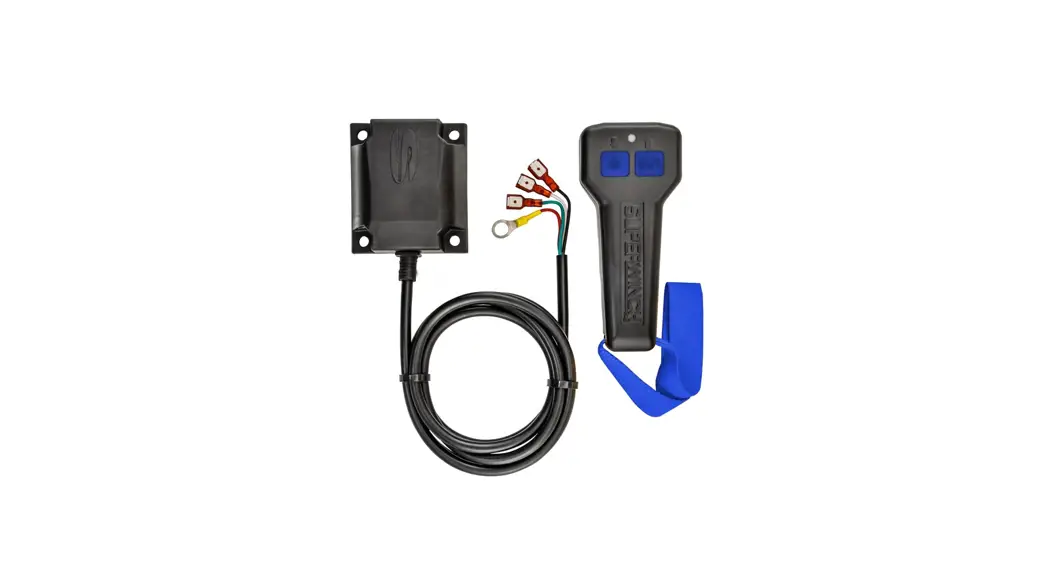
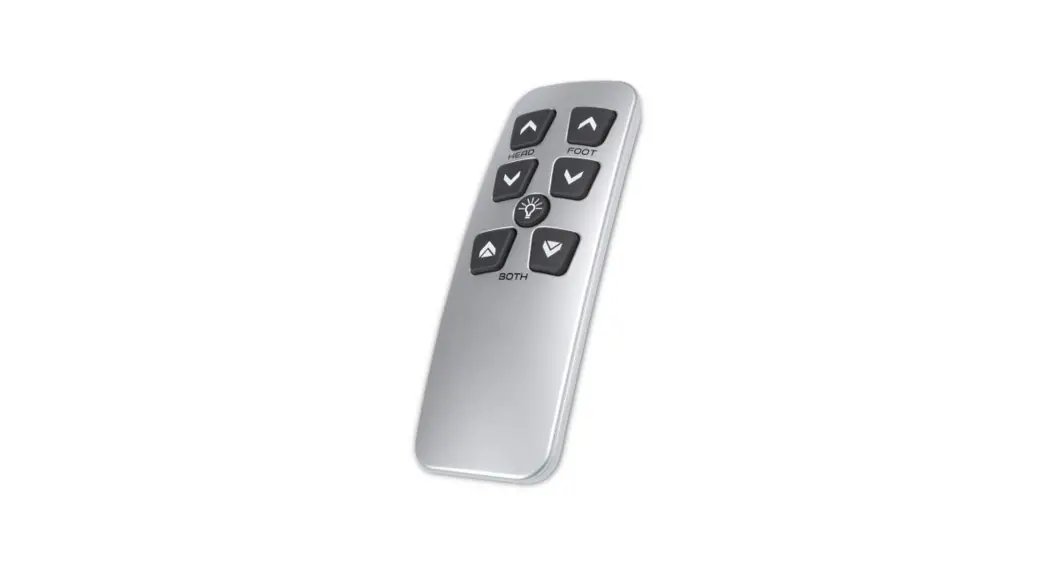
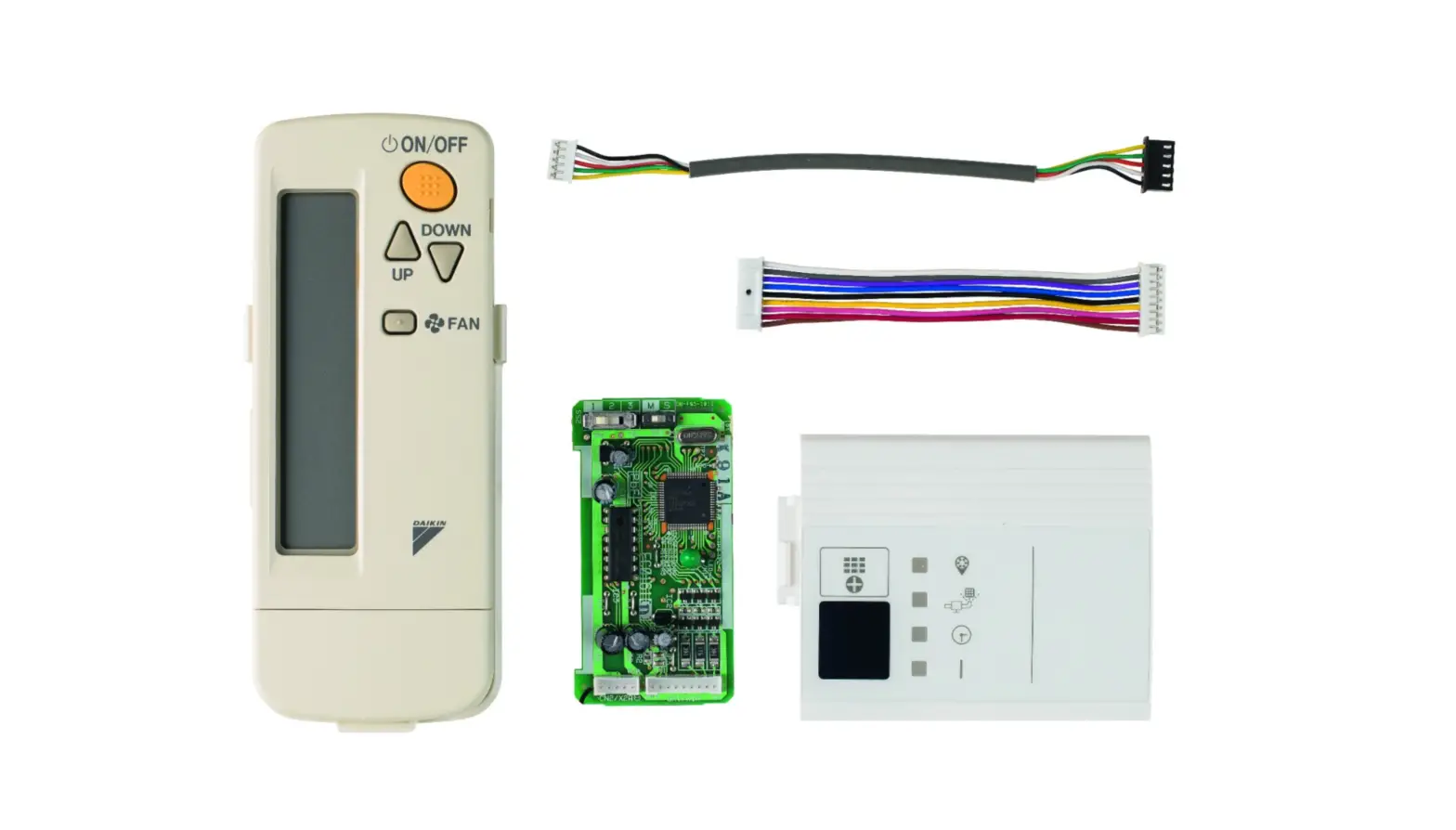
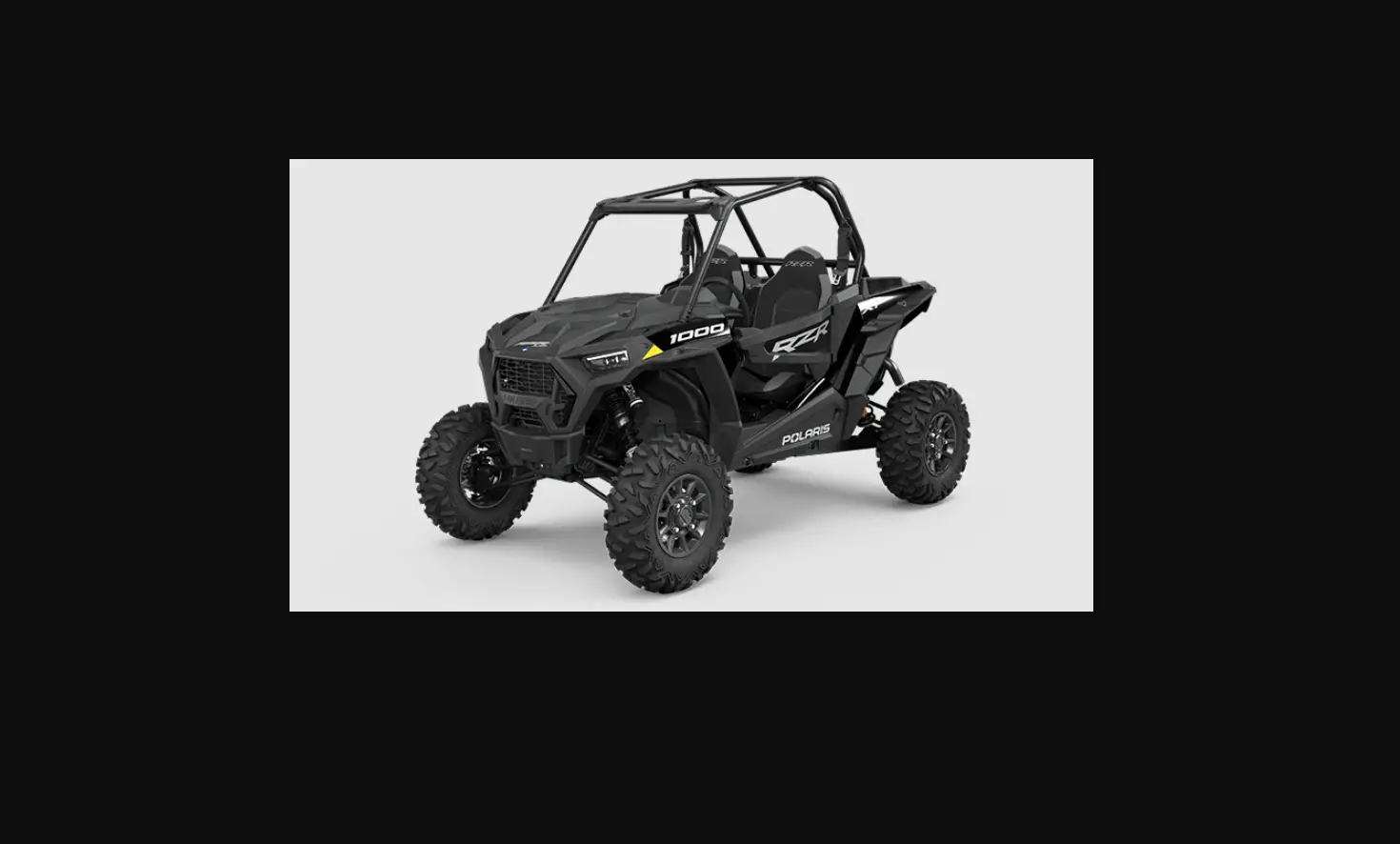
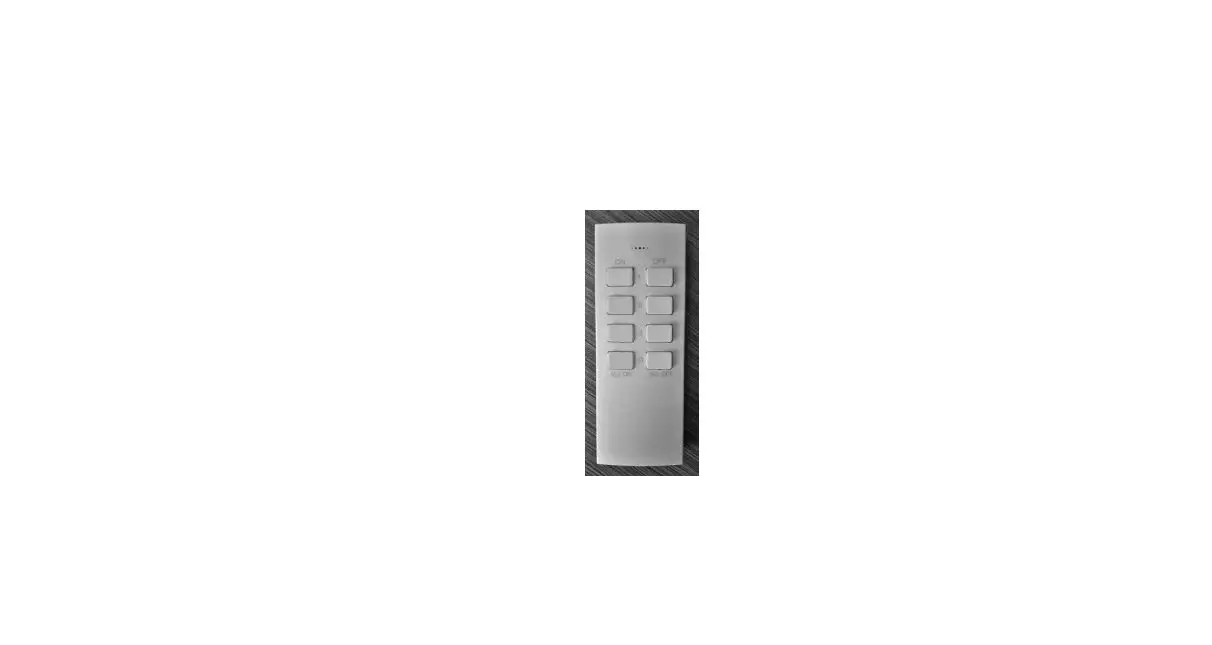
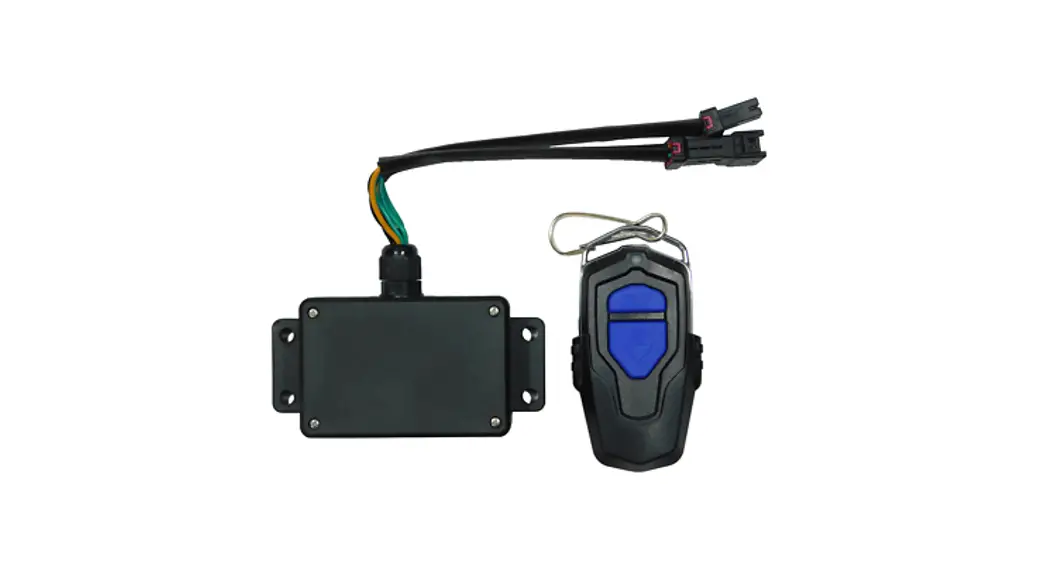
2883455 Wireless Remote Kit
User Manual
APPLICATION
Verify accessory fitment at Polaris.com.
IMPORTANT
This Wireless Remote Kit is intended for use with HD 4500 Lb. Winch Kit (PN 2882714).
BEFORE YOU BEGIN
Read these instructions and check to be sure all parts and tools are accounted for. Please retain these installation instructions for future reference and parts ordering information.
KIT CONTENTS
This Kit includes: 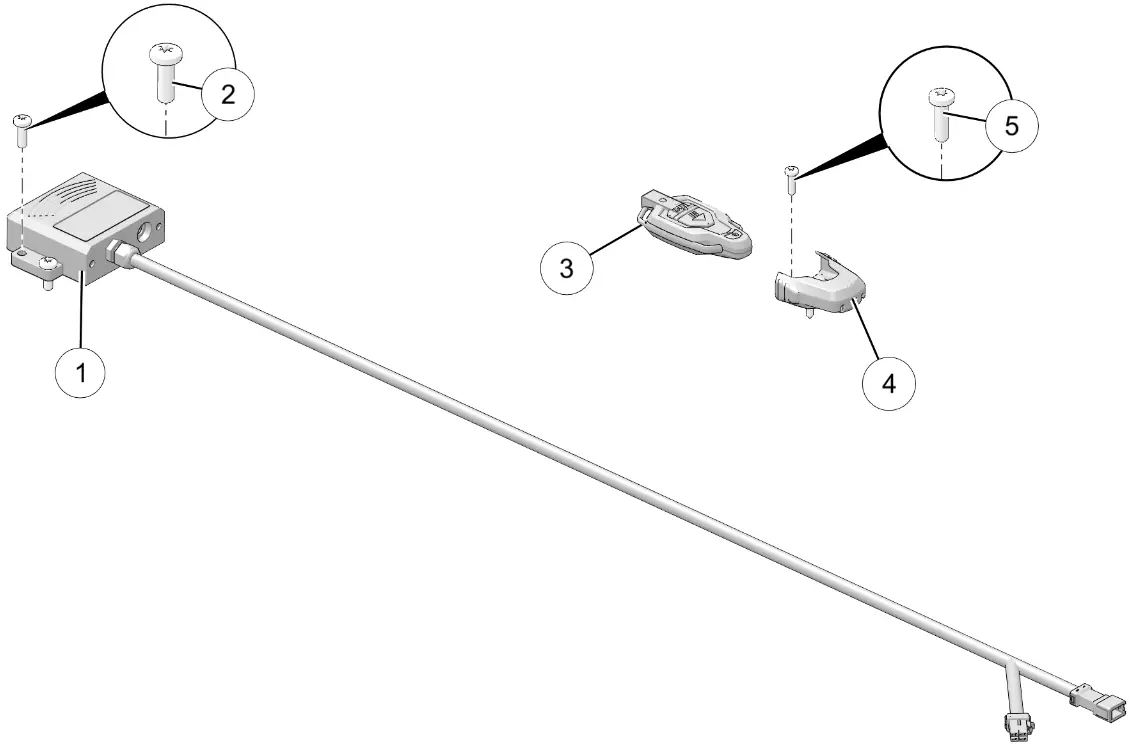
| REF | QTY | PART DESCRIPTION | PART NUMBER |
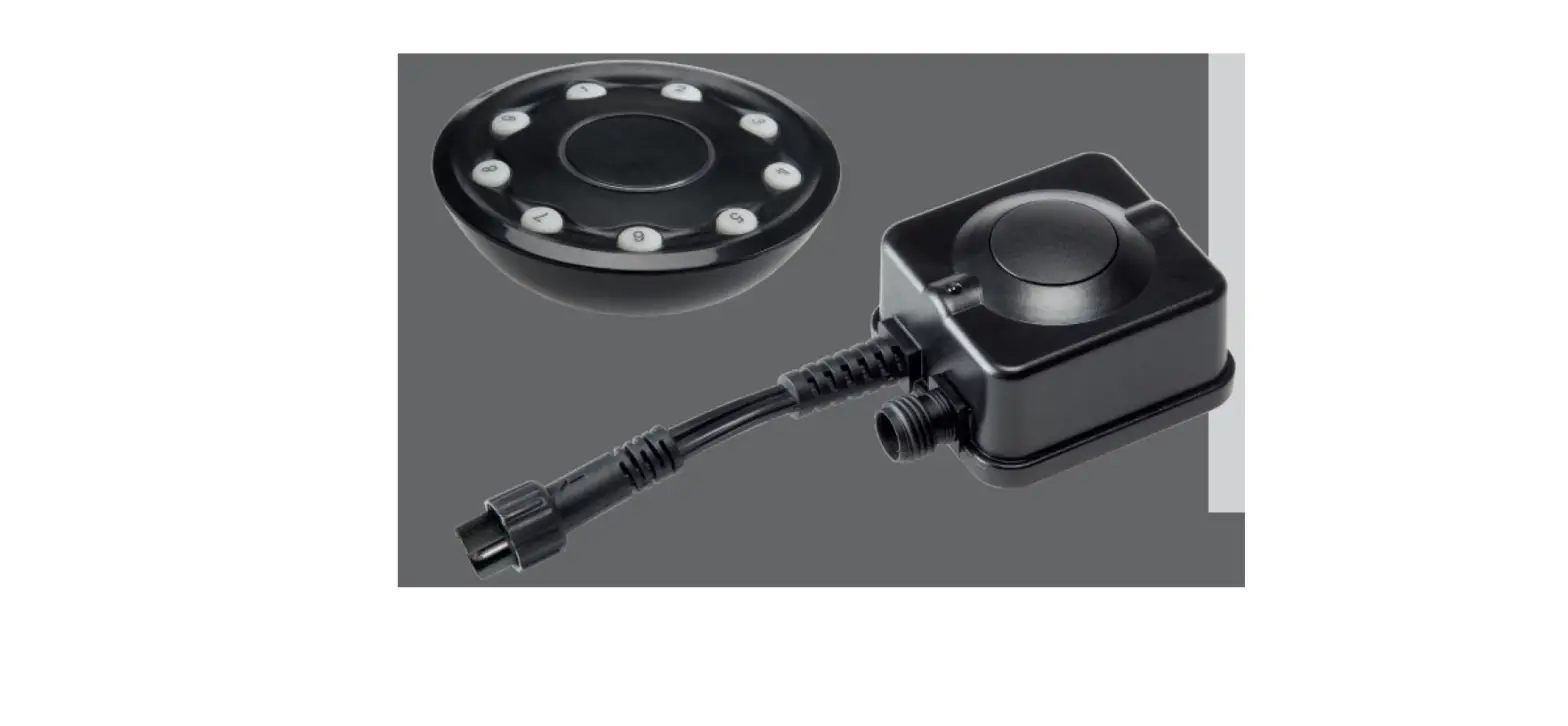
| 1 | 1 | Receiver, Wireless | – |
| 2 | 4 | Screw, Torx® Pan Head, High/Low – #14 X 0.75 | 7519731 |
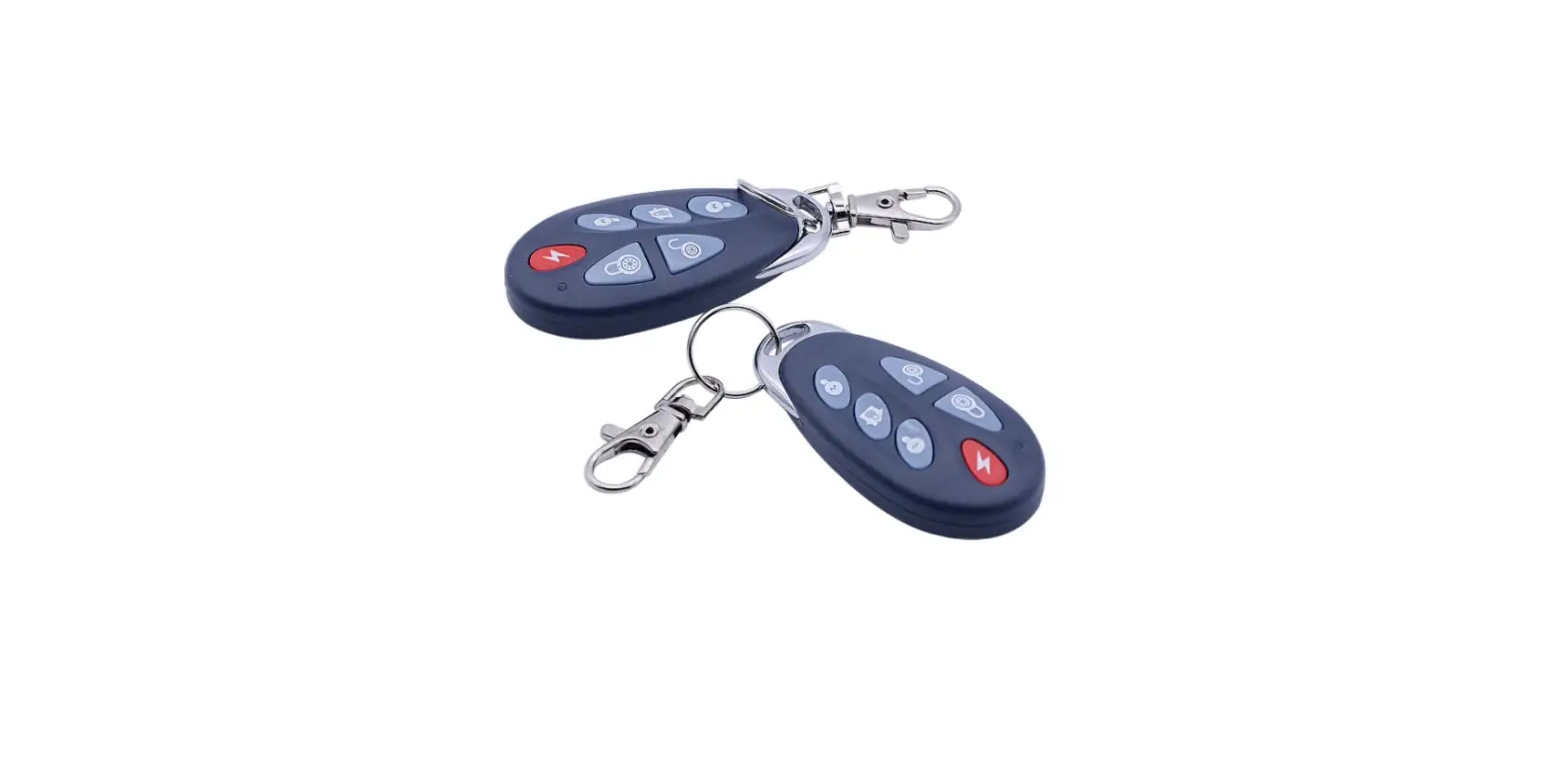
| 3 | 1 | Remote, Wireless | – |
| 4 | 1 | Holder, Wireless Remote | – |
| 5 | 2 | Screw, Torx® Pan Head, High/Low – #10 X 0.75 | 7512026 |
| 1 | Instructions | 9929286 |
TOOLS REQUIRED
- Safety Glasses
- Drill
- Drill Bit: 1/8 inch (3 mm)
- Pliers, Push Pin Rivet
- Screwdriver Set, Torx®
- Socket Set, Metric
- Wrench Set, Metric
IMPORTANT
Your Wireless Remote Kit is exclusively designed for your vehicle. Please read the installation instructions thoroughly before beginning. Installation is easier if the vehicle is clean and free of debris. For your safety, and to ensure a satisfactory installation, perform all installation steps correctly in the sequence shown.
ASSEMBLY TIME
Approximately 20–30 minutes
NOTE
Additional time may be required for the optional steps, or to accommodate other accessories.
HARNESS DETAIL
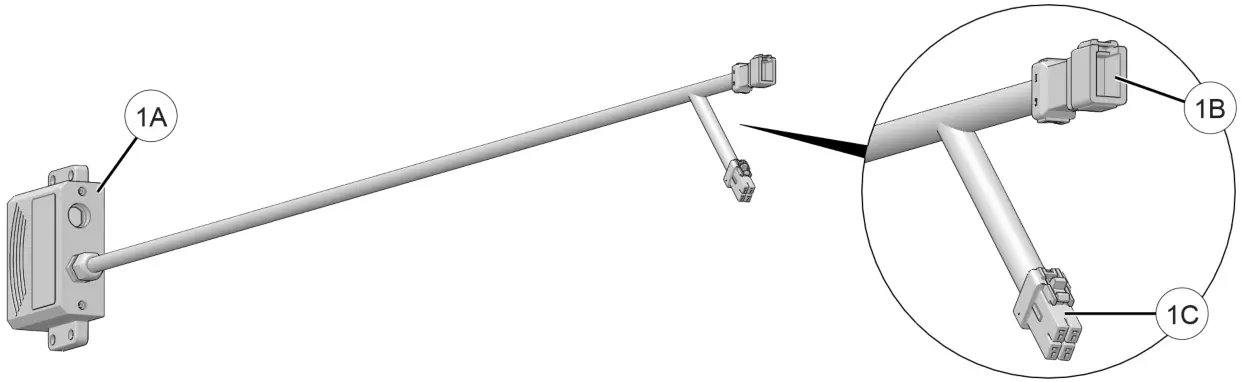
WIRELESS RECEIVER 1:
| REF | PART DESCRIPTION | WIRE COLOR | PIN QTY/ GENDER | CONNECTS TO |
| 1A | Wireless Receiver | – | – | Vehicle structure |
| 1 B | Connector, Autostop Controller/ Contactor | – | 4 male | Main vehicle harness breakout; see instructions for detail |
| 10 | Connector, Wired Remote | – | 4 female | Wired remote socket; see instructions for detail |
INSTALLATION INSTRUCTIONS
- Shift vehicle transmission into “PARK”. Turn the ignition key to the “OFF” position and remove it from the ignition switch.
- Flip-up passenger seat bottom, remove driver’s seat and under-seat storage compartment, then disconnect black negative (-) cable from battery.
- Gain access.
a. Remove hood.
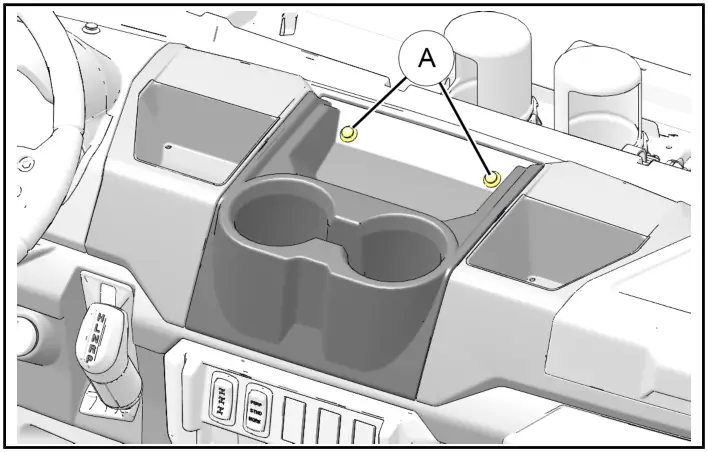
b. Remove upper dash cupholder by removing two push pin rivets A, then sliding cupholder rearward. Retain rivets.
- Install wireless receiver.
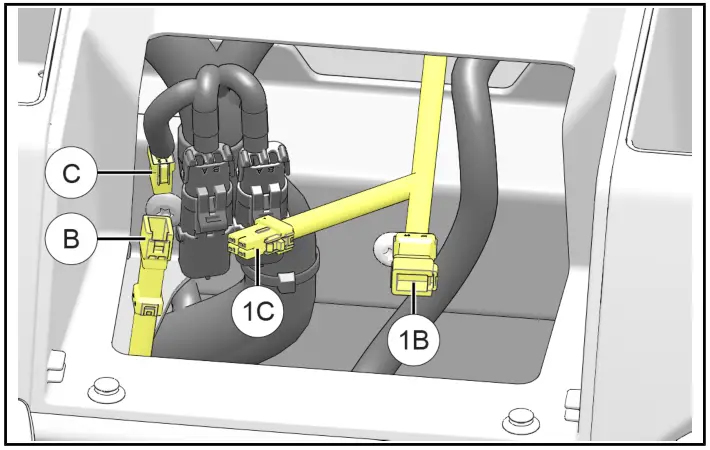
a. Install wireless receiver 1 to RH side of underhood liner using four screws 2. Do not overtighten screws.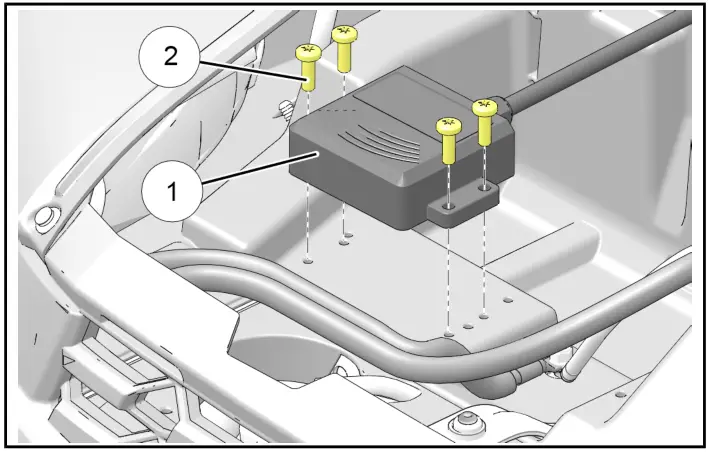 b. Route wireless receiver connectors 1B and 1C rearward through the firewall grommet into the upper dash compartment.
NOTE: See the previous section, HARNESS DETAIL, for connector identification. c. Detach existing wired remote connector B from main vehicle harness breakout connector C.
d. Join wired remote connector B to wireless remote connector 1C.
e. Join wireless remote connector 1B to main vehicle harness breakout connector C. - OPTIONAL: Install wireless remote.
NOTE: The wireless remote can be stowed in any suitable location. Holder 4 is not required.
a. Remove wireless remote 3 from holder 4.
Determine a suitable mounting location for the holder with special attention to the following:
• Driver operation of the vehicle (including travel of controls, such as shift lever)
• Driver visibility
• Adequate clearance between holder mounting fasteners and other vehicle components on the underside of mounting surface
b. Using holder 4 as a template, mark and drill two 1/8 inch (3 mm) holes into the mounting surface.
IMPORTANT: Control drill depth to prevent damage to underlying structure or components.
c. Install holder 4 using two screws 5. Do not over-tighten screws.
d. Reinstall the wireless remote into the holder.
6. Restore access. See Step 3.
7. Reconnect black negative (-) cable to battery, then reinstall under-seat storage compartment and driver’s seat.
 c. Detach existing wired remote connector B from main vehicle harness breakout connector C.
OPERATION
OPERATIONAL CHECK
Wireless remote allows winch operation from outside the vehicle. If the winch does not operate as described, refer to the TROUBLESHOOTING section.
IMPORTANT: The winch operator is always responsible for using the winch properly, as described in the “Winch User Guide” included in the winch kit.
- To turn the wireless remote “ON”, depress and hold the power button for three seconds or until the LED light illuminates.
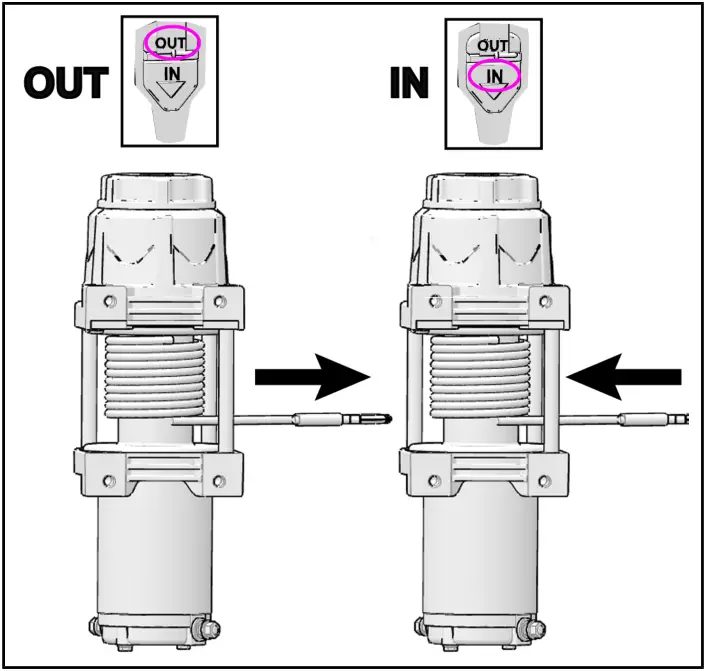
- To extend the rope, depress and hold the “OUT” button. To recover the rope, depress and hold the “IN” button.

- The wireless remote will automatically turn “OFF” after 30 seconds of inactivity. To manually turn off, depress and hold the power button for three seconds or until the LED light extinguishes.
TROUBLESHOOTING
| SYMPTOM | POSSIBLE CAUSES | RECOMMENDED SOLUTION |
| Dead vehicle battery | Incorrect, damaged, or corroded electrical connections | Verify all winch electrical connections are per the instruction manual and free of damage and/or corrosion. |
| Winch will not operate | Contactor not receiving power | Turn the vehicle key on. |
| Wireless remote not powered on | Turn the wireless remote on. | |
| Incorrect, damaged, or corroded electrical connections | Verify all winch electrical connections are per the instruction manual and free of damage and/or corrosion. | |
| Keyed power circuit (orange wires) not properly powered | Check 10A accessory circuit fuse for continuity; replace as required. | |
| Winch operates in one direction only | Autostop fairlead not properly connected | If the winch operates only outward then ensure the magnetic stop (black rubber puck) is not touching the autostop fairlead. If the winch operates inward even when the magnetic stop is touching fairlead then verify all winch electrical connections are per the instruction manual and free of damage and/or corrosion. |
| Winch makes noise but rope/cable does not move | Contactor powered, but not winch | If a clicking sound is heard when the winch control button is depressed, but the winch motor is silent, then verify electrical connections between the winch and contactor are free of damage and/or corrosion. If the winch makes noise but does not move, verify the winch is in gear. If the winch is in gear, but the winch still does not move, have a dealer inspect the winch. |
| Winch operates too slowly | The winch is improperly loaded | Verify rope/cable is not binding on spool or fairlead. |
| Winch will not change gears | Rope/cable is under load | Changing gears while under load is intentionally difficult to prevent accidental operation, which could lead to personal injury or winch failure. Ensure rope/cable is under no tension, and rope/cable is not binding on spool or fairlead. Briefly operate the winch, then attempt to shift again. |
FEEDBACK FORM
A feedback form has been created for the installer to provide any comments, questions, or concerns about the installation instructions. The form is viewable on mobile devices by scanning the QR code or by clicking HERE if viewing on a PC.
 https://form.jotform.com/61263903942153?&number=9929286&revision=R01
FCC Statement:
Any changes or modifications not expressly approved by the party responsible for compliance could void the user’s authority to operate the equipment.
This device complies with part 15 of the FCC Rules. Operation is subject to the following two conditions:
- This device may not cause harmful interference, and
- This device must accept any interference received, including interference that may cause undesired operation.
Note: This equipment has been tested and found to comply with the limits for a Class B digital device, pursuant to part 15 of the FCC Rules. These limits are designed to provide reasonable protection against harmful interference in a residential installation. This equipment generates, uses, and can radiate radio frequency energy and, if not installed and used in accordance with the instructions, may cause harmful interference to radio communications. However, there is no guarantee that interference will not occur in a particular installation. If this equipment does cause harmful interference to radio or television reception, which can be determined by turning the equipment off and on, the user is encouraged to try to correct the interference by one or more of the following measures:
- Reorient or relocate the receiving antenna.
- Increase the separation between the equipment and receiver.
- Connect the equipment into an outlet on a circuit different from that to which the receiver is connected.
- Consult the dealer or an experienced radio/TV technician for help.
Instr 9929286
Rev 01 2018-04