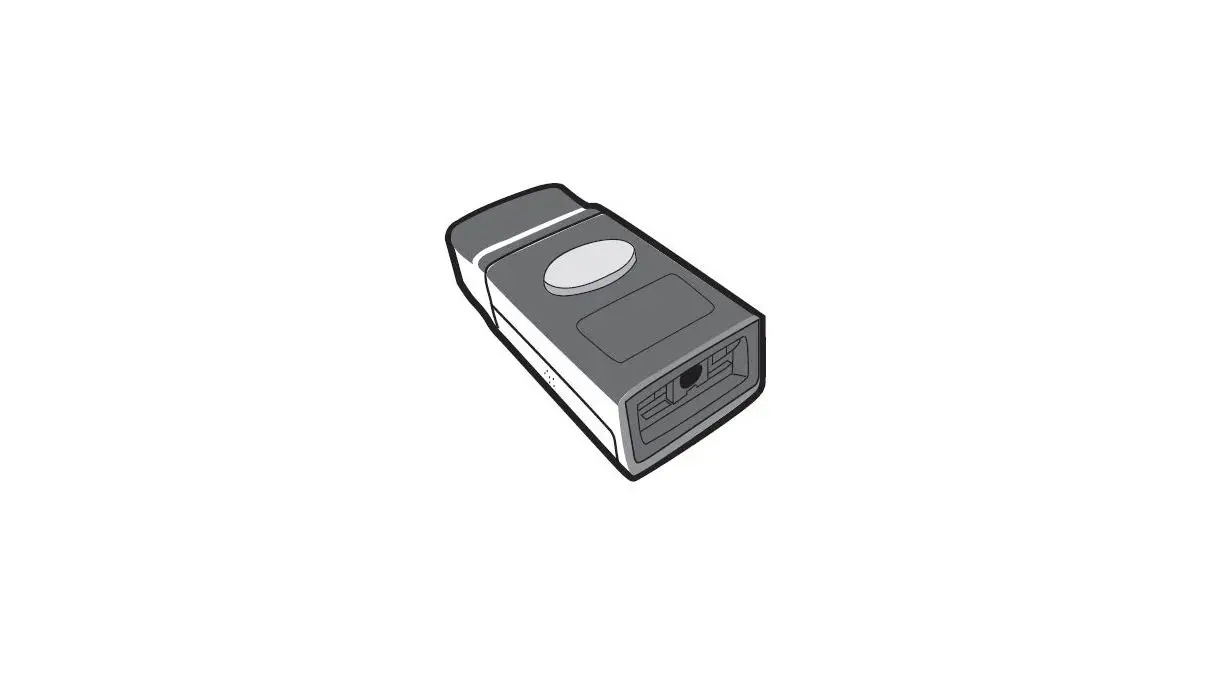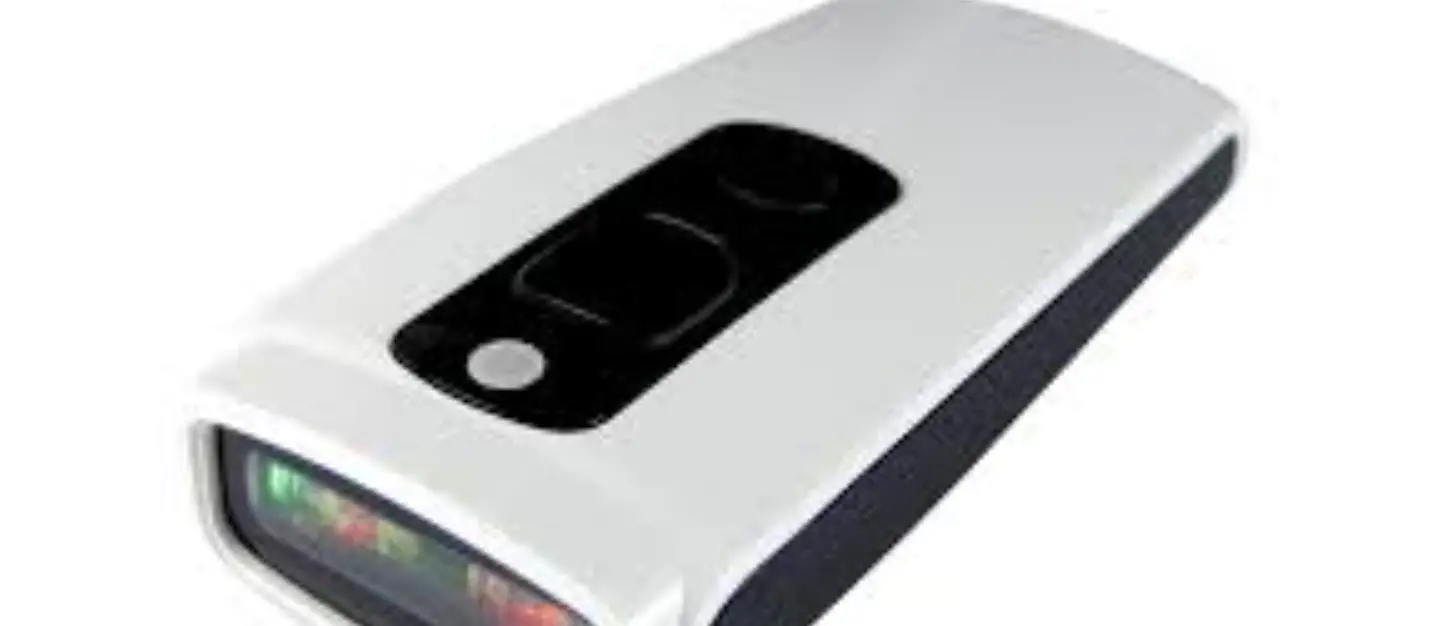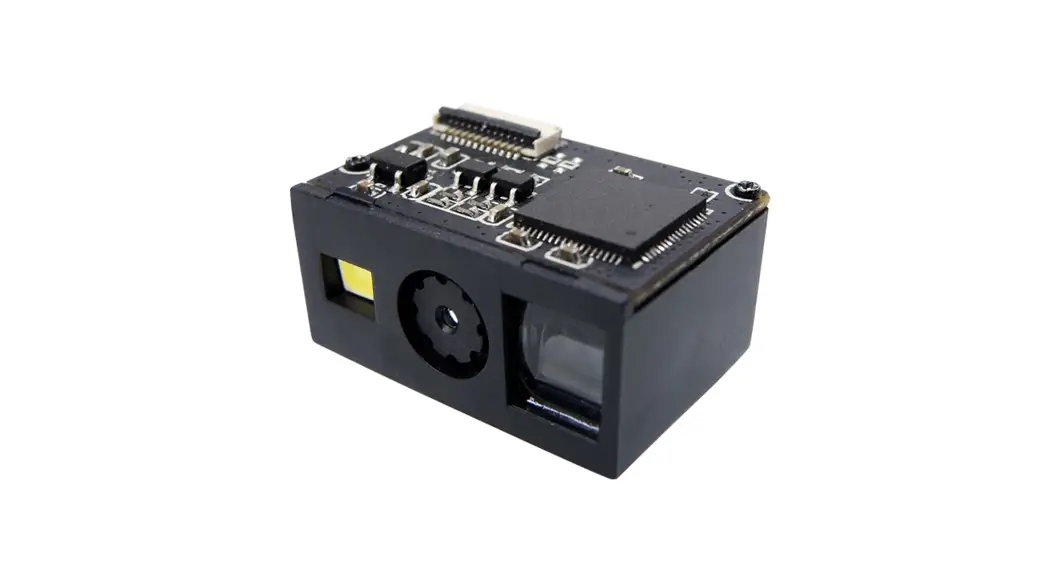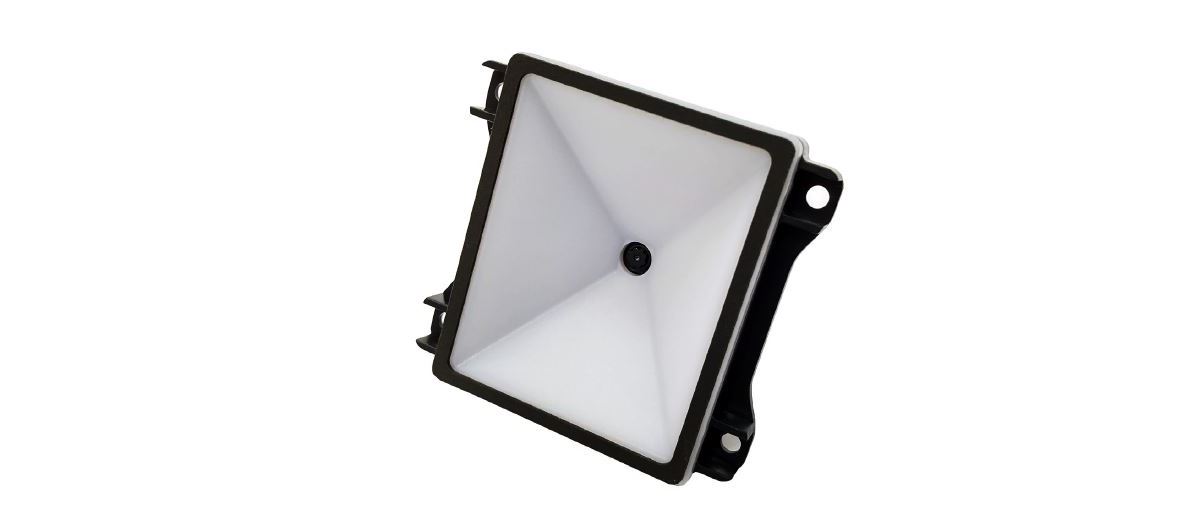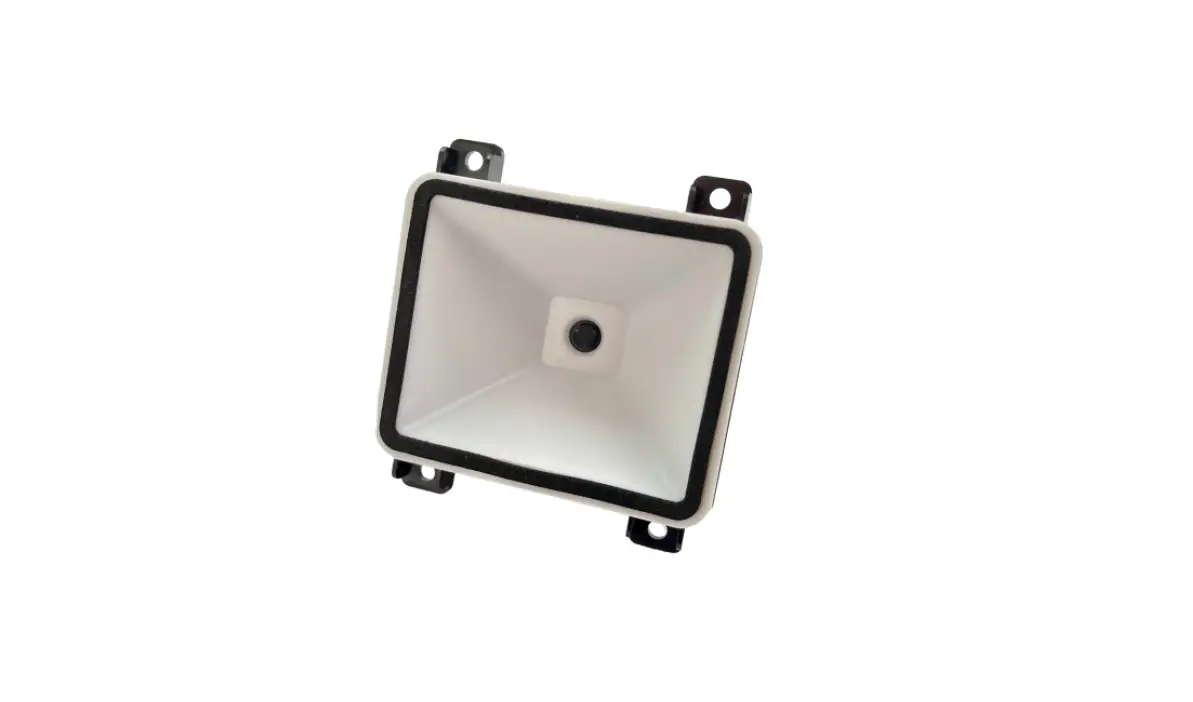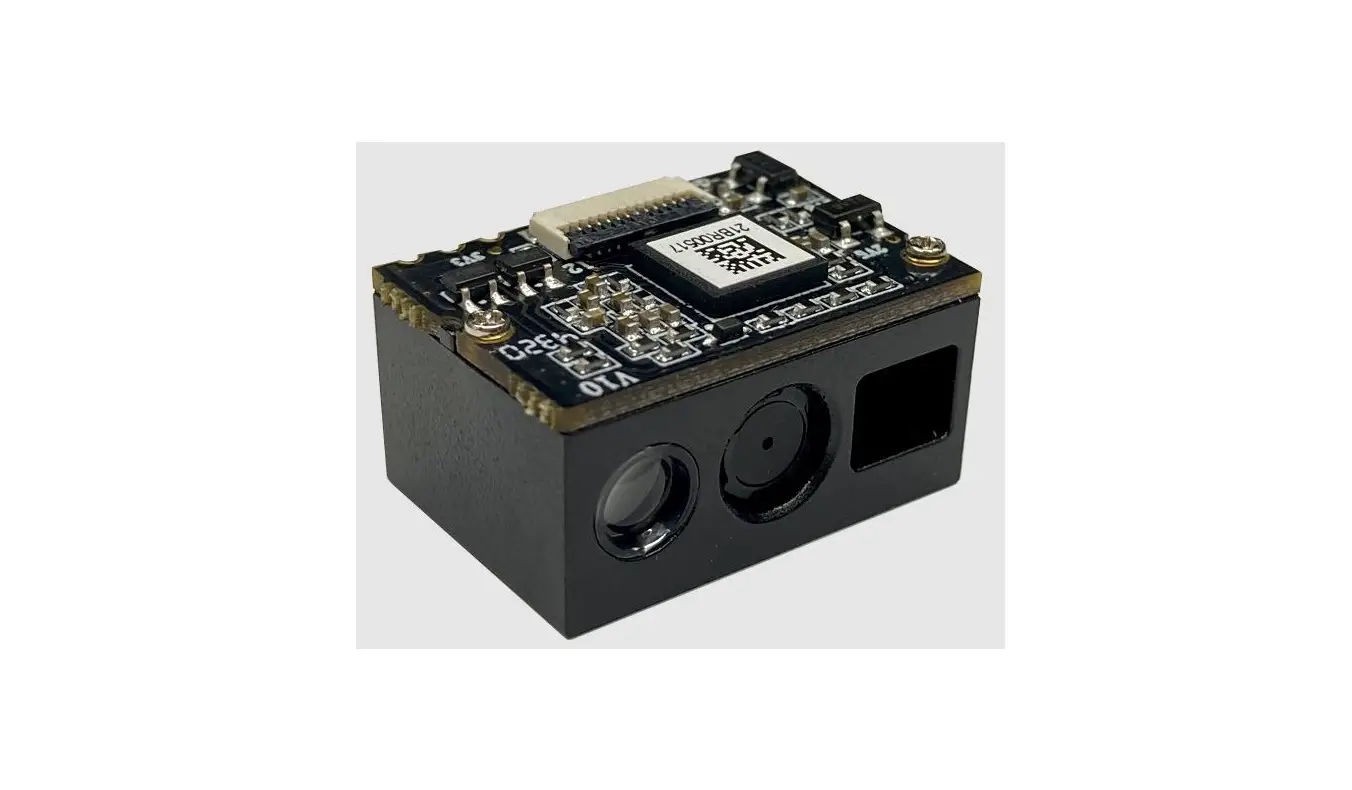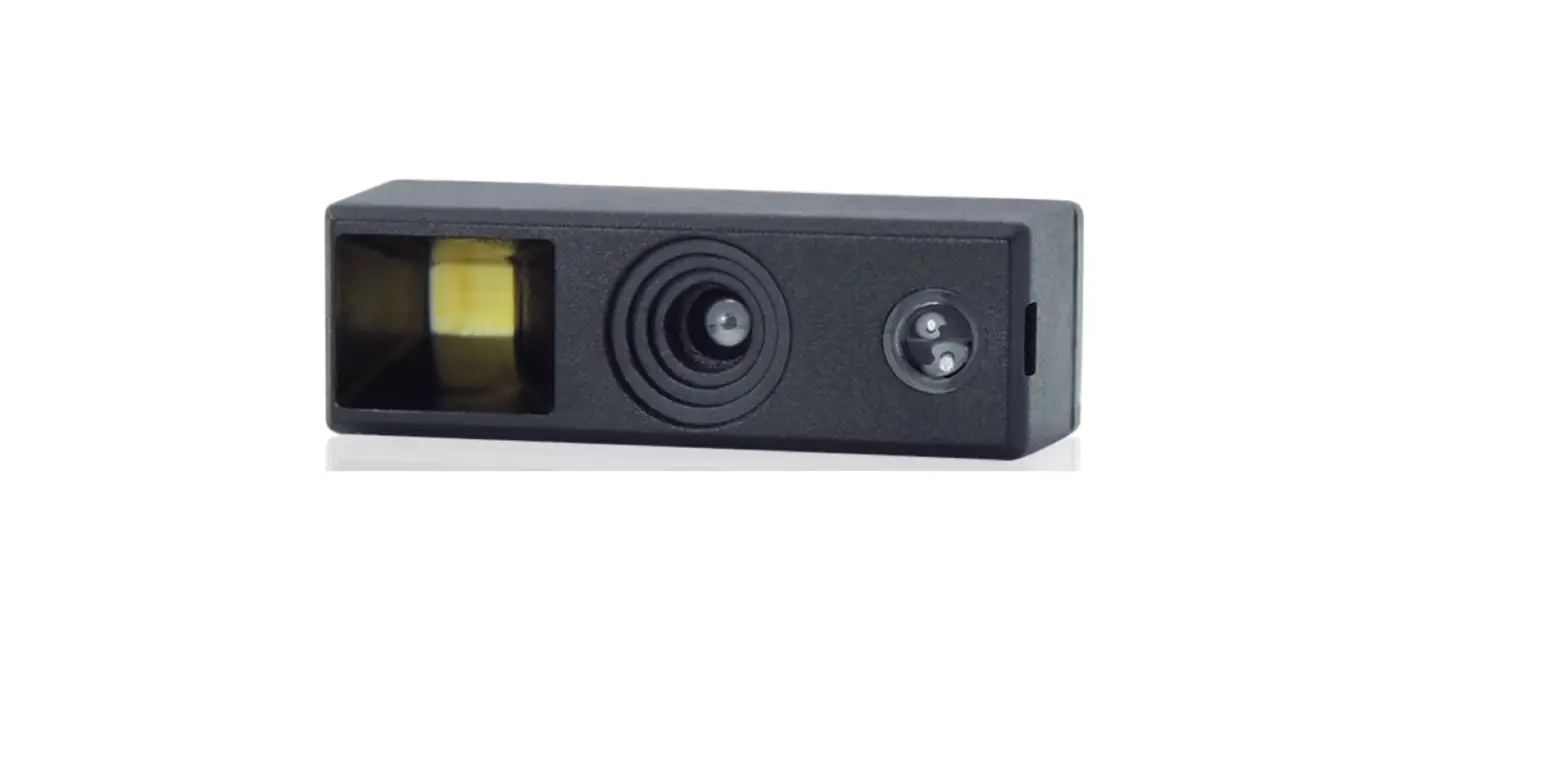

MT8495
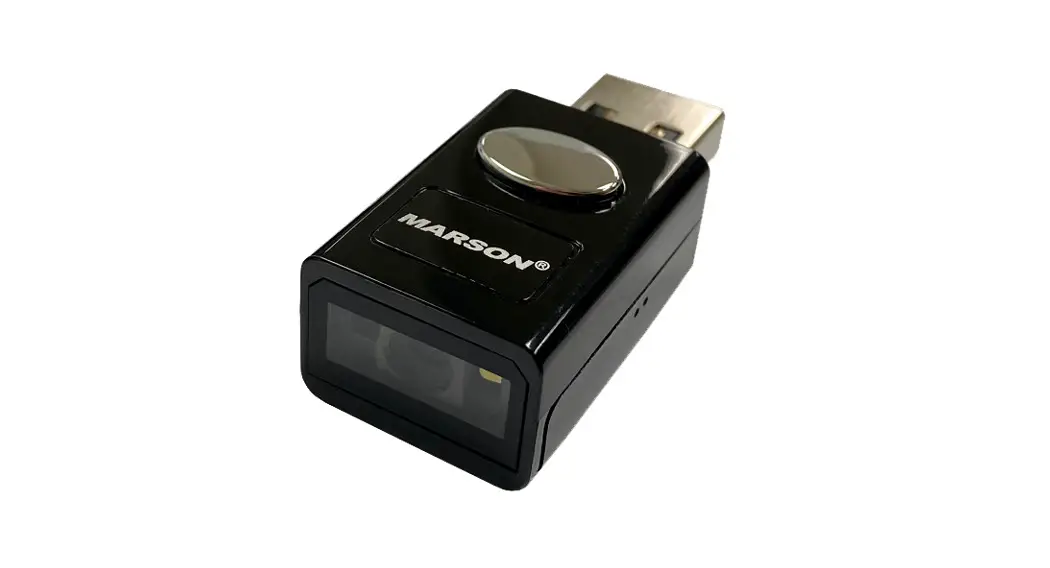
2D USB Mini Scanner
User’s Manual
Version 1.0
Introduction
Manual Description
This user’s manual mainly provides instruction on configuring MT8495. By scanning the configuration barcodes in this manual, you can change MT8495’s interface, reading mode, data format and so on. The appendix lists the default configurations of MT8495. In most cases, user can use MT8495 without further configuration.
Product Requirements
| Model | Firmware Version | Interface |
| MT8495 | HS:V0.00; F:V1.1.33;2021.09.15 or later version | UART |
| USB HID | ||
| USB VCP |
Barcode Configurability
Scanning below configuration barcodes will allow/prohibit user to change settings by scanning configuration barcodes in this manual.
 Enable Barcode Configurability* |  Disable Barcode Configurability |
Scanning below configuration barcodes will allow/prohibit configuration barcode data output.
 Enable Config Barcode Data Output |  Disable Config Barcode Data Output* |
Factory Default
Scanning below configuration barcode will reset all parameters to factory default settings (the ones with * asterisk mark)
 Factory Default
Custom Default
You can create your own custom default. Scan Save Custom Default configuration barcode below and all the current settings of MT8495 will be saved to your custom default, overwriting, if any, the previous one. Scan Custom Default to reset MT8495 to the custom default settings.
 Save Custom Default Save Custom Default |  Custom Default Custom Default |
Check Version
To check firmware version, please scan below configuration barcode.

Check Version
Write/Read Device ID
User can write or read Device ID of up to 16 bytes of alphanumeric via USB VCP interface.
To write Device ID:
Host sends: WriteDeviceID:(desired Device ID).
Device responds: same as write command
To read Device ID:
Host sends: ReadDeviceID
Device responds: DeviceID:(current Device ID)
Example: to write/read Device ID:MT8495001
To write Device ID:
Host sends: WriteDeviceID:MT8495001.
Device responds: WriteDeviceID:MT8495001.
To read Device ID:
Host sends: ReadDeviceID
Device responds: DeviceID:MT8495001
Note:
- Write command is followed by comma ( . ) as ending symbol.
- When no Device ID is defined, device will respond with “DeviceID: NULL” when read.
- No response indicates write command error (wrong format or data).

Check Device ID
Interface
Introduction
MT8495 communicate with the host via USB HID or USB VCP interface. USB VCP interface is capable of establishing bi-directional communication which enables barcode data receiving and command sending between MT8495 and host at the same time.
Interface Options
By default interface is USB HID. Scanning below configuration barcode will switch MT8495 between two different interfaces.
 USB HID* |  USB VCP |
USB HID
HID Device Options
Two types of HID device options are available:
 HID KBW* |  HID POS |
Polling Rate
The smaller the value, the faster MT8495 sends characters to the host. If the characters are missing in barcode data, please increase polling rate.
 1ms* |  3ms |
 5ms |  10ms |
Delay Before HID Release
Below are available options of Delay Before HID Release (the period of time from valid data to release data). The configurable range is from 1 to 63ms; default is 1ms.
 1ms* |  2ms |
 5ms |  10ms |
Delay After HID Release
Below are available options of Delay After HID Release (the period of time from release data to valid data). The configurable range is from 1 to 63ms; default is 1ms.
 1ms* |  2ms |
 5ms |  10ms |
CapsLock
 CapsLock Off* CapsLock Off* |  CapsLock On CapsLock On |
HID Prefix
When HID Prefix is enabled, a prefix of Ctrl+Shift+r is added to each HID data, for host software development purpose.
 Disable HID Prefix* |  Enable HID Prefix |
Keyboard Layout
 English (USA)* |  Czech |
 French |  German |
 Hungarian |  Italian |
 Japanese |  Spanish |
 Turkish Q |  Turkish F |
 Mexican Mexican | |
(Latin American)
Virtual Keyboard
To adapt to more regional applications, virtual keyboard can be enabled at the cost of data output speed. Please make sure all alphabet keys and number keys are available when using virtual keyboard.
 Standard Keyboard* |  Virtual Keyboard |
- Control Code Output Methods
Control code (0x00 ~ 0x1F) can be sent by two methods:
Ctrl Mode*
Alt Mode - Control Code Output
The ASCII between 0x00 to 0x1F can be transformed into control code. When virtual keyboard is enabled, the output sequence of control code is as follows:
(1) Ctrl Mode:
A barcode of “A<HT>F” (0x41/0x09/0x46) is scanned, the output sequence of virtual keyboard is:
a. Enter “A” Press A key
b. Enter “Ctrl + I” Since 0x09 corresponds to “CtrI + I”, virtual keyboard will press and hold Ctrl key, press I key, and release Ctrl key and I key
c. Enter “F” Press F key
Since “Ctrl+I” is shortcut for italicizing text in some software applications, the result of above output sequence can be a regular A plus an italic F. Please note that Ctrl Mode is only supported by English (USA) keyboard layout.
(2) Alt Mode: When virtual keyboard and alt mode are enabled at the same time, the control code output will be ALT + ASCII Decimal Value. For <HT>, the output sequence of virtual keyboard is: Enter “Alt + 0 + 9” Virtual keyboard will press and hold Alt key, press “0” and “9” on numeric keypad respectively, and release Alt key.
When in standard keyboard, control code (0x00 ~ 0x1F) will be sent according to its function key definition, as seen in below table:


Control Code Table
| ASCII | Hex | Function Key | Ctrl Key Combination | CTRL+X Function |
| NUL | 0 | Null | Ctr1+@ | |
| SOH | 1 | KeypadEnter | Ctrl+A | Select all |
| STX | 2 | CapsLock | Ctrl+B | Bold |
| ETX | 3 | ALT | Ctrl+C | Copy |
| EOT | 4 | Null | Ctrl-FD | Bookmark |
| ENQ | 5 | CTRL | Ctrl+E | Center |
| ACK | 6 | Null | Ctrl+F | Find |
| BEL | 7 | Enter | Ctrl+G | |
| BS | 8 | LeftArrow | Ctrl-FH | History |
| HT | 9 | Horizontal Tab | Ctr1+1 | Italic |
| LF | OA | DownArrow | Ctrl+J | Justify |
| VT | OB | Vertical Tab | Ctrl+K | hyperlink |
| FF | OC | Delete | Ctrl+L | list,left align |
| CR | OD | Enter | Ctrl-FM | |
| SO | OE | Insert | Ctrl+N | New |
| SI | OF | Esc | Ctr1+0 | Open |
| DLE | 10 | F11 | Ctrl-FP |
| DC1 | 11 | Home | Ctrl+Q | Quit |
| DC2 | 12 | PrintScreen | Ctrl+R | |
| DC3 | 13 | Backspace | CtrI+S | Save |
| DC4 | 14 | tab+shift | CtrI+T | |
| NAK | 15 | F12 | Ctrl+U | |
| SYN | 16 | Fl | Ctrl+V | Paste |
| ETB | 17 | F2 | Ctrl+W | |
| CAN | 18 | F3 | Ctrl+X | |
| EM | 19 | F4 | Ctrl+Y | |
| SUB | 1A | F5 | Ctrl+Z | |
| ESC | 1B | F6 | Ctr1+[ | |
| FS | 1C | F7 | Ctr1+/ | |
| GS | 1D | F8 | Ctr1+] | |
| RS | 1E | F9 | Ctr1+6 | |
| US | 1 F | F10 | Ctr1+- |
Numeric Keypad
 Number Keys On |  Number Keys Off* |
 Symbol Keys On |  Symbol Keys Off* |
Reading Mode
Trigger Mode
In trigger mode, MT8495 starts scanning barcode when trigger is pressed. If trigger keeps being pressed within LED timeout, the scanning continues. When LED timeout expires or a barcode is scanned, the scanning stops. To restart scanning, the trigger be released and then pressed again.
 Trigger Mode*
Trigger Condition
When trigger condition = level, the trigger must always be pressed during a scanning operation. The scanning will not stop until a barcode is scanned or LED timeout expires. When trigger condition = pulse, MT8495 starts scanning whenever a press on the trigger is detected, and will continue scanning until a barcode is scanned or LED timeout expires.
 Level* Level* |  Pulse Pulse |
LED Timeout
LED timeout is the maximum scanning duration. When LED timeout expires, the scanning operation stops automatically. The configurable range is from 100 to 25500ms; default is 5000ms.
 1000ms |  3000ms 3000ms |
 5000ms* |  Unlimited Unlimited |
Serial Trigger Mode
In serial trigger mode, MT8495 starts scanning barcode when trigger command (write `1′ to bit0 of address 0x0002) is received from the host. When LED timeout expires or a barcode is scanned, the scanning stops. To restart scanning, the host must send trigger command again.
 Serial Trigger Mode
Trigger Command Response
In serial trigger mode, the trigger command is 7E 00 08 01 00 02 01 AB CD. When MT8495 receives trigger command, it responds with 02 00 00 01 00 33 31 and starts scanning. Scanning below configuration barcodes will allow/prohibit trigger command response.
 Enable Trigger Command Response* Enable Trigger Command Response* |  Disable Trigger Command Response Disable Trigger Command Response |
LED Timeout
Please refer to 3.1.2 LED Timeout for configuration barcodes.
Continuous Mode
In continuous mode, MT8495 keeps scanning barcodes continuously. By default, after a successful scan, MT8495 enters a Scan Interval of 1000ms. During scanning, keeping the trigger pin low for 50ms will cause the scanning to pause. Likewise, during pause, keeping the trigger pin low for 50ms will restart the scanning.
 Continuous Mode*
Trigger Control
Scanning below configuration barcodes will allow/prohibit trigger control over pause/restart scanning in continuous mode.
 Trigger Control On* |  Trigger Control Off |
LED Timeout
Please refer to 3.1.2 LED Timeout for configuration barcodes.
Scan Interval
Scan interval is the period of time between two consecutive scans. The configurable range is from 0 to 25500ms; default is 1000ms.
 None
None
 500ms |  1000ms* |
 3000ms |  5000ms |
Identical Read Interval
When identical read interval is enabled, a barcode (or an identical one) can be re-scanned only after the defined amount of interval expires. This prevents repetitive scanning of a barcode in continuous mode.
 Disable Identical Read Interval* |  Enable Identical Read Interval |
The configurable range of interval is from 0 to 12700ms. Please enable identical read interval before interval range setup.
 None
None
 500ms |  1000ms |
 3000ms |  5000ms |
Auto-sensing Mode
In auto-sensing mode, MT8495 automatically starts scanning barcode when image change is detected within its field of view. After a successful scan or LED timeout expiration, MT8495 enters a Scan Interval of 1000ms by default. MT8495 can also be triggered when trigger pin is pull low.
 Auto-sensing Mode
Auto-sensing Mode – Advanced Mode Setup
By default MT8495 is in standard mode. Fast mode is created for better user experience, with all parameters already at optimal level, for which scan interval, identical read interval, LED timeout, auto-sensing sensitivity and image stabilization timeout are not applicable.
 Standard Mode* |  Fast Mode |
LED Timeout
Please refer to 3.1.2 LED Timeout for configuration barcodes.
Scan Interval
Please refer to 3.3.3 Scan Interval for configuration barcodes.
Identical Read Interval
Please refer to 3.3.4 Identical Read Interval for configuration barcodes.
Auto-sensing Sensitivity
 Low |  Medium* |
 High |  Ultra High |
Image Stabilization Timeout
Image stabilization timeout is the period of time needed for image to stay stable before scanning. The configurable range is from 0 to 25500ms in 100ms
 0ms
0ms
 100ms |  400ms |
 1000ms |  2000ms |
Illumination and Aimer
Illumination
Illumination is the white LED that provides supplemental light during scanning to increase image recognizability and adaptability to low ambient light condition.
Normal: LED turns on during scanning.
Always On: LED always stays on.
Always Off: LED always stays off.
 Normal*
 Always Off |  Always On |
Aimer
Aimer is the red LED that projects a red bar aiming pattern to help user target barcode with ease.
On: LED stays on during scanning.
Flash: LED flashes during scanning.
Always On: LED always stays on.
Always Off: LED always stays off.
 Flash* |  On |
 Always Off |  Always On |
Indicator
General Settings
 Mute |  Unmute* |
Power Up Beep
 On* |  Off |
Good Read Beep
 On* |  Off |
Good Read Beep Duration
 30ms |  60ms* |
 90ms |  120ms |
Beep Frequency
 Low |  Medium* |  High |
Configuration Barcode Beep
 On* |  Off |
Good Read LED
 On* |  Off |
Data Format
The following is the complete data format: [Preamble] + [Code ID] + [Data] + [Postamble] + [Terminator]
By default Code ID, Preamble and Postamble are disabled; terminator is 0x0D (Carriage Return). Data is the content encoded in a barcode, which can be further divided into [Start] + [Center] + [End] if the length of Start/End is defined.
Preamble
Enable/Disable Preamble
 Enable Preamble |  Disable Preamble* |
Set Preamble
 Set Preamble
Preamble can be up to 15 bytes of data, with each data converted into two-digit hex value during configuration. Please refer to Appendix C for ASCII table and corresponding hex value.
Example: to set Preamble as “CODE”
- Convert “CODE” into Hex equivalent as 43, 4F, 44, 45
- Scan Set Preamble
- Scan 4, 3, 4, F, 4, 4, 4, 5 respectively from 8.1 Data 0~F
- Scan Save Configuration from 8.2 Save & Abort
Postamble
Enable/Disable Postamble
 Enable Postamble |  Disable Postamble* |
Set Postamble
 Set Postamble
Postamble can be up to 15 bytes of data, with each data converted into two-digit hex value during configuration. Please refer to Appendix C for ASCII table and corresponding hex value.
Example: to set Postamble as “CODE”
- Convert “CODE” into Hex equivalent as 43, 4F, 44, 45
- Scan Set Postamble
- Scan 4, 3, 4, F, 4, 4, 4, 5 respectively from 8.1 Data 0~F
- Scan Save Configuration from 8.2 Save & Abort
Code ID
Enable/Disable Code ID
 Enable Code ID |  Disable Code ID* |
Reset Code ID
Scanning below configuration barcode will reset all Code IDs to default. Please refer to Appendix B Code ID for each symbology’s default Code ID.
 Reset All Code ID to Default
Set Code ID
Example: to set PDF417 Code ID as `p’
- Convert `p’ to Hex equivalent as 70
- Scan Set PDF417 Code ID
- Scan 7, 0 respectively from 8.1 Data 0~F
- Scan Save Configuration from 8.2 Save & Abort
 Set EAN-13 Code ID |  Set EAN-8 Code ID |
 Set UPC-A Code ID |  Set UPC-E0 Code ID |
 Set UPC-E1 Code ID |  Set Code128 Code ID |
 Set Code39 Code ID |  Set Code93 Code ID |
 Set Codabar Code ID |  Set Interleaved 2/5 Code ID |
 Set Industrial 2/5 Code ID |  Set Matrix 2/5 Code ID |
 Set Code11 Code ID |  Set MSI Plessey Code ID |
 Set GS1 Databar Code ID |  Set GS1 Databar Limited Code ID |
 Set GS1 Databar Expanded Code ID |  Set QR Code Code ID |
 Set Data Matrix Code ID |  Set PDF417 Code ID |
 Set Micro QR Code Code ID |  Set Han Xin Code ID |
 Set MicroPDF417 Code ID |  Set Standard 2/5 Code ID |
 Set UK Plessey Code ID |  Set ChinaPost2/5 Code ID |
 Set Code16K Code ID |  Set MaxiCode Code ID |
 Set Aztec Code ID
Terminator
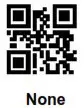 |  CR (0x0D)* |
 TAB (0x09) |  CF LF (0x0D 0x0A) |
Data
Data Output
Data can be divided into three parts: [Start] + [Center] + [End] They are valid only when Start/End Length is defined.
 Send All* |  Send Start Only |
 Send End Only |  Send Center Only |
Data Length
 Set Start Length |  Set End Length |
Start/End Length can be 0 to 255 digits, converted into two-digit hex value (00 ~ FF) during configuration. Please refer to Appendix C ASCII Table for corresponding hex value.
Example: to set Start Length as 2
- Convert 2 to Hex equivalent as 02
- Scan Set Start Length
- Scan 0, 2 respectively from 8.1 Data 0~F
- Scan Save Configuration from 8.2 Save & Abort
Encoding Format
Below are output encoding format options. Please note that GBK is used for Notepad, UNICODE for Microsoft Word, and raw for serial data output.
 GBK* |  UTF8 |
 Raw |  UNICODE |
RF Message
Read Fail (RF) message is the message sent from MT8495 to the host device in the case of scanning failure.
Enable/Disable RF Message
 Enable RF Message |  Disable RF Message* |
Set RF Message
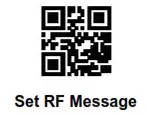
The RF message can be up to 15 bytes of data, with each data converted into two-digit hex value during configuration. Please refer to Appendix C for ASCII table and corresponding hex value.
Example: to set RF Message as `CODE’
- Convert “CODE” into Hex equivalent as 43, 4F, 44, 45
- Scan Set RF Message
- Scan 4, 3, 4, F, 4, 4, 4, 5 respectively from 8.1 Data 0~F
- Scan Save Configuration from 8.2 Save & Abort
Note: In the case of entering odd number of hex value during configuration, the last byte of data becomes invalid.
Output Protocol
The output protocol applies to UART/USB VCP interface, which, when enabeld, transforms data into below format:
[0x03] + [Length] + [Data]
 Output Data Only* |  Output Protocol |
GS Replacement
GS (0x1D) stands for Group Separator and is used as delimiters to mark fields of data structures. As a control code, GS is non-displayable in many text applications and therefore it is requested to be replaced with displayable character in some use cases. In short, this function replaces 0x1D with a displayable ASCII character. GS can be replaced by 0x20 ~ 0x7E in ASCII table.
Example: to set GS Replacement as `C’
- Scan Enable GS Replacement
- Scan Set GS Replacement
- Convert “C” into Hex equivalent as 43
- Scan 4, 3 respectively from 8.1 Data 0~F
- Scan Save Configuration from 8.2 Save & Abort
 Enable GS Replacement |  Disable GS Replacement* |  Set GS Replacement |
URL Output
Scanning below configuration barcodes will allow/prohibit URL (web address) barcode data output.
 Enable URL Output* |  Disable URL Output* Disable URL Output* |
Symbologies
General Settings
Scanning below configuration barcodes will enable/disable all symbologies or enable symbologies by default.
 Enable All Symbologies |  Disable All Symbologies |  Enable Default Symbologies* |
Enhanced Decode Capability
When enhanced decode capability is enabled, the decode capability for damaged, twisted barcode is enhanced. When disabled, decode speed is increased.
 Enable Enhanced Decode Capability |  Disable Enhanced Decode Capability* |
Inverse Barcode
Inverse barcode, also known as inverted barcode or negative barcode, is printed white lines/dots and black background.
 Enable Inverse Barcodes |  Disable Inverse Barcodes* |
Mirrored Barcode
Mirrored barcode is printed with reversed direction perpendicular to the original barcode. Please note that when mirrored barcodes is enabled, MT8495 can *only* read mirrored barcodes.
 Enable Mirrored Barcodes |  Disable Mirrored Barcodes* |
Check Digit of Commodity Barcode
Scanning below configuration barcodes will allow/prohibit the check digit output of commodity barcode (EAN-13/EAN-8/UPC-A/UPC-E0/UPC-E1).
 Enable Check Digit of Commodity Barcode* |  Disable Check Digit of Commodity Barcode |
EAN-13
Enable/Disable EAN-13
 Enable EAN-13* |  Disable EAN-13 |
Supplement
Supplement, also known as addenda or add-on, is the add-on barcode encoded with supplementary information next to the main barcode on periodicals and paperback books. The supplement can be either 2 or 5 digits.
 Enable 2-digit Supplement |  Disable 2-digit Supplement* |
 Enable 5-digit Supplement |  Disable 5-digit Supplement* |
Supplement Required
When supplement required is enabled, MT8495 can only output EAN-13 with supplement.
 Enable Supplement Required |  Disable Supplement Required* |
Check Digit
 Send Check Digit* |  Not Send Check Digit |
EAN-8
Enable/Disable EAN-8
 Enable EAN-8* |  Disable EAN-8 |
Supplement
Supplement, also known as addenda or add-on, is the add-on barcode encoded with supplementary information next to the main barcode on periodicals and paperback books. The supplement can be either 2 or 5 digits.
 Enable 2-digit Supplement |  Disable 2-digit Supplement* |
 Enable 5-digit Supplement |  Disable 5-digit Supplement* |
Supplement Required
When supplement required is enabled, MT8495 can only output EAN-8 with supplement.
 Enable Supplement Required |  Disable Supplement Required* |
Check Digit
 Send Check Digit* |  Not Send Check Digit |
UPC-A
Enable/Disable UPC-A
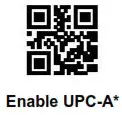 |  Disable UPC-A |
Supplement
Supplement, also known as addenda or add-on, is the add-on barcode encoded with supplementary information next to the main barcode on periodicals and paperback books. The supplement can be either 2 or 5 digits.
 Enable 2-digit Supplement |  Disable 2-digit Supplement* |
 Enable 5-digit Supplement |  Disable 5-digit Supplement* |
Supplement Required
When supplement required is enabled, MT8495 can only output UPC-A with supplement.
 Enable Supplement Required |  Disable Supplement Required* |
UPC-A to EAN-13
Scanning below configuration barcodes will allow/prohibit the conversion of UPC-A into EAN-13.
 Enable UPC-A to EAN-13 |  Disable UPC-A to EAN-13* |
Check Digit
 Send Check Digit* |  Not Send Check Digit |
UPC-E0
Enable/Disable UPC-E0
 Enable UPC-E0* |  Disable UPC-E0 |
Supplement
Supplement, also known as addenda or add-on, is the add-on barcode encoded with supplementary information next to the main barcode on periodicals and paperback books. The supplement can be either 2 or 5 digits.
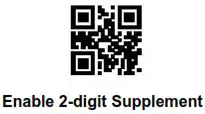 |  Disable 2-digit Supplement* |
 Enable 5-digit Supplement |  Disable 5-digit Supplement* |
Supplement Required
When supplement required is enabled, MT8495 can only output UPC-E0 with supplement.
 Enable Supplement Required |  Disable Supplement Required* |
Check Digit
 Send Check Digit* |  Not Send Check Digit |
UPC-E1
Enable/Disable UPC-E1
 Enable UPC-E1* Enable UPC-E1* |  Disable UPC-E1 |
Supplement
Supplement, also known as addenda or add-on, is the add-on barcode encoded with supplementary information next to the main barcode on periodicals and paperback books. The supplement can be either 2 or 5 digits.
 Enable 2-digit Supplement |  Disable 2-digit Supplement* |
 Enable 5-digit Supplement |  Disable 5-digit Supplement* |
Supplement Required
When supplement required is enabled, MT8495 can only output UPC-E1 with supplement.
 Enable Supplement Required |  Disable Supplement Required* |
Check Digit
 Send Check Digit* |  Not Send Check Digit |
Code128
Enable/Disable Code128
 Enable Code128* |  Disable Code128 |
Min/Max Length
 Min Length = 00 |  Min Length = 04* |
 Max Length = 32* |  Max Length = 255 |
Code128 Prefix (11)
 Enable Code128 Prefix (11) |  Disable Code128 Prefix (11)* |
Code39
Enable/Disable Code39
 Enable Code39* |  Disable Code39 |
Min/Max Length
 Min Length = 00 |  Min Length = 04* |
 Max Length = 32* |  Max Length = 255 |
Send Start & Stop
 Send Start |  Not Send Start* |
 Send Stop |  Not Send Stop* |
Verification
 Enable Verification |  Disable Verification* |
Check Digit
 Send Check Digit |  Not Send Check Digit* |
Enable/Disable Code32
 Enable Code32 |  Disable Code32* |
Code32 Preamble (`A’)
 Enable Preamble (`A’)* |  Disable Preamble (`A’) |
Full ASCII Code39
 Enable Full ASCII Code39 |  Disable Full ASCII Code39* |
Code93
Enable/Disable Code93
 Enable Code93* |  Disable Code93 |
Min/Max Length
 Min Length = 00 |  Min Length = 04* |
 Max Length = 32* |  Max Length = 255 |
Codabar
Enable/Disable Codabar
 Enable Codabar* |  Disable Codabar |
Min/Max Length
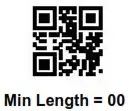 |  Min Length = 04* |
 Max Length = 32* |  Max Length = 255 |
Send Start & Stop
 Send Start |  Not Send Start* |
Verification
 Verification = None* |  Verification = Mod10 |
 Verification = Mod16 |  Verification = Mod10/Mod16 |
Check Digit
 Send Check Digit |  Not Send Check Digit* |
Interleaved 2/5
Enable/Disable Interleaved 2/5
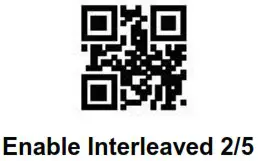 |  Disable Interleaved 2/5* |
Min/Max Length
 Min Length = 00 |  Min Length = 04* |
 Max Length = 32* |  Max Length = 255 |
Verification
 Verification = None* |  Verification = Mod10 |
Check Digit
 Send Check Digit |  Not Send Check Digit* |
Industrial 2/5
Enable/Disable Industrial 2/5
 Enable Industrial 2/5 |  Disable Industrial 2/5* |
Min/Max Length
 Min Length = 00 |  Min Length = 04* |
 Max Length = 32* |  Max Length = 255 |
Verification
 Verification = None* Verification = None* |  Verification = Mod10 |
Check Digit
 Send Check Digit |  Not Send Check Digit* |
Matrix 2/5
Enable/Disable Matrix 2/5
 Enable Matrix 2/5 |  Disable Matrix 2/5* |
Min/Max Length
 Min Length = 00 |  Min Length = 04* |
 Max Length = 32* |  Max Length = 255 |
Verification
 Verification = Mod10 |  Verification = None* |
Check Digit
 Send Check Digit |  Not Send Check Digit* |
Standard 2/5
Enable/Disable Standard 2/5
 Enable Standard 2/5 |  Disable Standard 2/5* |
Min/Max Length
 Min Length = 00 |  Min Length = 04* |
 Max Length = 32* |  Max Length = 255 |
Verification
 Enable Verification |  Disable Verification* |
Check Digit
 Send Check Digit |  Not Send Check Digit* |
ChinaPost 2/5
Enable/Disable ChinaPost 2/5
 Enable ChinaPost 2/5 |  Disable ChinaPost 2/5* |
Min/Max Length
 Min Length = 00 |  Min Length = 04* |
 Max Length = 32* |  Max Length = 255 |
Verification
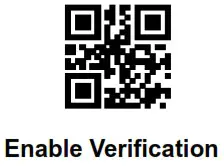 |  Disable Verification* Disable Verification* |
Check Digit
 Send Check Digit | 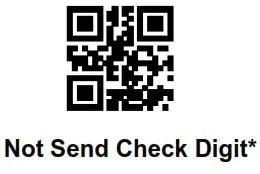 |
Code11
Enable/Disable Code11
 Enable Code11 |  Disable Code11* |
Min/Max Length
 Min Length = 00 |  Min Length = 04* |
 Max Length = 32* |  Max Length = 255 |
Verification
 Verification = 1bit* |  Verification = 2bit |
Check Digit
 Send Check Digit |  Not Send Check Digit* |
MSI Plessey
Enable/Disable MSI Plessey
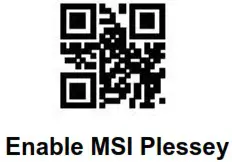 |  Disable MSI Plessey* Disable MSI Plessey* |
Min/Max Length
 Min Length = 00 |  Min Length = 04* |
 Max Length = 32* |  Max Length = 255 |
Verification
 Verification = Mod10 |  Verification = Double Mod10 |
Check Digit
 Send Check Digit |  Not Send Check Digit* |
UK Plessey
Enable/Disable UK Plessey
 Enable UK Plessey |  Disable UK Plessey* |
Min/Max Length
 Min Length = 00 |  Min Length = 04* |
 Max Length = 32* |  Max Length = 255 |
Verification
 Enable Verification |  Disable Verification* Disable Verification* |
Check Digit
 Send Check Digit |  Not Send Check Digit* |
GS1 Databar
Enable/Disable GS1 Databar
 Enable GS1 Databar |  Disable GS1 Databar* |
GS1 Databar AI Parentheses
 Enable GS1 Databar AI Parenthese* |  Disable GS1 Databar AI Parenthese Disable GS1 Databar AI Parenthese |
Enable/Disable GS1 Databar Limited
 Enable GS1 Databar Limited |  Disable GS1 Databar Limited* |
GS1 Databar Limited AI Parentheses
 Enable GS1 Databar Limited AI Parenthese* |  Disable GS1 Databar Limited AI Parenthese |
Enable/Disable GS1 Databar Expanded
 Enable GS1 Databar Expanded |  Disable GS1 Databar Expanded* |
GS1 Databar Expanded AI Parentheses
 Enable GS1 Databar Expanded AI Parenthese* |  Disable GS1 Databar Expanded AI Parenthese |
Min/Max Length
 Min Length = 00 |  Min Length = 04* |
 Max Length = 32* |  Max Length = 255 |
Code16K
Enable/Disable Code16K
 Enable Code16K |  Disable Code16K* |
Min/Max Length
 Min Length = 00 Min Length = 00 |  Min Length = 04* |
 Max Length = 32* |  Max Length = 255 |
QR Code
Enable/Disable QR Code
 Enable QR Code* |  Disable QR Code |
Model 1 QR Code
 Enable Model 1 QR Code |  Disable Model 1 QR Code* |
QR Code Prefix (11)
 Enable QR Code Prefix (11) |  Disable QR Code Prefix (11)* |
Micro QR Code
 Enable Micro QR Code* |  Disable Micro QR Code |
Data Matrix
Enable/Disable Data Matrix
 Enable Data Matrix* |  Disable Data Matrix |
Multicode
Scanning below configuration barcodes will allow/prohibit multiple Data Matrix barcodes to be scanned at the same time.
 Enable Multicode |  Disable Multicode* Disable Multicode* |
PDF417
 Enable PDF417* |  Disable PDF417 |
MicroPDF417
 Enable MicroPDF417 |  Disable MicroPDF417* |
Aztec
 Enable Aztec |  Disable Aztec* |
MaxiCode
 Enable MaxiCode |  Disable MaxiCode* |
Han Xin (Chinese Sensible Code)
 Enable Han Xin |  Disable Han Xin* |
Configuration Barcode
Data 0~F
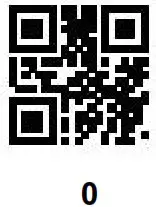 |  1 |
 2 2 |  3 |
 4 |  5 5 |
 6 6 |  7 7 |
 8 |  9 |
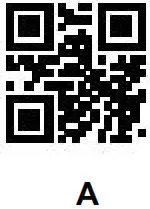 |  B B |
 C |  D |
 E |  F |
Save & Abort
If there is an error reading data barcode during configuration, you may cancel 1/all data by scanning below configuration barcodes. For example, barcode data `1′, `2′ ,’3′ have been scanned respectively during configuration. If you want to cancel `3′, scan Abort 1 Data. If you want to cancel `123′, scan Abort All Data. Alternatively you may scan Abort Configuration to cancel the whole configuration process.
 Save Configuration |  Abort 1 Data |
 Abort All Data |  Abort Configuration |
Batch Setup
Configuring multiple devices by scanning barcode one by one can be toublesome. To solve such issue, MT8495 supports batch setup where user can create a single QR Code containing multiple configurations acceptable by MT8495.
Below are rules of batch setup:
- Batch setup format: @WSM + [Parameter 1] ; [Parameter 2] ; [Parameter n] ;
- Parameter for each configuration is listed in Appendix E Batch Setup Parameter
- Two parameters are separated by semicolon ( ; ). Batch setup format must also end with semicolon ( ; ). Please note that no space is allowed within/between parameters.
- Maximum number of parameters per batch setup is 30.
- Encode the whole batch setup parameters in a QR Code.
Example: to include following configurations in batch setup: Enable barcode configurability (Parameter: 00000000), Auto-sensing Mode (Parameter: 02000003), Illumination Normal (Parameter: 03000000), LED Timeout 3000ms (Parameter: 0202001E), Disable Interleaved 2/5 (Parameter: 070A0100), the complete batch setup parameters should be: @WSM00000000;02000003;03000000;0202001E;070A0100
Appendix
Appendix A – Default Table
| Function | Default | Remark | |
| General Settings | |||
| Barcode Configurability | Enable | ||
| Config Barcode Data Output | Disable | ||
| Interlace | |||
| Interface | USB HID | ||
| USB HID | HID Device Options | HID KBW | |
| Polling Rate | 1ms | Range: 1 – 64ms | |
| Delay Before HID Release | 1ms | Range: 1 – 63ms | |
| Delay After HID Release | 1ms | Range: 1 – 63ms | |
| CapsLock | Off | ||
| HID Prefix | Disable | ||
| Keyboard Layout | English (USA) | ||
| Virtual Keyboard | Standard | ||
| Control Code Output Methods | Ctrl Mode | ||
| Numeric Keypad | Number Keys Off | ||
| Symbol Keys Off | |||
| Reading Mode | |||
| Reading Mode | Trigger Mode | ||
| Trigger Mode | Trigger Condition | Level | |
| LED Timeout | 5000ms | Range: 100 – 25500ms Increment: 100ms Ox00: Unlimited | |
| Serial Trigger Mode | Trigger Command Response | Enable | |
| LED Timeout | 5000ms | Range: 100 – 25500ms Increment: 100ms | |
| Continuous Mode | Trigger Coned | On | |
| LED Timeout | 5000ms | Range: 100 – 25500ms Increment: 100n-s Ox00: Unsuited | |
| Scan Interval | 100Oms | Range: 0 – 25500ms Increment: 100ms | |
| Identical Read Interval | Disabe | Range: 100- 25500ms Increment: 100ms Ox00: Ural-need | |
| Auto-sensing Mode | Advanced Mode Setup | Standard | |
| LED Timeout | 500Oms | Range: 100- 25500ms Increment 100ms Ox00: Unfinited | |
| Scan Interval | 100Oms | Range: 0 -25500ms Increment 100ms | |
| Identical Read Interval | Disable | Range: 100 – 25500ms Increment 100ms Ox00: Unlinked | |
| Auto-sensing Sensitivity | Medium | Range: 00 – FF The larger the number. the low the sensitivity | |
| Image Stabilization Timeout | Oms | Range: 0 – 25500ms Increment: 100ms | |
| Illumination and Amerm | |||
| Illumination | Normal | ||
| Airier | Flask | ||
| Indicator | |||
| General Settings | Unmute | ||
| Power Up Beep | On | ||
| Good Read Beep | On | ||
| Good Read Beep Duration | 60ms | Range. 0 – 255ms | |
| Beep Frequency | Medium | ||
| Configuration Barcode Beep | On | ||
| Good Read LED | On | ||
| Data Format | |||
| Preamble | Disab- | ||
| Set Preamble | None | ||
| Postamble | Disabe | ||
| Set Postamble | None | ||
| Code ID | Disabe | ||
| Set Code ID | None | ||
| Term:later | CR (OxOD) | ||
| Data Output | Send All | ||
| Data Length | Set Start Length | 0 | |
| Set Start Length | 0 | ||
| Encoding Formal | GM | ||
| Data Length | 0 | ||
| RF Message | Enablatisable | Disabe | |
| Set RF Message | None | ||
| Output Protocol | Output Data Only | ||
| GS Replacement | Enable/Disable | Disable | |
| Set GS Replacement | None | ||
| URL Output | Disable | ||
| Symbologies | |||
| General Settings | Enable Default Symbol: glee | ||
| Enhanced Decode Capatity | Disable | ||
| Inverse Barcode | Disable | ||
| Mirrored Barcode | Disable | ||
| Med( Digit of Commodity Barcode | Enable | EAN-131EAN-8/UPC-A/UPC-E011 | |
| EAN-13 | |||
| Enatie/Disable | Enable | ||
| 24git Sups:lament | Disable | ||
| 5-6gi9 Supplement | Disable | ||
| Supplement Required | Disable | ||
| Check Digit | Send | ||
| EAN-8 | |||
| Enable/Disable | Enable | ||
| 24gi1 Supplement | Disable | ||
| 5-6git Supplement | Disable | ||
| Supplement Required | Disable | ||
| Funtion | Default | Remark |
| Check Digit | Send | |
| UPC-A | ||
| Enable/Disable | Enable | |
| 2-cfgit Supplement | Disable | |
| 5-digit Supplement | Disable | |
| Supplement Requi-e:1 | Disable | |
| UPCA to EAN13 | Disable | |
| Check Digit | Send | |
| UPC-E0 | ||
| Enable/Disable | Enable | |
| 26git Supplement | Disable | |
| 5-ifrgit Supplement | Disable | |
| Supplement Requied | Disable | |
| Check Digit | Send | |
| UPC-E1 | ||
| Enable/Disable | Enable | |
| 2-cbgit Supplement | Disable | |
| 5-ctogit Supplement | Disable | |
| Supplement Required | Disable | |
| Check Digit | Send | |
| Code128 | ||
| Enable/Disable | Enable | |
| Max Length | 32 | |
| Min Length | 4 | |
| Code128 Prefix (11) | Disable | |
| Code39 | ||
| Enable/Disable | Enable | |
| Max Length | 32 | |
| /Ain Length | 4 | |
| Send Start | Not Send | |
| Send Stop | Not Send | |
| Verification | Enable | |
| Check Digit | Not Send | |
| Code32 | Disable | |
| Code32 Preamble (A’) | Disable | Prerequisite: Enable Code32 |
| Full ASCII Code39 | Disable | |
| Code93 | ||
| Enable/Dnahie | Enable | |
| Max Length | 32 | |
| Min Length | 04 | |
| Codabar | ||
| Enable/Disable | Enable | |
| Max Length | 32 | |
| Min Length | 04 | |
| Send Start & Stop | Not Send | |
| Veacation | None | |
| Check Digit | Not Send | |
| Interleaved 2/5 | ||
| Enable/Disable | Disable | |
| Max Length | 32 | |
| Min Length | 4 | |
| Veithcation | None | |
| Check Digit | Not Send | |
| Industrial 2/5 | ||
| Enable/Disable | Disable | |
| Max Length | 32 | |
| Min Length | 4 | |
| Vodkas:el | None | |
| Check Digit | Not Send | |
| Matrix 2/5 | ||
| Enable/Disable | Disable | |
| Max Length | 32 | |
| Min Length | 4 | |
| Venfication | None | |
| Check Digit | Not Send | |
| Standard 2/5 | ||
| Enable/Disable | Disable | |
| Max Length | 32 | |
| Min Length | 4 | |
| Verification | Disable | |
| Check Digit | Not Send | |
| ChinaPost 2/5 | ||
| EnaMeasable | Disable | |
| Max Length | 32 | |
| Min Length | 4 | |
| Verificabon | Disable | |
| Check Digit | NM Send | |
| Code11 | ||
| Enable/Disable | Disable | |
| Max Length | 324 | |
| Min Length | 4 | |
| Verification | I tit | |
| Check Digit | Not Send | |
| MSI Plessey | ||
| Enable/Disable | Disable | |
| Max Length | 32 | |
| Min Length | ||
| Vinificatko | Mod10 | |
| Check Digit | Not Send | |
| UK Plessey | ||
| EnableDisaNe | Disable | |
| Max Length | 32 | |
| Min Length | 4 | |
| Vinifr_atica | Disable | |
| Check Digit | Not Send | |
| GSI Dabber | ||
| Enable/Disable GS1 Databar | Disable | |
| Enable/Disable GS1 Databar AI Parenthese | Enable | |
| Enable/Disable GS1 Databar Limited | Disatte | |
| Enable/Disable GS1 Databar Limited AI Parenthese | Enable | |
| Enable/Disable GS1 Databar Expanded | Disable | |
| Enable/Disable GS1 Databar Expanded AI Parenthese | Enable | |
| Max Length | 32 | |
| Min Length | 4 | |
| Code16 K | ||
| Enable/Disable | Disable | |
| Max Length | 32 | |
| Min Length | 4 | |
| QR Code | ||
| Enable/Disable | Enable | |
| Model I QR Code | Disable | |
| QR Code Prefix (11) | Disable | |
| Micro QR Code | ||
| EnabWDisable | Enable | |
| Data Matrix | ||
| Enable?Disable | Enable | |
| Multitude | Disable | |
| PDF417 | ||
| Enable/Disable | Enable | |
| MicroPDF917 | ||
| Enat4e/Disable | Disable | |
| Aztec | ||
| Enable/Disable | Disable | |
| MaxiCode | ||
| Enable/Disable | Disable | |
| Man Min (Chinn* Sensible Code) | ||
| Enable/Disable | Disable | |
Appendix B – Code ID
| Symbology | Code ID |
| EAN-13 | d |
| EAN-8 | d |
| UPC-A | c |
| UPC-E0 | c |
| UPC-E1 | c |
| Code128 | j |
| Code39 | b |
| Code93 | i |
| Codabar | a |
| Interleaved 2/5 | e |
| Industrial 2/5 | D |
| Matrix 2/5 | v |
| Standard 2/5 | f |
| ChinaPost 2/5 | X |
| Code11 | H |
| MSI Plessey | m |
| UK Plessey | n |
| GS1 Databar | R |
| GS1 Databar Limited | R |
| GS1 Databar Expanded | R |
| Code16K | X |
| QR Code | Q |
| Micro QR Code | X |
| Data Matrix | u |
| PDF417 | r |
| MicroPDF417 | R |
| Aztec | z |
| MaxiCode | x |
| Han Xin | h |
Appendix C – ASCII Table
| Hex | Dec | ASCII |
| 0 | 0 | NUL (Null char.) |
| 1 | 1 | SOH (Start of Header) |
| 2 | 2 | STX (Start of Text) |
| 3 | 3 | ETX (End of Text) |
| 4 | 4 | EOT (End of Transmission) |
| 5 | 5 | ENO (Enquiry) |
| 6 | 6 | ACK (Acknowledgment) |
| 7 | 7 | BEL (Bell) |
| 8 | 8 | BS (Backspace) |
| 9 | 9 | HT (Horizontal Tab) |
| Oa | 10 | LF (Line Feed) |
| Ob | 11 | VT (Vertical Tab) |
| Oc | 12 | FF (Form Feed) |
| Od | 13 | CR (Carriage Return) |
| Oe | 14 | SO (Shift Out) |
| Of | 15 | SI (Shift In) |
| 10 | 16 | DLE (Data Link Escape) |
| 11 | 17 | DC1 (XON)(DeviceControll) |
| 12 | 18 | DC2 (DeviceControl2) |
| 13 | 19 | DC3 (XOFF)(DeviceControl3) |
| 14 | 20 | DC4 (DeviceControl4) |
| 15 | 21 | NAK (Negative Acknowledgment) |
| 16 | 22 | SYN (Synchronous Idle) |
| 17 | 23 | ETB (End of Trans. Block) |
| 18 | 24 | CAN (Cancel) |
| 19 | 25 | EM (End of Medium) |
| la | 26 | SUB (Substitute) |
| 1b | 27 | ESC (Escape) |
| lc | 28 | FS (File Separator) |
| ld | 29 | GS (Group Separator) |
| le | 30 | RS (Request to Send) |
| 11 | 31 | US (Unit Separator) |
| 20 | 32 | SP (Space) |
| 21 | 33 | ! (Exclamation Mark) |
| 22 | 34 | ” (Double Quote) |
| 23 | 35 | # (Number Sign) |
| 24 | 36 | $ (Dollar Sign) |
| 25 | 37 | % (Percent) |
| 26 | 38 | & (Ampersand) |
| 27 | 39 | ‘ (Single Quote) |
| 28 | 40 | ( (Right/Closing Parenthesis) |
| 29 | 41 | ) (Right/Closing Parenthesis) |
| 2a | 42 | • (Asterisk) |
| 2b | 43 | + (Plus) |
| 2c | 44 | , (Comma) |
| 2d | 45 | – (Minus/Dash) |
| 2e | 46 | . (Dot) |
| 2f | 47 | / (Forward Slash) |
| 30 | 48 | 0 |
| 31 | 49 | 1 |
| 32 | 50 | 2 |
| 33 | 51 | 3 |
| 34 | 52 | 4 |
| 35 | 53 | 5 |
| 36 | 54 | 6 |
| 37 | 55 | 7 |
| 38 | 56 | 8 |
| 39 | 57 | 9 |
| 3a | 58 | : (Colon) |
| 3b | 59 | : (Semi-colon) |
| 3c | 60 | < (Less Than) |
| 3d | 61 | = (Equal Sign) |
| 3e | 62 | > (Greater Than) |
| 31 | 63 | ? (Question Mark) |
| 40 | 64 | © (AT Symbol) |
| 41 | 65 | A |
| 42 | 66 | B |
| 43 | 67 | C |
| 44 | 68 | D |
| 45 | 69 | E |
| 46 | 70 | F |
| 47 | 71 | G |
| 48 | 72 | H |
| 49 | 73 | I |
| 4a | 74 | J |
| 4b | 75 | K |
| 4c | 76 | L |
| 4d | 77 | M |
| 4e | 78 | N |
| 41 | 79 | 0 |
| 50 | 80 | P |
| 51 | 81 | 0 |
| 52 | 82 | R |
| 53 | 83 | S |
| 54 | 84 | T |
| 55 | 85 | U |
| 56 | 86 | V |
| 57 | 87 | W |
| 58 | 88 | X |
| 59 | 89 | Y |
| 5a | 90 | Z |
| 5b | 91 | [ (Left/Opening Bracket) |
| 5c | 92 | ∧ (Back Slash) |
| 5d | 93 | ] (Right/Closing Bracket) |
| 5e | 94 | A (Caret/Circumflex) |
| 51 | 95 | _ (Underscore) |
| 60 | 96 | ‘ (Grave Accent) |
| 61 | 97 | a |
| 62 | 98 | b |
| 63 | 99 | c |
| 64 | 100 | d |
| 65 | 101 | e |
| 66 | 102 | f |
| 67 | 103 | g |
| 68 | 104 | h |
| 69 | 105 | i |
| 6a | 106 | j |
| 6b | 107 | k |
| 6c | 108 | I |
| 6d | 109 | m |
| 6e | 110 | n |
| 61 | 111 | o |
| 70 | 112 | p |
| 71 | 113 | q |
| 72 | 114 | r |
| 73 | 115 | s |
| 74 | 116 | t |
| 75 | 117 | u |
| 76 | 118 | v |
| 77 | 119 | w |
| 78 | 120 | x |
| 79 | 121 | y |
| 7a | 122 | z |
| 7b | 123 | ( (Left/Opening Brace) |
| 7c | 124 | I (Vertical Bar) |
| 7d | 125 | } (Right/Closing Brace) |
| 7e | 126 | – (Tilde) |
| 71 | 127 | DEL(Delete) |
Appendix D – Configuration Method
Preamble/Postamble
Example: to set Preamble/Postamble as “CODE”
- Convert “CODE” into Hex equivalent as 43, 4F, 44, 45
- Scan Set Preamble/Set Postamble
- Scan 4, 3, 4, F, 4, 4, 4, 5 respectively from 8.1 Data 0~F
- Scan Save Configuration from 8.2 Save & Abort
Code ID
Example: to set EAN-13 Code ID as ‘A’
- Convert ‘A’ to Hex equivalent as 41
- Scan Set EAN-13 Code ID
- Scan 4, 1 respectively from 8.1 Data 0~F
- Scan Save Configuration from 8.2 Save & Abort
Send Start Only
Example: to send the first 10 digits of a “1234567890ABC” barcode
- Convert ‘10’ to Hex equivalent as 0A
- Scan Set Start Length
- Scan 0, A respectively from 8.1 Data 0~F
- Scan Save Configuration from 8.2 Save & Abort
- Scan Send Start Only
Send Center Only
Example: to send the middle “ABC” out of a “1234567890ABC1234567890” barcode
- Convert `10′ to Hex equivalent as 0A
- Scan Set End Length
- Scan 0, A respectively from 8.1 Data 0~F
- Scan Save Configuration from 8.2 Save & Abort
- Scan Set Start Length
- Scan 0, A respectively from 8.1 Data 0~F
- Scan Save Configuration from 8.2 Save & Abort
- Scan Send Center Only
RF (Read Fail) Message
Example: to set RF Message as `FAIL’
- Convert `FAIL” to Hex equivalent as 46, 41, 49, 4C
- Scan Set RF Message
- Scan 4, 6, 4, 1, 4, 9, 4, C respectively from 8.1 Data 0~F
- Scan Save Configuration from 8.2 Save & Abort
GS Replacement
Example: to set GS Replacement as `D’
- Convert `D’ to Hex equivalent as 44
- Scan Enable GS Replacement
- Scan Set GS Replacement
- Scan 4, 4 respectively from 8.1 Data 0~F
- Scan Save Configuration from 8.2 Save & Abort
Appendix E - Batch Setup Parameter
| Function | Parameter | Remark |
| Barcode Configurability | 00000000 | Please make sure this function is enabled during batch setup |
| UBS HID | 1000001 | |
| USB VCP | 1000002 | |
| HID KBW | 1010000 | |
| HID POS | 1010001 | |
| Polling Rate – 1ms | 1040001 | Change the last two digits for other options |
| Polling Rate – 2ms | 1040003 | |
| Polling Rate – 5ms | 1040005 | |
| Polling Rate – 10ms | 0104000A | |
| Delay Before HID Release – 1ms | 1050001 | Change the last two digits for other options |
| Delay Before HID Release – 2ms | 1050002 | |
| Delay Before HID Release – 5ms | 1050005 | |
| Delay Before HID Release – 10ms | 0105000A | |
| Delay After HID Release – 1ms | 1060001 | Change the last two digits for other options |
| Delay After HID Release – 2ms | 1060002 | |
| Delay After HID Release – 5ms | 1060005 | |
| Delay After HID Release – 10ms | 0106000A | |
| CapsLock – Off | 1070000 | |
| CapsLock – On | 1070001 | |
| Enable HID Prefix | 1080000 | |
| Disable HID Prefix | 1080001 | |
| Trigger Mode | 2000000 | |
| Trigger Condition – Level | 2010000 | |
| Trigger Condition – Pulse | 2010001 | |
| LED Timeout – 1000ms | 0202000A | Change the last two digits for other options |
| LED Timeout – 3000ms | 0202001E | |
| LED Timeout – 5000ms | 2020032 | |
| LED Timeout – Unlimited | 2020000 | |
| Serial Trigger Mode | 2000001 | |
| Trigger Command Response – Disable | 020A0000 | |
| Trigger Command Response – Enable | 020A0001 | |
| Continuous Mode | 2000002 | |
| Trigger Control – Off | 020A0010 | |
| Trigger Control – On | 020A0011 | |
| Scan Interval – Unlimited | 2050000 | Change the last two digits for other options |
| Scan Interval – 500ms | 2050005 | |
| Scan Interval – 1000ms | 0205000A | |
| Scan Interval – 3000ms | 0205001E | |
| Scan Interval – 5000ms | 2050032 | |
| Disable Identical Read Interval | 2060000 | |
| Enable Identical Read Interval | 2060001 | |
| Identical Read Interval – Unlimited | 2070000 | Change the last two digits for other options |
| Identical Read Interval – 500ms | 2070005 | |
| Identical Read Interval – 1000ms | 0207000A | |
| Identical Read Interval – 3000ms | 0207001E | |
| Identical Read Interval – 5000ms | 2070032 | |
| Auto-sensing Mode | 2000003 | |
| Advanced Mode Setup – Standard | 2000004 | |
| Advanced Mode Setup – Fast | 2000005 | |
| Auto-sensing Sensitivity – Medium | 0209640A | |
| Auto-sensing Sensitivity – Low | 020932A0 | |
| Auto-sensing Sensitivity – High | 0209320A | |
| Auto-sensing Sensitivity – Ultra High | 2093205 | |
| Image Stabilization Timeout – Orns | 2080000 | Change the last two digits for other options |
| Image Stabilization Timeout – 100ms | 2080001 | |
| Image Stabilization Timeout – 400ms | 2080004 | |
| Image Stabilization Timeout – 1000ms | 0208000A | |
| Image Stabilization Timeout – 2000ms | 2080014 | |
| Illumination – Normal | 3000000 | |
| Illumination -Always On | 3000001 | |
| Illumination -Always Off | 3000002 | |
| Aimer – Flash | 3010000 | |
| Aimer -Always On | 3010001 | |
| Aimer -Always Off | 3010002 | |
| Aimer – On | 3010003 | |
| Mute | 4000000 | |
| Unmute | 4000001 | |
| Beep Frequency – Low | 4010000 | |
| Beep Frequency – Medium | 4010001 | |
| Beep Frequency – High | 4010002 | |
| Configuration Barcode Beep – On | 4020000 | |
| Configuration Barcode Beep – Off | 4020001 | |
| Power Up Beep – On | 4030000 | |
| Power Up Beep – Off | 4030001 | |
| Good Read LED – On | 4040000 | |
| Good Read LED – Off | 4040001 | |
| Good Read Beep – On | 4040002 | |
| Good Read Beep – Off | 4040003 | |
| Good Read Beep Duration – 30ms | 0404011E | Change the last two digits for other options |
| Good Read Beep Duration – 60ms | 0404013C | |
| Good Read Beep Duration – 90ms | 0404015A | |
| Good Read Beep Duration – 120ms | 4040178 | |
| Encoding Format – GBK | 4050000 | |
| Encoding Format – UTF8 | 4050001 | |
| Encoding Format – Raw | 4050002 | |
| Encoding Format – UNICODE | 4050003 | |
| Keyboard Layout – English (USA) | 4060000 | |
| Keyboard Layout – Czech | 4060001 | |
| Keyboard Layout – French | 4060002 | |
| Keyboard Layout – German | 4060003 | |
| Keyboard Layout – Hungarian | 4060004 | |
| Keyboard Layout – Italian | 4060005 | |
| Keyboard Layout – Japanese | 4060006 | |
| Keyboard Layout – Spanish | 4060007 | |
| Keyboard Layout – Turkish 0 | 4060008 | |
| Keyboard Layout – Turkish F | 4060009 | |
| Keyboard Layout – Mexican (Latin A.) | 0406000A | |
| Standard Keyboard | 4070000 | |
| Virtual Keyboard | 4070001 | |
| Ctrl Mode | 4070010 | |
| Alt Mode | 4070011 | |
| Numeric Keypad – Number Keys On | 4000000 | |
| Numeric Keypad – Number Keys Off | 4000001 | |
| Numeric Keypad – Symbol Keys On | 4000002 | |
| Numeric Keypad -Symbol Keys Off | 4000003 | |
| Enable Mirrored Barcode | 4080000 | |
| Disable Mirrored Barcode | 4080001 | |
| Disable Inverse Barcode | 4090000 | |
| Enable Inverse Barcode | 4090001 | |
| Enable Preamble | 5000000 | |
| Disable Preamble | 5000001 | |
| Set Preamble | 5000002 | |
| Enable Postamble | 5010000 | |
| Disable Postamble | 5010001 | |
| Set Postamble | 5010002 | |
| Enable Code ID | 5020000 | |
| Disable Code ID | 5020001 | |
| Reset All Code ID to Default | 5020002 | |
| Set EAN-13 Code ID | 5030000 | |
| Set EAN-8 Code ID | 5030001 | |
| Set UPC-A Code ID | 5030002 | |
| Set UPC-E0 Code ID | 5030003 | |
| Set UPC-E1 Code ID | 5030004 | |
| Set Code128 Code ID | 5030005 | |
| Set Code39 Code ID | 5030006 | |
| Set Code93 Code ID | 5030007 | |
| Set Codabar Code ID | 5030008 | |
| Set Interleaved 2/5 Code ID | 5030009 | |
| Set Industrial 2/5 Code ID | 0503000A | |
| Set Matrix 2/5 Code ID | 0503000B | |
| Set Codell Code ID | 0503000C | |
| Set MSI Plessey Code ID | 0503000D | |
| Set GS1 Databar Code ID | 0503000E | |
| Set GS1 Databar Limited Code ID | 5030010 | |
| Set GS1 Databar Expanded Code ID | 5030011 | |
| Set OR Code Code ID | 5030012 | |
| Set Data Matrix Code ID | 5030013 | |
| Set PDF417 Code ID | 5030014 | |
| Set Micro OR Code Code ID | 5030015 | |
| Set Han Xin Code ID | 5030016 | |
| Set MicroPDF417 Code ID | 5030017 | |
| Set Standard 2/5 Code ID | 5030018 | |
| Set UK Plessey Code ID | 5030019 | |
| Set ChinaPost 2/5 Code ID | 0503001A | |
| Set Codel6K Code ID | 5030016 | |
| Set MaxiCode Code ID | 0503001D | |
| Set Aztec Code ID | 0503001E | |
| Terminator – None | 5040000 | |
| Terminator – CR | 5040001 | |
| Terminator – TAB | 5040002 | |
| Terminator – CR LF | 5040003 | |
| Send All | 5050000 | |
| Send Start Only | 5050001 | |
| Send End Only | 5050002 | |
| Send Center Only | 5050003 | |
| Set Start Length | 5050004 | |
| Set End Length | 5050005 | |
| Enable RF Message | 5060000 | |
| Disable RF Message | 5060001 | |
| Set RF Message | 5060002 | |
| Output Data Only | 5070000 | |
| Output Protocol | 5070001 | |
| Enable GS Replacement | 050A0000 | |
| Disable GS Replacement | 050A0001 | |
| Set GS Replacement | 050A0002 | |
| Enable URL Output | 5060000 | |
| Disable URL Output | 5060001 | |
| Enable All Symbologies | 7000000 | |
| Disable All Symbologies | 7000001 | |
| Enable Default Symbologies | 7000002 | |
| Enable Enhanced Decode Capability | 7000007 | |
| Disable Enhanced Decode Capability | 7000008 | |
| Enable Check Digit of Commodity Barcode | 5090000 | |
| Disable Check Digit of Commodity Barcode | 5090001 | |
| Enable EAN-13 | 7010000 | |
| Disable EAN-13 | 7010100 | |
| Enable EAN-13 Supplement Required | 7011000 | |
| Disable EAN-13 Supplement Required | 7011100 | |
| Enable EAN-13 2-digit Supplement | 7012000 | |
| Disable EAN-13 2-digit Supplement | 7012100 | |
| Enable EAN-13 5-digit Supplement | 7013000 | |
| Disable EAN-13 5-digit Supplement | 7013100 | |
| Send EAN-13 Check Digit | 7014000 | |
| Not Send EAN-13 Check Digit | 7014100 | |
| Enable EAN-8 | 7020000 | |
| Disable EAN-8 | 7020100 | |
| Enable EAN-8 Supplement Required | 7021000 | |
| Disable EAN-8 Supplement Required | 7021100 | |
| Enable EAN-8 2-digit Supplement | 7022000 | |
| Disable EAN-8 2-digit Supplement | 7022100 | |
| Enable EAN-8 5-digit Supplement | 7023000 | |
| Disable EAN-8 5-digit Supplement | 7023100 | |
| Send EAN-8 Check Digit | 7024000 | |
| Not Send EAN-8 Check Digit | 7024100 | |
| Enable UPC-A | 7030000 | |
| Disable UPC-A | 7030100 | |
| Enable UPC-A Supplement Required | 7031000 | |
| Disable UPC-A Supplement Required | 7031100 | |
| Enable UPC-A 2-digit Supplement | 7032000 | |
| Disable UPC-A 2-digit Supplement | 7032100 | |
| Enable UPC-A 5-digit Supplement | 7033000 | |
| Disable UPC-A 5-digit Supplement | 7033100 | |
| Enable UPC-A to EAN-13 | 5080000 | |
| Disable UPC-A to EAN-13 | 5080001 | |
| Send UPC-A Check Digit | 7034000 | |
| Not Send UPC-A Check Digit | 7034100 | |
| Enable UPC-E0 | 7040000 | |
| Disable UPC-E0 | 7040100 | |
| Enable UPC-E0 Supplement Required | 7041000 | |
| Disable UPC-E0 Supplement Required | 7041100 | |
| Enable UPC-E0 2-digit Supplement | 7042000 | |
| Disable UPC-E0 2-digit Supplement | 7042100 | |
| Enable UPC-E0 5-digit Supplement | 7043000 | |
| Disable UPC-E0 5-digit Supplement | 7043100 | |
| Send UPC-E0 Check Digit | 7044000 | |
| Not Send UPC-E0 Check Digit | 7044100 | |
| Enable UPC-E1 | 7050000 | |
| Disable UPC-E1 | 7050100 | |
| Enable UPC-E1 Supplement Required | 7051000 | |
| Disable UPC-E1 Supplement Required | 7051100 | |
| Enable UPC-E1 2-digit Supplement | 7052000 | |
| Disable UPC-E1 2-digit Supplement | 7052100 | |
| Enable UPC-E1 5-digit Supplement | 7053000 | |
| Disable UPC-E1 5-digit Supplement | 7053100 | |
| Send UPC-E1 Check Digit | 7054000 | |
| Not Send UPC-E1 Check Digit | 7054100 | |
| Enable Code128 | 7060000 | |
| Disable Code128 | 7060100 | |
| Code128 Min Length = 00 | 7061000 | Change the last two digits for other options |
| Code128 Min Length = 04 | 7061004 | |
| Code128 Max Length = 32 | 7061120 | |
| Code128 Max Length = 255 | 070611FF | |
| Enable Code128 Prefix (11) | 7062000 | |
| Disable Code128 Prefix (11) | 7062100 | |
| Enable Code39 | 7070000 | |
| Disable Code39 | 7070100 | |
| Code39 Min Length = 00 | 7071000 | |
| Code39 Min Length = 04 | 7071004 | |
| Code39 Max Length = 32 | 7071120 | |
| Code39 Max Length = 255 | 070711FF | |
| Send Code39 Start | 7072000 | |
| Not Send Code39 Start | 7072100 | |
| Send Code39 Stop | 7073000 | |
| Not Send Code39 Stop | 7073100 | |
| Enable Code39 Verification | 7077000 | |
| Disable Code39 Verification | 7077100 | |
| Send Code39 Check Digit | 7078000 | |
| Not Send Code39 Check Digit | 7078100 | |
| Enable Code32 | 7074000 | |
| Disable Code32 | 7074100 | |
| Enable Code32 Preamble (‘A’) | 7076000 | |
| Disable Code32 Preamble (‘A’) | 7076100 | |
| Enable Full ASCII Code39 | 7075000 | |
| Disable Full ASCII Code39 | 7075100 | |
| Enable Code93 | 7080000 | |
| Disable Code93 | 7080100 | |
| Code93 Min Length = 00 | 7081000 | Change the last two digits for other options |
| Code93 Min Length = 04 | 7081004 | |
| Code93 Max Length = 32 | 7081120 | |
| Code93 Max Length = 255 | 070811FF | |
| Enable Codabar | 7090000 | |
| Disable Codabar | 7090100 | |
| Codabar Min Length = 00 | 7091000 | Change the last two digits for other options |
| Codabar Min Length = 04 | 7091004 | |
| Codabar Max Length = 32 | 7091120 | |
| Codabar Max Length = 255 | 070911FF | |
| Send Codabar Start/Stop | 7092000 | |
| Not Send Codabar Start/Stop | 7092100 | |
| Codabar Verification = None | 7093000 | |
| Codabar Verification = Mod10 | 7093100 | |
| Codabar Verification = Mod16 | 7093200 | |
| Codabar Verification = Mod10/Mod16 | 7093300 | |
| Send Codabar Check Digit | 7094000 | |
| Not Send Codabar Check Digit | 7094100 | |
| Enable Interleaved 2/5 | 070A0000 | |
| Disable Interleaved 2/5 | 070A0100 | |
| Interleaved 2/5 Min Length = 00 | 070A1000 | Change the last two digits for other options |
| Interleaved 2/5 Min Length = 04 | 070A1004 | |
| Interleaved 2/5 Max Length = 32 | 070A1120 | |
| Interleaved 2/5 Max Length = 255 | 070A11FF | |
| Interleaved 2/5 Verification = Mod10 | 070A2000 | |
| Interleaved 2/5 Verification = None | 070A2100 | |
| Send Interleaved 2/5 Check Digit | 070A3000 | |
| Not Send Interleaved 2/5 Check Digit | 070A3100 | |
| Enable Industrial 2/5 | 7080000 | |
| Disable Industrial 2/5 | 7080100 | |
| Industrial 2/5 Min Length = 00 | 7081000 | Change the last two digits for other options |
| Industrial 2/5 Min Length = 04 | 7081004 | |
| Industrial 2/5 Max Length = 32 | 7081120 | |
| Industrial 2/5 Max Length = 255 | 0701311FF | |
| Industrial 2/5 Verification = Mod10 | 7082000 | |
| Industrial 2/5 Verification = None | 7082100 | |
| Send Industrial 2/5 Check Digit | 7083000 | |
| Not Send Industrial 2/5 Check Digit | 7083100 | |
| Enable Matrix 2/5 | 7000000 | |
| Disable Matrix 215 | 7000100 | |
| Matrix 2/5 Min Length = 00 | 070C1000 | Change the last two digits for other options |
| Matrix 2/5 Min Length = 04 | 070C1004 | |
| Matrix 2/5 Max Length = 32 | 070C1120 | |
| Matrix 2/5 Max Length = 255 | 070C11FF | |
| Matrix 2/5 Verification = Mod10 | 070C2000 | |
| Matrix 2/5 Verification = None | 070C2100 | |
| Send Matrix 215 Check Digit | 070C3000 | |
| Not Send Matrix 2/5 Check Digit | 070C3100 | |
| Enable Standard 2/5 | 7200000 | |
| Disable Standard 2/5 | 7200100 | |
| Standard 2/5 Min Length = 00 | 7201000 | Change the last two digits for other options |
| Standard 2/5 Min Length = 04 | 7201004 | |
| Standard 2/5 Max Length = 32 | 7201120 | |
| Standard 2/5 Max Length = 255 | 072011FF | |
| Enable Standard 2/5 Verification | 7202000 | |
| Disable Standard 2/5 Verification | 7202100 | |
| Send Standard 2/5 Check Digit | 7203000 | |
| Not Send Standard 2/5 Check Digit | 7203100 | |
| Enable ChinaPost 2/5 | 7220000 | |
| Disable ChinaPost 2/5 | 7220100 | |
| ChinaPost 2/5 Min Length = 00 | 7221000 | Change the last two digits for other options |
| ChinaPost 2/5 Min Length = 04 | 7221004 | |
| ChinaPost 2/5 Max Length = 32 | 7221120 | |
| ChinaPost 2/5 Max Length = 255 | 072211FF | |
| Enable ChinaPost 2/5 Verification | 7222000 | |
| Disable ChinaPost 2/5 Verification | 7222100 | |
| Send ChinaPost 2/5 Check Digit | 7223000 | |
| Not Send ChinaPost 2/5 Check Digit | 7223100 | |
| Enable Code11 | 070D0000 | |
| Disable Code11 | 070D0100 | |
| Code11 Min Length = 00 | 070D1000 | Change the last two digits for other options |
| Code11 Min Length = 04 | 070D1004 | |
| Code11 Max Length = 32 | 070D1120 | |
| Code11 Max Length = 255 | 070D11FF | |
| Code11 Verification = lbit | 070D2000 | |
| Code11 Verification = 2bit | 070D2100 | |
| Send Code11 Check Digit | 070D3000 | |
| Not Send Code11 Check Digit | 070D3100 | |
| Enable MSI Plessey | 7.00E+01 | |
| Disable MSI Plessey | 7.00E+101 | |
| MSI Plessey Min Length = 00 | 070E1000 | Change the last two digits for other options |
| MSI Plessey Min Length = 04 | 070E1004 | |
| MSI Plessey Max Length = 32 | 070E1120 | |
| MSI Plessey Max Length = 255 | 070E11FF | |
| MSI Plessey Verification = Mod10 | 070E2000 | |
| MSI Plessey Verification = Double Mod10 | 070E2100 | |
| Send MSI Plessey Digit | 070E3000 | |
| Not Send MSI Plessey Check Digit | 070E3100 | |
| Enable UK Plessey | 7210000 | |
| Disable UK Plessey | 7210100 | |
| UK Plessey Min Length = 00 | 7211000 | Change the last two digits for other options |
| UK Plessey Min Length = 04 | 7211004 | |
| UK Plessey Max Length = 32 | 7211120 | |
| UK Plessey Max Length = 255 | 072111FF | |
| Enable UK Plessey Verification | 7212000 | |
| Disable UK Plessey Verification | 7212100 | |
| Send UK Plessey Check Digit | 7213000 | |
| Not Send UK Plessey Check Digit | 7213100 | |
| Enable GS1 Databar | 070F0000 | |
| Disable GS1 Databar | 070F0100 | |
| Disable GS1 Databar Al Parentheses | 070F5000 | |
| Enable GS1 Databar Al Parentheses | 070F5100 | |
| Enable GS1 Databar Limited | 070F1000 | |
| Disable GS1 Databar Limited | 070F1100 | |
| Disable GS1 Databar Limited Al Parentheses | 070F7000 | |
| Enable GS1 Databar Limited Al Parentheses | 070F7100 | |
| Enable GS1 Databar Expanded | 070F2000 | |
| Disable GS1 Databar Expanded | 070F2100 | |
| Disable GS1 Databar Expanded Al Parentheses | 070F9000 | |
| Enable GS1 Databar Expanded Al Parentheses | 070F9100 | |
| GS1 Databar Min Length = 00 | 070F3000 | Change the last two digits for other options |
| GS1 Databar MM Length = 04 | 070F3004 | |
| GS1 Databar Max Length = 32 | 070F3120 | |
| GS1 Databar Max Length = 255 | 070F31 FF | |
| Enable Code16K | 7230000 | |
| Disable Code16K | 7230100 | |
| Code16K Min Length = 00 | 7231000 | Change the last two |
| Code16K Min Length = 04 | 7231004 | digits for other options |
| Code16K Max Length = 32 | 7231120 | |
| Code16K Max Length = 255 | 072311FF | |
| Enable OR Code | 7140000 | |
| Disable OR Code | 7140100 | |
| Enable Model 1 OR Code | 7141000 | |
| Disable Model 1 OR Code | 7141100 | |
| Enable OR Code Prefix (11) | 7142000 | |
| Disable OR Code Prefix (11) | 7142100 | |
| Enable Micro OR Code | 7190000 | |
| Disable Micro OR Code | 7190100 | |
| Enable Data Matrix | 7150000 | |
| Disable Data Matrix | 7150100 | |
| Enable Multicode | 7151000 | |
| Disable Multicode | 7151100 | |
| Enable PDF417 | 7160000 | |
| Disable PDF417 | 7160100 | |
| Enable MicroPDF417 | 7180000 | |
| Disable MicroPDF417 | 7180100 | |
| Enable Aztec | 071B0000 | |
| Disable Aztec | 071B0100 | |
| Enable MaxiCode | 071A0000 | |
| Disable MaxiCode | 071A0100 | |
| Enable Han Xin | 7170000 | |
| Disable Han Xin | 7170100 | |
| Save Configuration | 8000000 | |
| Abort 1 Data | 8000001 | |
| Abort All Data | 8000002 | |
| Abort Configuration | 8000003 | |
| 0 | 8010000 | |
| 1 | 8010001 | |
| 2 | 8010002 | |
| 3 | 8010003 | |
| 4 | 8010004 | |
| 5 | 8010005 | |
| 6 | 8010006 | |
| 7 | 8010007 | |
| 8 | 8010008 | |
| 9 | 8010009 | |
| A | 0801000A | |
| B | 0801000B | |
| C | 0801000C | |
| D | 0801000D | |
| E | 0801000E | |
| F | 0801000F | |
Version History
| Rev | Date | Description | Issued |
| 1.0 | 2022.06.23 | Initial Release | Shaw |
Marson Technology Co., Ltd.
9F., 108-3, Minquan Rd., Xindian Dist., New Taipei City, Taiwan
TEL: 886-2-2218-1633
FAX: 886-2-2218-6638
E-mail: [email protected]
Web: www.marson.com.tw
 Barcode Scanner | Scan Engines | RFID Reader | Custom Manufacturer AIDC solution - Marson