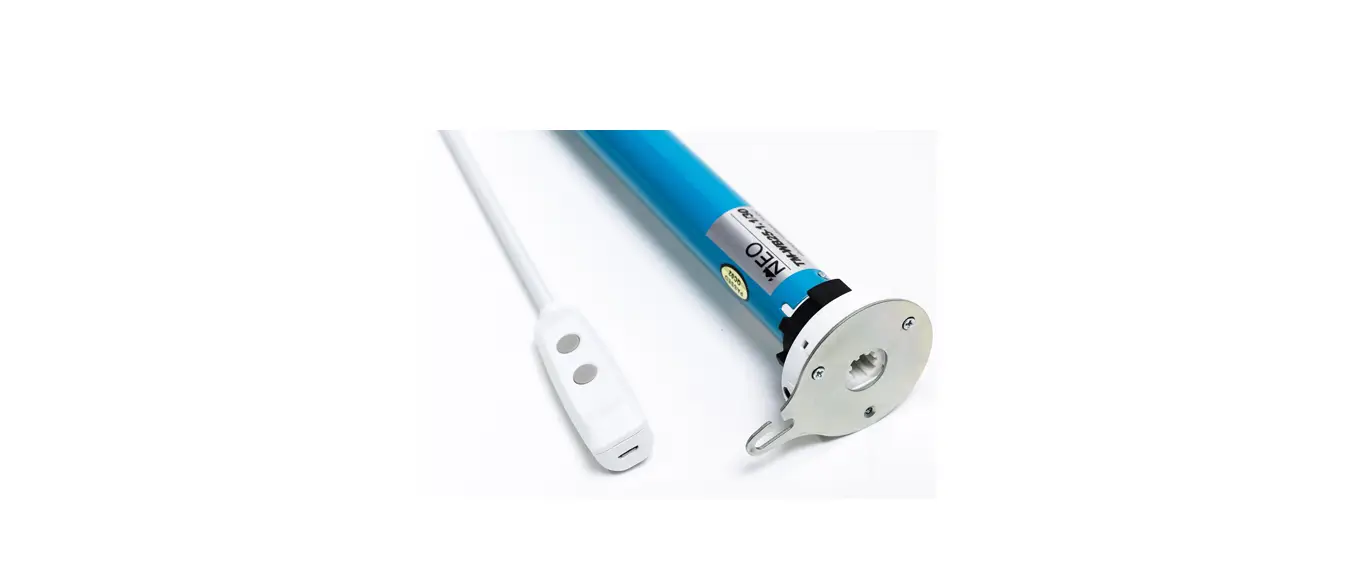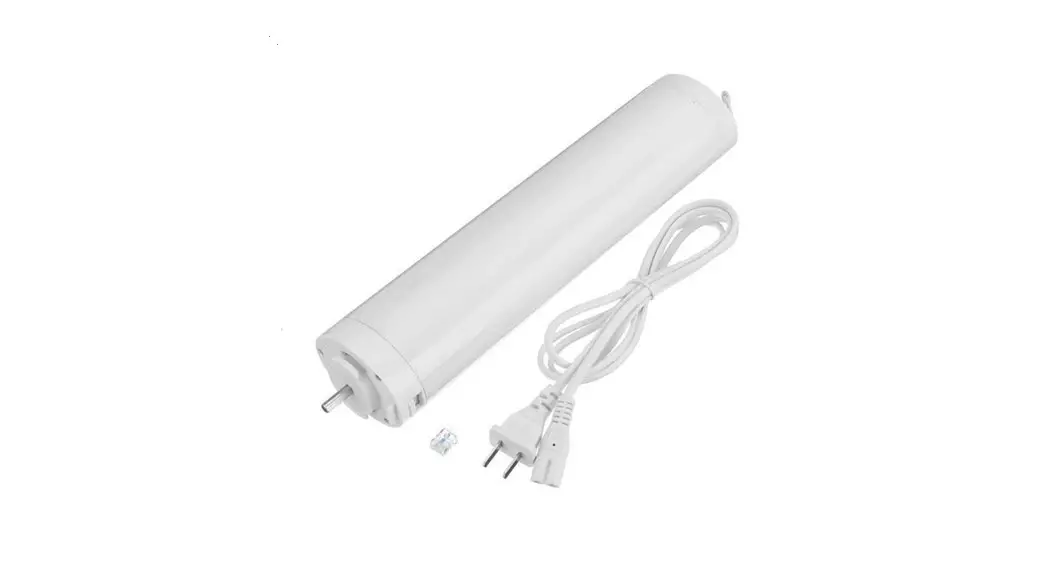

NEO CURTAIN MOTOR
Works with all Neo Remote Controls RC-200 and WS -200 series
 SETUP CODE
NEOV1
Choose the setup code above or the one provided by your dealer when creating a new account in the Neo Smart Blinds app.
Models CM-RE40 /CM-RT40 /CM-BRE40 /CM-WRT40
powered by Neo Smart Blinds
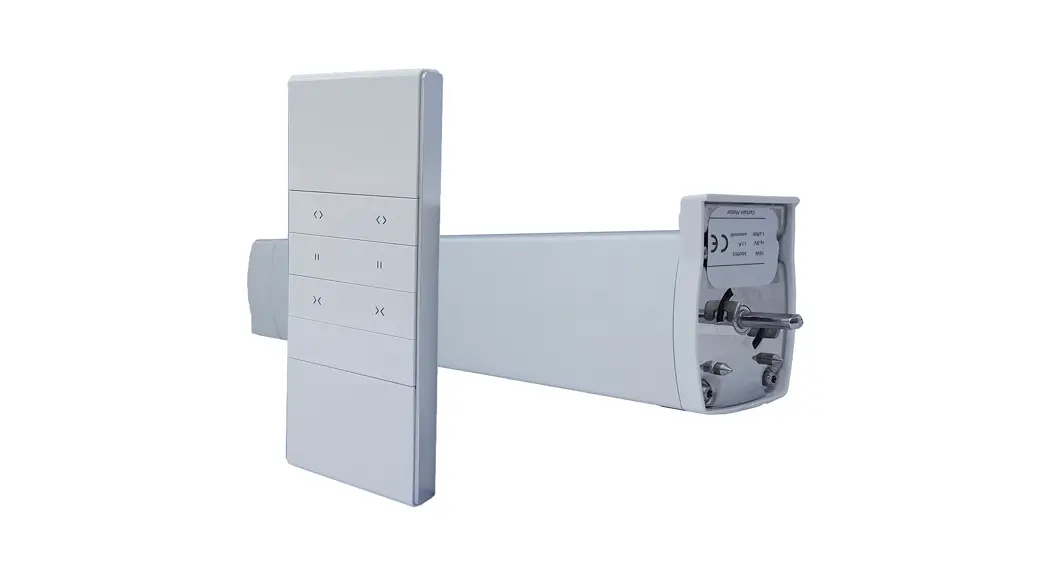
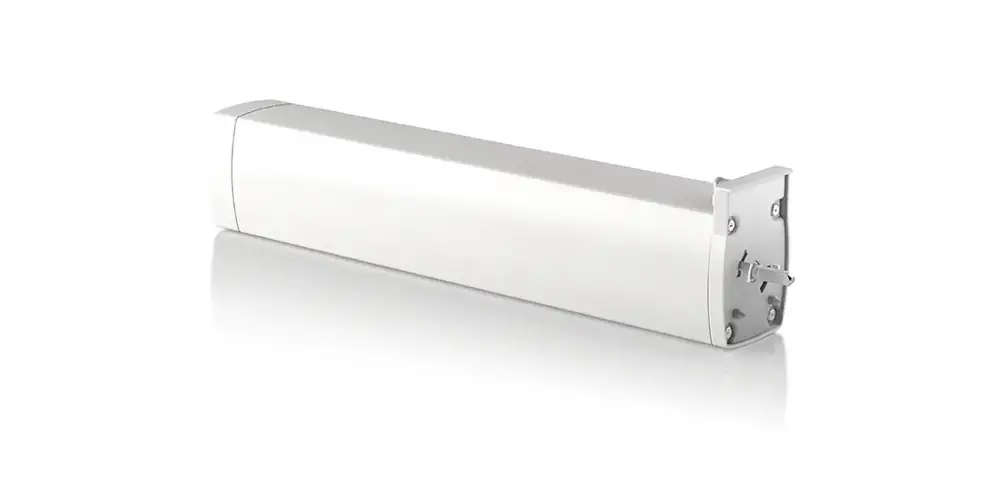
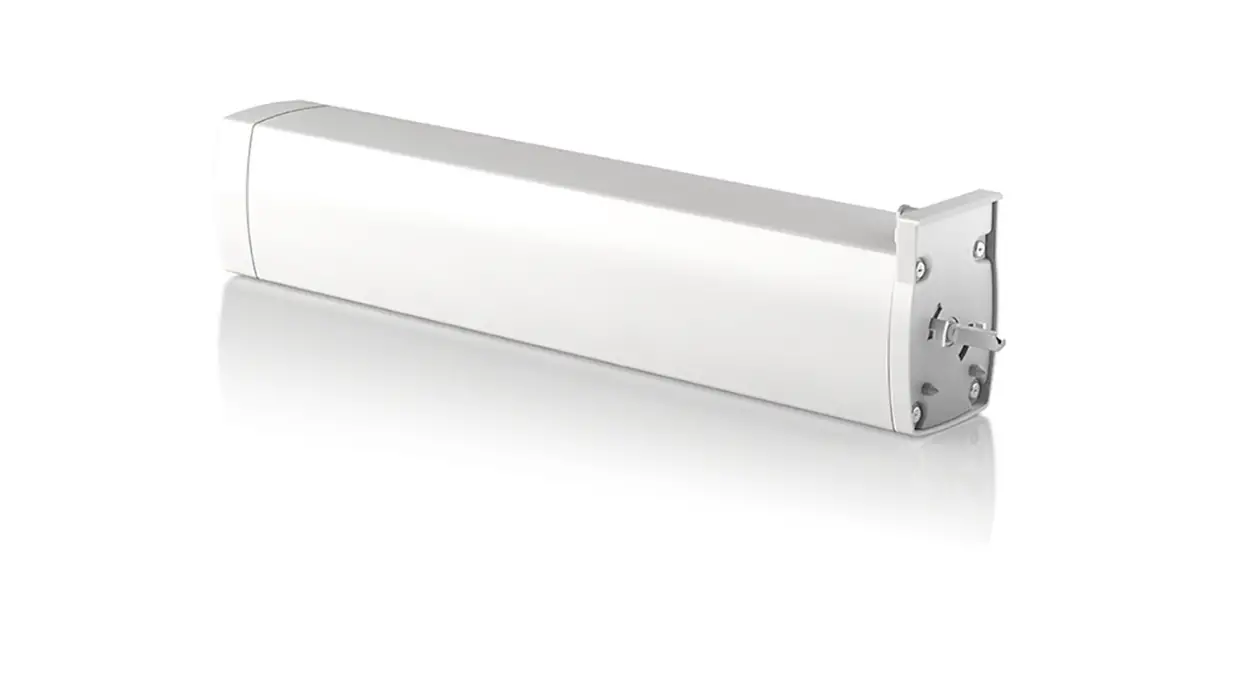
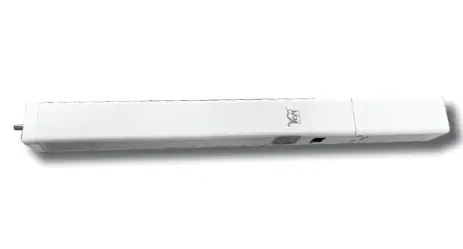
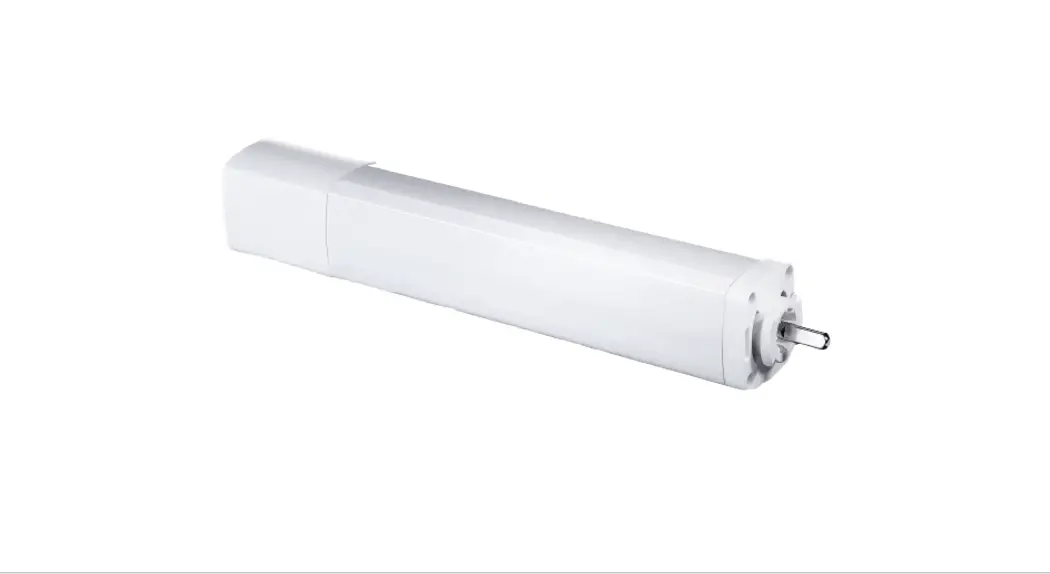
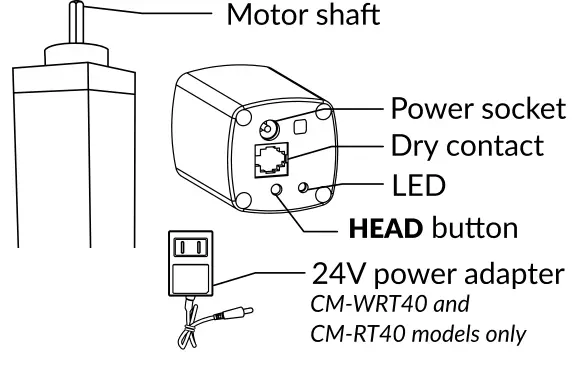
Getting to know your Neo Curtain Motor

Motor installation
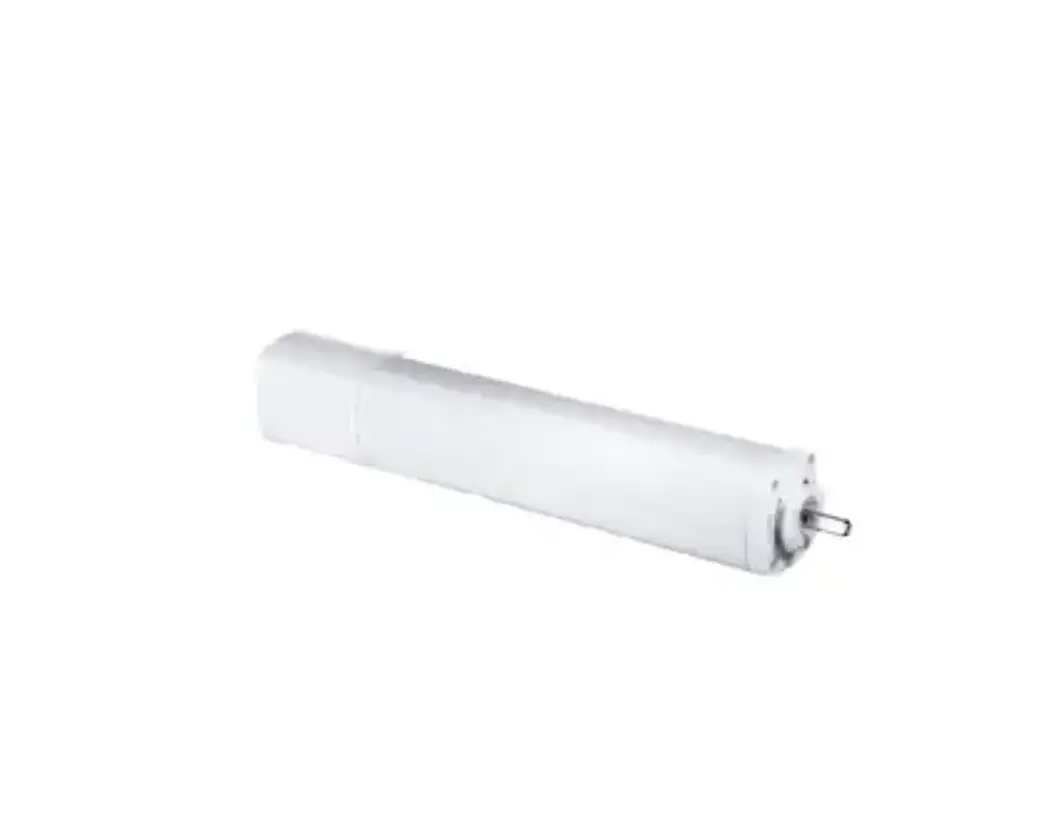
Choose one of the sides of your track, then insert the motor shaft. Twist the motor 90 degrees counterclockwise, until you hear the latch make a click sound.
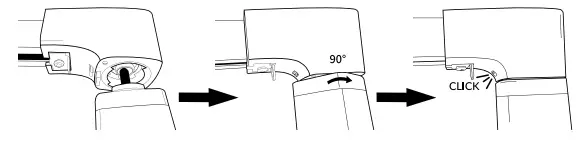
To remove the motor, keep pressed down the latch while you twist and remove the motor.
Caution
- The motor must be installed in a vertical position and used with curtain tracks.
- Keep remote controls, Smart Controller device. Blue Link device and apps away from children.
- Ensure all cables and connected devices are protected and clear from moving parts.
- An environment with multiple 433MHz devices may interfere with the normal usage of the motor.
- Misuse or any design modification will void the warranty.
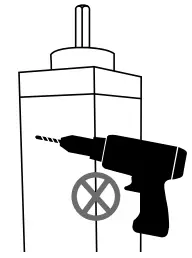
DO NOT DRILL OR CUT ANY PART OF THE MOTOR
Neo Remote Control
Models RC201, RC202, and RC206
For other remote control models, please refer to the instructions inside the box of the remote control.
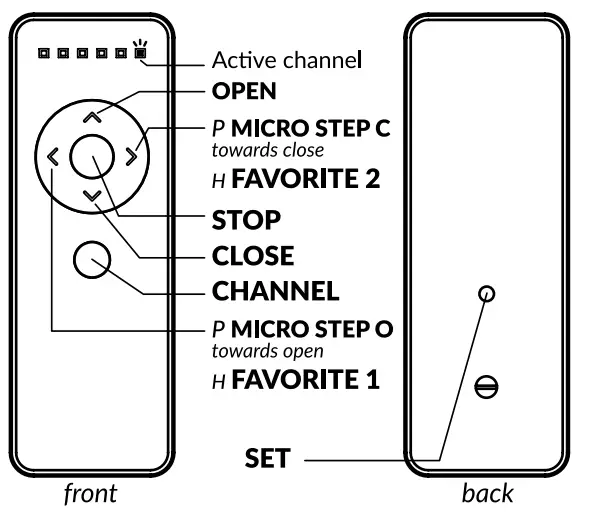 P – Press the button
H – Hold the button for 2 seconds
In order for remote control to execute commands on a motor, its active channel must be paired with that motor. See topic “Pairing Process” for instructions.
Basic operation
| Key | Description |
| Press OPEN | The motor moves all the way to the open limit. |
| Press CLOSE | The motor moves all the way to the close limit. |
| Press STOP | The motor stops any ongoing motion. |
| Press MICRO STEP 0 | The motor moves a small amount towards the open limit. |
| Press MICRO STEP C | The motor moves a small amount towards the close limit. |
| Hold FAVORITE 1 for 2 seconds | The motor moves to the favorite position 1. |
| Hold FAVORITE 2 for 2 seconds | The motor moves to the favorite position 2. |
| Press CHANNEL | The remote control cycles to the next channel (or group of channels), making it active’. |
1 – This command is not sent to the motor, and affects only the remote control on which it is executed.
Only for battery models bCM-BRE40 and CM-RE40
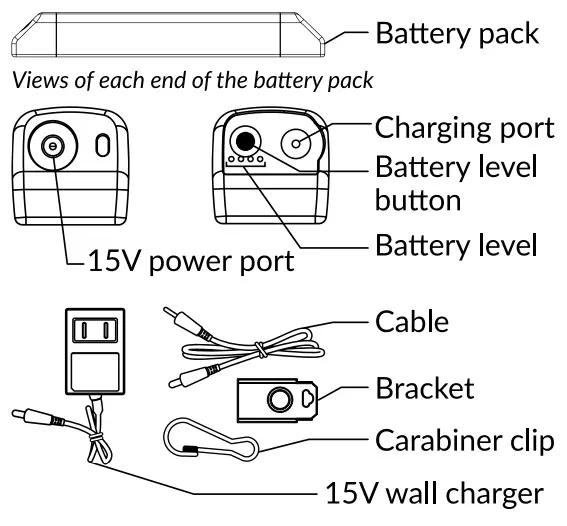
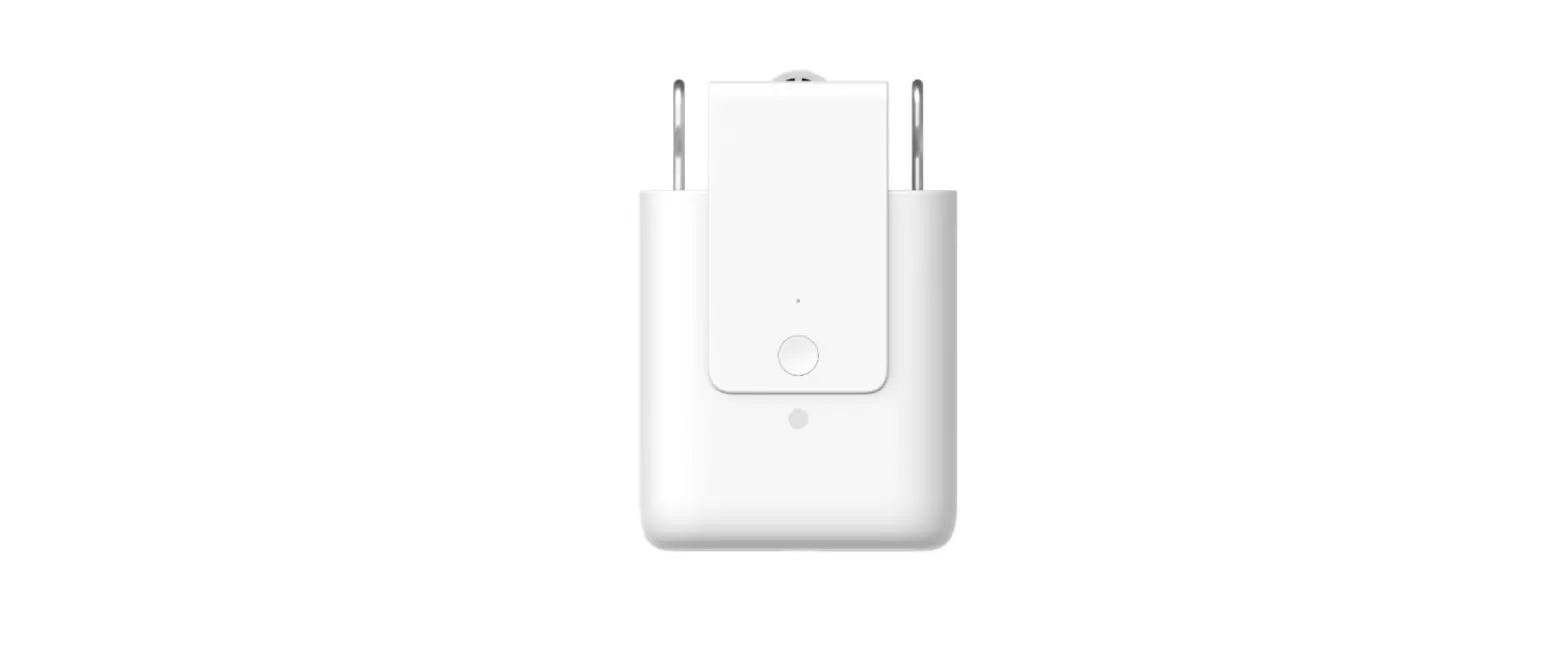
Battery installation
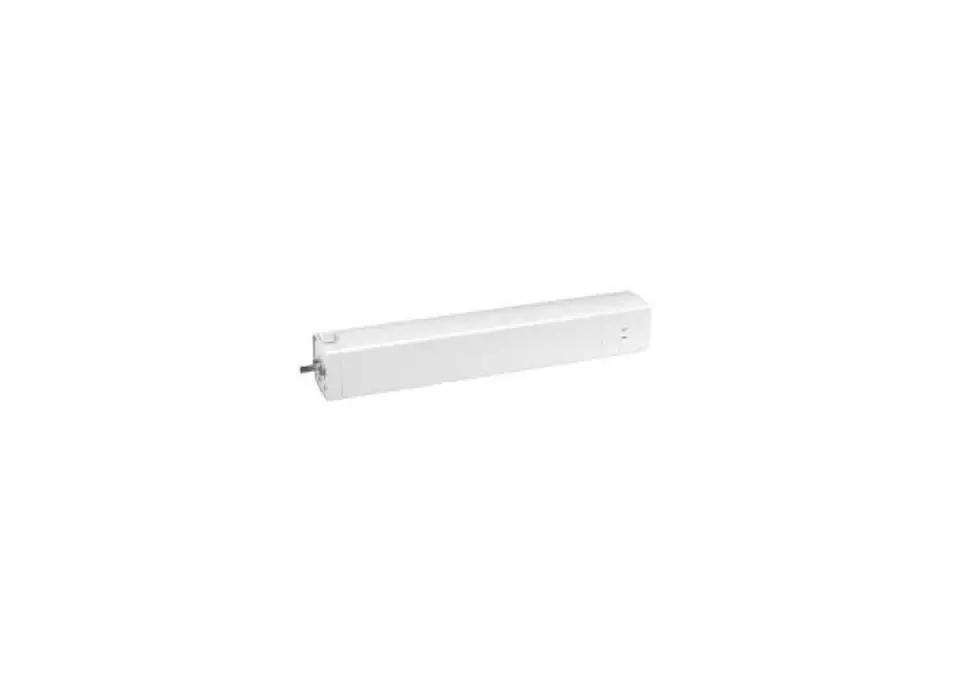
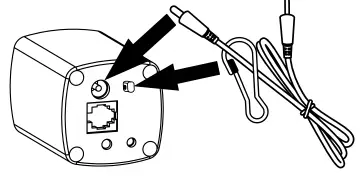
Magnetically attach the brackets on each end of the battery. Choose a place near the motor (in cable’s reach) and behind the curtains. Using a pencil, mark the screws placements on the wall. Detach the brackets from the battery and screw them to the wall. Connect the cable to the battery and the motor. Magnetically attach the battery pack to the brackets on the wall.
Optional step
You can use the carabiner clip to secure the cable in place. After threading the cable through the carabiner, fasten the carabiner in the motor.
Checking the battery level
Hold the battery level button and observe the LED lights. Compare to the table below:
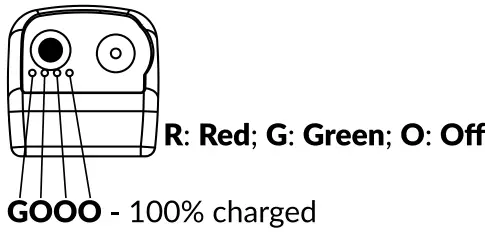
GGGR – between 75% to 99% charged
OGGR – between 50% to 74% charged
OOGR – between 25% to 49% charged
ODOR – 25% or less charged
When the battery level is very low, the motor will beep 5 times.
Charge the battery using the included 15V DC wall charger.
Solar Panel Installation (optional)
The solar panel must be within reach of the battery cable when selecting a place to mount. Attach the 2 provided mounts to the frame of the window 10 inches (25cm) apart from each other. Once the mounts are attached to the frame, install the solar panel blue side facing out and connect the provided cable to the battery.
Pairing process
Up to 16 channels can be stored on the motor.
Using a Neo Remote Control
All our Neo Remote Controls RC200 series work with the motor.
- Using the remote control. Press the CHANNEL button as many times as needed to select the desired channel to pair the motor. RC215. RC230 – Press the PREVIOUS CHANNEL or the NEXT CHANNEL buttons instead.

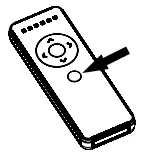
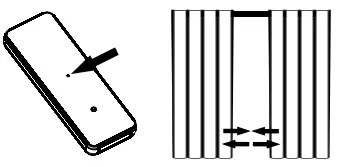
- Hold the HEAD button for 3 seconds, until the motor moves.

- Press the SET button on the back of the remote control, the motor will move to confirm the operation.
Using a Smart Controller Download the app to your phone or tablet by searching Neo Smart Blinds on Google Play or App Store.
- Open the app and login. If you don’t have an account, create one by tapping on Create Account.
- Follow the steps to add a Smart Con-troller. If the step-by-step does not show up. tap on the menu located in the top left corner. then tap on Smut Controllers Tap on the plus button to add your Smart Controller.
- Tap on the Menu located on the top left corner, then tap on Add a blind. Follow the in-app instructions.
Setting limits
Each time the motor is powered up, limits will be deleted. During the first usage, the motor will move slowly to detect the track’s length and automatically set its close and open positions. In consecutive commands, the motor will run at normal speed. If the track is resized or the motor is installed in a track with a different length, power cycle the motor or follow the Delete limits instructions.
Adjusting limits
Open limit
- Hold the SET + OPEN buttons at the same time for 3 seconds. The motor will move to indicate the process has started.

- Use OPEN and CLOSE buttons to go to the desired opened position.
- Press the SET button on the back of the remote control, the motor will move to confirm that the newly opened limit position has been saved.

Close limit
- Hold the SET + CLOSE buttons at the same time for 3 seconds. The motor will move to indicate the process has started.
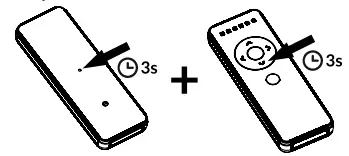
2. Use OPEN and CLOSE buttons to go to the desired closed position.
3. Press the SET button on the back of the remote control, the motor will move to indicate that the closed limit position has been saved.
Delete limits
1. Hold the SET + STOP buttons at the same for 3 seconds. The motor will move to indicate the limits have been deleted.

Reverse direction
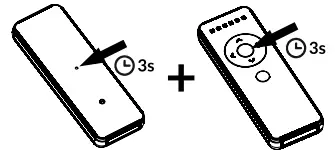
1. Hold the SET button on the back of the remote control for 3 seconds. The motor will move to indicate the process has started.
2. Press the CHANNEL + STOP buttons at the same time, the motor will move to confirm the operation. RC215, RC230 – Press the buttons PREVIOUS CHANNEL + STOP instead.
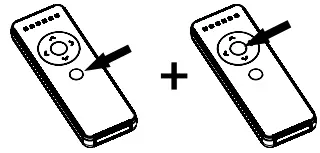
Delete all remote controls
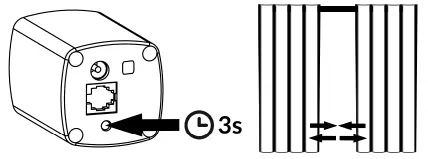
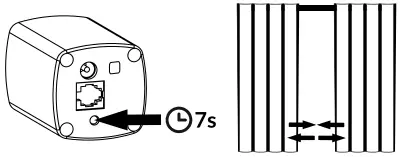
Attention: this procedure does not delete close and open limits or the favorite positions 1 and 2.
1. Hold the HEAD button for 3 seconds, until the motor moves.
2. Hold the HEAD button for 7 seconds, until the motor moves.
Setting favorite positions
The motor comes with favorite positions set at 25% and 75% of the track’s length, from the factory. These positions can be changed by following the instructions below.
To send the motor to the favorite position 1 or 2, hold the FAVORITE 1 or FAVORITE 2 button for 2 seconds.
Setting favorite position 1
1. Use OPEN, STOP and CLOSE buttons to go to the desired favorite position 1.
2. Press the SET + FAVORITE 1 button at the same time. The motor will move to confirm that the favorite position 1 was saved.
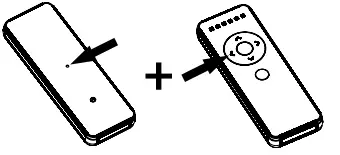
Setting favorite position 2
1. Use OPEN. STOP and CLOSE buttons to go to the desired favorite position 2.
2. Press the SET + FAVORITE 2 buttons at the same time. The motor will move to confirm that the favorite position 2 was saved.
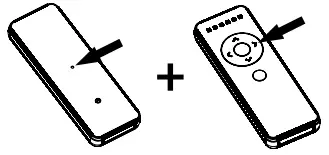
Don’t forget to always select the correct channel of the motor you want to adjust.
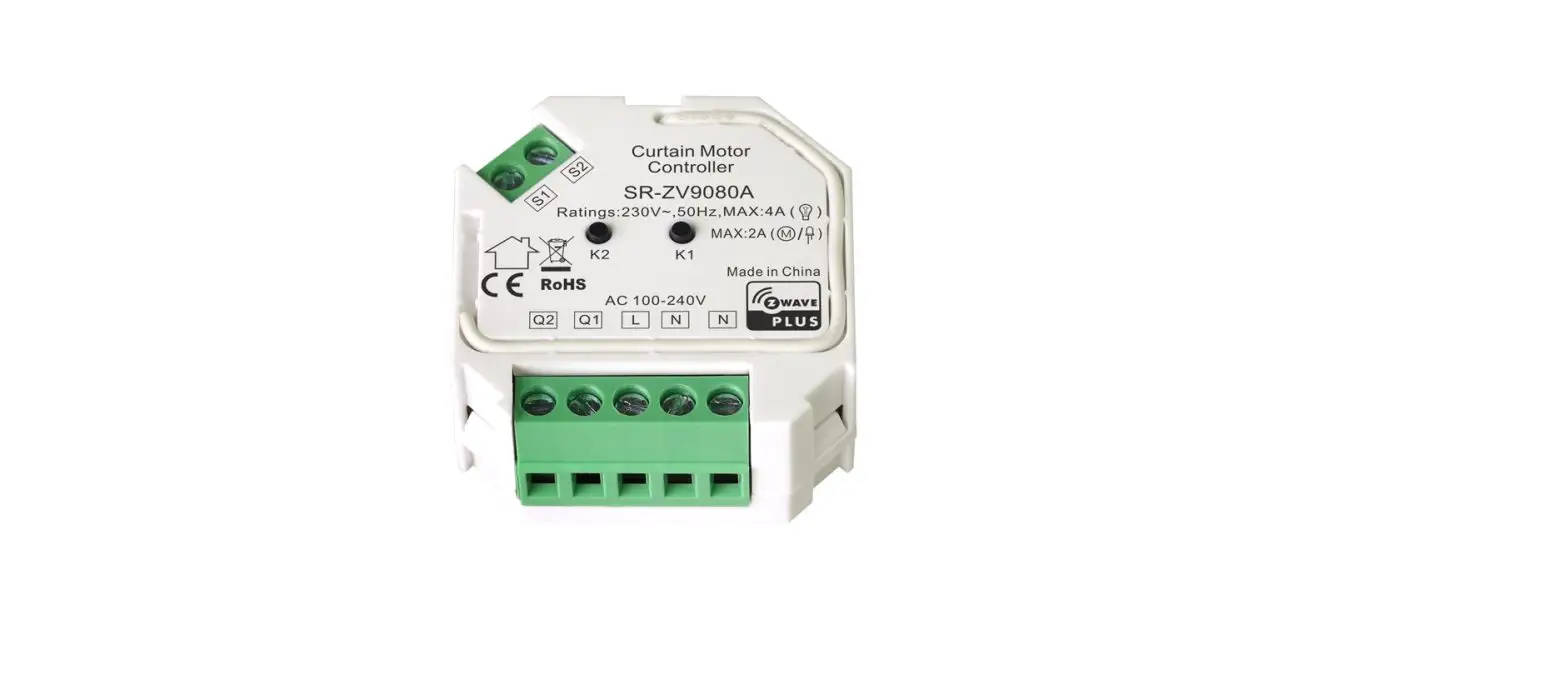
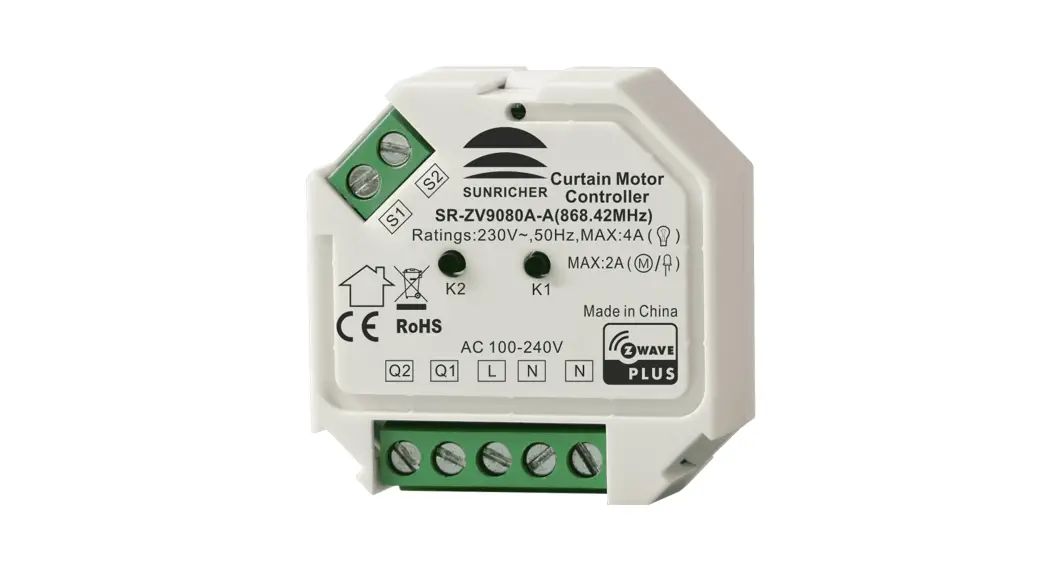
Dry Contact
The dry contact interface offers three control modes.
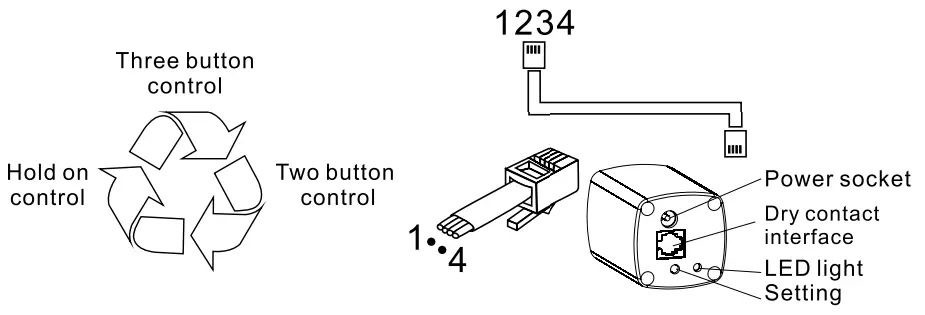 Three-button control mode
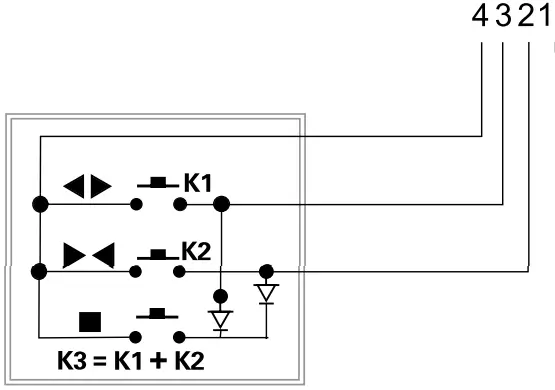
(Empty)
| Action | K1 | K2 | K3 |
 (Open) (Open) | on | off | off |
  (Close) (Close) | off | on | off |
 (Stop) (Stop) | off | off | on |
| Action time must be shorter than is | |||
Two-button control mode
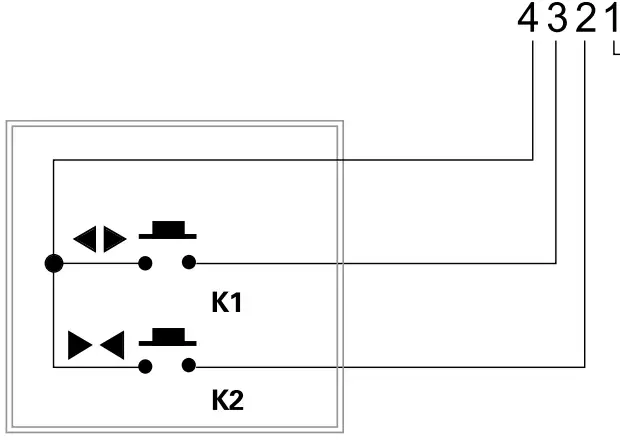
(Empty)
| Action | K1 | K2 |
| (Open) | on | off |
| (Close) | off | on |
| (Stop) | Press any button again | |
Hold on to the control mode
(Empty)
| Action | K1 | K2 |
| (Open) | on | off |
| (Close) | off | on |
| (Stop) | off | off |
Action time must Continue
Change Dry Contact Control Modes
The three dry contact control modes cycle between themselves. Repeat the procedure below as many times as necessary to set the desired control mode. Test it to confirm that the right control mode was set.
1. Hold the HEAD button for 3 seconds, until the curtains move, then release it. The LED will turn on.
2. Press the CHANNEL + SET buttons at the same time. The LED will turn off indicating the mode was changed. RC215, RC230 – Press the buttons NEXT CHANNEL + SET instead.
 Touch Control
 Touch Control
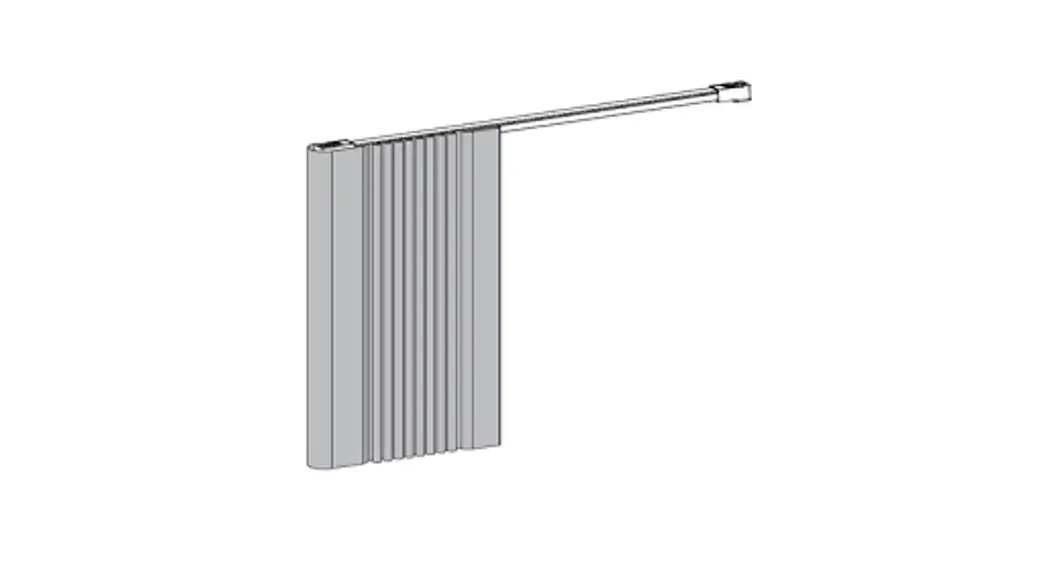
The motor comes with a touch control mode enabled by the factory. To disable or enable this feature, follow the instructions below. To open or close the curtains using the touch control, hold one of the curtains panels and give it a firm tug towards the open or close position.
Enabling touch control
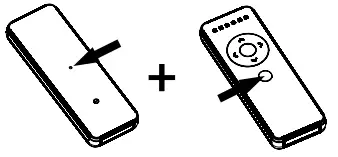
1. Hold the STOP + OPEN buttons for 3s. The motor will move and the LED will turn on.
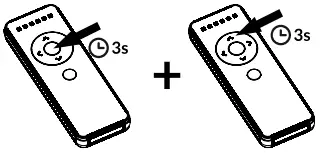
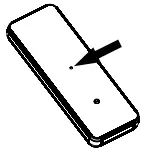
2. Within 3 seconds, press the SET button. The motor will move and the LED will turn off to confirm that the touch control mode is enabled.
Disabling touch control
1. Hold the STOP + CLOSE buttons for 3s. The motor will move and the LED will turn on.
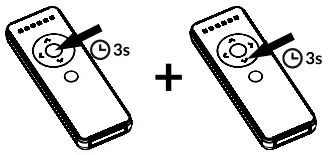
2. Within 3 seconds, press the SET button. The motor will move and the LED will turn off to confirm that the touch control mode is disabled.
Troubleshooting
The motor is not responding Insufficient battery – Please refer to the section Checking the battery level. If the battery is low, charge it at least for 2 hours and try again. A full battery charge may take about 6 hours.
Cannot pair with remote control
Not holding the HEAD button long enough – To enter pairing mode, you need to press the button and keep it pressed, for 3 seconds, until the motor moves. The motor pairing mode lasts 30 seconds. Pressing the set button on the back of the remote control should be done within this period. Make sure you are using the right remote control and that it has a working battery. If the environment has too many 433MHz RF devices (RF noise), it may interfere with the pairing process.
Motor moves in the opposite direction
Simply follow the instruction in the topic Reverse direction.
Warranty
Neo Curtain Motor (CM-BRE40, CM-RE40, CM-WRT40, CM-RT40) carries a one-year warranty counting from the invoice date. Normal wear and tear are excluded from the warranty.
Disposal
The CM-BRE40 and CM-RE40 motors contain an external lithium battery. Do not dispose of these items with your regular waste. Please recycle batteries and damaged electric products according to local regulations.
Neo Curtain Motor specifications
Dimensions: 265mm x 40mm x 40mm Radio Frequency (RF): 433.92 MHz
CM-BRE40 and CM-RE40
Electrical parameters: 15V DC external rechargeable lithium battery Power sources: wall charger or 2W/11V solar panel
CM-WRT40 and CM-RT40 Electrical parameters: 24V power adapter Power sources: 24V power adapter
Smart Controller Integrations For information about third-party systems such as Control4, Google Assistant and Siri Shortcuts, please visit our website.
neosmartblinds.com/smartcontroller-integrations/
1 In case of a problem or doubt, please contact your dealer.