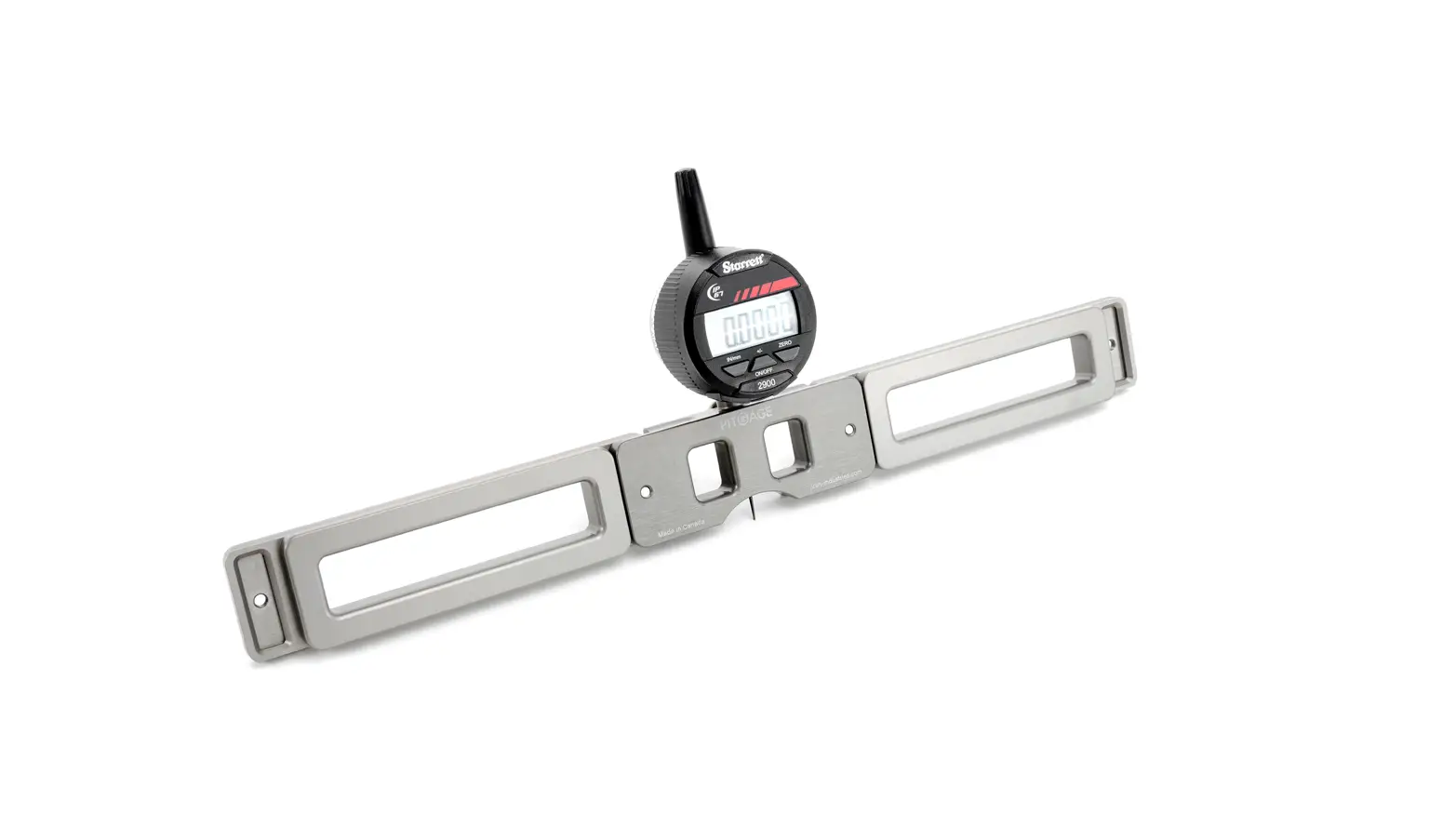
 PIT GAGE
 PIT GAGE
PG0025 Rev 02
Manual Pit Inspection Tool


Chapter 1
SPECIFICATIONS
| Range of motion | 0 – 2.54 cm (0 – 1.00 in) |
| Operating environment | -10° C (14° F) and 50° C (122° F) |
| Environmental sealing | Waterproof (IP67) |
| Battery requirement | 2 – CR2032 lithium coin cells |
 WARNING Can be harmful to pacemaker and ICD wearers. Stay at least 25 cm (10 in) away.
Chapter 2
COMPONENTS
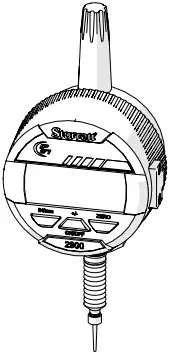
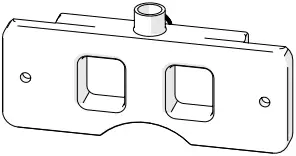
Fig. 1: Digital indicator Fig. 2: Centre base
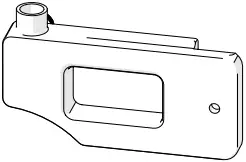
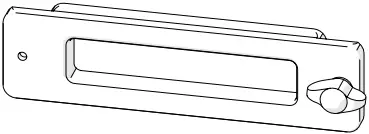
Fig. 3: Blind side base Fig. 4: Extension arm
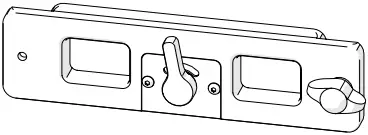
Fig. 5: Magnetic arm
Chapter 3
OPERATING INSTRUCTIONS
3.1. Digital Indicator (Fig. 6)
| A ON/ OFF | Power button. Press and release to activate the indicator. Press and hold for 3 seconds to turn off. |
| B IN/mm | Toggles the display between imperial and metric measurements. |
| C ZERO | Place the gage on a known flat surface. Press and release the ZERO button to calibrate the unit. (Gage must not be moved until two seconds have elapsed). |
| A +/- | Plus/minus sets the direction of the reading. |
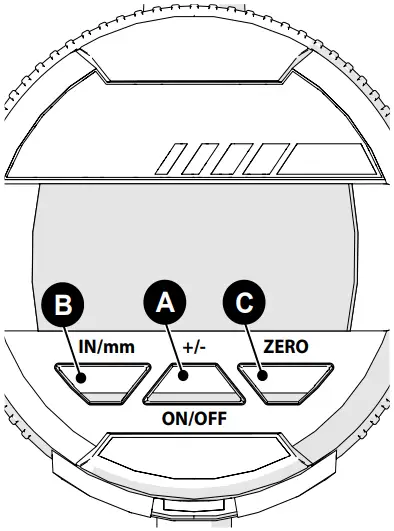
Fig. 6: Digital indicator
3.2. Extension Arms
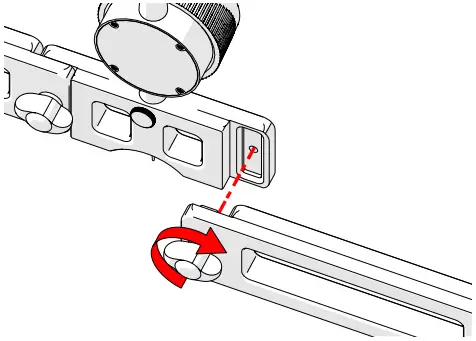
Fig. 7: Tighten thumb screw
- Align the receiving component’s hole (centre base, blind side base, arms) with the thumb screw (Fig. 7) of the connecting component.
- Ensure correct arm orientation when using magnetic arms.
- Place magnetic arms furthest from indicator for optimal stability.
- A small radius on the bottom surface assists with measuring along the length of small diameter pipes.
3.3. Indicator Adjustments
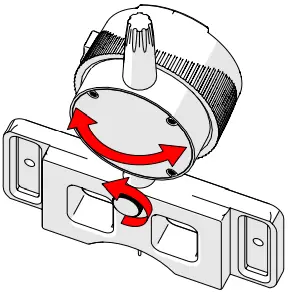
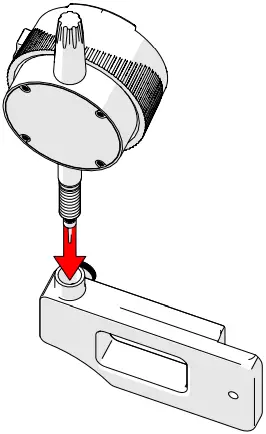
Fig. 8: Loosen to pivot indicator Fig. 9: Centre base or blind side base
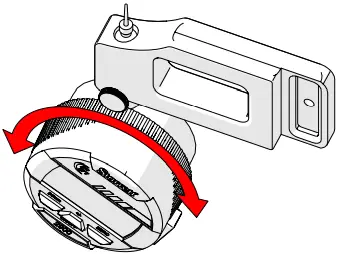
Fig. 10: Rotate indicator face
- Loosen the thumb screw to pivot the indicator when required (Fig. 8).
- Loosen thumb screw to switch indicator for use with either base (Fig. 9).
- Rotate the indicator face during inverted scanning (Fig. 10).
3.4. Optional Magnetic Arm (Fig. 11)
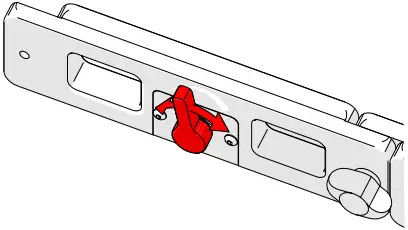
Fig. 11: Adjust magnetic attraction with lever
- The red lever controls the amount of magnetic attraction.
- Pivot the lever left to disengage all magnetism, pivot the lever to the right to engage full magnetism.
3.5. Blind Side Base (Fig. 12)
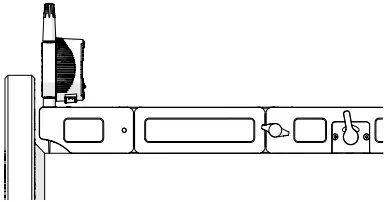
Fig. 12: Blind side base
- Use to measure when centre base is not appropriate (i.e. close to a weld or flange).
- Pivot indicator 90° for additional clearance.
Chapter 4
OPERATION
- Assemble the required extension arms (3.2. Extension Arms).
- Place the PIT GAGE on a known flat surface. Press the zero button (Fig. 6-C) holding the PIT GAGE in place for 2 seconds.
- Place indicator tip in surface variations for measurement.
Chapter 5
TROUBLESHOOTING
| Issue | Resolution |
| CAL shows on screen | Slowly lift and lower the spindle until a number shows on the screen, the device is now calibrated. |
| Err04 (overspeed error) shows on screen | Press and release the ZERO button, wait till the screen shows CAL, then slowly lift and lower the spindle until a number shows on the screen. |
Chapter 6
SPARE PARTS
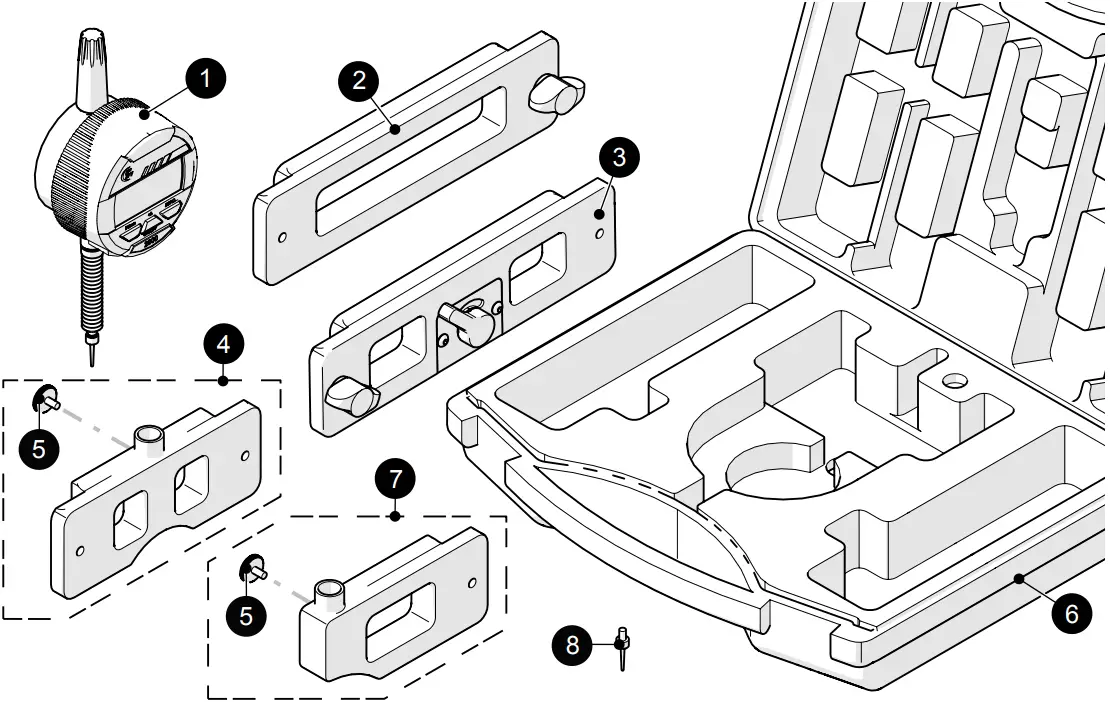
| BOM ID | Part # | Description |
| 1 | PGS008 | Digital Indicator: 0 – 2.54 cm (0 – 1.0 in), Rotating Face |
| 2 | PGS004 | Extension Arm |
| 3 | PGS005-X | Magnetic Extension Arm (L or R available) |
| 4 | PGS006 | Centre Base |
| 5 | EA178 | Knurled Knob, M3 x 0.5 x 6 mm, SST |
| 6 | PGA005 | Pit Gage Case with Foam |
| 7 | PGS007 | Blind Side Base |
| 8 | EA179 | Indicator Tip |

Jireh Industries
Canada | 780.922.4534
USA | 832.564.0626
Europe | +31 85 002 0801
jireh.com
 Let JIREH Industries help you perform efficient inspection for every UT application.