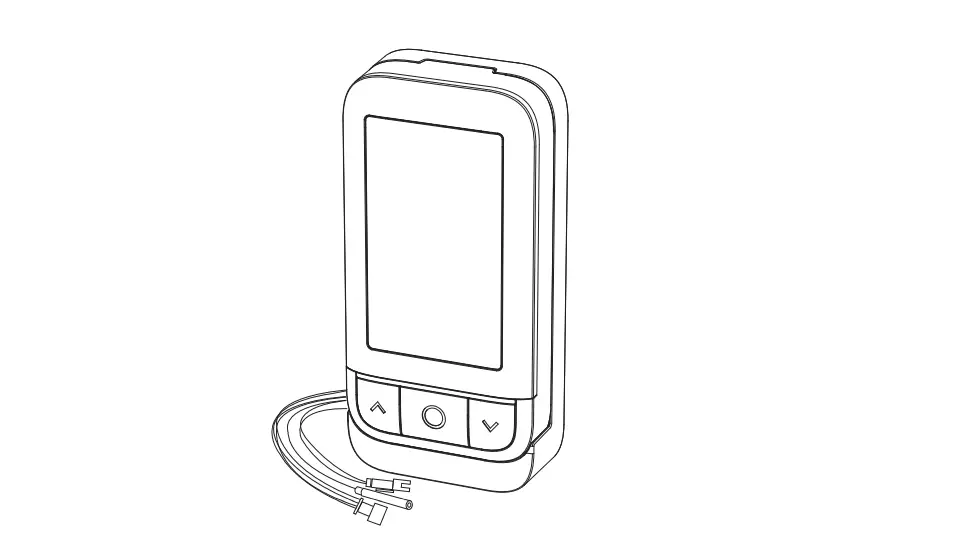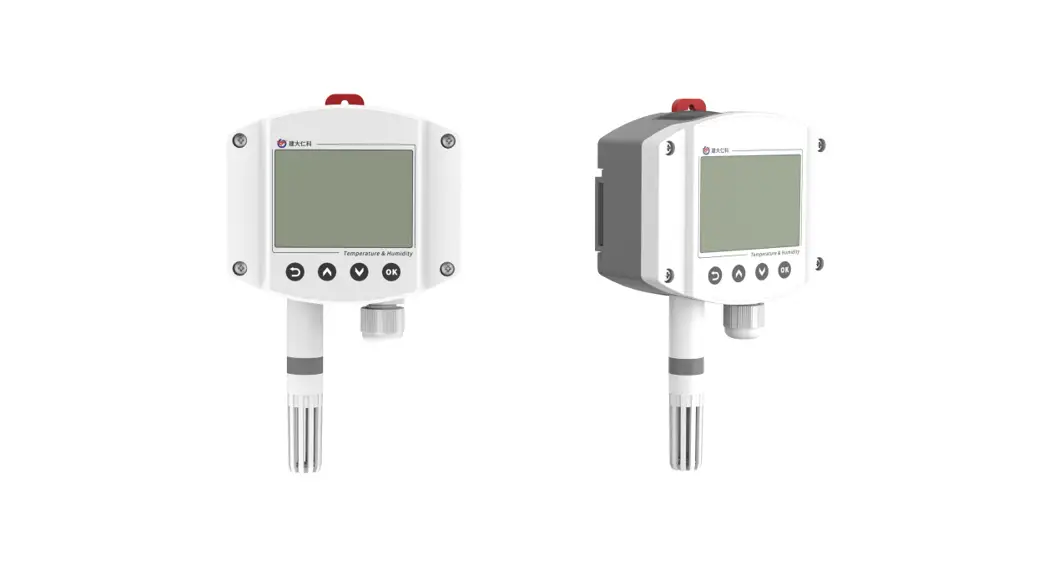

RS-WS-N01-2D-LCD Industrial Wall-Mounted LCD
User Manual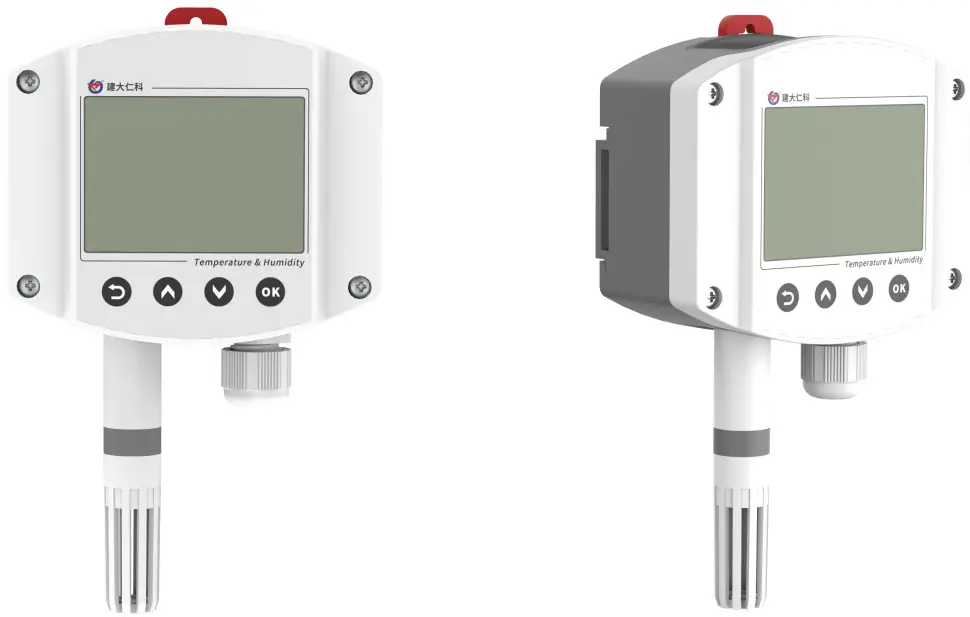
RS-WS-N01-2D-LCD
Industrial wall-mounted LCD
Temperature and Humidity
Transmitter User Manual
(Type 485)
product description
1.1product description
The product is an industrial wall-mounted high-protection grade enclosure, with a protection grade of IP65, rain and snow proof and good air permeability. The circuit adopts American imported industrial-grade microprocessor chips and imported high-precision temperature and humidity sensors to ensure excellent product reliability, high precision and interchangeability. The output signal type is RS485, the farthest can communicate 2000 meters, the standard Modbus protocol, supports secondary development.
1.2Features
- Using high-precision temperature and humidity measurement unit, long-term stability and small drift
- Using dedicated 485 circuit, standard Modbus-RTU communication protocol, communication address and baud rate can be set
- 10~30V wide voltage range power supply
- Easy to install, can be wall-mounted or rail-mounted
- High anti-dust protection level (IP65)
- LCD liquid crystal display, beautiful and generous
- Buttons can set parameters, easy to operate
1.3The main technical parameters
| DC power supply (default) | DC 10-30V | |
| Maximum power consumption | 0.4W | |
| A precision | humidity | ±2%RH(60%RH,25℃) |
| temperature | ±0.4℃(25℃) | |
|
B quasi-accuracy | humidity | ±3%RH(60%RH,25℃) |
| temperature | ±0.5℃(25℃) | |
| (default) | -20℃~+60℃,0%RH~95%RH(Non-condensing) | |
| -40℃~+120℃ default:-40℃~+80℃ | ||
| Transmitter circuit operating temperature and humidity | 0%RH-100%RH | |
| Probe working temperature | Modbus-RTU letter of agreement | |
| Probe working humidity | 485 Signal | |
| letter of agreement | 0.1℃ | |
| output signal | 0.1%RH | |
| Temperature display resolution | 1s | |
| Humidity display resolution | 70mm | |
| Temperature and humidity refresh time | humidity | ≤1%RH/y |
| temperature | ≤0.1℃/y | |
| Response time | humidity | ≤8s(1m/s Wind speed) |
| temperature | ≤25s(1m/s Wind speed) | |
| parameter settings | Direct modification through software settings or buttons | |
1.4Equipment size
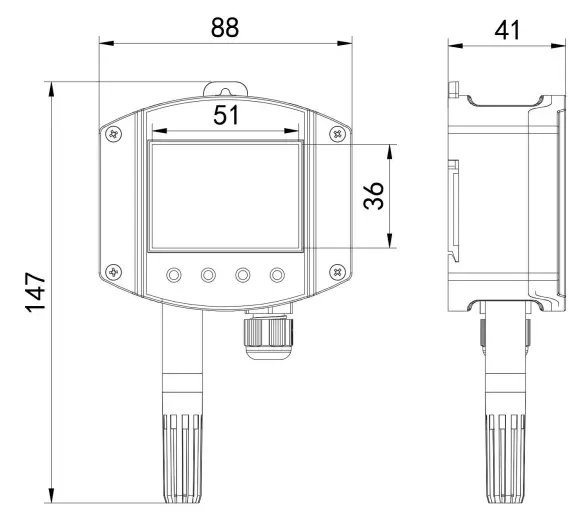
1.5system framework
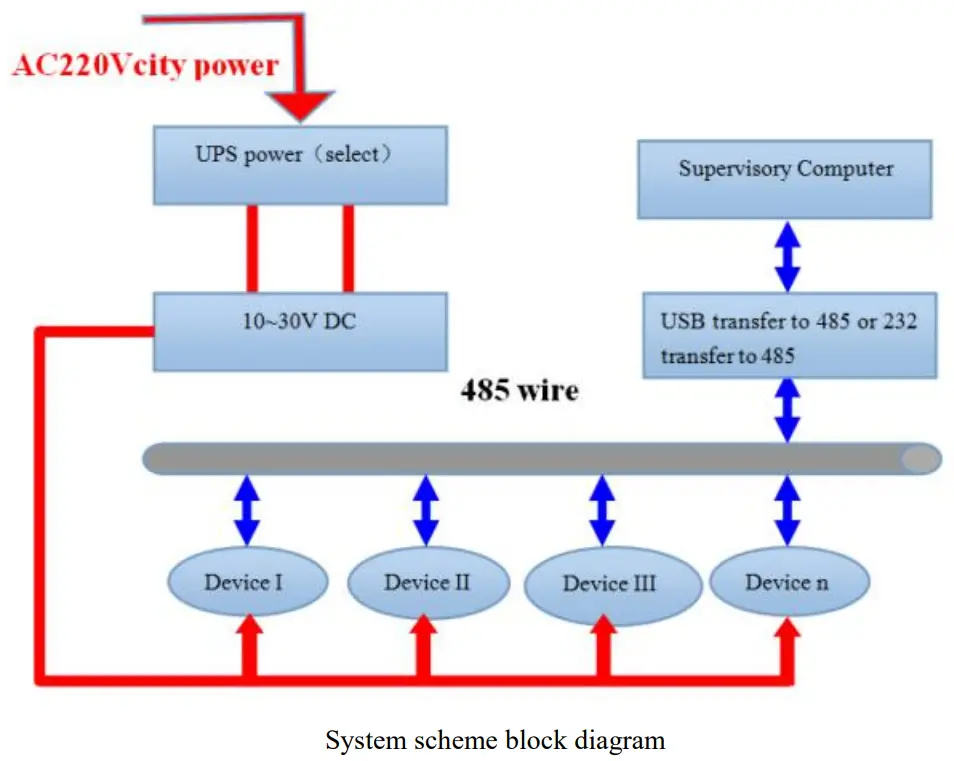
1.6product model
| RS- | Company code | |||
| WS- | Temperature and humidity transmission, sensor | |||
| N01- | 485 communication (Modbus-RTU protocol) | |||
| 2D-LCD | Industrial wall hanging (liquid crystal display) | |||
Equipment installation instructions
2.1Inspection before equipment installation
Equipment List :
- 1 set of temperature and humidity transmitter equipment
- Certificate of conformity, warranty card, calibration report, etc.
- 2 expansion plugs, 2 self-tapping screws
- USB to 485 (optional)
- 485 terminal resistance (gift for multiple devices)
2.2 Installation method Wall mount
The back of the transmitter is equipped with a slide rail mounting plate. Remove the mounting plate first.
There are two expansion plugs and two self-tapping screws in the accessories. First, punch two holes with a diameter of 5mm and a depth of ≥30mm on the wall (the opening spacing is 70mm). After inserting the expansion plug, fix the slide rail mounting plate to the wall with self-tapping screws, and finally slide the transmitter into it.
Industrial Wall-mounted LCD Temperature and Humidity Transmitter (Model 485) User Manual V1.0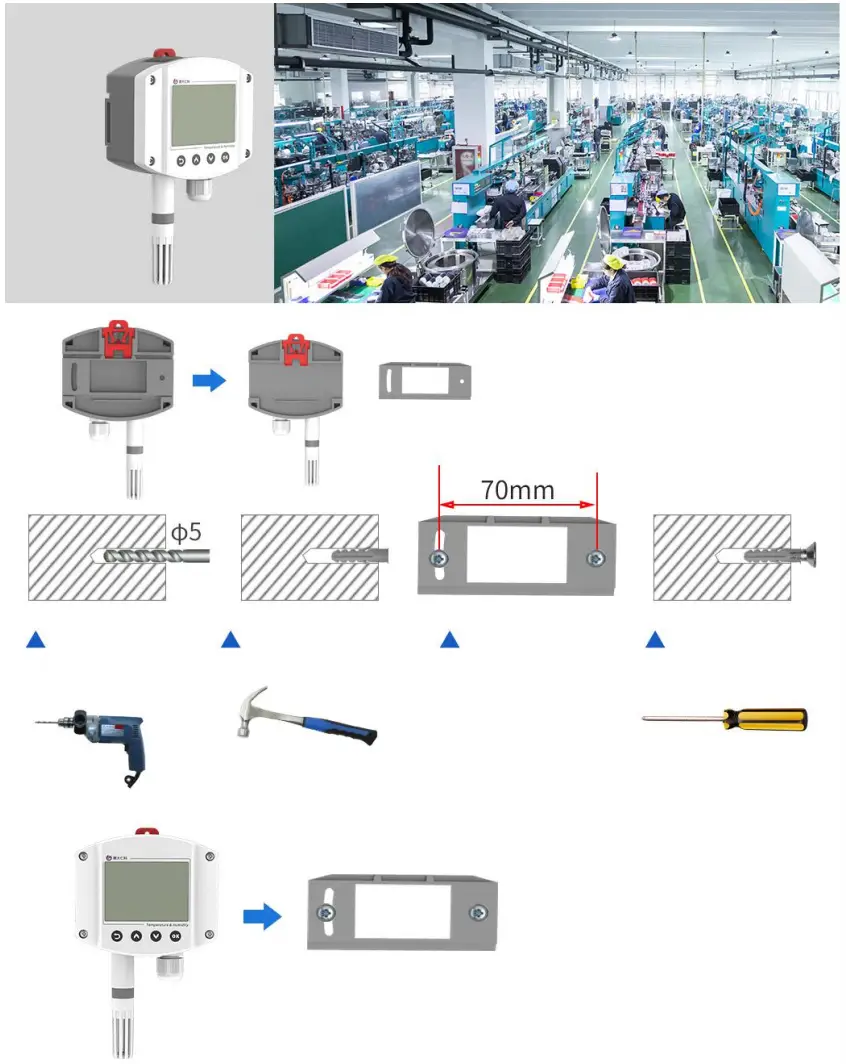
Slide rail installation
The back of the transmitter is equipped with a slide rail mounting plate. Remove the mounting plate first. The transmitter can be slid directly into the standard 35 rail 。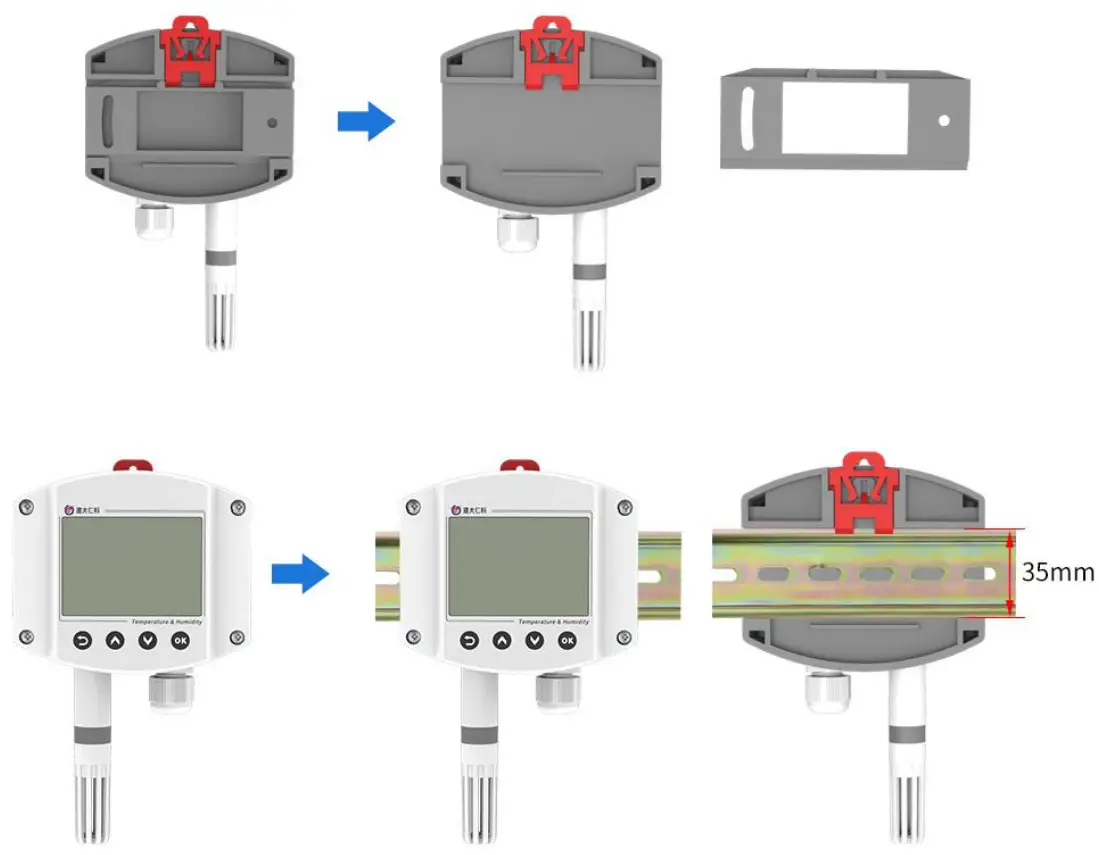
Special Note :
- There are certain specification requirements for 485 line field wiring. For details, please refer to the data package “485 Equipment Field Wiring Manual”.
- When the device is connected to the 485 bus, ensure that the addresses of multiple devices will not be repeated.
2.31 Wiring instructions.
Power and 485 signal
Wide-voltage power input can be 10~30V. When wiring the 485 signal line, pay attention to the two wires A\B not to be reversed, and the addresses of multiple devices on the bus cannot be conflicted.
2.4 Specific wiring
| Circuit identification | illustrate | |
| power supply | VCC | V+(10~30V DC) |
| GND | V- | |
| Communication | 485A | 485-A |
| 485B | 485-B |
2.5Panel display description
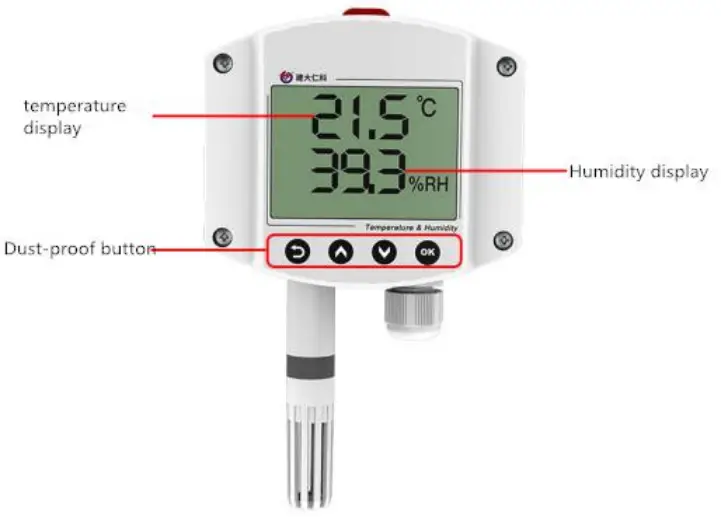
If the device address is less than 100, the decimal address is displayed at the display location of the device address; if the device address is greater than 100, the hexadecimal address is displayed at the display location of the device address.
Configuration software installation and use
3.1 Software selection
Open the data package, select “Debugging software” — “485 parameter configuration software”,
Note: When using the configuration software to change the address and baud rate, only one device can be connected.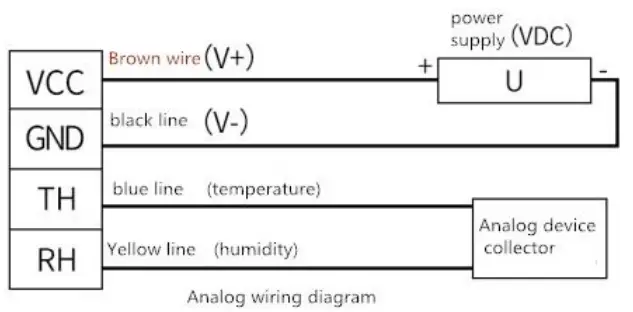
(The device does not provide a communication line by default, the color of the line is for reference only)
3.2 parameter settings
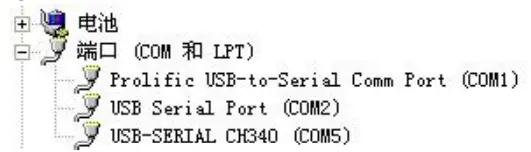
- Select the correct COM port (check the COM port in “My Computer —Properties —Device Manager —Port”). The following figure lists the driver names of several different 485 converters.

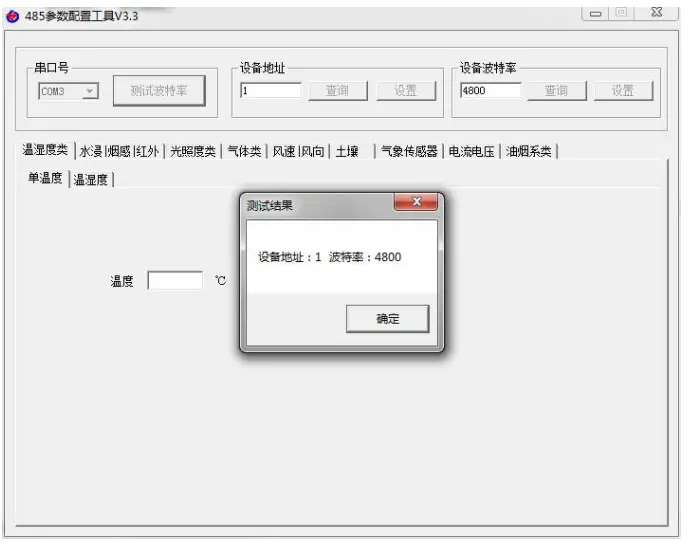
- Connect only one device alone and power it on, click the test baud rate of the software, the software will test the baud rate and address of the current device, the default baud rate is 4800bit/s, and the default address is 0x01.
- Modify the address and baud rate according to the needs of use, and at the same time, you can query the current function status of the device.
- If the test is unsuccessful, please recheck the equipment wiring and 485 driver installation.
letter of agreement
4.1 Basic communication parameters
| Code | 8-bit binary |
| Data bit | 8-bit |
| Parity bit | without |
| Stop bit | 1 person |
| Error checking | CRC (Redundant Cyclic Code) |
| Baud rate | 2400bit/s, 4800bit/s, 9600 bit/s can be set, the factory default is 4800bit/s |
4.2 Data frame format definition
Using Modbus-RTU communication protocol, the format is as follows:
Initial structure ≥ 4 bytes of time
Address code = 1 byte
Function code = 1 byte
Data area = N bytes
Error check = 16-bit CRC code
Time to end structure ≥ 4 bytes
Address code: the address of the transmitter, which is unique in the communication network (factory default 0x01).
Function code: The command function instruction issued by the host, this transmitter only uses function code 0x03 (read register
Data area: The data area is the specific communication data, pay attention to the high byte of the 16bits data first!
CRC code: two-byte check code.
Host query frame structure:
| address co de | function co de | Register start ad dress | Register length | Check code l ow bit | High bit of check code |
| 1byte | 1byte | 2byte | 2byte | 1byte | 1byte |
Slave response frame structure :
| address c ode: | function code | Number of valid bytes | Data area | Second data area | Nth data area | Check code |
| 1byte | 1byte | 1byte | 2byte | 2byte | 2byte | 2byte |
4.3 Register address
| Register address (Hexadecimal) | Register address (10 hex) | PLC or configuration address (10 hex) | content | operate |
| 0000 H | 0 | 40001 | humidity (Expanded by 10 times the actual humidity) | Read only |
| 0001 H | 1 | 40002 | temperature (Expanded by 10 times the actual temperature) | Read only |
| 07D0H | 2000 | 42001 | Device address | Read and write |
| 07D1H | 2001 | 42002 | Device baud rate | Read and write |
4.4 Communication protocol example and explanation
Example: Read the temperature and humidity value of the device address 0x01
Inquiry frame (hexadecimal):
| address code: | function code | initial address | Data length | Check code low b it | High bit of check cod e |
| 0x01 | 0x03 | 0x00 0x00 | 0x00 0x02 | 0xC4 | 0x0B |
Response frame (hexadecimal): (for example, the temperature is -10.1℃ and the humidity is 65.8%RH)
| address code: | function code | Returns the n umber of vale | Humidity value | Temperature value | Check code low bit | High bit of check c |
| d bytes | ode | |||||
| 0x01 | 0x03 | 0x04 | 0x02 0x92 | 0xFF 0x9B | 0x5A | 0x3D |
Temperature calculation:
When the temperature is lower than 0 ℃, the temperature data is uploaded in the form of complement code.
Temperature: FF9B H (hexadecimal) = -101 => temperature = -10.1℃
Humidity calculation:
Humidity: 292 H (hexadecimal) = 658 => Humidity = 65.8%RH
Key operation instructions
1 )short according key  ,Enter the password input interface interface short according
  Password input is possible (default password is 888) ,Long press again after input key Enter the main interface of settings, the password error prompts ERR.
2 ) After entering the setting main menu , short according Page forward and backward , short according Enter the parameter setting interface。
3 )short according Modifiable parameters ,Short press after parameter modification is completed ,The parameters are automatically saved.
4 )During the setting process, press Can abandon this setting ,Press again Back to the main interface 。
The specific parameter interface is as follows:
| show interface | illustrate | Key operation |
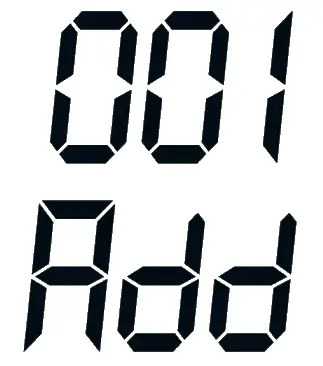 | Set the address of the device Default value: 1 Range: 1~255 | short according Address plus 1,long Address plus 1,longPre address +10;short according  Address minus 1,long Press Address minus10。short according key,Save the displayed address value as the target address。 Address minus 1,long Press Address minus10。short according key,Save the displayed address value as the target address。 |
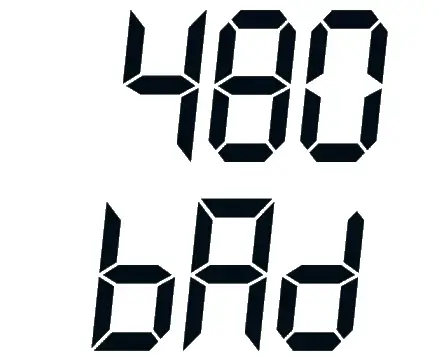 | Set the baud rate of the device Range: 2400/4800/9600 Default value: 4800 | press  The baud rate can be switched between 2400, 4800, 9600。short The baud rate can be switched between 2400, 4800, 9600。shortaccording key the displayed baud rate value as the target baud rate. |
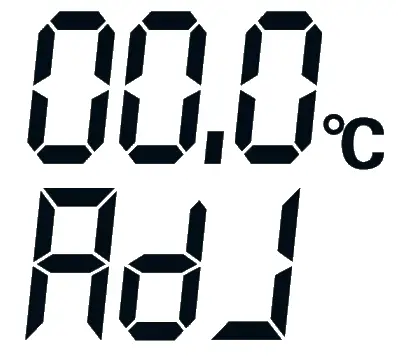 | Set the temperature calibration value of the device Range: -100.0~100.0 Default value: 0 | short according+1, long Press+10;short according-1,long Press -10。short according key the displayed temperature calibration value as the target temperature calibration value. |
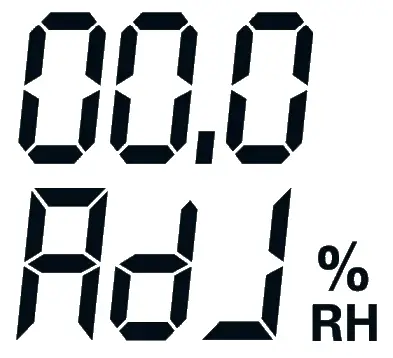 | Set the humidity calibration value of the device Range: -100.0~100.0 Default value: 0 | short press+1,long Press +10;short press-1,long Press -10。short press key the displayed humidity calibration value as the target humidity calibration value. |
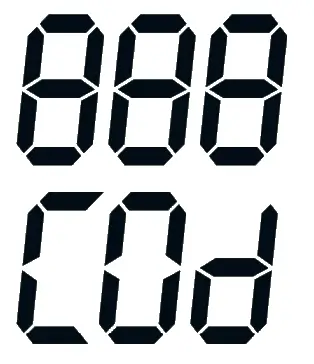 | Set device password Range: 000~999 Default: 888 | short press+1,long Press +10;short press-1,long Press -10。short press key,Save the displayed password as the target password |
Common problems and solutions
The device cannot connect to the PLC or computer possible reason:
- The computer has multiple COM ports, and the selected port is incorrect
- The device address is wrong, or there are devices with duplicate addresses (the factory defaults are all 1).
- The baud rate, check method, data bit, stop bit are wrong.
- The 485 bus is disconnected, or the A and B wires are reversed
- If the number of equipment is too long or the wiring is too long, power supply should be nearby, add 485 booster, and add 120Ω terminal resistance at the same time.
- USB to 485 driver is not installed or damaged
- The equipment is damaged.