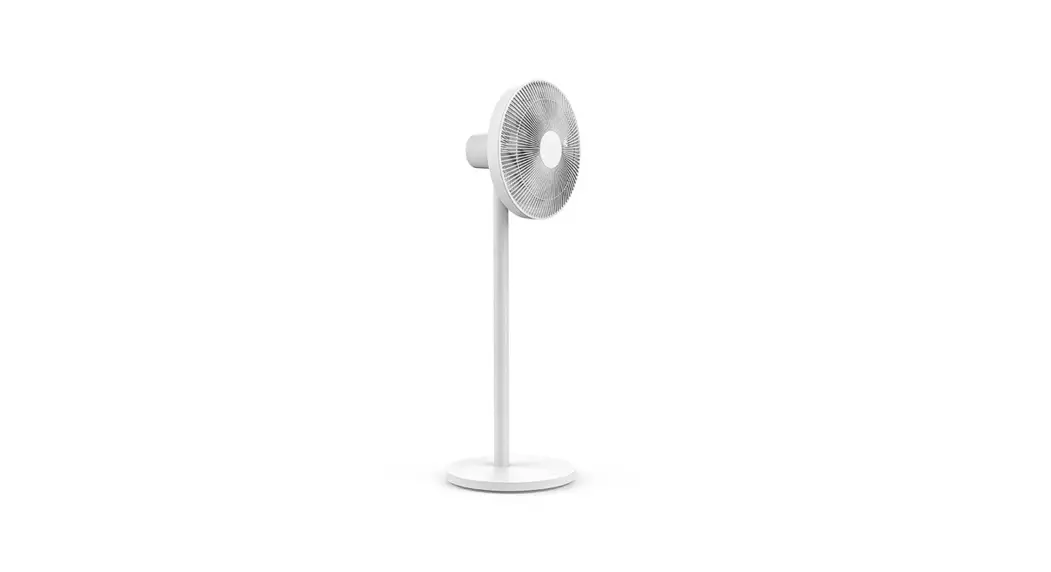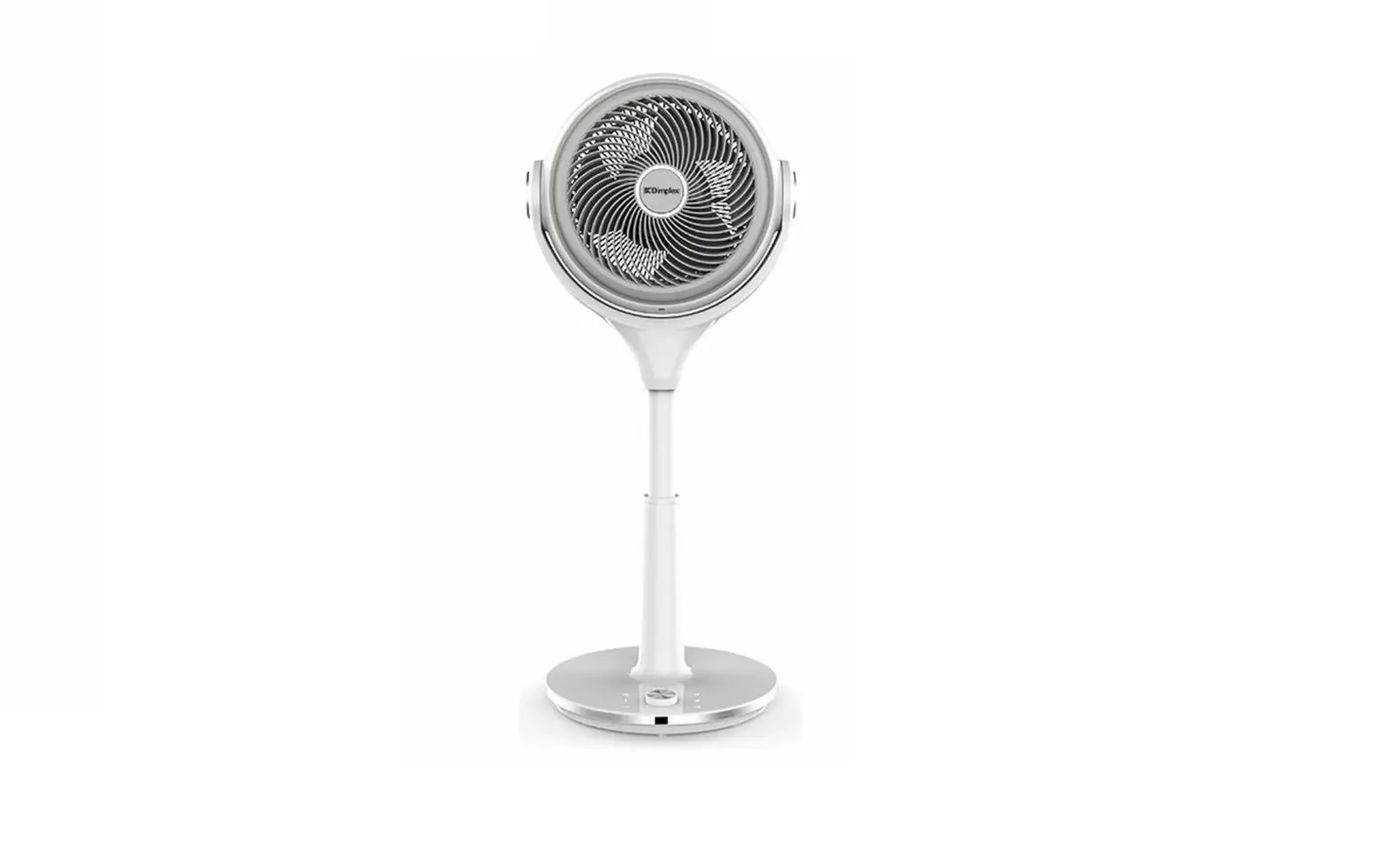
smartmi XHS02ZM Air Circulator Fan
Instruction Manual
Smartmi Air Circulator Fan Instruction Manual
WARNING
Improper product use may lead to electrical shocks, accidental fire, personal injuries, and other damages.
- Please do not operate the product on an uneven or unsteady surface where it may topple over.
- Please do not operate the product near other objects which may topple over.
- Please do not operate the product in a hot and humid environment, such as a bathroom.
- Please discontinue your use of the product if the adapter cord is damaged or the adapter plug is loose.
- Please do not operate the product if the fan grille is not properly installed or the rear fan grille is loose/missing.
- This appliance can be used by children aged from 8 years and above and persons with reduced physical, sensory or mental capabilities or lack of experience and knowledge if they have been given supervision or instruction concerning use of the appliance in a safe way and understand the hazards involved.
- Only use the supply unit provided with this appliance.
- When the power adapter is damaged, it must be replaced with a genuine power adapter purchased from the manufacturer or after-sales service department.
- Children shall not play with the appliance.
- Cleaning and user maintenance shall not be made by children without supervision.
- Please do not take the product apart on your own.
- Please do not fold, bend, or twist the adapter cord with excessive force to prevent exposed or broken wires.
- Please do not insert your finger or foreign objects into the front fan grille, rear fan grille, or the fan blades while the fan is in operation.
- Please keep your hair or fabrics away from the fan to prevent objects from becoming entangled in the fan blades.
- Please do not use the supplied adapter with any other product.
- This appliance contains batteries that are only replaceable by skilled persons.
- The remote controller is powered by 1 LRAAA battery, insert 1 LRAAA battery with the correct polarity in the battery compartment.
- The supply terminals are not to be short-circuited.
- Non-rechargeable battery used for remote contoller is not to be recharged. Exhausted batteries are to be removed from the appliance and safely disposed of.
- If the remote controller is to be stored unused for a long period, the battery in the remote controller should be removed.
- To reduce the risk of fire or electric shock, do not use this appliance with any solid-state speed control device.
- Do not incinerate this fan, even if it is severely damaged. The batteries can explode in a fire.
- Dispose of the fan in accordance with the following instructions:
- Turn off and unplug the fan before disassemble.
- Remove the base bolts with an Allen wrench to separate the column.
- Remove the foot pad with a sharp tool, and then use a Phillips-head screwdriver to remove the the base screws.
- Detach the upper cover of the base.
- Use a Phillips-head screwdriver to remove the screws on the battery compartment cover. Remove the cover and take out the lithium battery.
Safety instructions
Precautions
Handling
 Always turn the fan off and unplug it before moving it.
Hold the fan column firmly to prevent falling and personal injuries.
Installation
Be sure to properly install the product according to the instructions to avoid electric shocks, fire hazards, personal injuries, and any other accidents.
When installing and dismantling the device, be sure to first disconnect the power. This fan contains a battery. When assembling the unit, mount the fan cover and fan blades first, and then assemble the base to prevent the fan from starting accidentally and causing mechanical hazards.
In use
If you encounter any of the following: abnormal sound, strange odor, high temperature, inconsistent fan rotation, etc., stop the fan
immediately.
Do not lean on the fan or tilt the fan while it is running.
Do not dismantle the device by yourself. In case repair or consultation is needed, please contact Smartmi customer service.
Adapter
To avoid fire, electric shocks, or other damage, use the power adapter and electrical outlet as instructed below:
Do not excessively pull, twist or bend the power adapter, as this may expose or break the cord’s core.
The power adapter must be plugged into a suitable electrical outlet.
Use the power adapter that is provided with the fan, do not use any third party power adapters.
Always unplug the fan before carrying out maintenance to or moving the fan.
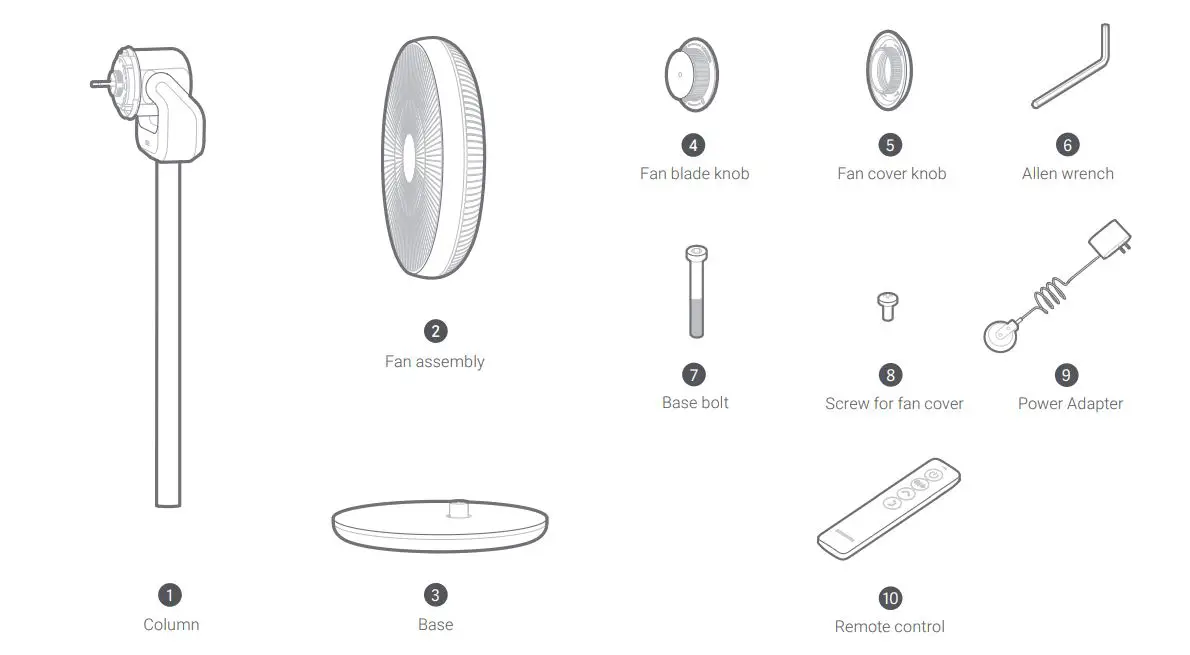
Package list
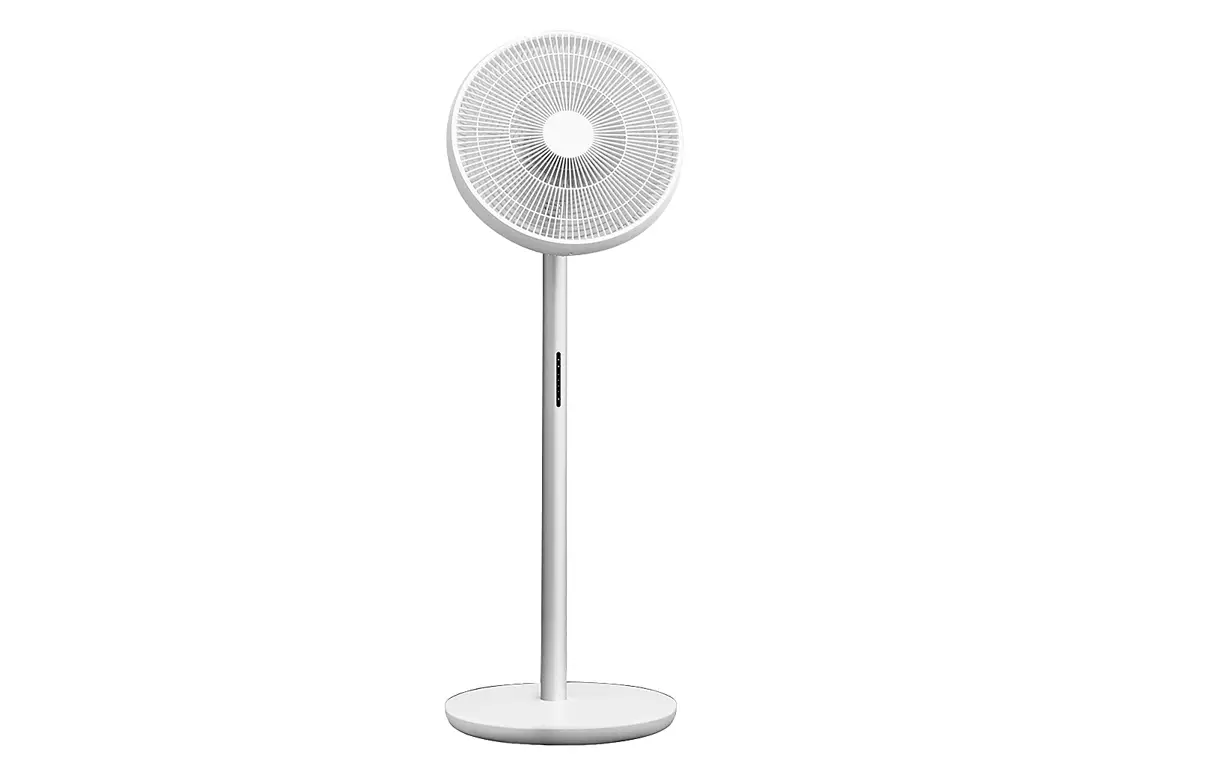
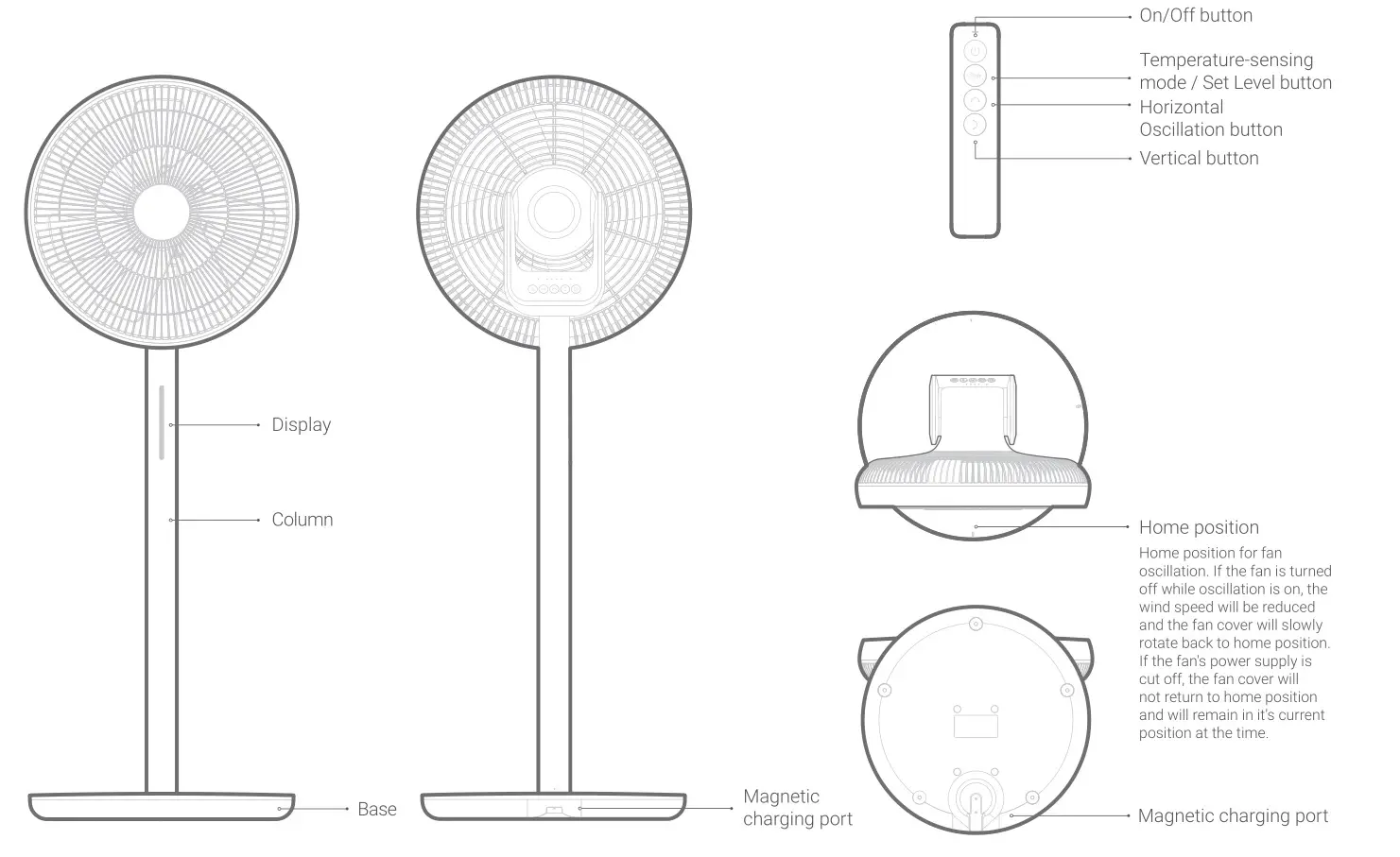
Product overview
Installation
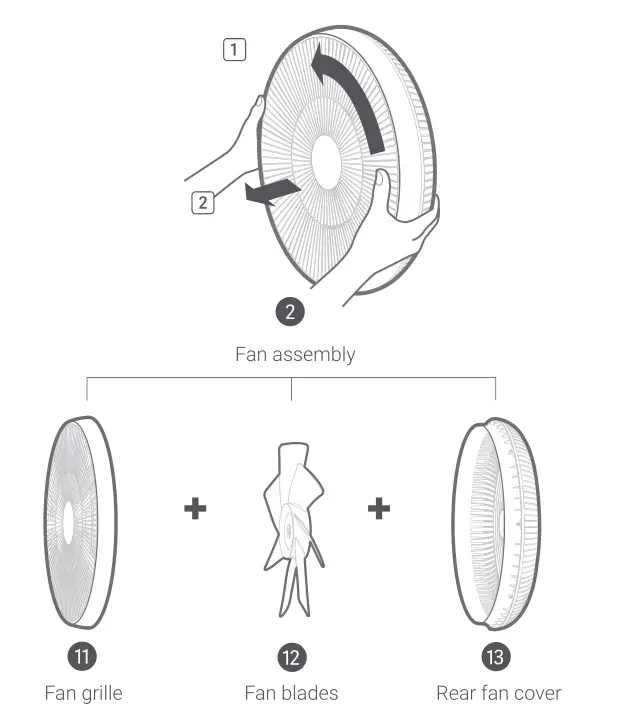
Dismantling the fan assembly
Take out the fan assembly. Rotate the fan grille counterclockwise until it is loose, as shown in Fig 1. below. Remove the fan grille as per the directions in Fig 2. and remove fan blades.
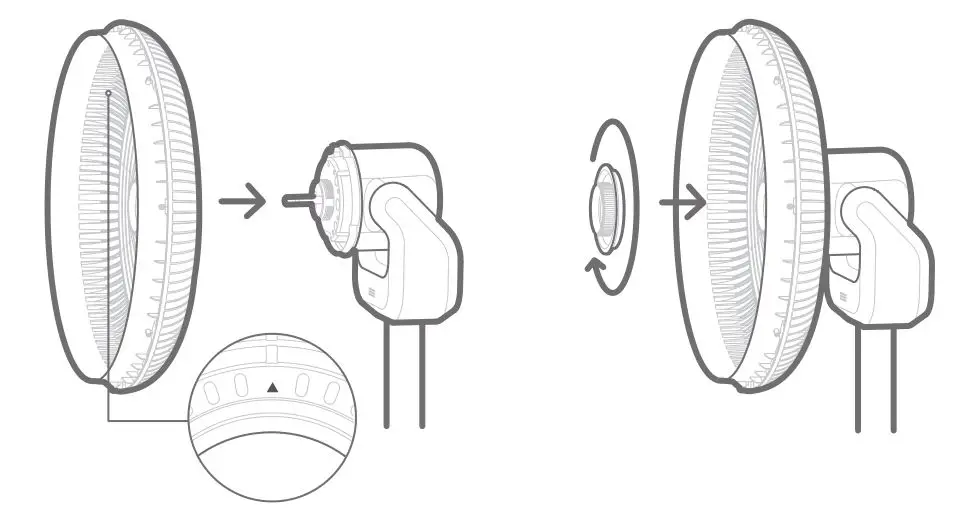
Installing the rear fan cover
Place the rear fan cover on the motor aligned at the top  position.
Tighten 5 fan cover knob clockwise to attach the rear fan cover to motor.
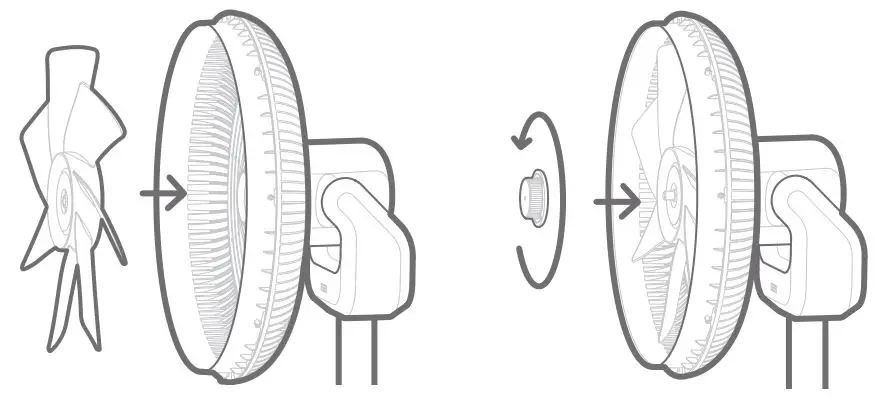
Installing the fan blades
Align the center hole of fan blades with the motor shaft and push into position. Tighten the 4 blade knob counterclockwise to attach fan blades to motor that has the rear fan cover installed.