Contents hide
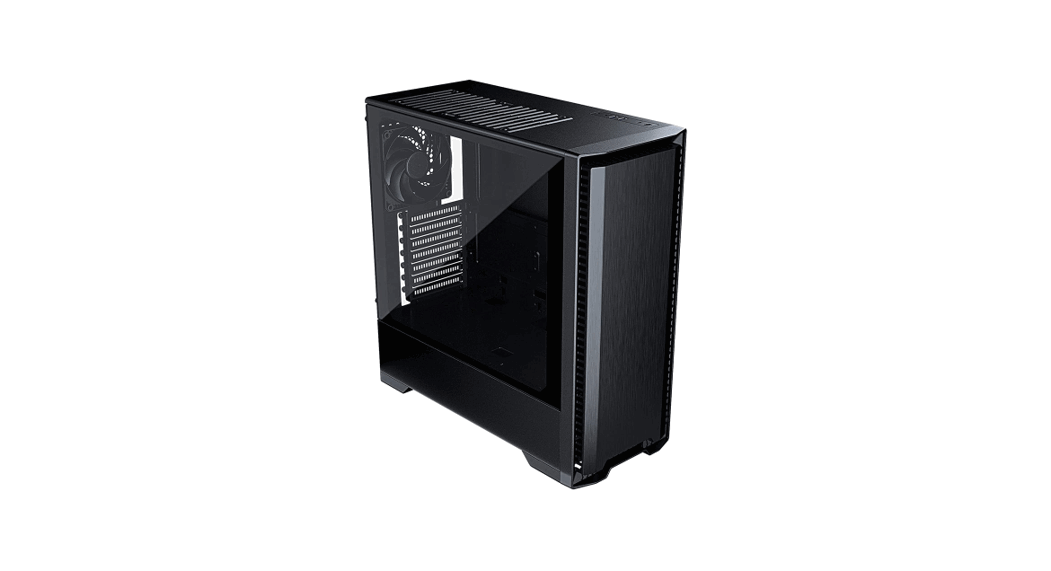
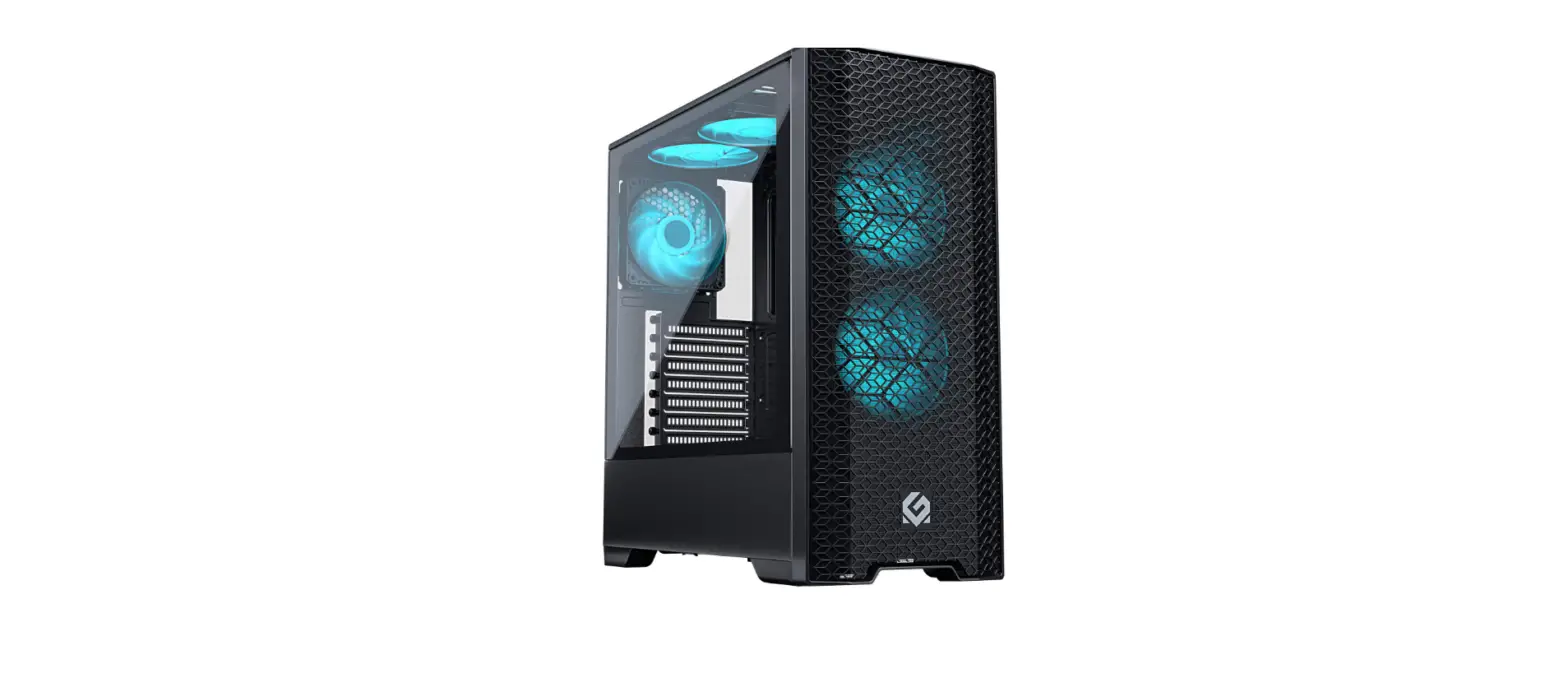
METALLIGEAR MG NEO QUBE chassis
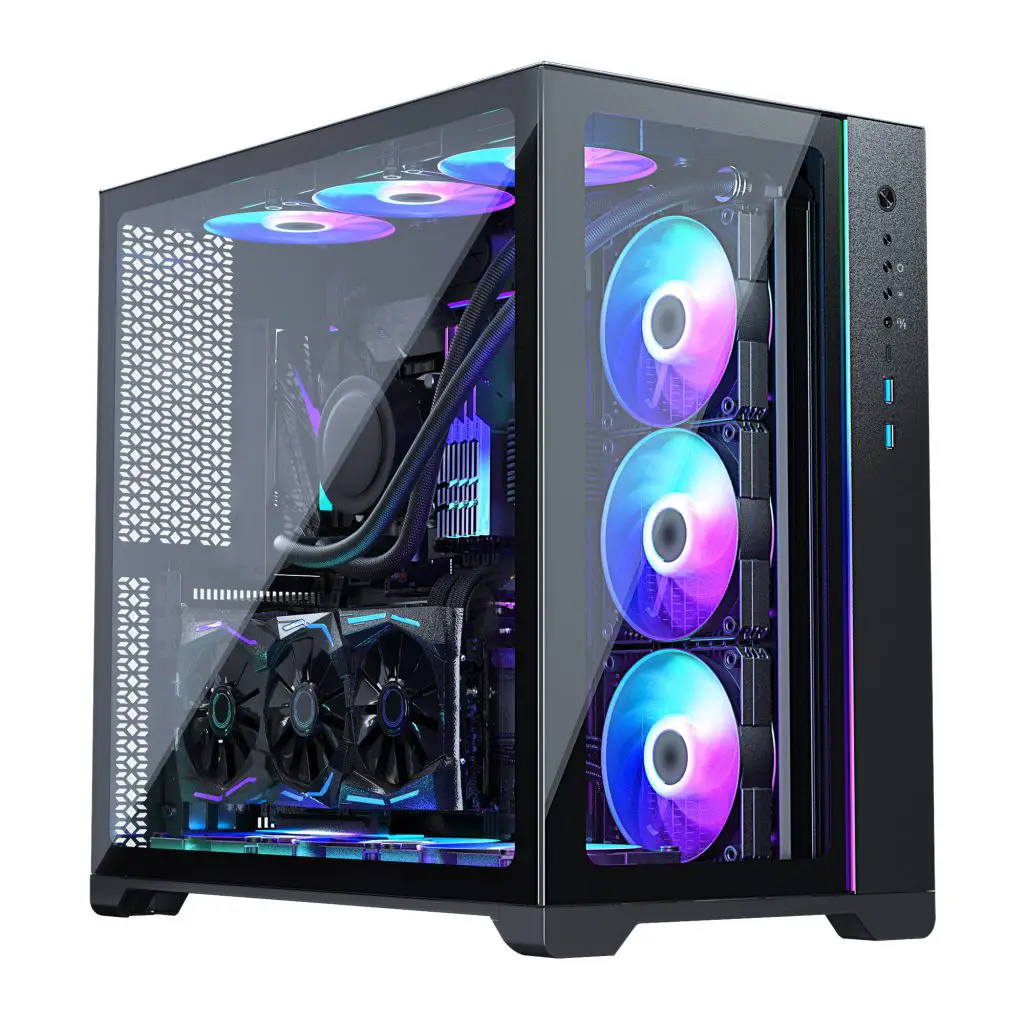
Thank you for choosing the MG NEO QUBE chassis. Please take your time reading this manual before installing your system.
Check www.metallicgear.com for the latest information and manual version.
CHASSIS OVERVIEW
FRONT I/O
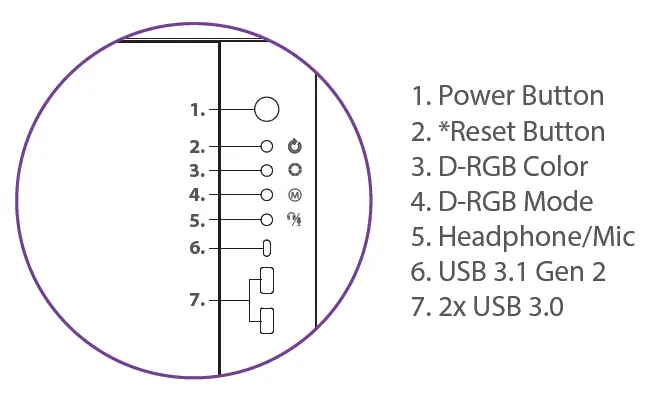
*(Becomes Power Button for Dual-System. See DUALSYSTEM section)
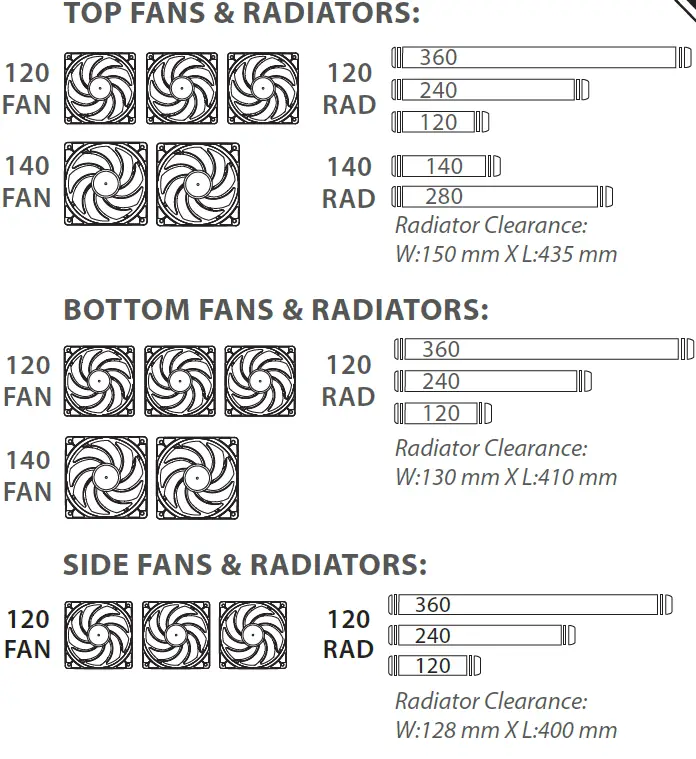
COOLING
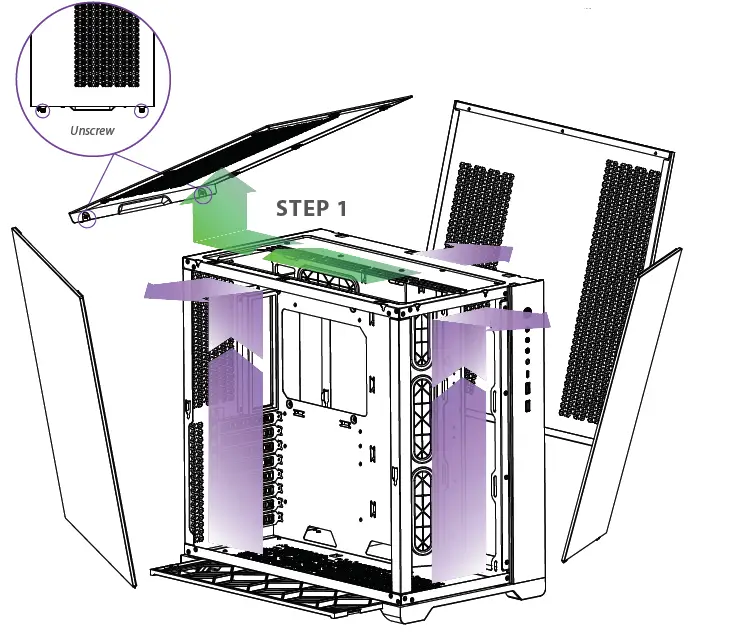
HARDWARE INSTALLATION
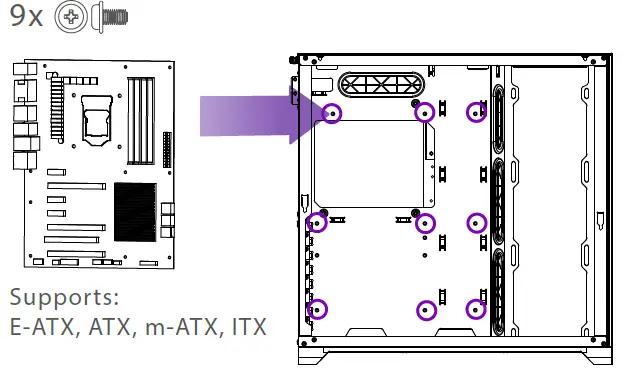
MOTHERBOARD
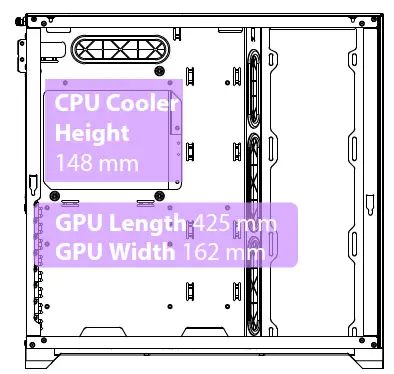
CPU & GPU CLEARANCE
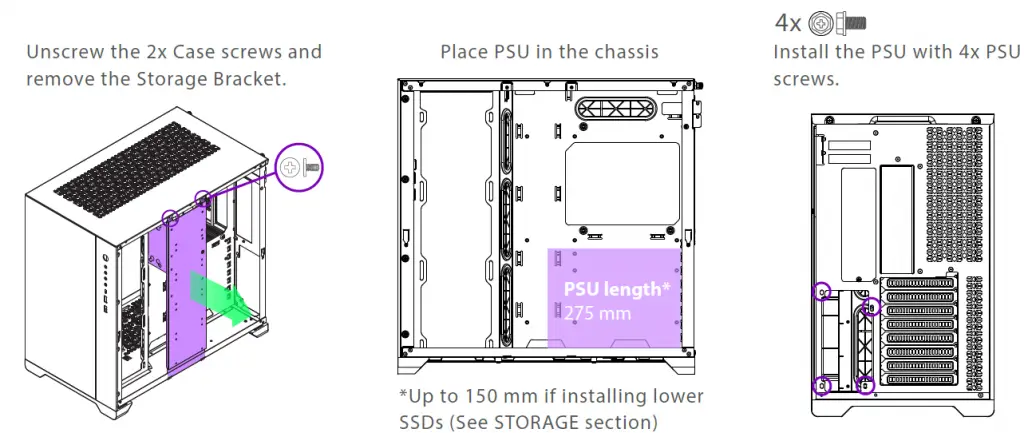
POWER SUPPLY
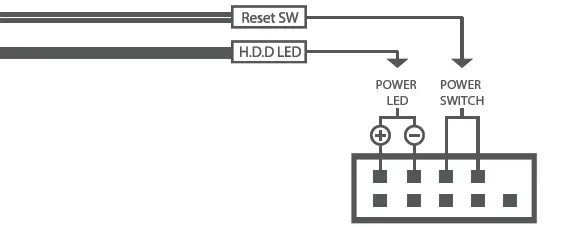
CONNECT TO THE FRONT I/O
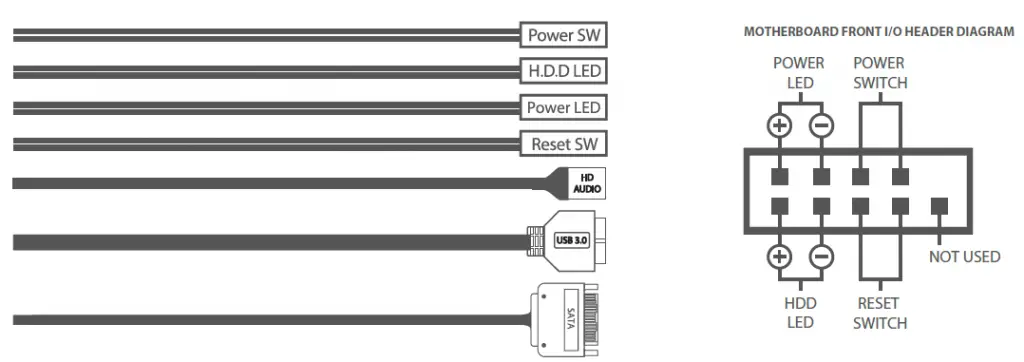
D-RGB CABLES

STORAGE & DUAL SYSTEM
Remove the Storage bracket from the chassis by unscrewing 2x Case Screws.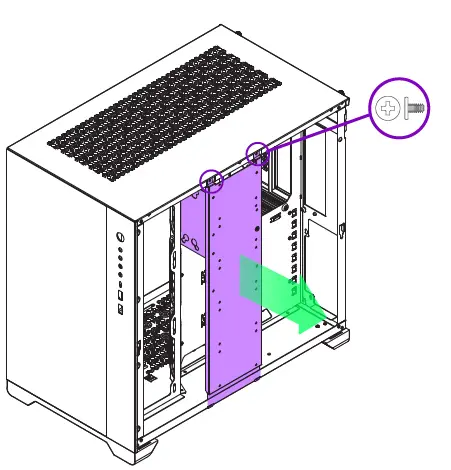
- 4x Install the HDD with 4x HDD screws
- 4x Install the SSDs with 4x SSD screws
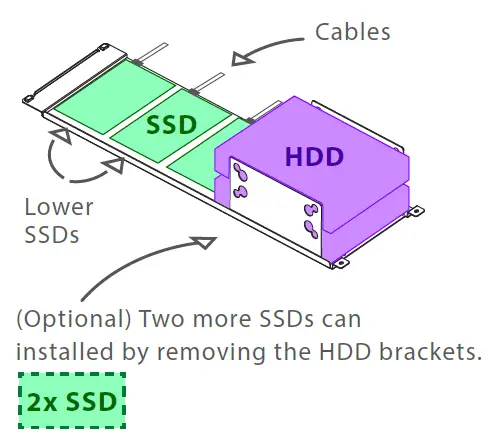
Re-install the Storage bracket to the chassis using 2x Case screws.
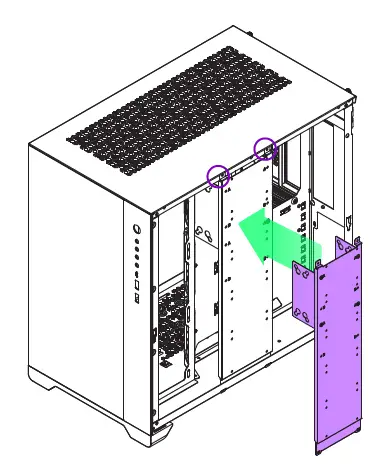
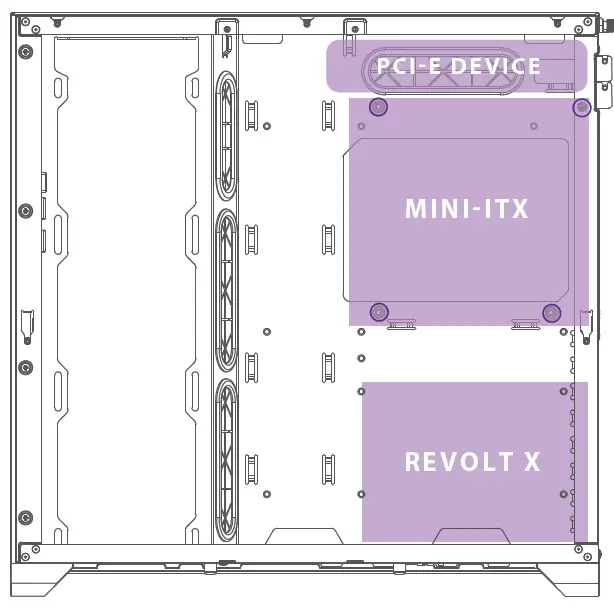
INSTALLING A DUAL-SYSTEM SETUP
- Install the Revolt X PSU.
- 4x Install 4x Motherboard stand-offs.
- 4x Install the Mini-ITX with 4x Motherboard screws.
- Connect the Reset Switch & HDD LED connectors to the motherboard front I/O header.


- Install a half-height PCI-e Device.

 MetallicGear Powered by Phanteks | Metallic Gear