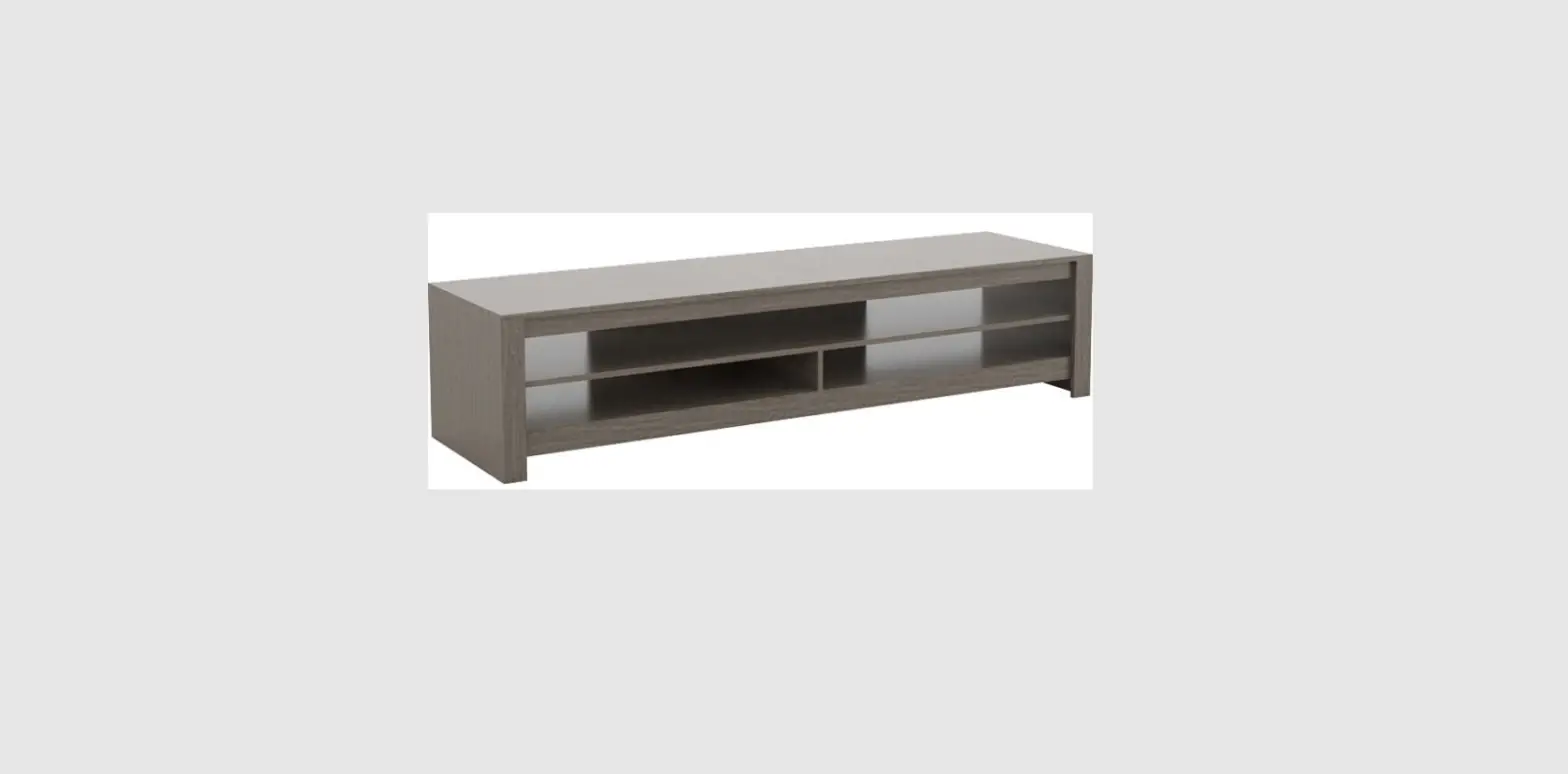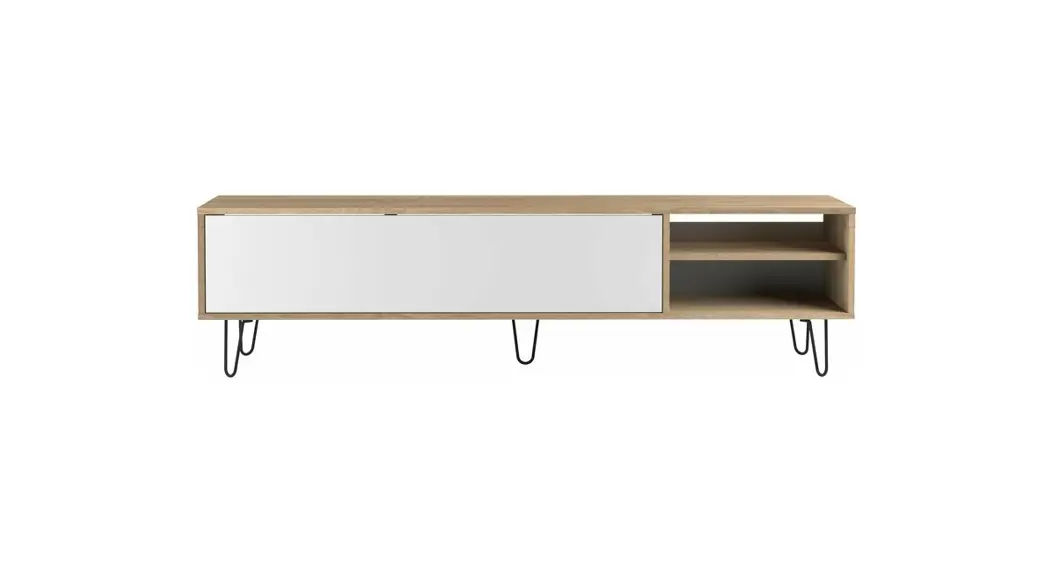

Glendale 2706grtv 4-piece Entertainment Centre Instruction Manual

Glendale 2706grtv 4-piece Entertainment Centre Instruction Manual

Glendale LOGO

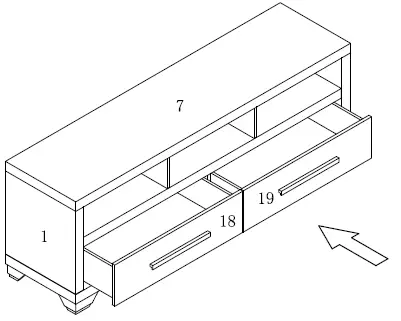
Glendale 2706GRTV 4-Piece Entertainment Centre
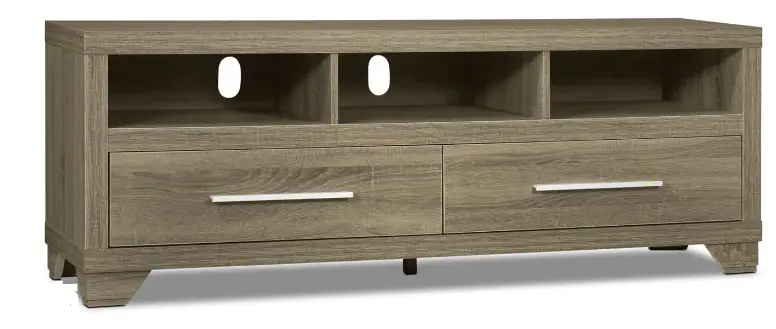
Glendale 2706GRTV 4-Piece Entertainment Centre

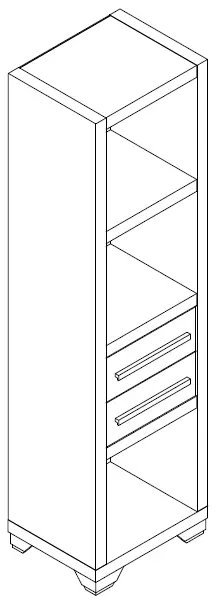
PARTS IDENTIFICATIONS/IDENTIFICATION DES PIECES
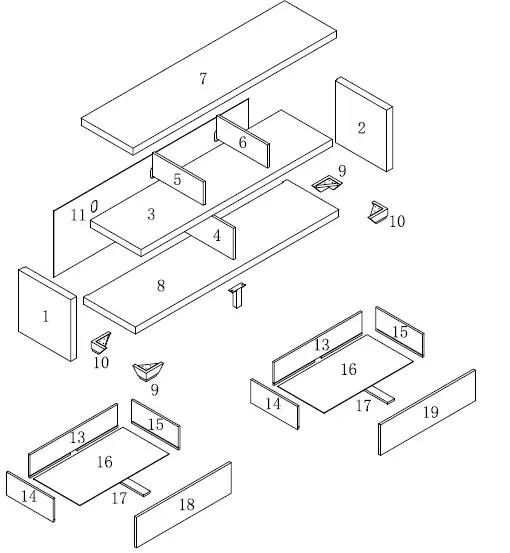
Glendale 2706GRTV 4-Piece Entertainment Centre-1

  1. 1pc/pce
  2. 1pc/pce
  3. 1pc/pce
  4. lpc/pce
  5. lpc/pce
  6. lpc/pce
  7. Ipc/pce
  8. lpc/pce
  9. 2pcs/pces
  10. 2pcs/pces
  11. lpc/pce
  12. 2pcs/pces
  13. 2pcs/pces
  14. 2pcs/pces
  15. 2pcs/pces
  16. 2pcs/pces
  17. lpc/pce
  18. Ipc/pce

HARDWARE IDENTIFICATIONS/ IDENTIFICATION DU KIT D’ ASSEMBLAGE
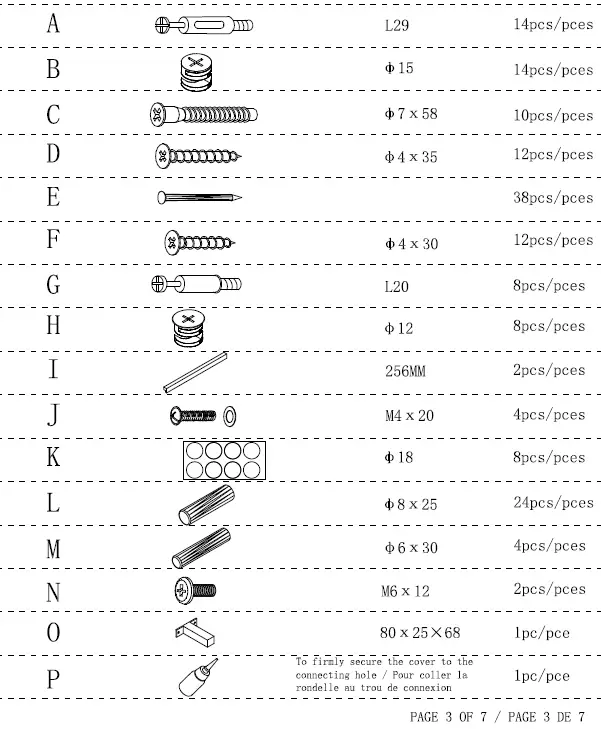
Glendale 2706GRTV 4-Piece Entertainment Centre-2

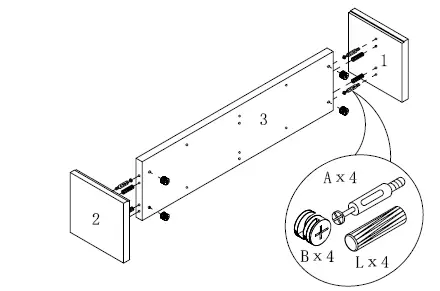
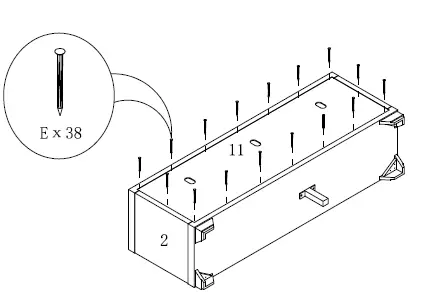
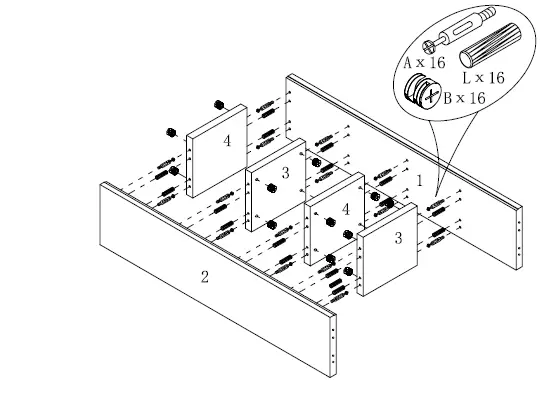
STEP 1

Glendale 2706GRTV 4-Piece Entertainment Centre-3

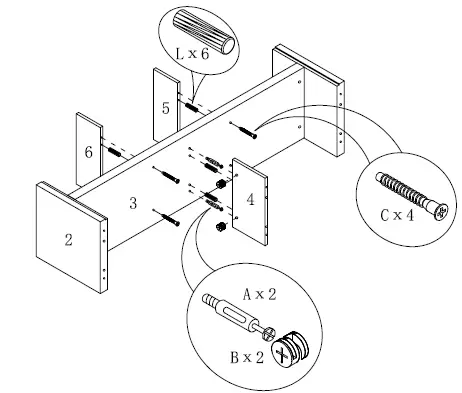
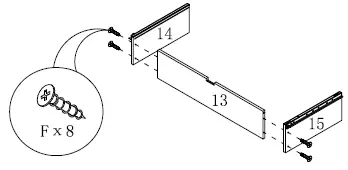
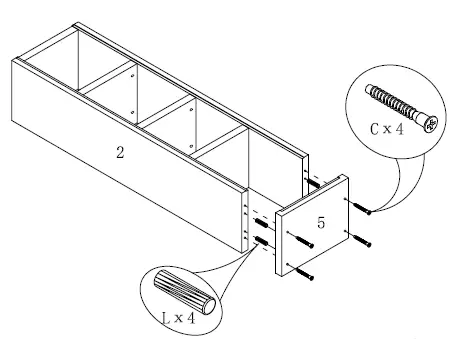
STEP 2

Glendale 2706GRTV 4-Piece Entertainment Centre-4

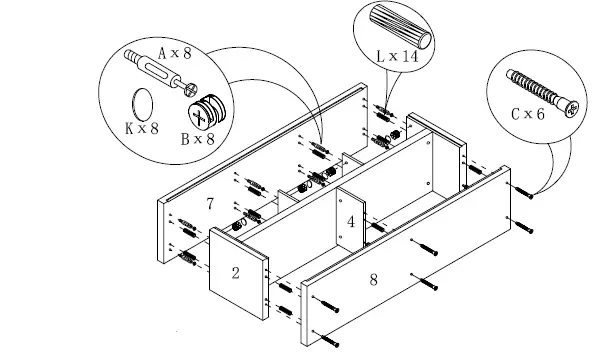
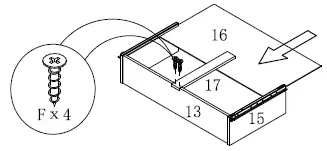
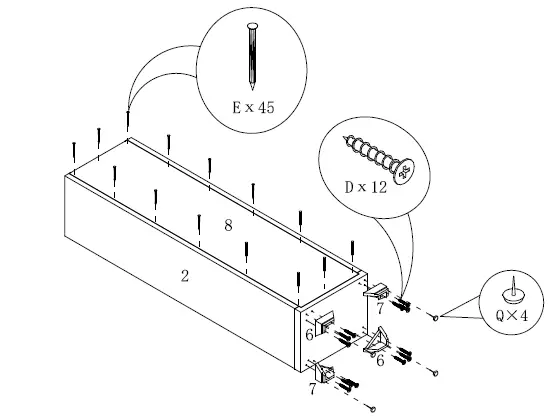
STEP 3

Glendale 2706GRTV 4-Piece Entertainment Centre-5

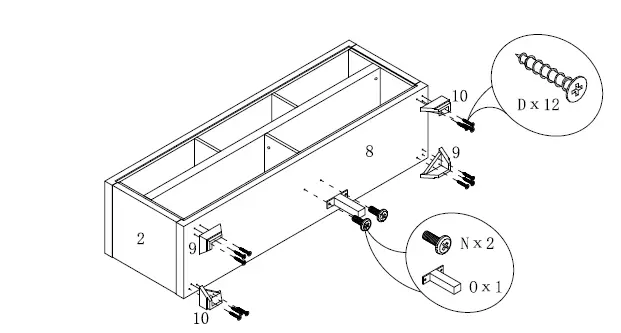
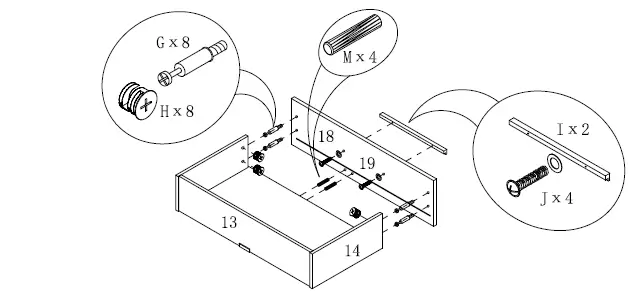
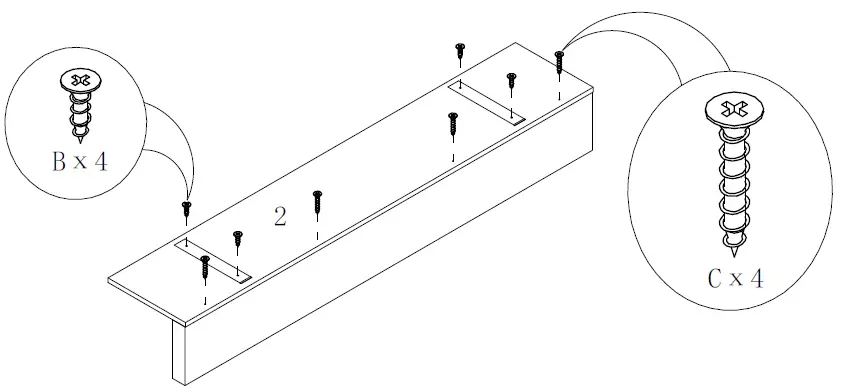
STEP 4

Glendale 2706GRTV 4-Piece Entertainment Centre-6

STEP 5

Glendale 2706GRTV 4-Piece Entertainment Centre-7

STEP 6

Glendale 2706GRTV 4-Piece Entertainment Centre-8

STEP 7

Glendale 2706GRTV 4-Piece Entertainment Centre-9

STEP 8

Glendale 2706GRTV 4-Piece Entertainment Centre-10

STEP 9

Glendale 2706GRTV 4-Piece Entertainment Centre-11

ASSEMBLY INSTRUCTIONS/INSTRUCTIONS D’ ASSEMBLAGE
Glendale 2706GRTV 4-Piece Entertainment Centre-12

PARTS IDENTIFICATIONS/ IDENTIFICATION DES PIECES
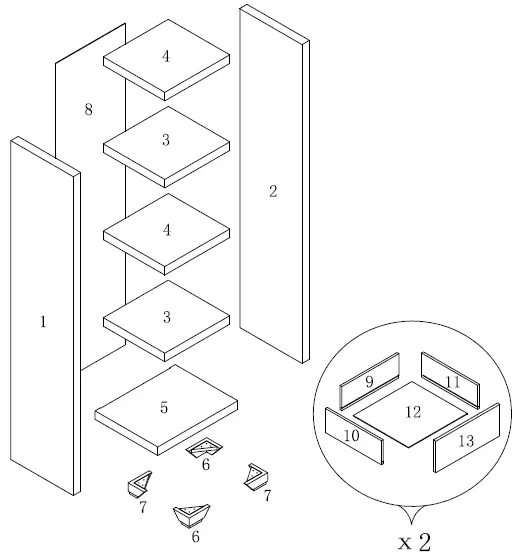
Glendale 2706GRTV 4-Piece Entertainment Centre-13

  1. lpc/pce
  2. lpc/pce
  3. 2pcs/pces
  4. 2pcs/pces
  5. Ipc/pce
  6. 2pcs/pces
  7. Zpcs/pces
  8. Ipc/pce
  9. 2pcs/pces
  10. 2pcs/pces
  11. 2pcs/pces
  12. 2pcs/pces
  13. 2pcs/pces

HARDWARE IDENTIFICATIONS/IDENTIFICATION DU KIT D ASSEMBLAGE
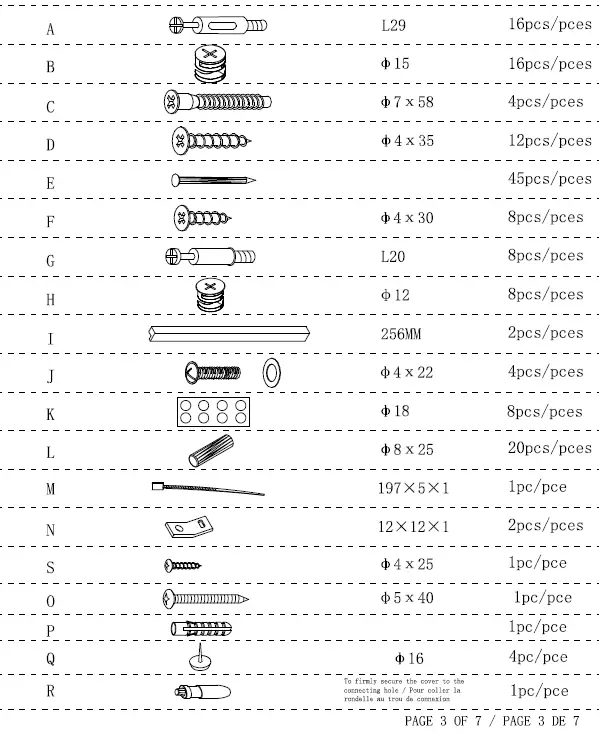
Glendale 2706GRTV 4-Piece Entertainment Centre-14

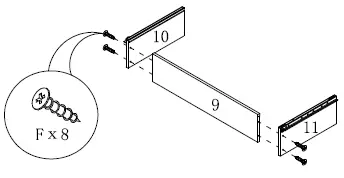
STEP 1

Glendale 2706GRTV 4-Piece Entertainment Centre-15

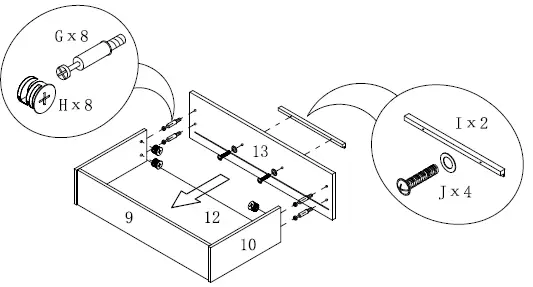
STEP 2

Glendale 2706GRTV 4-Piece Entertainment Centre-16

STEP 3

Glendale 2706GRTV 4-Piece Entertainment Centre-17

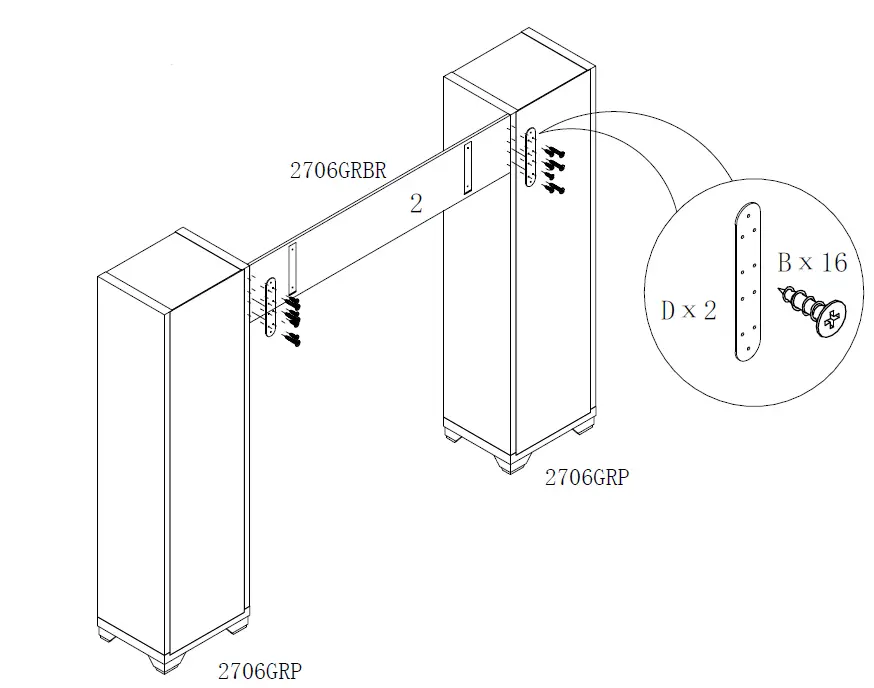
STEP 4

Glendale 2706GRTV 4-Piece Entertainment Centre-18

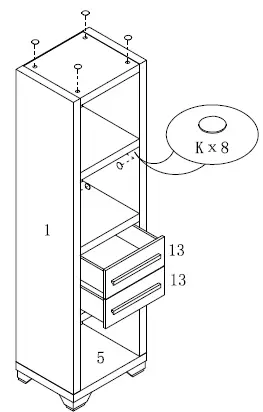
STEP 5

Glendale 2706GRTV 4-Piece Entertainment Centre-19

STEP 6

Glendale 2706GRTV 4-Piece Entertainment Centre-20

ANTI-TIPPING STRAP INSTRUCTION

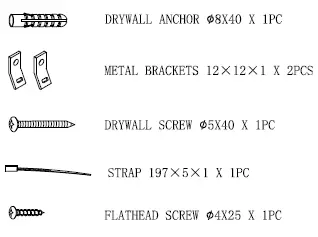
HARDWARE (INCLUDED):
Glendale 2706GRTV 4-Piece Entertainment Centre-21

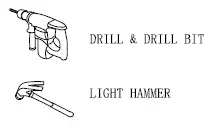
TOOLS NEEDED (NOT INCLUDED) :

Glendale 2706GRTV 4-Piece Entertainment Centre-22

Note: Hardware included only compatible th standard drywalls,

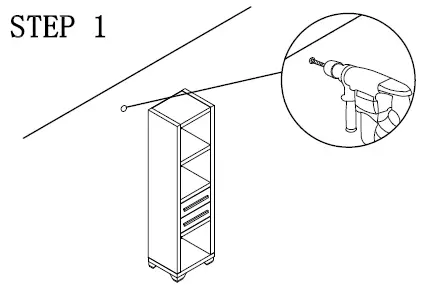
STEP 1

  1. Find spot on wall 1″ below top of item.
  2. Using a drill bit slightly thinner than anchor , drill hole into drywall.
Glendale 2706GRTV 4-Piece Entertainment Centre-23

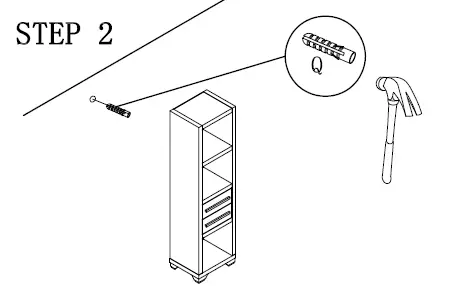
STEP 2

  1. Use a light hammer to tap anchor into hole.
  2. Anchor should fit snugly. lf hole is too small, drill again to increase hole size .Do not force anchor into wall.
Glendale 2706GRTV 4-Piece Entertainment Centre-24

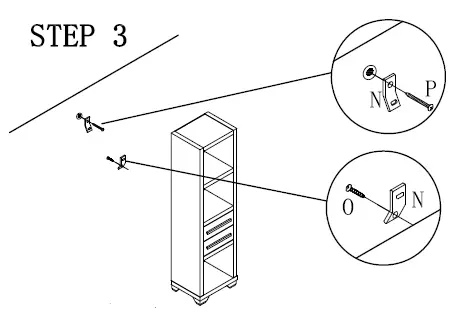
STEP 3

  1. Insert drywall screw into metal bracket and into drywall anchor.
  2. Insert flathead screw into second metal bracket and into back of item. along top edge.
Glendale 2706GRTV 4-Piece Entertainment Centre-25

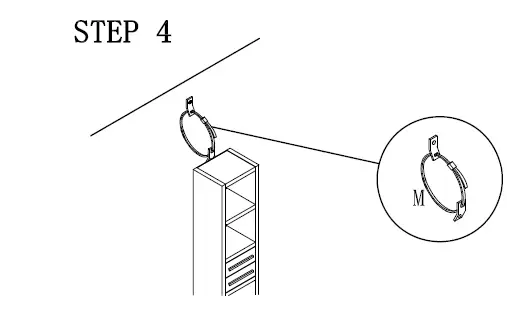
STEP 4

Glendale 2706GRTV 4-Piece Entertainment Centre-26Glendale 2706GRTV 4-Piece Entertainment Centre-27Glendale 2706GRTV 4-Piece Entertainment Centre-28

Documents / Resouces

Download manual
Here you can download full pdf version of manual, it may contain additional safety instructions, warranty information, FCC rules, etc.


Related Manuals