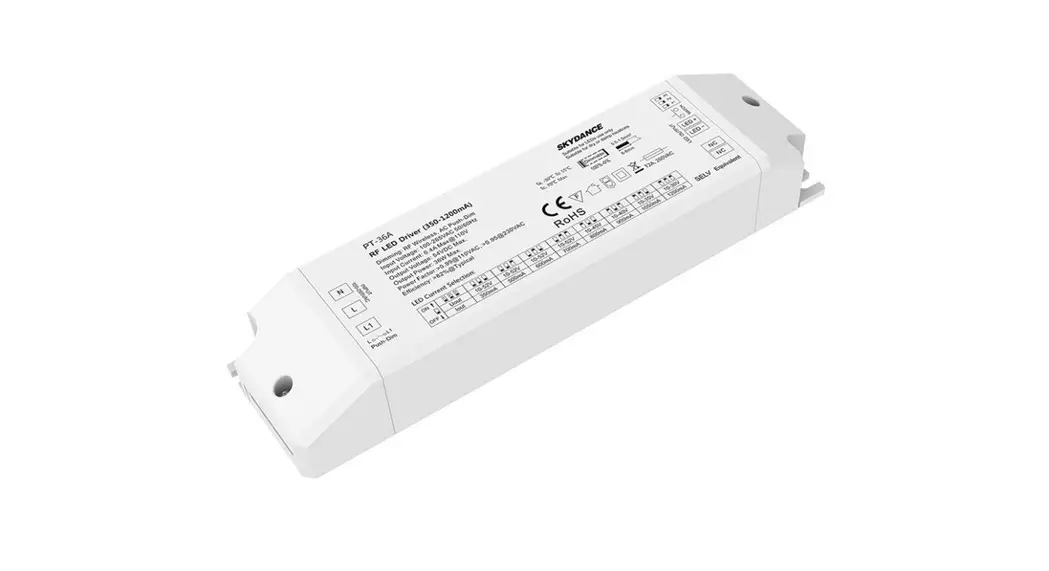
PT-20A-2 Zigbee and RF Constant Current LED CCT Driver
Zigbee & RF Constant Current LED CCT Driver
Model No.: PT-20A-2(WZ)
Product Information:
| Features | Technical Parameters |
|---|---|
| – Dimming interface: RF Wireless, AC Push-Dim | – Output Voltage: 1052VDC |
| – Tuya APP cloud control, support on/off, color temperature and brightness adjust, delay turn on/off light, timer run | – Output Current: 2x 3001050mA Max. |
| – Over-heat Protection | – Output Power: Max. 20W |
| – Over Load Protection | – Max Output Voltage: 58VDC |
| – Short Circuit Protection | – Dimming Range: 0-100% |
| – Warranty: 5 years | – PWM Frequency: 0100 |
Product Usage Instructions:
To use the Zigbee & RF Constant Current LED CCT Driver
(Model No.: PT-20A-2(WZ)), follow these steps:
- Make sure the AC power supply is disconnected.
- Connect the AC N input and AC L input to the corresponding
terminals on the LED driver. - Connect the AC Push input to the L1 terminal on the LED
driver. - Install the LED driver in the provided installation rack.
- Connect the LED output wires to the LED+ and LED- terminals on
the LED driver. - Use the DIP switch for current selection and match the key LED
indicator accordingly. - Once the connections are complete, you can control the LED
driver using one of the following methods:
- – RF Wireless: Use an RF 2.4G remote control within a range of
30m. - – AC Push-Dim: Use an AC push button to dim the LED light.
- – Tuya APP cloud control: Download and install the Tuya APP on
your smartphone to control the LED driver wirelessly. The Tuya APP
allows you to turn on/off the light, adjust the color temperature
and brightness, set a delay for turning on/off the light, and
schedule timer runs.
Zigbee & RF Constant Current LED CCT Driver Model No.: PT-20A-2(WZ)
RF 2.4G 30m
ON
123 4 Multiple Current
Push-Dim
>0.95
Digital Dimming
Synchronization
Over-heat Protection
Over Load Protection
Short Circuit Protection
Features
Warranty 5 years
Dimming interface: RF Wireless, AC Push-Dim Tuya APP cloud control, support on/off, color temperature and brightness adjust, delay turn on/off light,timer run,
scene edit and music play function Voicecontrol,supportamazonECHOandTmallGeniesmartspeaker Match with RF 2.4G color temperature remote control, one RF LED driver accepts up to 10 remote controls Universal AC input / Full range Flicker-free 2 channel constant current output, con gurable current via DIP switch Built-in active PFC function: 0.95 Typ Fade in and out effect selectable 3 levels color temperature (WW, NW and CW) selectable by continuous power off and on operation Over-heat / Over-load / Short circuit protection, recover automatically Full protective plastic case Suitable for indoor LED lighting application 5 Year, 50,000hr warranty
Mechanical Structures and Installations
AC N input
AC L input
N
L
AC Push input
L1
L
L1
Push-Dim
Installation rack
INPUT 100-240VA C
LED OUTPUT
WWCWNC NC NC
1234
1 234
LED+ WW CW –
DIP Switch for current selection Match key LED indicator
151 mm
41mm
30 mm
User Manual Ver 1.0.0
Technical Parameters
PT-20A-2(WZ) Zigbee & RF Constant Current LED CCT Driver
Output Input
Protection Environment Safety&EMC
Output Voltage Output Current Output Power Max Output Voltage Dimming Range
PWM Frequency Current Accuracy
Ripple&Noise Input Voltage Range Frequency Range Ef ciency Alternating Current
Anti Surge Startup time Power Factor
THD Inrush Current Leakage Current No Load Power Over Load Power Short Circuit Over Temperature Woking Temperature T-case Max Working Humidity
Storage Temp/Humidity Temperature Coef cient Vibration Resistance IP Rating Security Speci cations Withstand Voltage Insulation Resistance EMC Emission
EMC Immunity Certications
1052VDC 2x 3001050mA Max. 20W 58VDC 0100
8000Hz ±5 < 120mV 100240VAC 50/60Hz >82%
0.25A Max. L-N:1.2KV 1S/230VAC >0.98/110VAC, >0.95/230VAC <8% Cold start 13.5A at 230VAC
< 0.5mA/230VAC <2W When O/P voltage exceed its range, O/P current declines, auto recovers when the load is reduced. Shutdownautomaticallyifshortcircuitoccurs, auto recovers. Intelligently adjust or turn off the output current if the PCB temp > 100, auto recovers. -3050 80 2090RH, non-condensing -4080, 1095RH ±0.03/ (0-50) 10-500Hz, 2G, 6min/cycle, X,Y,Z axes/2min IP20 IEC/EN61347-1, IEC/EN61347-2-13 I/P-O/P: 3750VAC I/P-O/P: 100M/500VDC/25/70RH EN55015, EN61000-3-2 Class C, IEC61000-3-3
EN61000-4-2.3.4.5.6.8.11, EN61547 CE, EMC
LED Current Selection:
1234
ON Uout 10-52V 10-52V 10-50V 10-44V 10-40V 10-36V 10-33V 10-31V Iout 300mA 350mA 400mA 450mA 500mA 550mA 600mA 650mA
1234
OFF Uout 10-29V 10-27V 10-25V 10-24V 10-22V 10-21V 10-20V 10-19V Iout 700mA 750mA 800mA 850mA 900mA 950mA 1000mA 1050mA
Applications
Suitable for downlight, spotlight and decorative applications. Of ce / Commercial / Domestic Lighting, Hotels, Classrooms, Warehouse, Health care, Retail and Display. Use for retro t upgrades & new luminaire designs.
Page 1
Systemwiring 1. Zigbee & RFConnection
3G/4G/5G WiFi
Tuya Cloud
15m Mobile Phone
15m
15m
WiFi Router
Tuya Zigbee Gateway
WW LED light
LED OUTPUT
Amazon ECHO 30m
RFRemote(Optional)
ZONE
POWER
ZONE
BRIGHT
ZONE ZONE
BRIGHT
S
SCENE
PanelRFRemote(Optional)
30m
Tuya APP network connection
N
L
L1
L
L1
Push-Dim
INPUT 100-240 VA C
MATCH
WWCWNC NC NC
1234
1 234
CW LED light
AC Power 50/60Hz
Note:
1.Theabove distance is measured in spacious(noobstacle) environment, Please refer to the actual test distance before installation.
2.PleasecheckiftheWiFi routernetin2.4Gband, the5Gband isnotavailable, and donothideyourrouternetwork.
3. PleasekeepthedistancebetweenLED driverandrouterclose, andcheckthe WiFisignals.
4. Continuously switch off and on the power supply two times rapidly, It will change 3 levels color temperature (WW, NW and CW) in sequence.
Press and hold Match key for 5s, or push twice Match key fastly: Clear previous network connection, enter config mode, the LED indicator flash fastly, the output LED will flash 10 times.
Repeat power on and off for 5 consecutive times, also clear previous network connection, enter Smart config mode, the output LED will flash 10 times.
If Tuya APP network connection succeed, the LED indicator will stop flash, and in Tuya APP, you can find the ZB-CCT device.
Match Remote Control (two match ways) End user can choose the suitable match/delete ways. Two options are offered for selection:
Use Match key
Match: Short press match key, immediately press on/off key (single zone remote) or zone key (multiple zone remote) of the remote.
Use Power Restart
Match: Switch off the power, then switch on power, repeat again. Immediately short press on/off key (single zone remote) or zone key (multiple zone remote) 3 times on the remote. The light blinks 3 times means match is successful.
Delete: Press and hold match key for 10s to delete all match, The light blinks 5 times means all matched remotes were deleted.
User Manual Ver 1.0.0
.
Delete: Switch off the power, then switch on power, repeat again. Immediately short press on/off key (single zone remote) or zone key (multiple zone remote) 5 times on the remote. The light blinks 5 times means all matched remotes were deleted.
2. AC Push-Dim connection
AC 100-240V N L
N
L
L1
L
L1
Push-Dim
PushSwitch
N
L
L1
L
L1
Push-Dim
INPUT 100-240VA C
INPUT 100-240VA C
PT-20A-2(WZ) Zigbee & RF Constant Current LED CCT Driver
LED OUTPUT
MATCH
WWCWNC NC NC
1234
1 234
WW LED light CW LED light
LED OUTPUT
MATCH
WWCWNC NC NC
1234
1 234
WW LED light CW LED light
The provided AC Push-Dim interface allows for a simple dimming method using commercially available non-latching (momentary) wall switchs.
Short press: Turn on or off light.
Long press (1-6s): Press and hold to step-less dimming, With every other long press, the light level goes to the opposite direction.
Dimming memory: Light returns to the previous dimming level when switched off and on again, even at power failure.
Synchronization: If more than one LED driver are connected to the same push switch, do a long press for more than 10s, then the system is synchronized and all lights in the group dim up to 100%. This means there is no need for any additional synchrony wire in larger installations. We recommend the number of LED drivers connected to a push switch does not exceed 25 pieces, The maximum length of the wires from push to LED driver should be no more than 50 meters.
Fade in and Fade out Setting
Switch off the power, then switch on power, repeat again. Immediately short press match key 3 times, the light on/off time will change between 3s and 0.5s.
PWM duty(%)
Dimming Curve
100
Gamma=1.6
90 80 70 60 50 40 30 20 10
10 20 30 40 50 60 70 80 90 100
Brightness(%)
Page 2