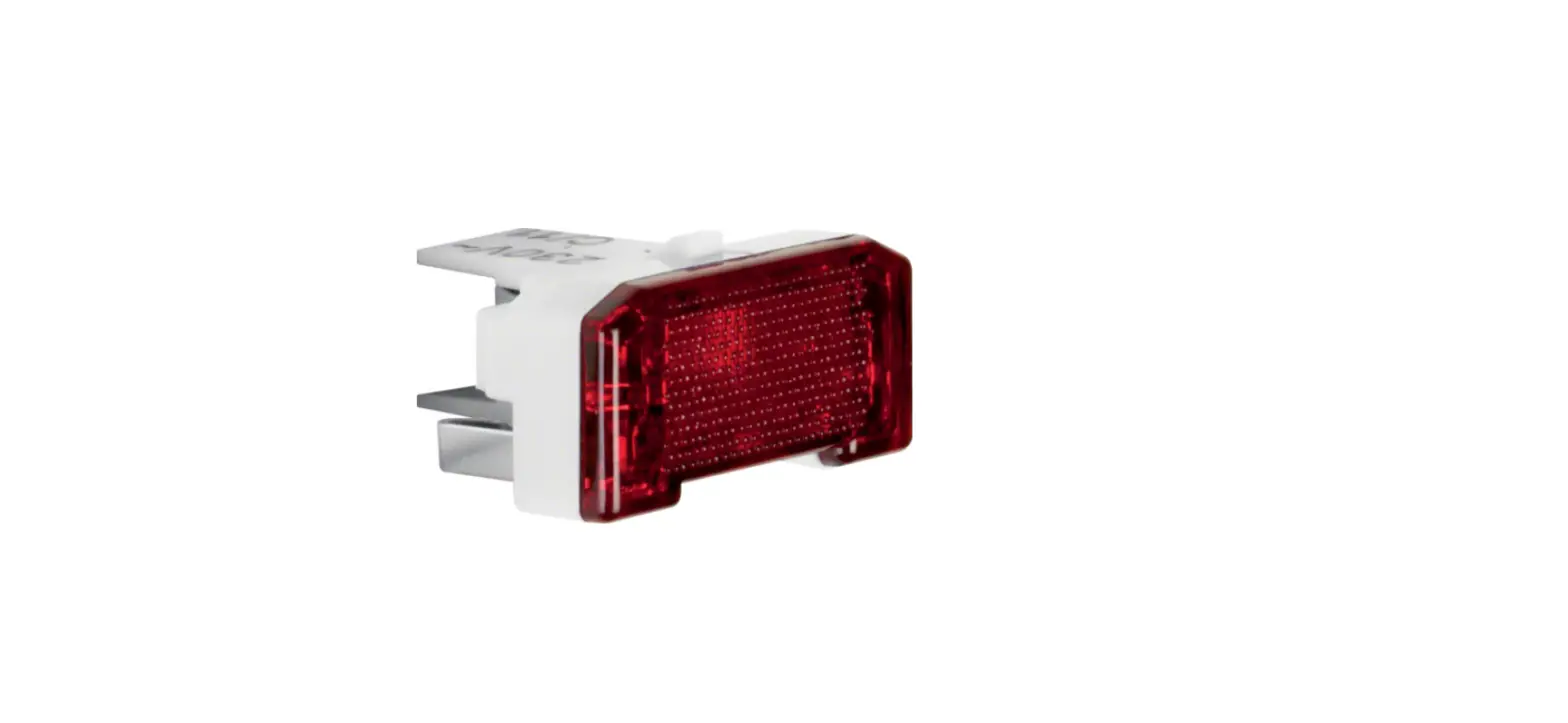
29518982 LED Signal Light
Product Information:
Product Name: LED Signal Light
Model Numbers: 2951 xx xx (RGB), 2952 xx xx (Red/Green)
Manufacturer: Berker GmbH & Co. KG
Product Features:
- LED light for signaling hints, information, or warnings
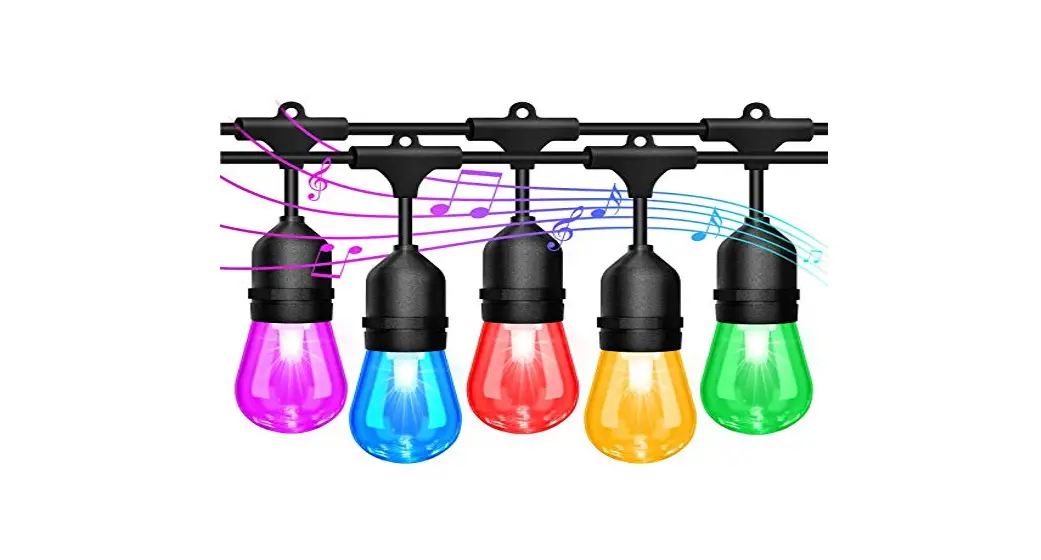
- Color sequence includes violet (magenta) as the starting
color - Color can be adjusted by pressing a button
- Complete color sequence lasts approximately 5 minutes
- Color settings are saved even after power interruption
- Reset function available to synchronize the LED signal
lights
Product Usage Instructions:
- To turn on/off the LED signal light, use a switch or switch
contact. - To adjust the color, press the button to cycle through the
color sequence. The colors will appear in the following order:
violet, indigo, blue, green, yellow, orange, red. - The complete color sequence takes about 5 minutes to cycle
through. To stop the color sequence and set the currently displayed
color, press the button again. - The selected color will remain even after a power
interruption. - To synchronize multiple LED signal lights, perform a reset by
releasing the button. This will turn off the lights and reset their
settings.
Safety Instructions:
- Electrical installation and assembly should be done by a
qualified electrician following the relevant installation
standards, guidelines, regulations, directives, safety, and
accident prevention regulations of the country. - Before working on the device, disconnect it to avoid the risk
of electric shock. Consider all circuit breakers supplying
dangerous voltages to the device. - Failure to follow these instructions may result in device
damage, fire, or other hazards. - The device is not suitable for use in safety technology or as
an emergency light. - Do not operate the device on a dimmer as the lamps are not
dimmable, which may pose a fire hazard. - If multiple devices are connected via contact operating modes,
ensure they are all operated through the same phase to avoid
potential device destruction. - Do not operate the device on an electronic switch insert (e.g.,
Tronic or Triac insert) as it may cause damage to the switch
insert.
6LE000851B
Bedienungs- und Montageanleitung
Operating and assembly instructions
Geräteaufbau
(6) (3) (4)
e
(5)
z
(1) (2)
2951 xx xx LED-Signallicht, RGB LED signal light, RGB
2952 xx xx
LED-Signallicht, rote/grüne Beleuchtung
LED signal light, red/green lighting
2953 xx xx LED-Signallicht, weiße Beleuchtung LED signal light, white lighting
Bild 1 (1) Einsatz LED-Signallicht (2) Design-Rahmen (nicht im Lieferumfang) (3) Bedruckte Folie (optional, siehe Zubehör) (4) Haube (5) Zentralstück (6) Potenziometer für Helligkeit (nicht bei LED-
Signallicht, rote/grüne Beleuchtung)
Funktion
Bestimmungsgemäßer Gebrauch – LED-Licht zur Signalisierung von z. B. Hinwei-
sen, Informationen, Meldungen oder Warnungen – Bedienung über separaten Taster oder Schalter – Montage in Schalterkombinationen oder einzeln – Montage in Gerätedose nach DIN 49073
Produkteigenschaften
Aufgrund von Fertigungstoleranzen in der LEDHerstellung sind erkennbare Unterschiede in Helligkeit und Farbwiedergabe möglich.
LED-Signallicht, rote/grüne Beleuchtung
Sicherheitshinweise
e
Einbau und Montage elektrischer Geräte dürfen nur durch eine Elektrofachkraft gemäß den einschlägigen Installationsnormen, Richtlinien, Bestimmungen, Sicherheits- und Unfallverhütungsvorschriften des Landes erfolgen.
Gefahr durch elektrischen Schlag. Vor Arbeiten am Gerät freischalten. Dabei alle Leitungsschutzschalter berücksichtigen, die gefährliche Spannungen an das Gerät liefern.
Bei Nichtbeachtung der Anleitung können Schäden am Gerät, Brand oder andere Gefahren entstehen.
Gerät ist nicht geeignet für den Einsatz in der Sicherheitstechnik oder als Notlicht.
Brandgefahr. Gerät nicht an einem Dimmer betreiben. Die Leuchtmittel sind nicht dimmbar.
– Zweifarbiges Signallicht, z. B. für die Zutrittssteuerung
– Über separaten Schalter zwischen rot und grün umschaltbar
– Folien bi-color mit Aufdruck von Symbolen für Nicht stören/Zimmer reinigen und Bitte eintreten/Bitte warten liegen bei
LED-Signallicht, RGB
– LED-Licht zur Signalisierung von Hinweisen, Informationen oder Warnungen
– Über externen Taster ist die Farbe umschaltbar – Folien mit Aufdruck von Symbolen einlegbar
(siehe Zubehör) – Lichtfarben kaltweiß, warmweiß, blau, orange,
rot, grün, violett (magenta) und Farbdurchlauf über Taster aufrufbar – Helligkeit über Potenziometer veränderbar – Farbdurchlauf an beliebiger Stelle über den Taster anzuhalten
Sollten mehrere Geräte über den BetriebsartenKontakt verbunden sein, so ist es zwingend erforderlich, dass alle Geräte über dieselbe Phase betrieben werden. Andernfalls können Geräte zerstört werden.
Gerät nicht an einem elektronischen Schalteinsatz (z. B. Tronic- oder Triac-Einsatz) betreiben. Der Schalteinsatz kann beschädigt werden.
Diese Anleitung ist Bestandteil des Produktes und muss beim Endkunden verbleiben.
LED-Signallicht, weiße Beleuchtung – LED-Licht zur Signalisierung von Hinweisen,
Informationen oder Warnungen – Über separaten Schalter schaltbar – Folien mit Aufdruck von Symbolen einlegbar – Lichtfarbe kaltweiß – Helligkeit über Potenziometer veränderbar
Bedienung
LED-Signallicht, rote/grüne Beleuchtung schalten
Mit einem Serien- oder Wechselschalter können die Farben rot und grün einzeln geschaltet oder umgeschaltet werden.
Schalter betätigen.
Das LED-Signallicht schaltet auf rot, grün oder aus.
LED-Signallicht, weiße Beleuchtung schalten
Mit einem Aus-/Wechselschalter kann das LEDSignallicht geschaltet werden. Aus-/Wechselschalter betätigen.
Das LED-Signallicht leuchtet kaltweiß oder ist ausgeschaltet.
LED-Signallicht, RGB schalten
Mit einem Schalter oder Schaltkontakt wird das LED-Signallicht ein-/ausgeschaltet.
Das LED-Signallicht ist ausgeschaltet. Ein-/Ausschalter betätigen.
Das LED-Licht leuchtet kurzzeitig weiß und schaltet dann auf die Farbe vor dem letzten Ausschalten oder startet den Farbdurchlauf.
Der Farbdurchlauf startet immer mit violett (magenta).
Bedienung LED-Signallicht, RGB
Farbe einstellen
Die Farbeinstellung des LED-Signallichts erfolgt mit einem separaten, zusätzlichen Taster.
Mit jedem Tastendruck wird die Farbfolge um einen Farbzustand weitergeschaltet, in der Reihenfolge:
– kaltweiß – warmweiß – blau – orange – rot – grün – violett (magenta) – Farbdurchlauf – gestoppter Farbdurchlauf
Das LED-Signallicht ist eingeschaltet. Taster kurz betätigen.
Das LED-Licht wechselt auf die nächste Farbe.
Den Taster so oft betätigen, bis die gewünschte Farbe oder der Farbdurchlauf aktiv sind.
Farbe über den Farbdurchlauf einstellen
Die Farbe des LED-Lichtes kann auch über den Farbdurchlauf eingestellt werden.
Der komplette Farbdurchlauf dauert etwa 5 Minuten.
Der Farbdurchlauf ist aktiv. Während des Farbdurchlaufs an beliebiger
Stelle Taster kurz betätigen.
Der Farbdurchlauf stoppt. Die aktuell angezeigte Farbe ist eingestellt.
Die Farbe bleibt auch nach einer Spannungsunterbrechung gespeichert.
Um den Farbdurchlauf wieder zu starten, mit dem Taster den Farbdurchlauf erneut anwählen.
LED-Signallicht, RGB synchronisieren
Werden mehrere LED-Signallichter, RGB parallel betrieben, kann es vorkommen, dass die LEDLichter nach dem Weiterschalten nicht in der gleichen Farbe leuchten oder der Farbdurchlauf asynchron läuft. In diesem Fall können alle LEDLichter zurückgesetzt werden. Taster länger als 2,5 Sekunden gedrückt halten.
Die LED-Signallichter durchlaufen einen Reset und werden ausgeschaltet. Taster loslassen.
Die LED- Signallichter leuchten weiß. Der Auslieferungszustand ist wieder hergestellt.
Berker GmbH & Co. KG – Zum Gunterstal – 66440 Blieskastel/Germany – Tel.: + 49 6842 945 0 – Fax: + 49 6842 945 4625 – E-Mail: [email protected] – www.berker.com –
Informationen für Elektrofachkräfte
L
Helligkeit des LED-Signallichts verändern
N
Montage und elektrischer Anschluss
(9)
(10)
Im Auslieferungszustand ist das Potenziometer (6) auf maximale Helligkeit eingestellt.
GEFAHR!
Elektrischer Schlag bei Berühren
spannungsführender Teile.
Elektrischer Schlag kann zum Tod führen. Vor Arbeiten am Gerät Anschlussleitungen
(6)
freischalten und spannungsführende Teile
in der Umgebung abdecken!
VORSICHT! Brandgefahr beim Durchschleifen des Neutralleiters. Neutralleiter nicht zu anderen Geräten durchschleifen.
Gerät anschließen und montieren
LED-Signallicht, weiße Beleuchtung LED-Signallicht mit Aus-/Wechselschalter (7)
verdrahten (Bild 2). Einsatz (8) in eine Gerätedose montieren. Die
Anschlussklemmen müssen unten liegen. LED-Signallicht komplettieren (Bild 1). Rahmen (2) über dem Tragring des Einsatzes
(1) positionieren. Bei Bedarf eine Folie (3) unter der Haube
platzieren. Haube (4) auf den Einsatz stecken bis sie einra-
stet. Zentralstück (5) aufrasten. Netzspannung einschalten
L N
(7)
(8)
NL
Bild 2: Anschlussbeispiel LED-Signallicht, weiße Beleuchtung
(7) Aus-/Wechselschalter
(8) Einsatz LED-Signallicht, weiße Beleuchtung
LED-Signallicht, rote/grüne Beleuchtung LED-Signallicht nach Anschlussbeispiel (Bild 3)
anschließen. Statt des Serienschalters (9), über den beide Farben separat zu schalten sind, kann auch ein Wechselschalter verwendet werden, der lediglich ein Umschalten der beiden Farben ermöglicht: Lrd = Ansteuerung der Farbe rot, Lgn = Ansteuerung der Farbe grün Einsatz (10) in eine Gerätedose montieren. Die Anschlussklemmen müssen unten liegen. LED-Signallicht komplettieren (Bild 1). Rahmen (2) über dem Tragring des Einsatzes (1) positionieren. Bei Bedarf eine Folie (3) unter der Haube platzieren. Haube (4) auf den Einsatz stecken bis sie einrastet. Zentralstück (5) aufrasten. Netzspannung einschalten.
Bild 3: Anschlussbeispiel LED-Signallicht, rote/grüne Beleuchtung
(9) Serienschalter
(10) Einsatz LED-Signallicht, rote/grüne Beleuchtung, N-Klemmen gebrückt
LED-Signallicht, RGB
Die folgenden Beispielschaltungen zeigen zwei Möglichkeiten das LED-Orientierungslicht anzuschließen. Im Anschlussbeispiel (Bild 4) wird der Neutralleiter auf den Steuereingang ,,1″ getastet um die Farbumschaltung zu realisieren. Im Anschlussbeispiel (Bild 5) wird der Außenleiter auf den Steuereingang ,,1″ getastet.
L N
(11)
(12)
(13)
1
N
LL
(14)
Bild 4: Anschlussbeispiel Farbumschaltung über Außenleiter, geschleift
(11)
(12)
(13)
(14)
Bild 5: Anschlussbeispiel Farbumschaltung über Außenleiter, nicht geschleift
(11) Aus-/Wechselschalter
(12) Taster
(13) Einsatz LED-Signallicht, RGB
(14) Anschlussmöglichkeit weiterer LED-Signallichter, RGB
VORSICHT! Brandgefahr bei Anschluss des Gerätes an Gleichspannung.
Nur an Wechselspannung 230 V~, 50 Hz anschließen. LED-Signallicht, RGB nach Anschlussbeispiel (Bild 4) oder (Bild 5) anschließen. Bei Bedarf weitere LED-Signallichter, RGB über (14) anschließen. Einsatz (13) in eine Gerätedose montieren. Die Anschlussklemmen müssen unten liegen. LED-Signallicht komplettieren (Bild 1). Rahmen (2) über dem Tragring des Einsatzes (1) positionieren. Bei Bedarf eine Folie (3) unter der Haube platzieren. Haube (4) auf den Einsatz stecken bis sie einrastet. Zentralstück (5) aufrasten.
Bild 6: Helligkeitseinstellung Netzspannung ausschalten. Zentralstück (5) vom Tragring abziehen. Rahmen (2) entfernen. Tragring von der UP-Dose lösen. Einsatz (1) aus der UP-Dose herausziehen. Potenziometer (6) einstellen (Bild 6). Einsatz wieder in die UP-Dose einsetzen und
über Tragring festschrauben. Rahmen (2) über dem Tragring des Einsatzes
(6) positionieren. Zentralstück (5) aufrasten. Netzspannung einschalten.
Anhang
Technische Daten
Nennspannung
230 V~
Netzfrequenz
50/60 Hz
Anzahl LED
4
Anschluss eindrähtig
2,5 mm²
Umgebungstemperatur
-15 … 40 °C
LED-Signallicht, Best.-Nr. 2951 xx xx
Leistungsaufnahme
max. 2 W bei 195 … 265 V~, 50/60 Hz
Leistungsfaktor
ca. 0,9
LED- Signallicht, Best.-Nr. 2952 xx xx
Leistungsaufnahme
pro Farbe max. 0,5 W bei 230 V~, 50 Hz
LED- Signallicht, Best.-Nr. 2953 xx xx
Leistungsaufnahme
max. 1 W bei 230 V~, 50 Hz
Leistungsfaktor
ca. 0,17
Zubehör
für rot/grüne LED-Lichter: Folie bi-color mit Aufdruck
1905801x
für RGB und weiße LED-Lichter: Folie mit Aufdruck
1905800x
Gewährleistung
Technische und formale Änderungen am Produkt, soweit sie dem technischen Fortschritt dienen, behalten wir uns vor.
Wir leisten Gewähr im Rahmen der gesetzlichen Bestimmungen.
Im Gewährleistungsfall bitte an die Verkaufsstelle wenden.
6LE000851B – 12/2020
Safety instructions
z
Electrical equipment may only be installed and assembled by a qualified electrician in accordance with the relevant installation standards, guidelines, regulations, directives, safety and accident prevention regulations of the country.
Hazard due to electric shock. Disconnect before working on the device. Take into account all circuit breakers that supply dangerous voltages to the device.
Failure to comply with these instructions may
result in damage to the device, fire, or other hazards.
Device is not suitable for use in safety technology or as emergency light.
Hazard of fire. Do not operate device on a dimmer. The lamps are not dimmable.
If several devices are to be connected via the contact operating modes, it is absolutely essential that all devices are operated via the same phase. Otherwise devices may be destroyed.
Do not operate device on an electronic switch insert (e.g. Tronic or Triac insert). The switch insert may be damaged.
These instructions are an integral component of the product and must be retained by the end user.
Design and layout of the device
(3)
(6)
(4)
(5)
LED signal light, RGB
– LED light for signalling notices, information or warnings
– The colour is switchable via an external pushbutton
– Foils with imprint of symbols insertable (see Accessories)
– Light colours cold white, warm white, blue, orange, red, green, purple (magenta) and colour sequence callable via push-button
– Brightness modifiable via potentiometer – Colour sequence can be stopped at any positi-
on via the push-button
LED signal light, white lighting
– LED light for signalling notices, information or warnings
– Switchable via separate switch – Foils with imprint of symbols insertable – Light colour cold white – Brightness modifiable via potentiometer
Operation
LED signal light, red/green switch lighting
The colours red and green can be switched or changed over individually using a series switch or change-over switch. Press switch.
The LED signal light switches to red, green or off.
LED signal light, switch white lighting
The LED signal light can be switched using an Off/ changeover switch. Press Off/changeover switch.
The LED signal light lights up cold white or is switched off.
(1)
(2)
Figure 1 (1) LED signal light (2) Design frame (not within scope of delivery) (3) Printed foils (optional, see accessories) (4) Hood (5) Centre plate (6) Potentiometer for brightness (not with LED
signal light, red/green lighting)
LED signal light, switch RGB
The LED signal light is switched on/off using a switch or switching contact.
The LED signal light is switched off. Press on/off switch.
The LED signal light lights up white for a short time and then switches to the colour prior to switching off the last time or starts the colour sequence.
The colour sequence always starts with purple (magenta).
Operation of LED signal light, RGB
Function
Correct use – LED light for signalling e.g. notices, information,
messages or warnings – Operation via separate push-button or switch – Installation in switch combinations or individual – Installation into wall box according to
DIN 49073
Product characteristics
Owing to manufacturing tolerances in LED production, noticeable differences in brightness and color reproduction are possible.
LED signal light, red/green lighting – Two-coloured signal light, e.g. for access
control – Switchable between red and green via separate
switches – Two coloured foils with imprinted symbols for
Do not disturb/Clean room and Please enter/ Please wait are supplied
Setting colour
The colour of the LED signal light is set with a separate, additional push-button.
With each press of the push-button, the colour sequence is switched by one colour state, in the sequence:
– cold white – warm white – blue – orange – red – green – purple (magenta) – Colour sequence – stopped colour sequence
The LED signal light is switched on. Press push-button for a short time.
The LED light changes to the next colour.
Keep pressing the push-button until the required colour or colour sequence are active.
Setting the colour via the colour sequence
The colour of the LED light can also be adjusted via the colour sequence.
The entire colour sequence lasts about 5 minutes.
The colour sequence is active. During the colour sequence, press the push-
button for a short time at any position.
The colour sequence stops. The colour currently displayed is set.
The colour will remain stored even after a voltage interruption.
To restart the colour sequence, select the colour sequence again with the push-button.
LED signal light, synchronise RGB
If several LED signal lights are operated RGB in parallel, it is possible that the LED lights may not light up in the same colour or the colour sequence may run asynchronously after switching. In this case, all LED lights can be reset. Keep the push-button pressed for more than
2.5 seconds.
The LED signal lights run through a reset and are switched off. Release push-button.
The LED signal lights light up white. The delivery condition is restored.
Information for electricians
Installation and electrical connection
DANGER! Electrical shock when live parts are touched. An electric shock can be lethal. Disconnect the connecting cables before working on the device and cover all live parts in the area!
CAUTION! Fire hazard if the neutral conductor is looped through. Do not loop neutral conductor through to other devices.
Connecting and installing the device
LED signal light, white lighting Wire LED signal light with Off/changeover
switch (7) (Figure 2). Install insert (8) into a wall box. The connecting
terminals must be at the bottom. Complete the LED signal light (Figure 1) Position the frame (2) over the supporting ring
of the insert (1) Place a foil (3) under the cover if necessary Push the cover (4) onto the insert until it engages Snap on centre plate (5) Switch on mains voltage
L N
(7)
(8)
NL
Figure 2: Connection example of LED signal light, white lighting
(7) Off/changeover switch (8) Insert of LED signal light, white lighting
Berker GmbH & Co. KG – Zum Gunterstal – 66440 Blieskastel/Germany – Tel.: + 49 6842 945 0 – Fax: + 49 6842 945 4625 – E-Mail: [email protected] – www.berker.com –
LED signal light, red/green lighting
Connect LED signal light according to connection example (Figure 3). Instead of the series switch (9) that should switch both colours separately, a change-over switch that merely enables a change-over of both colours can also be used: Lrd = Activation of the colour red, Lgn = Activation of the colour green
Install insert (10) into a wall box. The connecting terminals must be at the bottom.
Complete the LED signal light (Figure 1).
Position the frame (2) over the supporting ring of the insert (1).
Place a foil (3) under the cover if necessary.
Push the cover (4) onto the insert until it engages.
Snap on centre plate (5).
Switch on mains voltage.
L N
(9)
(10)
CAUTION! Fire hazard if the device is connected to DC voltage.
Only connect to AC voltage 230 V~, 50 Hz. Connect LED signal light, RGB according to
connection example (Figure 4) or (Figure 5). Connect additional LED signal lights, RGB via
(14). Install insert (13) into a wall box. The connec-
ting terminals must be at the bottom. Complete the LED signal light (Figure 1). Position the frame (2) over the supporting ring
of the insert (1). Place a foil (3) under the cover if
necessary. Push the cover (4) onto the insert until it enga-
ges. Snap on centre plate (5).
Changing brightness of the LED signal light
In delivery condition, the potentiometer (6) is set to maximum brightness.
Appendix
Technical data
Rated voltage
230 V~
Mains frequency
50/60 Hz
Number of LEDs
4
Connection single stranded
2.5 mm²
Ambient temperature
-15 … 40 °C
LED signal light, order no. 2951 xx xx
Power consumption
max. 2 W at 195 … 265 V~, 50/60 Hz
Power factor
approx. 0.9
LED signal light, order no. 2952 xx xx
Power consumption
per colour max. 0.5 W at 230 V~, 50 Hz
LED signal light, order no. 2953 xx xx
Power consumption
max. 1 W at 230 V~, 50 Hz
Power factor
approx. 0.17
Accessories
(6) for red/green LED lights: Foil bi-color with imprint
1905801x
Figure 3: Connection example of LED signal light, red/green lighting
(9) Series switch
(10) Insert of LED signal light, red/green lighting, N terminals bridged
LED signal light, RGB
The following example circuits show two possibilities for connecting the LED orientation light. In the connection example (Figure 4), the neutral conductor is pressed onto control input ,,1″ in order to switch over the colour. In the connection example (Figure 5), the outer conductor is pressed onto the control input ,,1″.
L N
(11)
(12)
(13)
1
N
LL
Figure 6: Brightness setting Switch off mains voltage. Pull off centre plate (5) from the supporting ring. Remove frame (2). Remove supporting ring from the flush-mounted
box. Pull out insert (1) from the flush-mounted box. Set potentiometer (6) (Figure 6). Reinsert the insert into the flush-mounted box
and screw tightly over the supporting ring. Position the frame (2) over the supporting ring
of the insert (6). Snap on centre plate (5). Switch on mains voltage.
for RGB and white LED lights: Foil with imprint
1905800x
Warranty
We reserve the right to make technical and formal changes to the product in the interest of technical progress.
Our products are under guarantee within the scope of the statutory provisions.
If you have a warranty claim, please contact the point of sale or ship the device postage free with a description of the fault to the appropriate regional representative.
(14)
Figure 4: Connection example of colour switching via outer conductor, looped
(11)
(12)
(13)
(14)
Figure 5: Connection example of colour switching via outer conductor, not looped
(11) Off/changeover switch (12) Push-button (13) Insert of LED signal light, RGB (14) Connection possibility of additional LED signal
lights, RGB
6LE000851B – 12/2020
 Welcome to Berker.com