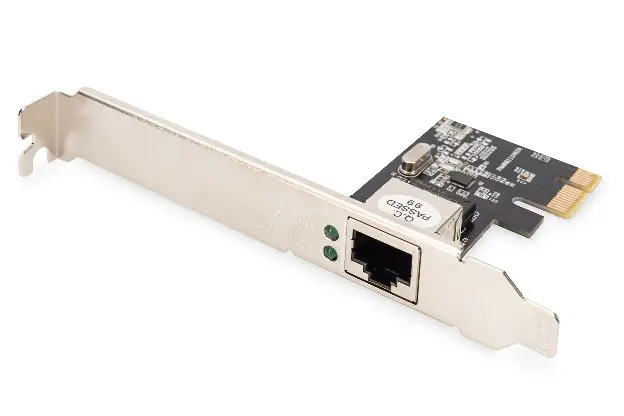
DN-10114 4 Port RJ45 Intel I350 Server NIC
Product Information
The DN-10114 is a four-port network card that provides a
reliable and high-performance Gigabit Ethernet connection. It
features innovative power management features such as Energy
Efficient Ethernet (EEE) and DMA Coalescing, which make it
efficient and energy-saving. The card supports flexible I/O
virtualization, allowing for port partitioning and quality of
service (QoS) with up to 32 virtual ports. It also offers scalable
iSCSI performance for cost-effective SAN connectivity. The network
card is powered by the Intel NHI350AM4 controller and provides a
transmission rate of 10/100/1000 Mbps per port. It supports various
network standards including 10BASE-T Cat3/4/5/5E/6, 100BASE-Tx
Cat5/5E/6, and 1000BASE-T Cat5E/6. Jumbo frames support up to 9.5
KB for efficient data transfer. The DN-10114 is compatible with
various operating systems including Windows Server, Windows
XP/Vista/7/8/8.1/10, and Linux.
Product Usage Instructions
Hardware Installation
- Turn off the power to your computer.
- Unplug the power cord and remove your computer’s cover.
- Remove the slot bracket from an available PCIe x4/x8/X16
slot. - Carefully align the card’s bus connector with the selected PCIe
slot on the motherboard. - Push the board down firmly to install the card.
- Replace the slot bracket’s holding screw to secure the
card. - Replace the computer cover and reconnect the power cord.
Driver Installation
Installation for Windows:
- You must have administrative rights to the operating system to
install the drivers. - Insert the CD driver bound with Intel network driver into your
CD-ROM drive. - If the “Found New Hardware Wizard” screen is displayed, click
Cancel. - Start the autorun located in the software package (the autorun
may automatically start after you have extracted files). - Click “Install Drivers and Software”.
- Follow the instructions in the install wizard to finish the
installation.
Installation for Linux:
- Insert the provided CD into your CD-ROM drive.
- Compile the driver module.
- Install the module using the “mod probe” command.
- Assign an IP address using the “ipconfig” command.
If the Declaration of Conformity is missing, you can request it
by post under the manufacturer’s address provided.
4 Port RJ45 Intel I350 Server NIC
Quick Installation Guide
DN-10114
Table of Contents
1. Introduction …………………………………………………………… 2 2. Main Features ………………………………………………………… 3 3. Package Contents ……………………………………………………. 4 4. Requirements …………………………………………………………. 4 5. Hardware Installation ………………………………………………. 5 6. Driver Installation ……………………………………………………. 5
1. Introduction
The DN-10114 four port network card is the perfect solution for those who require a reliable and high-performance Gigabit Ethernet connection. With innovative power management features such as Energy Efficient Ethernet (EEE) and DMA Coalescing, it is particularly efficient and saves energy.
Through flexible I/O virtualization, the DN-10114 enables port partitioning and quality of service (QoS) with up to 32 virtual ports. This provides great flexibility and allows for optimal control of the network connection.
The DN-10114 also offers scalable iSCSI performance, ensuring costeffective SAN connectivity. The high-performing bridgeless design supports PCI Express Gen 2.1 5GT/s and provides reliable Gigabit Ethernet technology from Intel Corporation.
The network card is powered by the reliable Intel NHI350AM4
2
controller and provides a transmission rate of 10/100/1000 Mbps per port. It supports various network standards including 10BASE-T Cat3/4/5/5E/6, 100BASE-Tx Cat5/5E/6, and 1000BASE-T Cat5E/6. Jumbo frames support up to 9.5 KB ensures efficient data transfer.
With an operating temperature range of 0 °C to 55 °C (32 °F to 131 °F), the DN-10114 can be used in many different environments. It features LED indicators for different transmission speeds and is powered by a PCI Express power supply (+12V±8% / +3.3V±9%).
The DN-10114 is compatible with a variety of operating systems including Windows Server 2003 / 2008 /2008 R2 / 2012 /2012 R2 /2016 R2, Windows XP / Vista / 7 / 8 / 8.1 / 10, Linux Stable Kernel version 2.4.x / 2.6.x / 3.x / 4.x or later, Linux SLES 10 / 11 or later.
If you require a reliable, efficient, and high-performance network connection, the DN-10114 4 port network card is the perfect solution for you.
2. Main Features
· Halogen-free quad-port Gigabit Ethernet adapters with 4 RJ 45 Ports
· Innovative power management features including Energy Efficient Ethernet (EEE) and DMA Coalescing for increased efficiency and reduced power consumption.
· Flexible I/O virtualization for port partitioning and quality of service (QoS) of up to 32 virtual ports
· Scalable iSCSI performance delivering cost-effective SAN connectivity.
· High-performing bridgeless design supporting PCI Express* Gen 2.1 5GT/s.
3
· Reliable and proven Gigabit Ethernet technology from Intel Corporation
· Controller: Intel NHI350AM4 · Transmission Rate Per Port: 10/100/1000 Mbps · Network Standard Physical Layer Interfaces:
10BASE-T Cat3/4/5/5E/6: 100m most 100BASE-Tx Cat5/5E/6: 100m most 1000BASE-T Cat5E/6: 100m most · Jumbo Frame Support: Up to 9.5 KB · Operating Temperature: 0 °C to 55 °C (32 °F to 131 °F) · Boot Option and Virtualization: PXE support, Intel® VT-c · LED Indicators: 1000Mbps: Yellow and Green Blinking 100Mbps: Green and Green Blinking 10Mbps: Not illuminate. · Power Supply: PCI Express +12V±8% / +3.3V±9% · SYSTEM SUPPORT: Windows Server 2003 / 2008 /2008 R2 / 2012 /2012 R2 /2016 R2, Windows XP / Vista / 7 / 8 / 8.1 / 10, Linux Stable Kernel version 2.4.x / 2.6.x / 3.x / 4.x or later, Linux SLES 10 / 11 or later
3. Package Contents
· 1 x PCIe Network card · 1 x User’s Manual · 1 x CD Driver · 1 x Low profile bracket
4. Requirements
Hardware The following system specs are recommended minimum. · Available PCI Express x4/x8/x16 slot
4
Cabling For 1000BASE-T OR 100BASE-TX.use Category 5 or Category5e wiring, twisted 4-pair copper: Make sure you use Category 5 cabling that complies with the TIA-568 wiring specification Length is 100 meters max. Category 3 wiring supports only 10Mbps.
Software Operating systems supported: · FreeBSD, Linux · VMWare ESXi · Win7, Win8, Win8.1/Win10 · Win-server2012, Win-server2008, Win-server2016
5. Hardware Installation
1. Turn Off the power to your computer. 2. Unplug the power cord and remove your computer’s cover. 3. Remove the slot bracket from an available PCIe x4/x8/X16 slot. 4. To install the card, carefully align the card’s bus connector with
the selected PCIe slot on the motherboard. Push the board down firmly. 5. Replace the slot bracket’s holding screw to secure the card. 6. Replace the computer cover and reconnect the power cord.
6. Driver Installation
Installation for Windows You must have administrative rights to the operating system to install the drivers. 1. Insert the CD driver bound with Intel network driver into your
CD-ROM drive.
5
2. If the ,,Found New Hardware “Wizard screen is displayed, click Cancel.
3. Start the autorun located in the software package, the autorun may automatically start after you have extracted files.
4. Click install Drivers and Software 5. Follow the instructions in the install wizard to finish it.
Installation for Linux 1. Insert the provided CD into your CD-ROM drive. 2. Compile the driver module. 3. Install the module using the mod probe command. 4. Assign an IP address using the ipconfig command.
Hereby ASSMANN Electronic GmbH declares that the Declaration of Conformity is part of the shipping content. If the Declaration of Conformity is missing, you can request it by post under the below mentioned manufacturer address.
www.assmann.com Assmann Electronic GmbH Auf dem Schüffel 3 58513 Lüdenscheid Germany
6
 ASSMANN Electronic GmbH | Germany