N6 NDI Converter
N6 NDI Converter
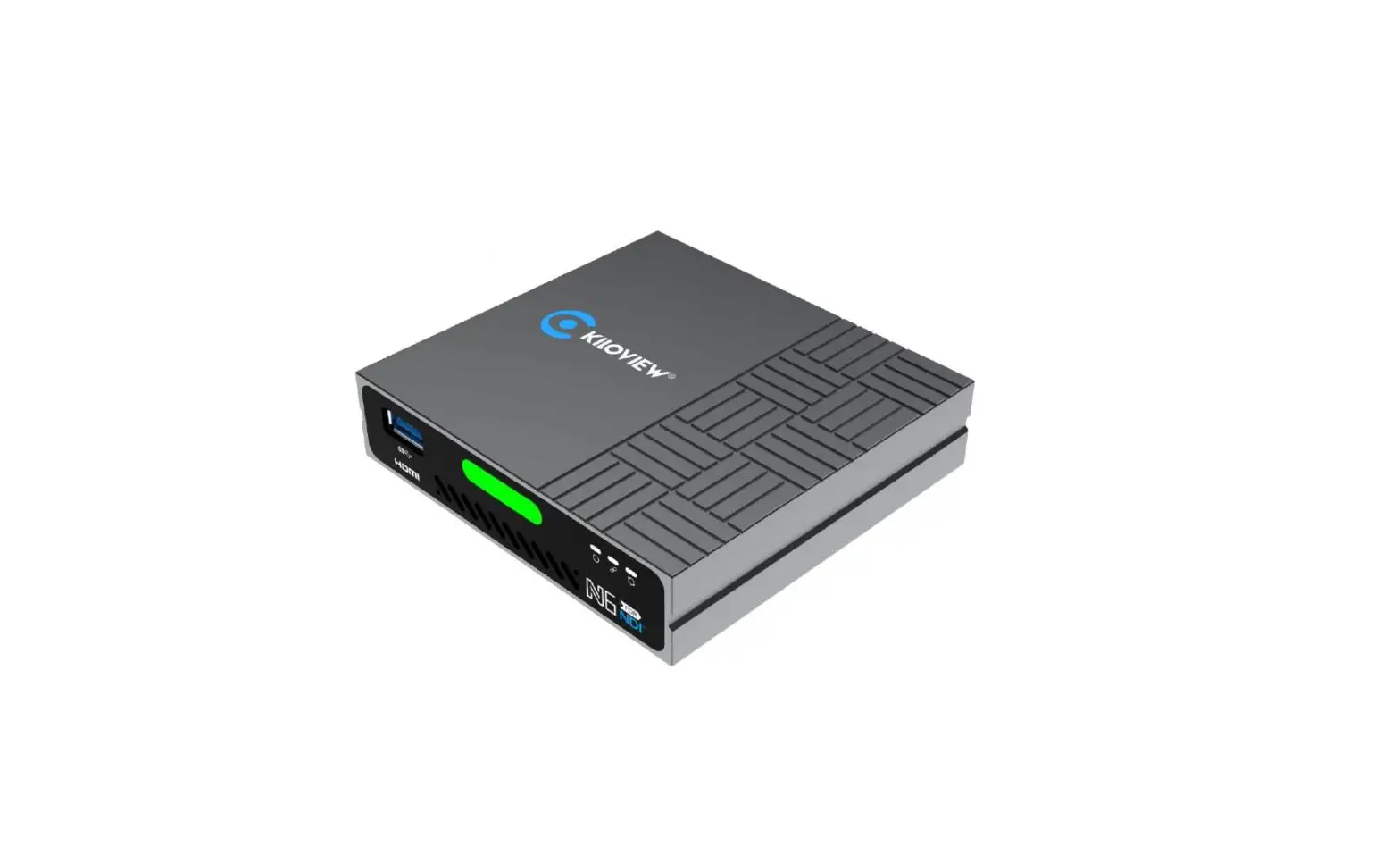
The N6 NDI Converter is a full-function device that supports NDI
and NDI|HX encoding and decoding. It is the first NDI converter in
the market that is based on the latest NDI 5 technology. It is
designed for IP-based post-production video output to screen, low
latency transmission, and video conferences.
Advantages
- NDI and NDI|HX Encoding + Decoding, All-in-One
- Plug-and-play operation, simple Web UI management
- HDMI input and encode both NDI for production and NDI|HX for
monitoring, and loop through NDI or NDI|HX decoding with HDMI
output - Preset 9 sources output and a USB keyboard for switching
optional or control a PTZ camera - Support 3.5mm analog audio line in/out or embedded audio as
well as Mic in - Support voice intercom between all Kiloview devices and the
control PC/phone, or with Kiloview Intercom server - Support PTZ control through USB to serial RS232/485/422 and PTZ
control over IP with different protocols, no extra cable
required - Wide DC input range from 5V to 18V, then easily powered by USB
power or camera battery - Built-in big Tally for PVW/PGM
- Super cooling system to make sure continuous working
Compatible Software
The N6 NDI Converter is compatible with NewTek NDI-enabled
software and system.
Parameters
| Model | Video input | Video output | Audio port | Network | Video resolution |
|---|---|---|---|---|---|
| N6 | 1*HDMI | 1*HDMI (Loop or decoding output) | 1*3.5mm Line In, 1*3.5mm Line Out, 1*3.5mm Mic | 1*RJ45 1000Mbps Ethernet port (with PoE) | Up to 1080P25 (Full NDI encoding) |
Note
- The current NDI SDK 5 performance limits the N6 Full NDI
encoding to support up to 1080P25. - N6 does not support interlaced formats in this version.
Usage Instructions
The N6 NDI Converter can be used for IP-based post-production
video output to screen, low latency transmission, and video
conferences. Follow the steps below to use the device:
- Connect the HDMI input to the video source.
- Connect the HDMI output to the display or monitor.
- Connect the audio line-in and line-out ports to the audio
source and speaker, respectively. - If using a microphone, connect it to the mic port.
- Connect the RJ45 Ethernet port to the network.
- If using PoE, connect the PoE cable to the device.
- Power on the device using USB power or camera battery.
- Use the USB keyboard to switch between sources or control a PTZ
camera. - Use the Web UI to manage the device settings.
N6 NDI Converter
NDI+NDI|HX, Encoding and Decoding, All in one
Descriptions
The first full function NDI converter on the planet
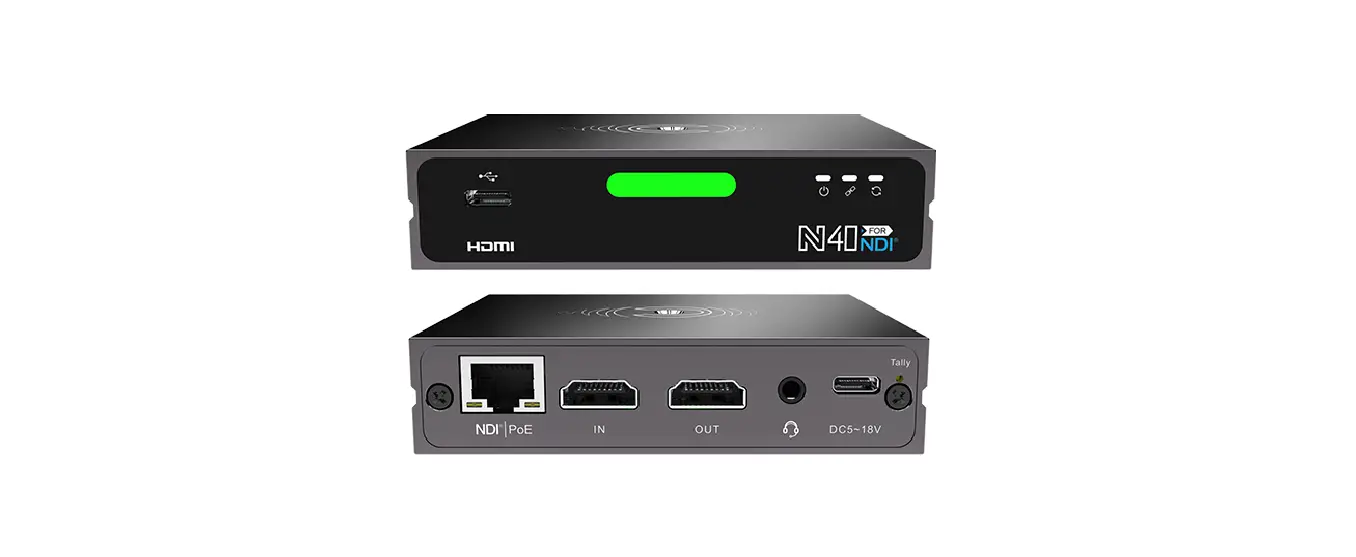
Kiloview N6 HDMI/NDI converter is a bi-directional converter that supports up to 1080p60 HDMI input (encoder) to both NDI for production and NDI|HX for monitoring at the same time, with loop through for view on monitor as well; or HDMI video output (decoder) from NDI and NDI|HX. This is the first NDI converter based on NDI SDK 5.0 which can handle both NDI and NDI|HX, encoding and decoding. Featured with powerful functions such as PoE, built-in big tally light, PTZ control, 3.5mm audio line in/out, intercom functions, N6 is the easiest way to get access to the fabulous NDI world with versatile choices.
The first NDI Converter based on the latest NDI 5
IP-based post production Video output to screen Low latency transmission Video conferences
Advantages
NDI and NDI|HX, Encoding + Decoding, All-in-One
Plug-and-play operation, simple Web UI management HDMI input and encode both NDI for production and NDI|HX for monitoring, and loop through NDI or NDI|HX decoding with HDMI output Preset 9 sources output and a USB keyboard for switching optional or control a PTZ camera Note: N6 can be used as either an encoder or a decoder but not simultaneously currently. Please note our update when simultaneous working is available.
Audio and intercom
Support 3.5mm analog audio line in/out or embedded audio as well as Mic in Support voice intercom between all Kiloview devices and the control PC/phone, or with Kiloview
Intercom server
PTZ control
Support PTZ control through USB to serial RS232/485/422 And PTZ control over IP with different protocols, no extra cable required
Other features
Wide DC input range from 5V to 18V, then easily powered by USB power or camera battery More power ways via PoE, D-Tap (camera) Built-in big Tally for PVW/PGM Super cooling system to make sure continuous working
Compatible software
NewTek NDI-enabled software and system
Parameters
Model Video input Video output Audio port Network Video resolution
NDI® codec capacity NDI®CODEC feature LED indicator Power Voice intercom PTZ control DHCP Management
N6 1*HDMI 1*HDMI (Loop or decoding output) 1*3.5mm Line In, 1*3.5mm Line Out, 1*3.5mm Mic 1*RJ45 1000Mbps Ethernet port (with PoE)
1920x1080p23/24/25/50/59/59.94/60; 1280x720p30/50/59/60,1280x1024p60,1152x900p60,1152x864p60, 1024x768p60, 800x600p60 1* FULL NDI® and 1x NDI®|HX FULL NDI HD encoding, typical bitrate: 125Mbps@1080p60 Tally light, power light and status connection light PoE, DC, D-Tap (camera) optional. 5-18V wide range supported Support Network PTZ and Serial Port Support WEB page
Dimension
100*80*24 mm (3.94*3.15*0.94)
Note: 1. With the current NDI SDK 5 performance, according to our test, N6 Full NDI encoding can just support up to 1080P25 currently. But we’ve been optimizing this problem and pretty soon, it will be able to do 1080P60, for both Full NDI and NDI|HX encoding decoding. 2. N6 cannot support interlaced formats in this version. We will update if there any new information.
NDI® is a registered trademark of NewTek Inc.