
COMBICOM ACCESSORIES
INSTRUCTIONS FOR USE
INSTALLATION
BLUETOOTH-ADAPTER
Translation of the original manual
Document 20260008 EN 00 | Pre-series
Preface
The hardware and software described in this document are products of KEB. The information contained in this document is valid at the time of publishing. KEB reserves the right to update this document in response to misprints, mistakes or technical changes.
Signal words and symbols
Certain procedures within this document can cause safety hazards during the installation or operation of the device. Refer to the safety warnings in this document when per- forming these procedures. Safety signs are also located on the device where applicable. A safety warning is marked by one of the following warning signs:
 DANGER: Dangerous situation, which will cause death or serious injury if this safety warning is ignored. WARNING: Dangerous situation, which may cause death or serious injury if this safety warning is ignored. CAUTION: Dangerous situation, which may cause minor injury if this safety warning is ignored.
NOTICE: Situation, which can cause damage to property if this safety warning is ignored.
RESTRICTION
Used when the following statements depend on certain conditions or are only valid for certain ranges of values.
 Used for informational messages or recommended procedures.
More symbols
 This arrow starts an action step.
 Enumerations are marked with dots or indents.
 Cross-reference to another chapter or another page.
 | Note to further documentation. www.keb.de/service/downloads |  |
Laws and guidelines
KEB Automation KG confirms with the EC declaration of conformity and the CE mark on the device nameplate that it complies with the essential safety requirements. The EC declaration of conformity can be downloaded on demand via our website. Further information is provided in chapter “Certification”.
Warranty and liability
The warranty and liability on design, material or workmanship for the acquired device is given in the general sales conditions.
| Here you will find our general sales conditions. www.keb.de/terms-and-conditions |  |
Further agreements or specifications require a written confirmation.
Support
Although multiple applications are referenced, not every case has been taking into ac- count. If you require further information or if problems occur which are not referenced in the documentation, you can request the necessary information via the local KEB agency.
The use of our units in the target products is outside of our control and therefore lies exclusively in the area of responsibility of the customer. The information contained in the technical documentation, as well as any user-specific advice in spoken and written and through tests, are made to best of our knowledge and information about the intended use. However, they are regarded as being only informal and changes are expressly reserved, in particular due to technical changes. This also applies to any violation of industrial property rights of a third party. Selection of our units in view of their suitability for the intended use must be done generally by the user.
Tests can only be done within the intended end use of the product (application) by the customer. They must be repeated, even if only parts of hardware, software or the unit adjustment are modified.
Copyright
The customer may use the instructions for use as well as further documents or parts from it for internal purposes. Copyrights are with KEB and remain valid in its entirety. This KEB product or parts thereof may contain third-party software, including free and/ or open-source software. If applicable, the license terms of this software are contained in the instructions for use. The instructions for use are already available to you, can be downloaded free of charge from the KEB website or can be requested from the respective KEB contact person. Other wordmarks or/and logos are trademarks (™) or registered trademarks (®) of their respective owners.
Basic Safety Instructions
The Bluetooth-Adapter has been developed and built in accordance with the state of the art and recognised safety regulations. Nevertheless, the function of the machine may cause danger to life and limb of the user or third parties or damage to the machine and other property.
NOTICE: Safety rules and hazards.
The safety instructions listed in this manual apply in addition to the basic safety instructions for the drive controller! These can be found in the corresponding instructions for use. All instructions for use are available in the download area of www.keb.de.
Target group
This manual is intended for use by qualified electricians only. Qualified electricians as defined in this manual must have the following qualifications:
- Knowledge and understanding of safety instructions.
- Skills for installation and assembly.
- Start-up and operation of the product.
- Understanding of the function in the used machine.
- Recognition of dangers and risks of electrical drive technology.
- Knowledge of DIN IEC 60364.
- Knowledge of EN 60664-1.
- Knowledge of national safety regulations (e.g. DGUV Regulation 3).
Product Description
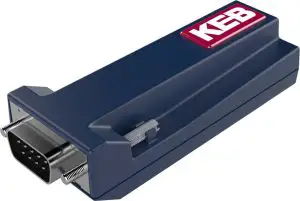
The Bluetooth-Adapter is used to connect KEB drive controllers, operators or controllers with DIN 66019 interface via Bluetooth connection using the COMBIVIS mobile App. The Bluetooth-Adapter is not a standard Bluetooth adapter. It can be used exclusively for communication with KEB devices with the interface specified above. The converter must be plugged directly on the interface.
Intended use
The KEB Bluetooth-Adapter is exclusively for operation with KEB drive controllers or operators. The operation of other electrical consumers is prohibited and can lead to the destruction of the devices.
The used semiconductors and components of KEB Automation KG are developed and dimensioned for the use in industrial products. If the product is used in machines, which work under exceptional conditions or if essential functions, life-supporting measures or an extraordinary safety step must be fulfilled, the necessary reliability and security must be ensured by the machine builder. Operating our products outside the limits specified in the technical data will result in the loss of any claims for damages.
Factory setting
The KEB adapter is delivered with the following settings (factory settings):
| Settings | Values |
| Connection interval | 8 ms |
| Slave latency | 0 |
| Advertising interval | 20 ms |
| Baud rate (bps) | 38400 |
| Data bit | 8 |
| Parity No | Parity No |
| Stop bit | 1 |
| Hardware flow control | No |
| Command mode via “COMMAND:” | Yes |
| Operating mode | Peripheral |
| Device name | KEB BLE XXXXXX (LAP BT address) |
| Connection Passkey | 6 digits: 000000 -999999 |
Table 1: Factory settings
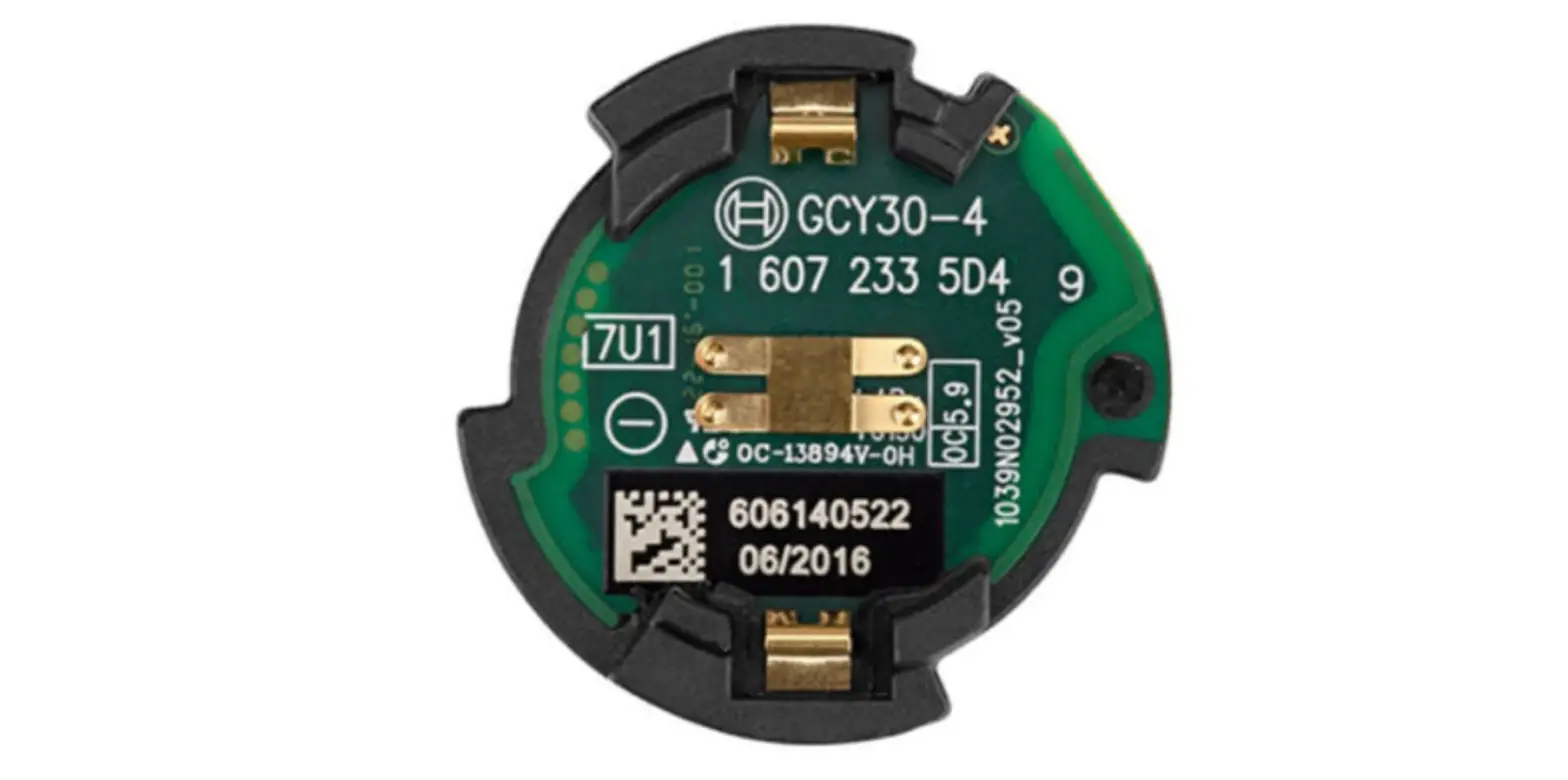
Nameplate
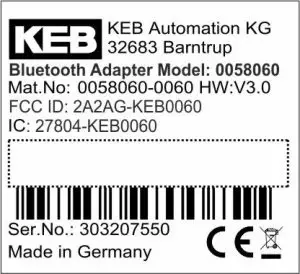
Legend
Figure 1: Nameplate Bluetooth-Adapter
Hardware
Overview Bluetooth-Adapter
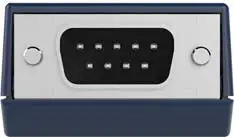 | Sub-D 9-pole DIN 66019 (RS 485) /HSP5 (TTL level) |
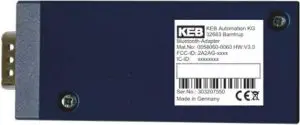 | Bottom view with nameplate |
 | Top view |
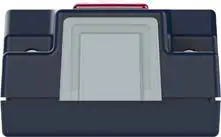 | Status LED |
Figure 2: Overview Bluetooth-Adapter
Technical data
| Bluetooth – Adapter | |
| Bluetooth | Bluetooth 4.1, LinTech BLE SPP Profile Frequency/max. Transmission power: Bluetooth 2402-2480 MHz – 3.01dBm(EU), -0.12dBm(US, CAN) Receive sens. -87 dBm |
| Dimensions in mm (H x W x L) | 20 x 35 x 88 |
| Weight in kg | 0.3 |
| Ambient conditions during operation | -10°…45°C |
| Ambient conditions at storage | -25°…70°C |
| Climatic category (EN60721-3-3) 3K3 | 3K3 |
| Voltage supply | via interface |
| Potential isolation | Internal potential isolation |
Table 2: Technical data
Status LE
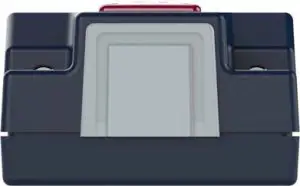 | |
| State | LED |
| Ready for use/Connectable (advertising mode) | glows red continuously |
| Connected (no authentification) | blue flash every 300 ms |
| Connected (authentification confirmed) | green flash every 300 ms (5 sec) |
| Conencted (with authentication) | glows green continuously |
| Data transmission (RX/TX active) | yellow flash every 300 ms |
Software
COMBIVIS mobile App
Drive controllers perform complex tasks in machines and systems. The scope of functions is constantly growing and requires user-friendly interfaces to be able to manage them. In addition to the PC tool COMBIVIS 6, a simple and convenient operation of KEB drive controllers can be carried out via the App COMBIVIS mobile. KEB’s app enables wireless communication via a smartphone or tablet.
This means that the status information of the drive can be read out easily via a user-friendly interface in order to use it for process monitoring and error diagnosis. The display and setting of parameters as well as the back-up and restoring of data is also done via App. For quick support by the worldwide KEB service, the contact details of the local contact person can be found via a menu item. COMBIVIS mobile is available free of charge for iOS and Android.
Available on Google Play Store and Apple iTunes Store.
 | COMBIVIS mobile App in the Google Play Store https://play.google.com/store/apps/details?id=de.keb.combivismo-bile&hl=de |  |
| COMBIVIS mobile App in the Apple iTunes Store https://apps.apple.com/de/app/combivis-mobile/id1399585561 |  |
Functions and features of the COMBIVIS mobile App
- The App supports the drive controllers of the COMBIVERT F6 and S6 series.
- Simple connection via WLAN and Bluetooth1)
- Diagnosis: Clear dashboard for monitoring current status values of the drive, list of occurred errors, status of the I/Os, operating history
- View of the parameter list and parameter values
- Writing of parameters
- Creating a parameter favorites list
- Creating and sending backups of the parameter list
- Downloading backups to the drive controller
- Offline scope function
- Link to KEB homepage for easy search of product information, technical data, catalogues
- Contact details for the worldwide KEB service (telephone and e-mail)
1) The Bluetooth-Adapter described in this manual is required for the Bluetooth connection.
Screenshots of the COMBIVIS mobile App
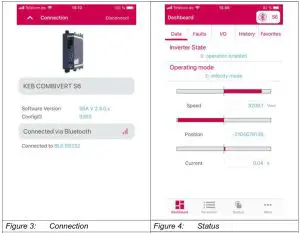
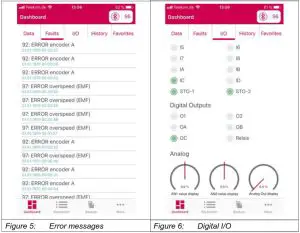
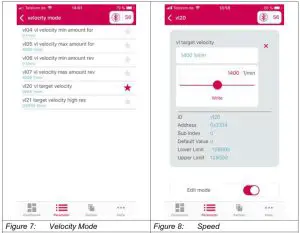
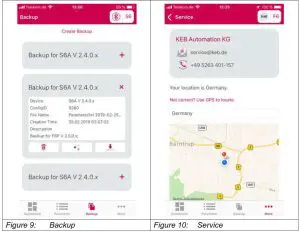
Applications of the COMBIVIS mobile App
Ambient conditions:
- Industrial environment, production, machinery
- Lift applications/elevator shaft with own KEB Elevator App for COMBIVERT F5 drive controller
Connection setup
The adapter is visible to the user via the App. The adapter can be selected via the App. The connection setup from the Bluetooth-Adapter to the COMBIVIS mobile App works via the “Just Works” method. This means there is no need to enter a key, which is ex- changed via Bluetooth. There is no Bluetooth bonding. Encryption that goes beyond the normal mechanisms of Bluetooth is not necessary.
After Bluetooth pairing is performed, the adapter expects writing of a defined write-only GATT characteristic with a key value. The value can be found on the housing of the adapter. The key is numeric and 6 characters long. Until the correct key has been written, all other GATT Write Requests are answered with an error and otherwise ignored. If the correct key is not written within 30 seconds, the adapter terminates the Bluetooth connection.
After the correct key has been written, the adapter is ready for normal use. Further write requests on the key characteristic are ignored. This shifts the entry of the key from the operating system to the App. The adapter does not store any coupling info, the KEB App stores the key for the adapter (no Bluetooth bonding). The Bluetooth data transmission is permanently unencrypted without coupling.
Revision History
| Version | Date | Description |
| 0 | 2021-03 | Recreation based on the manual of the USB serial converter 20094859 |
FCC Caution:
Any Changes or modifications not expressly approved by the party responsible for compliance could void the user’s authority to operate the equipment.
This device complies with part 15 of the FCC Rules. Operation is subject to the following two conditions:
(1) This device may not cause harmful interference, and (2) this device must accept any interference received, including interference that may cause undesired operation.
IMPORTANT NOTE:
Note: This equipment has been tested and found to comply with the limits for a Class B digital device, pursuant to part 15 of the FCC Rules. These limits are designed to provide reasonable protection against harmful interference in a residential installation. This equipment generates, uses and can radiate radio frequency energy and, if not installed and used in accordance with the instructions, may cause harmful interference to radio communications. However, there is no guarantee that interference will not occur in a particular installation. If this equipment does cause harmful interference to radio or television reception, which can be determined by turning the equipment off and on, the user is encouraged to try to correct the interference by one or more of the following measures:
- Reorient or relocate the receiving antenna.
- Increase the separation between the equipment and receiver.
- Connect the equipment into an outlet on a circuit different from that to which the receiver is connected.
- Consult the dealer or an experienced radio/TV technician for help.
FCC Radiation Exposure Statement:
This equipment complies with FCC radiation exposure limits set forth for an uncontrolled environment.
This equipment should be installed and operated with minimum distance 20cm between the radiator& your body.
ISEDC Warning
This device complies with Innovation, Science, and Economic Development Canada licence-exempt RSS standard(s).
Operation is subject to the following two conditions:
(1) this device may not cause interference, and
(2) this device must accept any interference, including interference that may cause undesired operation of the device.
The device is compliance with RF exposure guidelines, users can obtain Canadian information on RF exposure and compliance. The minimum distance from body to use the device is 20cm.
| Austria | KEB Automation GmbH Ritzstraße 8 4614 Marchtrenk Austria Tel: +43 7243 53586-0 Fax: +43 7243 53586-21 E-Mail: [email protected] Internet: www.keb.atBenelux | KEB Automation KG Dreef 4 – box 4 1703 Dilbeek Belgium Tel: +32 2 447 8580 E-Mail: [email protected] Internet: www.keb.deBrazil | KEB South America – Regional Manager Rua Dr. Omar Pacheco Souza Riberio, 70 CEP 13569-430 Portal do Sol, São Carlos Brazil Tel: +55 16 31161294 E-Mail: [email protected] Czech Republic | KEB Automation GmbH Videnska 188/119d 61900 Brno Czech Republic Tel: +420 544 212 008 E-Mail: [email protected] Internet: www.keb.cz Germany | Geared Motors Italy | KEB Italia S.r.l. Unipersonale Japan | KEB Japan Ltd. | P. R. China | KEB Power Transmission Technology (Shanghai) Co. Ltd. No. 435 QianPu Road Chedun Town Songjiang District 201611 Shanghai P.R. China Tel: +86 21 37746688 Fax: +86 21 37746600 E-Mail: [email protected] Internet: www.keb.cnPoland | KEB Automation KG Tel: +48 60407727 E-Mail: [email protected] Internet: www.keb.deRepublic of Korea | KEB Automation KG Deoksan-Besttel 1132 ho Sangnam-ro 37 Seongsan-gu Changwon-si Gyeongsangnam-do Republic of Korea Tel: +82 55 601 5505 Fax: +82 55 601 5506 E-Mail: [email protected] Internet: www.keb.de Russian federation | KEB RUS Ltd. Spain | KEB Automation KG Switzerland | KEB Automation AG United Kingdom | KEB (UK) Ltd. United Kingdom United States | KEB America, Inc |
 MORE KEB PARTNERS WORLDWIDE: www.keb.co.uk/contact/contact-worldwide
Automation with Drive
KEB Automation KG Suedstrasse 38 32683 Barntrup Tel. +49
www.keb