
USER GUIDE
Important Safety Instructions
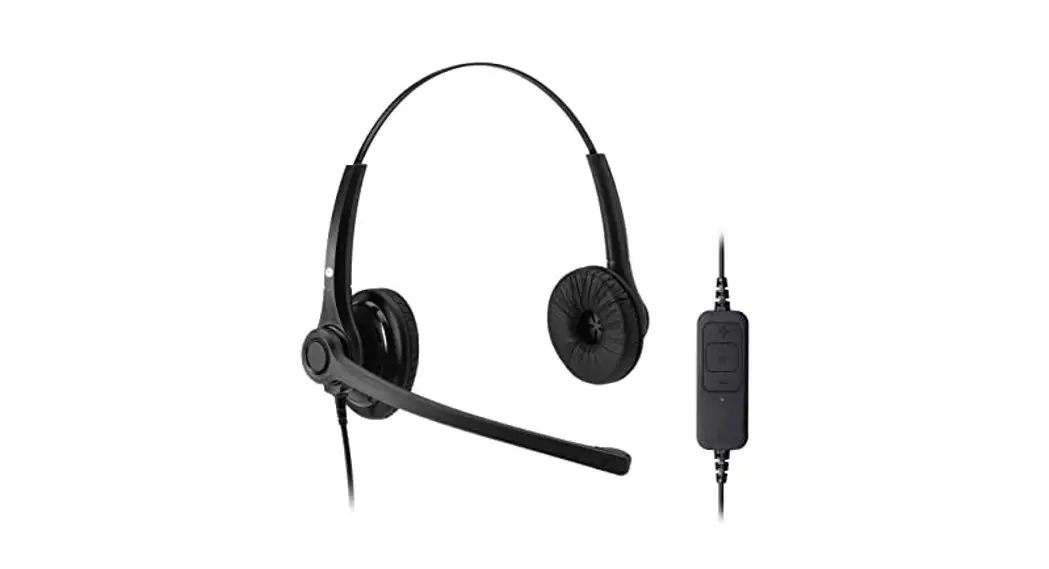
This headset is very easy to use and set up. For optimal use, we still recommend that you read this user guide carefully before using the headset for the first time.
Unpacking
Remove your headset from its packaging and ensure you have the correct specified accessories. Retain the headset box for storage of your unit, and also in the event that it needs to be returned for servicing or repair.
Safety
For your own safety, this product should only be used with CE ACA and RoHS-approved equipment. Using this headset with non-approved equipment can void this product’s warranty.
Maintenance
To gain optimal performance, hygiene, and life-span from your headset, replace all consumable items; – ear cushions, microphone foam windshield (if applicable) every 6 months.
Environmental Notice
This headset has been made to CE, RoHS, and WEEE standards. In the interest of recycling raw materials, please do not dispose of this headset in the household waste at the end of its useful life. The disposal can take place at approved recycling or disposing locations in accordance with local regulations.
Warning
Ensure that all electrical connections (including extension leads and interconnections between pieces of equipment) are properly made and in accordance with the relevant manufacturer’s instructions.
- Do not continue to operate the equipment if you are in any doubt about it working normally, or if it is damaged in any way. Disconnect from your telephone equipment and consult your dealer.
- Do not allow electrical equipment to be exposed to rain or moisture.
- Never push anything into holes, slots or any other opening on your headset as this could result in fatal electrical shock.
- Do not open the headset housing as doing so will void the warranty.
- Never guess or take chances with electrical equipment.
- Do not use this equipment to report a gas leak while you are in the vicinity of a gas leak.
- Telephone headsets are capable of producing high levels of sound. Prolonged exposure to high sound levels can cause damage to hearing.
- Never allow small children to play with the headset – small parts may be a choking hazard.
Does your desk phone have a dedicated headset connection port?
If it does, simply connect your headset’s cable to your chosen bottom lead, then connect the bottom lead to the dedicated port on your desk phone.
If you find that when the headset is connected to the phone it is not working as expected then it is very likely you are using an incompatible bottom lead.
There are various bottom leads available, these are all designed to connect your headset to specific brands of a desk phone, ensuring whatever your setup, your headset will be compatible. Please contact your dealer to attain the correct bottom lead for your desk phone.
What do you do if you want to connect your headset to a PC:
Your headset requires a USB cable. In the event that you do not have this adapter cable, please contact the supplier of this headset. They will be able to provide the correct adapter cable for your headset and PC.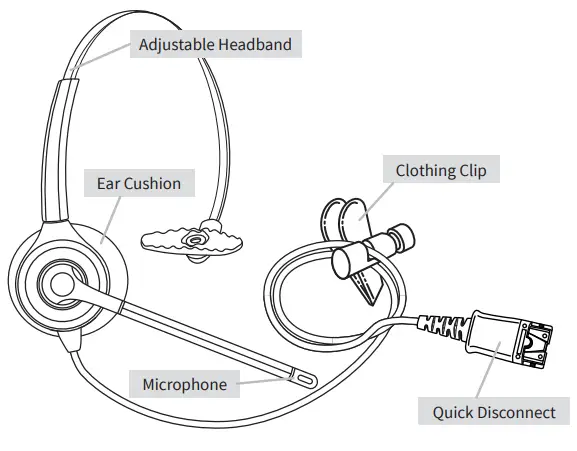
Adjusting the Headband
Place the headset receiver to your ear and set the T-bar above your other ear. Adjust the headband until it is comfortable, ideally ensuring there is virtually no pressure felt on the ear.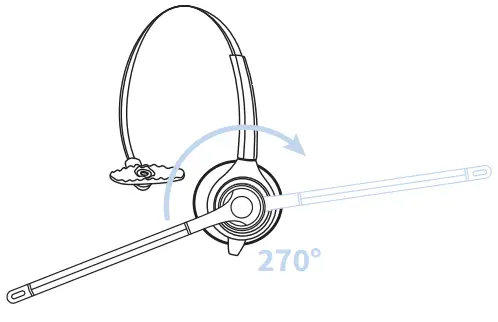
The headset can be worn on either side. To change the microphone side, simply rotate the microphone boom 270 degrees to the other side.
Using the Quick Disconnect Lead (QD)
Your headset is equipped with a Quick Disconnect Lead (QD) allowing you to move away from your desk (disconnecting the 2 connectors) without losing the call. To connect the QD on your headset to the QD on the bottom lead, simply align the two QD’s and push them together. To disconnect the QD’s, simply pull the two QDs apart.
Adjusting the Microphone Boom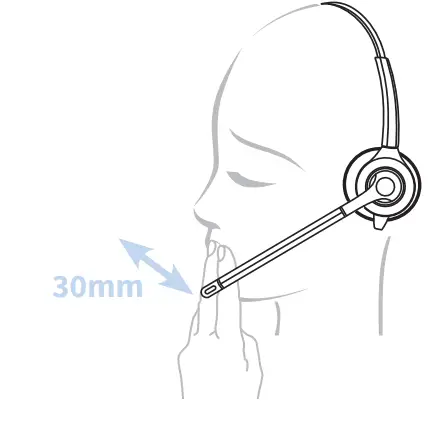
To avoid low or distorted sound, and to provide clear and crisp telephone calls, the microphone should be positioned within 30-40 mm of your mouth.
The microphone boom will move in a variety of directions to ensure the best fit.
Adjusting the Clothing Clip
Your new headset is supplied with a clothing clip to allow the comfortable fitting of your headset without the cable getting caught or inadvertently pulled.
The clothing clip should be fastened at a comfortable level, ensuring there is sufficient slack on the cable allowing free movement of your head without disturbing the headset position.
In the interests of hygiene, it is advisable to replace the ear cushions and windshield of your headset every 6 months. 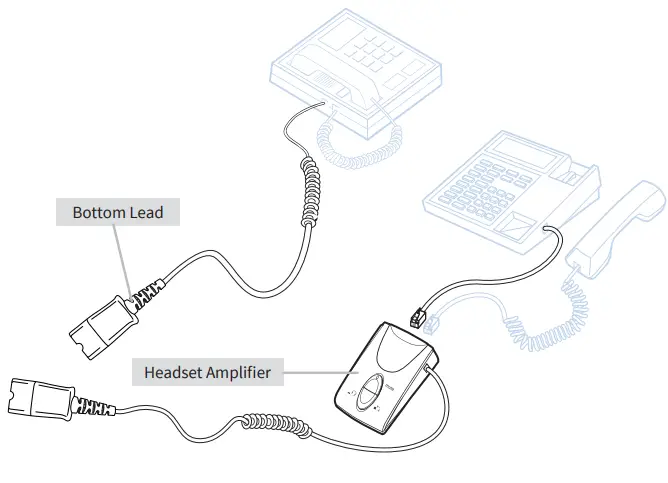
Optional Accessory
REGISTERED ADDRESS
UK Office: JPL Telecom Limited: Unit 1, Church Close Business Park, Todber, Sturminster Newton, Dorset, DT10 1JH, UK
USA Office: JPL Telecom Holdings LLC: 445 W Merritt Ave, Merritt Island, FL 32953, USA
www.jpltele.com