
F1
User Manual

Safety first (important)
1. General safety
Read and get familiar with all safety precautions and procedures before using the machine. Strictly follow all safety precautions. Ensure that the machine is properly assembled and is working properly. Follow the operating principles:
- Check the machine for damage every time before you use it. Do not operate it in any way when any damage or defect is found.
- Ensure that the workspace is clean and flat.
- Do not disassemble the machine or change its structure in any way without authorization. Do not modify or decompile its operating system.
- Do not leave the device unattended during operation. Pay attention to whether it is working properly.
- Keep the inside of the machine clean. Residues and chippings accumulated during cutting and engraving are dangerous and may cause a fire. Clean the chippings and residues inside the work area regularly.
- The machine works properly at the temperature of 10°C to 30°C. Do not operate it at a temperature lower than 0°C.
2. Laser safety
Under normal circumstances, the laser is blocked by the device body and protective enclosure during operation. Before using xTool F1 to process an object, ensure that the protective enclosure is pulled down to cover the object. If the protective enclosure cannot fully cover the object, you need to wear safety goggles that can shield your eyes from 455 nm and 1064 nm laser beams. The device has a safety interlock switch. If the device is moved during operation, it will stop working to prevent harming people. Follow the safety precautions:
- Do not operate the machine when any part of it is removed. Removing any part may expose the laser system and cause damage to the machine.
- Do not engrave or cut any material that contains PVC or vinyl (processing plastics is not recommended). These materials (and other materials containing chlorine/chloride) can generate corrosive vapor that is extremely harmful to the human body and can cause damage to the device. Any damage caused by engraving or cutting any material containing PVC or vinyl is not covered by the Company’s warranty.
- Do not engrave or cut any unknown materials. Vaporization or melting of many materials, which include but are not limited to PVC and polycarbonate, may release harmful smoke.
- Do not leave the device unattended during operation. Pay attention to whether it is working properly.
3. Fire safety
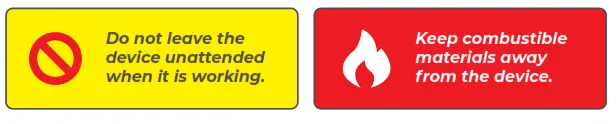 A high-density laser beam is used by the device to irradiate the material to be cut or engraved, so as to heat up the material surface and vaporize the material without burning. But most materials are inherently flammable and may be ignited to form an open flame that can burn down the device (even if it is made of flame-retardant materials) and its surroundings. Experience shows that vector cutting with a laser is most likely to produce an open flame.
Read the following warnings and suggestions carefully:
- Ensure that the workspace is well-ventilated so that the generated smoke can be discharged in time.
- Do not stack materials (especially organic ones, such as paper) around the machine. They may cause the spread of flames and increase the risk of material ignition.
- Do not leave the machine unattended when it is working. If the machine works with setting errors and is left unattended for a long period of time, or if a mechanical or electrical fault occurs, a fire may be caused.
- Clean the device regularly. Excessive accumulation of residues and chippings from cutting and engraving would increase the risk of fire. The Internal working area needs to be cleaned periodically to ensure that there is no residue or chipping inside the device.
- Ensure that the area around the machine is clean without any cluttered flammable materials, explosives, or volatile solvents, such as acetone, alcohol, or gasoline.
- Keep a fire extinguisher and perform regular maintenance and inspection of it.
- When xTool F1 cuts or engraves flammable materials at low speed and high power, the materials are prone to be ignited to form an open flame. If an open flame occurs, please stop processing in time.
Read the following warnings and suggestions carefully:
Read the following warnings and suggestions carefully:
- Do not open any access panel on the device when the device is connected to the power supply. Accidental contact with the power supply may cause injury.
- Do not touch any electronic area with your hands or other tools when the machine is connected to a power supply.
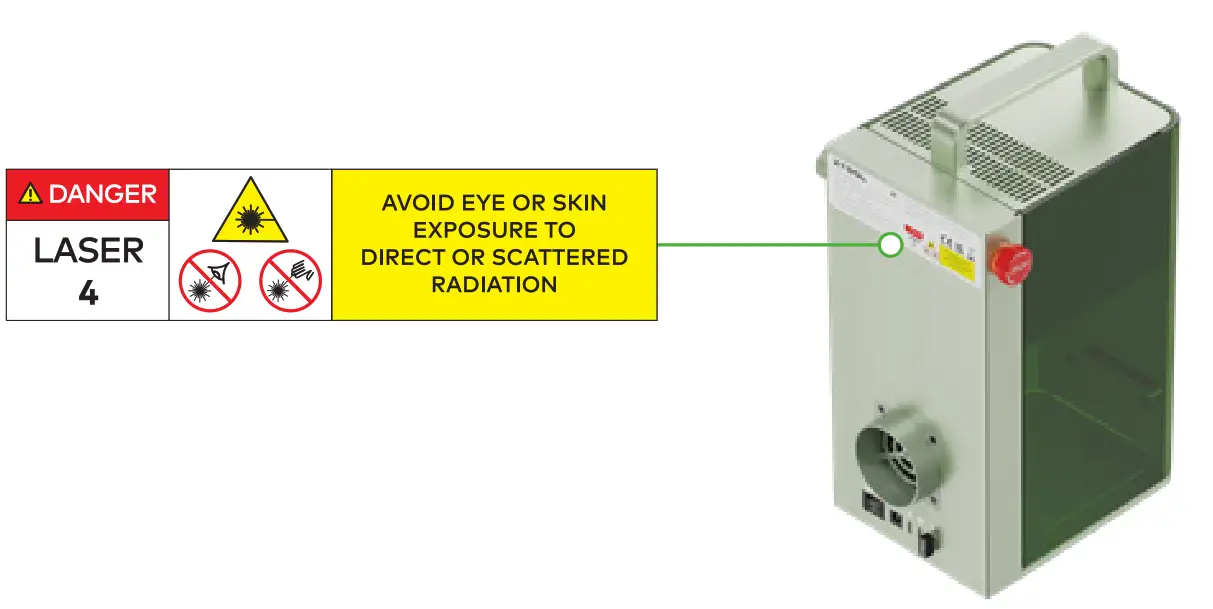
On xTool F1, the warning and instruction signs are labeled where physical injuries or damage to the machine may be caused before and/or during operation. If a sign is damaged or lost, replace it immediately. You can use the following template to print the sign you need.
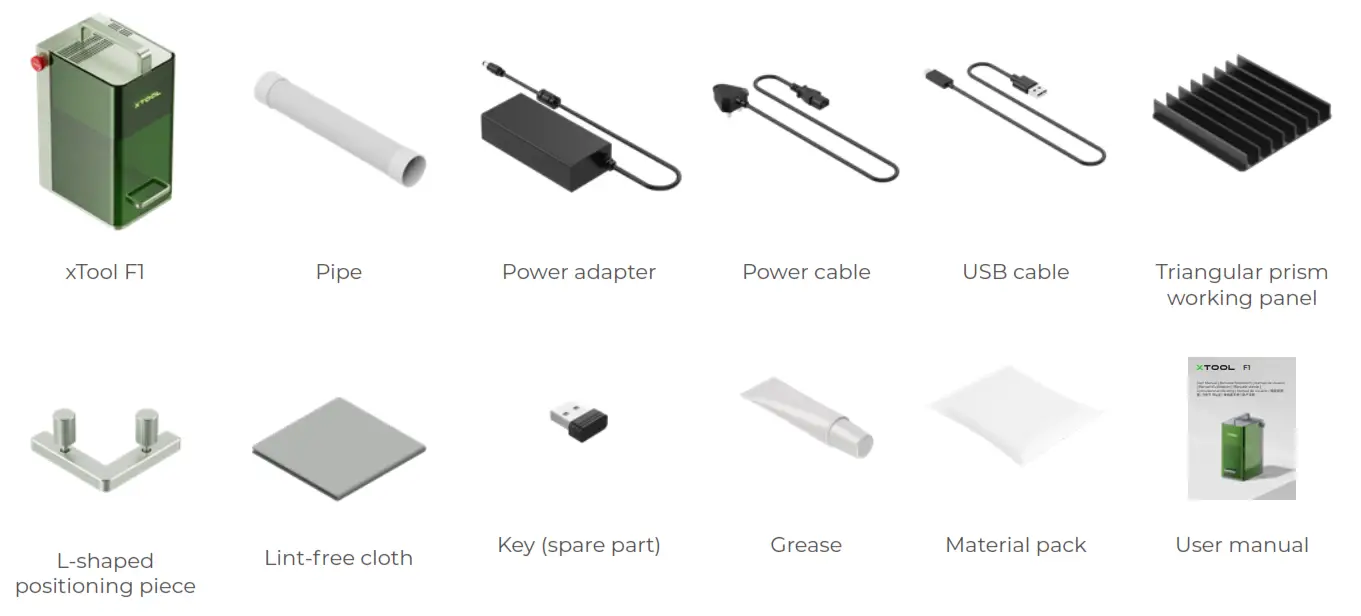
List of items
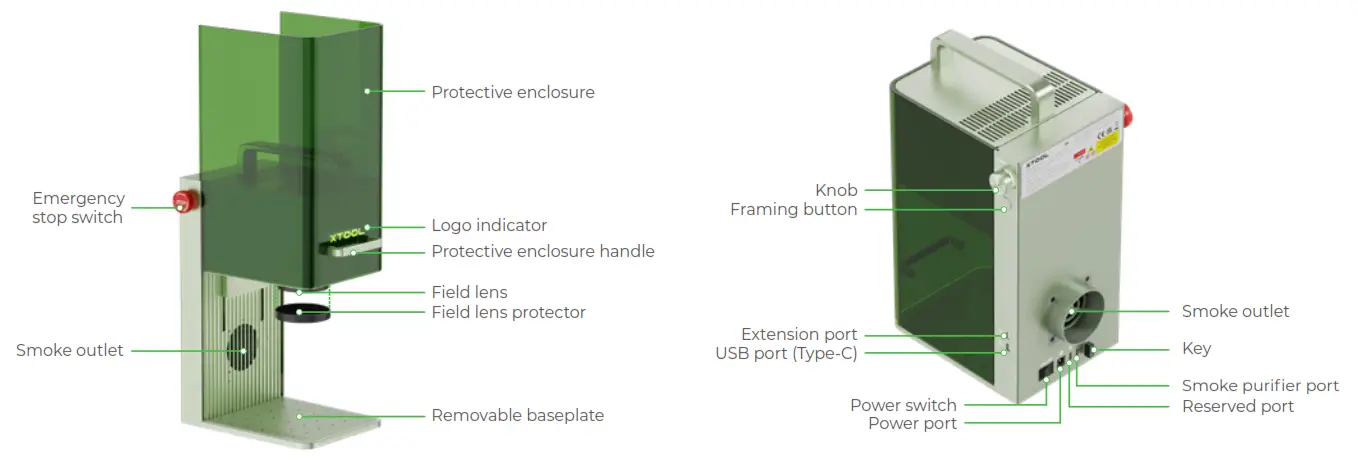
Meet your xTool F1
Product structure
Indicator description
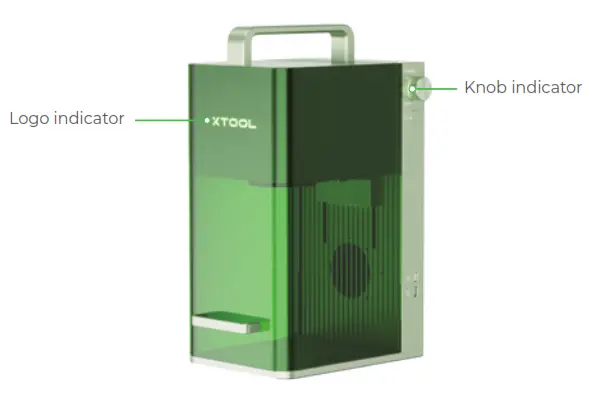
| Logo indicator | Knob indicator | Machine state |
| Solid on |  Solid white Solid white | Not connected to the software |
 Solid yellow Solid yellow | Network setting | |
 Solid blue Solid blue | Connected to the software | |
 Solid green Solid green | Task completed | |
 Solid purple Solid purple | Firmware updating | |
 Solid red Solid red | Exceptions occur | |
 Blinking red for 3 times Blinking red for 3 times | Invalid operation | |
| Blinking |  Solid blue Solid blue | Performing a task |
| Going off |  Blinking white slowly Blinking white slowly | Sleep state entered when no operation is performed within 10 minutes |
Specifications
| Product name | xTool F1 |
| Size | 179 mm × 235 mm × 334 mm |
| Connection mode | Wi-Fi, USB |
| Laser module | 455 nm blue-light laser 1064 nm infrared laser |
| Input power | 24 V  5 A, 120 W 5 A, 120 W |
| Maximum processing speed | 4,000 mm/s |
| Internal working area | 100 mm × 100 mm |
| Laser power | 2 W (1064 nm) 10 W (455 nm) |
Use your xTool F1
Preparations
- Install the pipe.

- Connect to a power supply.

- Ensure that the emergency stop switch is not pressed.

- Ensure that the key is inserted properly.

- Remove the field lens protector.

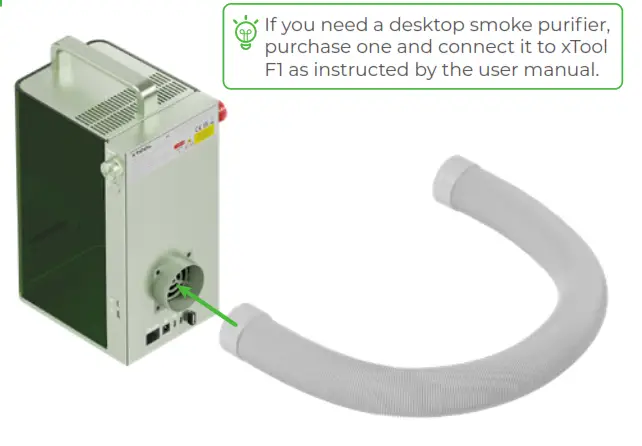
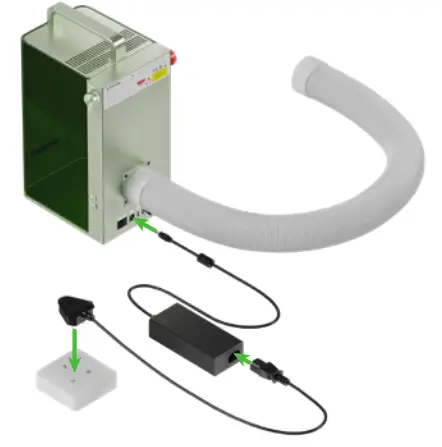
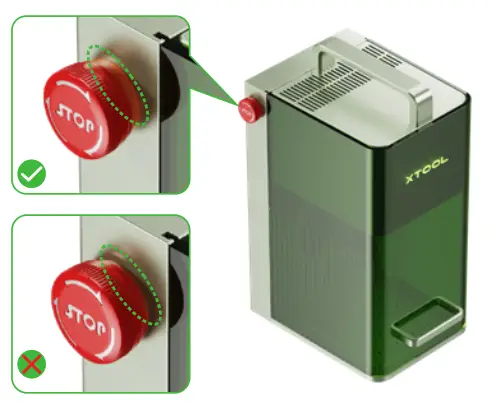
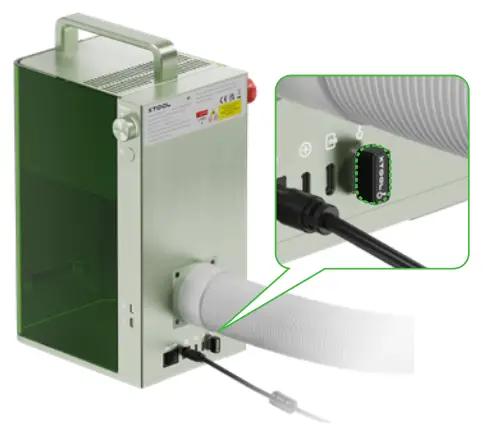
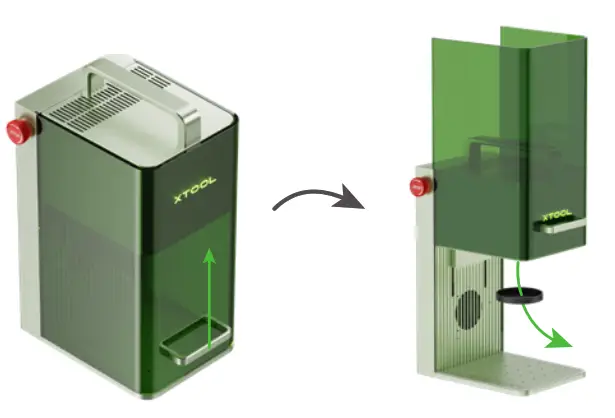
Use software to operate xTool F1
- Visit xtool.com/software to download and install xTool Creative Space (XCS).

- Turn on xTool F1, connect it to a PC, and then connect it on XCS.


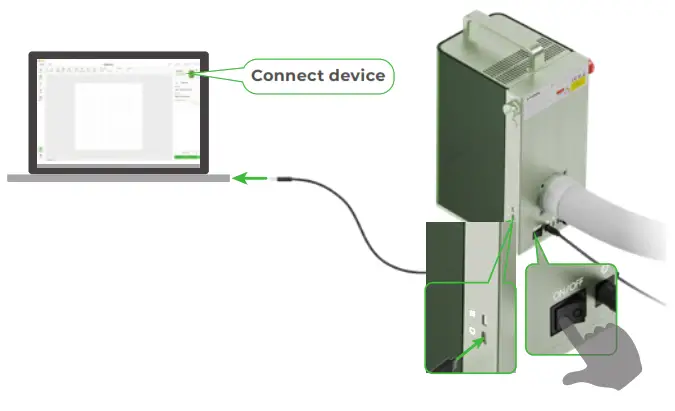
You can start your creation after connecting xTool F1 to XCS.
For details about how to use XCS to operate xTool F1 for material processing, visit support.xtool.com. Using the infrared laser for bitmap engraving at a low temperature may lead to unsatisfying engraving results. To ensure better engraving results, you can preheat the laser module before processing.
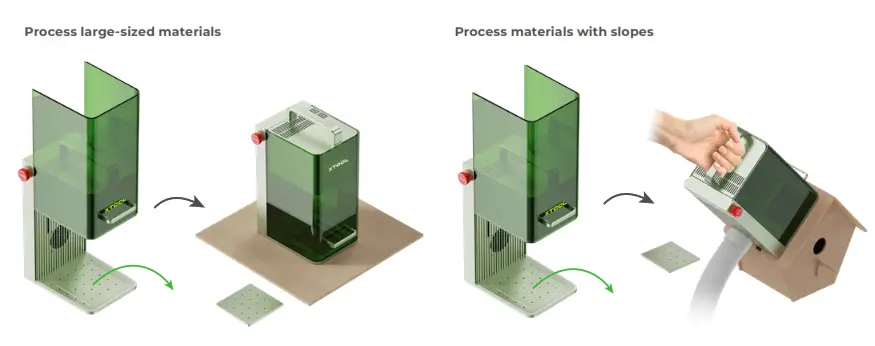
Multiple application scenarios
Process small-sized materials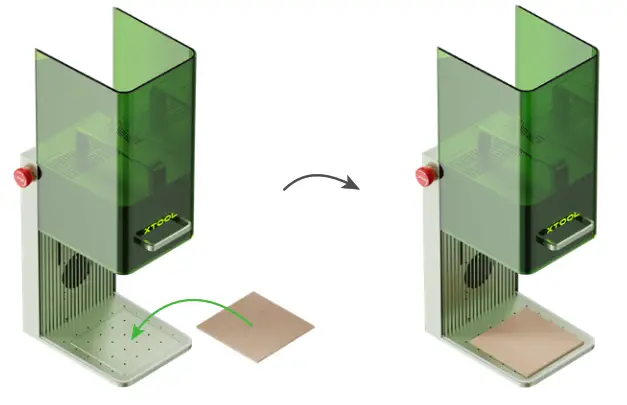
 To cut a material, you are advised to use the triangular prism working panel. It can reduce the areas burned during material processing and protect the baseplate.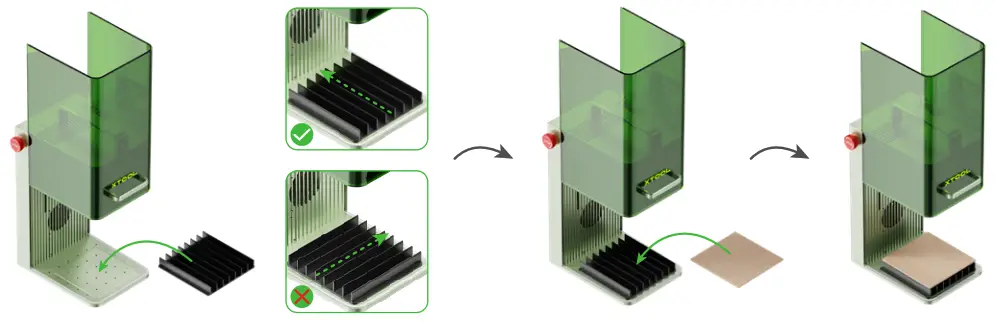
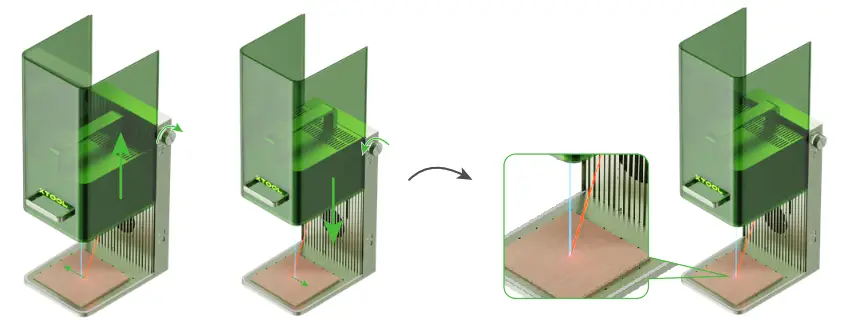
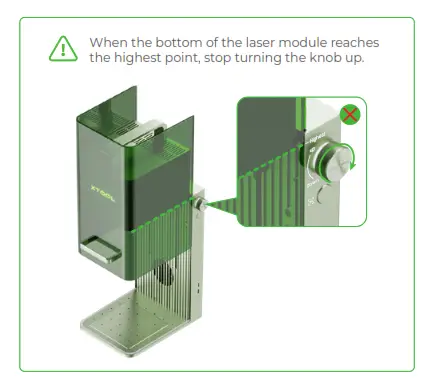
Turn the knob to move the laser module up and down. When the red and blue light spots coincide, the focus is successfully set.
 Batch processing
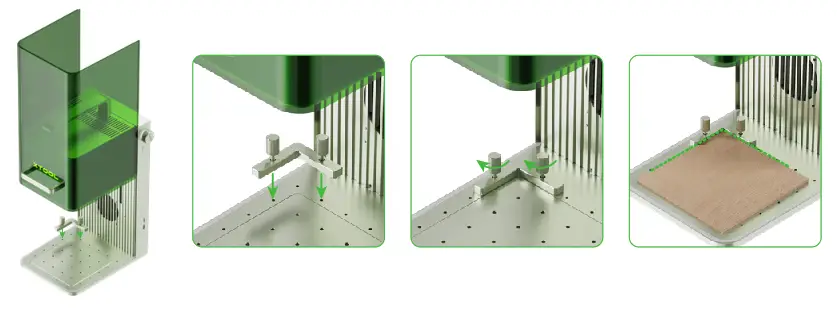
During batch processing, the L-shaped positioning piece can help you to place a material in the same position every time.
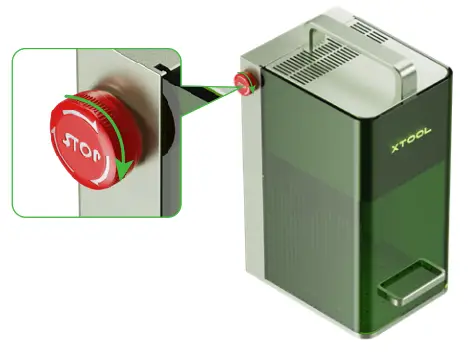
 Emergency stop
If errors or machine faults occur during material processing, you can press the emergency stop switch to power off the machine and stop the processing.
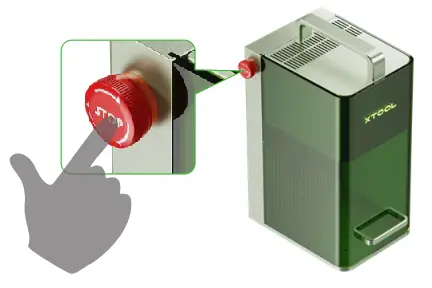 You can turn the emergency stop switch to reset it.
 Operation access control
To prevent others from using your machine, you can remove the key to lock the processing and related functions.
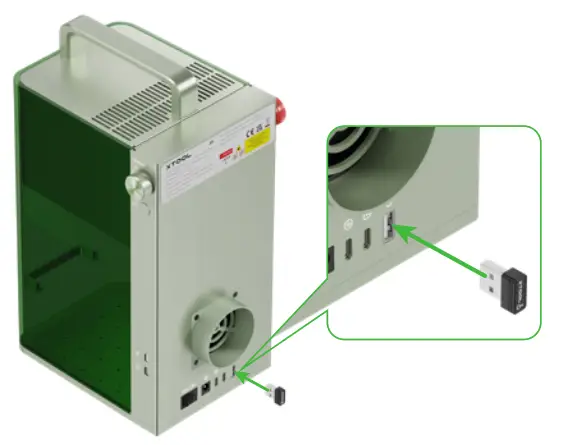 You can insert the key to unlock the processing and related functions.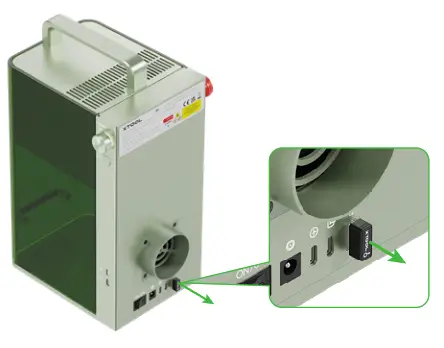
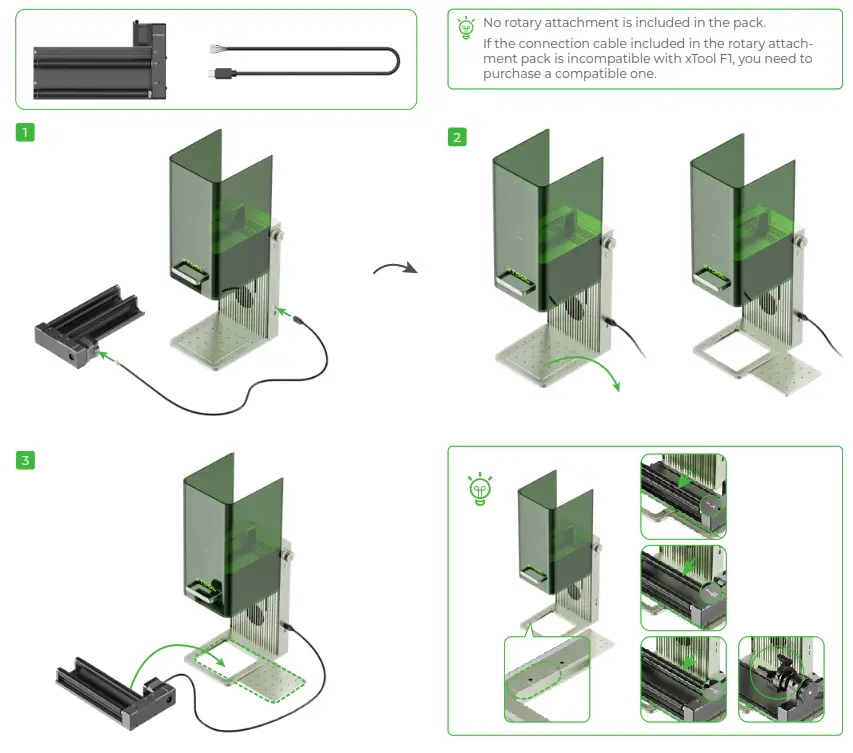
Use Rotary Attachment
Maintenance
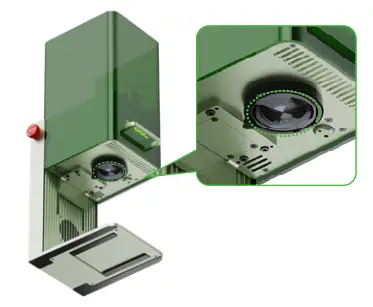
- If laser power attenuation occurs, for example, engraved patterns are shallow or materials can’t be cut as expected, the field lens may get dirty. Clean it with the lint-free cloth moistened with alcohol.

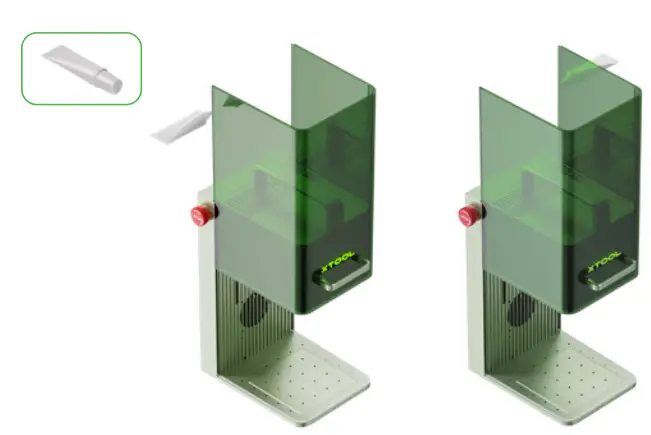
- If you can’t move the protective enclosure up and down smoothly, apply grease to the edges of the two sides.

- If smoke runs out of the protective enclosure, the fan and smoke outlet may be blocked due to dust. Clean them to ensure proper smoke exhausting.

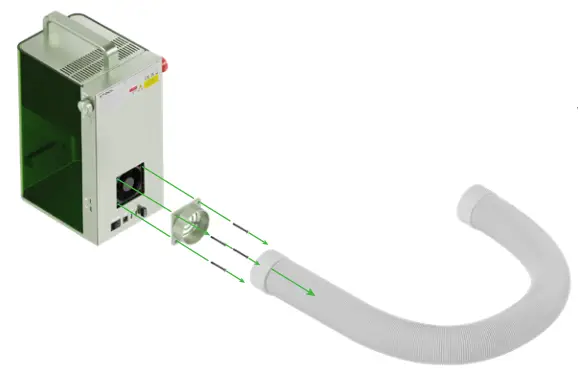 To avoid dust falling into the inside of the machine, slightly tilt the machine.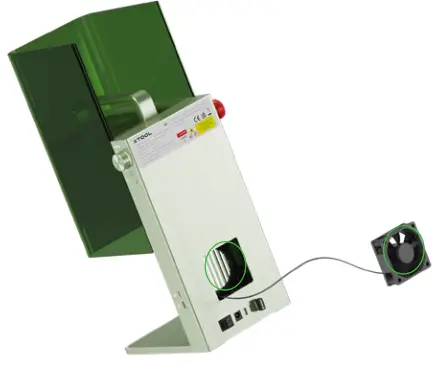
After-sales services
For more information about after-sales services, visit support.xtool.com.
Statement
Thank you for choosing xTool products!
If you use the product for the first time, read carefully all the accompanying materials of the product to improve your experience with it. If you do not use the product according to the instructions and requirements of the Manual, or mis-operate the product due to misunderstanding, etc., the Company shall bear no responsibility for any loss resulting therefrom.
The Company has collated the content of the Manual rigorously and carefully, but errors or omissions may remain.
The Company is committed to continuously improving product functions and service quality, and therefore reserves the right to change any product or software described in the Manual and the content of the Manual at any time.
The Manual is intended to help you use the product properly and does not include any description of hardware and software configuration. For product configuration, refer to the related contract (if any) and packing list, or consult your distributor. Images in the Manual are for reference only and the actual product may vary.
Protected by copyright laws and regulations, the Manual shall not be reproduced or transcribed in any way, or be transmitted on any wired or wireless network in any manner, or be translated into any language, or be modified in any way, such as content, image, or layout modification, without the prior written authorization of the Company.
 Declaration of conformity
Hereby, Makeblock Co., Ltd., declares that this product is in compliance with the essential requirements and other relevant provisions of Directive RED 2014/53/EU and the RoHS directive 2011/65/EU & (EU) 2015/863.
This device complies with Part 15 of the FCC Rules. Operation is subject to the following two conditions:
(1) This device may not cause harmful interference, and (2) This device must accept any interference received, including interference that may cause undesired operation.
Warning: Changes or modifications not expressly approved by the party responsible for compliance could void the user’s authority to operate the equipment.
NOTE: This equipment has been tested and found to comply with the limits for a Class B digital device, pursuant to Part 15 of the FCC Rules. These limits are designed to provide reasonable protection against harmful interference in a residential installation.
This equipment generates uses and can radiate radio frequency energy and, if not installed and used in accordance with the instructions, may cause harmful interference to radio communications.
However, there is no guarantee that interference will not occur in a particular installation. If this equipment does cause harmful interference to radio or television reception, which can be determined by turning the equipment off and on, the user is encouraged to try to correct the interference by one or more of the following measures:
- Reorient or relocate the receiving antenna.
- Increase the separation between the equipment and receiver.
- Connect the equipment into an outlet on a circuit different from that to which the receiver is connected.
- Consult the dealer or an experienced radio/TV technician for help.
This equipment complies with FCC radiation exposure limits set forth for an uncontrolled environment. This equipment should be installed and operated with a minimum distance of 20 cm between the radiator and your body.
Thank you for choosing xTool F1. We are so grateful for your recognition, and sincerely hope you will enjoy this product!
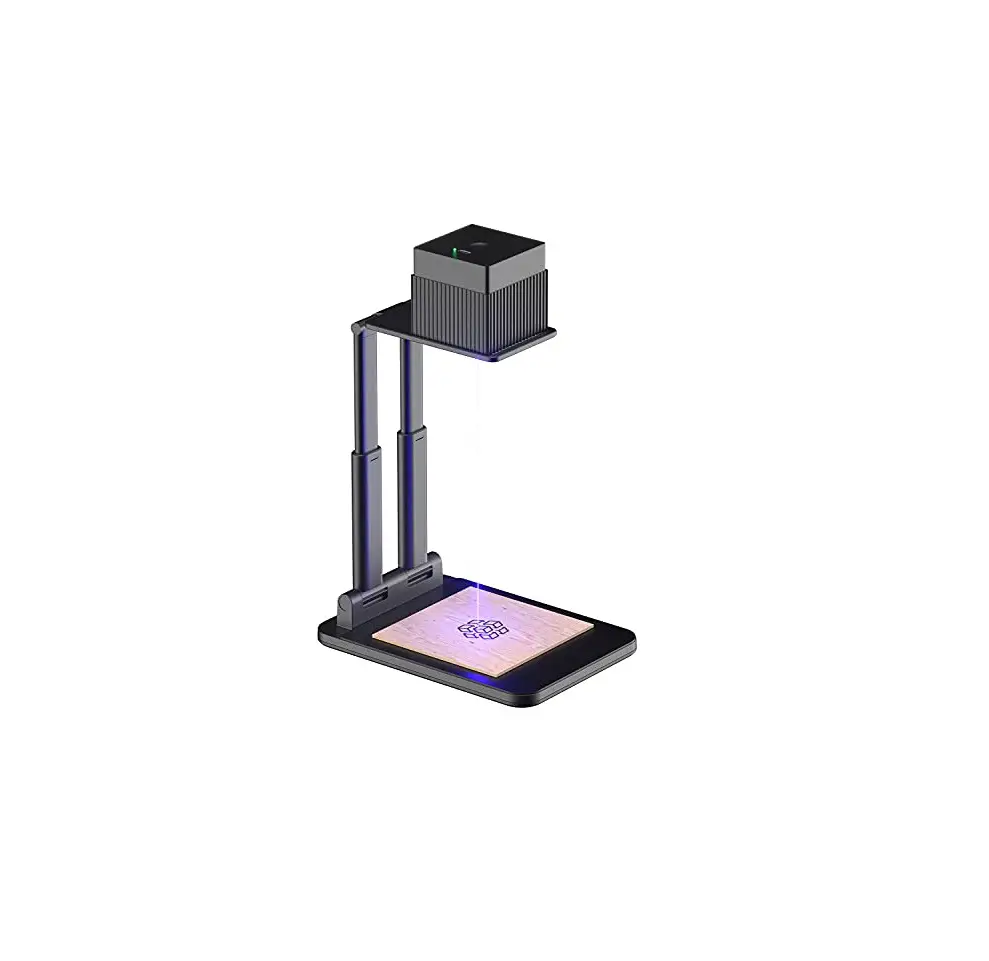
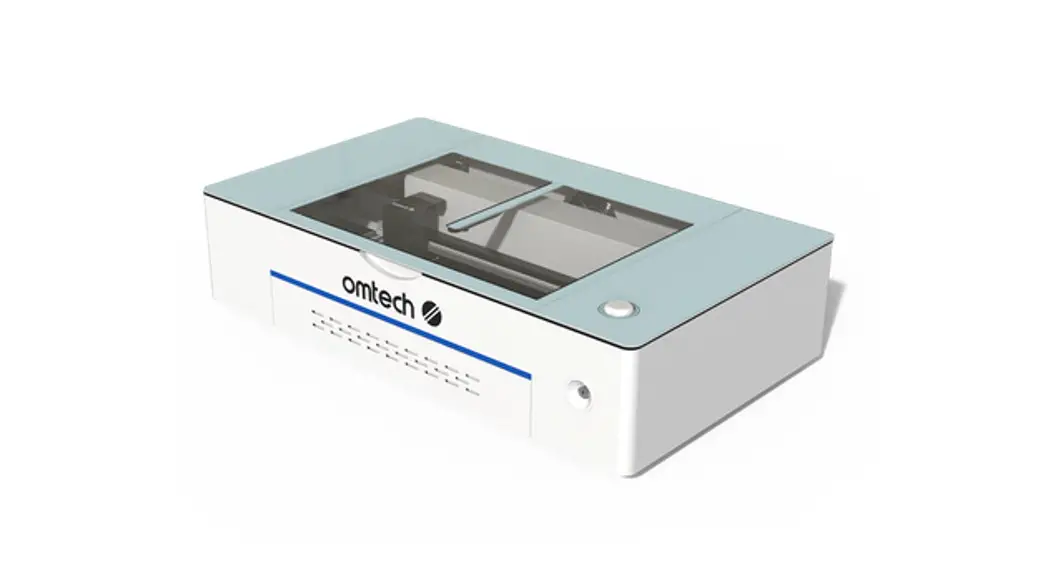
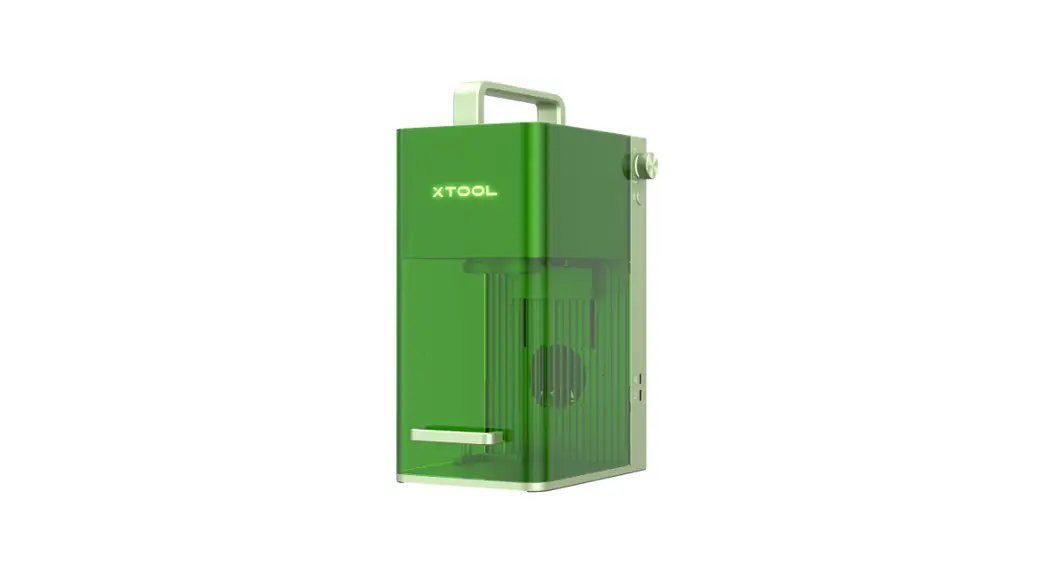
xTool F1 is the world’s first galvanometer-type laser engraver and cutter that integrates a 2 W 1064 nm infrared laser with a 10 W 455 nm diode laser. It is small and portable, equipped with a protective enclosure, and compatible with xTool smoke purifiers. Whether you are a novice or an expert, whether you use it at home or for business purposes, xTool F1 is ready to give you the best laser engraving & cutting experience.
Our mission is to make it easier for everyone to create with our machine. We attach great importance to product experience and user suggestions. Please let us know if you have any questions anytime. We are always here to help. You can join our Facebook group to share creative ideas and get inspired by others.
By visiting our online store, you can also find our latest accessories and various materials to maximize the magic of xTool F1.
Thanks again for your support, and we will consistently provide quality products and services in the future.

Facebook group: xTool F1 launch group / Makeblock xTool Official Group
Support center: support.xtool.com
Technical support: [email protected]
Video tutorial: youtube.com/c/xToollaserbox?sub_confirmation=1
D2.1.8_KD010591000 Smart Desktop Laser Cutter and Engraver | xTool Laser