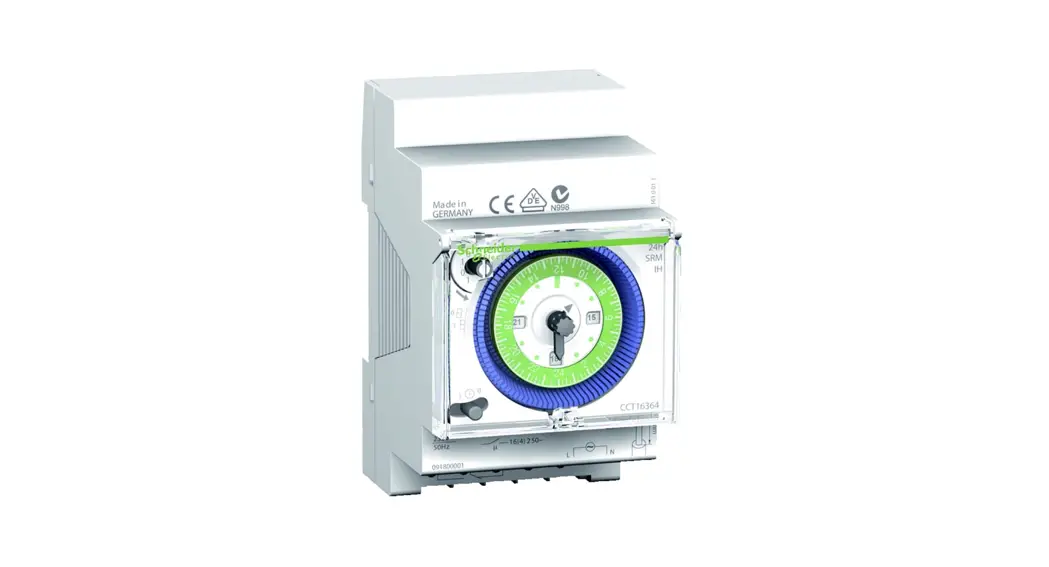
 IH 24h
Operating instructions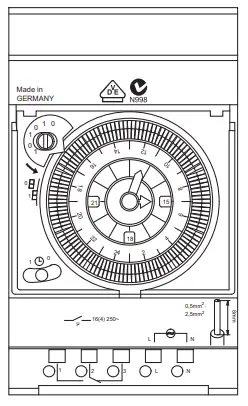 Art. no.
srm: CCT16364
arm: CCT15365
For your safety
 DANGER
Risk of serious damage to property and personal injury, e.g. from fire or electric shock, due to incorrect electrical installation.
The safe electrical installation can only be ensured if the person in question can prove basic knowledge in the following areas:
- Connecting to installation networks
- Connecting several electrical devices
- Laying electric cables
These skills and experience are normally only possessed by skilled professionals who are trained in the field of electrical installation technology. If these minimum requirements are not met or are disregarded in any way, you will be solely liable for any damage to property or personal injury.
Getting to know IH 24h
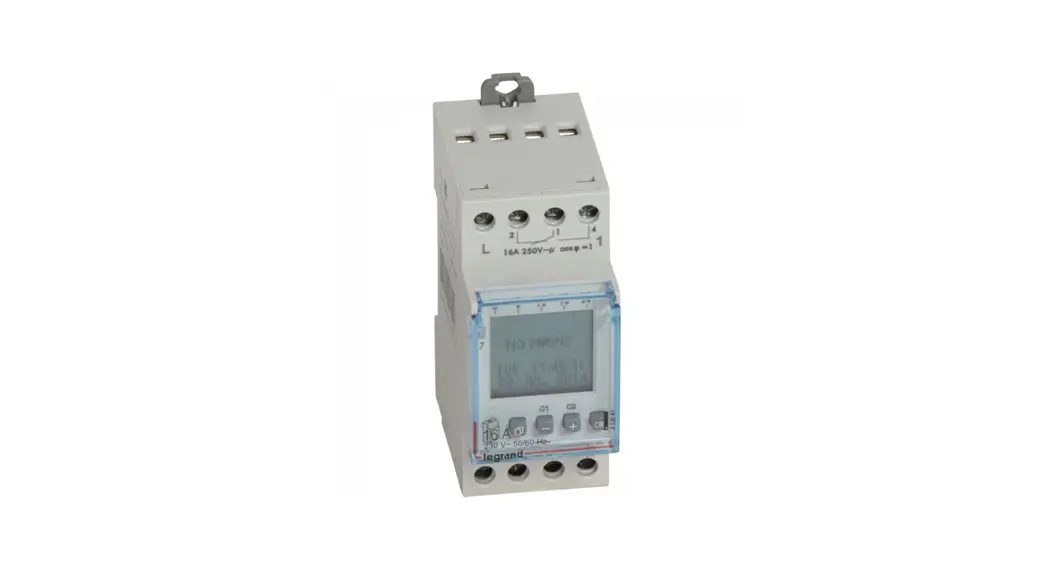
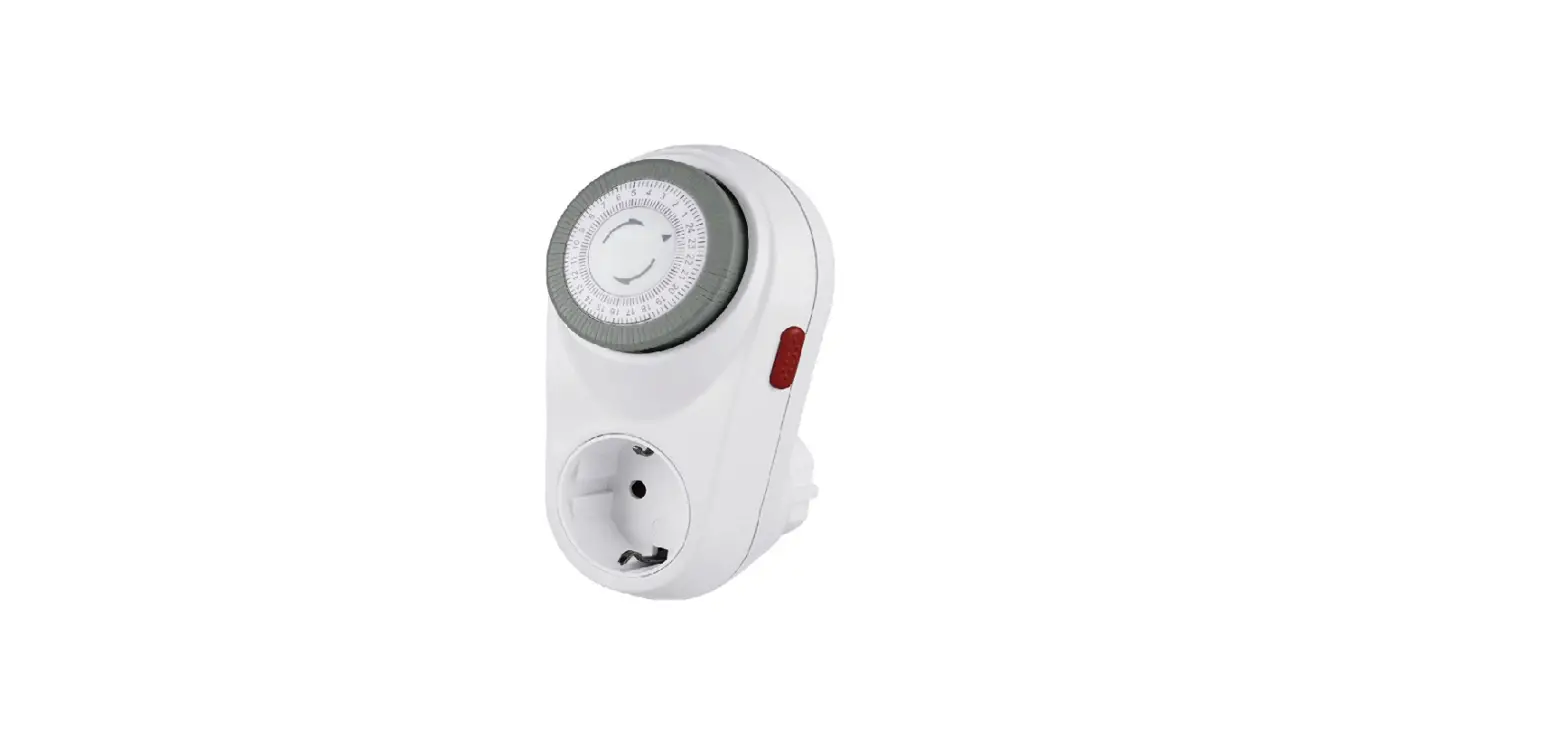
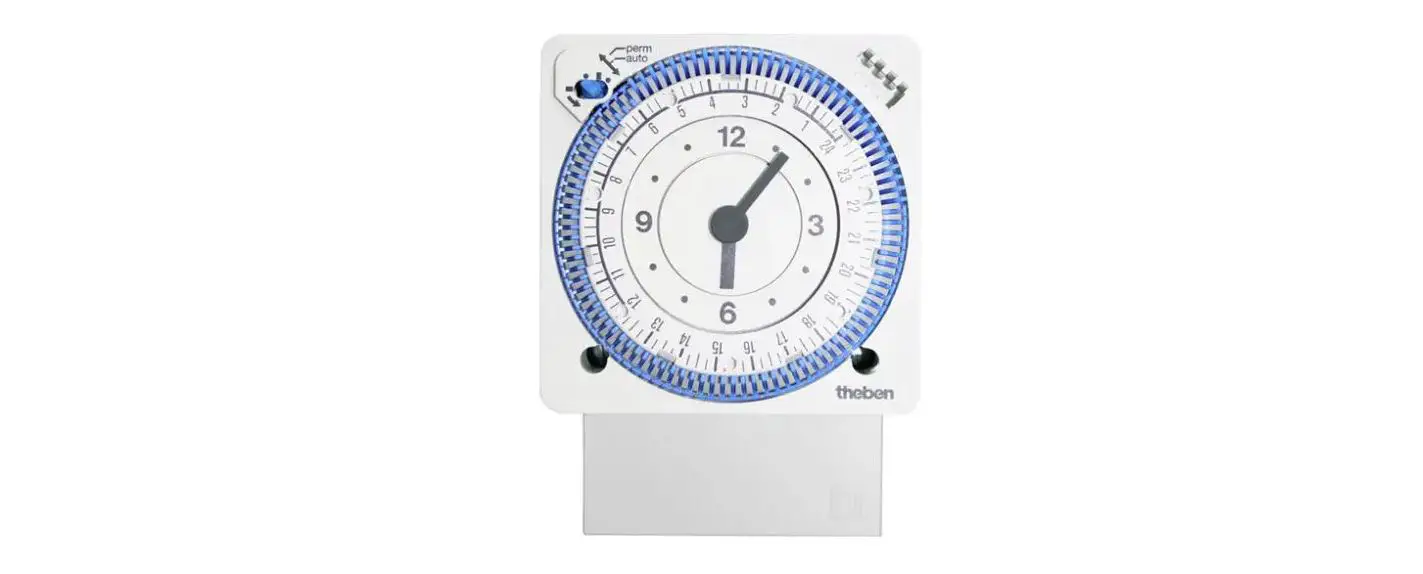
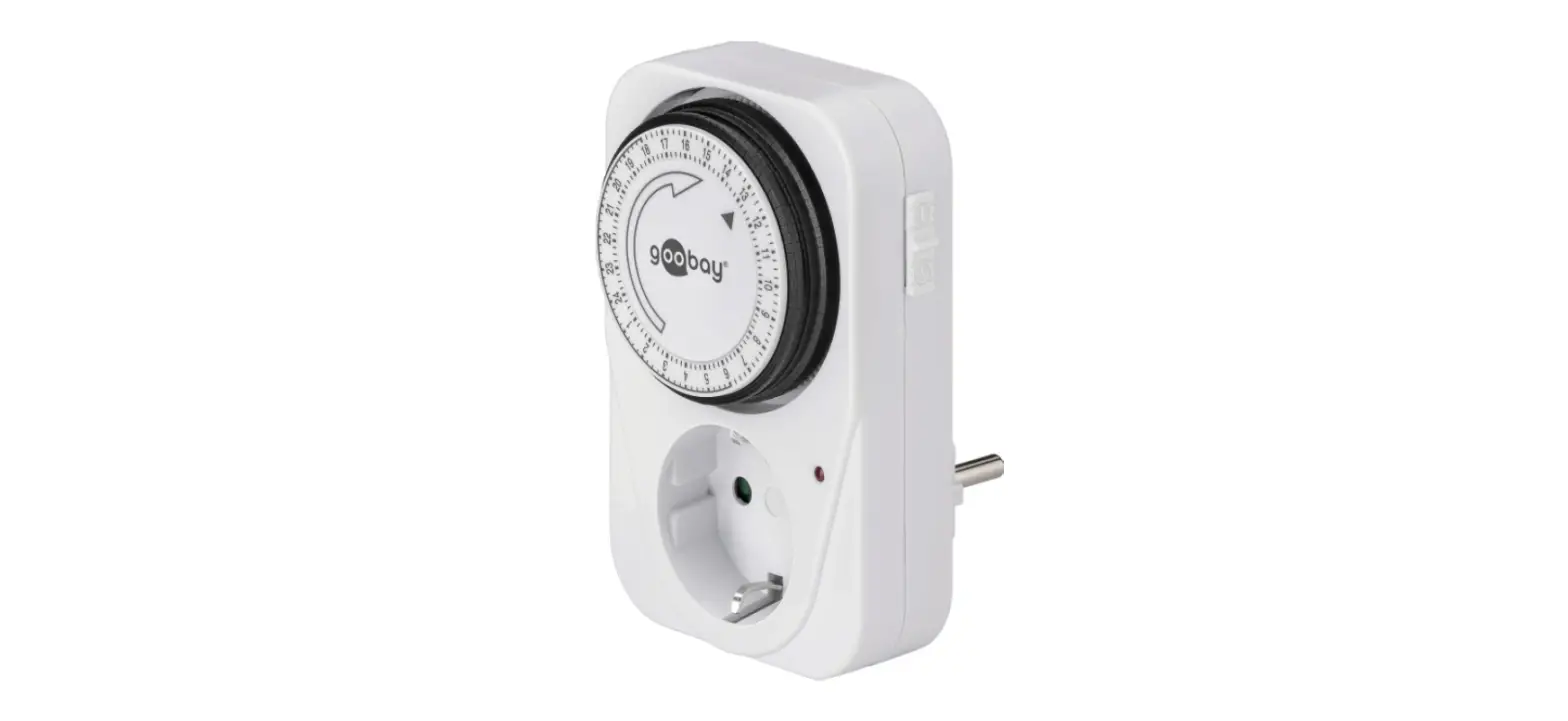
IH 24h is a mechanical time switch that switches connected loads on or off when the set time has been reached. It is installed on a DIN rail (DIN EN 60715).
Product details
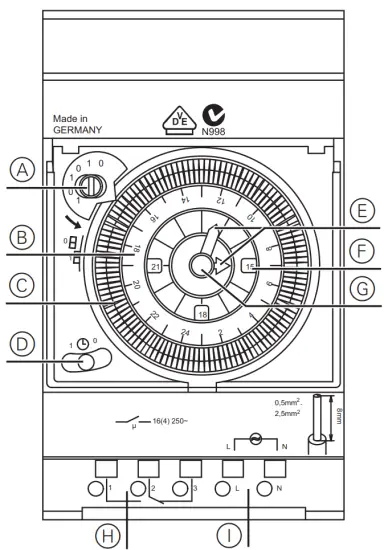
| A Manual switch B Setting disc C Switching segments D Automatic/permanent switch | E Clock hands (hour, minutes) F Display: Morning (3/6/9), afternoon (15/18/21) G Rotary knob H Switch output I Mains connection |
Installing IH 24h
- Place the IH 24h onto the DIN rail.
- Connect cables:
• Remove 8 mm (max. 9 mm) of insulation
• Open the plug-in terminal with a screwdriver and plug in the cable at a 45° angle. (max. 2 cables per plug-in terminal)
- Connect the mains voltage.
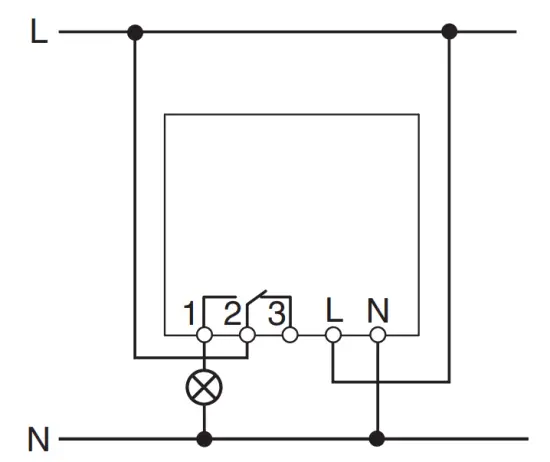
 IH 24harm (art. no. CCT15365) is equipped with a quartz clock mechanism. The quartz clock mechanism only starts after a few minutes after having connected it to a power supply. The complete power reserve is reached after 5 days.
Setting IH 24h
Setting the time
Use the rotary knob to set the time (hour, minutes). You can turn the rotary knob clockwise and anti-clockwise.
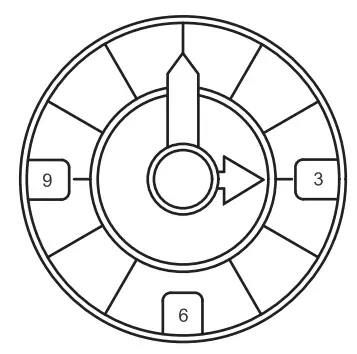 To set the time in the morning, 3/6/9 must be visible on the clock face.
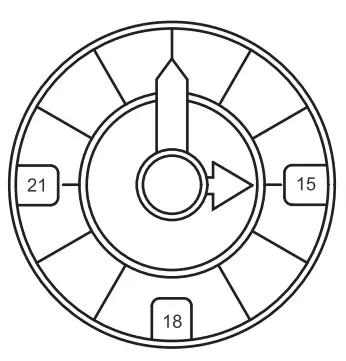 To set the time in the afternoon, 15/18/21 must be visible on the clock face.The clock face changes between morning and afternoon times when the dial has gone past 24 and 12 hours.
Setting the switching time
You can set the switching time using the switching segments. Each switching segment stands for a 15-minute time period. The switching segments can be pushed in or out, for example, by using your index finger. The setting disc shows the switching period (+/- 5 minutes). Switching segment out Load switched off
 The switching segment in Load switched on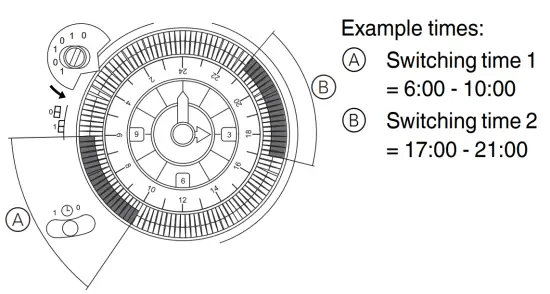
Operating IH 24h
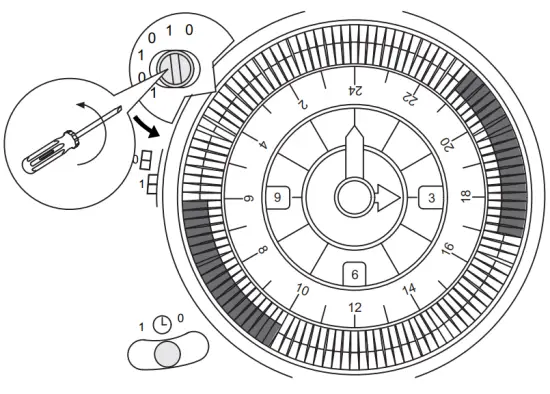
Operating the manual switch You can switch the load on or off in advance as long as the time switch is on automatic mode 
- Turn the manual switch in one position anti-clockwise.
The current status is reversed and stays unchanged for the next switch.
Operating the automatic/permanent switch
With the automatic/permanent switch, you can switch the load permanently on or off or permanently set it to automatic mode.
- Activating permanent ON:

Set the switch to “1”.
The load is switched on permanently. The set switching times are deactivated. - Activating permanent OFF:
Set the switch to “0”.
The load is switched off permanently. The set switching times are deactivated. - Activating automatic mode:
Set the switch to “clock”. The set switching times remain activated. The load is switched on or off when the set switching time has been reached.
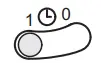
For permanent ON or permanent OFF, the set switching times are deactivated.
Technical data
Nominal voltage: | |
| CCT16364 | AC 230 V, 50/ Hz |
| CCT15365 | AC 110-230 V, 50-60 Hz |
| Nominal current: | 16 A, cos φ = 1 4 A, cos φ = 0.6 |
| Incandescent lamps: | AC 230 V, max. 1100 W |
| Halogen lamps: | AC 230 V, max. 1000 W |
| Fluorescent tubes: | AC 230 V, max. 600 VA |
| Fluorescent lamps with electronic ballast: | 2 x 40 W (12 µF), parallel-compensated |
| Compact fluorescent lamps with electronic ballast: | 25 W |
| LED lamps: | <2 W: 20 W >2 W:180 W |
| Power consumption: | ≈ 0.5 W |
| Ambient temperature: | -20°C to +55°C |
| Connecting terminals: | 2 x 0.5 – max. 2.5 mm², fixed and flexible wires |
Power reserve: | |
| CCT15365 | 150 h (230 V), 75 h (110 V) |
Accuracy: | |
| CCT16364 | Network synchronous |
| CCT15365 | ≤ ±1 s/day at +20°C |
| Mode of operation: | srm: Device of 1 BRTU type in accordance with EN 60730-1 arm: Device of 1 BSTU type in accordance with EN 60730-1 |
| Degree of pollution: | 2 |
| Rated impulse voltage: | 4000 V |
| Protection class: | II per EN 60730-1 when installed correctly |
| Type of protection: | IP 20 in accordance with EN 60529 |
Schneider Electric Industries SAS
If you have technical questions, please contact the
Customer Care Centre in your country.
www.schneider-electric.com
D15365-561-03
en 12/2020
Made in GERMANY