 06490197001 ISSD
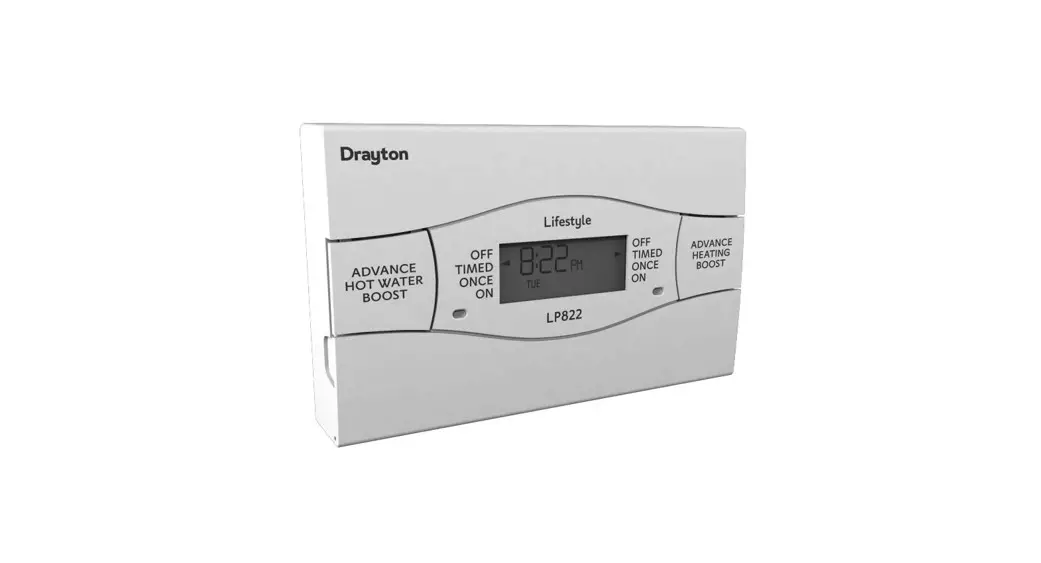
Single Channel Time switch for heating OR hot water
Installation and User Instructions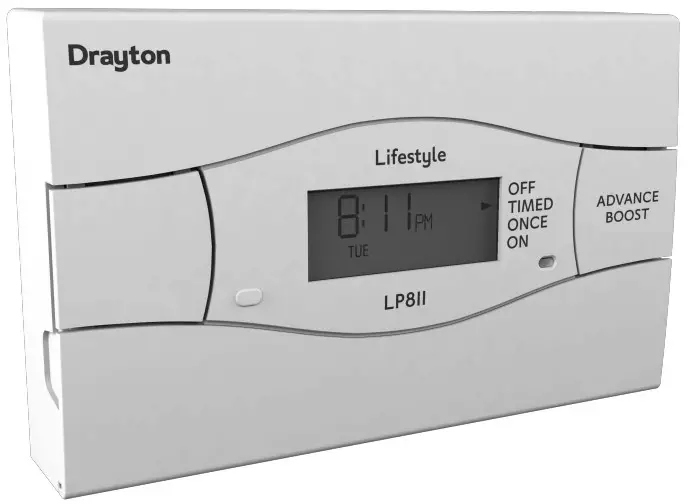
INSTALLATION INSTRUCTIONS
PLEASE NOTE: INSTALLATION MUST ONLY BE CARRIED OUT BY A QUALIFIED ELECTRICIAN OR HEATING ENGINEER.
MAKE SURE MAINS INPUT HAS A 3 AMP FUSE.
TECHNICAL DATA
LP241Si, LP522Si & LP722Si PROGRAMMERS
LP111Si & LP711Si TIMESWITCHES
| Voltage | 230V a.c. +10% – 10% 50Hz |
| Programmer Rating | 2 (1) A 230V a.c. each switch |
| Timeswitch Rating | 2 (1) A 230V a.c. |
| Ambient temp | Operating: 0º to 45ºC Storage: -20ºC to 50ºC |
| Without mains power | Display: blank Time: always kept Program times: always preserved |
| Programming resolution | 1 minute |
| Wiring | Fixed wiring only, to comply with current IEE regulations |
| Pollution degree | Must be maintained byaqualified electrician or heating engineer |
| Maintenance | 2 |
| Software class | 2 |
| Ball pressure test temperature | 75ºC |
| Rated impulse voltage | 2.5kV |
The Lifestyle Programmer conforms to the essential requirements of these Directives:
2014/30/EU- Electromagnetic Compatibility Directive
2014/35/EU- Low Voltage Directive
2012/19/EU WEE Directive
2003/66/EC Battery Directive
Technical Helpline Tel: 0333 6000 622
[email protected]
Website: www.draytoncontrols.co.uk
Quick Commissioning Guide
06490197001 IssD
Schneider Electric
401 Southway Drive
Plymouth
PL6 6QT
United Kingdom
Schneider Electric
35 Rue Joseph Monier
France- 92500 Rueil Malmaison
se.com/contact
BEFORE INSTALLATION
First, make sure the mains supply is switched off!
USING AN EXISTING WALL-PLATE
Loosen the securing screws on the old timeswitch and unplug it.
Check that there’s 70mm clearance to the right of the wall-plate, and 25mm above it. Now plug the Lifestyle unit into the wallplate and tighten the securing screws. Check the 3A fuse, and switch on the mains.
FITTING A NEW WALL-PLATE
The ideal location is 1.4m above floor level, with reasonable lighting, good access, no condensation, no extremes of temperature, and a supporting surface that fully covers the back of the unit.
Position with 70mm clearance to the right, 25mm above, and sufficient room to access the securing screws underneath.
Fix, with terminals at the top, either direct to a flat wall using wall plugs and no. 6 x 1″ woodscrews, or on a flush mounting single conduit box type UA1 (BS4662) using M3.5 x 14 bolts. DO NOT USE A SURFACE MOUNTING BOX.
WIRING THE TIMESWITCH WALL PLATE
For surface wiring, snap out the cable entry strip on the bottom edge of the wall-plate. Lifestyle units are double-insulated and need no earth connection, but an earthing continuity (loop) terminal is provided for convenience.
Internal wiring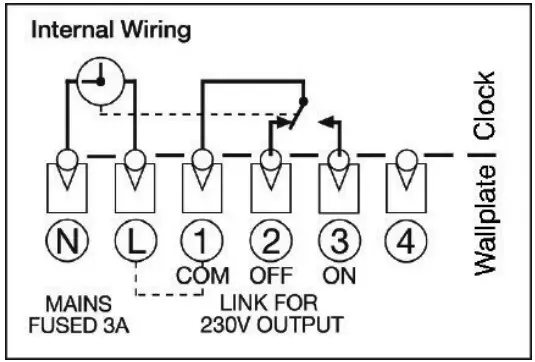
ALWAYS SWITCH OFF THE MAINS BEFORE REMOVING THE UNIVERSAL TIMESWITCH
– AND NEVER FIT IT TO A LIVE WALL-PLATE!
PRIOR TO MOUNTING THE UNIT SELECT THE PROGRAM SETTING
The Universal Timeswitch is selectable, which means it must be set to the customer’s requirements as part of the installation procedure. There are 3 options:
- 24-hour Program – same times, 7 days a week.
- 5/2-day Program – weekends different to weekday times.
- 7-day Program – every day of the week can be different
The factory setting is a 24-hour program. Any changes are made with the 3 plastic headers on the back of the unit – simply pull off the header and replace it in the new position.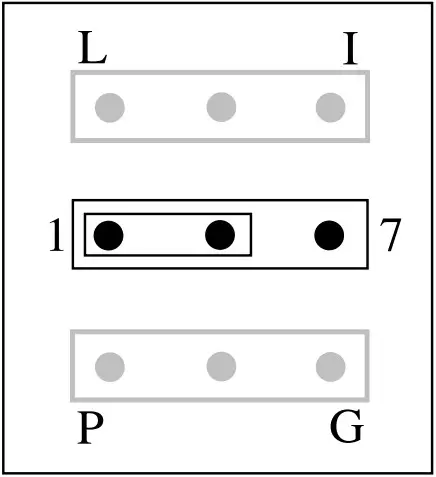
1 = 24-hour program.
7 = 7-day program
No header = 5/2-day program.
After wiring, plug in the unit and tighten the securing screws. Check the mains input has a 3A fuse, and switch on the mains.
If the engineer has set your program and timings – you won’t need to do anything else. Just keep this guide in a safe place for future reference.
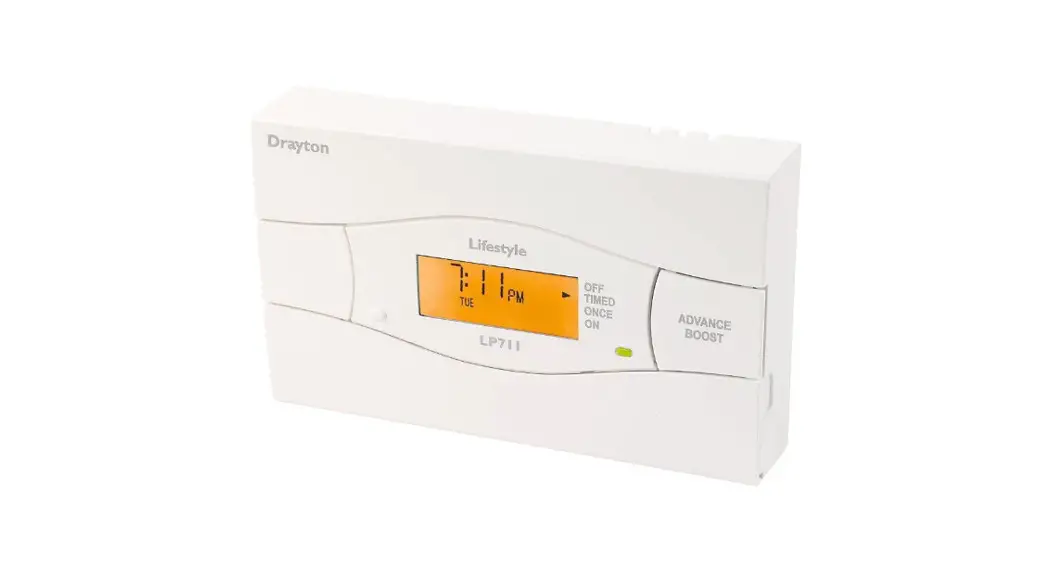
The Lifestyle Timeswitch will automatically control your system by switching it on and off at times that suit you. The light on the front of the Timeswitch shows when it’s on.
| Models | Your timeswitch is set as”‘ | Instructions for the model are on page |
| 24-hour | 7 | |
| 5/2-day | 8 | |
| 7-day | 10 |
(1) Model to be ticked by the installer
PREPARING TO PROGRAMME YOUR SYSTEM
As your Timeswitch has a built-in, factory set, clock, there is no need to set the time. However, should you need to, go to section “Setting the Clock” Page 12.
If the timings haven’t been set for you, then this is how your timeswitch has been set at the factory. It’s easy to make changes. Just go to the section on the program that’s already been selected – 24-hour, 5/2 day or 7-day – and follow the simple instructions.
Your timeswitch has been set with these standard times.
They’re based on the 5/2-day program, with different settings for the weekend.
| SWITCHING | WEEKDAYS | WEEKENDS |
| ON 1 – start of first timed period | 6.30am | 7.00am |
| OFF 1 – end of first timed period | 8.30am | 9.00am |
| ON 2 – start of second timed period* | 12.00pm | 12.00pm |
| OFF 2 – end of second timed period* | 12.00pm | 12.00pm |
| ON 3 – start of third timed period | 4.30pm | 4.00pm |
| OFF 3 – final switch-off of the day | 10.30pm | 11.00pm |
* Notice that the second period has the same ON and OFF times, which means neither your central heating nor hot water will respond. If you want to activate this middle period, simply set different ON and OFF times.
Remember:
- Make your changes using the SET?, YES/-, and + buttons found under the bottom flap.
- You can’t set ON1 as the last timing before midnight, but you can set OFF3 after midnight – providing it’s not more than 23 hours and 59 minutes after ON1.
- You need to set the timings in sequence – i.e. ON1, OFF1, ON2, OFF2, ON3, OFF3. If you get out of sequence, the display will flash a warning.
DAY-TO-DAY VARIATIONS
Sometimes you might need to change the way you use your system temporarily – perhaps due to an exceptionally cold day.
Here’s how to do it – without affecting your program.
Switching on and off
On the front of the timeswitch there is an Advance/Boost button.
It allows you to switch your system either on or off, irrespective of the program. So if the heating is off, and you want warmth now, you can either –
- Press Advance to switch it on (ADV will be displayed), and it will stay on until the end of the next period. Or if the heating is on and you don’t need it, press Advance and it will go off until the beginning of the next ON period.
Advance will only operate in TIMED or ONCE modes. - Press & Hold Boost to switch on for an extra hour ( & BST will be displayed), then Press again for two ( ) or three ( ) hours.
To cancel Boost, Press Boost again ( ). Or if the heating is already on, using Boost will extend the ON time by one, two or three hours.
Over-riding the program
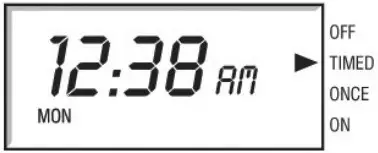
At the side of the display there are four operating modes:
| OFF | continuously off. |
| TIMED | on for up to 3 periods a day. |
| ONCE | on for 1 period a day, from the start of ON1 to the end of OFF3. |
| ON | continuously on. |
Use the SELECT button under the flap to change the mode.
This won’t alter the timings in your program, which you can return to by selecting TIMED.
THE 24-HOUR PROGRAM
This is the simplest program – every day’s the same. Just follow the sequence.
Want to leave a timing as it is? Just press SET? and move on to the next one.
Need to delete your timings and start again? Press ‘SET’ and ‘+’ together to go back to the pre-set program.
If you don’t press anything for two minutes, the timeswitch automatically goes back to normal operation.
These instructions are for setting a 24-hour cycle that will be the same for every day of the week – so you’ll only need to go through the procedure once.
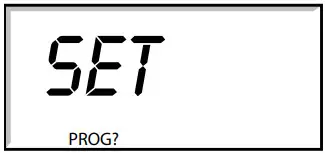
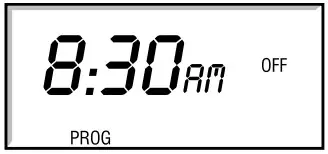
- Press the SET? button and you’ll see ‘SET PROG?’.

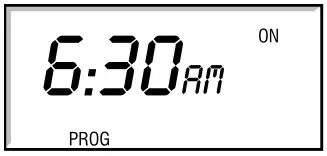
- Press the YES button, and you’ll see ON1, the start of your first heating period. Adjust it in 1-minute steps using the – and + buttons. If the – and + buttons are held down, the time changes in 10-minute steps.

- Press SET?, and you’ll see OFF1, the end of your first heating period. Adjust this in the same way, press SET?, then repeat the procedure for ON2, OFF2, ON3 and OFF3.

- When you press SET? after setting OFF3, the timeswitch will return to normal operation.
THE 5/2 DAY PROGRAM
Here you’ve got the option of changing times for the weekends to cope with different demands. Just follow the sequence, setting weekdays first.
Want to leave a timing as it is? Just press SET? and move on to the next one.
Need to delete your timings and start again? Press ‘SET’ and ‘+’ together to go back to the pre-set program.
If you don’t press anything for two minutes, the timeswitch automatically goes back to normal operation.
These instructions are for setting the same timings for weekdays, and different ones for the weekend.
Set weekday times
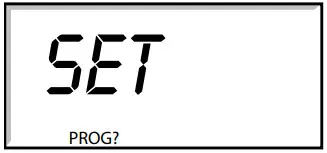
- Press the SET? button and you’ll see ‘SET PROG?’.

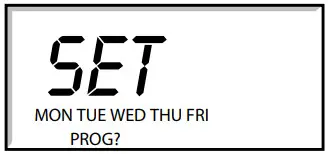
- Press the YES button, and the display will ask ‘SET MON to FRI PROG?’
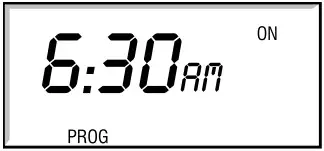
- Press YES to confirm and you’ll see ON1, the start of your first heating period. Adjust it in 1-minute steps using the – and + buttons. If the – and + buttons are held down, the time changes in 10-minute steps.

- Press SET?, and you’ll see OFF1, the end of your first heating period. Adjust this in the same way, press SET?, then repeat the procedure for ON2, OFF2, ON3 and OFF3.

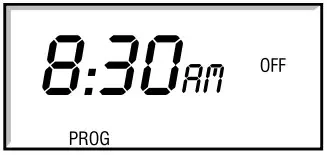
Set weekend times
- When you press SET? after OFF3 for weekdays, the display will ask ‘SET SAT SUN PROG?’. Press YES, and alter the times in the same way.
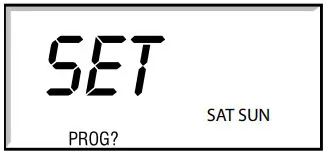
- When you press SET? after OFF3 for SAT SUN, the timeswitch will return to normal operation.
THE 7-DAY PROGRAM
This is where you can have different timings for every day of the week, if necessary. Just follow the sequence, setting weekdays first.
Want to leave a timing as it is? Just press SET? and move on to the next one.
Need to delete your timings and start again? Press ‘SET’ and ‘+’ together to go back to the pre-set program.
If you don’t press anything for two minutes, the timeswitch automatically goes back to normal operation.
These instructions are for setting your system with the possibility of having different timings for each day of the week.
Set all weekdays
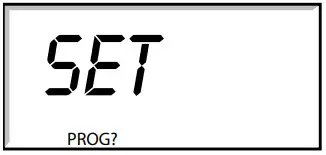
- Press the SET? button and you’ll see ‘SET PROG?’.

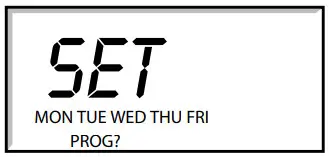
- Press the YES button, and the display will ask ‘SET MON to FRI PROG?’

- When you press SET? after OFF3 for SAT SUN, the timeswitch will return to normal operation.
THE 7-DAY PROGRAM
This is where you can have different timings for every day of the week, if necessary. Just follow the sequence, setting weekdays first.
Want to leave a timing as it is? Just press SET? and move on to the next one.
Need to delete your timings and start again? Press ‘SET’ and ‘+’ together to go back to the pre-set program.
If you don’t press anything for two minutes, the timeswitch automatically goes back to normal operation.
These instructions are for setting your system with the possibility of having different timings for each day of the week.
Set all weekdays
- Press the SET? button and you’ll see ‘SET PROG?’.
- Press the YES button, and the display will ask ‘SET MON to FRI PROG?’
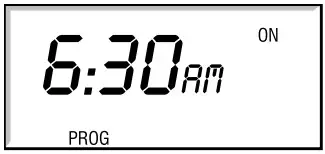
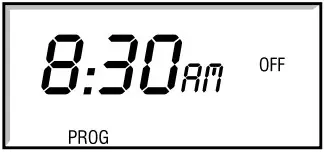
- Press YES, and you’ll see ON1, the start of your first heating period. Adjust it in 1-minute steps using the – and + buttons. If the – and + buttons are held down, the time changes in 10minute steps.

- Press SET?, and you’ll see OFF1, the end of your first heating period. Adjust this in the same way, press SET?, then repeat the procedure for ON2, OFF2, ON3 and OFF3.

Set each day
If, after you’ve set OFF3 for the weekdays, you want to fine-tune one or more days, press SET? until you find the first day you want to adjust – then go through the procedure, altering any time you wish. Press SET? to move on to the next day. When you’ve finished, press SET? until you see ‘SET SAT SUN PROG?’ 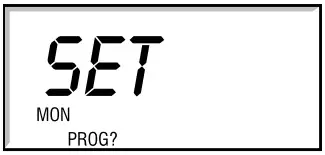
If you don’t want to alter any individual days, keep pressing SET? until you see ‘SET SAT SUN PROG?’
Set weekends
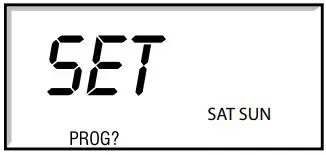
- Press YES, and alter the weekend ON and OFF times in the same way.
Set each weekday
If, after you’ve set OFF3 for the weekend, you want to fine-tune Saturdays or Sundays, press SET? until you find the first day you want to adjust – then go through the procedure, altering any time you wish. Press SET? to move on to the next day. When you press SET? after setting Sunday’s OFF3, the timeswitch will go back to normal operation. 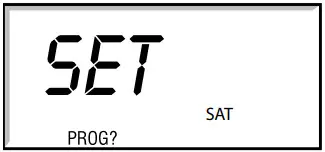
If you don’t want to alter either day, keep pressing SET? until the timeswitch goes back to normal operation.
SETTING THE CLOCK AND DATE
Applicable to all models
Setting the Clock
The clock in your timeswitch has been set at the factory, and automatically keeps time and date, even during power loss, and accounts for British Summer Time. However, should you wish to set the clock or date proceed as follows:
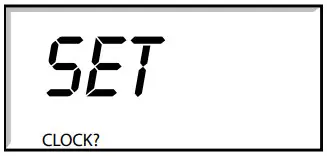
- Press the SET? button twice and you’ll see SET CLOCK?.
Set the hour
Press YES once, and then the hour will start to flash. Use the – and + buttons to set the hour, checking for AM and PM.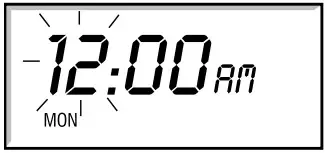
Set the minute
Press SET?, and the minutes will start to flash. Use the – and + buttons to set the exact time.
Press SET?, and ‘SET DATE?’ appears in the display.
If you want to change the date, then carry on to the next section.
If not, press SET? to go back to normal operation.
SETTING THE DATE
The weekday is automatically calculated from the date, so if the weekday is incorrect you’ll need to reset the date.
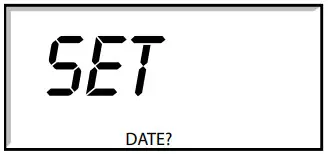
- Press the SET? button three times and you’ll see SET DATE?.
Set the year
Press YES and the year will start to flash. Use the – and + buttons to adjust.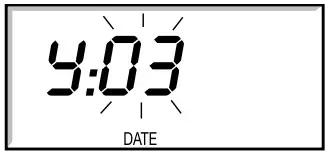 Set the month
Press SET? and the month will start to flash. Use the – and +buttons to adjust.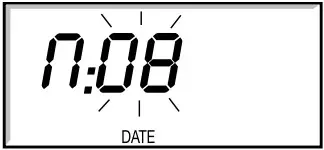
Set the day
Press SET? and the day will start to flash. Use the – and +buttons to adjust.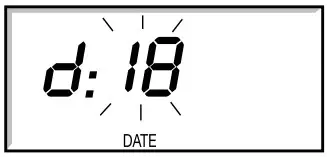
Set the Day Light Saving
Press SET? and the current DLS status will start to flash for day light saving (British Summer Time). Use the – and + buttons to turn on or off.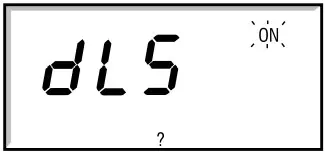
Press SET? to go back to normal operation.
Recycling Batteries, rechargeable or not, should not to be disposed of into ordinary household waste. Instead, they must be recycled properly to protect the environment and cut down the waste of precious resources.
Your local waste management authority can supply details concerning the proper disposal of batteries.
This product should not be disposed of with household waste. Please recycle the products where facilities for electronic waste exist. Check with your local authorities for recycling advice.
Schneider Electic
401 Southway Drive
Plymouth
PL6 6QT
United Kingdom
Technical: +44(0)333 6000 622
[email protected]
www.draytoncontrols.co.uk
 Our offices around the world
 Drayton Controls | Heating controls, TRVs and thermostats