hohem LZB
Foldable 3 Axis Gimbal Stabilizer
User Manual
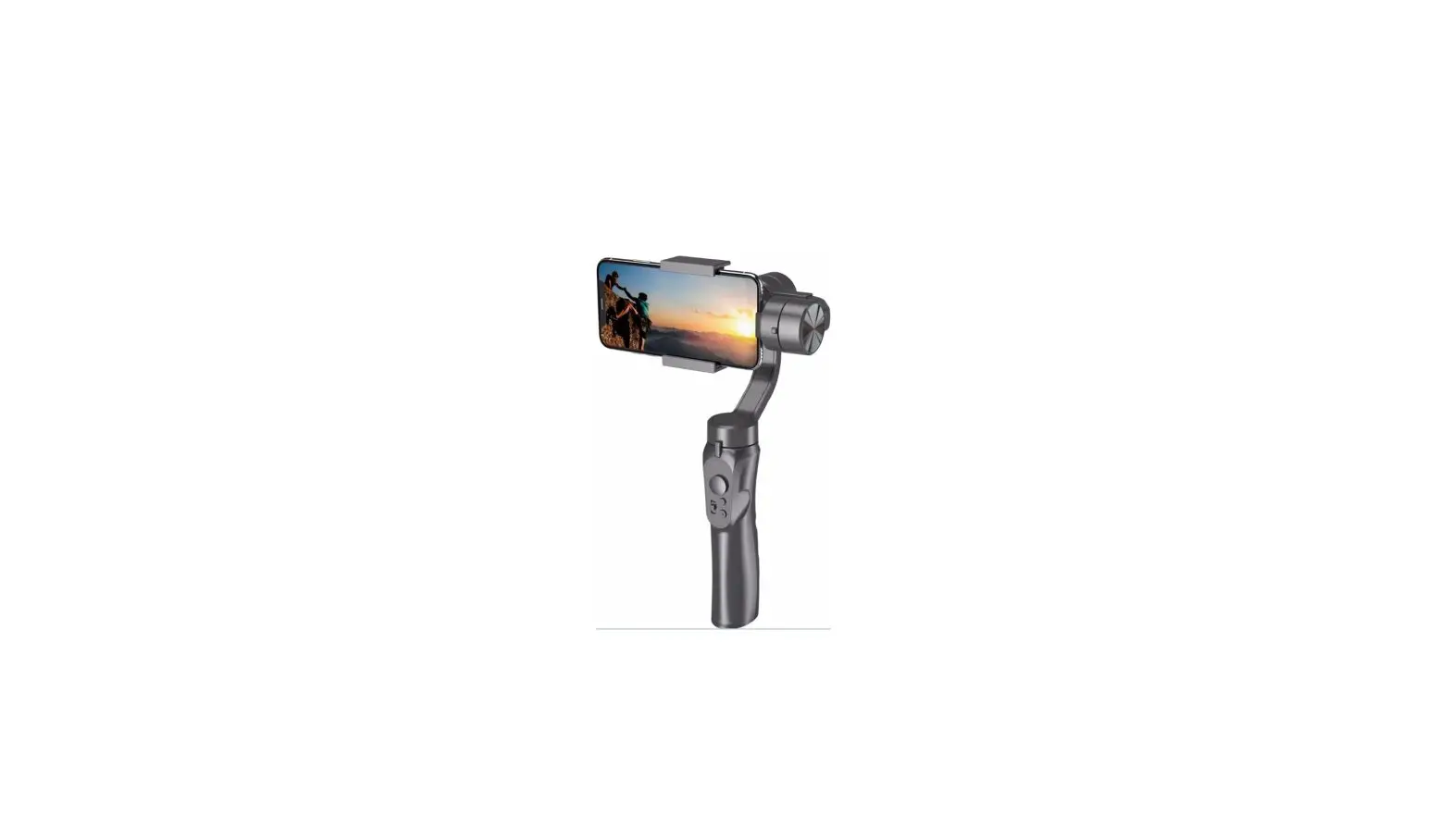
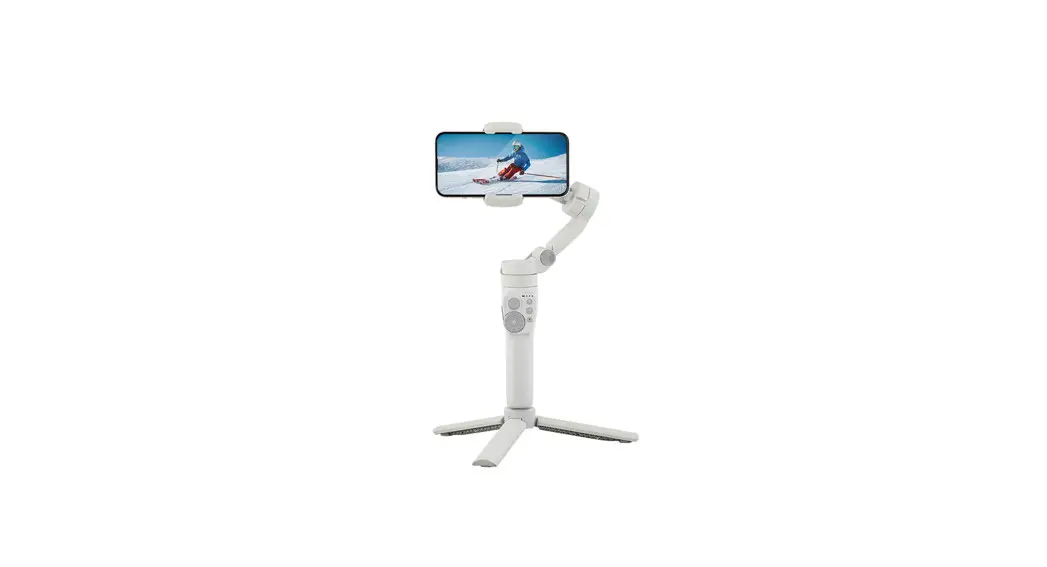
Foldable 3 axis gimbal stabilizer
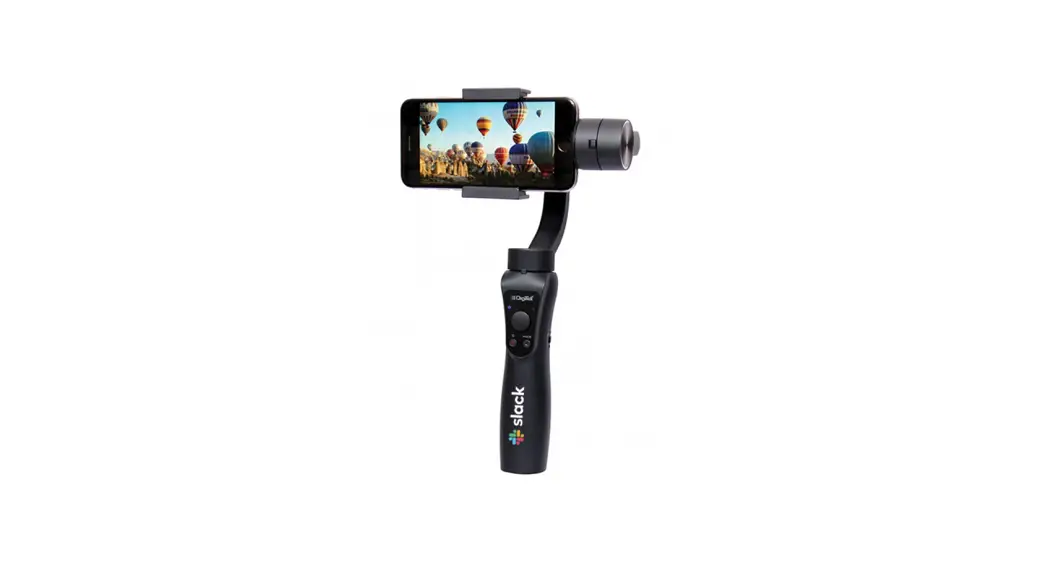
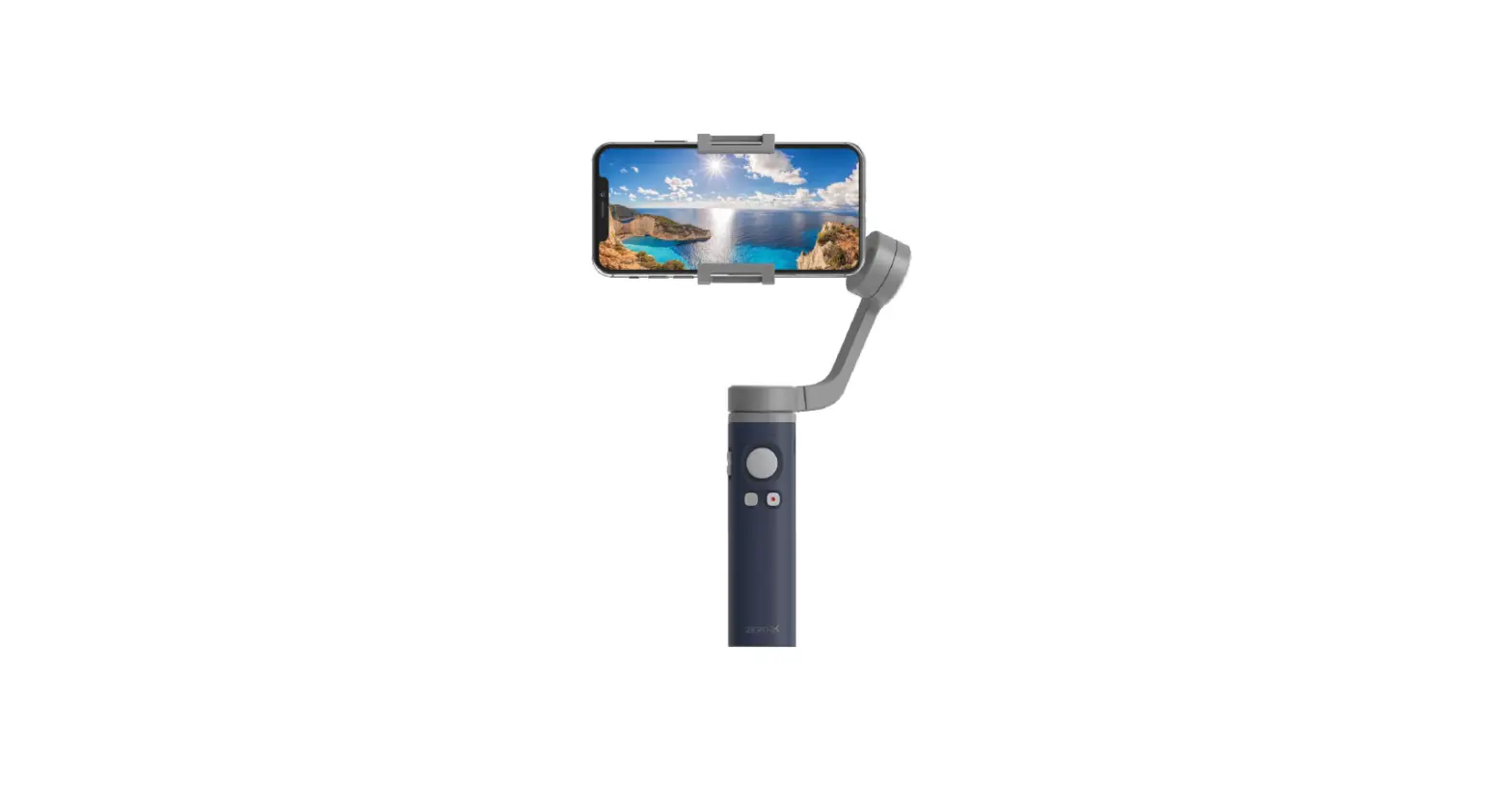
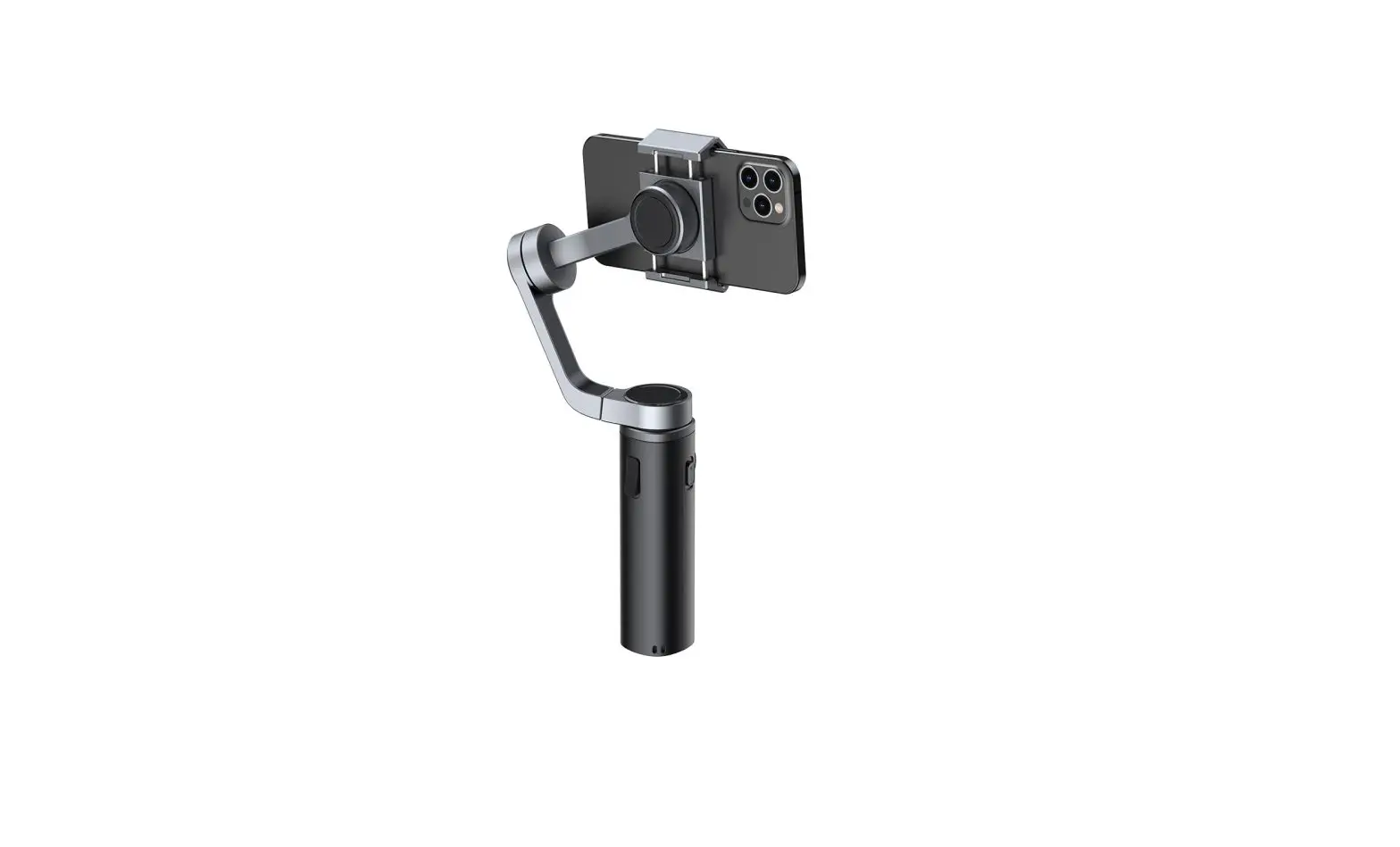
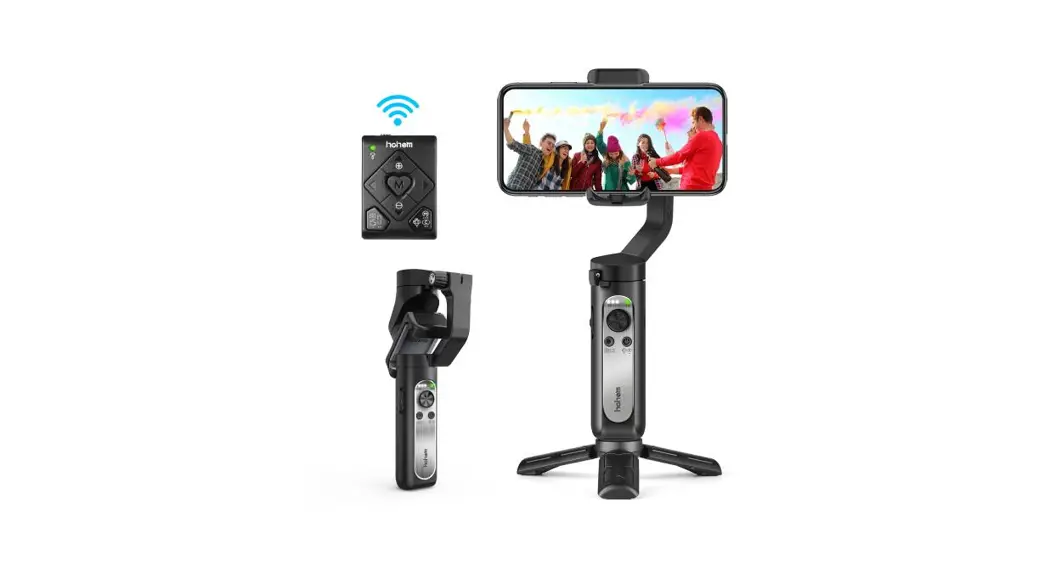
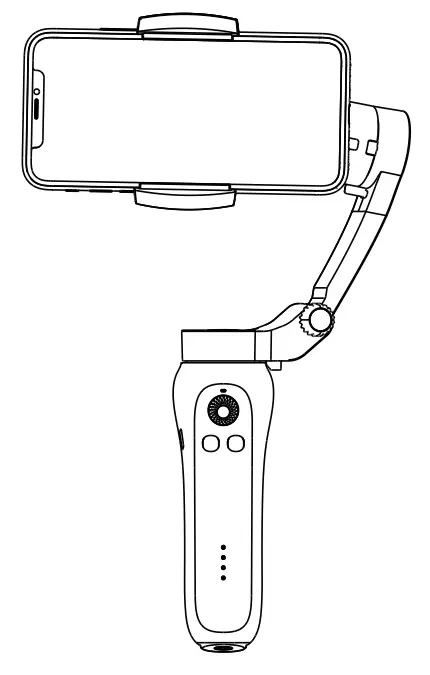
Foldable 3 axis gimbal stabilizer is a 3-axis gimbal for smartphones with small size, and foldable. It can be put in a pocket after folding. The foldable 3 axis gimbal stabilizer support horizontal and vertical shooting. After connecting to Bluetooth on smartphone, it can control the phone to shoot.
Get to know the Foldable 3 axis gimbal stabilizer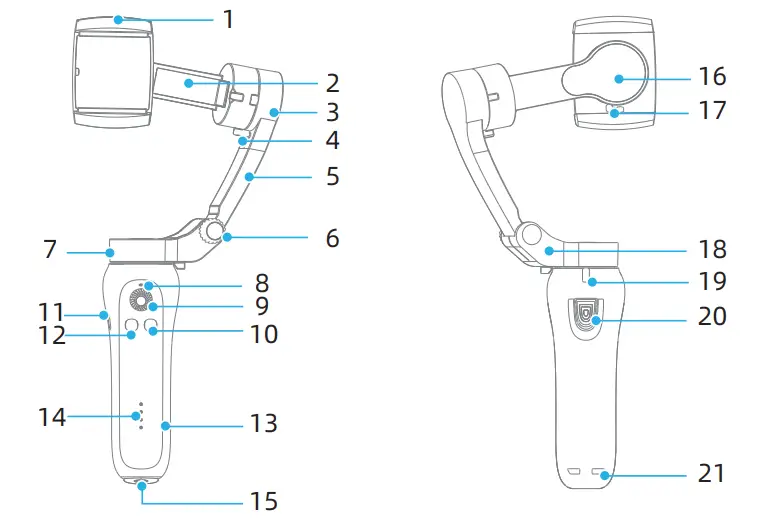
| 1. Smartphone clamp 2. Cross arm 3. Tilt axis 4. Tilt axis limitation 5. Vertical arm 6. Folding knob 7. Pan axis | 8. Bluetooth indicator 9. Joystick 10. Power / Function button limitation 11. Micro-USB Port 12. Mode button 13. Handle 14. Battery level indicator | 15. 1/4 Thread screw 16. Roll axis 17. Roll axis limitation 18. Pan arm 19. Pan axis limitation 20. Shutter button 21. Rope hole |
Operation
Notes:
- Please charge the gimbal fully, when you first use this product;
- Please turn off the power when you are not using it;
- Please unlock the three-axis limitation before powering on and using;
- Please install the phone horizontally;
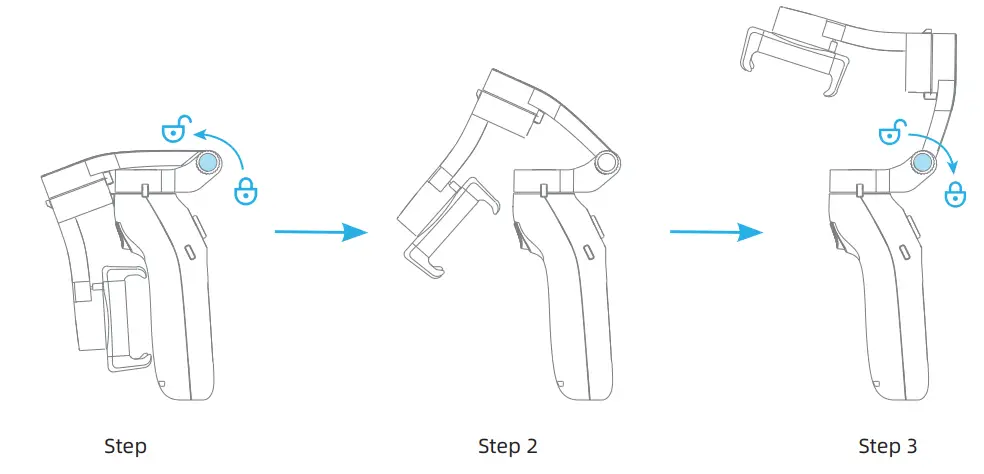
2.1 Folding&Unfolding
Unfolding
- Loosen the folding knob and tighten the knob after unfolding the vertical arm;
- Unlock the three-axis limitation;
Folding
- Lock the three-axis limitation;
- Loosen the folding knob, and tighten the knob after folding the vertical arm;
2.2 Charging
Use the cable to charge
| Charge state | Battery power |
| The first light flashes | 0%-25% |
| The first light is on, the second light flashes | 25%-50% |
| The first and second lights are on, the third light flashes | 50%-75% |
| The first three lights are on, the fourth light flashes | 75%-99% |
| Four lights are on | 100% |
2.3 Install the smartphone
Remove the phone case before installation, keep the phone screen horizontally and the phone camera face left.
Pull the smartphone clamp and put the phone into it, make sure the smartphone clamp in the middle of smartphone.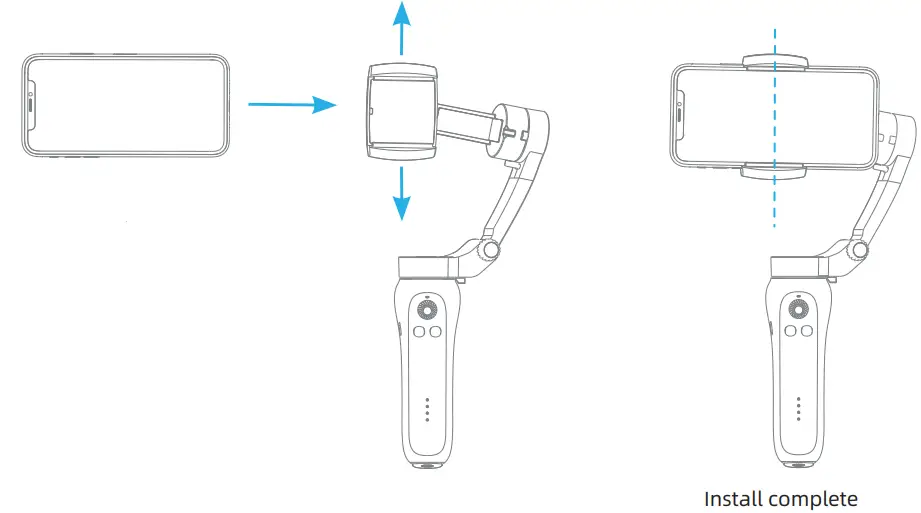
2.4 Power on/power off
Please unlock the limitation of the gimbal before powering on; Install the smartphone then power on;
Power on: press the function/power button for 3-4 seconds until the indicator light flashes blue;
Power off: press the function/power button for 3-4 seconds until the indicator light is off;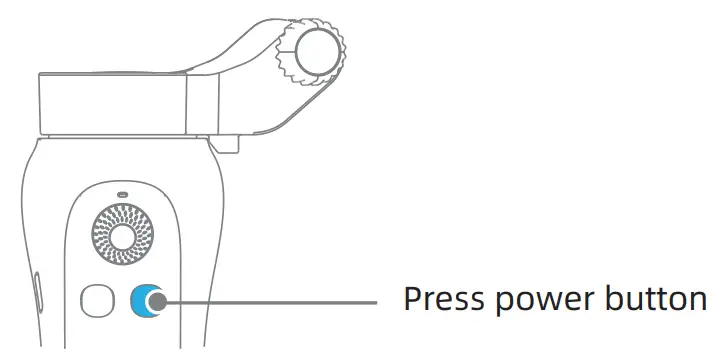 2.5 Horizontal and Vertical switching
Single press the power button to switch between horizontal and vertical shooting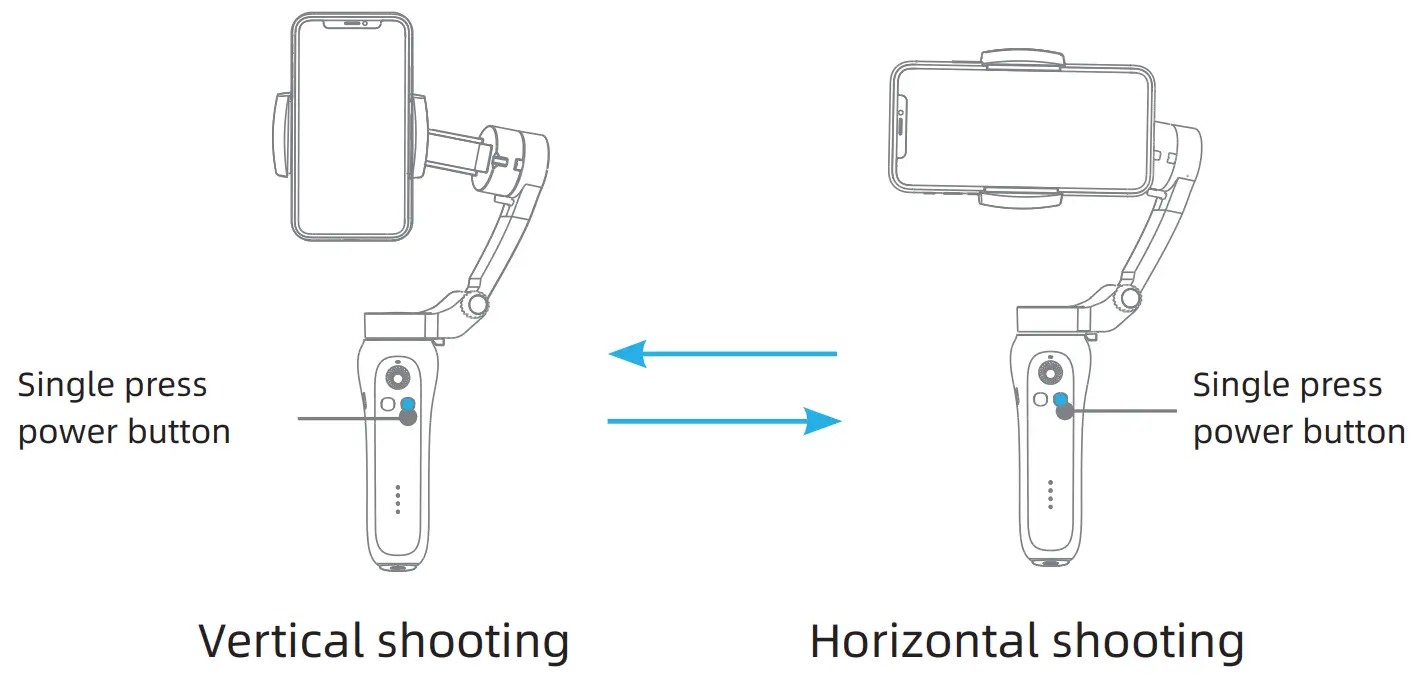
2.6 Phone screen back to original
Press the mode button two times to make the phone screen back to its original position. It’s working for both horizontal and vertical.
Download & connect the APP
3.1 Download APP
- Scan QR Code (For Android +iOS) and download the below APP for more functions;
 http://www.fhosafodsy432.com/2aebfja
Support both Android and IOS - Find the “Gimbal Pro” App on Google Play & APP Store
Android: Search and download “Gimbal Pro”in Google Play. IOS: Search and download “Gimbal Pro”in Apple store.

3.2 Connect APP
Turn on Bluetooth, get into the APP searching device, find the device name “STABILIZER-XXXXXX”, then click the device name to enter the camera interface.
APP Bluetooth name: STABILIZER-XXXXXX (Random six digits)
3.3 Using a smartphone camera
The smartphone camera also can work with a gimbal, turn on Bluetooth, and find the Bluetooth name”STABILIZER”in smartphone setting page to connect.
3.4 Shutter button operation
The shutter button can shoot video & photos when Bluetooth is connected.
Functional Operation
4.1 Switching stabilizer modes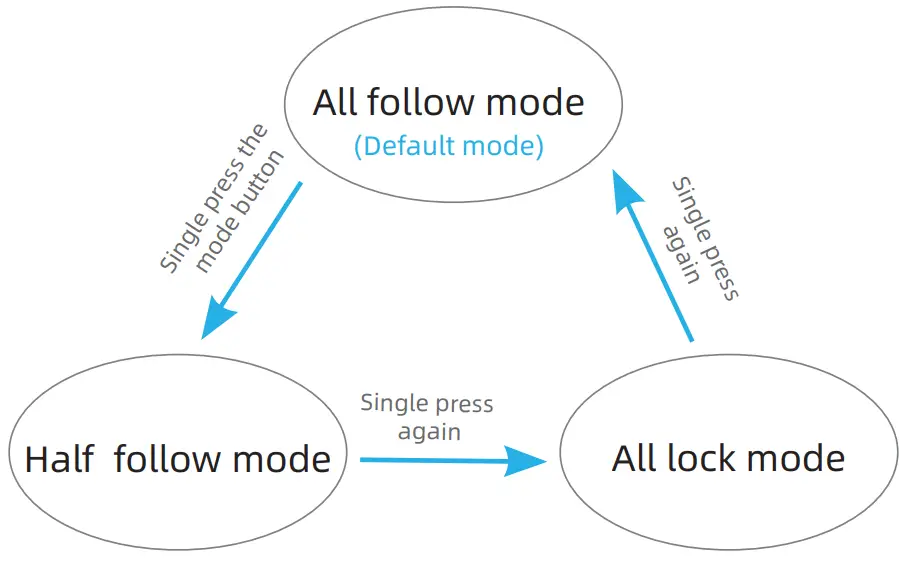 4.2 Operating modes
All follow mode(default mode when power on)
Definition: Roll axis is locked, the pan (left/right) and tilt(up/down) are following the movement of the handle;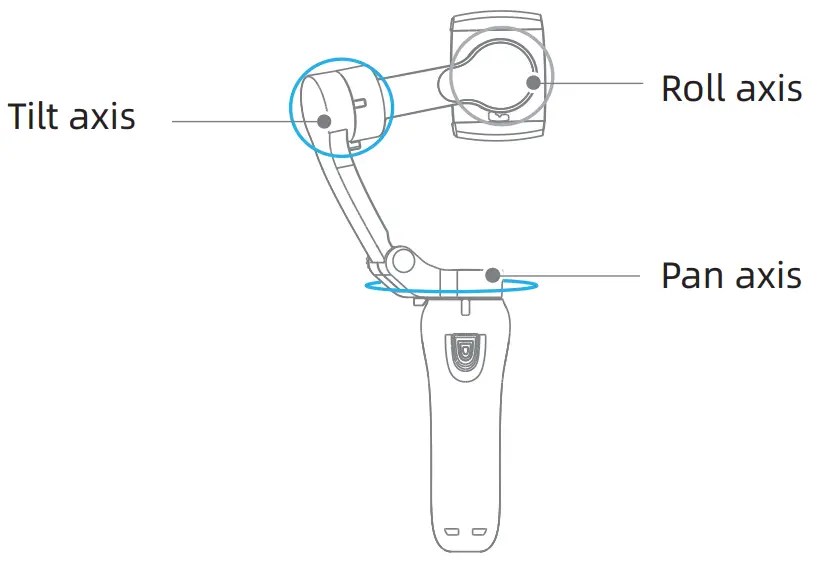
Half follow mode:
DefinitionTilt & Roll axis is locked. Pan axis rotates (left/right) smoothly with the handle;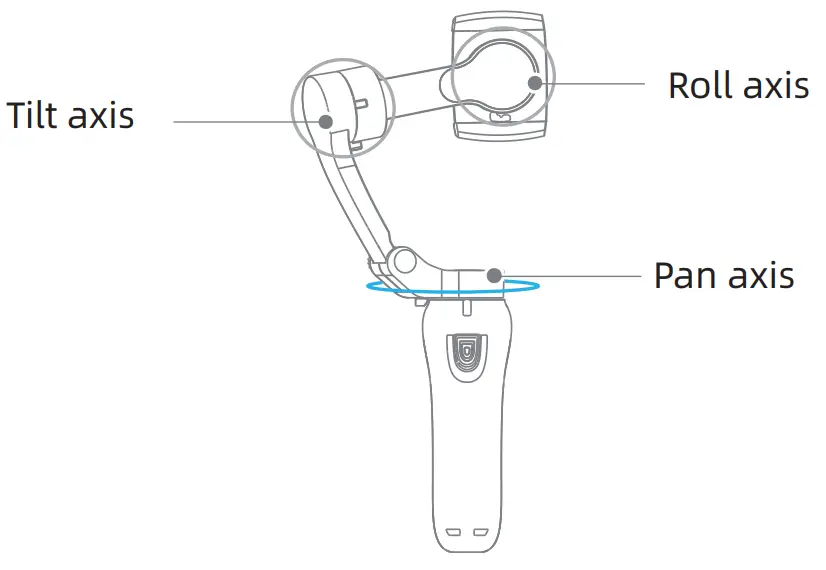
Lock mode:
DefinitionPan, Tilt, and Roll axis are all locked. The camera keeps still and stable, which means the camera cannot follow the movement of the handle.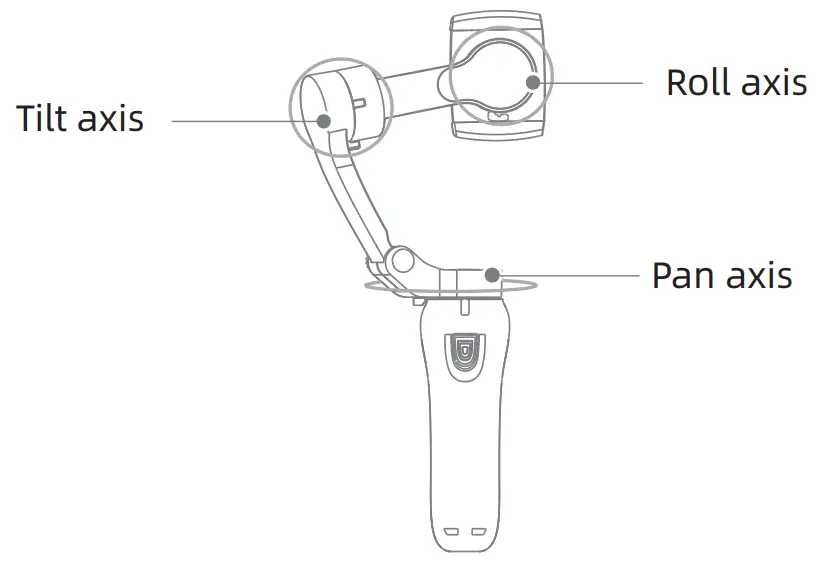
Flip to lock
Move the pan or tilt axis to a certain direction then lock, which is convenient for a fast and accurate position.
4.3 Power button operation
| Power button operate | Function Description |
| Single press | Vertical&horizontal switch |
| Press two times | Camera direction switch |
| Press three times | Photo/Video shooting switch |
4.4 Mode button operation
| Mode Button operate | Function Description |
| Single press | Three modes switch |
| Press two times | Gimbal back to original |
4.5 Indicator light instruction
| Indicator light status | Instruction |
| Bluetooth light blinks long&short switch | Communication failure |
| Bluetooth light is on | Pressing the power button |
| Bluetooth light is fast flashing | In process of action back to original, mode switch, calibration, overload protection |
| Bluetooth light is on | Bluetooth connected |
| Bluetooth light is slow flashing | Bluetooth unconnected |
| A flicker of the power indicator (from bottom to top) | Battery power |
| The first light is flashing | 0%-25% |
| The first light is on, the second light is flashing | 25%-50% |
| The first and second lights are on, the third light flashes | 50%-75% |
| The first three lights are on, the fourth light is flashing | 75%-99% |
| Four lights are on | 100% |
Product Specification
| Tilt Angle | 160° |
| Roll Angle | 325° |
| Pan Angle | 340° |
| Net Weight | 348g |
| Max Payload | 280g |
| Working Temperature | 0C°-40C° |
| Controllable Tile Angle | +30°/-30° |
| Controllable Roll Angle | +90°/-90° |
| Controllable Pan Angle | +240°/-100° |
| Working Voltage | 3.4~4.2V(Standard 3.7V) |
| Compatible Smartphone | Width :55mm-90mm |
| Compatible Range | Diagonal:≤180mm Thickness:55-90mm Width:≤9.5mm |
| Working Currency | 150~3000mA(Standard 1500mA) |
| Gimbal Dimension | Unfold:260mm*130mm*88mm Folded:152mm*110mm*46.6mm |
| Charging Time | 3H |
| Working Time | 4.5-5H |
| Face Tracking | yes |
| APP | yes |
| Input Voltage | 5V |
| Input Currency | 1A |
Cautions
- Ensure the motor rotation is not blocked by an external force during and after the stabilizer is powered on;
- Please do not contact with seawater or corrosive liquid, if the stabilizer is unmarked waterproof.
- Please do not disassemble the stabilizer (except for the detachable accessories in the manual);
- If the motor works continuously for a long time, the surface temperature of the motor may be too high.
- It is strictly forbidden to drop or collide with the stabilizer, which may damage it and cause abnormal operation;
Storage and maintenance
- Please keep this product and battery away from children and pets;
- It is forbidden to put the product and battery near the heat source (furnace or heater, etc.) and in the car at hot weather;
- Please store the product and battery in a dry environment;
- Do not overcharge or discharge the battery, otherwise, the battery cell will be damaged;
- Do not use the product and battery in an environment with too high or too low temperature;
FCC caution
Any changes or modifications not expressly approved by the party responsible for compliance could void the user’s authority to operate the equipment. This device complies with part 15 of the FCC Rules. Operation is subject to the following two conditions: (1) This device may not cause harmful interference, and (2) this device must accept any interference received, including interference that may cause undesired operation.
FCC RF Radiation Exposure Statement:
- This Transmitter must not be co-located or operating in conjunction with any other antenna or transmitter.
- This equipment complies with RF radiation exposure limits set forth for an uncontrolled environment.
The device has been evaluated to meet general RF exposure requirements. The device can be used in portable exposure conditions without restriction.
Note: This equipment has been tested and found to comply with the limits for a Class B digital device, pursuant to part 15 of the FCC Rules. These limits are designed to provide reasonable protection against harmful interference in a residential installation. This equipment generates, uses, and can radiate radio frequency energy and, if not installed and used in accordance with the instructions, may cause harmful interference to radio communications. However, there is no guarantee that interference will not occur in a particular installation. If this equipment does cause harmful interference to radio or television reception, which can be determined by turning the equipment off and on, the user is encouraged to try to correct the interference by one or more of the following measures:
–Reorient or relocate the receiving antenna.
–Increase the separation between the equipment and receiver.
–Connect the equipment into an outlet on a circuit different from that to which the receiver is connected.
–Consult the dealer or an experienced radio/TV technician for help.