 Connectronics CTX-SDI2SDI12G Dual-Link Converter
 Connectronics CTX-SDI2SDI12G Dual-Link Converter
FEATURE
- Quad-Link 2 Sample Interleave ( 2SI ) Input Supported
- Quad-Link 3G-SDI Input Supported
- Dual-Link 6G-SDI Input Supported
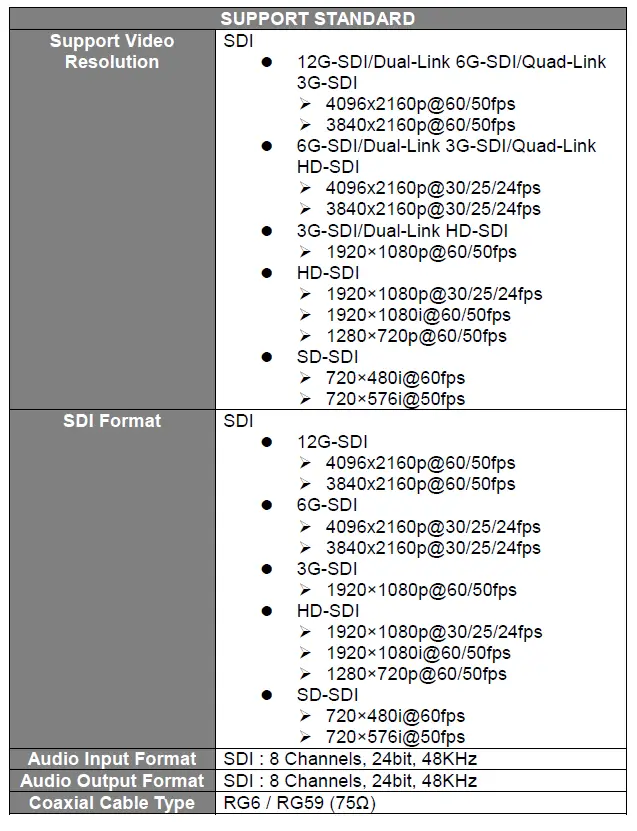
- Multi-Standard Support ( 12G/6G/3G/HD/SD-SDI )
- 3G-SDI Level A/B-Dual Link/B-Dual stream Support

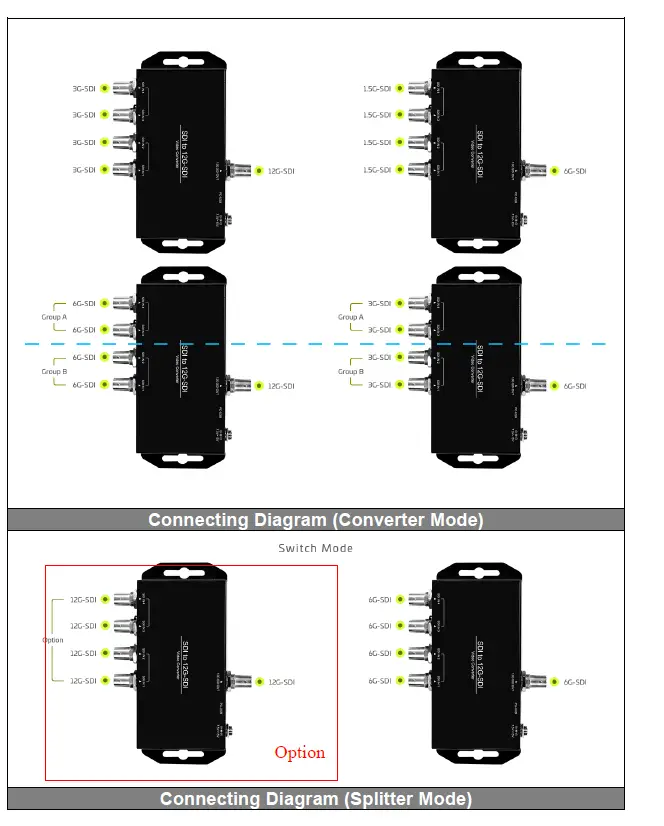
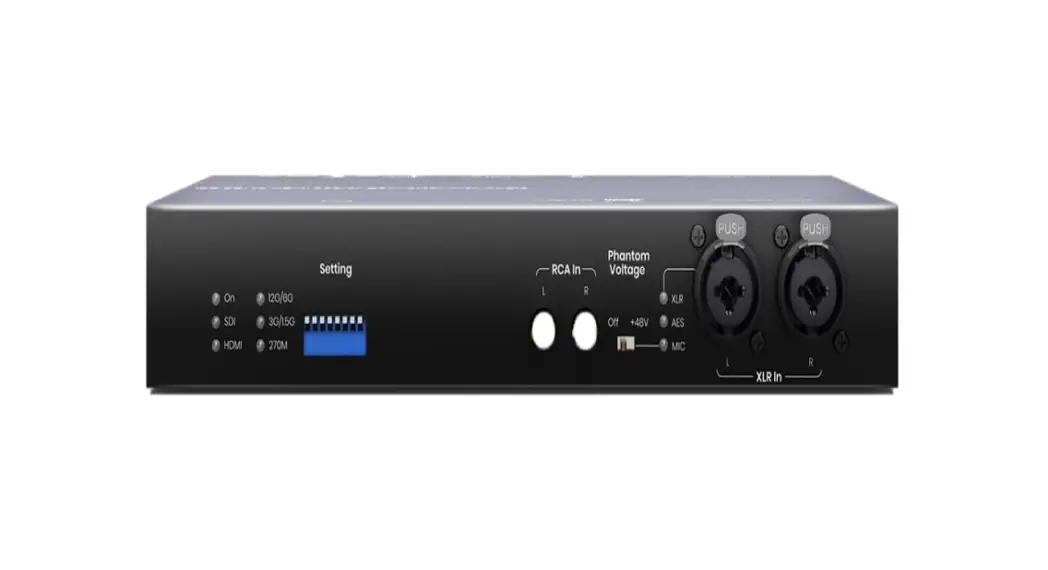
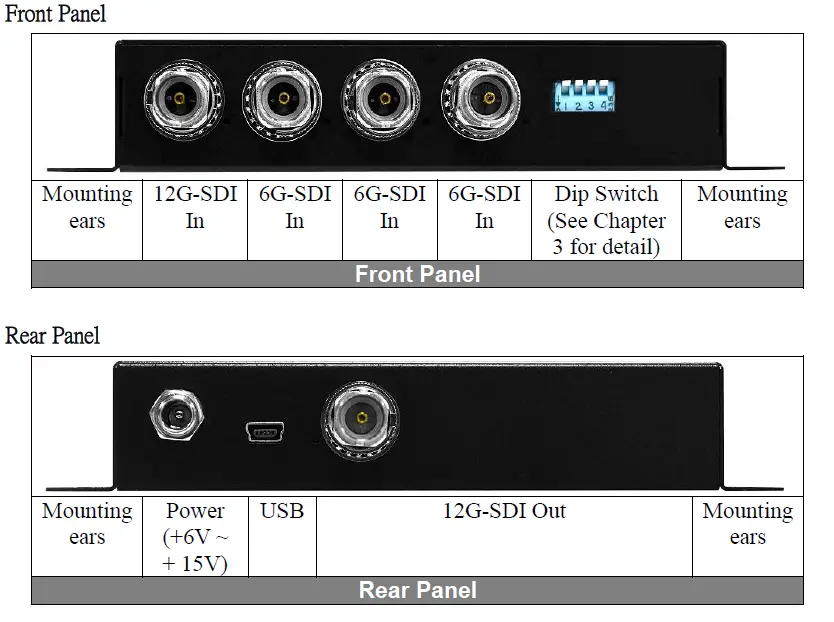
PANEL
DIP SWITCH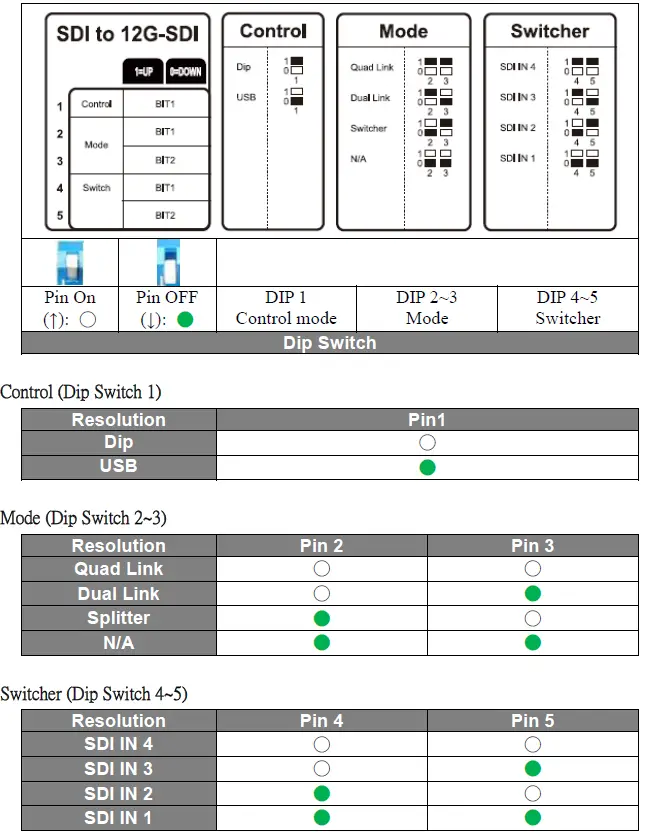
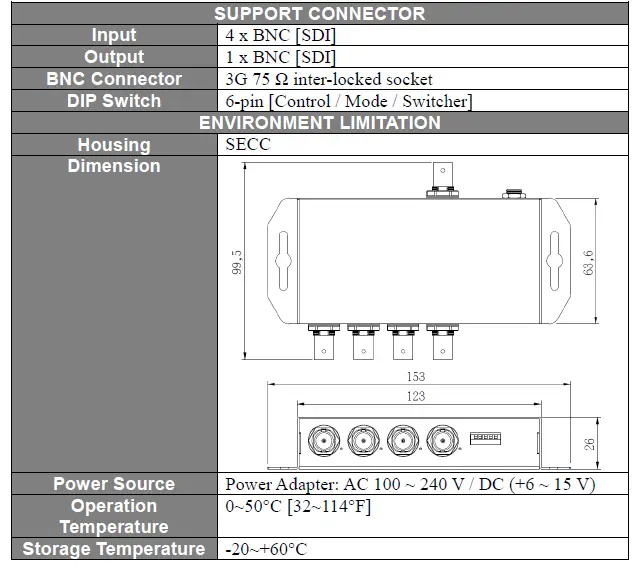
SPECIFICATION

FIRMWARE UPLOAD
Firmware is upgradable in the field using the integrated USB port
Firmware Upgrade
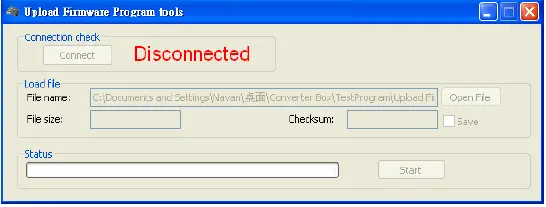
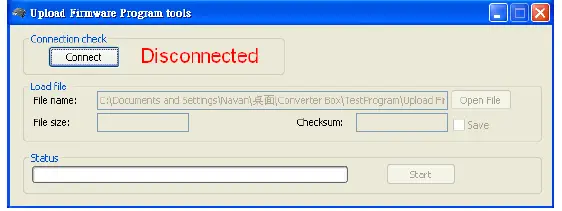
- Open Upload Firmware Program tools.exe and connect box to PC by USB Cable.

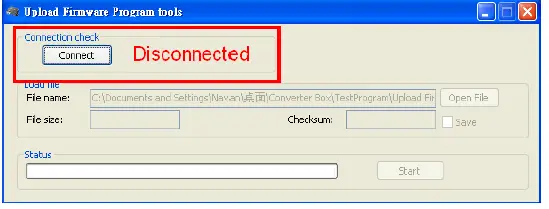
- Plug and un-plug “DC adapter” to power on/off the converter box (the connection check status will be changed to “Connect”)

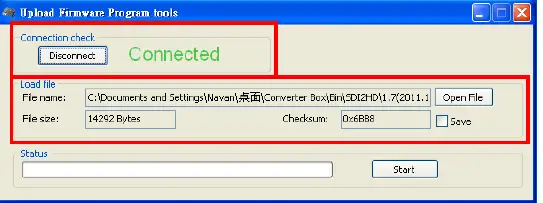
- Plug and un-plug “DC adapter” again (the connection check status will be changed to “Connected”) and Please click the Open File button to select the firmware bin file.

- Please click “Start’ Button to proceed with new firmware programming. The PASS message will appear when the procedures finished.
- Close Upload Firmware Program tools

Version
V1.00
- Initial version
V1.10
- Update connection diagram
V1.20
- Update photo
- Update name