RHFAD128 GUI Rad-Hard 8-Channel 12-bit A-D Converter
Product Information
Product Name: RHFAD128 GUI
Model Number: UM3165
Revision: 1
Date: May 2023
System Requirements
| Component | Description |
|---|---|
| NUCLEO-L476RG | STM32 Nucleo development board with USB data support |
| Mini-B USB cable | Cable for connecting the NUCLEO-L476RG to the laptop |
| AKI_BIN_for_NucleoL476RG | Binary file to be uploaded in the Nucleo board |
| RHFAD128_GUI | Software for Nucleo RHFAD graphical user interface |
| EVAL-RHFAD128V2 | RHFAD128 evaluation board |
| Windows OS | Operating system for running the software |
| SW for Nucleo connection | Software for Nucleo board connection |
Hardware Configuration
Connect the EVAL-RHFAD128V2 to the Nucleo using the SPI
connectors.
Software Configuration
To configure the software, follow these steps:
- Connect the NUCLEO-L476RG to the laptop using a Mini-B USB
cable. - Ensure that STLINK is installed and up to date.
- Launch the RHFAD128_GUI by unzipping the RHFAD128_GUI.zip
folder and running the RHFAD128_GUI.exe file. - Upload the binary file (AKI_Bin_for_NUCLEOL476RG.bin) into the
STM32 Nucleo board. Connect the Nucleo board to the PC using a USB
Mini-B cable, and drag and drop the binary file to the Nucleo
board.
Product Usage Instructions
Use of the GUI
To use the RHFAD128_GUI, follow these steps:
- In the RHFAD128_GUI folder, click on the RHFAD128_GUI.exe file
to open the GUI. The device selection window will appear. - Select the desired device from the window.
Troubleshooting
Device not found
If the Nucleo board is not detected, follow these steps:
- Ensure that the appropriate Nucleo board is connected.
- Check if STLINK is installed and up to date.
- Disconnect any other Nucleo boards connected to the
computer. - Click on OK.
Connection issue
If there is an issue with the connection or reading the device,
follow these steps:
- Close the GUI.
- Disconnect and reconnect the Nucleo board.
- Restart the GUI.
- If the problem persists, check if the board is correctly
connected.
List of Acronyms
| Term | Meaning |
|---|---|
| GUI | Graphical user interface |
Revision History
Date: 29-May-2023
UM3165
User manual
The RHFAD128 GUI
Introduction
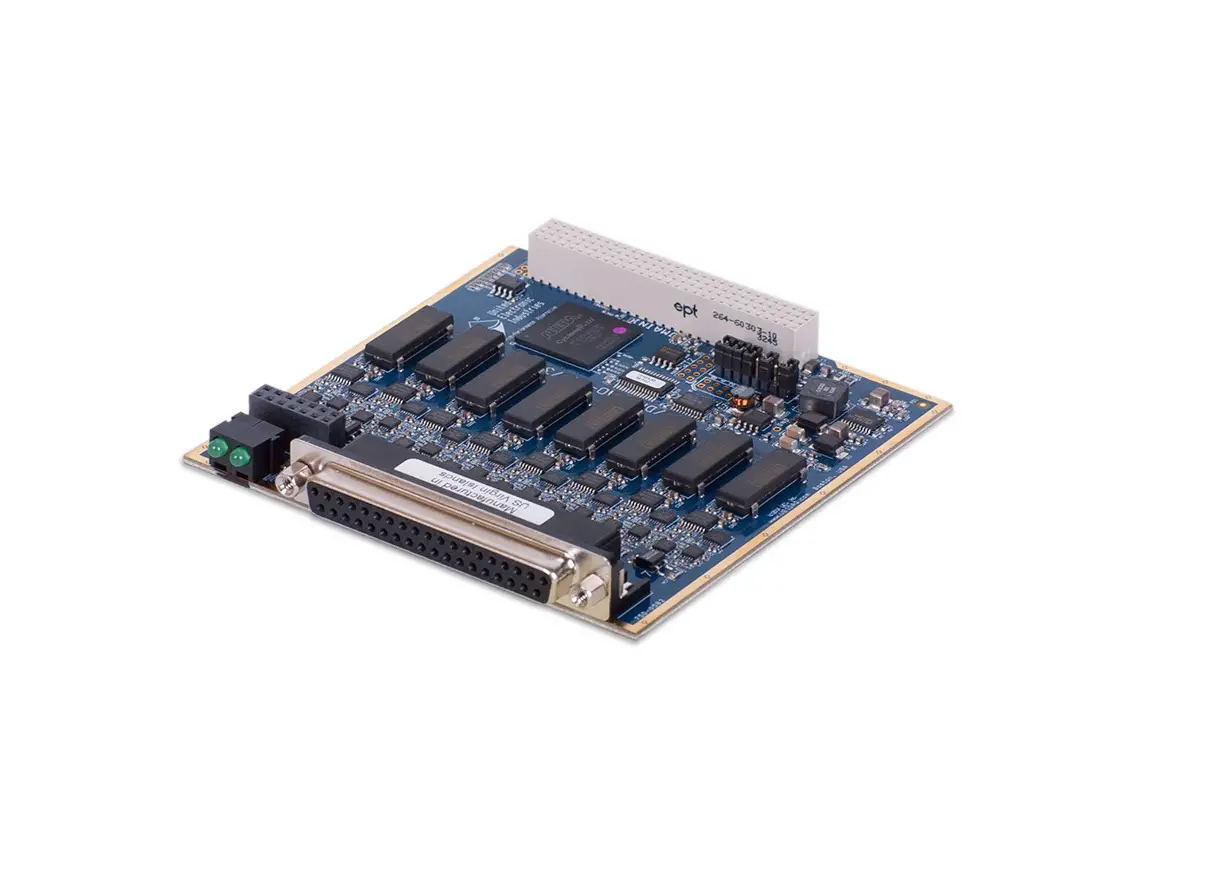
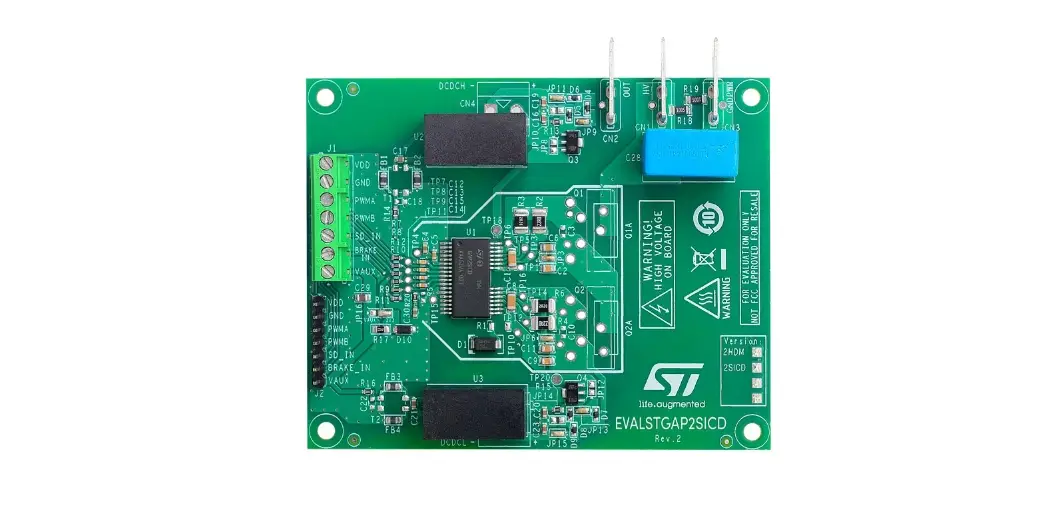
The RHFAD128 is specifically designed to sustain ionizing dose and heavy ions for space applications by using a high-end proven CMOS technology. This device is a low-power, multiplexed eight-channel 12-bit analog-to-digital converter for conversion from 50 ksps to 1 Msps. The architecture is based on the successive-approximation register with internal track-and-hold. The RHFAD128 features 8 analog inputs that can be programmed to be either 8 single-ended or 4 differential inputs using the control register bits. The output serial data are straight binary and are compatible with SPI. EVAL-RHFAD128V2 is the evaluation board of the RHFAD128. This board can be connected to a NUCLEO-L476RG and be monitored with a graphical user interface (GUI): the RHFAD128_GUI.
UM3165 – Rev 1 – May 2023 For further information contact your local STMicroelectronics sales office.
www.st.com
1
1.1
1.2
1.2.1
Getting started
System requirements
The RHFAD128_GUI software needs the following system requirements to perform:
Table 1. System requirements
NUCLEO-L476RG Mini-B USB cable AKI_BIN_for_NucleoL476RG RHFAD128_GUI EVAL-RHFAD128V2 Operating system STSW-LINK009
Main components STM32 Nucleo development board With USB data support Software for Nucleo RHFAD graphical user interface RHFAD128 evaluation board Windows OS SW for Nucleo connection
Hardware configuration
RHFAD128 (EVAL-RHFAD128V2)
Figure 1. EVAL-RHFAD128V2
UM3165
Getting started
UM3165 – Rev 1
page 2/14
UM3165
Software configuration
Connect the EVAL-RHFAD128V2 to the Nucleo using the following pinout.
Figure 2. SPI connectors on the EVAL-RHFAD128V2 and the pinout for the connection to the Nucleo
1.3
1.3.1
Software configuration
Nucleo connection 1 – Connect the NUCLEO-L746RG to the laptop using a Mini-B USB cable:
Figure 3. NUCLEO-L476RG used to run the GUI
2 – Please make sure that STLINK is installed and up to date:
UM3165 – Rev 1
page 3/14
Figure 4. STLINK must be installed
UM3165
Software configuration
3 – Launch the RHFAD128_GUI a. Unzip the zipped folder RHFAD128_GUI.zip
Figure 5. There are two documents: RHFAD128_GUI folder containing the RHFAD128_GUI.exe to launch on the laptop – AKI_Bin_for_NucleoL476RG.bin to upload in the Nucleo
4 – Upload the binary into the STM32 Nucleo board
Connect the Nucleo board to the PC using a USB Mini-B cable, drag and drop the binary file to the Nucleo board (NODE_L476RG)
·
use the binary file: AKI_Bin_for_NUCLEOL476RG.bin
Figure 6. This file must be uploaded in the Nucleo
UM3165 – Rev 1
page 4/14
2
Use of the GUI
In the RHFAD128_GUI folder, click on the RHFAD128_GUI.exe file to open the GUI. The following window must appear.
Figure 7. Device selection window
UM3165
Use of the GUI
UM3165 – Rev 1
page 5/14
Figure 8. RHFAD128_GUI interface
UM3165
Use of the GUI
Table 2. SPI speed used by the GUI to communicate with the RHFAD128
Product RHFAD128
SPI speed used by the GUI 500 Msps
UM3165 – Rev 1
page 6/14
3
Troubleshooting
3.1
Device not found
Figure 9. Device not found window
UM3165
Troubleshooting
Issue:
·
The Nucleo board is not detected
Resolution:
·
Please connect the appropriate Nucleo board
·
Be sure that STLINK is installed and up to date
·
It is also better to have only one Nucleo board connected to the computer
·
Then click on “OK”.
UM3165 – Rev 1
page 7/14
3.2
Connection issue
Figure 10. Connection issue message
UM3165
Connection issue
Issue:
·
In case of unwanted disconnection or a problem in reading the device, the message “Connection issue”
appears in the Single read mode communication box.
Resolution:
·
Close the GUI and disconnect/reconnect the Nucleo board and restart the GUI
·
If the problem persists, check if the board is correctly connected.
UM3165 – Rev 1
page 8/14
4
List of acronyms
Term GUI
Table 3. List of acronyms Meaning
Graphical user interface
UM3165
List of acronyms
UM3165 – Rev 1
page 9/14
Revision history
Date 29-May-2023
Table 4. Document revision history
Version 1
Initial release.
Changes
UM3165
UM3165 – Rev 1
page 10/14
UM3165
Contents
Contents
1 Getting started . . . . . . . . . . . . . . . . . . . . . . . . . . . . . . . . . . . . . . . . . . . . . . . . . . . . . . . . . . . . . . . . . . . .2 1.1 System requirements . . . . . . . . . . . . . . . . . . . . . . . . . . . . . . . . . . . . . . . . . . . . . . . . . . . . . . . . . . . 2 1.2 Hardware configuration . . . . . . . . . . . . . . . . . . . . . . . . . . . . . . . . . . . . . . . . . . . . . . . . . . . . . . . . . 2
1.2.1 RHFAD128 (EVAL-RHFAD128V2) . . . . . . . . . . . . . . . . . . . . . . . . . . . . . . . . . . . . . . . . . . . 2 1.3 Software configuration . . . . . . . . . . . . . . . . . . . . . . . . . . . . . . . . . . . . . . . . . . . . . . . . . . . . . . . . . . 3
1.3.1 Nucleo connection . . . . . . . . . . . . . . . . . . . . . . . . . . . . . . . . . . . . . . . . . . . . . . . . . . . . . . . 3
2 Use of the GUI . . . . . . . . . . . . . . . . . . . . . . . . . . . . . . . . . . . . . . . . . . . . . . . . . . . . . . . . . . . . . . . . . . . . .5 3 Troubleshooting . . . . . . . . . . . . . . . . . . . . . . . . . . . . . . . . . . . . . . . . . . . . . . . . . . . . . . . . . . . . . . . . . . .7
3.1 Device not found . . . . . . . . . . . . . . . . . . . . . . . . . . . . . . . . . . . . . . . . . . . . . . . . . . . . . . . . . . . . . . . 7 3.2 Connection issue. . . . . . . . . . . . . . . . . . . . . . . . . . . . . . . . . . . . . . . . . . . . . . . . . . . . . . . . . . . . . . . 8 4 List of acronyms. . . . . . . . . . . . . . . . . . . . . . . . . . . . . . . . . . . . . . . . . . . . . . . . . . . . . . . . . . . . . . . . . . .9 Revision history . . . . . . . . . . . . . . . . . . . . . . . . . . . . . . . . . . . . . . . . . . . . . . . . . . . . . . . . . . . . . . . . . . . . . . .10
UM3165 – Rev 1
page 11/14
UM3165
List of tables
List of tables
Table 1. Table 2. Table 3. Table 4.
System requirements . . . . . . . . . . . . . . . . . . . . . . . . . . . . . . . . . . . . . . . . . . . . . . . . . . . . . . . . . . . . . . . . . 2 SPI speed used by the GUI to communicate with the RHFAD128 . . . . . . . . . . . . . . . . . . . . . . . . . . . . . . . . . . . 6 List of acronyms . . . . . . . . . . . . . . . . . . . . . . . . . . . . . . . . . . . . . . . . . . . . . . . . . . . . . . . . . . . . . . . . . . . . 9 Document revision history . . . . . . . . . . . . . . . . . . . . . . . . . . . . . . . . . . . . . . . . . . . . . . . . . . . . . . . . . . . . . 10
UM3165 – Rev 1
page 12/14
UM3165
List of figures
List of figures
Figure 1. Figure 2. Figure 3. Figure 4. Figure 5.
Figure 6. Figure 7. Figure 8. Figure 9. Figure 10.
EVAL-RHFAD128V2 . . . . . . . . . . . . . . . . . . . . . . . . . . . . . . . . . . . . . . . . . . . . . . . . . . . . . . . . . . . . . . . . 2 SPI connectors on the EVAL-RHFAD128V2 and the pinout for the connection to the Nucleo. . . . . . . . . . . . . . . 3 NUCLEO-L476RG used to run the GUI . . . . . . . . . . . . . . . . . . . . . . . . . . . . . . . . . . . . . . . . . . . . . . . . . . . 3 STLINK must be installed. . . . . . . . . . . . . . . . . . . . . . . . . . . . . . . . . . . . . . . . . . . . . . . . . . . . . . . . . . . . . 4 There are two documents: RHFAD128_GUI folder containing the RHFAD128_GUI.exe to launch on the laptop AKI_Bin_for_NucleoL476RG.bin to upload in the Nucleo . . . . . . . . . . . . . . . . . . . . . . . . . . . . . . . . . . . . . . . 4 This file must be uploaded in the Nucleo . . . . . . . . . . . . . . . . . . . . . . . . . . . . . . . . . . . . . . . . . . . . . . . . . . 4 Device selection window . . . . . . . . . . . . . . . . . . . . . . . . . . . . . . . . . . . . . . . . . . . . . . . . . . . . . . . . . . . . . 5 RHFAD128_GUI interface . . . . . . . . . . . . . . . . . . . . . . . . . . . . . . . . . . . . . . . . . . . . . . . . . . . . . . . . . . . . 6 Device not found window . . . . . . . . . . . . . . . . . . . . . . . . . . . . . . . . . . . . . . . . . . . . . . . . . . . . . . . . . . . . . 7 Connection issue message . . . . . . . . . . . . . . . . . . . . . . . . . . . . . . . . . . . . . . . . . . . . . . . . . . . . . . . . . . . 8
UM3165 – Rev 1
page 13/14
UM3165
IMPORTANT NOTICE READ CAREFULLY STMicroelectronics NV and its subsidiaries (“ST”) reserve the right to make changes, corrections, enhancements, modifications, and improvements to ST products and/or to this document at any time without notice. Purchasers should obtain the latest relevant information on ST products before placing orders. ST products are sold pursuant to ST’s terms and conditions of sale in place at the time of order acknowledgment. Purchasers are solely responsible for the choice, selection, and use of ST products and ST assumes no liability for application assistance or the design of purchasers’ products. No license, express or implied, to any intellectual property right is granted by ST herein. Resale of ST products with provisions different from the information set forth herein shall void any warranty granted by ST for such product. ST and the ST logo are trademarks of ST. For additional information about ST trademarks, refer to www.st.com/trademarks. All other product or service names are the property of their respective owners. Information in this document supersedes and replaces information previously supplied in any prior versions of this document.
© 2023 STMicroelectronics All rights reserved
UM3165 – Rev 1
page 14/14
 STMicroelectronics: Our technology starts with you