KTD2690 Single Flash LED Driver
Product Information
| Product Name | KTD2690 EVAL Kit |
|---|---|
| Part Number | KTD2690EVAB-MMEV01 |
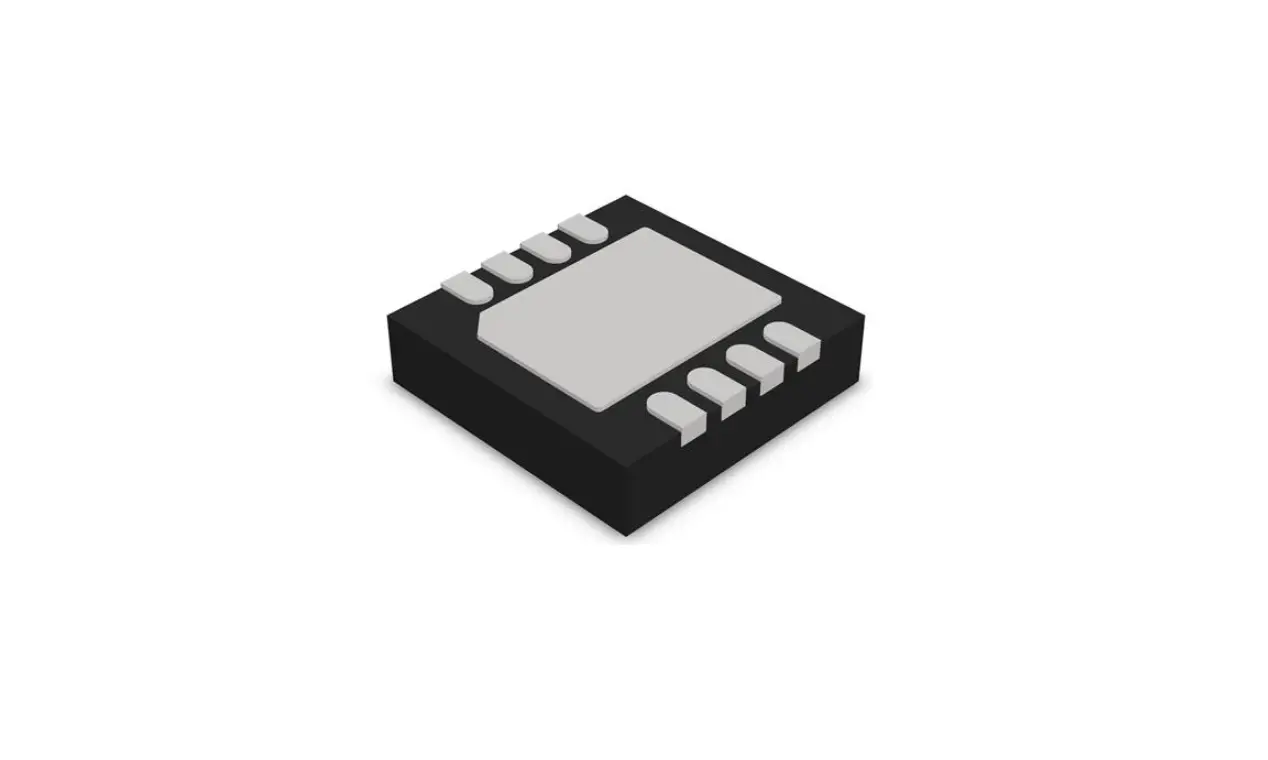
| IC Package | UDFN22-10 |
| Description | KTD2690 is a single flash LED driver with a programmable 1.5A current source. The EVAL Kit is used to demonstrate and evaluate the functionality, performance, and PCB layout of the KTD2690 in UDFN package. |
Product Usage Instructions
- Ensure that the following user-supplied equipment is
available:
- – VIN, VOUT, LED LX power supply with a voltage range of 2.7V
to 5.5V
- – Graphical User Interface (GUI) software
- – VIN, VOUT, LED LX voltage: 2.7V to 5.5V
| Designator | Name | Description | Default |
|---|---|---|---|
| P1 | VIN_I2C | Jumper to connect the LED (D1). To use the on-board LED (D1), the jumper is present. To use an external LED, the jumper is removed. | Open |
| P3 | STROBE | Jumper to short the 0.1 sense resistor (R3). When the jumper is not present, measuring the voltage across P5 testpoints allows calculating the LED current ILED = VP5 / 0.1. | LED open |
Follow the Quick-Start Procedures in the user manual for more
detailed instructions on using the EVAL Kit and the Graphical User
Interface (GUI) software.
Graphical User Interface (GUI) Window
To Check the I2C Connection to the Device:
- Open the GUI software.
- Follow the instructions in the user manual for checking the I2C
connection to the KTD2690 device.
To Turn on Flash Mode by I2C Command for 1000ms Duration at
375mA Flash Current:
- Open the GUI software.
- Follow the instructions in the user manual for turning on the
flash mode using the I2C command.
Note: Refer to the Electrical Schematic and Bill of Materials
(BOM) in the user manual for additional technical information about
the EVAL Kit.
EVAL Kit Manual
KTD2690
Single Flash LED Driver with Programmable 1.5A Current Source
Brief Description
The KTD2690 Evaluation (EVAL) Kit is used to demonstrate and evaluate the KTD2690 in UDFN package functionality, performance, and PCB layout. The kit includes a fully assembled and tested PCB with the KTD2690 IC installed, and a printed copy of the Quick-Start Guide (also contained within this document).
Ordering Information
Part Number
KTD2690EVAB-MMEV01
Description
KTD2690 EVAL Kit
IC Package
UDFN22-10
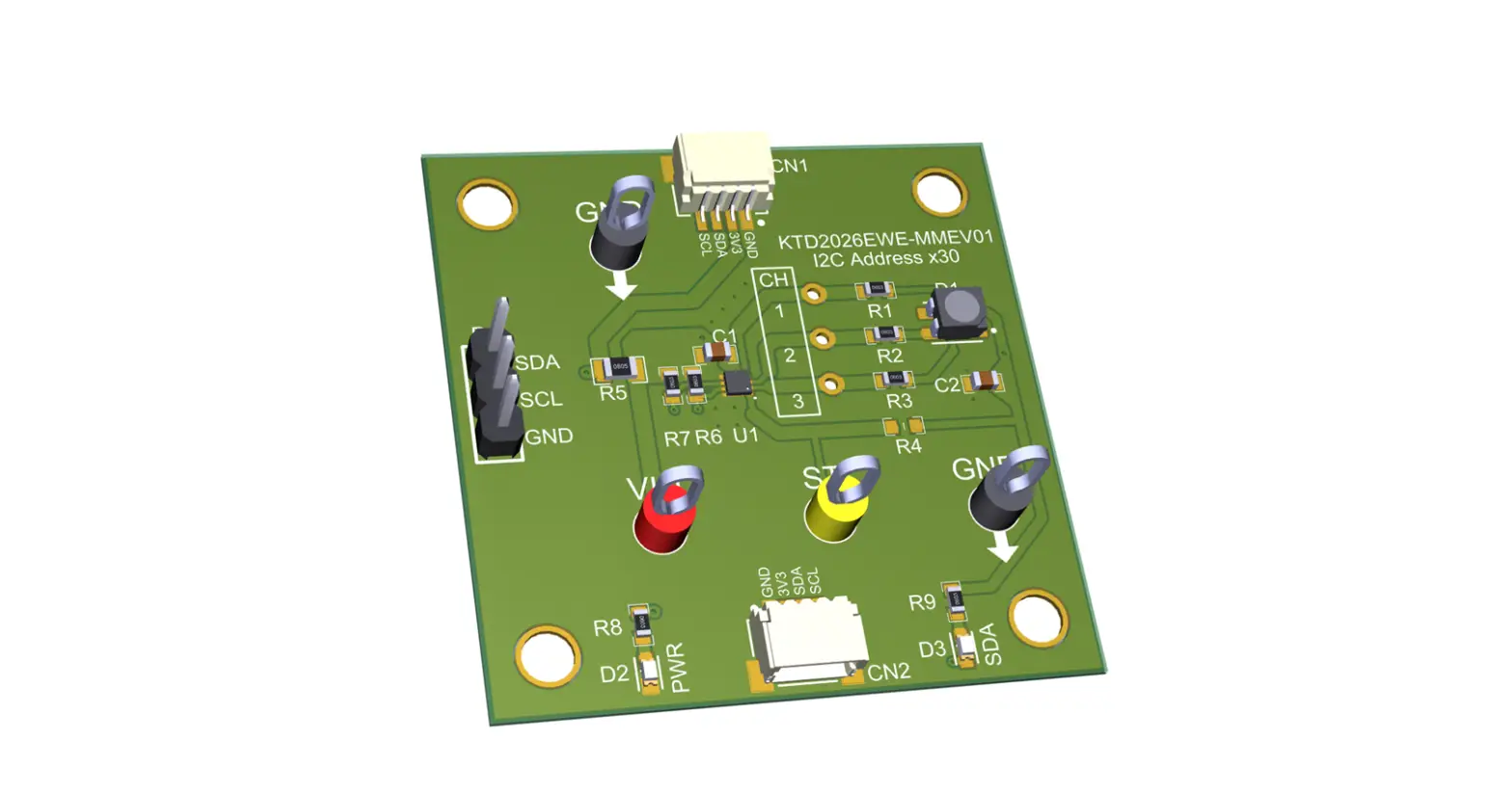
3D CAD Image
June 2023 EUM-0008-01
Page 1 of 9
Kinetic Technologies Confidential
EVAL Kit Manual
KTD2690
EVAL Kit Physical Contents
Item #
1 2 3 4 5 6
Description
KTD2690 EVAL Kit fully assembled PCB MCP2221A Board – General Purpose USB to GPIO I2C – Stemma QT / Qwiic Stemma QT / Qwiic JST SH 4-pin Cable – 100mm Long Anti-static bag KTD2690 EVAL Kit Quick-Start Guide — printed 1-page (A4 or US Letter) EVAL Kit box
Quantity
1 1 1 1 1 1
QR Links for Documents
IC Datasheet
EVAL Kit Landing Page
User-Supplied Equipment
Required Equipment 1. Bench Power Supply for VIN 5V and 3A, as needed for the intended application. 2. Digital Multimeter one or more, used to measure input/output voltages and currents.
Optional Equipment
1. Oscilloscope for dynamic testing of voltages (and currents with a current probe, if available). 2. Additional Digital Multimeters
Recommended Operating Conditions
Symbol
VIN, VOUT, LED LX
Description
Value
2.7 to 5.5 6
Units
V V
June 2023 EUM-0008-01
Page 2 of 9
Kinetic Technologies Confidential
EVAL Kit Manual
KTD2690
Jumper Descriptions
Designator
P1 P3 P4 P5
Name
VIN_I2C STROBE
LED GND
Description
I2C logic supply · Open: VIN_I2C should be supplied externally from the MPC2221A board via the 4-wire Stemma cable · VIN: with the jumper present, VIN_I2C is supplied from VIN
Flash STROBE control input · GND: STROBE input set low to GND (disabled) · VIN: STROBE input set high to VIN (enabled)
Jumper to connect the LED (D1). To use the on-board LED (D1), the jumper is present. To use an external LED, the jumper is removed.
Jumper to short the 0.1 sense resistor (R3). When the jumper is not present, measuring the voltage across P5 testpoints allows to calculate the LED current ILED = VP5 / 0.1.
Default
open
LED open
Quick-Start Procedures
· Connect one pair of Banana-to-clip power cables to the test points at VIN and GND (left side of EVAL Kit). · Before connecting the EVAL Kit to the VIN bench supply, turn on the supply and adjust the voltage as close to
0V as possible. Then turn off the supply. While off, connect the banana ends of the Banana-to-clip power cables to the VIN bench supply. · Turn on the VIN bench supply and very slowly ramp its voltage to an appropriate voltage of 3.6V. While ramping VIN slowly, use the bench supply’s output current indication (or a digital multimeter) to monitor the VIN current. If the current becomes high, reduce the VIN voltage quickly to prevent damage. Then inspect the setup for any wiring errors. · Use a digital multimeter to check the Standby supply current at VIN. For conditions of VIN = 3.6V in Standby mode, it should be below 2A. · Connect the Stemma QT 4-wire cable (GND, SDA, SCL) to the KTD2690 evaluation board connector CN3, as shown in the Typical Test Setup Figure below. · Connect the other end of the Stemma QT 4-wire cable to the MCP2221A USB to I2C interface board. · Connect the MCP2221A board to a computer via the USB type-C cable. · Connect the MCP2221A board output G0 to the KTD2690 board STROBE testpoint via the wire (STROBE) cable. · Install GUI software.
Graphical User Interface (GUI)
· Download and install GUI software located on EVAL Kit Page (https://www.kinet-ic.com/ ktd2690evab-mmev01/
· After installing software, the interface will appear with the status message “USB Device Attached” at the bottom left side of the window.
· If the displayed message is “USB Device Detached”, make sure the computer is properly connected to the board.
June 2023 EUM-0008-01
Page 3 of 9
Kinetic Technologies Confidential
Typical Test Setup Diagram
Use the following test setup for the Quick-Start Procedures.
EVAL Kit Manual
KTD2690
June 2023 EUM-0008-01
Page 4 of 9
Kinetic Technologies Confidential
Graphical User Interface (GUI) Window
EVAL Kit Manual
KTD2690
To Check the I2C Connection to the Device
· In the “Reg 0x06 Device ID Register” section, click on the “Read 0x06” button. · The GUI should display the Device ID equal to 001. · If the device is not responding (I2C engine timeout), make sure VIN are powered from the 3.6V supply.
To Turn on Flash Mode by I2C Command for 1000ms Duration at 375mA Flash Current
· Set the Flash Current Code in Reg 0x03 register section by selecting “0x1F: 375mA” in the “LED Flash Current Code” list. Then click on “Write 0x03” button.
· Turn on Flash Mode in Reg 0x01 register section by selecting “11: Flash Mode” in the Mode Setting list, and then click on “Write 0x01” button.
· The LED current can be measured briefly by connecting a digital multimeter on P5 header across R3 0.1 resistor and GND. For 375mA, the voltmeter should measure a voltage around 38mV.
June 2023 EUM-0008-01
Page 5 of 9
Kinetic Technologies Confidential
Electrical Schematic
EVAL Kit Manual
KTD2690
Bill of Materials (BOM)
Line # 1 2 3 4 5 6
7
8
9 10 11 12 13 14
15
Quantity 1 1 1 1 1 1
2
1
1 2 1 2 1 3
1
Designator Description
C1 CAP 100uF 10V X5R 1206
C2 CAP 10uF 16V X5R 0603
C3 CAP 10uF 16V X5R 0805
CN3
CONN HEADER SMD R/A 4POS 1MM
D1 LED SST20 WHITE
L1
FIXED IND 1UH 2.9A 48 MOHM SMD
P1, P4
CONN HEADER VERT 6POS 2.54MM
P3
CONN HEADER VERT 3POS 2.54MM
P5
CONN HEADER VERT 2POS 2.54MM
R1, R2 R3
TP1, TP2
TP3 TP4, TP5,
TP6
U1
RES 47K 1% 1/10W 0603 RES 0.1 OHM 1% 1/10W 0603 TERM TURRET SINGLE L=5.56MM TIN PC TEST POINT MULTIPURPOSE RED PC TEST POINT MULTIPURPOSE BLACK Inductorless, Single Flash LED Driver with Programmable 1.5A Current Source
Value 100uF 10uF 10uF
1uH
DNP 0.1R
Package 1206 0603 0805
SMD
Through Hole
Through Hole
Through Hole 0603 0603
1POS Through
Hole Through
Hole
Manufacturer
Murata Murata Murata JST Sales America Inc. Luminus Devices Inc. Murata Electronics Sullins Connector Solutions
Sullins
Sullins Connector Solutions
Yageo
Yageo
Keystone
Keystone
Keystone
Kinetic Technologies
Manufacturer Part Number
GRM31CR61A107ME05L GRM188R61C106MA73D GRM21BR61C106KE15L
Digikey Part Number
490-GRM31CR61A107ME05LTR-ND 490-7201-1-ND 490-3886-1-ND
Mouser Part Number
81-GRM31CR61A107ME5L 81-GRM188R61C106MA3D 81-GRM21BR61C106KE15
SM04B-SRSS-TB(LF)(SN)
455-1804-1-ND
SST-20-WCS-B120-L4651 1214-SST-20-WCS-B120-L4651CT-ND 896-20WCSB120L4651
DFE201612E-1R0M=P2
490-16593-1-ND
PREC002SAAN-RC
S1012EC-02-ND
PREC003SAAN-RC
S1012EC-03-ND
PREC002SAAN-RC RC0603FR-0747KL RL0603FR-070R1L
1502-2 5010 5011
S1012EC-02-ND 311-47.0KHRCT-ND
311-.10QCT-ND 36-1502-2-ND 36-5010-ND 36-5011-ND
603-RC0603FR-0747KL 603-RL0603FR-070R1L
534-1502-2 534-5010 534-5011
KTD2690EVAB-TR
June 2023 EUM-0008-01
Page 6 of 9
Kinetic Technologies Confidential
Printed Circuit Board (PCB)
EVAL Kit Manual
KTD2690
June 2023 EUM-0008-01
Page 7 of 9
Kinetic Technologies Confidential
EVAL Kit Manual
KTD2690
Additional Test Procedures
To Turn on Torch Mode by I2C Command at 103mA Torch Current
· Set the Torch Current Code in Reg 0x04 register section by selecting “0x22: 103mA” in the “LED Torch Current Code” list. Then click on “Write 0x04” button.
· Turn on Torch Mode in Reg 0x01 register section by selecting “10: Torch Mode” in the Mode Setting list, and then click on “Write 0x01” button.
· The LED current can be measured by connecting a digital multimeter on P5 header across R3 0.1 resistor and GND. For 102mA, the voltmeter should measure a voltage around 10mV.
· Turn off Torch Mode in Reg 0x01 register section by selecting “00: Standby” in the Mode Setting list, and then click on “Write 0x01” button.
Troubleshooting
Symptom
“USB Device Detached” displayed on the bottom left of the GUI
Device is not responding to I2C command
Root Cause
MPC2221A board not plugged in to computer or to the EVB
MPC2221A board not plugged in to computer or to the EVB
Device is not responding to KTD2690 evaluation board VIN supply is not
I2C command
powered
LED is not turning on in Flash LED not connected on the board mode or in Torch mode
Solution
Make sure the MPC2221A board is connected to the computer via the USB cable.
Make sure the MPC2221A board is connected to EVB SDA/SCL/GND connector header CN3, and the USB cable is plugged into the computer.
Make sure the KTD2690 board VIN testpoint is powered from an external power supply.
If using the on-board LED D1, make sure the jumper P4 is present.
June 2023 EUM-0008-01
Page 8 of 9
Kinetic Technologies Confidential
EVAL Kit Manual
KTD2690
Important Notices
Legal notice
Copyright © Kinetic Technologies. Other names, brands and trademarks are the property of others.
Kinetic Technologies assumes no responsibility or liability for information contained in this document. Kinetic Technologies reserves the right to make corrections, modifications, enhancements, improvements, and other changes to its products and services at any time and to discontinue any product or services without notice. The information contained herein is believed to be accurate and reliable at the time of printing.
Reference design policy
This document is provided as a design reference and Kinetic Technologies assumes no responsibility or liability for the information contained in this document. Kinetic Technologies reserves the right to make corrections, modifications, enhancements, improvements, and other changes to this reference design documentation without notice.
Reference designs are created using Kinetic Technologies’ published specifications as well as the published specifications of other device manufacturers. This information may not be current at the time the reference design is built. Kinetic Technologies and/or its licensors do not warrant the accuracy or completeness of the specifications or any information contained therein.
Kinetic Technologies does not warrant that the designs are production worthy. Customer should completely validate and test the design implementation to confirm the system functionality for the end use application.
Kinetic Technologies provides its customers with limited product warranties, according to the standard Kinetic Technologies terms and conditions.
For the most current product information visit us at www.kinet-ic.com
Life support policy
LIFE SUPPORT: KINETIC TECHNOLOGIES’ PRODUCTS ARE NOT DESIGNED, INTENDED, OR AUTHORIZED FOR USE AS COMPONENTS IN LIFE SUPPORT DEVICES OR SYSTEMS. NO WARRANTY, EXPRESS OR IMPLIED, IS MADE FOR THIS USE. AUTHORIZATION FOR SUCH USE SHALL NOT BE GIVEN BY KINETIC TECHNOLOGIES, AND THE PRODUCTS SHALL NOT BE USED IN SUCH DEVICES OR SYSTEMS, EXCEPT UPON THE WRITTEN APPROVAL OF THE PRESIDENT OF KINETIC TECHNOLOGIES FOLLOWING A DETERMINATION BY KINETIC TECHNOLOGIES THAT SUCH USE IS FEASIBLE. SUCH APPROVAL MAY BE WITHHELD FOR ANY OR NO REASON.
“Life support devices or systems” are devices or systems which (1) are intended for surgical implant into the human body, (2) support or sustain human life, or (3) monitor critical bodily functions including, but not limited to, cardiac, respirator, and neurological functions, and whose failure to perform can be reasonably expected to result in a significant bodily injury to the user. A “critical component” is any component of a life support device or system whose failure to perform can be reasonably expected to cause the failure of the life support device or system, or to affect its safety or effectiveness.
SUBSTANCE COMPLIANCE
Kinetic Technologies IC products are compliant with RoHS, formally known as Directive 2002/95/EC of the European Parliament and of the Council of 27 January 2003 on the restriction of the use of certain hazardous substances in electrical and electronic equipment. However, this evaluation kit does not fall within the scope of the EU directives regarding electromagnetic compatibility, restricted substances (RoHS), recycling (WEEE), FCC, CE or UL, and may not meet the requirements of these or related directives. To the best of our knowledge the information is true and correct as of the date of the original publication of the information. Kinetic Technologies bears no responsibility to update such statement.
June 2023 EUM-0008-01
Page 9 of 9
Kinetic Technologies Confidential
 Kinetic Technologies - Analog & Mixed-Signal Semiconductors