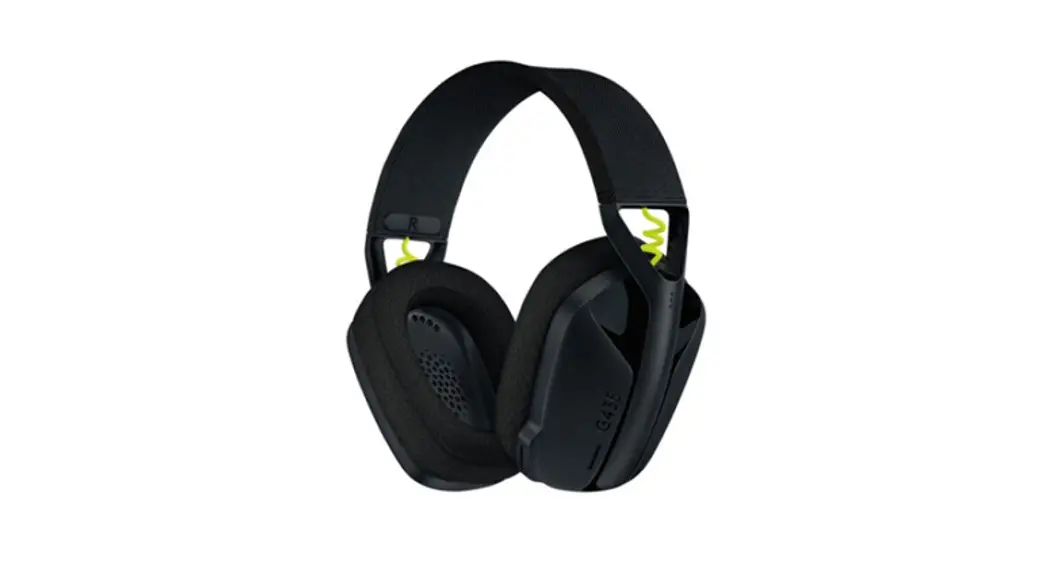
 G435 SE
SETUP GUIDE
GUIDE D’INSTALLATION
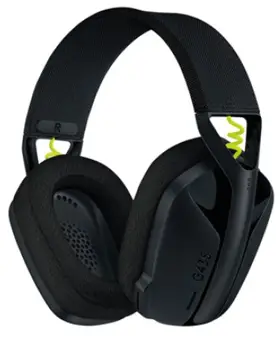
CLEANING THE LOGITECH G435 SE
In the event your Logitech G435 SE needs cleaning we have some recommendations:
Before You Clean
- Do not wash your ear pads in a washing machine
- Do not dry your ear pads in a tumble dryer
- Don’t put cleaning liquids directly on your ear pads and headband
- Don’t use bleach, acetone/nail polish remover, strong solvents, or abrasives as it might affect the polyester fabric surface condition and cause discoloration
- When using cleaning sprays, spray on the cloth and wipe — do not spray the product directly
Wiping and Cleaning Your G435 SE
- To wipe or clean the headset, use regular tap water to lightly moisten a clean, soft, lint-free cloth and gently wipe down the headband and ear pads
- For heavier stains, you might additionally use a small amount of soap on the lightly moisten, clean, soft cloth and gently rub stained areas Rinse thoroughly the surface by using the same moisten cloth Repeat until all traces of soap are gone
- You can also use fragrance-free disinfecting wipes, fragrance-free anti-bacterial wet wipes
- Let it dry at room temperature
Logitech encourages users to properly sanitize their products in accordance with guidelines put out by the World Health Organization and the Centers for Disease Control guidelines.
CONNECTING YOUR HEADSET
USING LIGHTSPEED
| Connect to your PC, Mac, PlayStation 5 or 4 with LIGHTSPEED Wireless Technology | 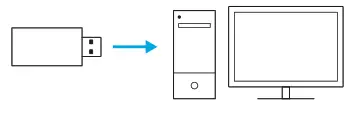 |
| – Insert the receiver into the USB port of your device | 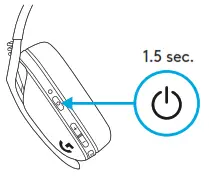 |
| – Press the Power button for a minimum 1 5 sec – The LED turns cyan once connected | 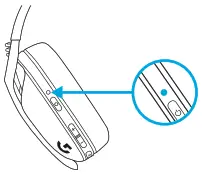 |
HOW TO CONNECT YOUR G435 SE
USING BLUETOOTH
| – Press Power+Mute buttons for 3 seconds or longer | 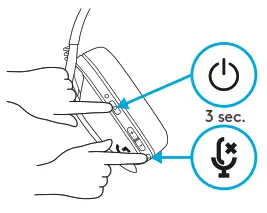 |
| – LED will flash blue as it enters pairing mode | 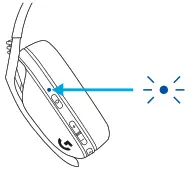 |
| – Look for G435 SE under the Bluetooth list of your device and connect – Note: G435 SE can connect to a single Bluetooth device at a time | 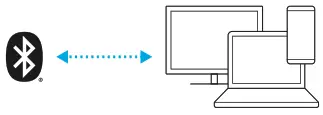 |
HOW TO SWITCH THE CONNECTION MODE BETWEEN LIGHTSPEED AND BLUETOOTH ON G435 SE
| – Press the Mute button for 3 seconds or longer | 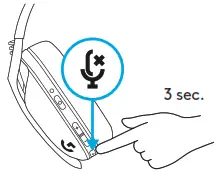 |
| – Switch to LIGHTSPEED, LED will light cyan for 5 seconds | 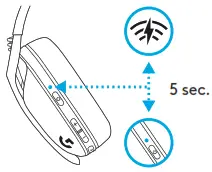 |
| – Switch to Bluetooth, LED will light blue for 5 seconds | 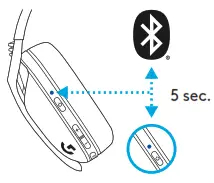 |
HOW TO POWER ON AND OFF YOUR G435 SE
| Power ON – Press the Power button for 1 5 seconds when the headset is OFF | 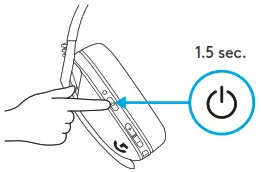 |
| Power OFF – Press the Power button for 3 seconds when the headset is ON | 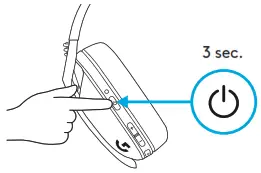 |
| Auto Shutoff – G435 SE automatically shuts off after 30 minutes of inactivity |
HOW TO TOGGLE MUTE / UNMUTE AND MAX VOLUME ON YOUR G435 SE
| MUTE / UNMUTE microphone – Short press on the Mute button | 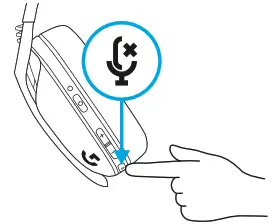 |
| Set Max Volume – Set to 100 dB – Press Mute button + Volume UP for 3 seconds or longer – The LED will flash orange 3 times | 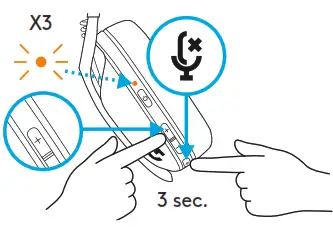 |
| – Set to 85 dB – Press Mute button + Volume DOWN for 3 seconds or longer – LED will turn solid orange for 5 seconds | 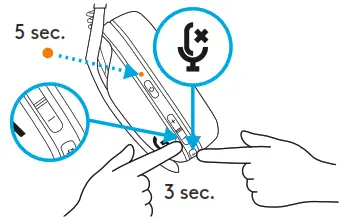 |
CHECK THE BATTERY LEVEL OF YOUR G435 SE
| – Single press the Power button, when the headset is ON – LED will show green for 5 seconds, which means Battery it between 31% to 100% | 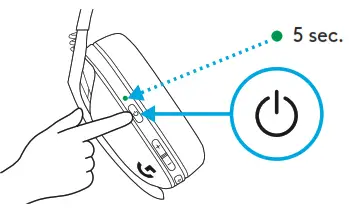 |
| – LED will show red for 5 seconds, which means the Battery is between 15% to 30% | 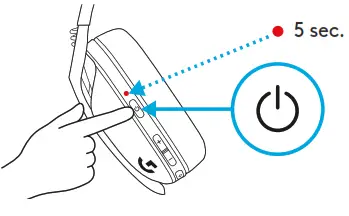 |
| – LED will flash red for 5 seconds, which means the Battery level is <15% | 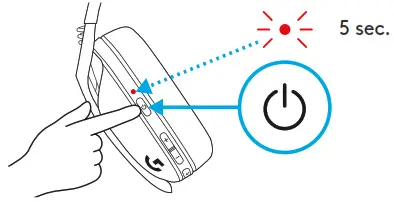 |
SET THE SIDETONE ON YOUR G435 SE
Sidetone lets you hear your voice while communicating with other people It mirrors the experience of talking on a phone and allows you to adjust your speaking volume to a proper level
| – Enable Sidetone – Double press the Mute button and the LED will flash twice in orange | 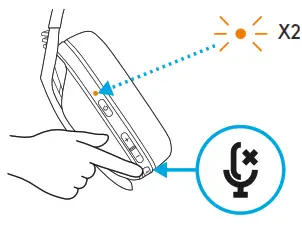 |
| – Disable Sidetone – Double press the Mute button and the LED will flash once in orange | 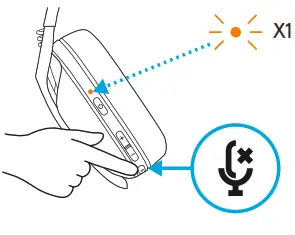 |
| – Adjust Sidetone – UP = Single press Mute button + Volume UP | 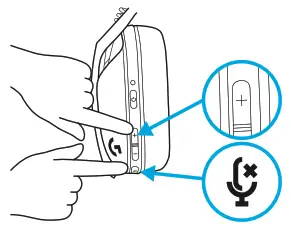 |
| – DOWN = Single press Mute button+ Volume DOWN | 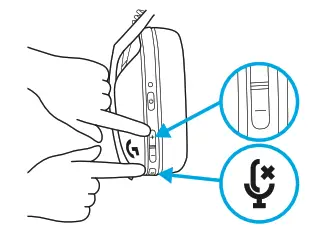 |
| SPARE PARTS | BATTERY REMOVAL |
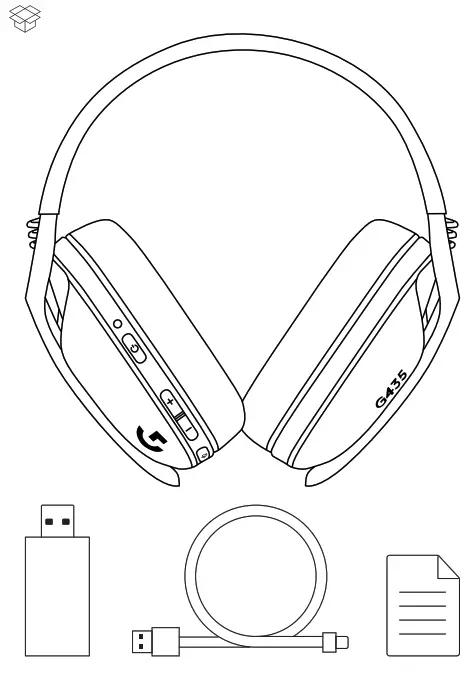
| – Earpads – Wireless USB Receiver – Charging Cable | 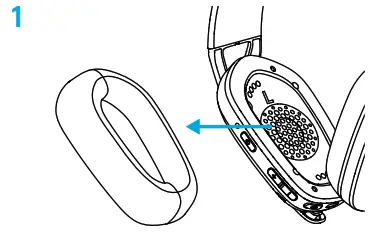 |
| RECYCLING We encourage you to resell or donate working products. Otherwise, batteries, and electronic and electrical equipment should not be disposed of with household waste. Wherever possible, they should be segregated and brought to an appropriate collection point to enable recycling and avoid potential impacts on the environment and human health. For more information, contact your local authorities or place of purchase, or visit www.logitech.com/recycling | 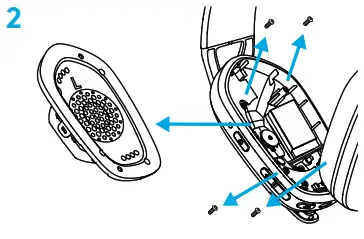 |
| QUESTIONS? logitechG.com/support/G435SE | 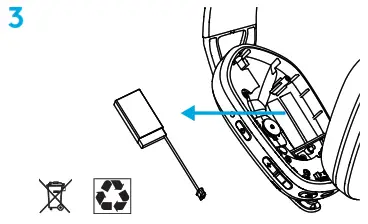 |

© 2022 Logitech Logitech, Logitech G, and the Logitech and Logitech G logos are trademarks or registered trademarks of Logitech Europe S A and/or its affiliates in the U S and other countries All other trademarks are the property of their respective owners Logitech assumes no responsibility for any errors that may appear in this manual Information contained herein is subject to change without notice
WEB-621-002175 002
 Logitech Support + Download
 Global Recycling Program for Ewaste and Batteries - Logitech