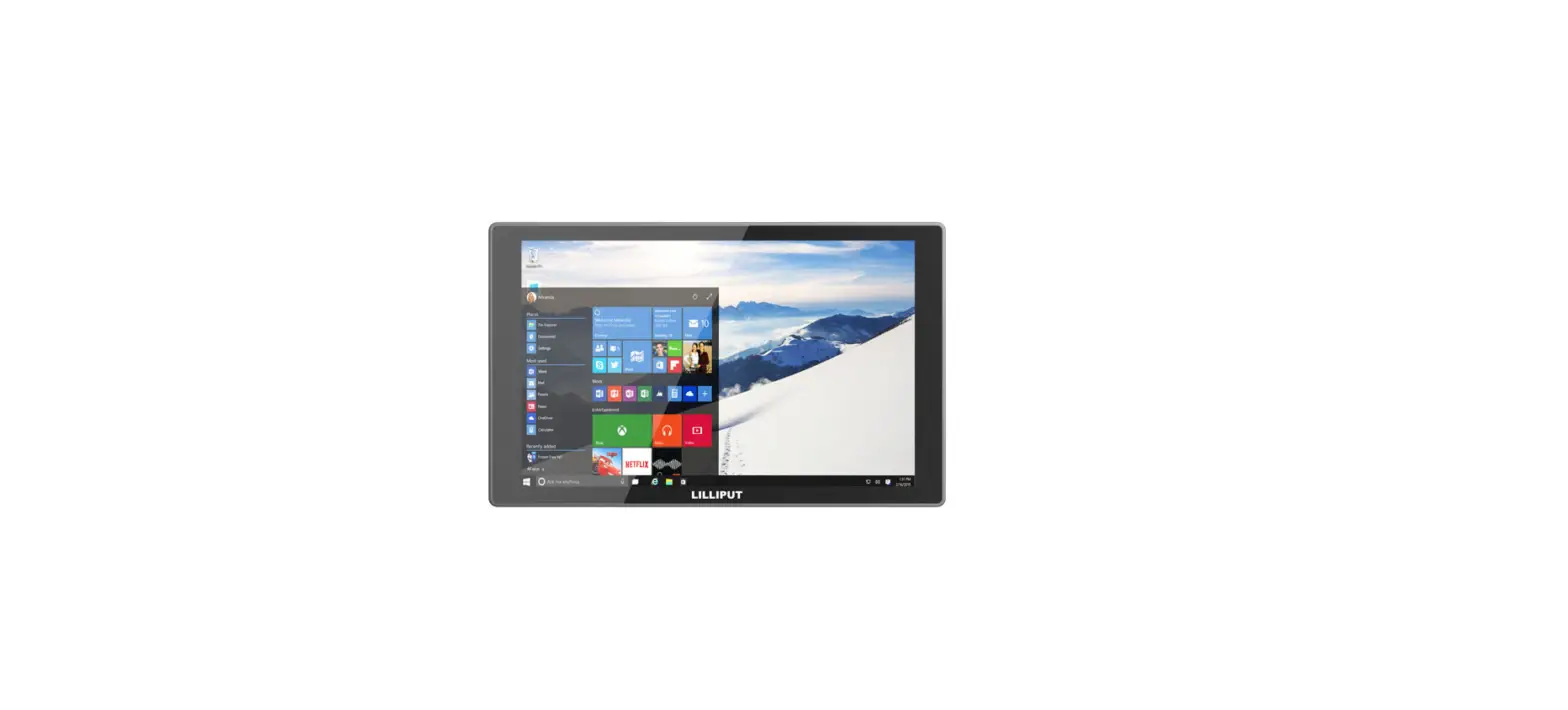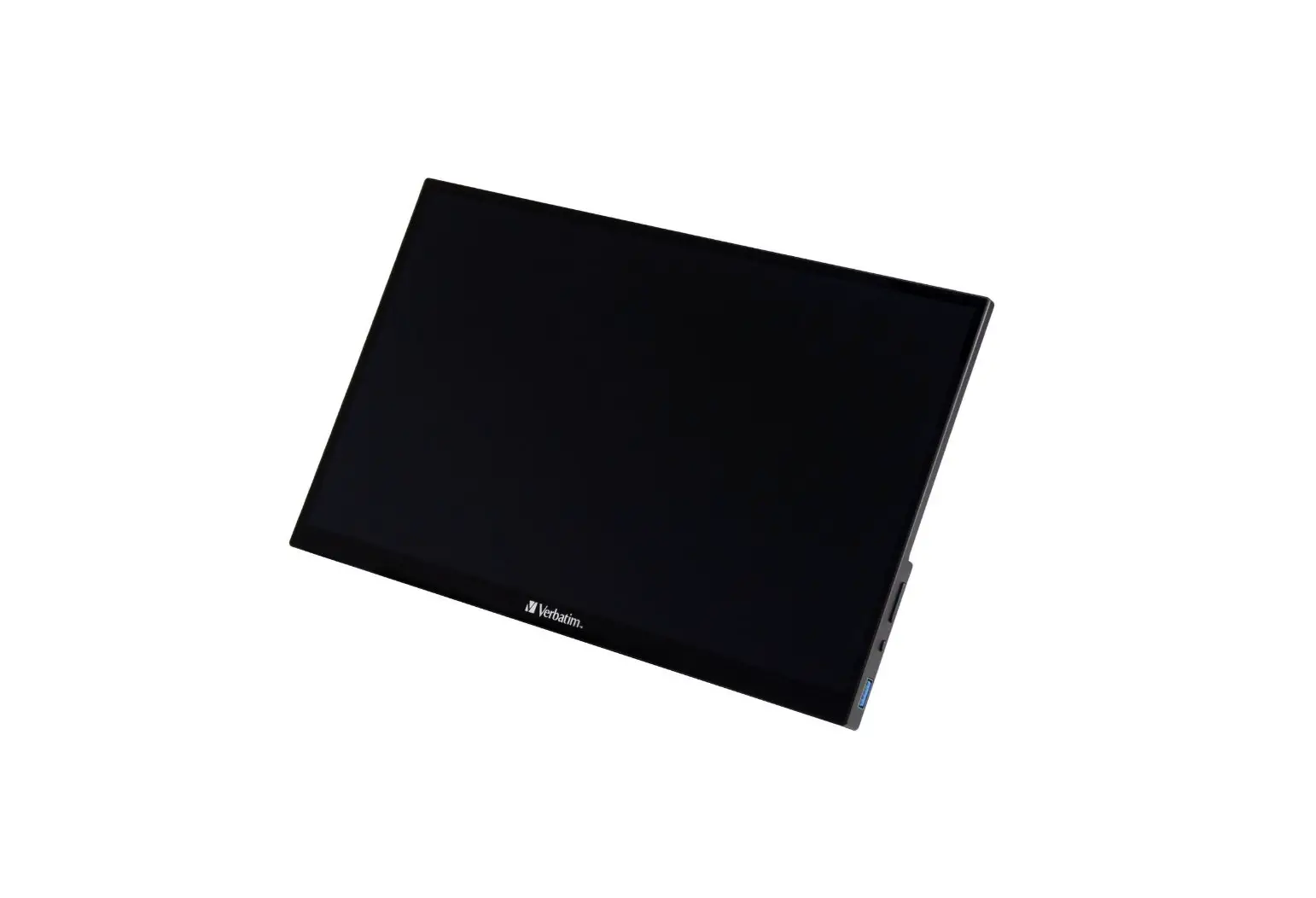

LILLIPUT TK1560 China 15.6 Inch Touch Screen Monitor
Important Safety Instructions
The device has been tested for conformance to safety regulations and requirements, and has been certified for international use. However, like all electronic equipment, the device should be used with care. Please read and follow the safety instructions to protect yourself from possible injury and to minimize the risk of damage to the unit.
- Please do not place the display screen towards the ground to avoid scratching the LCD surface.
- Please avoid heavy impact.
- Please do not use chemical solutions to clean this product. Simply wipe with a clean soft cloth to maintain the brightness of the surface.
- Please do not block any vent hole.
- Please follow the instructions and trouble-shooting to adjust the product. Internal adjustments or repairs must be performed by a qualified technician.
- Please keep user guide for future reference.
- Please unplug the power if long-term no-use, or thunder weather.
Product Description
Main Features
- 10-point capacitive touch screen
- 1000cd/m² high brightness
- Support multiple video input interfaces: HDMI, VGA, AV
- Support audio input
- Support HDMI 4K 30Hz
- Support Windows XP/7/8/8.1/10, Android, Linux and MAC OS
Rear Case 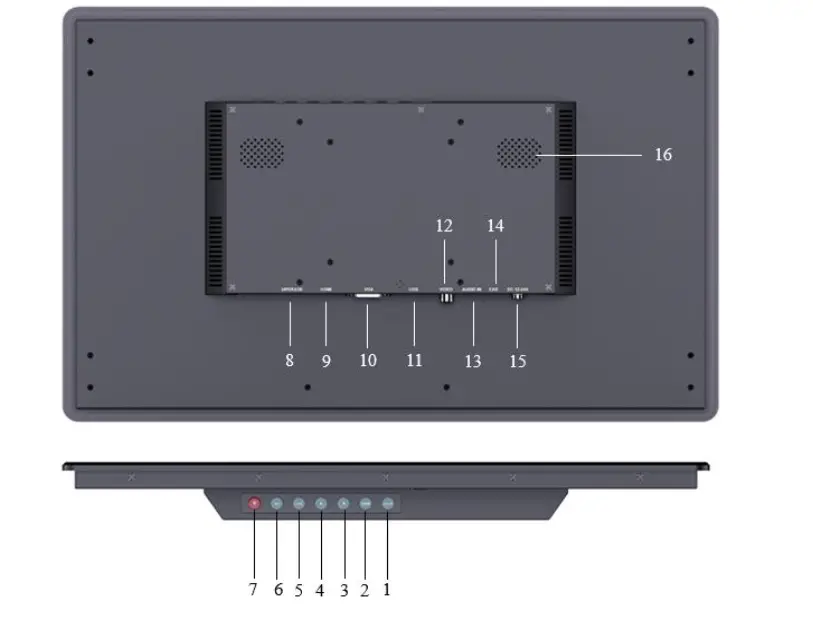
- INPUT Button: Switch among of AV, VGA and HDMI signals.
- MENU Button: Press it to display the menu on the screen when power on. Press it to confirm the option selected.
- ◁ Button: Press it to decrease volume when power on; Select options upward in the menu.
- Button: Press it to increase volume when power on; Select options downward in the menu.
- EXIT Button: Return button for menu
- FN Button: Can be set by [Menu]-[System]-[FN Conf.]
- Power Button: Power on/off
- UPGRADE Interfaces: Only for upgrade firmware
- HDMI 1.4b Input
- VGA Input
- USB Type-A Interface: Only for touch function
- Video Input (RCA ports)
- Audio Input (3.5mm)
- Earphone Jack (3.5mm)
- Power Input: DC 12-24V
- Dual Speakers
Supported Mounting Ways
Wall Mount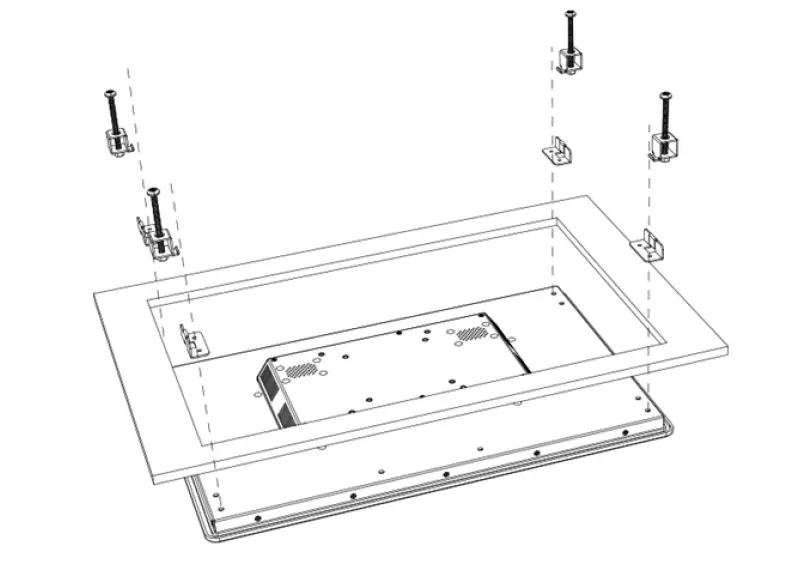
Menu Setting
Before setting the functions, please make sure the device is connected correctly.
MENU/ ▷ / ◁ Button
- Press MENU button, the menu will pop up on the screen. Then select item as the following sequences via pressing ▷/◁ button: PICTURE / MARKER / FUCTION / VGA / AUDIO / SYSTEM. Press MENU button again to enter into the item you select.
- Press ▷/◁ button to adjust options or values in the selected item. Then press MENU or EXIT button to apply and save the setting.
- When Menu is inactivated, press ▷/◁ button to adjust volume. Then select item as the following sequences via pressing MENU button: Brightness / Contrast /Saturation / Tint / Sharpness and Exit. Press ▷/◁ button again to adjust the value in the selected item.
Menu Operation
PICTURE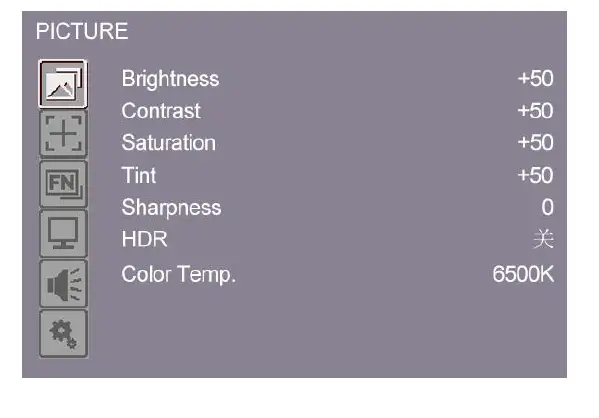
| ITEMS | OPTIONS |
| Brightness | 0-100 |
| Contrast | 0-100 |
| Saturation | 0-100 | ||
| Tint | 0-100 | ||
| Sharpness | 0-100 | ||
| HDR | Off / HDR10_300/ HDR10_1000 / HDR10_10000/HLG | ||
| Color Temperature | 6500K / 7500K / 9300K / User | ||
| Red Gain | 0-255 |
Note: Only available when under [User] mode to adjust R/G/B gain and offset. | |
| Green Gain | 0-255 | ||
| Blue Gain | 0-255 | ||
| Red Offset | 0-511 | ||
| Green Offset | 0-511 | ||
| Blue Offset | 0-511 | ||
- Brightness
Adjust the brightness of the LCD Screen, adjustable range: 0-100. - Contrast
Adjust the contrast of image, adjustable range: 0-100. - Saturation
Adjust the saturation, adjustable range: 0-100. - Tint
Adjust the hue of the image, adjustable range: 0-100. - Sharpness
Adjust the sharpness of image, adjustable range: 0-100. - HDR
Options: Off / HDR10_300 / HDR10_1000 / HDR10_10000 / HLG.
After the HDR activated, the display will show a wider dynamic range of brightness,so that the brighter and darker details can be seen more clearly. Improving the overall picture quality Effectively.
Note: Only available under HDMI mode. It doesnt work for VAG and AV. - Color Temperature
Options: 6500K /7500K / 9300K / User. The standard color temperature is 6500K.
Note: Only available when under [User] mode to adjust R/G/B gain and offset.
MARKER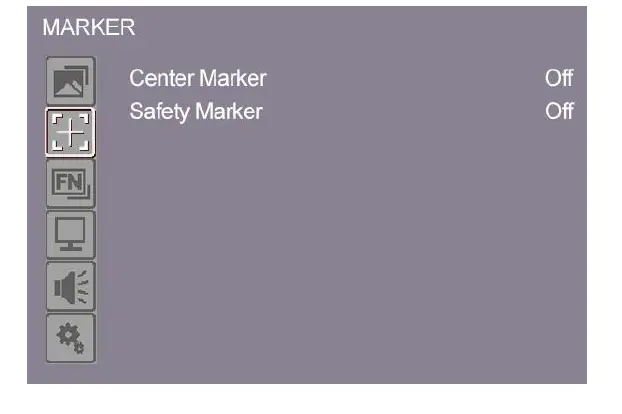
| ITEMS | OPTIONS |
| Center Marker | Off/On |
| Safety Marker | Off / 95% / 93% / 90% / 88% / 85% / 80% |
- Center Marker
Options: Off/On. When [On], the screen will display “+” Symbol. - Safety Marker
Options: Off / 95% / 93% / 90% / 88% / 85% / 80%.
FUNCTION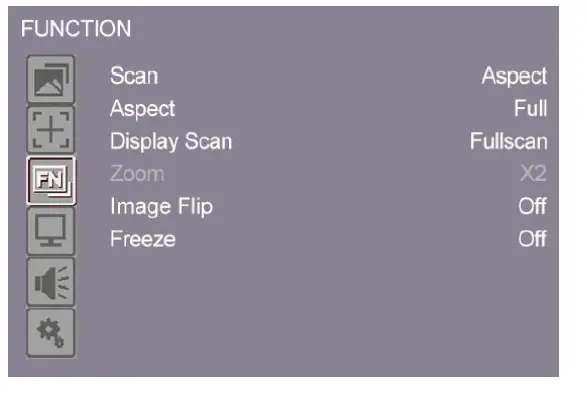
| ITEMS | OPTIONS | |
| Scan | Aspect / Pixel To Pixel / Zoom | |
| Aspect | Full / 1.85:1 / 2.35:1 / 4:3 / 3:2 | Only available under [Scan]-[Aspect] mode |
| Display scan | Fullscan / Overscan / Underscan | Only available under [Scan]-[Aspect] and [Zoom] mode |
| Zoom | X1.5 / X2 / X3 / X4 | Only available under [Scan]-[Zoom] mode |
| Image Flip | Off / H&V / H / V | |
| Freeze | Off / On | |
- Scan
Options: Aspect / Pixel To Pixel / Zoom.
Note: Under [Pixel To Pixel] mode, Aspect, Display scan and Zoom cannot be adjusted. Under [Zoom] mode, Aspect cannot be adjusted. - Aspect
Options: Full / 1.85:1 / 2.35:1 / 4:3 / 3:2.
Note: Only available under [Scan]-[Aspect] mode. - Display scan
Options: Fullscan / Overscan / Underscan. - Zoom
Options: X1.5 / X2 / X3 / X4
Only available under [Scan]-[Zoom] mode. Users can select zoom ratio according to different needs. - Image Flip
Options: Off / H&V / H / V - Freeze
Options: On / Off.
Activate freeze function to freeze current picture when playing the video.
VGA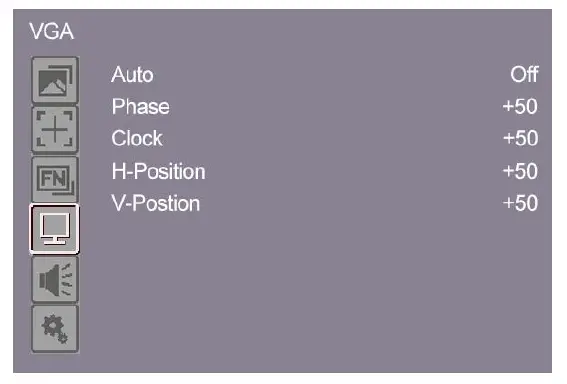
| ITEMS | OPTION |
| Auto | On / Off |
| Phase | 0-100 |
| Clock | 0-100 |
| H-Position | 0-100 |
| V-Position | 0-100 |
- Auto
Select [On], the monitor can automatically adjust the position of the image. Select [Off], users can manually adjust the position of the image. - Phase
Adjust internal phase sequence difference. Adjustable range: 0-100. - Clock
Adjust internal oscillation frequency when interference occurs. Adjust this item, the image can be compressed or stretched left or right. Adjustable range: 0-100. - H-Position
Horizontally adjust the position of the image on the screen. Adjustable range: 0- 100. - V-Position
Vertically adjust the position of the image on the screen. Adjustable range: 0- 100.
Note: Only available under VGA mode.
AUDIO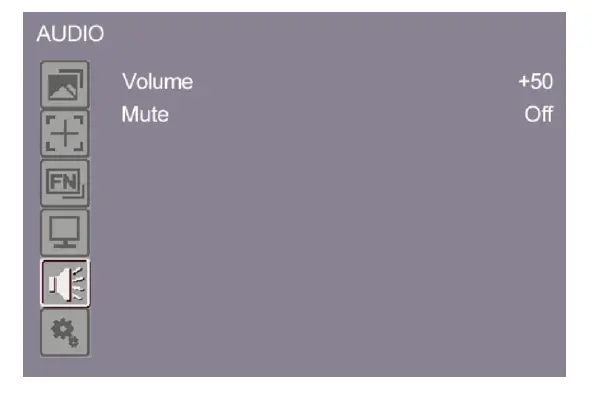
| ITEMS | OPTION |
| Volume | 0-100 |
| Mute | On / Off |
- Volume
Adjust the volume of built-in speaker or earphone. Adjustable range: 0-100. - Mute
Stop any audio output.
SYSTEM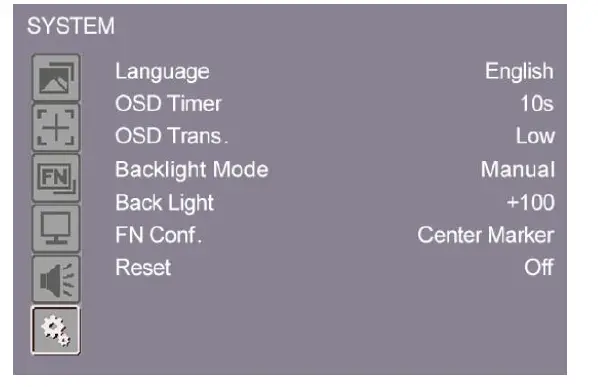
| ITEMS | OPTION |
| Language | English / 中文 |
| OSD Timer | 10s / 20s / 30s |
| OSD Trans. | Off / Low / Middle / High |
| Backlight Mode | Manual / Auto |
| Back Light | 0-100 |
| FN Conf. | Center Marker / Display Scan / Scan / Aspect / Freeze / HDR / Image Flip / Mute |
| Reset | Off / On |
- Language
Options: English / Chinese. - OSD Timer
Options: 10s / 20s / 30s. - OSD Trans.
Adjust the transparency of OSD. Options: Off / Low / Middle / High. - Backlight Mode
Manual: Change backlight as required; Auto: Adjust the backlight according to environment. - Back Light
Adjustable range: 0-100. - FN Conf.
Set shortcut button function, options: Center Marker / Display scan / Scan /Aspect / Freeze / HDR / Image Flip / Mute. (Default: center mark) - Reset
If there is any problem unknown, please select [On]. The monitor will restore factory defaults.
Parameters
| Screen Size | 15.6” |
| Physical Resolution | 1920×1080 |
| Aspect Ratio | 16:9 |
| Brightness | 1000cd/m² (TYP) |
| Contrast | 1000:1 (TYP) |
| Viewing Angle | 160°/160° |
| Touch | 10-point capacitive touch |
| Input | HDMI, VGA, AV, Audio in |
| Output | Earphone jack |
| Input Voltage | DC 12-24V |
| Power Consumption | ≤24.5W(15V) |
| Operating Temperature | -20°C~60°C |
| Storage Temperature | -30°C~70°C |
| Water-proof | IP X4 front Panel |
| Dust-proof | IP 6X front Panel |
| Dimension | 408x259x36.5mm |
| VESA Mount | 75mm / 100mm |
| Weight | 2.9kg |
Accessories
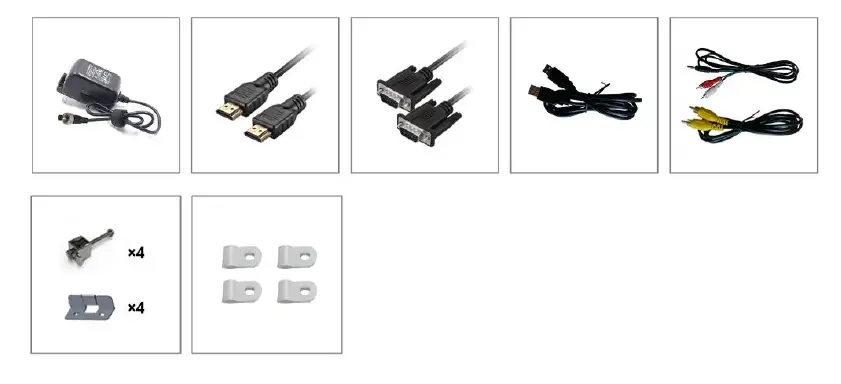
Standard
- 12V/3A DC Adapter 1 piece
- HDMI A/A cable 1 piece
- VGA cable 1 piece
- USB A/A cable (for touch) 1 piece
- Audio / Video Cable 1 pair
- Fixed Screws 4 piece
- Cable Clamp 4 piece
Trouble Shooting
- Only black-and-white display:
Check whether the color saturation is properly setup or not. - Power on but no pictures:
Check whether the cables of AV, HDMI, and VGA are correctly connected or not. Please use the standard power adapter coming with the product package. Improper power input may cause damage. - Wrong or abnormal colors:
Check whether the cables are correctly and securely connected or not. Broken or loose pins of the cables may cause a bad contact. - Other problems:
Please press MENU button, choose [SYSTEM]→ [Reset]→[On].
Note: Due to constant effort to improve products and product features, specifications may change without notice.