ZT-AP40 40W Mini Amplifier
Product Information:
Zenty | Professional A/V Solution Provider
Contact Number: (844) 200-1945
Email: [email protected]
Address: 9807 EMILY LANE STAFFORD, TX 77477
Support Email: [email protected]
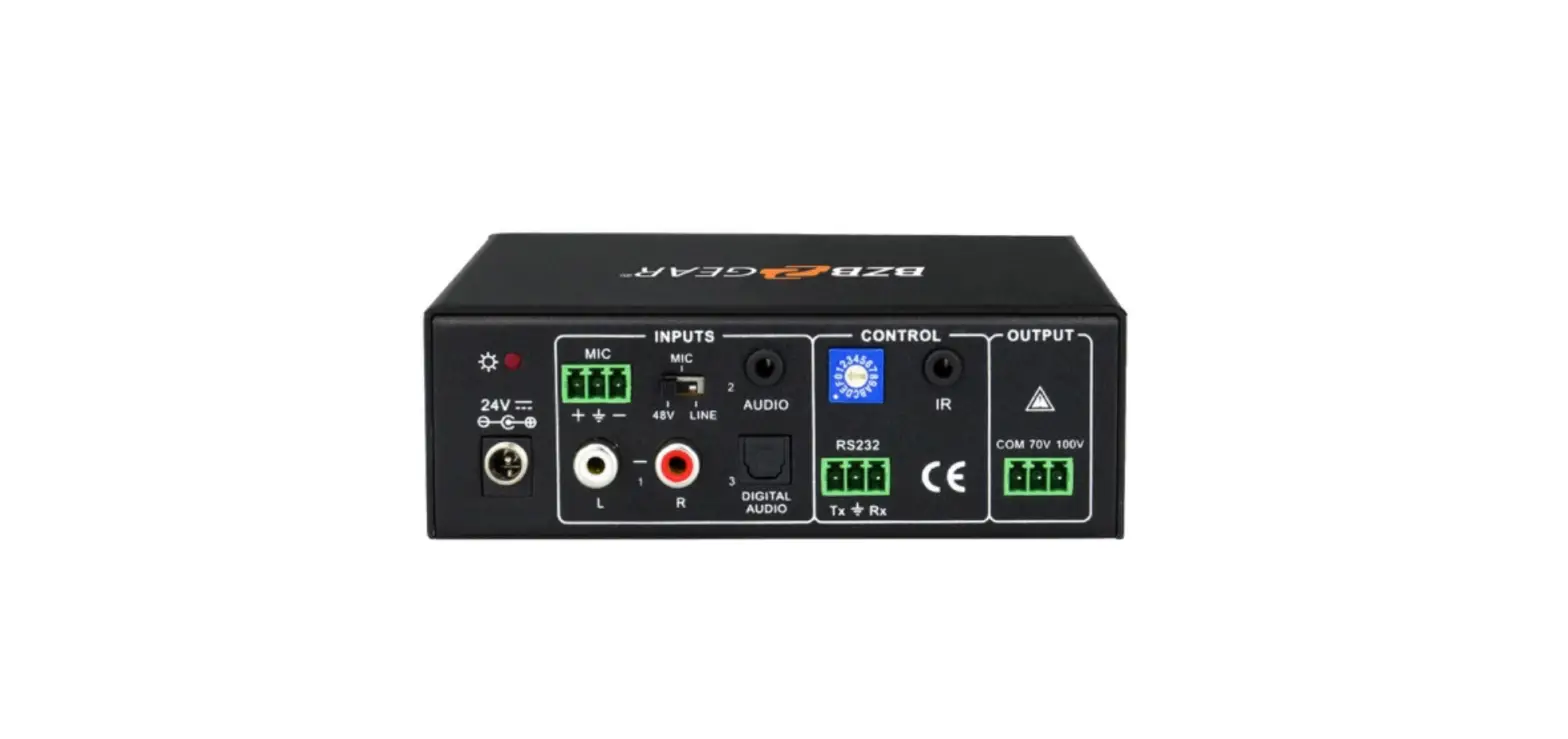
ZT-AP40 is a compact-size digital amplifier (Class-D) with 3
inputs (2 line in and 1 balanced MIC). It is integrated with
powerful functions, including bridge connection, dual-mono, EQ
control, microphone mixer etc. It has a good application in
different places, including classroom, small meeting room, lecture
hall, bar, pub etc.
- Amplifier output: 2x20Watt@4Ohm (default), can be switched to
1x40Watt@8Ohm by bridge connection - Stereo audio inputs: 2, switchable by button, IR remote &
RS232 - Volume/Bass/Treble controllable by buttons, IR remote &
RS232 - MIC port supports balance/unbalance signal, suppresses external
noise effectively - Line audio output at 3.5mm jack, with volume control
- Dual-mono function: Sum up stereo audio to two times mono
audio - MIC mixer function: Mixes microphone to line audio output and
can be controlled separately - MIC input supports 48V phantom power, dynamic MIC and wireless
MIC - Auto noise gate: Mutes output when there is no input
- Ultra-low inrush current, no need for power sequencing. Allows
multiple ZT-AP40 to be connected
Product Usage Instructions:
- Read all instructions carefully before using the device.
- Unpack the equipment carefully and save the original box and
packing material for possible future shipment. - Follow basic safety precautions to reduce the risk of fire,
electrical shock, and injury to persons. - Do not dismantle the housing or modify the module to avoid
electrical shock or burn. - Using supplies or parts not meeting the products’
specifications may cause damage, deterioration, or
malfunction. - Refer all servicing to qualified service personnel.
- Do not expose the unit to rain, moisture, or install it near
water to prevent fire or shock hazard. - Avoid putting heavy items on the extension cable to prevent
extrusion. - Do not remove the housing of the device as it may expose you to
dangerous voltage or other hazards. - Install the device in a place with fine ventilation to avoid
damage caused by overheating. - Keep the module away from liquids as spillage may result in
fire, electrical shock, or equipment damage. If an object or liquid
falls or spills on the housing, unplug the module immediately. - Do not twist or pull by force ends of the optical cable to
avoid malfunction. - Do not use liquid or aerosol cleaners to clean this unit.
Always unplug the power before cleaning. - Unplug the power cord when left unused for a long period of
time. - Dispose of scrapped devices properly. Do not burn or mix with
general household waste. Treat them as normal electrical
wastes.
Zenty | Professional A/V Solution Provider
(844) 200-1945 | [email protected]
Page 1 of 16
ZENTY ®
9807 EMILY LANE STAFFORD, TX 77477
(844) 200-1945 [email protected]
Copyright © Zenty AV
SAFETY PRECAUTIONS To ensure the best from the product, please read all instructions carefully before using the device. Save this manual for further reference. Unpack the equipment carefully and save the original box and packing material for possible future
shipment Follow basic safety precautions to reduce the risk of fire, electrical shock and injury to persons. Do not dismantle the housing or modify the module. It may result in electrical shock or burn. Using supplies or parts not meeting the products’ specifications may cause damage, deterioration
or malfunction. Refer all servicing to qualified service personnel. To prevent fire or shock hazard, do not expose the unit to rain, moisture or install this product
near water. Do not put any heavy items on the extension cable in case of extrusion. Do not remove the housing of the device as opening or removing housing may expose you to
dangerous voltage or other hazards. Install the device in a place with fine ventilation to avoid damage caused by overheat. Keep the module away from liquids. Spillage into the housing may result in fire, electrical shock, or equipment damage. If an object or
liquid falls or spills on to the housing, unplug the module immediately. Do not twist or pull by force ends of the optical cable. It can cause malfunction. Do not use liquid or aerosol cleaners to clean this unit. Always unplug the power to the device
before cleaning. Unplug the power cord when left unused for a long period of time. Information on disposal for scrapped devices: do not burn or mix with general household waste,
please treat them as normal electrical wastes.
(844) 200-1945 | [email protected]
Page 2 of 16
Copyright © Zenty AV
(844) 200-1945 | [email protected]
Page 3 of 16
Copyright © Zenty AV
(844) 200-1945 | [email protected]
Page 4 of 16
Copyright © Zenty AV
ZT-AP40 is a compact-size digital amplifier (Class-D) with 3 inputs (2 line in and 1 balanced MIC). It is integrated with powerful functions, including bridge connection, dual-mono, EQ control, microphone mixer etc. It has a good application in different places, including classroom, small meeting room, lecture hall, bar, pub etc.
2x20Watt@4Ohm as the default amplifier output. Bridge connection function. User can switch the ZT-AP40 to be 1x40Watt@8Ohm by bridge
connection. Two stereo audio inputs, switchable by button, IR remote & RS232. Volume/Bass/Treble controllable by buttons IR remote & RS232. MIC port can support balance/unbalance signal, suppress the external noise effectively. Line audio output at 3.5mm jack, with volume controllable. Dual-mono function. User can sum up the stereo audio to two times mono audio. MIC mixer function. The microphone will be mixed to the line audio output and be controlled
separately. MIC input supports 48V phantom power, dynamic MIC and wireless MIC. Auto noise gate. It keeps detecting the audio and MIC input, will mute the output when there is no
input. Ultra-low inrush current, no need for power sequencing. This allows multiple ZT-AP40 to be
powered on simultaneously without overloading power circuits. Convection cooler, fan is not needed. Antistatic case design: providing good protection for long-term and stable performance.
· (1) x ZT-AP40 (The mounting ears and ZT-AP40 are as a whole.)
(844) 200-1945 | [email protected]
Page 5 of 16
Copyright © Zenty AV
· (2) x Pluggable Terminal Blocks · (1) x RS232 Cable · (1) x Power Adapter · (1) x Power Cord · (4) x Plastic Cushions
Notes · The IR remote and its battery are offered for charge separately. · The IR receiver is also offered for charge. · Please confirm if the product and the accessories are all included, if not, please contact with the
dealers.
The default output of amplifier is 2x20Watt@4Ohm, so user can connect the amplifier output in the regular way. As the picture below
(844) 200-1945 | [email protected]
Page 6 of 16
Copyright © Zenty AV
The ZT-AP40 has the bridge connection, to double the output power at 1x40Watt@8Ohm. It will sum up the input left channel and input right channel to be mono output, and the power is up to 40Watt. The bridge connection is:
The ZT-AP40 also has the function of double-mono output. It can sum up the left and right channel, to be the mono audio output. In this way, the both of the outputs are showing the same mono audio. The connection is:
(844) 200-1945 | [email protected]
Page 7 of 16
Copyright © Zenty AV
The microphone input of ZT-AP40 has three modes, and different modes use different connections, as the picture below:
When the switch turns to “48V”, the MIC input will provide a 48V phantom power. This is usually used for power supply for condenser microphone, Connection is: “+” connects to positive, “-” connects to negative and “” to ground. Note: In this mode, only condenser microphone can be connected with.
When the switch turns to “MIC”, the microphone input is used for connecting with dynamic microphone. There are two different connections: 1) Unbalanced connection: “” connects to ground, and “-” connects to signal. “” connects to ground, and “+” connects to signal. 2) Balanced connection: “+” connects to positive, “-” connects to negative and “” connects to ground.
When the switch turns to “LINE”, the microphone input is used for connecting with normal audio or wireless microphone output. There are two different connections: 1) Unbalanced connection: “” connects to ground, and “-” connects to signal. “” connects to ground, and “+” connects to signal.
2) Balanced connection: “+” connects to positive, “-” connects to negative and “” connects to ground.
(844) 200-1945 | [email protected]
Page 8 of 16
Copyright © Zenty AV
The buttons provide the control of volume/EQ control and switching. The following content introduces audio switching and EQ control in detail.
There are two switchable stereo audio inputs, one 2xRCA input, and one 3.5mm jack input, switchable through the buttons as below:
The line volume and MIC volume can be controlled by the buttons. The MIC Volume/LINE volume/LINE bass/LINE treble will be selected by the buttons, and controlled up/down/mute by the function buttons. Please check the picture below:
(844) 200-1945 | [email protected]
Page 9 of 16
Copyright © Zenty AV
(844) 200-1945 | [email protected]
Page 10 of 16
Copyright © Zenty AV
Communication Protocol: RS232 Communication Protocol Baud rate: 9600 Data bit: 8 Stop bit: 1 Parity bit: none
(844) 200-1945 | [email protected]
Page 11 of 16
Copyright © Zenty AV
Command 1A1.
2A1.
0A0. 1A0. 2A0. 0A1. 3A0. 4A0.
600%
601% 602% 603% 604% 605% 606% 607% 608% 609%
5[x][x]%
7[x][x]%
Function Description Switching the audio to input 1 Switching the audio to input 2 Mute Audio of MIC and Line out Mute audio of MIC Mute audio of line out Unmute Audio Switch on Noise Gate Switch off Noise Gate
Checking the working status MIC volume up MIC volume down Line volume up Line volume down Bass level up Bass level down Treble level up Treble level down Initialization, back to the default setting Preset MIC volume, [xx] arranges from [00] to [60]. 61 degrees in total. Preset line volume, [xx] arranges from [00] to [60]. 61 degrees in total.
Feedback Code
A: 1 -> 1
A: 2 -> 1
Mute
Mute MIC
Mute LIN
Unmute
Gate On
Gate Off
A:
1
->
1
Volume:
30
Bass:
00
Treble: 00
Volume of MIC: 51
Volume of MIC: 51
Volume of LINE: 51
Volume of LINE: 51
Bass of LINE: 04
Bass of LINE: 04
Treble of LINE: 04
Treble of LINE: 04
Init OK
Volume of MIC: 50
Volume of LINE: 50
(844) 200-1945 | [email protected]
Page 12 of 16
Copyright © Zenty AV
8[x][x]% 9[x][x]%
Preset the bass level, [xx] arranges from [00] to [08]. 9 degrees in total. Preset the treble level, [xx] arranges from [00] to [08]. 9 degrees in total.
Bass of LINE: 04 Treble of LINE: 04
Notice:
1: The letter inside bracket [ ] is the variable code, which is changeable. 2: The bracket [ ] is not included to the RS232 commands. 3: Any dot “.” after the letters is part of the commands. Example 1: Switching the input 2 to the line out, RS232 command is: [2A1.] Example 2: Turning up the volume of line audio, RS232 command is: [603%] Example 3: Preset the MIC volume to “21” degree, RS232 command is: [521%] Example 4: Checking the working status of ZT-AP40, RS232 command is: [600%]
Audio Input
Input
2 stereo audio, 1 MIC
2 RCA
Input Connector
1 3.5mm jack 1 pluggable terminal block
(3P,3.81mm),
Input
>10K
Impedance
Audio General
Audio Output
Output
1 amplifier, 1 stereo audio
Output Connector
1 3.5mm jack 1 pluggable terminal block (4P, 5.08mm)
Output Impedance
50/stereo, 4~8/Amplifier
(844) 200-1945 | [email protected]
Page 13 of 16
Copyright © Zenty AV
Frequency Response
SNR
Stereo Channel Separation
20Hz ~ 20KHz
80dB at maximum output
>75dB@20Hz to 20KHz
Voltage Gain 32dB
Control Function
RS232
3-hole phoenix
Control
connector
IR Remote Optional IR remote
CMRR Bandwidth
THD + Noise Power Output Panel Control
>70dB@20Hz~20 KHz
20Hz ~ 25KHz
1%@1KHz, 0.3%@20KHz at nominal level 2×20 Watts (4 Ohms)
Optional button control
(844) 200-1945 | [email protected]
Page 14 of 16
Copyright © Zenty AV
Clean this unit with a soft, dry cloth. Never use alcohol, paint thinner, or benzine to clean.
If your product does not work properly because of a defect in materials of workmanship, our company (referred to as “the warrantor”) will, for the length of the period indicated as below, “Parts and Labor (5) Years”, which starts with the date of original purchase (“Limited Warranty period”), at its option either (a) repair your product with new or refurbished parts, or (b) replace it with a new or a refurbished product. The decision to repair or replace will be made by the warrantor.
During the “Labor” limited warranty period, there will be no charge for labor. During the “Parts” warranty period, there will be no charge for parts. You must mail-in your product during the warranty period. This Limited Warranty is extended only to the original purchaser and only covers products purchased as new. A purchase receipt or other proof of original purchase date is required for Limited Warranty service.
When shipping the unit, carefully pack and send it prepaid, adequately insured, and preferably in the original carton. Include a letter detailing the complaint and provide a day time phone and/or email address where you can be reached.
This Limited Warranty ONLY COVERS failures due to defects in material or workmanship, and DOES NOT COVER normal wear and tear or cosmetic damage. The Limited Warranty ALSO DOES NOT COVER damages which occurred in shipment, or failures which are caused by products not supplied by warrantor, or failures which result from accidents, misuse, abuse, neglect, mishandling, misapplication, alteration, faulty installation, set-up adjustments, mis-adjustment of consumer controls, improper maintenance, power line surge, lightning damage, modification, or service by anyone other than a Factory Service center or other Authorized Servicer, or damage that is attributed to acts of God.
THERE ARE NO EXPRESS WARRANTIES EXCEPT AS LISTED UNDER “LIMITED WARRANTY COVERAGE”. THE WARRANTOR IS NOT LIABLE FOR INCIDENTAL OR CONSEQUENTAIL DAMAGES RESULTING FROM THE USE OF THIS PRODUCT, OR ARISING OUT OF ANY BREACH OF THIS WARRANTY. (As examples, this excludes damages for lost time, cost of having someone remove or re-install an installed unit if applicable, travel to and from the service, loss of or damage to media or images, data or other recorded content. The items listed are not exclusive, but are for illustration only.) PARTS AND SERVICE, WHICH ARE NOT COVERED BY THIS LIMITED WARRANTY, ARE YOUR RESPONSIBILITY.
(844) 200-1945 | [email protected]
Page 15 of 16
Copyright © Zenty AV
WWW.ZENTY.COM 9807 EMILY LANE STAFFORD, TX 77477
(844) 200-1945 [email protected]
[email protected]
(844) 200-1945 | [email protected]
Page 16 of 16
Copyright © Zenty AV
 Zenty - The AV Technology Leader