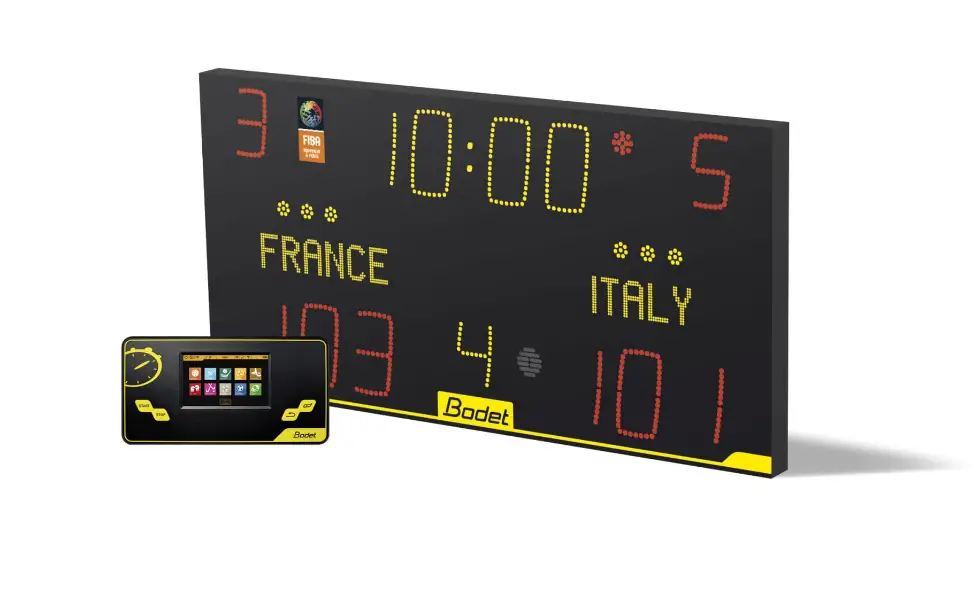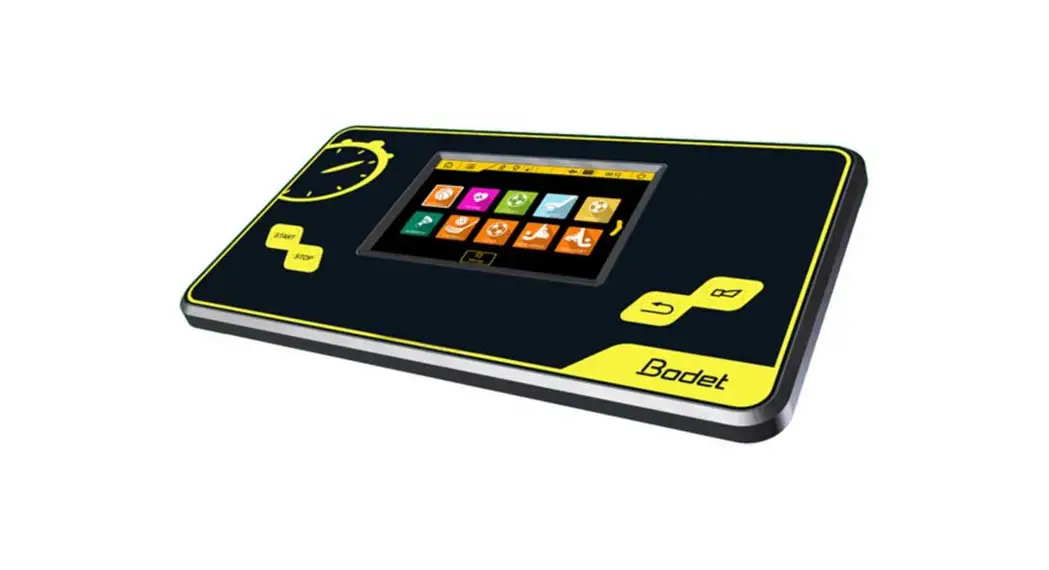

Scorepad Multisport Touchscreen Keyboard
User Manual
Scorepad Multisport Touchscreen Keyboard

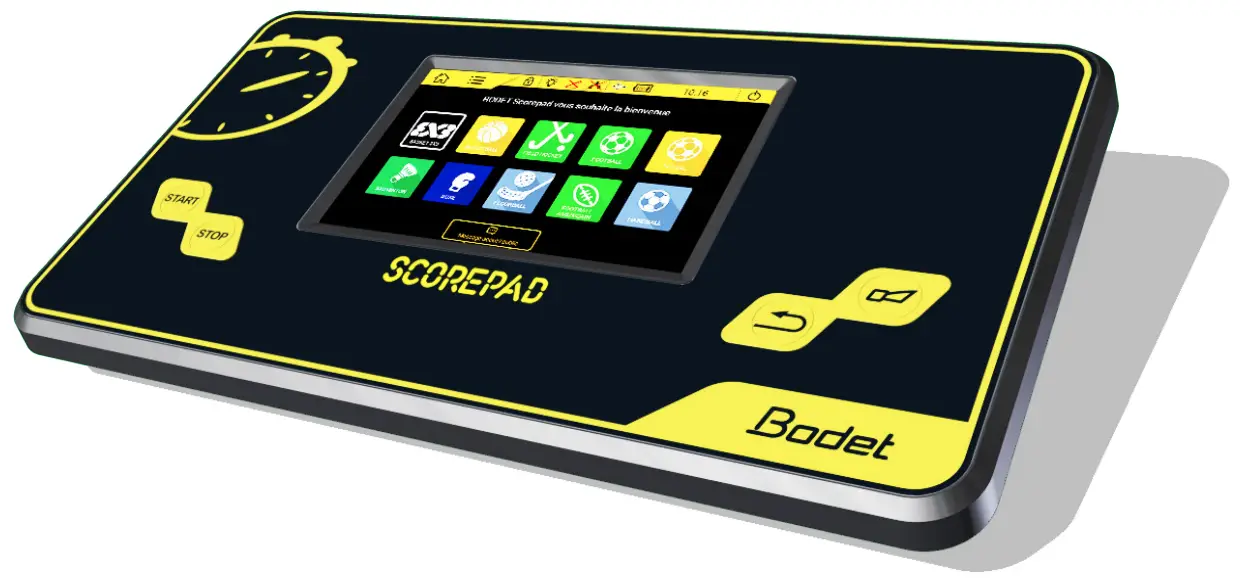 Rugby
Rugby
- Select.
- Select a configuration from the list:
RUGBY NATIONAL 
RUGBY 2 RUGBY 3 Configurations identified by can only be edited with the club access code. The club Access code is “1234”. It can be changed in the “Club access” menu.
- Screen in RUGBY National :

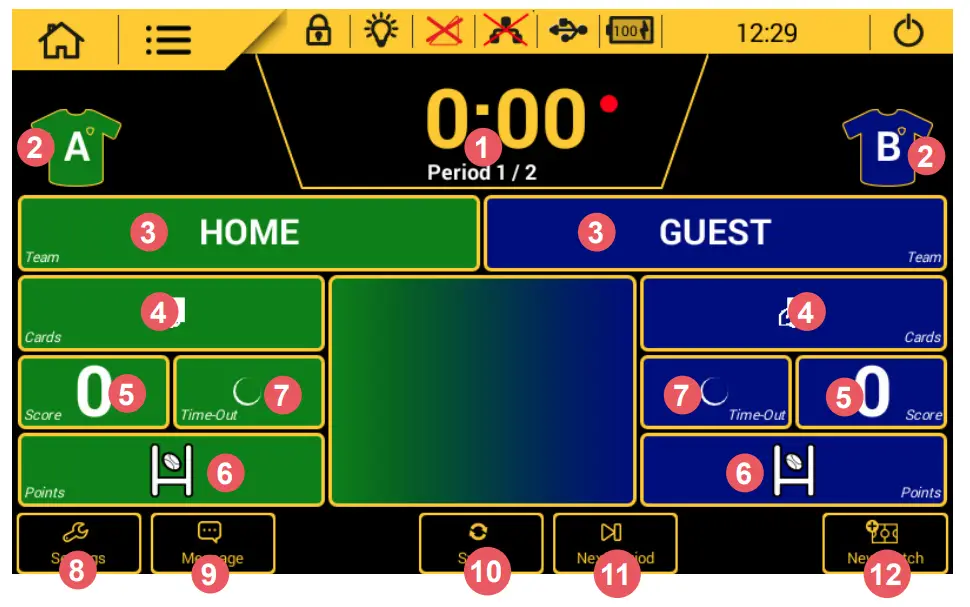 Pressing a game setting brings up a new window in which you can:
- edit the length of each period. The buzzer can be triggered at each end of period and the timer reset.
- edit colour of team shirts and game markings. Standard colours are provided plus a palette to select each team’s colours.
- edit the name of the team. After pressing LOCALS or VISITORS, press
 Config. team to edit the configuration of the teams (edit team screen name, activate players, choice of colours, load a team, create a new team or delete a team):
- add red card or yellow card to player.
- add or delete a goal.
- Add :
– score: one try (+5), one penalty kick (+3), one drop goal (+3) or a conversion kick (+2).
– bonus point: HOME Try bonus point, HOME Losing bonus point, GUEST Try bonus point, GUEST Losing bonus point - Start Time-Out.
- edit the configuration settings (see next page for the list of settings).
- display message outside game periods.
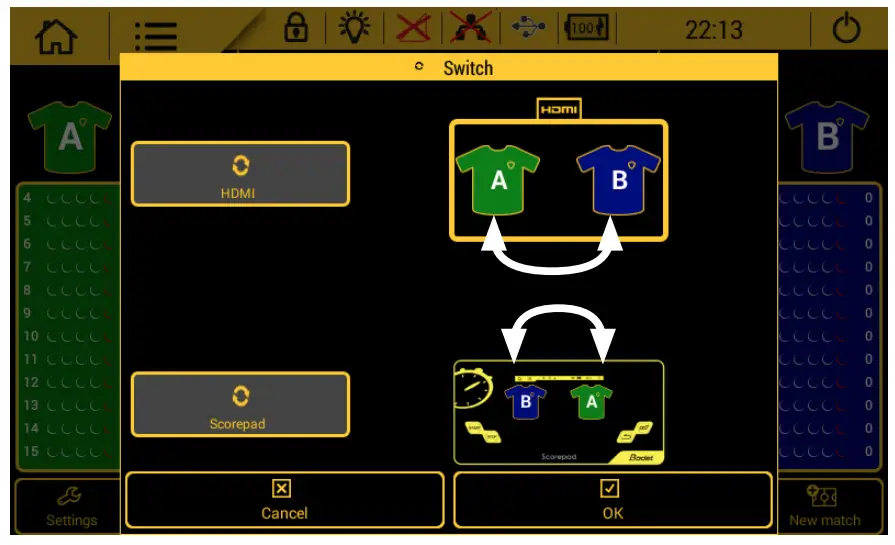
- reverse the direction of the teams on the HDMI output and/or on the Scorepad:

- go to next period
- start a new match. Caution: the match in progress will be lost.
 Config. team to edit the configuration of the teams (edit team screen name, activate players, choice of colours, load a team, create a new team or delete a team):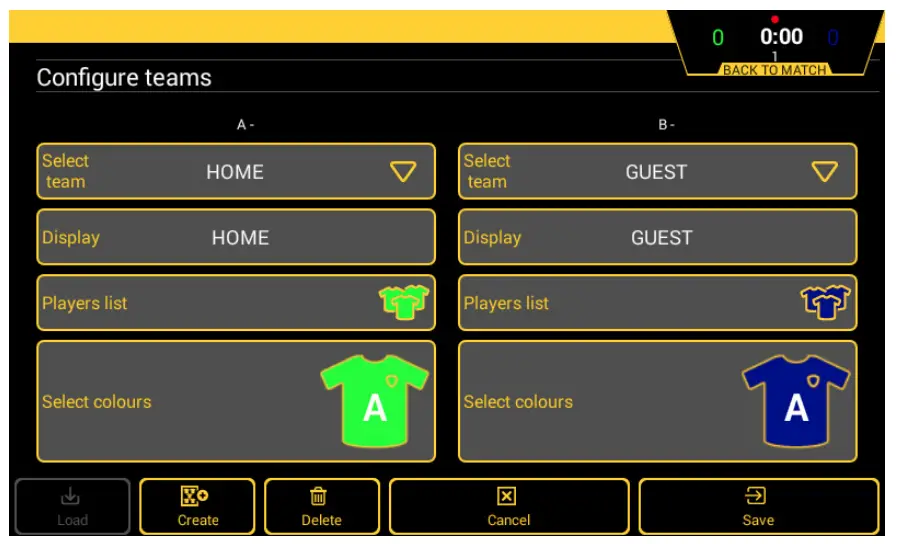
> ENTERING CONFIGURATION SETTINGS
- Click
 to edit a configuration. The list of editable settings is given below:
Note : All these settings are accessible from the Advanced Settings menu.
The list of editable settings is given below:
 to edit a configuration. The list of editable settings is given below:
| Rugby | RUGBY National | RUGBY 3 | RUGBY 2 |
| Before match | |||
| Horn before match | |||
| Horn at end | OFF | OFF | OFF |
| Horn before match | OFF | OFF | OFF |
| Pre-match duration | OFF | OFF | OFF |
| Match | |||
| Display Mode | |||
| Display Mode | Score and Game Clock | Score and Game Clock | Score and Game Clock |
| Period number | 2 | 2 | 2 |
| Period duration | 40:00 | 40:00 | 35:00 |
| Period mode | UP | UP | UP |
| cumulative period | OFF | OFF | OFF |
| End period Horn | OFF | OFF | OFF |
| Stop period end | OFF | OFF | OFF |
| Overtime | |||
| Overtime number | 0 | 0 | 0 |
| Overtime duration | 15:00 | 15:00 | 15:00 |
| Rest time | 2:00 | 2:00 | 2:00 |
| Time-Out | |||
| TO dots | |||
| Number of TO dots | 1 | 1 | 1 |
| Reset Time-out | OFF | OFF | OFF |
| Duration TO | 30s | 30s | 60s |
| Rest time duration | |||
| Half time horn | |||
| Horn duration at end period | 10s | 10s | 10s |
| Horn N°1 before end | OFF | OFF | OFF |
| Half time duration | 15:00 | 15:00 | 5:00 |
| Duration before overtime | 2:00 | 2:00 | 2:00 |
| Penalties | |||
| Duration penalties | 10:00 | 10:00 | 10:00 |
| Display player number | OFF | OFF | OFF |
| Scores and cards | |||
| Cards | OFF | ON | OFF |
| Points per player | OFF | ON | OFF |
| Details bonus | OFF | ON | OFF |
| White card | OFF | OFF | OFF |
| Various |
| Beeper buttons | ON | ON | ON |
| Statistic software | OFF | OFF | OFF |
| Maintain result | 10s | 10s | 10s |
| HDMI | |||
| HDMI display | … | … | … |
| Sponsors logo | … | … | … |
| Wallpaper | … | … | … |
| Display bonus | ON | ON | ON |
| Team logo | ON | ON | ON |
| Display penalties | ON | ON | ON |
Below is an explanation of each parameter:
| Rugby | Comments |
| Before match | |
| Horn before match | |
| Horn at end | Function enabled using the ON/OFF button |
| Horn before match | Function enabled using the ON/OFF button Choice of pre-match duration at which the horn sounds |
| Pre-match duration | Function enabled using the ON/OFF button Choice of before-match duration. |
| Game | |
| Display Mode | |
| Display Mode | Choice of display mode: score or score and game clock or score and time |
| Period number | Choose the period number for the game |
| Period duration: | Select the duration of each period. |
| Period mode | Counting mode or period countdown |
| Cumulative period | Function enabled using the ON/OFF button |
| End of period horn | Function enabled using the ON/OFF button Choice of horn duration at the end of each period |
| Stop period end | Function enabled using the ON/OFF button |
| Extra time | |
| Extra time number | Function enabled using the ON/OFF button Select the period number |
| Extra time duration | Select the duration of extra time |
| Rest time | Function enabled using the ON/OFF button Select the duration of rest time |
| Time-out | |
| TO dots | |
| Number of TO dots | Select the number of time out dots |
| Reset Time-out | Option of resetting the time out at each period or half-time or never. |
| Duration TO | Select the duration of time out |
| Rest time |
| Half-time horn | |
| Horn duration at end period | Select the duration of the horn before the end of each half time. |
| Horn N°1 before end | Horn before the end of half time |
| Half time duration | Function enabled using the ON/OFF button Select the duration of half time |
| Duration before extra time | Function enabled using the ON/OFF button Select the duration of extra time |
| Penalties | |
| Duration penalties | Select the duration of penalties |
| Display player number | Function enabled using the ON/OFF button |
| Scores and cards | |
| Cards | Function enabled using the ON/OFF button |
| Points per player | Function enabled using the ON/OFF button |
| Details bonus | Function enabled using the ON/OFF button |
| White card | Function enabled using the ON/OFF button |
| Various | |
| Beeper buttons | Locked |
| Statistical software | Locked |
| Maintain result | Function enabled using the ON/OFF button Select the duration to keep the display in seconds |
| HDMI | |
| HDMI display | Select the type of HDLI display: simple or complete. |
| Sponsor logos | Choose whether to display sponsor logos at the bottom of the HDMI screen |
| Wallpaper | Select the HDMI background image |
| Bonus display | Function enabled using the ON/OFF button |
| Team logos | Function enabled using the ON/OFF button |
| Display penalties | Function enabled using the ON/OFF button |
www.bodet-sport.com
BODET Time & Sport
Tel: +33 (0)2 41 71 72 33


Ref.: 607947 B
Ensure on delivery that the product has not been damaged in transport.