
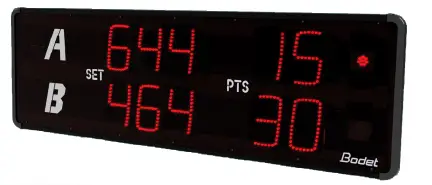
Bodet BTX8020 Set Multi Sport Scorer
Electrical and mechanical safety standards
We recommend that you read this manual carefully before installing the product.
Failure to observe these instructions may cause irreversible damage and invalidate the warranty. BODET shall not be responsible for any damage arising due to non-observance of these instructions.
Identification of pictograms: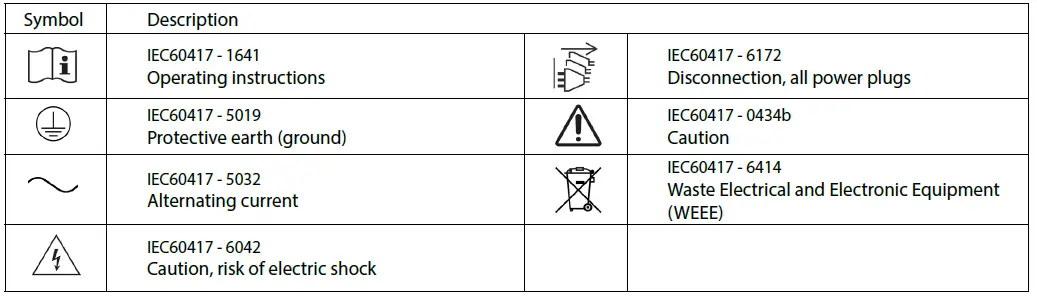
INSTALLING THE PRODUCT
This equipment must be fitted and maintained by a qualified person.
Electrical installation
The scoreboard must be powered through the building’s electrical installation. It is designed for Category II overvoltage. Max. V peak: 2500V.
Provide a mains power supply protection compliant with CEI 61643 in other cases, if necessary. The electrical installation of this equipment must comply with the rules laid down in the standards in force in the country where the product is used.
The installation must comply with the IEC 364 standard.
Provide a differential circuit breaker max. 30mA / phase-neutral of 16A maximum, rapidly accessible upstream from each pow-er-supply line (permanent power supply for the scoreboard).
This circuit breaker provides power supply protection and disconnecting, and must be cut off in the event of maintenance.
Conductors on the same circuit must be attached to each other close to the terminal block to avoid reduced isolation should one of the terminals become loose.
The equipment should not be powered up until it has been mounted to the wall. The scoreboard must be closed.
Installation
Checking the equipment
BTX8020 SET (Ref. 916091) :
- Scoreboard BTX8020 SET.
- Installation and operating instructions.
BTX8020 SET Scoreapp (Ref. 916092) :
- Scoreboard BTX8020 SET.
- Installation and operating instructions.
- Box Scoreapp (installed inside the scoreboard BTX8020 SET).
Presentation
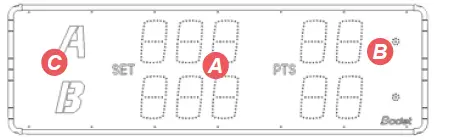
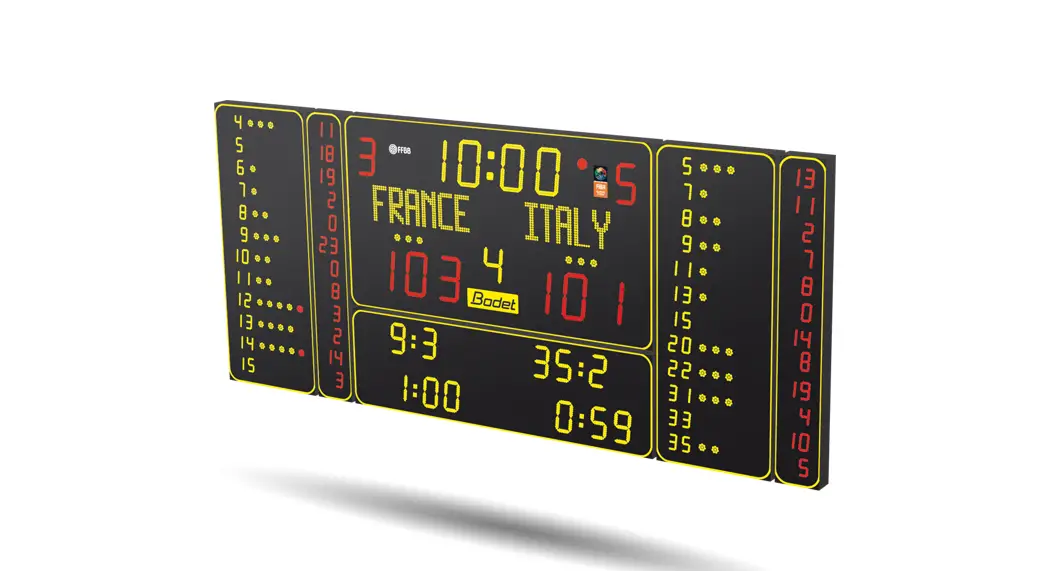
- A Display per sport: 5 red digits of 20 cm per team.
- Tennis and Paddel : sets, games and points.
- Badminton and Squash : sets and points.
- Volleyball and Table tennis : number of sets won and points in the current set.
- B Service indicator : 1 red dot Ø36 mm per team or player.
- C Stickers A and B for teams or players identification.
CAUTION: The maximum distance for communication by HF control between the keyboard and the scoreboard is 100 meters in open field.
Mechanical installation
Wall mounting
Attach the scoreboard to the wall using 4 screws Ø8 mm and suitable wall plugs (not supplied) using the 4 keyhole slots located on the rear of the BTX8020 SET scoreboard.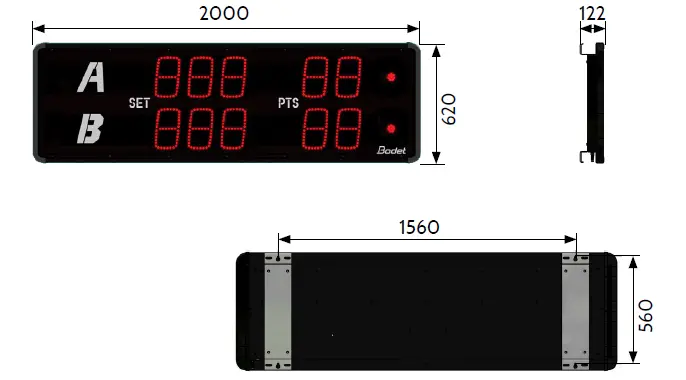
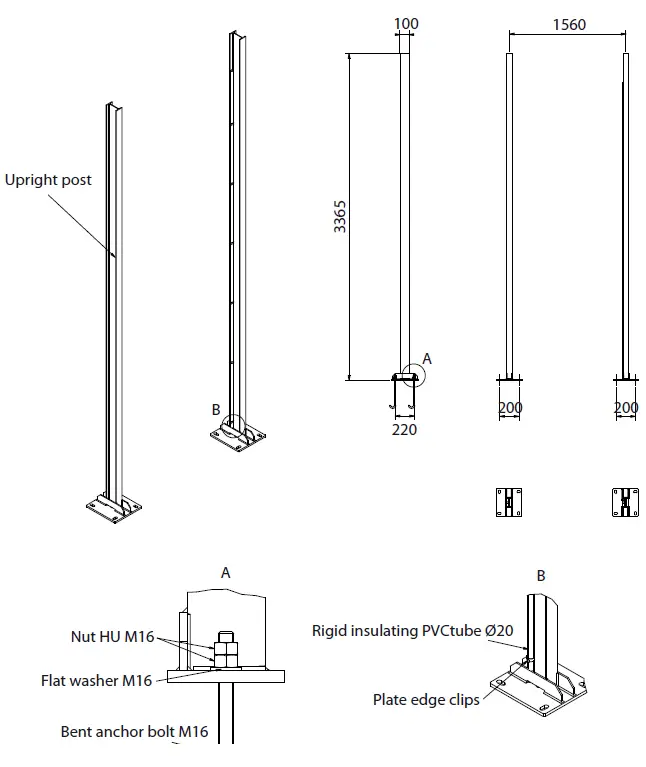
Post mounting (ref. 915170)
- Pour two blocks of concrete for the two posts with the help of the jigs (915196).
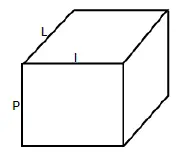
Dimensions of two blocks of concrete :
L = 75 cm – I = 75 cm – P = 75 cm
- Seal the 8 anchor bolts (915178) in each block (4 anchors per block) and then tighten the nuts. Make sure you carefully check the spacing and height of the anchor bolts.

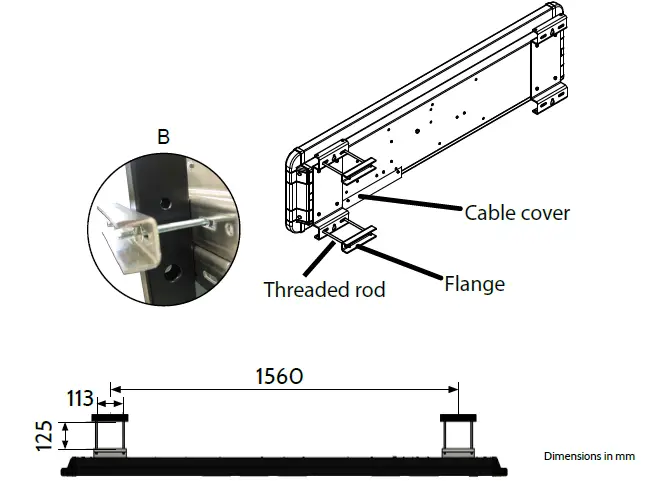
- Attach the panel on the 2 posts with the 4 clamps and the threaded rods (B)

Electrical connection
Connect the scoreboard’s power supply to a mains outlet.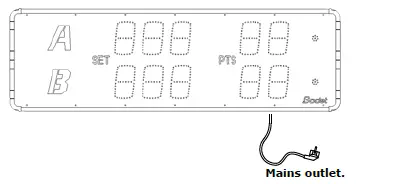
Commissioning
BTX8020 SET (Ref. 916 091)
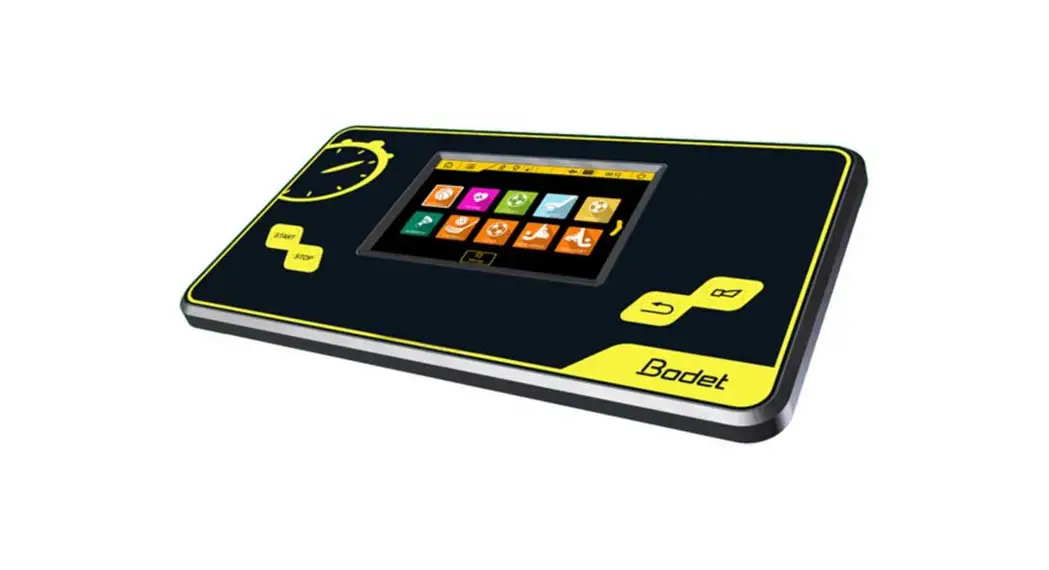
The Scorepad keyboard is not included with reference 916 091, it must be ordered separately. HF INSTALLATION
From the Scorepad keyboard :
- Scorepad homepage, click

- Click the Technician menu (code : 4934).
- Select the Communication menu.
- Click one of the previously created configurations.
- Click Communication type.
- Select HF.

The link between the Scorepad and the BTX8020 SET scoreboard is made by the 868MHz HF modem.
For this mode, the installation number and the channel number must be configured.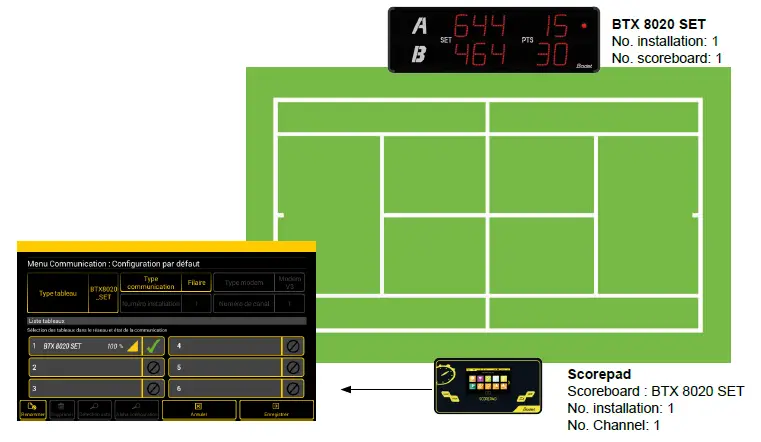
WIRED INSTALLATION
From the Scorepad keyboard :
- Scorepad homepage, click
- Click the Technician menu (code : 4934).
- Select the Communication menu.
- Click one of the previously created configurations.
- Click Communication type.
- Select Wired.

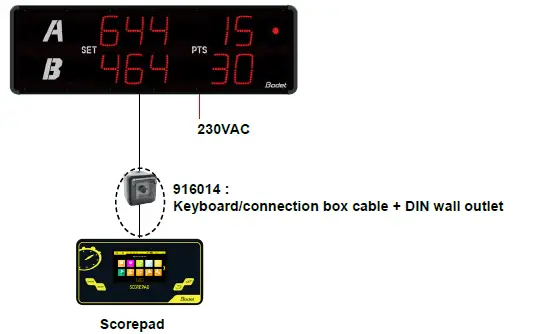
Connect the Scorepad to the BTX8020 SET scoreboard:
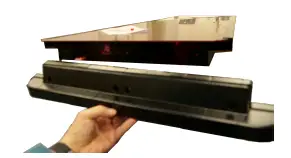
- Unscrew the 4 cross-headed screws on the right side
of the BTX8020 SET to remove them :
- Slide the glass to the right.
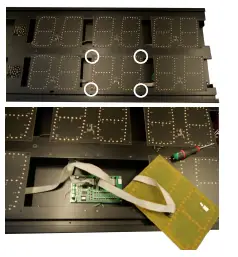
Caution: Do not press on the glass as this may damage the LEDs. - Unscrew the middle LED module on the second line:

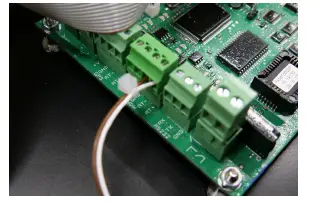
- Connect the keyboard cable to the MDM terminal block (RT+: white / Brown: RT-):

- Put back the glass and side panel in place by carrying out steps 1 and 2 in reverse order.
The Scoreapp box is factory installed and connected inside the BTX8020 SET scoreboard.
No installation action is required after connecting the mains power supply to the BTX8020 SET scoreboard (see paragraph 2.4 Electrical connection).
Dip-switch settings
The dip-switch setting is only necessary if you want to use two (or more) BTX8020 SET scoreboards.
Refer to the «Bodet scoreboard installation guide» for :
- DIP-switch settings for an installation with several BTX8020 SET scoreboards.
- Test the display of the BTX8020 SET scoreboard(s) and the Scorepad keyboard.
Use
BTX8020 SET (Ref. 916 091)
Use from the Scorepad keyboard.
Download the practised sport’s manual from the following link or by scanning the QR code. https://www.bodet-sport.com/support/documents-database/scorepad.html
BTX8020 SET Scoreapp (Ref. 916 092)
Use from the Scoreapp application.
Download the Scoreapp manual from the following link or by scanning the QR code. (see from page 4). https://www.bodet-sport.com/support/scoreapp.html
Technical features
- Weight: 20 kg
- Construction: Aluminium with protective glass
- Protection index: IP54 – IK07
- Optimal viewing distance: From 60 to 90 meters
- Reading angle: 160°
- Power supply: 100-240 VAC 50/60Hz
- Consumption: 40 W
- Electric protection: Circuit breaker 16A
- Operating temperature: -20°C to +50°C
BODET Time & Sport
1 rue du Général de Gaulle
49340 Trémentines I France
Tél: +33 241 71 72 33
 Bodet Sport - Expert in scoreboards & video display solutions