
KLEVGRAND Rum Room Simulator
Welcome
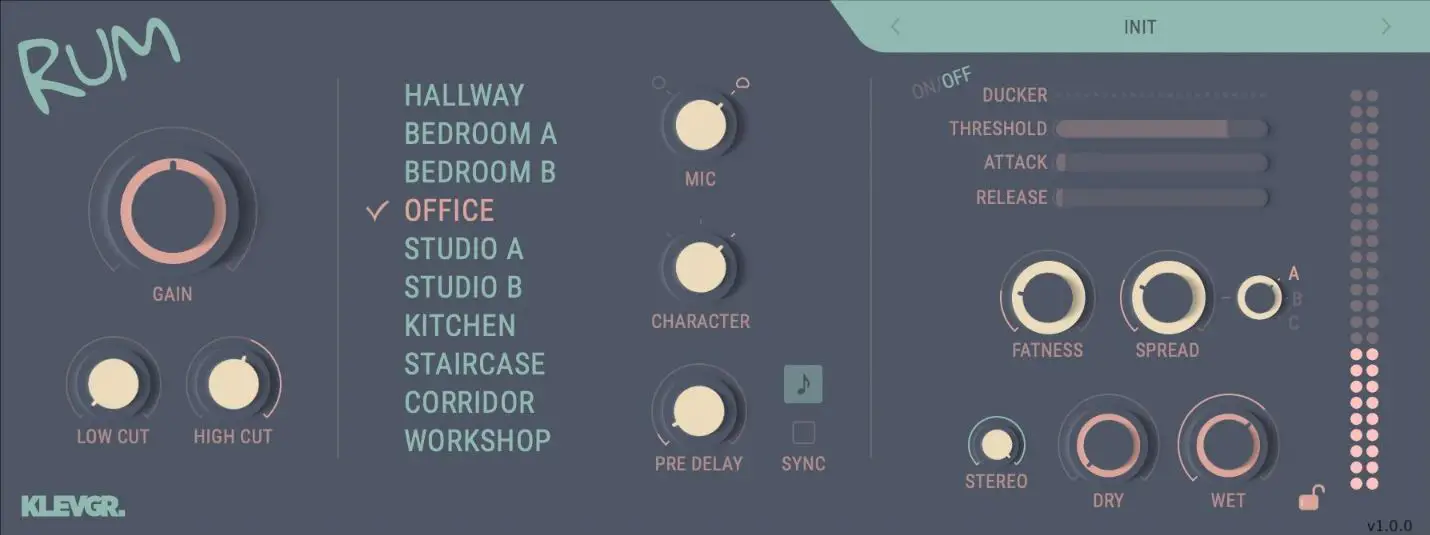
This is the user manual for Rum, a room simulator effect plug-in available for iPad (AUv3) and Mac & Windows (AU/VST3/AAX). It has been designed and developed by Klevgrand, a small studio in Stockholm, Sweden. Rum simulates different kinds of rooms – from acoustic treated studio booths to spaces found in an ordinary home. One can think of this plug-in as if the audio source was recorded in stereo from the other side of the room, a common technique for recording many acoustic instruments to breathe life into a dry sound source.
In addition to the 10 multi-recorded rooms (with different mic settings and characters that can be cross combined) there’s an advanced stereo spread and modulation unit for more tweakability. This plug-in also comes with a built-in ducker making it easy to tame transients on the wet signal, low cut and high cut filters, pre delay (with tempo sync) and a full set of factory presets.
Get the iOS version at the App Store
Get the AU / VST / AAX version at klevgrand.se
LICENSING (DESKTOP ONLY)
Until unlocked, the plug-in will output 1 second of silence now and then. To unlock the full version, click the Demo label (top left corner) and type/paste your license key
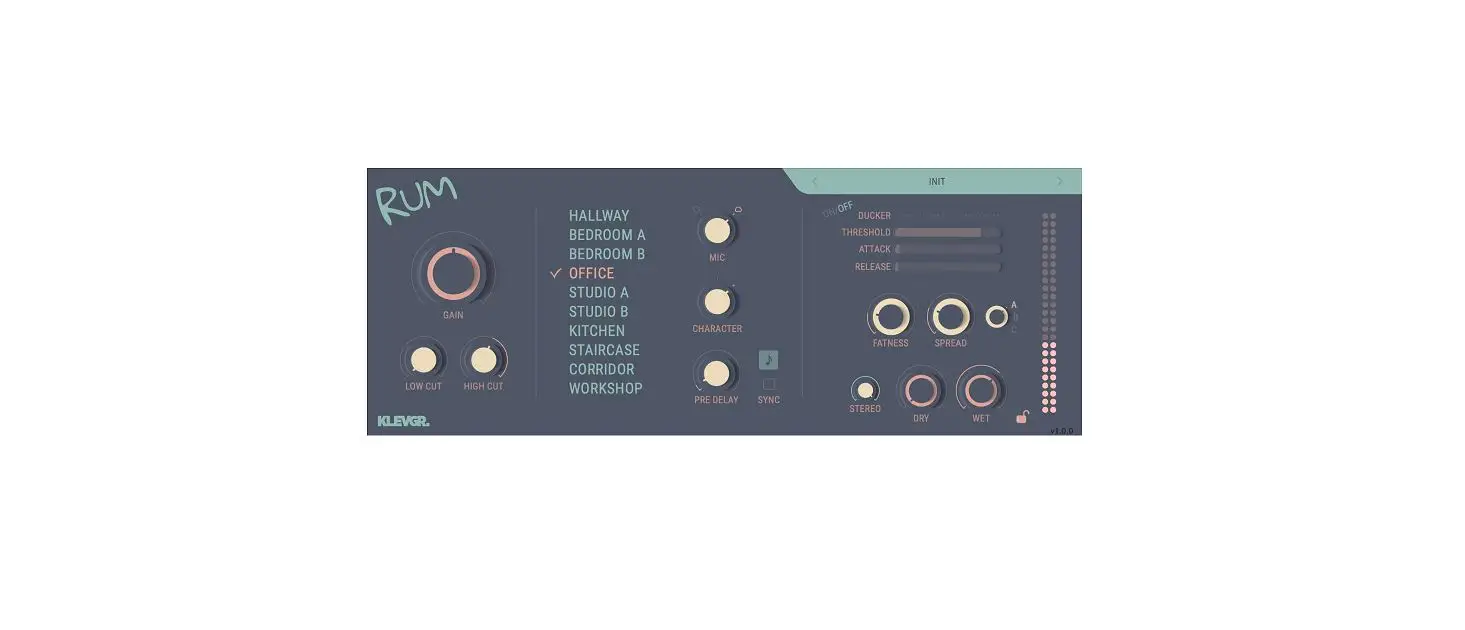
User interface
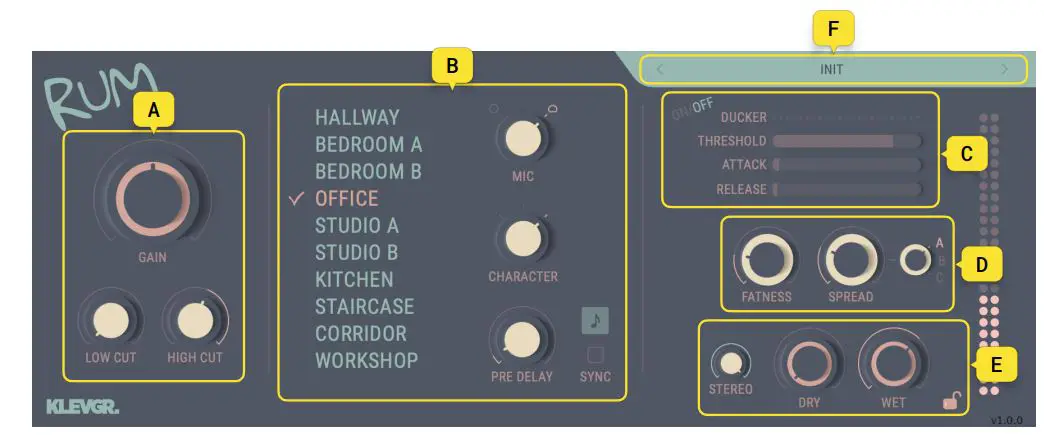
- A. Input section
- B. Room settings
- C. Ducker
- D. Fatness & Stereo spread
- E. Output section
- F. Preset
A. INPUT SECTION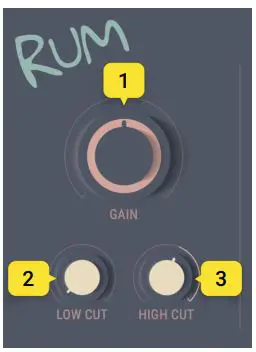
- Gain
Input gain level - Low cut
Low cut frequency - High cut
High cut frequency
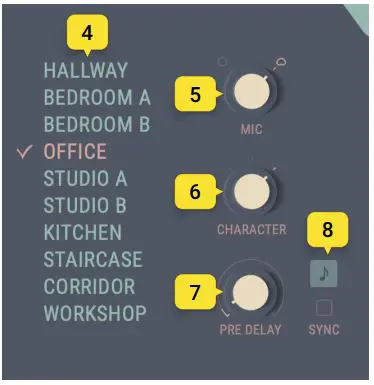
B. ROOM SETTINGS
- Room list
Click and select a room - Mic
Omni or cardioid character - Character
Room character (where the left most usually have a greater bass response) - Pre delay
Pre delay time (when not synced) - Sync
Tempo synced pre delay time (choose a note value from the pop-up above)
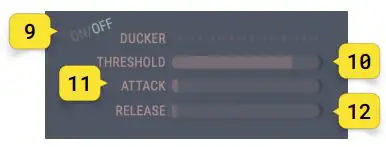
C. DUCKER
- Ducker on/off
Turns the ducking compressor on/off - Ducker threshold
The ducking compressor threshold - Ducker attack
The ducking compressor attack time - Ducker release
The ducking compressor release time
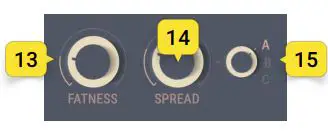
D. FATNESS & STEREO SPREAD
- Fatness
Modulates the delay in a chorus like manner - Spread
Applies a stereo spread to the reverb - Spread Select
Lets you choose between 3 different spread characters/types
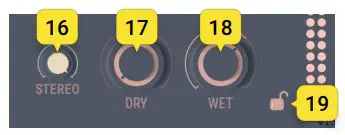
E. OUTPUT
- Stereo
Adjusts stereo width, where center top is mono, 100% is 100% stereo. -100% is full stereo with flipped left and right channels - Dry
Dry signal gain - Wet
Wet signal gain - Lock
Locks the dry/wet controls when switching presets.
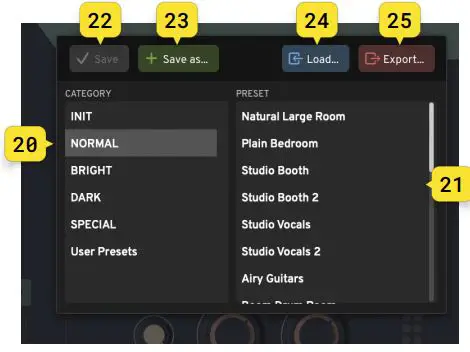
F. PRESETS
Click the preset title to open the preset dialog. Click the arrows to quickly browse through the preset list without opening it. - Presets category

Factory presets are organized in categories, choose a category to view the presets. Your saved presets will be located in the ”User Presets” category. - Presets
Click a preset to load it. - Save preset
When a user preset has been modified, this button is available. It will save the preset to current state. - Save as…
Click to save the current state into a new user preset. - Load…
Click to load a preset from an external file. - Export…
Click to export a preset into an external file.

Specifications / System requirements
Mac
- 64 bit AU/VST3/AAX plug-in
- macOS 10.10+
- OpenGL
Windows
- 64 bit VST3/AAX plug-in
- Windows 7+
- SP1 or higher
iOS
- AUv3 plug-in
- iPad Air 2 or better
- iOS 13+
klevgrand.se RUM – DOCS (4/4) © 2021 Klevgränd Produkter AB
 Klevgränd