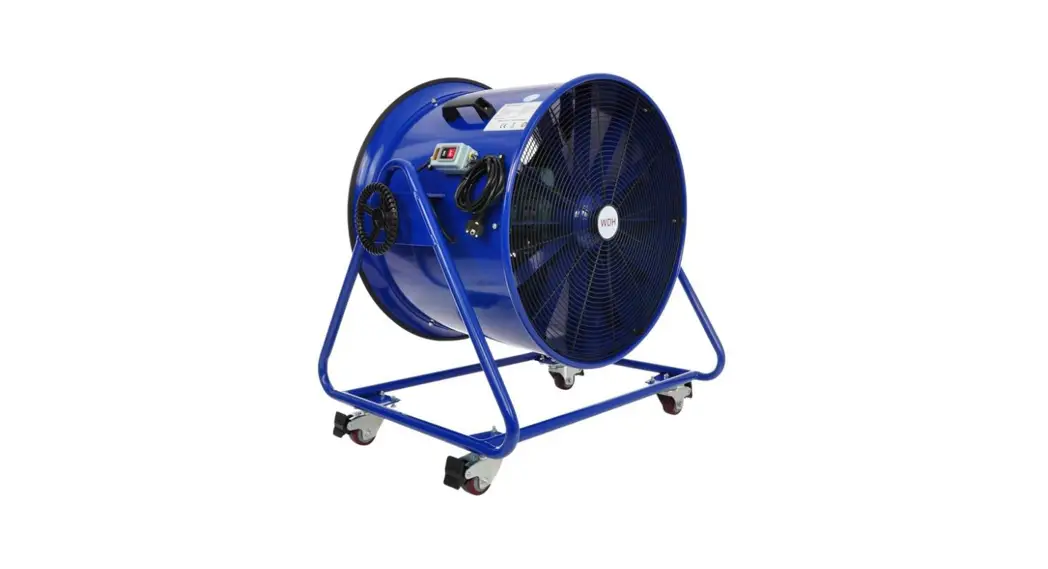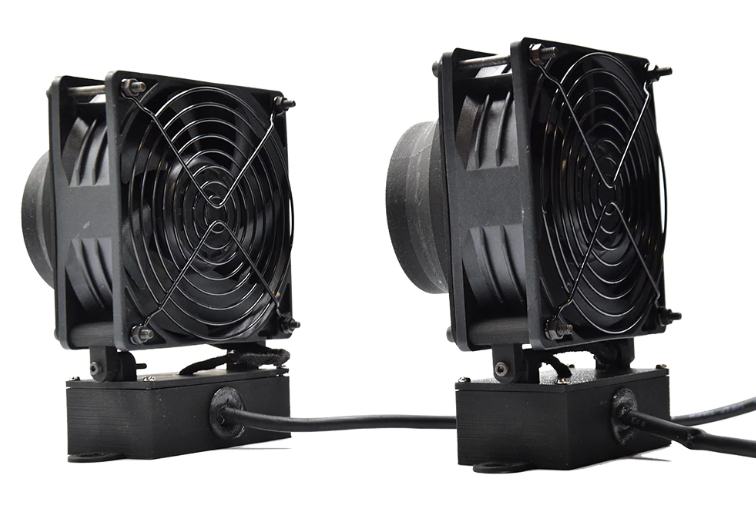

Alpha Windsim Sim Hub Wind Simulator
www.alphawindsim.eu
e: [email protected]
p: (+31) 223 74 60 10
- Download and install the SimHub software https://www.simhubdash.com/download-2/
- Connect the USB cable to your computer and to the controller box.
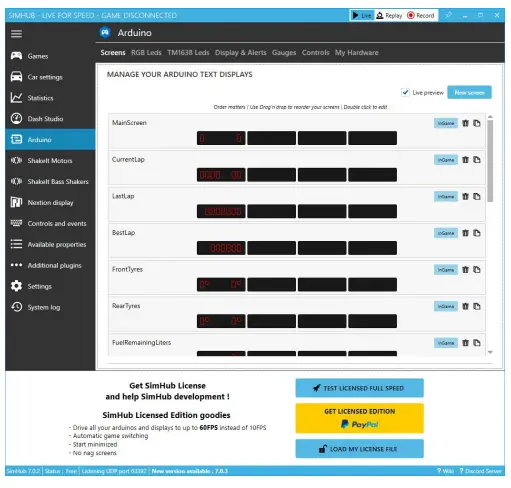
- Open SimHub and click on “Arduino” on the left side

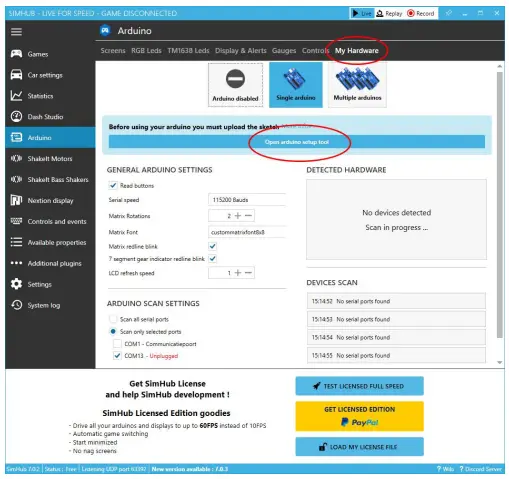
- Click on “My Hardware” and after that “Open arduino setup tool”

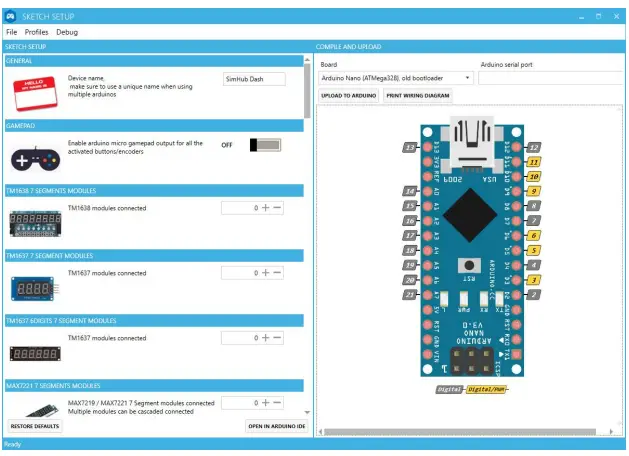
- Click on “Single Arduino”. A new window will open as shown below;

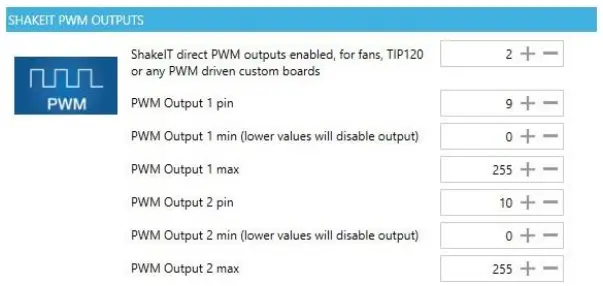
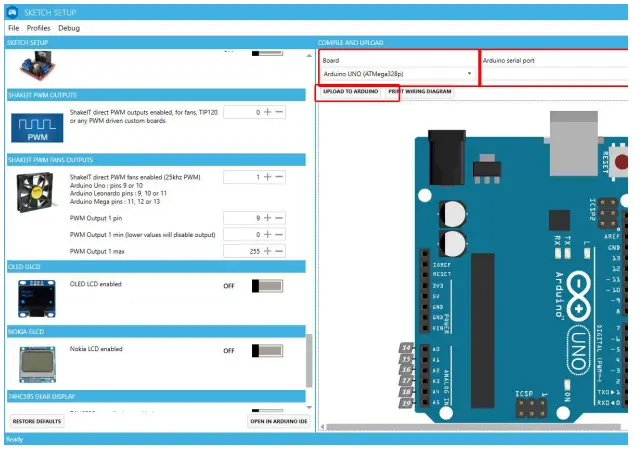
- On the left side scroll down until you see “ShakeIt PWM OUTPUTS” and set “fans enabled” to 2 (default is 0)
PWM Output 1 pin = 9
PWM Output 2 pin = 10
- Now on the right side select Arduino Uno and the Serial Port and click on “Upload to Arduino” (The serial port should start with “USB-SERIAL CH340 or Arduino Uno”)

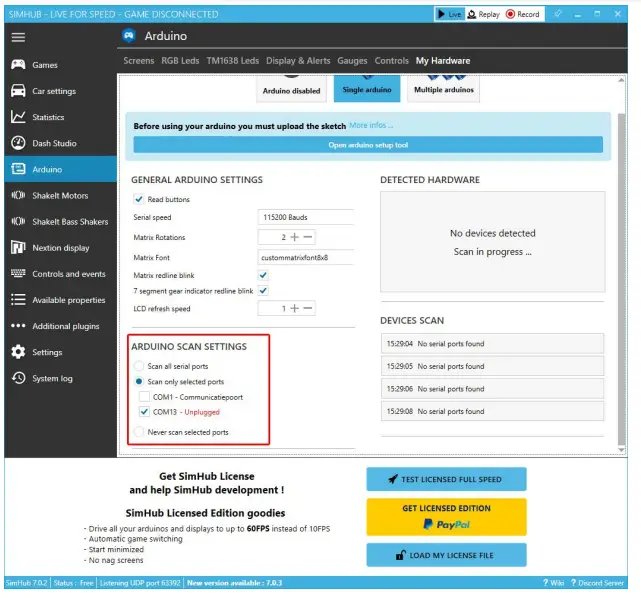
- When the upload is confirmed close this screen an return to SimHub Arduino screen to select the right COM port. (The selected com port should start with “USB-SERIAL CH340 or Arduino Uno”)

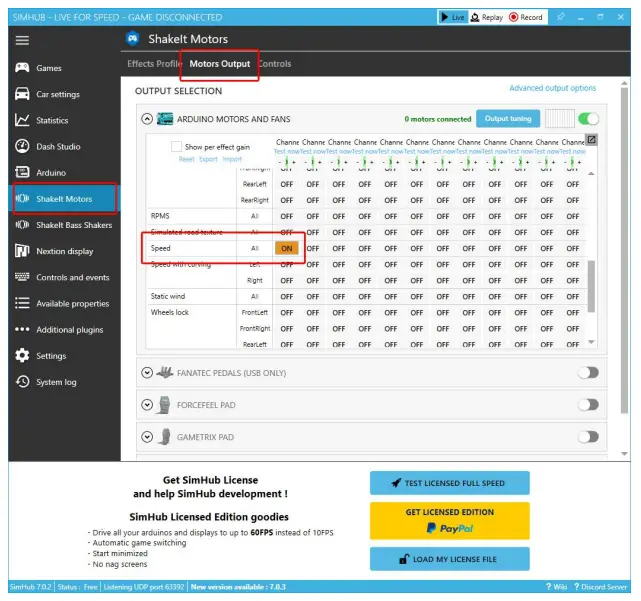
- Now click on “ShakeIt Motors” on the left and select “Motors Output” on the top. Scroll all the way down to “Speed” and change the first Channel to ON

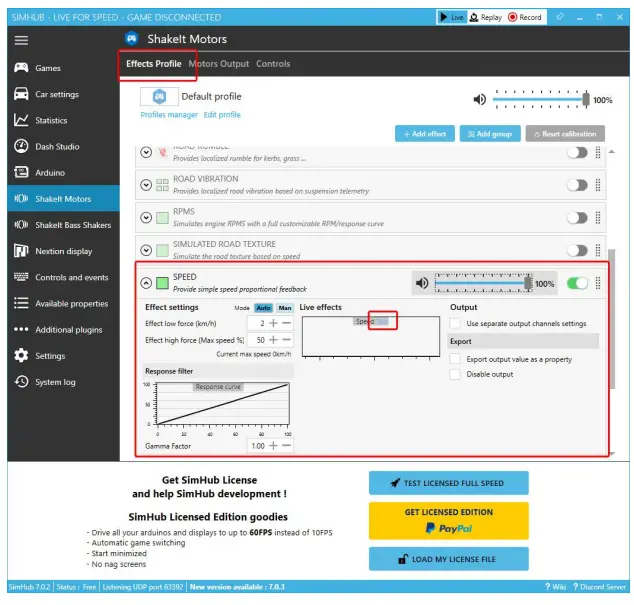
- Now click on “Effects Profile” and scroll down till you see “Speed”. Here you can configure effect setting in the way you want. You can also test the output. If you keep clicking on “Test” and have the power supply connected to your WindSim the fans should spin.

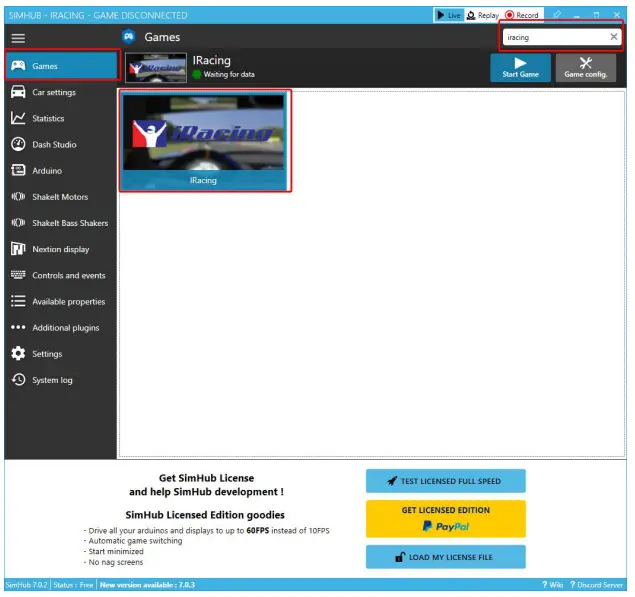
- Before starting your game go to “Games” find your game and click on the logo. And we are ready to go! Have fun!

 AlphaWindSim.eu | Race with our windsimulator, ultimate immersion
 Download – SimHub, DIY Sim Racing Dash and Hardware