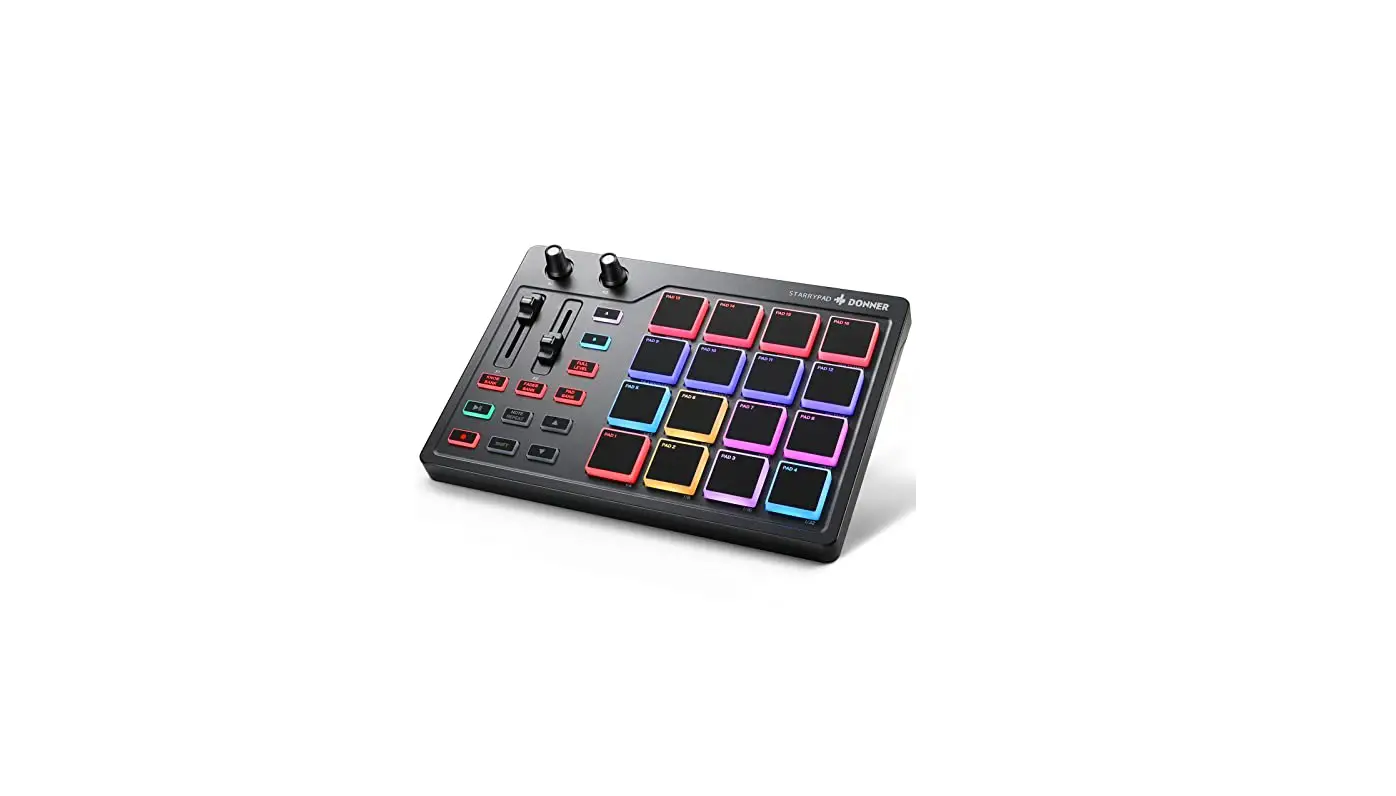

Donner Starrypad Midi Pad Beat Maker With 16 Beat Pads User Manual

Donner Starrypad Midi Pad Beat Maker With 16 Beat Pads User Manual

DONNER-logo

DONNER Starrypad MIDI Pad Beat Maker with 16 Beat Pads
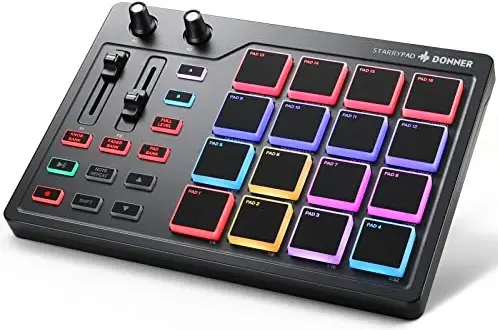
DONNER-Starrypad-MIDI-Pad-Beat-Maker-with-16-Beat-Pads-product

Color Replacement Step Instructions

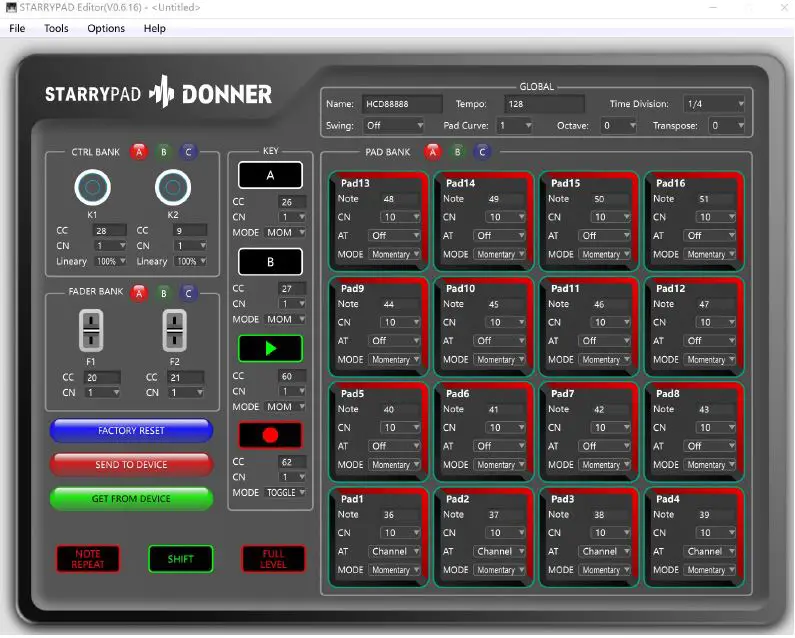
  • The first step is to download and install the host computer software and open it.DONNER-Starrypad-MIDI-Pad-Beat-Maker-with-16-Beat-Pads-fig- (1)
  • The second step, use the data cable to connect the pad to the computer.
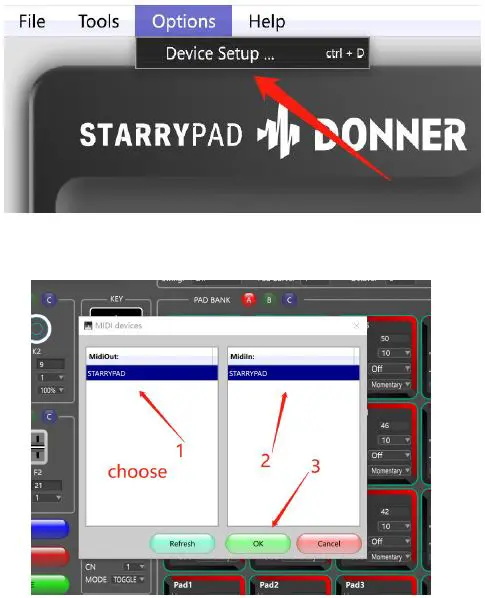
  • The third step, set up the connection.DONNER-Starrypad-MIDI-Pad-Beat-Maker-with-16-Beat-Pads-fig- (2)
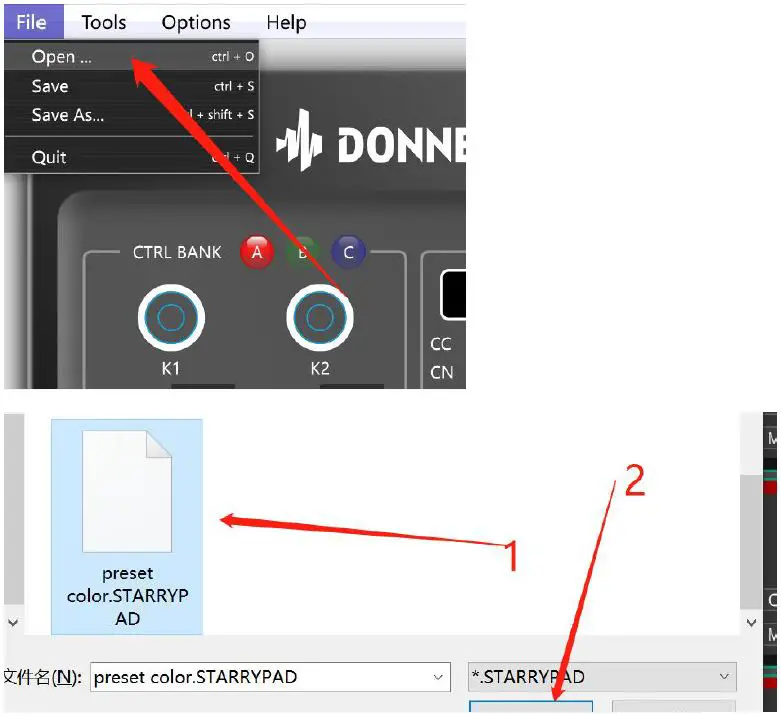
  • In the fourth step, drag the preset color file in the folder to the computer desktop. Select the preset color file of the computer desktop. Click to open the file.DONNER-Starrypad-MIDI-Pad-Beat-Maker-with-16-Beat-Pads-fig- (3)
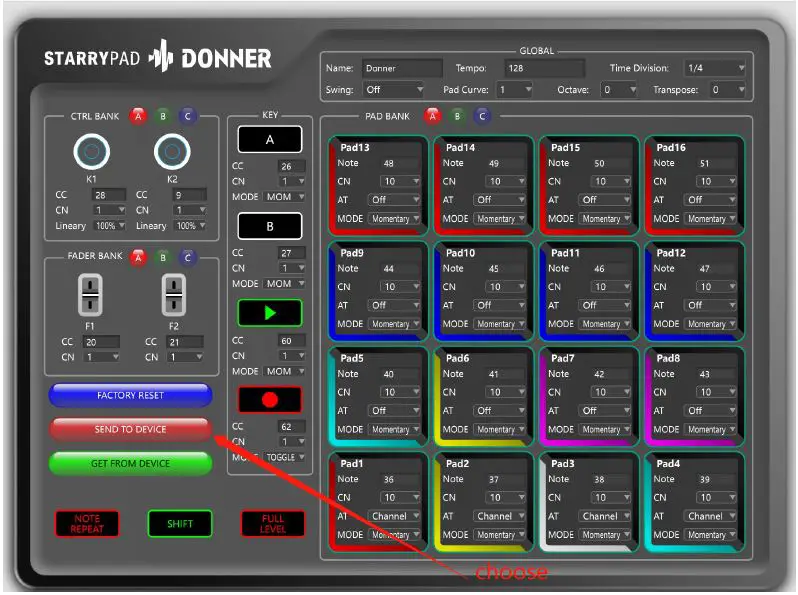
  • The fifth step, is import and save.DONNER-Starrypad-MIDI-Pad-Beat-Maker-with-16-Beat-Pads-fig- (4)

Documents / Resouces

Download manual
Here you can download full pdf version of manual, it may contain additional safety instructions, warranty information, FCC rules, etc.


Related Manuals