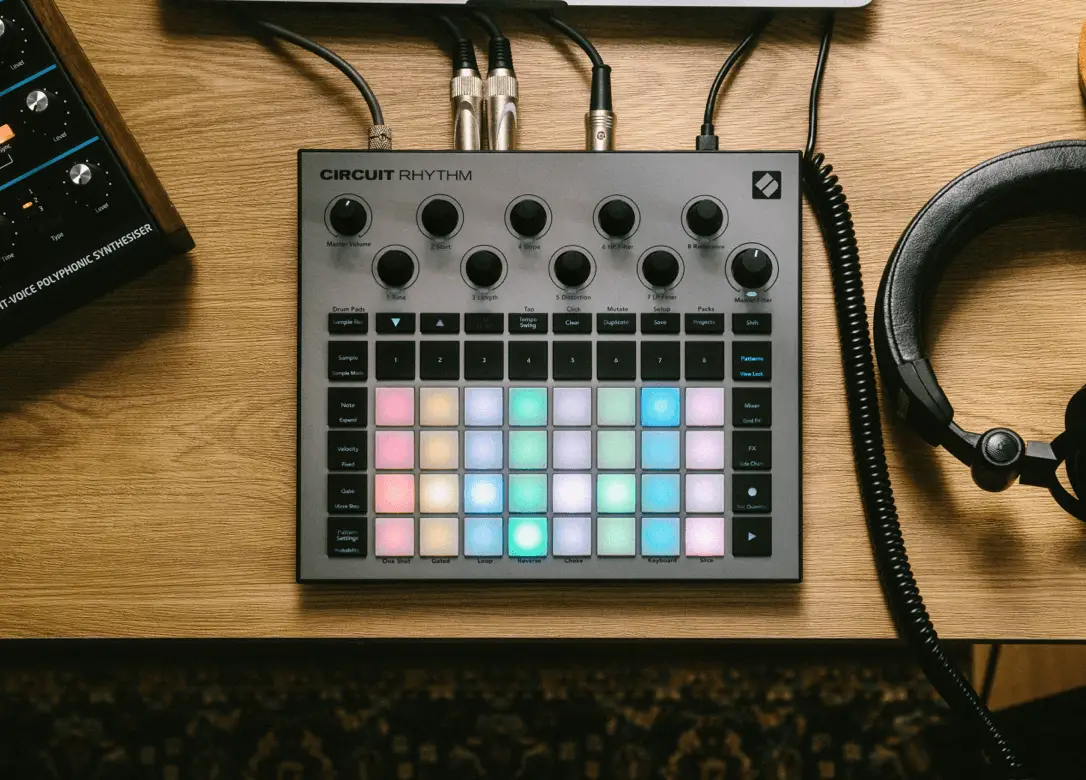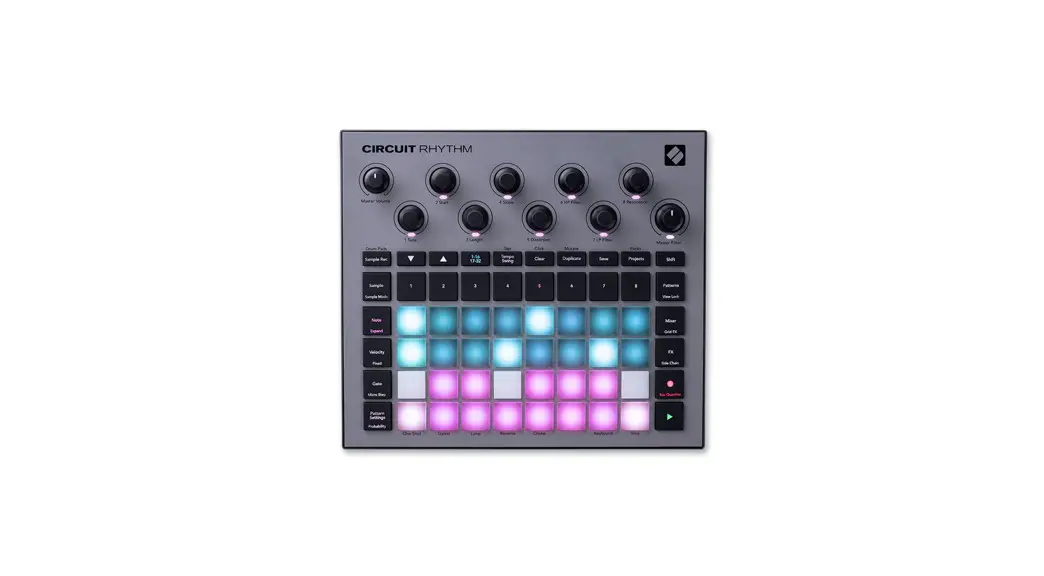
 CIRCUIT RHYTHM Electric Drum Pad
User Guide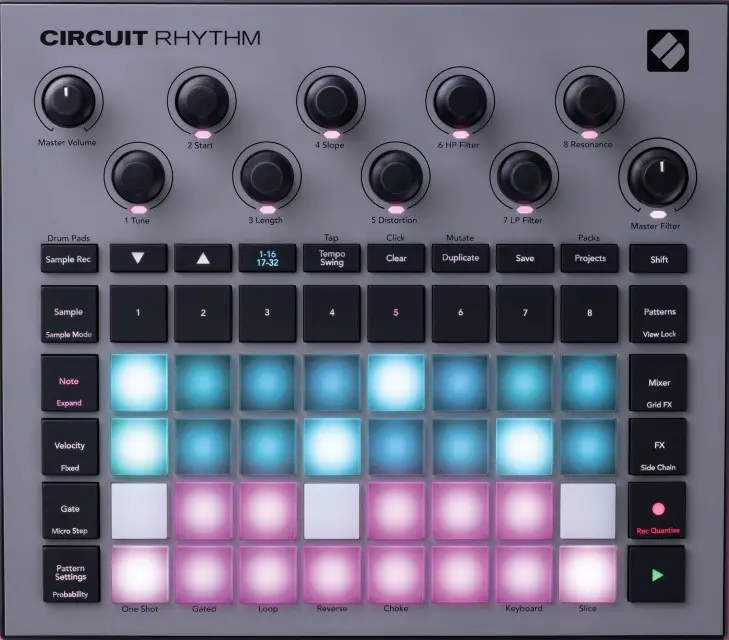
Circuit Rhythm MIDI Parameters
Macro Knobs
These are identical to the parameters in the ‘Sampler Parts’ section.
| Section | I Parameter | I CC/NRPN | I Control No. 1 | Range | I Default Value | I Notes |
| Macro Knobs | ||||||
| 1. Tune | CC | 21 | 0 — 127 | 64 | Send on appropriate channel 1-8 | |
| 2. Start | CC | 22 | 0 — 127 | 0 | Send on appropriate channel 1-8 | |
| 3. Length | CC | 23 | 0 — 127 | 127 | Send on appropriate channel 1-8 | |
| 4. Slope | CC | 24 | 0 — 127 | 64 | Send on appropriate channel 1-8 | |
| 5. Distortion | CC | 25 | 0 — 127 | 0 | Send on appropriate channel 1-8 | |
| 6. HP Filter | CC | 26 | 0 — 127 | 0 | Send on appropriate channel 1-8 | |
| 7. LP Filter | CC | 27 | 0 — 127 | 127 | Send on appropriate channel 1-8 | |
| 8. Resonance | CC | 28 | 0 — 127 | 0 | Send on appropriate channel 1-8 | |
Sampler Parts 1–8
| Section | Parameter CC / NRPN Control No. I Range Default Value | Notes | ||||
| Voice | ||||||
| SampleChoice | CC | 8 | o -127 | 0 | ||
| PlaybackMode | CC | 12 | 0 – 2 | 0 | ||
| Reverse | CC | 14 | 0 -1 | 0 | ||
| Choke | CC | 15 | 0 -1 | 0 | ||
| Slice | CC | 16 | 0 -1 | 0 | ||
| Number of Slices | CC | 17 | 1 -16 | 16 | ||
| Sampler | ||||||
| Pitch | CC | 21 | 4 – 124 (-60 – 60) | 0 | Controllable/Automatable using Macro Knobs | |
| StartCoarse | CC | 22 | 0 – 127 | 0 | Controllable/Automatable using Macro Knobs | |
| LengthCoarse | CC | 23 | 0 -127 | 127 | Controllable/Automatable using Macro Knobs | |
| Slope | CC | 24 | 0 – 127 (-64 – 63) | 0 | Controllable/Automatable using Macro Knobs | |
| Distortion | CC | 25 | 0 – 127 | 0 | Controllable/Automatable using Macro Knobs | |
| HPF | CC | 26 | 0 -127 | 0 | Controllable/Automatable using Macro Knobs | |
| LPF | CC | 27 | 0 -127 | 127 | Controllable/Automatable using Macro Knobs | |
| Resonance | CC | 28 | 0 – 127 | 0 | Controllable/Automatable using Macro Knobs | |
| StartFine | CC | 86 | 0 -127 | 0 | Controllable/Automatable using Macro Knobs | |
| LengthFine | CC | 87 | 0 -127 | 127 | Controllable/Automatable using Macro Knobs | |
| Mixer | ||||||
| Level | CC | 29 | 0 -127 | 100 | ||
| Pan | CC | 30 | -64-63 | 0 | ||
| ReverbSend | CC | 31 | 0 -127 | 0 | ||
| DelaySend | CC | 32 | 0 -127 | 0 | ||
| Dipper | ||||||
| Source | NRPN | 1:00 | 0 – 7 | 0 | ||
| Attack | NRPN | 1:01 | 0 -127 | 0 | ||
| Hold | NRPN | 1:02 | 0 – 127 | 0 | ||
| Decay | NRPN | 1:03 | 0 – 127 | 0 | ||
| Depth | NRPN | 1:04 | 0 – 127 | 0 | ||
Effects
| Section Parameter CC / NRPN Control No. 1 Range Default Value Notes | ||||||
| Reverb | ||||||
| Type | NRPN | 1:18 | 0 – 5 | 2 | ||
| Decay | NRPN | 1:19 | 0- 127 | 64 | ||
| Damping | NRPN | 1:20 | 0 – 127 | 64 | ||
| Delay | ||||||
| Time | NRPN | 1:06 | 0 – 127 | 64 | ||
| TimeSync | NRPN | 1:07 | 0-35 | 20 | ||
| Feedback | NRPN | 1:08 | 0 – 127 | 64 | ||
| Width | NRPN | 1:09 | 0- 127 | 127 | ||
| LRRat io | NRPN | 1:10 | 0- 12 | 4 | ||
| SlewRato | NRPN | 1:11 | 0 – 127 | 5 | ||
| Effects | ||||||
| Bypass | NRPN | 1:21 | 0 – 1 | 0 | ||
| BeatRepeat | ||||||
| OnOff | CC | 39 | 0 – 1 | 0 | ||
| Rate | CC | 40 | 0-10 | s | ||
| DryWet | CC | 41 | 0 – 127 | 0 | ||
| Reverser | ||||||
| OnOff | CC | 42 | 0 – 1 | 0 | ||
| Rate | CC | 43 | 0- 3 | 2 | ||
| Gator | ||||||
| OnOff | CC | 44 | 0 – 1 | 0 | ||
| Rate | CC | 45 | 0 – 11 | 5 | ||
| Autofilter | ||||||
| OnOff | CC | 46 | 0 – 1 | 0 | ||
| FilterType | CC | 47 | 0 – 3 | 0 | ||
| Frequency | CC | 48 | 0- 127 | 80 | ||
| LFOamount | CC | 49 | 0 – 127 | 40 | ||
| LFOshape | CC | 50 | 0 – 2 | 0 | ||
| LFOrate | CC | 51 | 0 -13 | 8 | ||
| Resonance | CC | 52 | 0 – 127 | 63 | ||
| DigitalLofi | ||||||
| OnOff | CC | 53 | 0 – 1 | 0 | ||
| Bits | CC | 54 | 0- 127 | 30 | ||
| SampleRate | CC | 55 | 0- 127 | 30 | ||
| Phaser | ||||||
| OnOff | CC | 56 | 0 – 1 | 0 | ||
| Rate | CC | 57 | 0-13 | 7 | ||
| Depth | CC | 58 | 0 – 127 | 64 | ||
| Feedback | CC | 59 | 0 – 127 | 0 | ||
| Centre | CC | 64 | 0- 127 | 0 | ||
| Vinyl | ||||||
| OnOff | CC | 60 | 0- 1 | 0 | ||
| Filter | CC | 61 | 0- 127 | 64 | ||
| Wobble | CC | 62 | 0 – 127 | 64 | ||
| Crackle | CC | 63 | 0- 127 | 64 | ||
| Hiss | CC | 65 | 0- 127 | 64 | ||
Global Control Data
| Section Parameter | CC / NRPN | Control No. | Range | Default Value | Notes | ||
| LP HP Filter | |||||||
| Frequency | CC | 79 | 0 – 127 | (-64 – 63) | 64 | Affects Master fitter | |
| Resonance | CC | 71 | 0 – 127 | 30 | Affects Master fitter | ||
| Compressor | Controls for main output compressor | ||||||
| On/Off | NRPN | 1:22 | 0, 1 | 1 | |||
| Attack | NRPN | 1:23 | 127 | 0 | |||
| Release | NRPN | 1:24 | 127 | 0 | |||
| EnvelopeFollow | NRPN | 1:25 | 127 | 0 | |||
| SoftClip | NRPN | 1:26 | 0, 1 | 1 | |||
| Master | |||||||
| Volume | NOT SUPPORTED | ||||||
| Click | |||||||
| On/Off | 0, 1 | 0 | NOT SUPPORTED | ||||
| Volume | 127 | 100 | NOT SUPPORTED | ||||
| Rate | 0, 3 | 1 | NOT SUPPORTED | ||||
| Choice | 127 | 0 | NOT SUPPORTED | ||||
| Audio Input | |||||||
| GainPadding | NRPN | 1:27 | 0, 1 | 0 | |||
| Routing | NRPN | 1:28 | 0, 1 | 0 | |||
| Threshold | NRPN | 1:29 | 0, 1 | 1 | |||
| Monitor | NRPN | 1:30 | 0, 1 | 1 | |||
| Level | CC | 90 | 127 | 100 | |||
Patch and Project Select
| MIDI Channel | Parameter | Value | Notes |
| 16 | PGM | 0 — 63 | select project (instant) |
| 16 | PGM | 64 — 127 | select project (queued) |
*PGM = Program Change
Note, for drum patch selection see Drum Control table
Supported Realtime Messages
Message
start
stop
continue
timing clock
Supported System Common Messages
Message
song position pointer
song select
FX Parameters
| FX Select | FX Name | Param1 | Param2 | Param3 | Param4 | Param5 | Param6 |
| 0 | Beat Repeat | Rate | wet/dry | x | x | x | x |
| 1 | Reverse | Rate | x | x | x | x | x |
| 2 | Gator | Rate | x | x | x | x | x |
| 3 | Autofilter | Rate | FiltType | Freq | Shape | Amount | Resonance |
| 4 | Digital_Lofi | Bits | Sample | x | x | x | x |
| 5 | Phaser | Rate | Depth | FB | x | x | x |
| 6 | Vinyl | Filter | Wobble | Crackle | Hiss | x | x |
Setup View
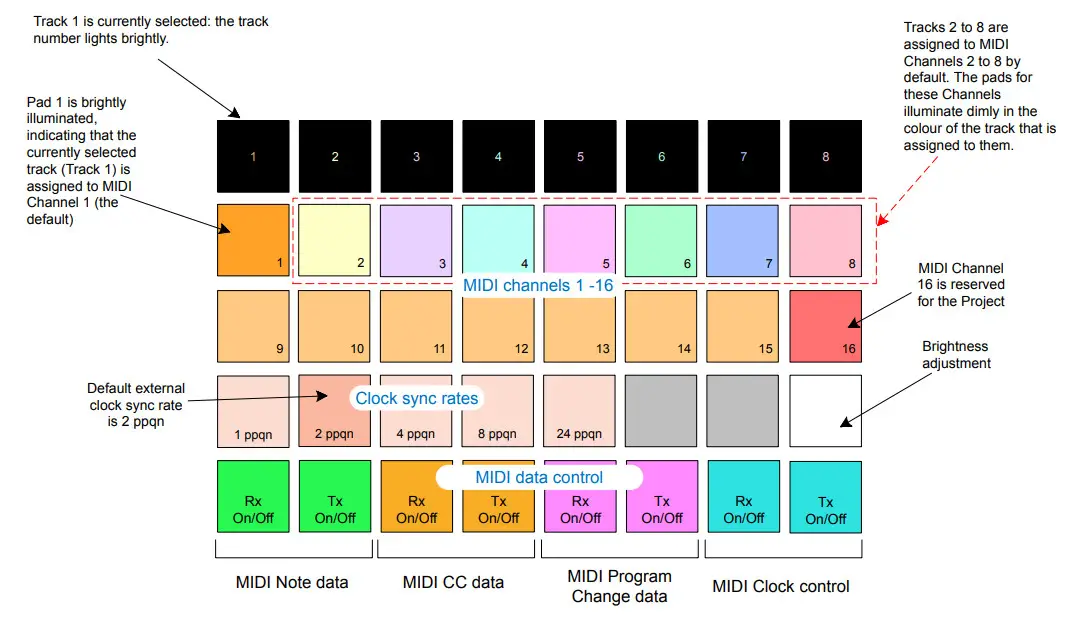
You can enter setup view by holding down Shift and Pressing save. For a full description of setup view please see the full Circuit Rhythm user guide on the Novation Downloads page.