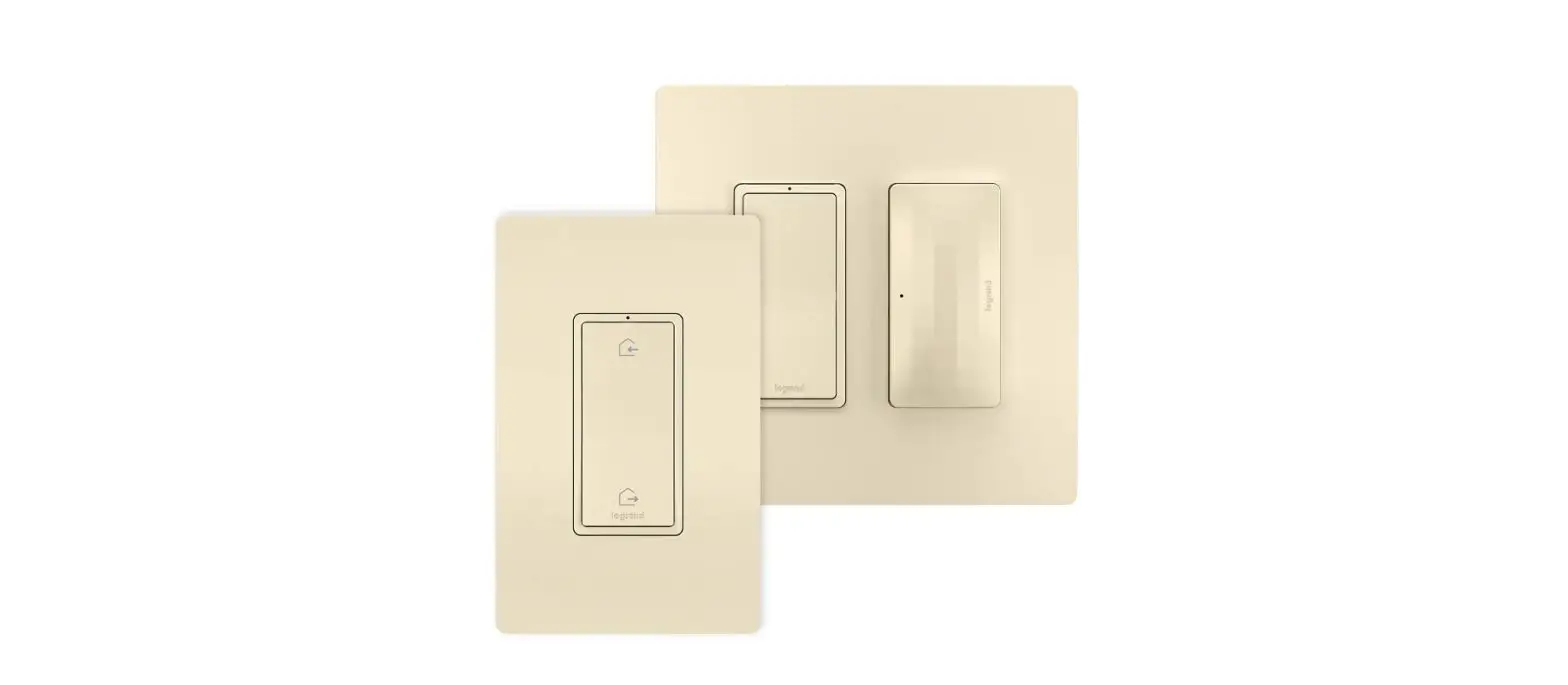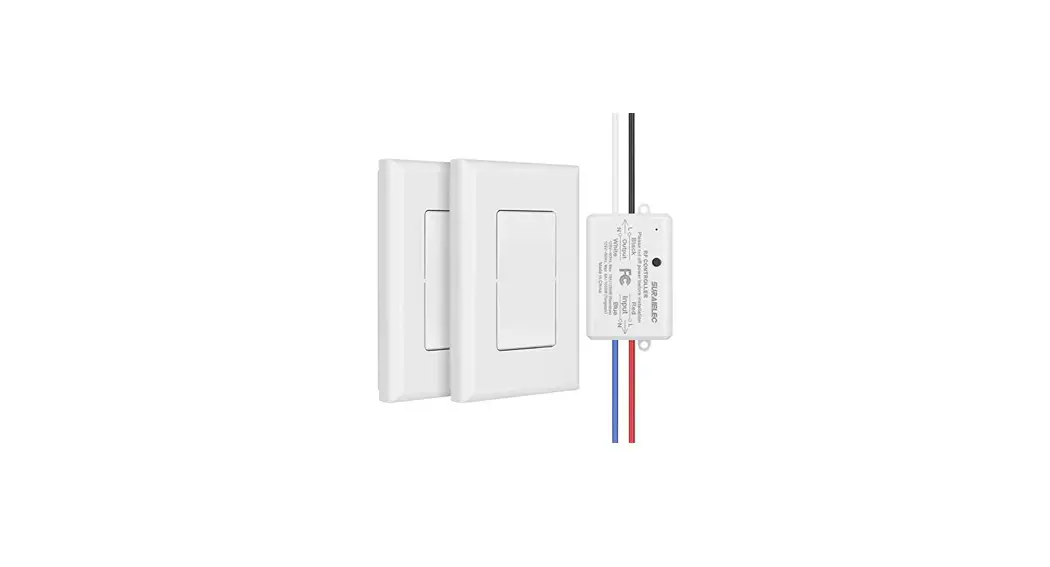
 WNRH10KITWH Radiant Switch Kit Lighting
Hub and Controller
User Manual
Prerequisites
Users enabling voice control of the Legrand radiant With Netatmo through Amazon Alexarequire the following:
- An Alexa device like an Echo. (The Alexa App can now also work as an Alexa physical device)
- A Smartphone or tablet running the latest version of the Amazon Alexa App
- An Internet connection
- The Legrand Home+ Control app is already setup
- Credentials used with the Home+Control App
- If you forgot the password on the Legrand account you setup you can request a new one here…. https://myconnectedaccount.legrand.com
Connecting Alexa to the Home+Control system
- Open the Alexa app, click
 and select Skills
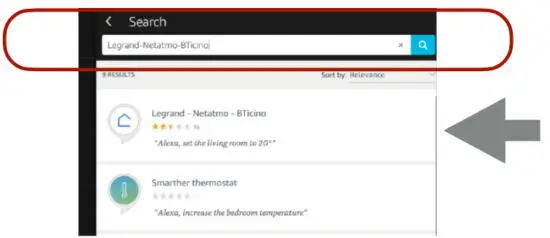
- Search for Legrand-Netatmo-Bticino

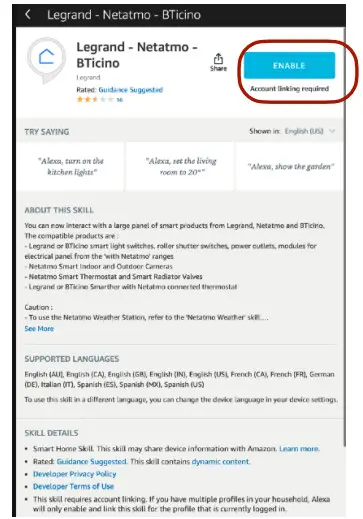
- Select the Legrand-Netatmo-Bticino Sk
- Select Enable To Use

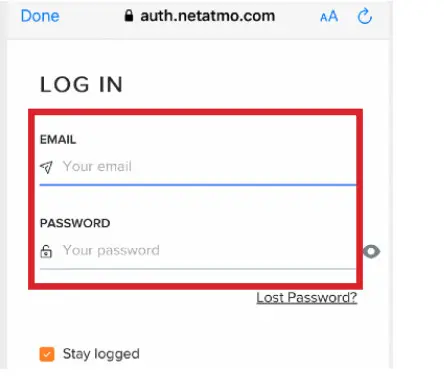
- Sign in to the same Legrand Account you recently created in the Home+Control App

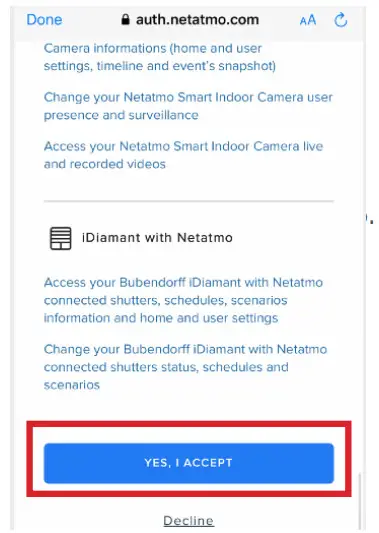
- Click Accept to grant Alexa the ability to communicate and control your Home+Control devices.

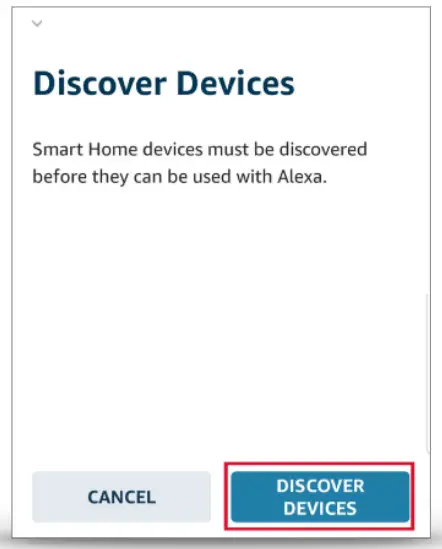
- Choose Discover Devices to import your Home+Control devices into Alexa

 and select Skills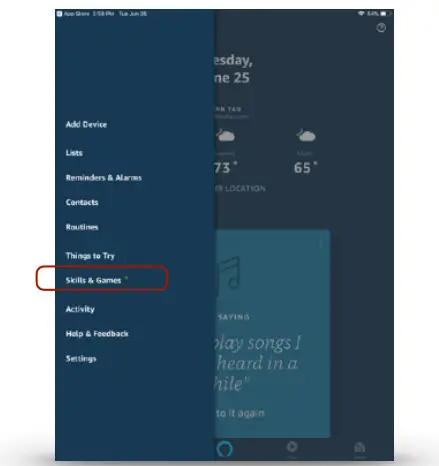
NOTES:
- Device Discovery can take up to 45 seconds
- Any time a new device is added discovery needs to happen
- Anytime a device name changes device discovery needs to happen. Just say “Alexa discover my devices”.
Grouping Discovered Devices
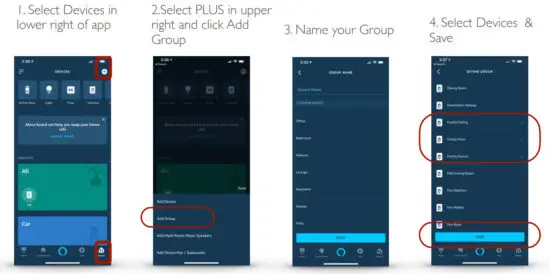
Use the Alexa app to designate groups of Legrand Lighting Control System devices. Groups allow control of multiple devices using a single Alexa command.
Alexa supports both switching and dimming commands. Switching commands simply activate and deactivate devices. Dimming commands allow various levels of control to be applied to the devices.
Example: A group named “basement” can have multiple devices located in the basement assigned to the group for control at one time.
NOTE: Dimming commands only activate dimmable devices. While all dimmable and non-dimmable devices in the same group respond to switching commands, only the dimmable devices can respond to dimming commands.
Common Amazon Alexa commands to turn devices ON or OFF (choose one word from each bracketed item in the statement):
- “Alexa, turn [my/the] [device/group name] [on/off]”
- “Alexa, turn [on/off] [my/the] [device/group name]”
- “Alexa, set [my/the] [device/group name] to [on/off]”
Dimming or brightening to a specific level:
- “Alexa, brighten [my/the] [device/group name] to [1-100%]”
- “Alexa, dim [my/the] [device/group name] to [1-100%]”
- “Alexa, set [my/the] [device/group name] to [1-100%]”
General dimming or brightening commands:
- Commanding “Alexa, [dim/brighten] my [device]” results in an adjustment level of 25% for dimmable devices.
- Commanding “Alexa, [dim/brighten] my [group name]” results in an adjustment level of 25% for only the dimmable devices in the group.
Create a Group
Post Setup
If you ever add a new device or change the name of a device, you can let Alexa know of the changes
Say “Alexa discover my devices”
Usually takes about a minute… just sit back and relax. She will find new devices and update the names in her database
Enable Google Home Voice Control Integration for adorne & radiant With Netatmo
Prerequisites
Users enabling voice control of the Legrand Home+Control system through Google Home require the following:
- A Google Home Device
- A smartphone or tablet running the latest version of the Google Home App
- An Internet connection
- The Home+Control App is already setup

- Home+Control credentials used with the App
- If you forgot the password on the Legrand account you setup you can request a new one here…. https://myconnectedaccount.legrand.com

Connecting Google Home to Home+Control
- Open the Google Home App
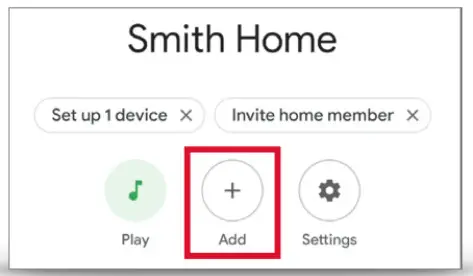
- Choose Add +

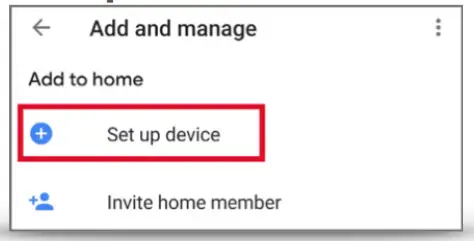
- Select Set up device.

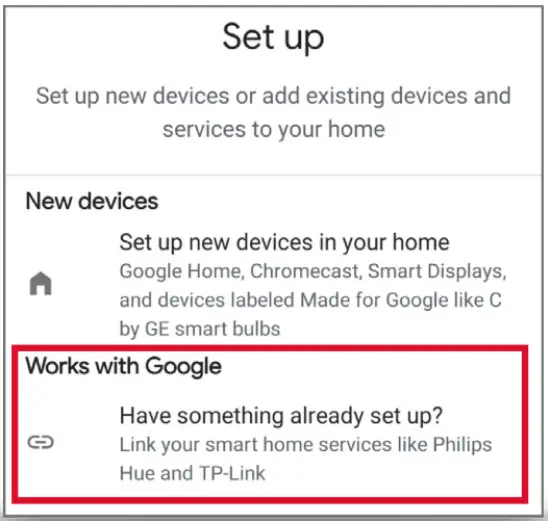
- On the Setup Page select
Works with google…
Has something already set up?
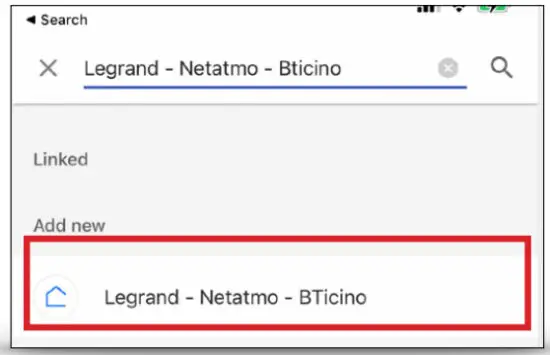
- On the Manage Accounts page, Search for Legrand
– Netatmo
– Bticino
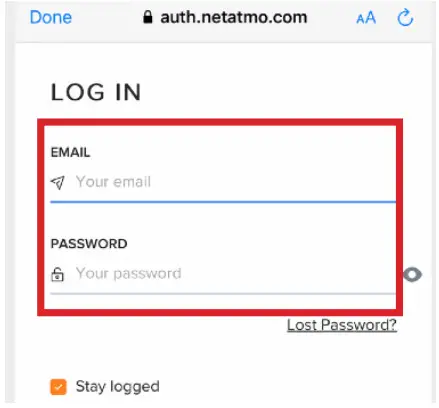
- Sign in to the same Account you recently created in the Home + Control App

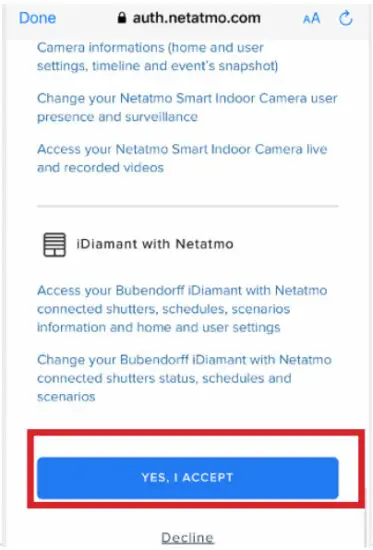
- Click Yes, I Accept to grant Google the ability to communicate and control your “With Netatmo” devices you use with the Home+Control App

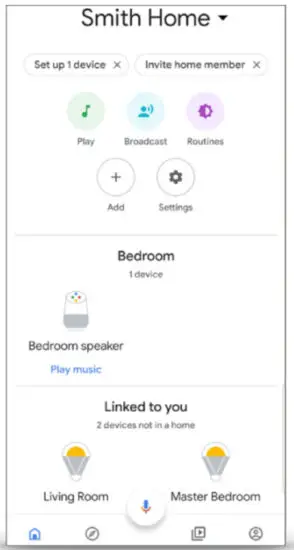
- All Done. Return to the home screen to see your added devices. Google will now prompt you to link devices into rooms in your house

Assigning devices
Google Home supports the control of Legrand Lighting Control System devices, and other enabled devices, with a single voice command using the ROOMS tab.
For details on setting up rooms, follow Step 4 of the instructions on the Google support site at https://support.google.com/googlenest/answer/9159862?hl=ent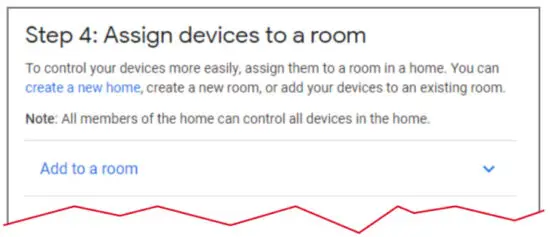
Note: Google, Google Home, and all related logos are trademarks of Google, Inc. or its affiliates. 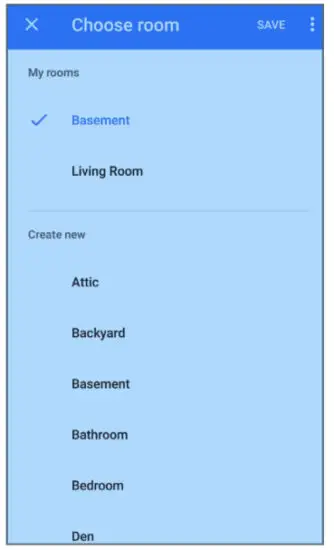
Supported Commands
Use the following supported control commands to change the light level for your controlled devices. 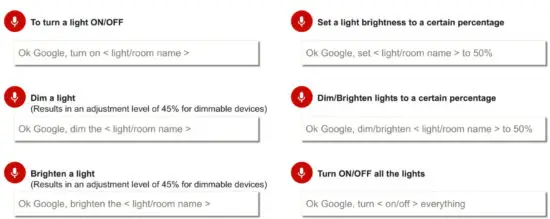
Post Setup
If you ever add a new device or change the name of a device, you can tell Google about it so it can be controlled
Say “Hey Google sync my device”
Usually takes about a minute… just sit back and relax. She will find new devices and update the names in her database
Alexa
 Open the app
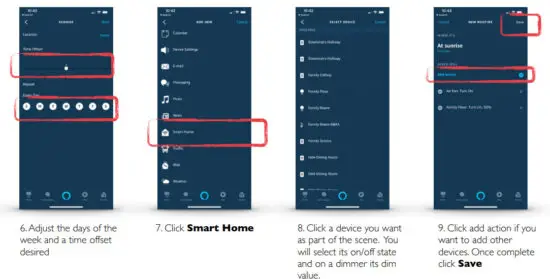
Create a Scene @ Sunrise – Alexa can create scenes (routines) based on voice, schedule, location, alarms, pressing an echo button, or via Ring doorbell. This example shows setting up a sunrise scene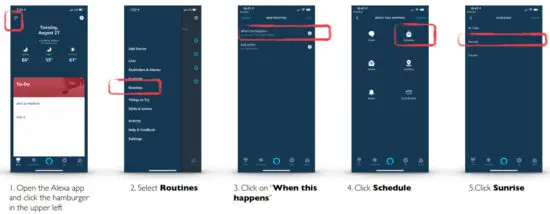
Google Home
 Open the app
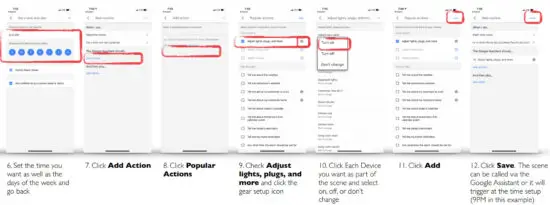
Creating a Scene Google Assistant can create scenes (routines) based on the time of day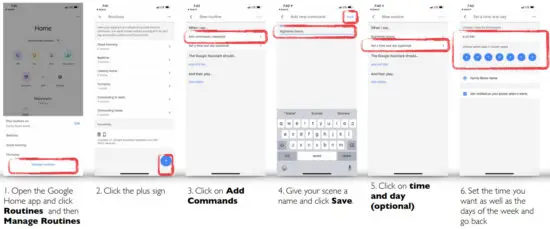
 Loading...
 Connect smart home devices in the Google Home app - Google Nest Help