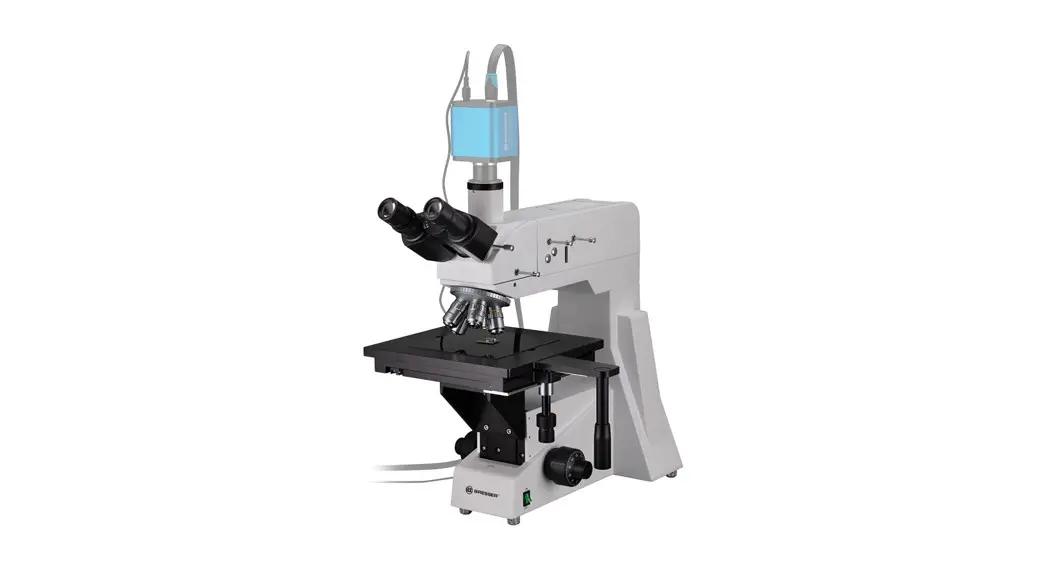
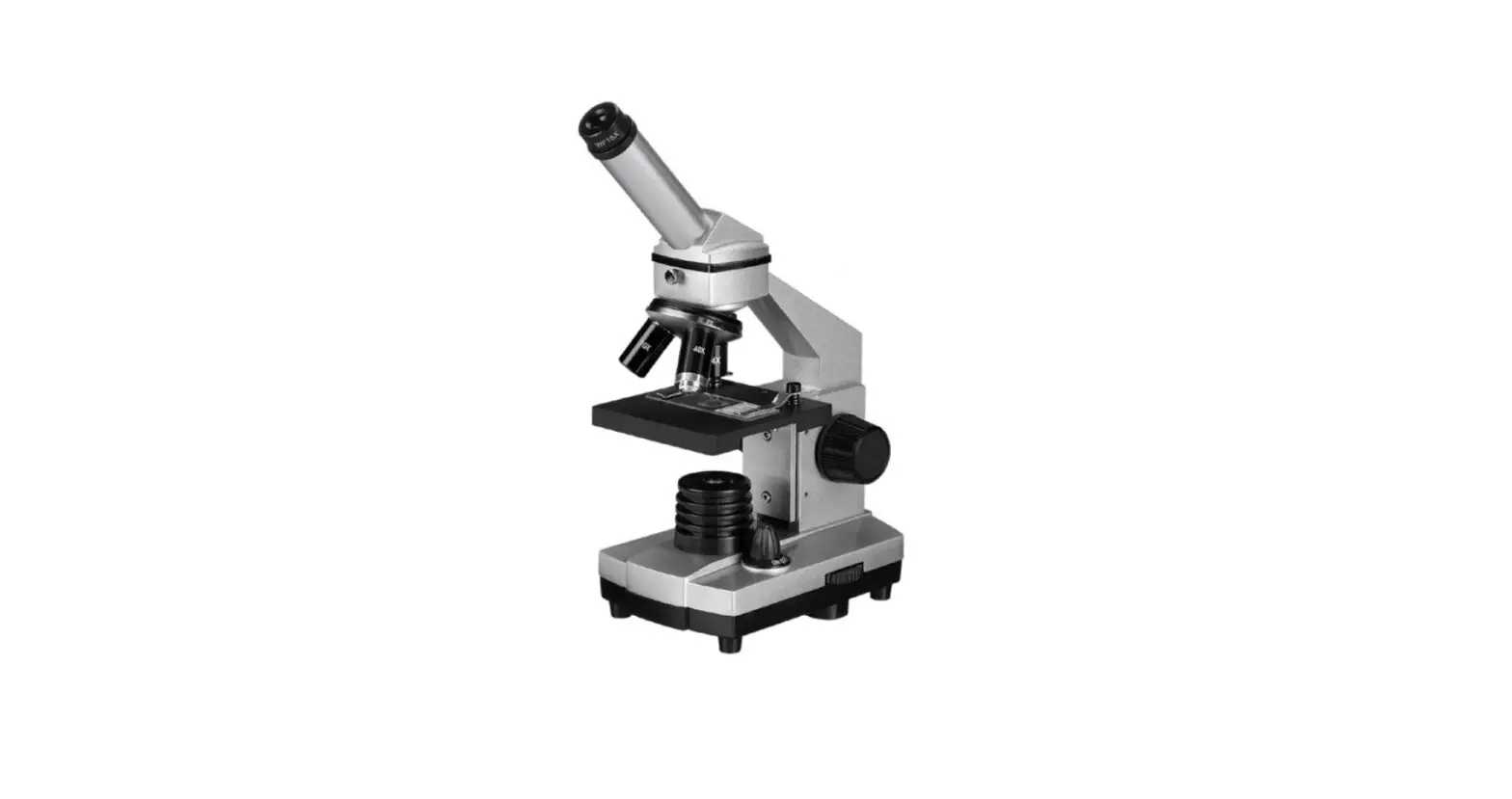
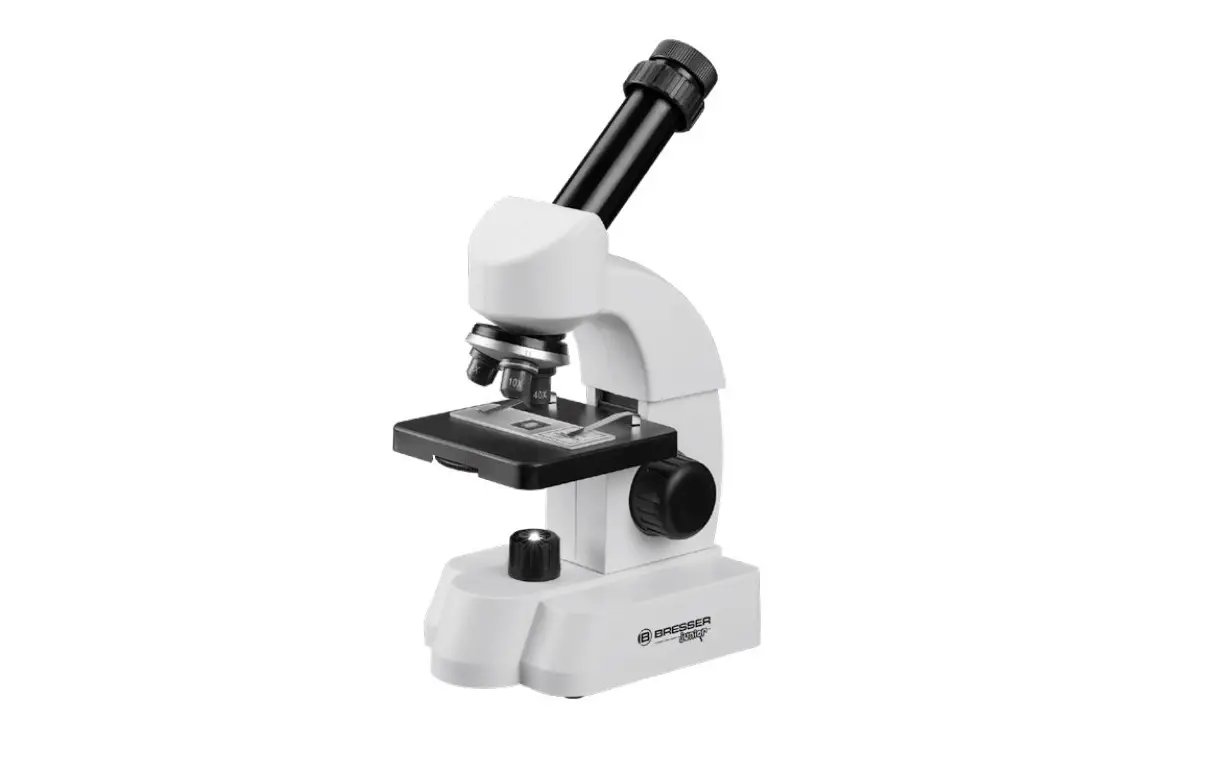
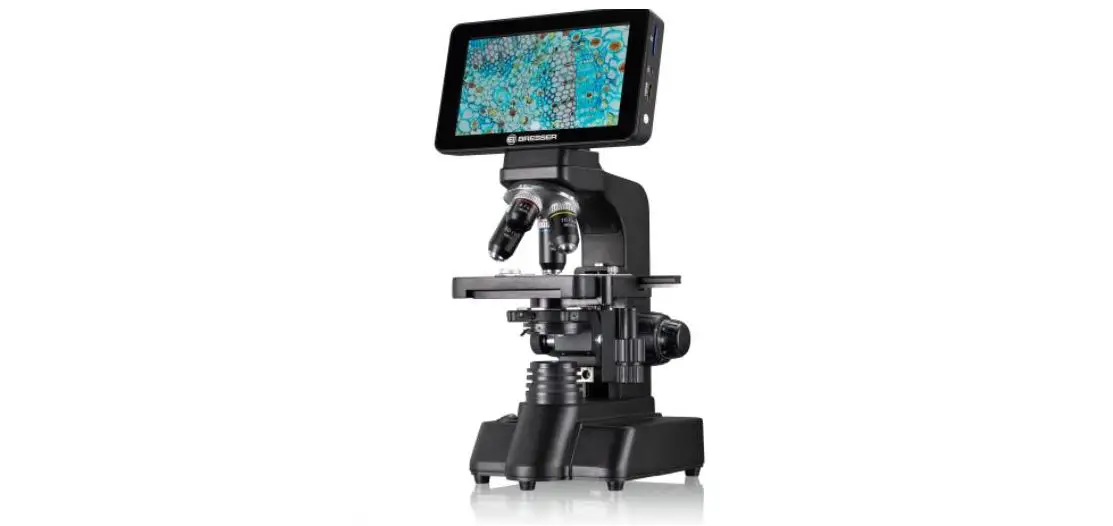
NIB600 Series Professional Inverted Microscopes
NIB600 Series Professional Inverted Microscopes
The NIB600 series consists of three professional inverted
microscopes: NIB610, NIB620, and NIB630. The NIB610 is a manual
inverted microscope, while the NIB620 and NIB630 are automatic
inverted microscopes. The NIB630 is the advanced version of the
NIB620.
Introduction
Congratulations on your purchase of the NIB600 series
professional inverted microscope. You can download the operating
instructions from the following web addresses:
- NIB610: https://www.bresser.de/PNX40610
- NIB620: https://www.bresser.de/PNX40620
- NIB630: https://www.bresser.de/PNX40630
Warranty Terms
Visit our website via the following QR Code or web link to find
further information on this product or the available translations
of these instructions: https://www.bresser.de/Mikroskopie/Mikroskope.
You can also find our warranty terms at www.bresser.de/warranty_terms.
Service
If you have any questions or concerns about the product, please
contact your customer service:
- DE/AT/CH/BE: E-Mail: [email protected], Telefon*: +49 28 72 80 74
350, BRESSER GmbH Kundenservice Gutenbergstr. 2 46414 Rhede
Deutschland - NL/BE: E-Mail: [email protected], Telefon*: +31 528 23 24
76, BRESSER Benelux Smirnoffstraat 8 7903 AX Hoogeveen The
Netherlands - GB/IE: E-Mail: [email protected], Telephone*: +44 1342 837
098, BRESSER UK Ltd. Suite G3, Eden House Enterprise Way
Edenbridge, Kent TN8 6HF United Kingdom - FR/BE: E-Mail: [email protected], *Prix d’un appel local depuis la
France ou Belgique - ES/IT/PT: E-Mail: [email protected]
Table of Contents
Below is the table of contents for this instruction manual:
- Important notes
- Imprint/validity information
- About this instruction manual/intended use
- General safety instructions
- Safety symbols used in the manual
- Safety symbols on the microscope
- Sustainability
- Check scope of delivery
- Site location
- Cleaning/maintenance/transport
- Protection and storage
- Disposal
- NIB600 series
- Overview NIB600 series
- The state-of-the-art microscopes – Offer you…
- NIB610/NIB620 microscope
Product Usage Instructions
Refer to the downloaded operating instructions for detailed
product usage instructions specific to your microscope model.
NIB610
MANUAL INVERTED MICROSCOPE
NIB620
AUTOMATIC INVERTED MICROSCOPE
NIB630
AUTOMATIC INVERTED MICROSCOPE PRO
INSTRUCTION MANUAL
MANUAL INSTRUCTION NIB600 SERIES
PROFESSIONAL INVERTED MICROSCOPES
i
INTRODUCTION
INTRODUCTION
WE CONGRATULATE YOU
on your purchase of a professional, inverted research microscope from the NEXCOPE NIB600 SERIES. It has been carefully manufactured with materials of lasting value, and careful attention has been paid to function and reliability. The inverted design allows microscopy of cell cultures, plankton, microalgae up to aseptic manipulation. Cell sampling and operation can be performed in Clean Bench. Due to the long life of the LED light source and the infinity optical system, you obtain high-definition and high contrast wide viewing images. The Nexcope NIB600 microscopes are very robust, but need a certain amount of attention and care to guarantee their longevity. We therefore recommend that you read this user manual carefully and keep it within reach for your reference while working with the microscope. It contains all relevant information on operation, user safety and care. If you follow the guidelines, your microscope will function reliably and smoothly even after years of intensive use. We wish you much success in your work with your new microscope!
The operating instructions can be downloaded from the following web address:
https://www.bresser.de/PNX40610
https://www.bresser.de/PNX40620
https://www.bresser.de/PNX40630
2
WARRANTY TERMS
i
DE
Besuchen Sie unsere Website über den folgenden QR Code oder Weblink um weitere Informationen zu diesem Produkt oder die verfügbaren Übersetzungen dieser Anleitung zu finden.
EN
Visit our website via the following QR Code or web link to find further information on this product or the available translations of these instructions.
FR
Si vous souhaitez obtenir plus d’informations concernant ce produit ou rechercher ce mode d’emploi en d’autres langues, rendez-vous sur notre site Internet en utilisant le code QR ou le lien correspondant.
NL
Bezoek onze internetpagina via de volgende QR-code of weblink, voor meer informatie over dit product of de beschikbare vertalingen van deze gebruiksaanwijzing.
ES
Desearía recibir unas instrucciones de uso completas sobre este producto en un idioma determinado? Entonces visite nuestra página web utilizando el siguiente enlace (código QR) para ver las versiones disponibles.
IT
Desidera ricevere informazioni esaustive su questo prodotto in una lingua specifica? Venga a visitare il nostro sito Web al seguente link (codice QR Code) per conoscere le versioni disponibili.
https://www.bresser.de/Mikroskopie/Mikroskope
GARANTIE · WARRANTY · GARANTÍA · GARANZIA
www.bresser.de/warranty_terms
We recommend that you study this manual thoroughly before operating the microscope for the first time. It will help you become fully familiar with the equipment and achieve optimum performance. Keep this manual in an easily accessible place near the work area for future reference. Changes in the interest of the technical development are reserved. These instruction manual is not subject to the revision service. The reproduction of this document as well as the use and communication of its contents are not permitted unless expressly permitted. Contraventions obligate to compensation for damages. All rights in the event of a patent being granted or utility model registration reserved.
3
i
SERVICE
You can obtain additional information from your customer service:
DE AT CH BE
Bei Fragen zum Produkt und eventuellen Reklamationen nehmen Sie bitte zunächst mit dem Service-Center Kontakt auf, vorzugsweise per E-Mail.
E-Mail:
Telefon*: +49 28 72 80 74 350
BRESSER GmbH Kundenservice Gutenbergstr. 2 46414 Rhede Deutschland
*Lokale Rufnummer in Deutschland (Die Höhe der Gebühren je Telefonat ist abhängig vom Tarif Ihres Telefonanbieters); Anrufe aus dem Ausland sind mit höheren Kosten verbunden.
NL BE
Als u met betrekking tot het product vragen of eventuele klachten heeft kunt u contact opnemen met het service centrum (bij voorkeur per e-mail).
E-Mail:
Telefoon*: +31 528 23 24 76
BRESSER Benelux Smirnoffstraat 8 7903 AX Hoogeveen The Netherlands
*Het telefoonnummer wordt in het Nederland tegen lokaal tarief in rekening gebracht. Het bedrag dat u per gesprek in rekening gebracht zal worden, is afhankelijk van het tarief van uw telefoon provider; gesprekken vanuit het buitenland zullen hogere kosten met zich meebrengen.
GB IE
Please contact the service centre first for any questions regarding the product or claims, preferably by e-mail.
E-Mail:
Telephone*: +44 1342 837 098
BRESSER UK Ltd. Suite G3, Eden House Enterprise Way Edenbridge, Kent TN8 6HF United Kingdom
*Number charged at local rates in the UK (the amount you will be charged per phone call will depend on the tariff of your phone provider); calls from abroad will involve higher costs.
FR BE
Si vous avez des questions concernant ce produit ou en cas de réclamations, veuillez prendre contact avec notre centre de services (de préférence via e-mail).
E-Mail:
Téléphone*: 00 800 6343 7000
BRESSER France SARL Pôle d’Activités de Nicopolis 314 Avenue des Chênes Verts 83170 Brignoles France
*Prix d’un appel local depuis la France ou Belgique
ES IT PT
Si desea formular alguna pregunta sobre el producto o alguna eventual reclamación, le rogamos que se ponga en contacto con el centro de servicio técnico (de preferencia por e-mail).
E-Mail:
Teléfono*: +34 91 67972 69
BRESSER Iberia SLU c/Valdemorillo,1 Nave B P.I. Ventorro del Cano 28925 Alcorcón Madrid España
*Número local de España (el importe de cada llamada telefónica dependen de las tarifas de los distribuidores); Las llamadas des del
extranjero están ligadas a costes suplementarios..
4
TABLE OF CONTENTS
1
1. Important notes
8
1.1. Imprint/validity information
8
1.2. About this instruction manual/intended use
8
1.3. General safety instructions
9
1.4. Safety symbols used in the manual
12
1.5. Safety symbols on the microscope
12
1.6. Sustainability
12
1.7. Check scope of delivery
13
1.8. Site location
13
1.9. Cleaning/maintenance/transport
14
1.10. Protection and storage
15
1.11. Disposal
16
2. NIB600 series
17
2.1. Overview NIB600 series
17
2.2. The state-of-the-art microscopes – Offer you…
18
3. NIB610/NIB620 microscope
20
3.1. Product image NIB610 – manual inverted Microscope
20
3.2. Product image NIB620 – automatic inverted Microscope
22
3.3. Assembly of the NIB610/NIB620 microscope
24
3.3.1. Detailed assembly procedure
25
3.4. Start-Up and explanation of the components
30
3.4.1. Setting up power supply and commissioning
30
3.4.2. Turn on and adjust the illumination
31
3.4.3. Setting the sample on the mechanical stage
32
3.4.4. Observationtubus
33
3.4.5. Focusing on the Specimen
34
3.4.6. The Liquid Crystal Display (LCD)
(only for NIB620)
35
3.4.7. Aperture diaphragm (condenser diaphragm)
37
3.4.8. Detachable condenser
38
3.4.9. Light path of the viewing head
38
3.4.10. Compact main body, suitable for Clean Bench
39
3.5. How do I set up my microscope correctly?
39
3.5.1. Basic settings for bright field microscopy (NIB610/NIB620)
39
5
i
SERVICE
4. NIB630
42
4.1. Product image NIB630 – automatic inverted microscope PRO
42
4.2. Assembly of the NIB630 microscope
44
4.2.1. Detailed assembly procedure
45
4.3. Start-up and explanation of the components
49
4.3.1. Setting up power supply and commissioning
49
4.3.2. Turn on and adjust the illumination
50
4.3.3. Placing the sample on the mechanical stage
51
4.3.4. Observationtubus
52
4.3.5. Sample focusing
54
4.3.6. The Liquid Crystal Display (LCD)
55
4.3.7. Transmitted light path shutter
57
4.3.8. Tiltable lightning unit
57
4.3.9. Light path of the ergo tilting viewing head
58
4.3.10. Main body suitable for Clean Bench
59
4.4. Bright field settings according to Koehler
59
4.4.1. Prerequisites for setting Koehler illumination
59
4.4.2. Setting the condenser
60
4.4.3. Setting the aperture diaphragm
(condenser diaphragm)
61
4.5. How do I set up my microscope correctly?
62
4.5.1. Bright field settings according to Koehler (NIB630)
62
5. Observation Methods
65
5.1. Bright field observation
65
5.2. Phase contrast observation
65
5.2.1. Overview
65
5.2.2 Components for phase contrast observation
65
5.2.3. Settings for phase contrast observation NIB610/NIB620
66
5.2.3. Settings for phase contrast observation NIB630
67
5.3. Emboss contrast observation (Relief 3D contrast)
68
5.3.1. Overview
68
5.3.2. Oblique illumination
68
5.3.3. Components for emboss contrast observation
68
5.3.4. Settings for emboss contrast observation NIB610/NIB620
69
5.3.5. Settings for emboss contrast observation NIB630
70
6
TABLE OF CONTENTS
6. Equipment overview 6.1. Main technical specifications of NIB610/NIB620 6.2. Scope of delivery NIB610/NIB620 6.3. Main technical specifications of NIB630 6.4. Scope of delivery NIB630 6.5. Optical System (NIB610/NIB620/NIB630) 6.5.1. Infinity optical system 6.5.2. Objective parameters 6.5.3. Intelligent operation system (NIB620/NIB630) 6.6. Electricity parameters
7. Trouble shooting guide of NIB610/NIB620/NIB630
7.1. Optical system 7.2. Mechanical system 7.3. Electrical system
8. Warranty
1
71 71 72 72 73 73 73 73 74 74
75 75 76 76
77
7
1
IMPORTANT NOTES
1. IMPORTANT NOTES
This chapter informs the user about the general instructions for the microscope and the important safety symbols.
1.1. Imprint/validity information
Imprint
Bresser GmbH Gutenbergstraße 2 46414 Rhede Deutschland http://www.bresser.de
For information regarding liability claims or service requests, please refer to chapters “Warranty” and “Service” in this documentation. Errors reserved – technical specifications subject to change. Copyright: 2023 Bresser GmbH All rights reserved. It is not allowed to reproduce this documentation or parts of it in any kind (e.g. photocopying, printing, etc.) without written a permission of the manufacturer or the distributor, Bresser GmbH. It is also prohibited to use or transmit this documentation with electronic systems (e.g. image file, website, etc.). The descriptions and brand names of the corresponding firms used in this documentation are generally protected under trademark, brand and/or patent law for Germany, for the European Union and/or other countries.
Validity information
This documentation is valid for the products with the article numbers listed below: NIB610, NIB620, NIB630 Manual version: v012023b Manual description: Manual_NIB-600-Series_en_NEXCOPE_v012023b Inquiries, please state these information.
1.2. About this instruction manual/intended use
About this instruction manual
These operating instructions are to be considered a component of the device. PLEASE READ THE SAFETY INSTRUCTIONS AND THE OPERATING INSTRUCTIONS CAREFULLY BEFORE USE. Keep these instructions available for further reference when using the microscope. When the device is sold or given to someone else, the instruction manual must be provided to the new owner/ user of the product.
Intended use
· This product is intended for private and corporate use. · It was developed for the magnified display of things in nature. · The device is intended only for indoor use.
This device is not intended for use by individuals (including children) with limited physical, sensory or mental capabilities or those lacking in experience and/or knowledge, unless they are supervised by an individual responsible for their safety or have received instructions from them regarding the use of the device.
8
IMPORTANT NOTES
1
1.3. General safety instructions
Danger of an electric shock!
This device contains electronic components that operate via a power source (power supply and/or batteries). In case of any improper use of this device, there is a risk of an electric shock. An electric shock can cause severe injury or even death. Therefore please read the safety instructions below to avoid an explosion. · Disconnect the device from the power supply by pulling the power plug when it is not
used or in case of longer interruption of operation and before starting any work on maintenance and cleaning. · Position your device so that it can be disconnected from the power supply at any time. The wall socket you use should be located near the device and easily accessible, since the plug on the power cable serves as a disconnecting device for the power supply. · Always pull on the plug to seperate the device from the power supply. Never pull on the cable. · Before operating, check the device, cables and connections for dammage. · Never use a damaged unit or a unit with damaged power cables. Damaged parts must be exchanged immediately by an authorised service centre. · Only use the device in complete dry environment and do not touch it with wet or moist parts of your body. · The microscope is equipped with a plug-in power supply unit which allows the use of mains voltage values in the range of 100 to 240 V, 50 / 60 Hz, without additional voltage adjustment on the device. · To avoid electric shock, connect the supplied power cord to a properly grounded power outlet on. These power cords have three-pin plugs to ensure proper grounding.
Danger of choking!
In case of any improper use of this device, there is a risk of choking, especially for children. Therefore please read the safety instructions below. · Keep packaging material, like plastic bags and rubber bans, out of the reach for chil-
dren, as these materials pose a choking hazard!
Danger of explosion!
In case of any improper use of this device, there is a risk of an explosion. Therefore please read the safety instructions below to avoid and explosion. · Do not expose the device to high temperatures. Use only the supplied power adapter.
Do not short-circuit the device or throw them into a fire. Excessive heat or improper handling could trigger a short-circuit, a fire or an explosion. · Do not use the microscope and the accessories supplied with them in potentially explosive atmospheres, in the presence of flammable solvents such as alcohol, petrol or volatile anaesthetics, etc..
9
1
IMPORTANT NOTES
CAUTION: Danger of injury!
This device contains components and/or accessories that can cause minor to severe injuries in case of any proper use. Therefore please read the safety instructions below to avoid any bodily injury. · Tools with sharp edges and points are often used when working with this device. Be-
cause there is a risk of injury from such tools, store this device and all the tools and accessories in a location that is out of the reach of children. · Children must not have access to the included chemicals and liquids. Do not drink the chemicals. Wash hands thoroughly with running water after using the chemicals. In the event that the chemicals come into contact with your eyes or mouth, rinse thoroughly with water. If you are in pain after exposure, contact a doctor immediately and take the substances with which you came into contact with you.
CAUTION: Fire hazard!
In case of any improper use of this device, there is a risk of fire. Therefore please read the safety instructions below to avoid the initiation of burning. · Never cover the ventilation slots or cooling fins of the device while using it or as long as
it has not sufficiently cooled down!
NOTICE: Risk of property damage!
In case of any improper use of this device and/or its accessories, there is a risk of property damage. Therefore only use the device according to the safety instructions below. · Do not disassemble the device. In the event of a defect, please contact your dealer.
The dealer will contact the Service Centre and can send the device in to be repaired, if necessary. · Do not expose this device to higher temperatures and protect it from water and high humidity. · Protect the device from severe shocks! · For this device only use accessories and spare parts that comply with the technical information. · Always use the power cord supplied by Nexcope. If an unsuitable power cord is used, Nexcope can no longer guarantee the electrical functionality and safety of the microscope. · Use these microscope and their original accessories only for the applications described in this manual. · The manufacturer does not accept any liability for any other application, possibly also for individual assemblies or individual parts. This also applies to all repair and service work that is not carried out by authorised service personnel. Therefore all guarantee / warranty claims expire. · Nexcope NIB600 microscopes are not equipped with any special device to protect against corrosive, toxic, potentially infectious or radioactive samples or other samples that are harmful to health. All legal requirements, in particular national regulations for accident prevention, must be observed when handling such samples. ATTENTION! This microscope is equipped with violet and ultraviolet LED illumination. Never look direATTENTION! This microscope is equipped with ultraviolet LED illumination. Never look directly into the illumination or directly at the illuminated specimen. Only look trough Note!
10
IMPORTANT NOTES
1
UV PROTECTION
The compact body is with anti-UV coating and can be placed into the clean bench for sterilization under UV lamp.
If you have any complaints or queries please contact your national service centre by telephone. The address is included in these instructions.
11
1
IMPORTANT NOTES
1.4. Safety symbols used in the manual
Danger symbols
Warning of a danger point This symbol indicates information that must be read and observed. Non-observance can lead to: o Risk of injury o Malfunctions or equipment damage Warning of dangerous electrical voltage This symbol precedes information that must be read and observed. Non-observance can lead to: o Risk of injury o Malfunctions or equipment damage
Warning symbol
Warning symbol indicates a possible source of danger.
Failure to follow the warnings may result in injury to the user and/or damage to the microscope (including nearby objects).
Note symbol
Important additional hint Accompanying instructions serve to simplify operation and maintenance.
1.5. Safety symbols on the microscope
The following symbols are located on the microscope/accessories and should always be observed:
The device manufacturer is legally obliged to take back defective devices for recycling.
EC Declaration of Confirmity Bresser GmbH has issued a “Declaration of Conformity” in accordance with applicable guidelines and corresponding standards.
1.6. Sustainability
The protection of our environment is close to our heart. That is why this manual is printed on 100% recycled paper.
12
IMPORTANT NOTES
1
1.7. Check scope of delivery
· Open the packaging with care. Avoid fingerprints and sweat on the camera lens. Prevent the camera and some accessories from falling and being damaged.
· Remove all components from the packaging and check for completeness according to the delivery note. The microscope could be packaged in more than one carton depending on the model or accessories.
· Handle the microscope with care and always protect it against violent impact and vibrations.
· Keep the original packaging for possible longer storage or return of the device to the supplier in case a repair or revision is needed.
Never lift the microscope by the illumination unit, cross stage, viewing head or coarse/fine focusing knobs. This can damage the microscope!
· Always carry the microscope with both hands. · Only transport the microscopes of the NIB600 series using the carrying handles
provided.
1.8. Site location
· Select a suitable location before setting up the microscope. · Place the microscope on a resistant surface away from strong sunlight, heat sources,
high humidity, high dust exposure as well as strong vibration.
Microscope usage environmental requirements: Do not expose the device to temperatures below +10°C or higher than +35°C! If the device is exposed to temperatures outside this range, this will cause irreparable damage to optical and/or mechanical parts which are not covered by warranty.
Maximum relative humidity: 80% at 31°C, linear temperature down to 34°C is 70%, 60% at 37°C, 50% at 40°C. · Place the microscope on a surface that meets the following criteria: > Flat > Vibration-free > Level > Hard surface and non-flammable > Chemical and mechanical resistant · To avoid blocking the natural convection air for cooling, ensure at least 10 centimetres of space around the microscope, from the wall and other objects. · Place the microscope so that you can disconnect it from the mains at any time. · The mains cable must be freely accessible at all times, as the mains cable is intended as a disconnecting device from the mains. · Make sure any residual moisture is fully eliminated before use. · For use in warm and humid climates, all optical components of the microscope are already equipped with anti fungus protection. · Grounding the microscope to avoid lightning strike
13
1
IMPORTANT NOTES
1.9. Cleaning/maintenance/transport
Disconnect the device from the power supply by pulling the power plug when it is not used or in case of longer interruption of operation and before starting any work on maintenance and cleaning.
Remove optical elements (e.g. objectives, eyepiece, etc.) before cleaning the microscope body.
Be sure that the instrument is dry before using.
If a bacterial solution or splashes of water get on the stage, objective or observation tube, unplug the microscope immediately. Then wipe off the solution or water to keep the microscope dry. Otherwise, the unit could be damaged. Do not use organic solvents (e.g. alcohol, ether, acetone, xylol or other dilutions) to clean lacquered parts or plastic parts! Because the solvent such as ether and alcohol are extremely flammable, do not operate power switch of various electrical equipment when using, and keep away from open fire, please ensure indoor ventilation. To avoid damaging the electronics, do not use any cleaning fluid. When using objects that present a potential risk of infection, all parts that have come into contact with the object must be thoroughly cleaned. The revolving nosepiece and the coarse microfocusing mechanism are precisely designed. Please avoid dismantling the components. This affects the performance of the microscope.
Transport: Please remove all loose parts and the object to be observed from the stage. Only use the original packaging for transport. Environmental requirements for microscope transport: a) Ambient temperature range: -40°C to +70°C. b) Relative humidity range: 10% to 100%. c) Range of atmospheric pressure: 500 hpa to 1060 hpa
14
IMPORTANT NOTES
1
Cleaning microscope body / optical elements
· Only use a dry cloth to clean the exterior of the device. · Disassemble optical elements (e.g. objective, eyepiece, etc.) before cleaning. · Blow away loose dust from the lens surfaces first with a blower. Do not use compressed
air as it can contain oil or chemical agents. · Use soft, single use paper tissue impregnated with 30%-70% of pure alcohol (available
in a pharmacy or drug store). Wipe the lens surface with it. Do not apply cleaning solution to the optical parts directly.
Do not wipe the lens surface using the same portion of a cloth or tissue more than once.
Decontaminating the microscope
· We recommend use 70% medical alcohol for normal disinfection of the microscope.
Using organic solvents might result in discoloration of the plastic parts.
Caution on disposal If a sample comes into contact with a hazardous sample, follow the standard procedure of your laboratory.
1.10. Protection and storage
· Protect the device against dust and moisture. · Avoid putting fingerprints and contaminations on any optical surfaces. · Pull a dust protection cover over the microscope.
Before covering the microscope, always check that the microscope is also switched off. · Store it in a closed container at a dry and mould-free place. · Store the microscope and the accessories in the relevant containers when they are not
used for a longer time. · It is recommended to store also objectives and eyepieces in closed containers with desiccant.
A dust protection cover is included in delivery.
Remember: A well maintained microscope will keep its optical quality for years and thus maintain its value. Environmental requirements for microscope storage: a) Ambient temperature range: -20°C to +60°C. b) Relative humidity range: up to 90% (no condensation). c) Range of atmospheric pressure: 500 hpa to 1060 hpa.
15
1
IMPORTANT NOTES
1.11. Disposal
Dispose of the packaging materials properly, according to their type, such as paper or cardboard. Contact your local waste-disposal service or environmental authority for information on the proper disposal.
Do not dispose of electronic devices in the household garbage! As per Directive 2002/96/EC of the European Parliament on waste electrical and electronic equipment and its adaptation into German law, used electronic devices must be collected separately and recycled in an environmentally friendly manner.
The device manufacturer is legally obliged to take back defective devices.
16
NIB600 SERIES
2
2. NIB600 series
2.1. Overview NIB600 series
This chapter supports you with information about the NIB600 series in general. You need to differentiate between the models NIB610, NIB620, NIB630.
NIB630 Automatic Inverted Microscope PRO
NIB610 Manual Inverted Microscope NIB620 Automatic Inverted Microscope
17
200mm
2
NIB600 SERIES
2.2. The state-of-the-art microscopes – Offer you…
ERGONOMIC AND COMFORTABLE..
Control mechanisms in low-hand position (NIB610/NIB620/NIB630)
The frequently control mechanism are close to the user and in lowhand position -> operation more quickly and conveniently.
45° Inclined Viewing Head (NIB610/NIB620)
Inclined viewing head makes the user to operate microscope in a comfortable position. Minimize muscle tension and discomfort caused by long working hours.
Detachable Condenser (NIB610/NIB620)
When culture flask is used, the condenser can be removed to increase working distance. It is also suitable for multilayer culture flask.
Long-handle Mechanical Stage (NIB610/NIB620/NIB630)
The user can make comfortable and smooth movement during the operation, thereby improving work efficiency and comfort.
Stable and easily fits inside a Clean Bench (NIB610/NIB620/NIB630)
The volume and weight of the body is reduced as much as possible in principle of stability. The compact body is with anti-UV coating and can be placed into the Clean Bench for sterilization under UV lamp. The distance between the eye point to the operation button and the focusing knob of the NIB600 is relatively short, and the distance from the stage is far away. So you realize cell sampling and operation inside the Clean Bench and observing comfortably outside.
NIB620
18
NIB600 SERIES
NEW TILTABLE LIGHTING UNIT FOR IMPROVED WORKFLOW (NIB630)
The tiltable lighting unit also allows higher sample flasks to be inserted. This simplifies the workflow considerably.
ERGO VIEWING HEAD (ALTERABLE ANGLE) (NIB630)
The height of the binocular part can be adjusted and thus individually adapted to the user. This leads to a more comfortable microscope observation.
KOEHLER ILLUMINATION (NIB630)
Koehler illumination provides the best possible light guidance of the microscopy light. Thereby stray light is avoided and only the just visible area in the sample is illuminated. This protects sensitive living samples from excessive light irradiation.
HIGH BRIGHTNESS, LONG LIFETIME LED ILLUMINATION (NIB610/NIB620/NIB630)
LED Illumination, Suitable for Various Observations. With a high brightness and long lifetime LED illumination system for both transmission and fluorescent lighting, proving even brightness and cool lighting.
Transmitted
NIB610/NIB620/NIB630 Bright field, phase contrast, emboss contrast
INTELLIGENT OPERATING SYSTEM (NIB620/NIB630)
Objective Coding Converter. It can memorize the illumination brightness when using each objective. When different objectives are converted to each other, the light intensity is automatically adjusted to reduce visual fatigue and improve work efficiency. Liquid Crystal Display (LCD). The LCD shows the usage status of the microscope, including magnification, light intensity, sleep mode and more.
4x
2 NIB630
10x
20x
40x
START/ LIGHT LOCK/
WORKING UNLOCK
Mode
Mode
ECO Mode
STANDBY/ SLEEP Mode
19
DEPOSITOR NIB610 FRONT/SIDE VIEW
3. NIB610/NIB620 MICROSCOPE
3.1. Product image NIB610 Manual Inverted Microscope
Power Supply: AC 100-240V; 50/60Hz Specification of fuse: 250 V
Basic Equipment
1. Eyepiece 2. Viewing head (Inclined at 45°) 3. Main body 4. Green LED power light 5. Illumination ON/OFF switch 6. Carrying handle 1 7. Emboss contrast slider/placeholder 8. Tension adjustment ring 9. Right coarse focusing knob 10. Right fine focusing knob 11. X-axis knob
12. Y-axis knob 13. Mechanical stage 14. Stage plate holder with universal holder and
microscope slide 15. Stage plate holder set screw 16. Condenser 17. Universal phase contrast slider 18. Condenser set screw 19. LED lamp chamber 20. Aperture diaphragm (condenser diaphragm) lever
20
DEPOSITOR NIB610 BACK/SIDE VIEW
Basic Equipment
21. Type plate with important information 22. Carrying handle 2 23. Spare fuse 24. Mains in 25. Power switch 26. Objective
Power Supply: AC 100-240V; 50/60Hz Specification of fuse: 250 V
27. Quintuple nosepiece 28. Left coarse focusing knob 29. Left fine focusing knob 30. Brightness control knob 31. Photo adapter holder 32. Switching rod for visual observation/photo
21
DEPOSITOR NIB620 FRONT/SIDE VIEW
3.2. Product image NIB620 Automatic Inverted Microscope
a c
10x
100
b
Automatic Design
1. Liquid Crystal Display (LCD) 1a. Selected objective 1b. Light intensity
(percentage unit/bars) 1c. Transmitted light ON/OFF
Power Supply: AC 100-240V; 50/60Hz Specification of fuse: 250 V
Basic Equipment
2. Aperture diaphragm (condenser diaphragm) lever
3. Eyepiece 4. Viewing head (Inclined at 45°) 5. Main body 6. Green LED power light 7. Carrying handle 1 8. Emboss contrast slider/
placeholder 9. Tension adjustment ring 10. Right coarse focusing knob 11. Right fine focusing knob 12. X-axis knob
13. Y-axis knob 14. Mechanical stage 15. Stage plate holder with universal
holder and microscope slide 16. Stage plate holder set screw 17. Condenser 18. Universal phase contrast slider 19. Condenser set screw 20. LED lamp chamber
22
DEPOSITOR NIB620 BACK/SIDE VIEW
Power Supply: AC 100-240V; 50/60Hz Specification of fuse: 250 V
AUTOMATISCHES DESIGN
27. Encoded quintuple nosepiece
Basic Equipment
21. Type plate with important information 22. Carrying handle 2 23. Spare fuses 24. Mains in 25. Power switch 26. Objective
28. Left coarse focusing knob 29. Left fine focusing knob 30. Brightness control knob 31. Photo adapter holder 32. Switching rod for visual observation/photo
23
3
NIB610/NIB620
3.3. Assembly of the NIB610/NIB620 microscope
The diagram below shows the sequence of assembly of the various modules. The numbers indicate the order of assembly.
5
4
7
1 2
3 6
Illustration 001: Assembly of NIB610/NIB620.
When assembling the microscope, make sure that all parts are free of dust and dirt and avoid scratching any parts or touching glass surfaces.
Check input voltage: The input voltage and supply voltage indicated on the back of the microscope must be consistent, otherwise the microscope will be seriously damaged. Use suitable hexagonal screwdrivers for the assembly and replacement of components. One hexagonal screwdriver is included in the scope of delivery.
24
NIB610/NIB620
3
3.3.1. Detailed assembly procedure
1 Attaching the condenser
III
I II
Illustration 002: NIB610/NIB620 – Attaching the condensor.
Loosen the condenser set screw (I).Align the condenser (II) with the condenser holder (III). The labelling points to the front, the condenser set screw is on the right.
Slide the condenser horizontally into the condenser holder. Fix the condenser by tightening the condenser set screw.
2 Inserting the phase contrast slider
A
I
B
4
10-20-40
Positions without ring diaphragm
Illustration 003: NIB610/NIB620 – Inserting the phase contrast slider.
With the universal phase contrast slider (I) phase contrast and bright field observation is possible. The slider matches with the 10x/20x/40x phase contrast objectives. Positions without ring diaphragm can be used for bright field observation. Insert the phase contrast slider (I) into the corresponding slot of the condenser (II).
I II
Make sure that the phase contrast slider is always fully aligned in the light path. An audible “click” indicates the phase contrast slider and the optical axis position are accurate.
You can insert the phase contrast slider from either side of the condenser.
3 Mounting the mechanical stage
II III I
A
Recessesstaogf ethheomldeecrhanical
IV
Illustration 004: NIB610/NIB620 – Mounting the mechanical stage.
At the beginning, make sure that the ruler of the table (A) is not extended.
Slide the mechanical stage (I) over the mechanical stage holder (II) and align the stage with the markings (III). There are two set screws (IV) underneath the mechanical stage. Insert these screws into the recesses of the mechanical stage holder and screw the stage tight.
25
3
NIB610/NIB620
4 Attaching the objectives
A
NIB610
I II
III
4x
Use the coarse focusing knob (I) to turn the quintuple nosepiece (II) to the lowest position. Screw the 4x objective (III) into any free space on the nosepiece from above the stage. Turn the nosepiece one unit clockwise by hand and repeat the procedure for the next higher magnification until all objectives are mounted. The following objectives are included in delivery: 4x: infinity planachromatic objective (NIS60) 10x,20x,40x: planachromatic phase
contrast objective (NIS60) Protect the free opening on the objective nosepiece with the black protective cap (IV).
The objectives snap into place with an audible “click” when they are positioned in the beam path. Only in this position does the lighting come on. Before each use, check the front lens of the objective for dirt. The closer a contamination is to the object or a camera sensor, the greater its effect on the visual or recorded image. Therefore clean the objectives regularly.
IV
Illustration 005: NIB610 – Attaching the objectives to the nosepiece.
26
NIB610/NIB620
3
B
II I VI
IX 4x
NIB620 IV V
III
VII
LCD
41x0x
100
VIII
Connect the cold-device plug (I) to the appropriate mains in (II) on the back of the microscope. Insert the main power plug (III) into the power socket (IV). Move power switch (V) to position I to turn on the device on the left side of the microscope. Use the coarse focusing knob (VI) to turn the encoded quintuple objective nosepiece (VII) to the lowest position. Turn the nosepiece by hand until the Liquid Crystal Display (LCD) shows the programmed position for the 4x objective (VIII). Screw the 4x objective (IX) into the assigned free space on the nosepiece. Repeat the procedure for the next higher objectives to occupy the programmed positions on the nosepiece until all objectives are mounted. The sequence is defined so that the magnification increases continuously when turning clockwise. The following objectives are included in delivery: 4x: infinity planachromatic objective (NIS60) 10x,20x,40x: planachromatic phase con-
trast objective (NIS60) Protect the free opening on the objective nosepiece with the black protective cap (X).
The objectives snap into place with an audible “click” when they are positioned in the beam path. Only in this position does the lighting come on. Before each use, check the front lens of the objective for dirt. The closer a contamination is to the object or a camera sensor, the greater its effect on the visual or recorded image. Therefore clean the objectives regularly.
X
Illustration 006: NIB620 – Attaching the objectives to the nosepiece.
27
3
NIB610/NIB620
5 Inserting the eyepieces III
II
I
Illustration 007: NIB610/NIB620 – Inserting the eyepieces.
Remove the black protective caps (I) from the eyepiece sleeves (II). Press eyepieces (III) gently into the eyepiece sleeves.
6 Inserting the placeholder/emboss contrast slider
Emboss contrast slider
I
Placeholder Illustration 008: NIB610/NIB620 – Inserting the placeholder/emboss contrast slider.
If not already placed, insert the placeholder or the emboss contrast slider into the appropriate slider slot (I).
Placeholder is included in delivery.
Emboss contrast slider is part of the kit for emboss contrast. The kit can be ordered as an accessory.
28
NIB610/NIB620
3
7 OPTIONAL – Using the photo adapters
II
1x C-mount
III I
0,5x C-mount
Illustration 009: NIB610/NIB620 – Using the photo adapters.
Remove the black protective cap (I) from the photo adapter holder (II) on the left side of the microscope by unscrewing the set screw (III) with a suitable hexagonal screwdriver. Place the C-mount adapter (0,5x or 1x – depending on the camera type) in the port of the photo adapter holder. Fix both elements by tightening the set screw.
1x C-mount adapter is included in delivery.
0.5x C-mount adapter is not included in delivery but you can order it as an accessory.
When installing the camera, please always make sure that you hold it firmly in place to protect it from damage due to dropping.
29
3
NIB610/NIB620
3.4. Start-Up and explanation of the components 3.4.1. Setting up power supply and commissioning
Setting up power supply
2 4
1
5 3
NIB610
6 NIB620
Illustration 010: NIB610/NIB620 – Setting up power supply and commissioning.
Connect the cold-device plug (1) to a suitable mains in (2) on the back of the microscope. Insert the main power plug (3) into the power socket (4). Switch on the device by setting the power switch (5) to position I on the left side. The green LED power light (6) on the front of the microscope indicates commissioning.
Make sure the supplied voltage matches the instruments specifications: 100-240 V, 50/60 Hz.
To avoid electric shock, connect the cold-device plug to a properly grounded power socket. These cold-device plug has three-pin plugs to ensure proper grounding.
Cables and cords are vulnerable when bent or twisted. Never subject them to excessive force.
30
NIB610/NIB620
3
3.4.2. Turn on and adjust the illumination
Turn on the illumination
Press out the black illumination ON/OFF switch (1) to turn on the lighting.
1
Illustration 011: NIB610 – Turn on the illumination.
NIB610
Set transmitted light ON 3
LCD
10x
100
Press and Turn
2
Illustration 012: NIB620 – Adjust transmitted light.
NIB620
PRESS and TURN the brightness control knob (2):
Liquid Crystal Display (LCD) Transmitted light ON (3) Transmitted light OFF
Adjust the illumination
NIB610/NIB620
NIB620
LCD
10x
1300
2 4
Only NIB620 Last used light intensity (4) is shown as number (percentage unit) and in form of bars in the LCD.
Make sure that the optical path for the binocular part is set to 100 %, see chapter 3.4.9.
Illustration 013 : NIB610/NIB620 – Adjust the illumination.
Turn the brightness control knob (2) in the direction of the arrow the light intensity increases and vice versa.
31
3
NIB610/NIB620
3.4.3. Setting the sample on the mechanical stage
A
1
B 6
2 3
4
Illustration 014: NIB610/NIB620 – Sample placement.
1
7
5
X-axis
Y-axis
9 8
Attaching the following sample holders enables you to observe various types of specimens:
Universal holder (1) Terasaki holder (2) Petri dish holder/Slide holder ( Petri dish holder ( 90mm) (4)
54mm) (3)
Universal holder is included in the scope of delivery. The other holders can be ordered as accessories.
Turn in the 4x objective on the nosepiece. Objectives with higher magnification may collide with the specimen during observation due to the short working distance.
Place the universal holder (1) in the stage plate holder (5) with the scale facing forward. Then carefully place the sample to be examined, e.g. a microscope slide (6), on the universal holder. With the help of the two adjusting screws (7) on the universal holder, you can fit the slide exactly.
The adjustment knobs (8, 9) are coaxial. The X-axis knob (8) moves the plate holder along the X-axis. The Y-axis knob (9) moves the plate holder along the Y-axis.
32
NIB610/NIB620
3
3.4.4. Observationtubus
Observation head inclined at 45°, interpupillary distance: 48mm – 75mm. The binocular observation head can be rotated 360°.
A
1
2
3
Two fields of view merge Illustration 015: NIB610/NIB620 – Adjusting the interpupillary distance.
1. Adjusting the interpupillary distance (distance between the eyepieces) Look through the eyepieces (1) and adjust the interpupillary distance (2) so that the left and right fields of view are completely aligned.
The device can be adjusted to the interpupillary distance of the respective observer between 48mm and 75mm.
The small white dots (3) indicate the interpupillary distance on the scale.
Proper interpupillary distance is crucial to the comfort of the user. Note your interpupillary distance so that it can be quickly duplicated.
B
1 4
Illustration 016: NIB610/NIB620 – Diopter adjustment.
2. Diopter adjustment Look through one of the eyepiece (1) and focus the image (eyepiece freely selectable). Then look through the other eyepiece with the other eye and turn only the diopter adjustment ring (4) on this eyepiece to focus the sample.
The diopter compensation is an adjustment possibility on both eyepieces and serves to compensate for near – or farsightedness (max. +/-8 dpt. difference between both eyes can be compensated). If the difference is higher, or if you suffer from astigmatism etc. we recommend observing with your prescribed glasses on.
C
5
Illustration 017: NIB610/NIB620 – Eyepieces with rubber cups.
Diopter compensation is possible on both eyepieces but is only performed on one eye if the difference is +/- 4 dpt. or lower.
3. Protection through rubber cups Both eyepieces are suitable for spectacle wearers. They are protected with rubber cups (5) so that the user’s eyeglasses are not damaged when accidentally coming in contact with the eyepiece.
33
3
NIB610/NIB620
3.4.5. Focusing on the Specimen
Focus block
A
Control mechanisms (1) are close to the user and in low-hand position operation
more quickly and conveniently, and reduce
the fatigue caused by the long observation.
2a 3a
1
Illustration 018: NIB610/NIB620 – Sample placement.
2b 3b
Focusing controls To adjust the focus, rotate the focusing knobs (2,3) on the right and left sides of the microscope.
Coarse focusing knobs (3a, 3b): Pre-focusing, large distance between specimen and objective.
Fine focusing knobs (2a, 2b): The fine focus is used for image sharpness. Fine and precise regulation of the distance between the specimen and the objective.
B
Correlation between focusing knobs and objectives
Familiarize yourself with the correlation between the direction of rotation of the focusing knobs and the vertical movement of the objectives.
Illustration 019: NIB610/NIB620 – Focusing controls.
C
3
Illustration 020: NIB610/NIB620 – Focusing mechanism.
Focusing mechanism From the focal point, up to 7mm and down to 1.5mm, and the limit can be up to 18.5mm. Spin out the limit screw (3) for about 4mm trip to limit. The traveling distance of the objective for each knob is as follows:
Rotation of knob
Fine focus knob: one rotation Coarse focus knob: one rotation
Distance traveled by objective 0,2mm
37,7mm
34
NIB610/NIB620
3
The following operations may cause the product to malfunction: · Turning the left and right focusing knobs in opposite directions. · Turning the coarse and fine focusing knobs beyond their limit.
Tension adjustment ring The coarse focusing knob (1) on the right side of the microscope is equipped with a tension adjustment ring (2) for adjusting the tightness of the coarse focus knob. To tighten the coarse focusing knob, rotate the tension adjustment ring in the direction of the arrow. To loosen the knob the opposite direction.
2 1
Illustration 021: NIB610/NIB620 – Tension adjustment ring.
If the tension adjustment ring is set too loosely, the nosepiece will lower under its own weight. This leads to a loss of sharpness during observation. Therefore, adjust the torque accordingly.
3.4.6. The Liquid Crystal Display (LCD) (only for NIB620)
The Liquid Crystal Display of NIB620 shows the different working modes of the microscope, including magnification, light intensity, SLEEP mode, and so on. NIB620 can store and automatically adjust the light intensity for each objective. This improves work efficiency and reduces visual fatigue.
The following symbols appear on the LCD of NIB620 when you start the microscope and the 10x objective is tilted in:
A START/WORKING Mode
1
3
2
30
B LIGHT LOCK/UNLOCK Mode
5
LOCK
30
Press and turn
4
Double click
4
Illustration 022 A/B: LCD of NIB620 – START/WORKING mode and LIGHT LOCK/UNLOCK mode.
The selected objective (1) is displayed next to the blue dot. Last used light intensity (2) is shown as number (percentage unit) and in form of bars. Display for transmitted light switched ON or OFF (3): PRESS and TURN the brightness control knob (4):
Transmitted light ON Transmitted light OFF
Double click on the brightness control knob (4) the display shows LOCK (5). LOCK: This function means that you can set and lock a desired light intensity when using an objective with a certain magnification. This prevents any change by another user. When changing objectives, the system automatically switches to the light intensity of the corresponding magnification, but the brightness adjustment knob (4) can no longer be adjusted manually. Double click again on the brightness control knob (4) LOCK-display (5) disappears. The light intensity can be individually adjusted using the brightness control knob.
For the other display symbols, refer to the explanation in figure A.
35
3
NIB610/NIB620
C
ECO Mode
6
(h)(min)
TIME 1:00
30
SLEEP 0:15
30
Press 3 seconds then turn
4
Illustration 022 C: LCD of NIB620: ECO mode.
Set a time after which the light is automatically switched off (switch-off time): Press the brightness control knob (4) for at least 3 seconds. The TIME-display (6) appears with hours (h) and minutes (min). The TIME-display flashes for setting. Set the desired switch-off time by turning the brightness control knob (5-minute increments from 0 to 8 hours).
Switch-off time is extended by 5minutes Switch-off time is shortened by 5minutes
After setting the switch-off time, release the brightness control knob. The TIME-display changes to SLEEP-display after flashing three more times. The switch-off time (for example 15 min) is now saved. The microscope switches the light off after 15 min. The display then changes to the STANDBY/SLEEP mode. You can leave the ECO mode by pressing the brightness control knob for 3 seconds. Then the display changes to the START/WORKING mode and the TIME/SLEEP-display disappears.
For the other display symbols, refer to the explanation in figure A.
The switch-off time should be set otherwise the 0:00 display flashes continuously.
D
STANDBY/SLEEP Mode
START/WORKING Mode
SLEEP
30
Press 1x
4
Illustration 022 D: LCD of NIB620 STANDBY/SLEEP mode and START/WORKING mode.
In STANDBY/SLEEP mode, the light is switched off to save energy and lamp life. Press once or turn the brightness control knob (4) – both directions possible – to change from STANDBY/SLEEP mode to START/WORKING mode. Press once the brightness control knob to change from START/WORKING mode to STANDBY/SLEEP mode.
36
NIB610/NIB620
3
3.4.7. Aperture diaphragm (condenser diaphragm)
The aperture diaphragm (condenser diaphragm) adjusts the numerical aperture of the illumination system. The correct setting of the aperture diaphragm is important for the resolution, brightness, contrast and depth of field of the microscope image.
A
Open (O)
B
I
Closed (C)
3 4
CT
70-80%
5
2
1
Illustration 023 A/B: NIB610/NIB620 – Adjusting the aperture diaphragm.
6 100%
Aperture diaphragm lever to the right: The aperture diaphragm is closed reducing resolution and brightness, and increasing contrast and depth of field. Aperture diaphragm lever to the left: The aperture diaphragm is open, which increases resolution and brightness and reduces contrast and depth of field.
Adjusting the aperture diaphragm while observing the actual diaphragm image through the eyepiece sleeve. Place the 10x objective into the optical path and focus the sample to be examined.
It is recommended to use the 10x objective for exact aperture diaphragm adjustment.
The resolution, brightness, contrast and depth of field properties are interrelated and cannot be set independently.
Based on the specimen, adjust the aperture diaphragm accordingly.
Remove one of the eyepieces (3). Insert the centering telescope (CT) (4) in the eyepiece sleeve. Rotate the eyepiece of the CT to adjust the focus. This reveals the objective pupil plane (5) and the image of the aperture diaphragm (6).
Adjust the aperture diaphragm every time you switch the objective. The aperture diaphragm must never be used to adjust the light intensity, only to regulate the contrast.
In addition, a black phase ring of the 10x phase objective is visible. This does not interfere with the setting. Move the aperture diaphragm lever (Fig.A/1) so that the size of the aperture diaphragm image is 70-80% of the size of the objective pupil plane. This setting gives a reasonable contrast and a favourable image. After adjustment, remove the CT and reinsert the eyepiece.
37
3
NIB610/NIB620
3.4.8.
Detachable condenser
When culture flask is used, the condenser (1) can be removed to increase working distance (2) from 75mm to 187mm. It is also suitable for multilayer culture flask.
2
1
Illustration 024: NIB610/NIB620 – Detachable condenser.
3.4.9.
A
Light path of the viewing head
3
1 2
Illustration 025: NIB610/NIB620 – Light path of the viewing head.
Use an appropriate photo adapter (1) for a camera connection to take microscope pictures. Via the switching rod for visual observation/photo (2) the light can be directed either to the eyepieces of the binocular part (3) or to the attached camera.
B
Icon
Operation Push the rod for observation completely into the device
Binocular part 100 %
Camera port 0 %
Pull the rod for observation completely out of the device
0 %
100 %
Illustration 026: NIB610/NIB620 – Light intensity distribution ratios.
Two light path settings are possible:
Switching rod complete in the unit: In the first position according to the table, all light goes to the eyepieces. The camera port receives no light. Switching rod completely out of the unit: In the second position according to the table, all light goes to the camera. The camera port receives all the light. This is especially helpful when using contrast techniques or observing moving / living samples as exposure times are the shortest.
38
NIB610/NIB620
3
3.4.10.
Compact main body, suitable for Clean Bench
The body is compact, stable and suitable for Clean Bench:
Can be sterilized in the Clean Bench On the premise of ensuring the effect of imaging, NIB610/NIB620 are with compact design. The volume and weight of the body is reduced as much as possible in principle of stability. The compact body is with anti-UV coating and can be placed into the Clean Bench for sterilization under UV lamp.
Illustration 027: Body of NIB610/NIB620 sutiable for Clean Bench.
Cell sampling and operation can be performed in Clean Bench The distance between the eye point to the operation button and the focusing knob is relatively short, and the distance from the stage is far away. It is available to make the viewing head and operating mechanism outside, and stage, objectives and sample inside. So realize cell sampling and operation inside and observing comfortably outside.
3.5. How do I set up my microscope correctly?
3.5.1. Basic settings for bright field microscopy
(NIB610/NIB620)
A
2
10x
100
3
4
1
6
5
Illustration 028 A: NIB610/NIB620 – Settings before you start.
Before you start… 1. Microscope is switched on 2. Only NIB620: Transmitted light ON 3. Switching rod for visual observation/
photo is set to 100% to binocular part (rod pushed in) 4. 10x objective is swivelled in 5. Turn on the illumination (Regulation via the brightness control knob) 6. 6 Only NIB610: Turn on the illumination ON/OFF switch
Fully open the aperture.
B
Set the aperture diaphragm lever (1) to
position O (open).
2 1
Illustration 028 B: NIB610/NIB620 – Settings on the condenser.
For further explanations see chapter 3.4.7.
Set the universal phase contrast slider (2) to bright field position Select a hollow position position without ring diaphragm bright field observation
For further explanations see chapter 3.3.1./ 2
39
3
NIB610/NIB620
C
1
2
3
Illustration 028 C: NIB610/NIB620 – Sample placement.
Place the sample (1) to be analyzed in the universal holder (2). Rotate the X-/Y-axis knobs (3) to place the observed portion of the sample into the optical path.
For further explanations see chapter 3.4.3. and 3.4.5.
D
1
5
4
3 2
Illustration 028 D: NIB610/NIB620 – Settings on the observationtubus.
Focus on the sample: Look into the eyepieces (1) and turn the coarse focusing knob (2) towards you until the image of the sample is in focus. Then turn the fine focusing knob (3) to adjust the focus precisely. Diopter adjustment: Look through one of the eyepiece (1) and focus the image (eyepiece freely selectable). Then look through the other eyepiece with the other eye and turn only the diopter adjustment ring (4) on this eyepiece to focus the sample. Adjust interpupillary distance: Look through the eyepieces (1) and adjust the interpupillary distance (5) so that the left and right fields of view are completely aligned.
For further explanations see chapter 3.4.4. and 3.4.5.
E
Open (O)
1
Closed (C) 70-80%
Aperture diaphragm adjustment: Rotate the aperture diaphragm (condenser diaphragm) lever so that the size of the aperture diaphragm image (2) is 70% to 80% of the exit pupil of the objective (3) to be used.
CT
3
2
Adjust the aperture diaphragm every time you change the objective.
100%
Illustration 028 E: NIB610/NIB620 – Aperture diaphragm adjustment.
With the help of the centering telescope (CT) you can visualize the aperture diaphragm.
For further explanations see chapter 3.4.7.
40
NIB610/NIB620
3
Sample observation
F
Rotate the brightness control knob (1) to adjust the brightness of the field of view.
Rotate the fine focusing knob (2) to focus on
the sample.
21
Illustration 028 F: NIB610/NIB620 – Sample observation.
When replacing and observing the sample always check the brightness and the focus – adjust them as necessary. For further explanations see chapter 3.4.2. and 3.4.5.
41
4
NIB630
4. NIB630
4.1. Product image NIB630 automatic inverted microscope PRO
Power Supply: AC 100-240V; 50/60Hz Specification of fuse: 250 V
a
10x
c
100
b
Special Features Ergonomic Design
2. Ergo Viewing head (Alterable angle)
Koehler Illumiation
17. Condenser 19. Condenser up-down knob 22. Field diaphragm lever 23. Condenser centering screws 24. Aperture diaphragm lever
PRO Equipment
20. Three filter holders 21. Transmitted light path
shutter lever
Automatic Design
4. Liquid Crystal Display (LCD)
4a. Selected objective 4b. Light intensity
(percentage unit/bars) 4c. Transmitted light
ON/OFF
Illustration 029: Product image of NIB630 front/side view.
Basic Equipment
1. Eyepiece 3. Viewing head holding screw 5. Green LED power light 6. Carrying handle 1 7. Main body 8. Emboss contrast slider/
placeholder 9. Tension adjustment ring 10. Right coarse focusing knob 11. Right fine focusing knob 12. X-axis knob 13. Y-axis knob 14. Mechanical stage 15. Stage plate holder with univer-
sal holder and microscope slide 16. Stage plate holder set screw 18. Universal phase contrast slider 25. Condenser set screw
42
NIB630
4
Special Features PRO Equipment
26. Tiltable lighting unit
Illustration 030: Product image of NIB630
back/side view.
Automatic Design
33. Encoded quintuple nosepiece
Basic Equipment
27. Type plate with important information
28. Carrying handle 2 29. Spare fuses 30. Mains in 31. Power switch 32. Objective 34. Left coarse focusing knob 35. Left fine focusing knob 36. Brightness control knob 37. Changing lever for visual
observation/photo 38. Photo adapter holder
43
4
NIB630
4.2. Assembly of the NIB630 microscope
The diagram below shows the sequence of assembly of the various modules. The numbers indicate the order of assembly.
6 4
5
7 8
1 2
3
Illustration 031: Assembly of NIB630.
When assembling the microscope, make sure that all parts are free of dust and dirt and avoid scratching any parts or touching glass surfaces.
Check input voltage: The input voltage and supply voltage indicated on the back of the microscope must be consistent, otherwise the microscope will be seriously damaged. Use the four supplied hexagonal screwdrivers for the assembly and replacement of components.
44
NIB630
4
4.2.1. Detailed assembly procedure
1 Attaching the condenser
Loosen the condenser set screw (I) at the condenser holder (II).
IA
Align the condenser (III): The marking to the front. Slide the condenser horizontally along the dovetail groove into the condenser holder. Fix the condenser by tightening the condenser set screw.
II
III
Illustration 032: NIB630 – Attaching the condensor.
2 Inserting the phase contrast slider
A
I
B II
4 10-20-40
Positions without ring diaphragm
Illustration 033: NIB630 – Inserting the phase contrast slider.
With the universal phase contrast slider (I) phase contrast and bright field observation is possible. The slider matches with the 10x/20x/40x phase contrast objectives. Positions without ring diaphragm can be used for bright field observation. Insert the phase contrast slider (I) into the corresponding slot of the condenser (II). The label of the slider should face the user.
I
You can insert the phase contrast slider from either side of the condenser.
Make sure that the phase contrast slider is always fully aligned in the light path. An audible “click” indicates the phase contrast slider and the optical axis position are accurate.
3 Mounting the mechanical stage
A II III
B
I
A Recesses of the mechanical stage holder
IV
Illustration 034 A/B: NIB630 – Mounting the mechanical stage.
Slide the mechanical stage (I) over the mechanical stage holder (II) and align the stage with the mark (III). There are two set screws (IV) underneath the mechanical stage. Insert these screws into the recesses of the mechanical stage holder and screw the stage tight.
At the beginning, make sure that the ruler of the table (A) is not extended.
45
4
NIB630
4 Attaching the objectives
II
IV
V
I III
VI
IX 4x
VII
LCD
41x0x
100
VIII
Connect the cold-device plug (I) to the appropriate mains in (II) on the back of the microscope. Insert the main power plug (III) into the power socket (IV). Move power switch (V) to position I to turn on the device on the left side of the microscope. Use the coarse focusing knob (VI) to turn the encoded quintuple objective nosepiece (VII) to the lowest position. Turn the nosepiece by hand until the Liquid Crystal Display (LCD) shows the programmed position for the 4x objective (VIII). Screw the 4x objective (IX) into the assigned free space on the nosepiece. Repeat the procedure for the next higher objectives to occupy the programmed positions on the nosepiece until all objectives are mounted. The sequence is defined so that the magnification increases continuously when turning clockwise. The following objectives are included in delivery:
4x: infinity planachromatic objective (NIS60) 10x,20x,40x: planachromatic phase contrast objective (NIS60)
Protect the free opening on the objective nosepiece with the black protective cap (X).
The objectives snap into place with an audible “click” when they are positioned in the beam path. Only in this position does the lighting come on. Before each use, check the front lens of the objective for dirt. The closer a contamination is to the object or a camera sensor, the greater its effect on the visual or recorded image. Therefore clean the objectives regularly.
X
Illustration 035: NIB630 – Attaching the objectives to the nosepiece.
46
NIB630
4
5 Attaching the ergo tilting binocular viewing head
IV
I
Adjusting the angle
II
III
I
Illustration 036: NIB630 – Attaching the ergo tilting binocular viewing head.
Loosen the viewing head holding screw (I) Place the ergo tilting binocular viewing head and remove the black protective cap (II) from (IV) onto the microscope body so that the the port for the binocular viewing head (III). eyepieces are in front.
Remove the black protective cap (II) from the tube lens (at the bottom of the binocular viewing head).
The angle of the binocular viewing head can be adjusted according to the posture and build of the user.
Make sure not to touch any optical lenses.
6 Inserting the eyepieces
IV
I
I II
III
Illustration 037: NIB630 – Inserting the eyepieces.
Loosen the small set screws (I) on the eyepiece sleeves (II) using the smallest hexagonal screwdrivers provided. Remove the black protective caps (III) from the eyepiece sleeves.
Press the eyepieces (IV) into the eyepiece sleeves. Fix the eyepieces with the help of the small set screws.
47
4
NIB630
7 OPTIONAL: Inserting the placeholder/emboss contrast slider
Emboss contrast slider
I
Placeholder
Illustration 038: NIB630 – Inserting the placeholder/emboss contrast slider.
If not yet preinstalled, insert the placeholder or the emboss contrast slider into the appropriate slider slot (I) on the microscope.
8 OPTIONAL: Using the 1x C-mount photo adapter
II I
IIIII
1x C-mount
Illustration 039: NIB630 – Using the 1x C-mount photo adapter.
Remove the black protective cap (I) from the photo adapter holder (II) by unscrewing the two set screws (III) with a suitable hexagonal screwdriver. Place the 1x C-mount adapter in the port of the photo adapter holder. Fix both elements by tightening the set screws.
1x C-mount adapter is included in delivery. When installing the camera, please always make sure that you hold it firmly in place to protect it from damage due to dropping.
48
NIB630
4
4.3. Start-up and explanation of the components 4.3.1. Setting up power supply and commissioning
2 1
5
4
3
6
Illustration 040: NIB630 – Setting up power supply and commissioning.
Connect the cold-device plug (1) to a suitable mains in (2) on the back of the microscope. Insert the main power plug (3) into the power socket (4). Switch on the device by setting the power switch (5) to position I on the left side. The green LED power light (6) on the front of the microscope indicates commissioning.
Make sure the supplied voltage matches the instruments specifications: 100-240 V, 50/60 Hz.
To avoid electric shock, connect the cold-device plug to a properly grounded power socket. These colddevice plug has three-pin plugs to ensure proper grounding. Cables and cords are vulnerable when bent or twisted. Never subject them to excessive force.
49
4
NIB630
4.3.2.
Turn on and adjust the illumination
LCD 2
Set transmitted light ON PRESS and TURN the brightness control knob (1):
10x
1300
Liquid Crystal Display (LCD)
Transmitted light ON (2)
Transmitted light OFF
1
Press and turn
Illustration 041: NIB630 – Adjusting the transmitted light.
LCD
10x
1300
3
Adjust the illumination Turn the brightness control knob (1) in the direction of the arrow the light intensity increases and vice versa. Last used light intensity (3) is shown as number (percentage unit) and in form of bars in the LCD.
1
Illustration 042: NIB630 Adjust the illumination.
Make sure that the optical path for the binocular part is set to 100 % (see chapter 4.3.9.).
50
NIB630
4
4.3.3. Placing the sample on the mechanical stage
A
1
B 6
2
1
3 4
7
5 X-axis
Y-axis
9 8
Illustration 043: NIB630 – Sample placement.
Attaching the following sample holders enables you to observe various types of samples:
Universal holder (1) Terasaki holder (2) Petri dish holder/Slide holder ( Petri dish holder ( 90mm) (4)
54mm) (3)
Place the universal holder (1) in the stage plate holder (5) with the scale facing forward. Then carefully place the sample to be examined, e.g. a microscope slide (6), on the universal holder. With the help of the two adjusting screws (7) on the universal holder, you can fit the slide exactly.
Universal holder is included in the scope of delivery. The other holders can be ordered as accessories.
The adjustment knobs (8, 9) are coaxial. The X-axis knob (8) moves the plate holder along the X-axis. The Y-axis knob (9) moves the plate holder along the Y-axis.
Before starting, check that the nosepiece is in the lowest position. Turn in the 4x objective on the nosepiece. Objectives with higher magnification may collide with the sample during sample observation due to the short working distance.
51
4
NIB630
4.3.4. Observationtubus
Ergo tilting binocular viewing head alterable angle, interpupillary distance: 48mm to 75mm. Observationtubus can be rotated 360°.
A
1
2
3
Two fields of view merge Illustration 044A: NIB630 – Adjusting the interpupillary distance.
Adjusting the interpupillary distance (distance between the eyepieces) Look through the eyepieces (1) and adjust the interpupillary distance (2) so that the left and right fields of view are completely aligned.
The device can be adjusted to the interpupillary distance of the respective observer between 48mm and 75mm.
The small white dots (3) indicate the interpupillary distance on the scale.
Proper interpupillary distance is crucial to the comfort of the user. Note your interpupillary distance so that it can be quickly duplicated.
B
4 1
Illustration 044B: NIB630 – Diopter adjustment.
Diopter adjustment Look through one of the eyepiece (1) and focus the image (eyepiece freely selectable). Then look through the other eyepiece with the other eye and turn only the diopter adjustment ring (4) on this eyepiece to focus the sample.
The diopter compensation is an adjustment possibility on both eyepieces and serves to compensate for near – or farsightedness (max. +/-8 dpt. difference between both eyes can be compensated). If the difference is higher, or if you suffer from astigmatism etc. we recommend observing with your prescribed glasses on.
52
NIB630
4
C
5
Illustration 044C: NIB630 – Eyepieces with rubber cups.
Diopter compensation is possible on both eyepieces but is only performed on one eye if the difference is +/- 4 dpt. or lower.
Protection through rubber cups Both eyepieces are suitable for spectacle wearers. They are protected with rubber cups (5) so that the user’s eyeglasses are not damaged when accidentally coming in contact with the eyepiece.
D
Adjusting the angle of the binocular part
You can adjust the angle of the binocular part according to your posture and physique.
360°
Illustration 044D: NIB630 – Adjustability of the binocular part.
53
4
NIB630
4.3.5. Sample focusing
Focus block
A
Control mechanisms (1) are close to the user and in low-hand position operation
more quickly and conveniently, and reduce
the fatigue caused by the long observation.
3a 2a
3b 1
2b
Illustration 045 A: NIB630 – Focusing controls.
Focusing controls To adjust the focus, rotate the focusing knobs (2,3) on the right and left sides of the microscope.
Coarse focusing knobs (2a, 2b): Pre-focusing, large distance between specimen and objective.
Fine focusing knobs (3a, 3b): The fine focus is used for image sharpness. Fine and precise regulation of the distance between the specimen and the objective.
B
Correlation between focusing knobs and objectives
Familiarize yourself with the correlation between the direction of rotation of the focusing knobs and the vertical movement of the objectives.
Illustration 045 B: NIB630 – Focusing controls.
C
3
Illustration 045 C: NIB630 – Focusing mechanism.
Focusing mechanism From the focal point, up to 7mm and down to 1.5mm, and the limit can be up to 18.5mm. Spin out the limit screw (3) for about 4mm trip to limit.
The traveling distance of the objective for each knob is as follows:
Rotation of knob
Fine focus knob: one rotation Coarse focus knob: one rotation
Distance traveled by objective 0,2mm
37,7mm
54
NIB630
4
The following operations may cause the product to malfunction: · Turning the left and right focusing knobs in opposite directions. · Turning the coarse and fine focusing knobs beyond their limit.
Tension adjustment ring The coarse focusing knob (1) on the right side of the microscope is equipped with a tension adjustment ring (2) for adjusting the tightness of the coarse focus knob. To tighten the coarse focusing knob, rotate the tension adjustment ring in the direction of the arrow. To loosen the opposite direction.
2 1
Illustration 046: NIB630 – Tension adjustment ring.
If the tension adjustment ring is set too loosely, the nosepiece will lower under its own weight. This leads to a loss of sharpness during observation. Therefore, adjust the torque accordingly.
4.3.6. The Liquid Crystal Display (LCD)
The Liquid Crystal Display of NIB630 shows the different working modes of the microscope, including magnification, light intensity, SLEEP mode, and so on.NIB630 can store and automatically adjust the light intensity for each objective. This improves work efficiency and reduces visual fatigue. The following symbols appear in the LCD of NIB630 when you start the microscope and the 10x objective is tilted in:
A START/WORKING Mode
1
3
2
B LIGHT LOCK/UNLOCK Mode
5
LOCK
30
30
Press and turn
4
Double click
4
Illustration 047 A/B: LCD of NIB630 – START/WORKING mode and LIGHT LOCK/UNLOCK mode.
The selected objective (1) is displayed next to the blue dot. Last used light intensity (2) is shown as number (percentage unit) and in form of bars. Display for transmitted light switched ON or OFF (3): PRESS and TURN the brightness control knob (4):
Transmitted light ON
Transmitted light OFF
Double click on the brightness control knob (4) the display shows LOCK (5). LOCK: This function means that you can set and lock a desired light intensity when using an objective with a certain magnification. This prevents any change by another user. When changing objectives, the system automatically switches to the light intensity of the corresponding magnification, but the brightness adjustment knob (4) can no longer be adjusted manually. Double click again on the brightness control knob (4) LOCK-display (5) disappears. The light intensity can be individually adjusted using the brightness control knob.
For the other display symbols, refer to the explanation in figure A.
55
4
NIB630
C
ECO Mode
6
(h)(min)
TIME 1:00
30
SLEEP 0:15
30
Press 3 seconds then turn
4
Illustration 047 C: LCD of NIB630 – ECO mode.
Set a time after which the light is automatically switched off (switch-off time): Press the brightness control knob (4) for at least 3 seconds. The TIME-display (6) appears with hours (h) and minutes (min). The TIME-display flashes for setting. Set the desired switch-off time by turning the brightness control knob (5-minute increments from 0 to 8 hours).
Switch-off time is extended by 5minutes Switch-off time is shortened by 5minutes
After setting the switch-off time, release the brightness control knob. The TIME-display changes to SLEEP-display after flashing three more times. The switch-off time (for example 15 min) is now saved. The microscope switches the light off after 15 min. The display then changes to the STANDBY/SLEEP mode. You can leave the ECO mode by pressing the brightness control knob for 3 seconds. Then the display changes to the START/WORKING mode and the TIME/SLEEP-display disappears.
For the other display symbols, refer to the explanation in figure A.
The switch-off time should be set otherwise the 0:00 display flashes continuously.
D
STANDBY/SLEEP Mode
START/WORKING Mode
SLEEP
30
Press 1x
4
Illustration 047 D: LCD of NIB630 – change between STANDBY/SLEEP mode and START/WORKING mode.
In STANDBY/SLEEP mode, the light is switched off to save energy and lamp life. Press once or turn the brightness control knob (4) – both directions possible – to change from STANDBY/SLEEP mode to START/WORKING mode. Press once the brightness control knob to change from START/WORKING mode to STANDBY/SLEEP mode.
56
NIB630
4
4.3.7. Transmitted light path shutter
1
Illustration 048: NIB630 – Transmitted light path shutter.
There is a shutter in the transmitted light path. The shutter prevents bleaching of a sensitive sample when it is not under observation. Furthermore, the shutter protects the LED lamp from repeated switching on and off. You can open ( ) or close ( ) the shutter using the transmitted light path shutter lever (1).
4.3.8. Tiltable lightning unit
1 2
Illustration 049: NIB630 – Tiltable lighting unit.
The tiltable lighting unit (1) allows higher sample flasks to be inserted without having to remove the condenser. This increases the working distance (2) and simplifies the workflow considerably.
57
4
NIB630
4.3.9. Light path of the ergo tilting viewing head
A
2 3 1
Illustration 050 A: NIB630 – Light path of the ergo tilting viewing head.
To capture microscope images, mount the appropriate camera on the 1x C-mount photo adapter.
Via the changing lever for visual observation/photo (1) the light can be directed either to the eyepieces of the binocular part (2) or to the attached camera (3).
B
Icon
Binocular part 100 %
Camera port 0 %
20 %
80 %
Illustration 050 B: NIB630 – Light intensity distribution ratios.
Two light path settings can be selected with the help of the changing lever for visual observation/photo:
Binocular part Icon In this position according to the table, all light goes to the eyepieces. The camera port receives no light.
Binocular part/Camera port Icon In the second position, the eyepieces receive 20%, while the camera receives 80% of the light. Visual observation and photomicrography can be done simultaneously.
58
NIB630
4
4.3.10.
Main body suitable for Clean Bench
The body is compact, stable and suitable for a Clean Bench:
Illustration 051: NIB630 – Microscope body suitable for Clean Bench. Example based on NIB620.
Can be sterilized in the Clean Bench On the premise of ensuring the effect of imaging, NIB630 is with compact design. The volume and weight of the body is reduced as much as possible in principle of stablity. The compact body is with anti-UV coating and can be placed into the Clean Bench for sterilization under UV lamp.
Cell sampling and operation can be performed in Clean Bench The distance between the eye point to the operation button and the focusing knob is relatively short, and the distance from the stage is far away. It is available to make the viewing head and operating mechanism outside, and stage, objectives and sample inside. So realize cell sampling and operation inside and observing comfortably outside.
4.4. Bright field settings according to Koehler
4.4.1.
Prerequisites for setting Koehler illumination
Condenser (1)
5
· Height adjustable via the condenser up-
3
down knob (2)
2
· Centreable via condenser centering screws (3)
4
1
Aperture diaphragm
· Adjustable via the aperture diaphragm lever (4)
Illustration 052: NIB630 – Components of the Koehler illumination.
Field diaphragm · Adjustable via the field diaphragm lever (5)
Condenser task: filling the entire aperture (the opening width) of the objective with light in order to achieve the greatest possible resolution.
With the aperture diaphragm you can control the resolution, contrast and depth of field. After each change of objective, the aperture diaphragm must be readjusted.
When the illumination is set correctly, only the section of the sample being examined is illuminated by the field diaphragm. The sample is protected from excessive light irradiation and at the same time the formation of contrast-reducing stray light is minimised.
Always set the Koehler illumination on the NIB630 microscope with the sample carrier/sample bottle that will subsequently be used.
59
4
NIB630
4.4.2. Setting the condenser
2
30
3
6
Press and turn
1
Illustration 053: NIB630 – Centering the condenser.
5a
5b 4
5c
5d
Before you start, check that: · Changing lever for visual observation/photo is set to binocular part · Universal phase contrast slider is set to bright field · Transmitted light path is open · No additional filters are swivelled into the beam path · Object to be examined is placed on the stage
PRESS and TURN the brightness control knob (1) to turn transmitted light ON (2).
Place a 10x objective into the optical path and focus on the sample.
Turn the field diaphragm lever (3) all the way to the right to close the field diaphragm completely. Look through the eyepieces.
Turn the condenser up-down knob (4) to adjust the high of the condenser until the image of the field diaphragm shows a sharp outline.
If the condenser is out of center, you will see an image of the iris opening similar to (5a).
In order to center the iris opening in the field of view, use the two condenser centering screws (6) at each side of the condenser holder.
Once the image is in focus and centered in the field of view (5b), open the field diaphragm until the image is at least as large as field of view (5c-5d).
The field diaphragm restricts the diameter of the light beam entering the objective. This prevents the incidence of disturbing light and increases the image contrast. To support objective performance, the diameter of the field diaphragm must be adjusted so that its image and the field of view are the same size.
60
NIB630
4
4.4.3.
Setting the aperture diaphragm (condenser diaphragm)
The aperture diaphragm (condenser diaphragm) adjusts the numerical aperture of the illumination system. The correct setting of the aperture diaphragm is important for the resolution, brightness, contrast and depth of field of the microscope image.
A
1
Illustration 054: NIB630 – Adjusting the aperture diaphragm.
2 3
CT
70-80%
4 5
100%
Before you start, check that: · Changing lever for visual observation/photo is set to binocular part · Universal phase contrast slider is set to bright field · Transmitted light path is open · No additional filters are swivelled into the beam path · Object to be examined is placed on the stage
Aperture diaphragm lever (1) to the right: The aperture diaphragm is closed reducing resolution and brightness, and increasing contrast and depth of field. Aperture diaphragm lever (1) to the left: The aperture diaphragm is open, which increases resolution and brightness and reduces contrast and depth of field.
The resolution, brightness, contrast and depth of field properties are interrelated and cannot be set independently. Based on the specimen, adjust the aperture diaphragm accordingly.
The aperture diaphragm must never be used to adjust the light intensity, only to regulate the contrast.
Adjusting the aperture diaphragm Place the 10x objective into the optical path and focus on the sample. Close the aperture diaphragm aperture diaphragm lever (1) to the right. Loosen the small screw on the eyepiece sleeve to remove one of the eyepieces (2).
Use a suitable hexagonal screwdriver. Insert the centering telescope (CT) (3) in the eyepiece sleeve. Rotate the CT to adjust the focus. This reveals the objective pupil plane (4) and the image of the aperture diaphragm (5).
In addition, a black phase ring of the 10x phase objective is visible. This does not interfere with the setting.
61
4
NIB630
Move the aperture diaphragm lever (1) to the left so that the size of the diaphragm image is 70-80% of the size of the objective pupil plane. This setting gives a reasonable contrast and a favourable image. After adjustment, remove the CT and reinsert the eyepiece. Tighten the set screw again.
The centering telescope (CT) is included in the scope of delivery. Each time the objective is changed, the object field size and objective aperture and possibly the centering will change slightly, so that for optimal results, the light field and aperture diaphragm settings should be adjusted again.
4.5. How do I set up my microscope correctly?
4.5.1. Bright field settings according to Koehler
(NIB630)
A
4
5
63
1
7
2
10x
100
Illustration 055 A: NIB630 – Bright field settings before you start.
Before you start… 1. Microscope is switched on 2. Transmitted light ON (press and turn the
brightness control knob) 3. Changing lever for visual observation/
photo is set to 100% to binocular part 4. Transmitted light path shutter is open 5. No additional filters are swivelled into
the beam path 6. 10x objective is swivelled in 7. Turn on the illumination (Regulation via
the brightness control knob)
B
1
Set the universal phase contrast slider (1) to bright field position Select a hollow position position without ring diaphragm bright field observation
For further explanations see chapter 4.2.1./ 2
Illustration 055 B: NIB630 – Adjustment of the phase contrast slider.
C
1
Place the sample (1) to be analyzed in the universal holder (2). Rotate the X-/Y-axis knobs (3) to place the observed portion of the sample into the optical path
2
3
Illustration 055 C: NIB630 – Place sample on the mechanical stage.
For further explanations see chapter 4.3.3.
62
NIB630
4
D
1
4 5
3 2
Illustration 055 D: NIB630 – Settings on observationtubus.
Focus on the sample: Look into the eyepieces (1) and turn the coarse focusing knob (2) until the image of the sample is in focus. Then turn the fine focusing knob (3) to adjust the focus precisely. Diopter adjustment: Look through one of the eyepiece (1) and focus the image (eyepiece freely selectable). Then look through the other eyepiece with the other eye and turn only the diopter adjustment ring (4) on this eyepiece to focus the sample. Adjust interpupillary distance: Look through the eyepieces (1) and adjust the interpupillary distance (5) so that the left and right fields of view are completely aligned.
E
21 5
4a
4b 3
4c
4d
Illustration 055 E: NIB630 – Centering the condenser.
For further explanations, see chapter 4.3.4. and 4.3.5. Centering the condenser Turn the field diaphragm lever (1) all the way to the right to close the field diaphragm completely. Look through the eyepieces (2). Turn the condenser up-down knob (3) to adjust the height of the condenser so that the image of the field diaphragm shows a sharp outline. If the condenser is out of center, you will see an image of the iris opening similar to (4a). In order to center the iris opening in the field of view, use the two condenser centering screws (5) at each side of the condenser holder. Once the image is in focus and centered in the field of view (4b), open the field diaphragm until the image is at least as large as field of view (4c-4d).
For further explanations see chapter 4.4.2.
63
4
NIB630
F
A
2 3
CT
70-80%
1
Illustration 055 F: NIB630 – Adjustment of aperture diaphragm.
Aperture diaphragm (condenser diaphragm) Aperture diaphragm lever (1) to the right: The aperture diaphragm is closed reducing resolution and brightness, and increasing contrast and depth of field. Aperture diaphragm lever (1) to the left: The aperture diaphragm is open, which increases resolution and brightness and reduces contrast and depth of field. Adjusting the aperture diaphragm
Check that the 10x objective is placed in the beam path. Close the aperture diaphragm aperture diaphragm lever (1) to the right. Loosen the small screw on the eyepiece sleeve to remove one of the eyepieces (2).
4 5
100%
Use a suitable hexagonal screwdriver Insert the centering telescope (CT) (3) in the eyepiece sleeve. Rotate the CT to adjust the focus. This reveals the objective pupil plane (4) and the image of the aperture diaphragm (5). Move the aperture diaphragm lever (1) to the left so that the size of the diaphragm image (5) is 70-80% of the size of the objective pupil plane (4). This setting gives a reasonable contrast and a favourable image. After adjustment, remove the CT and reinsert the eyepiece. Tighten the set screw again.
For further explanations, see chapter 4.4.3.
G
1 2
Illustration 055 G: NIB630 – Sample observation.
Sample observation Rotate the brightness control knob (1) to adjust the brightness of the field of view. Rotate the fine focusing knob (2) to focus on the sample.
When replacing and observing the sample always check the brightness and the focus – adjust them as necessary. For further explanations, see chapter 4.3.2. and 4.3.5.
64
OBSERVATION METHODS
5
5. OBSERVATION METHODS
5.1. Bright field observation
NIB610/NIB620: Basic settings for bright field microscopy (see chapter 3.5.1.)
NIB630: Bright field settings according to Koehler (NIB630) (see chapter 4.5.1.)
5.2. Phase contrast observation
5.2.1. Overview
Phase contrast microscopy is used to convert invisible phase shifts into differences in brightness that are perceptible to our eyes. This effect is achieved by the interference of diffracted light from the object and direct microscopic light. The phase shift through the specimen is thus converted into a change in amplitude. This enables direct imaging of structures that have only a low inherent contrast and would only be visible with artificial coloring in bright field microscopy. These include, for example, plankton organisms or activated sludge. Cell cultures or cells in the urine sediment can also be better visualized with phase contrast and thus be evaluated more quickly and reliably.
Illustration 056: Example images for phase contrast, source: NEXCOPE.
5.2.2 Components for phase contrast observation
All components are included in the scope of delivery.
· 3x Planachromatic phase contrast objectives (NIS60): 10x, 20x, 40x
· Universal phase contrast slider
NIB610/NIB620 1 2
NIB630
1
2
3
10-20-40
3
10-20-40
Phase contrast and bright field observation is possible. The slider matches with the 10x/20x/40x phase contrast objectives. 1. Hollow position position without ring diaphragm
bright field observation 2. Ring diaphragm phase contrast observation 3. At the side are centering screws
· Centering telescope (CT): serves for better centering
65
5
OBSERVATION METHODS
5.2.3. Settings for phase contrast observation
NIB610/NIB620
A
2
5 1
4 3
6
Illustration 057 A: NIB610/NIB620 – Settings before you start.
B
3 1
CT
2
4
Illustration 057 B: NIB610/NIB620 – Settings for phase contrast.
Before you start… 1. Microscope is switched on 2. Only NIB620: Transmitted light ON 3. Switching rod for visual observation/
photo is set to the binocular part 4. Phase contrast slider is set to bright fild 5. 10x objective is swivelled in 6. Object is in focus Set the phase contrast slider (1) to ring diaphragm 10/20/40. Set the aperture diaphragm lever (2) to position O (open).
If the aperture diaphragm is closed, it hinders the ring diaphragm and phase contrast effects cannot be obtained. Replace an eyepiece (3) with the centering telescope (CT) (4).
C
6 5
The CT enlarges the phase rings and makes centering easier. An approximate centering of the phase
rings is also possible without CT.
Overlap
7
Illustration 057 C: NIB610/NIB620 – Settings for phase contrast.
Turn the CT until two sharp rings become visible. Check the centering and overlap of the bright ring diaphragm (in the condenser) (5) with the dark phase ring (in the objective) (6). Adjust the centering screws (7) on the phase contrast slider until the bright ring diaphragm and the dark phase ring completely overlap.
Use a suitable hexagonal screwdriver. Perfect phase contrast can only be achieved when the bright ring diaphragm and the dark phase ring exactly covers the beam path. Then switch to the next objective, check the phase rings for all objectives and adjust if necessary. After centering, remove the CT, insert the eyepiece and observe your sample in phase contrast. When observing and replacing the specimen, check the focus and the brightness adjust them as necessary.
66
OBSERVATION METHODS
5
5.2.3. Settings for phase contrast observation
NIB630
A
5
4
3
7
6
2
1
Illustration 058 A: NIB630 – Settings before you start.
B
3
Before you start… 1. Microscope is switched on 2. Transmitted light ON 3. Changing lever for visual observation/
photo is set to binocular part 4. Use the transmitted light path shutter
lever to open the shutter. 5. Phase contrast slider is set to bright field 6. 10x objective is swivelled in 7. Object is in focus Unit is set in bright field according to Koehler Set the phase contrast slider (1) to ring diaphragm 10/20/40. Set the aperture diaphragm lever (2) all the way to the left so that the aperture of the condenser is fully opened.
CT
2 4
1
Illustration 058 B: NIB630 – Settings for phase contrast.
C
6
5
Overlap
7
Illustration 058 C: NIB630 – Settings for phase contrast.
If the aperture diaphragm is closed, it hinders the ring diaphragm and phase contrast effects cannot be obtained. Replace an eyepiece (3) with the centering telescope (CT) (4).
Use a suitable hexagonal screwdriver. The CT enlarges the phase rings and makes centering easier. An approximate centering of the phase rings is also possible without CT. Turn the CT until two sharp rings become visible. Check the centering and overlap of the bright ring diaphragm (in the condenser) (5) with the dark phase ring (in the objective) (6). Adjust the centering screws (7) on the phase contrast slider until the bright ring diaphragm and the dark phase ring completely overlap.
Use a suitable hexagonal screwdriver. Perfect phase contrast can only be achieved when the bright ring diaphragm and the dark phase ring exactly covers the beam path. Then switch to the next objective, check the phase rings for all objectives and adjust if necessary. After centering, remove the CT, insert the eyepiece and observe your sample in phase contrast. When observing and replacing the specimen, check the focus and the brightness adjust them as necessary.
67
5
OBSERVATION METHODS
5.3. Emboss contrast observation (Relief 3D contrast)
5.3.1. Overview
Emboss contrast is a newly developed contrast observation method which is easy to operate. Even without extra optical components, pseudo-three dimensional and glare-free image can be optained just through adding adjustment slider. This technique allows the observation of thick cells such as embryos or iPS cells (induced pluripotent stem cells) that would normally suffer from halos in conventional phase contrast methods. Emboss contrast is compartible with glass and plastic culture dishes.
5.3.2. Oblique illumination
The emboss contrast observation is based on the method of oblique illumination. Here, a gain in contrast is achieved by covering part or half of the normal illumination beam path. The condenser-side emboss contrast slider is equipped with a sector diaphragm. This blocks part of the light. The specimen is then illuminated at an angle, resulting in a shadow cast on the fine structures of the specimen. The eyepiece-tube-side emboss contrast slider serves as a ring diaphragm. This cuts the light beam out of the light cone.
5.3.3. Components for emboss contrast observation
All components for emboss contrast observation are not included in the scope of delivery. This set can be purchased as an accessory.
The emboss contrast observation set consists of two emboss contrast sliders:
3 21
Illustration 059 A: NIB610/NIB620/NIB630
–
Condenser-side emboss contrast slider.
Bright field position marking
10x position marking 20x position marking
Condenser-side emboss contrast slider The slider matches with the 10x/20x/40x phase contrast objectives. · The slider is equipped with a sector
diaphragm (1) The specimen is then illuminated at an angle
· Green filter (ND6 filter) (2) Suppresses disturbing color fringes on the object contours
· Hollow positions (3) position without ring diaphragm bright field observation
40x position marking
10x 20x 40x
Illustration 059 B: NIB610/NIB620/NIB630 Eyepiece-tube-side emboss contrast slider.
Eyepiece-tube-side emboss contrast slider The slider has position markings for emboss contrast microscopy.
serves as a ring diaphragm; this cuts the light beam out of the light cone; sharp edges are created
68
OBSERVATION METHODS
5
5.3.4. Settings for emboss contrast observation
NIB610/NIB620
Bright field position marking
A
2
4 1
3 5
Before you start… 1. Microscope is switched on 2. Only NIB620: Transmitted light ON 3. Switching rod for visual observation/
photo is set to 100% to binocular part 4. 10x objective is swivelled in 5. Object is in focus Focus on the specimen under bright field microscopy conditions (see chapter 3.5.)
Illustration 060 A: NIB610/NIB620 – Settings before you start.
B
1
Settings Insert the condenser-side emboss contrast slider into the slot provided on the condenser. Set the slider to the sector diaphragm marked 10-20-40.
2
3
Illustration 060 B: NIB610/NIB620 – Settings for emboss contrast.
Start without the green filter. This can simply be inserted after the basic setting.
Remove the placeholder (2) from the right side of the eyepiece tube. Insert the eyepiece-tube-side emboss contrast slider (3) into the beam path.
Attaching the centering telescope (CT) to the eyepiece tube enables you to view the sector diaphragm image.
C
4
OBSERVATION Set the aperture diaphragm lever (4) to position O (open).
Illustration 060 C: NIB610/NIB620 – Observation with emboss contrast.
If the aperture diaphragm is closed, it hinders the sector diaphragm of the condenser-side emboss contrast slider and emboss contrast effects cannot be obtained. When replacing and observing the specimen, check the focus and the brightness, and adjust them as necessary.
69
5
OBSERVATION METHODS
5.3.5. Settings for emboss contrast observation
NIB630
A
4
3
6
5
2
1
Illustration 061 A: NIB630 – Settings before you start.
Before you start… 1. Microscope is switched on 2. Transmitted light ON 3. Changing lever for visual observation/
photo is set to 100% to binocular part 4. Use the transmitted light path shutter
lever to open the shutter. 5. 10x objective is swivelled in 6. Object is in focus Unit is set in bright field according to
Koehler (see chapter 4.5.)
B
1
2
3
4
Illustration 061 B: NIB630 – Settings for emboss contrast.
Settings Insert the condenser-side emboss contrast slider (1) into the slot provided on the condenser. Set the slider to the sector diaphragm marked 10-20-40.
· Attaching a CT to the eyepiece tube enables you to view the sector diaphragm image.
· Start without the green filter. This can simply be inserted after the basic setting.
· Check that there are no additional filters in the beam path (2).
Remove the placeholder (3) from the right side of the eyepiece tube. Insert the eyepiecetube-side emboss contrast slider (4) into the beam path. The slider should snap into place at the position of the same number as the magnification of the objective.
C
5
OBSERVATION Set the aperture diaphragm lever (5) all the way to the left so that the aperture of the condenser is fully opened.
Illustration 061 C: NIB630 – Observation with emboss contrast.
If the aperture diaphragm is closed, it hinders the sector diaphragm of the condenser-side emboss contrast slider and emboss contrast effects cannot be obtained. When replacing and observing the specimen, check the focus and the brightness, and adjust them as necessary.
70
EQUIPMENT OVERVIEW
6
6. EQUIPMENT OVERVIEW 6.1. Main technical specifications of NIB610/NIB620
Device Eyepiece Observation head
Objective
Nosepiece Focusing mechanism
Technical Specifications Extra Wide Field Eyepiece 10×/22 Field Eyepiece 15×/16 Field Eyepiece 20×/12 Seidentopf Viewing Head, Inclined at 45°, Inter-pupillary 48-75mm Infinity plane objective 4× Infinity plane objective 10× Infinity plane objective 20× Infinity plane objective40× Phase contrast objective 4× Phase contrast objective 10× Phase contrast objective 20× Phase contrast objective 40× Infinity plane semi-apochromatic objective 10× Infinity plane semi-apochromatic objective 20× Infinity plane semi-apochromatic objective 40× Quintuple Nosepiece Quintuple intelligent Nosepiece up 7mm, down 1.5mm, To limit up to 18.5mm
Centering telescope
stage Moving stage
Plain stage Condenser
illumination
Universal phase contrast slider
lens tube 30
250mm×170mm Y 80mm, X 128mm Two plain stage NA=0.3 , WD=75 Transmitted illumination: 3WLED Fluorescent illumination:(B,G,U) 3WLED Fluorescent illumination: V 3WLED 4×,10×/20×, 40× (for phase contrast) 4×,10×/20×, 40×, 60× (for semi-apochromatic contrast)
Emboss contrast slider
contrast slider
ECO Camera mount
C-Mount 1× C-Mount 0.5×
LCD
NIB610
NIB620
—
—
—
—
—
—
—
—
—
—
—
—
Note: Standard component, Optional, Not offered
71
6
EQUIPMENT OVERVIEW
6.2. Scope of delivery NIB610/NIB620
NIB610/NIB620 Inverted microscope with quintuple nosepiece · 4x objectives (10x, 20x, 40x with phase contrast), 4x as bright field · 2x Extra wide field eyepieces 10×/22 · 1x Universal holder · 1x Universal phase contrast slider · 1x centering telescope (CT) · 1x C-mount photo adapter · 2x spare fuses · 1x Nexcope power cord · 1x Hexagonal screwdriver · 1x Dust cover
6.3. Main technical specifications of NIB630
Device Eyepiece Observation head
Objective
Technical Specifications Extra Wide Field Eyepiece 10×/22 Field Eyepiece 15×/16 Field Eyepiece 20×/12 Seidentopf Viewing Head, alterable angle, Interpupillary 48-75mm Infinity plane objective 4× Infinity plane objective 10× Infinity plane objective 20× Infinity plane objective 40× Phase contrast objective 4× Phase contrast objective 10× Phase contrast objective 20× Phase contrast objective 40×
Infinity plane semi-apochromatic objective 10×
Infinity plane semi-apochromatic objective 20×
Infinity plane semi-apochromatic objective 40×
Nosepiece Focusing mechanism
stage Moving stage
Plain stage Condenser
illumination
Quintuple Nosepiece up 7mm, down 1.5mm, To limit up to 18.5mm 250mm×170mm Y 80mm, X 128mm Two plain stage NA=0.3 Transmitted illumination: 3WLED Fluorescent illumination: (B,G,U) 3WLED Fluorescent illumination: V 3WLED
Emboss contrast slider
Camera mount
contrast slider
C-Mount 1× C-Mount 0.7× C-Mount 0.5×
LCD
Note: Standard component, Optional, Not offered
NIB630
—
—
—
—
72
EQUIPMENT OVERVIEW
6
6.4. Scope of delivery NIB630
NIB630 inverted microscope with intelligent quintuple nosepiece · 4x objectives (10x, 20x, 40x with phase contrast), 4x as bright field · 2x Extra wide field eyepieces 10×/22 · 1x Universal phase contrast slider · 1x Universal holder · 1x centering telescope (CT) · 1x C-mount photo adapter · 1x Nexcope power cord · 2x spare fuses · 4x different hexagonal screwdrivers · 1x Dust cover
6.5. Optical System (NIB610/NIB620/NIB630) 6.5.1. Infinity optical system
The NIB610/NIB620/NIB630 microscopes are equipped with a quintulpe nosepiece. It comes with a 4x planachromatic objective and 10x, 20x and 40x planachromatic phase contrast objectives. NIS infinity plan objectives can provide high contrast and very flat image up to wide field 22mm view. With FN 22 wide field eyepieces, the optical system always brings you sharp, excellent resolution and high signal t noise ratio imaging.
6.5.2. Objective parameters
Type Magnification numerical aperture (N.A) Work distance (mm) Cover-glass thickness Conjugate distance(mm)
NIB610/NIB620/NIB630
4×
10×
20×
40×
0.10 0.25 0.40 0.60
30
10.2
12
2.2
0.17 0.17 0.17 0.17
73
6
EQUIPMENT OVERVIEW
6.5.3. Intelligent operation system (NIB620/NIB630)
It can memorize the illumination brightness when using each objective. When different objectives are converted to each other, the light intensity is automatically adjusted to reduce visual fatigue and improve work efficiency.
6.6. Electricity parameters
Item Input voltage
Fuse Size LED light
NIB610/NIB620/NIB630 AC100-240V; 50/60 Hz T500 mA; 250V 3W S-LED
74
TROUBLE SHOOTING GUIDE
7
7. TROUBLE SHOOTING GUIDE OF NIB610/NIB620/NIB630
Under certain conditions performance of the unit may be adversely affected by factors other than defects. If problems occur, please review the following list and take remedial action as needed. If you cannot solve the problem after checking the entire list, please contact Bresser GmbH for assistance.
7.1. Optical system
TROUBLE
CAUSE
SOLUTION
The edge of the field of view is dark or the brightness is not uniform Dirt or dust is visible in the field of view
Dirt or dust is visible in the field of view
One side of image is blurred The image moves while focusing on the zoom The brightness is not enough
The nosepiece is not in the located position (objective and light path not coaxial) A lens (the objective, condenser, eyepiece or collector) is dirty. A lens (the objective, condenser, eyepiece or collector) is dirty. Dirt/dust on the specimen Specimen is placed reversely A lens (the objective, condenser, eyepiece or collector) is dirty. The aperture diaphragm is too large Dirt or dust on the eyepiece The aperture diaphragm is too small Condenser is not properly centered The nosepiece is not properly engaged The specimen is not clamped Specimens float on the surface of the platform The nosepiece is not properly engaged The aperture diaphragm is too small
Locate the nosepiece properly where it clicks
Clean it thoroughly
Clean it Clean it Turn it over
Clean it Adjust the aperture diaphragm Clean it Adjust the aperture diaphragm Center the condenser with the centering screw Engage the nosepiece properly Clamp it with stage clips Placed it stably Engage the nosepiece properly Adjust the aperture diaphragm
75
7
TROUBLE SHOOTING GUIDE
7.2. Mechanical system
TROUBLE
CAUSE
SOLUTION
Image cannot focus with the high-power objective
Specimen is placed reversely; Cover slip is too thick
Turn it over; Use standard cover glass with thickness of 0.17mm
The objective will touch the specimen when it is converted from low to high
Specimen is placed reversely; Cover slip is too thick
Turn it over; Use standard cover glass with thickness of 0.17mm
The specimen did not The specimen holder is Make sure it is securely
move smoothly
not securely fastened fastened
Field of view of one eye does not match that of the other
Interpupillary distance Adjust interpupillary
is incorrect
distance
Eyestrain
The interpupillary distance does not adjust The illumination is not appropriate
Adjust the interpupillary distance correctly Adjust brightness control knob
7.3. Electrical system
TROUBLE The bulb cannot light
The bulb burns out suddenly The illumination is not bright enough
CAUSE
SOLUTION
No power supply
Check the power cord connection
The pin of the bulb Insert the pin deeply doesn’t insert properly
The bulb broken
Replace with a new one
The bulb is not the specified one; The voltage is too high
Use the specified bulb; Lower the voltage
The bulb is not the specified one
Use the specified bulb
The voltage is too low Raise the voltage
76
WARRANTY
8
8. WARRANTY
The regular guarantee period is 2 years and begins on the day of purchase. To benefit from an extended voluntary guarantee period as stated on the gift box, registration on our website is required. You can consult the full guarantee terms as well as information on extending the guarantee period and details of our services at www.bresser.de/warranty_terms.
77
NOTES/COMMENTS
78
NOTES/COMMENTS
79
Exclusive distribution for Germany and BeNeLux:
Manual_NIB-600-Series_en_NEXCOPE_v042023a
BRESSER GmbH Nexcope Service Gutenbergstr. 2 DE-46414 Rhede
Germany
www.bresser.de [email protected]
References
 IBERIA.COM en United States - the best prices for Iberia flights - Iberia USA
-
Bresser | Startseite | Expand Your Horizon mit BRESSER
-
bresser.de/warranty_terms
-
Bresser | Mikroskope | Expand Your Horizon
-
Bresser | Nexcope NIB610 professionelles, inverses Labor-Mikroskop | Expand Your Horizon
-
Bresser | Nexcope NIB620 professionelles, inverses Labor-Mikroskop mit Phasenkontrast | Expand Your Horizon
-
Bresser | Nexcope NIB630 inverses Forschungsmikroskop mit kippbarer Beleuchtungseinheit | Expand Your Horizon
 IBERIA.COM en United States - the best prices for Iberia flights - Iberia USA
 Bresser | Startseite | Expand Your Horizon mit BRESSER