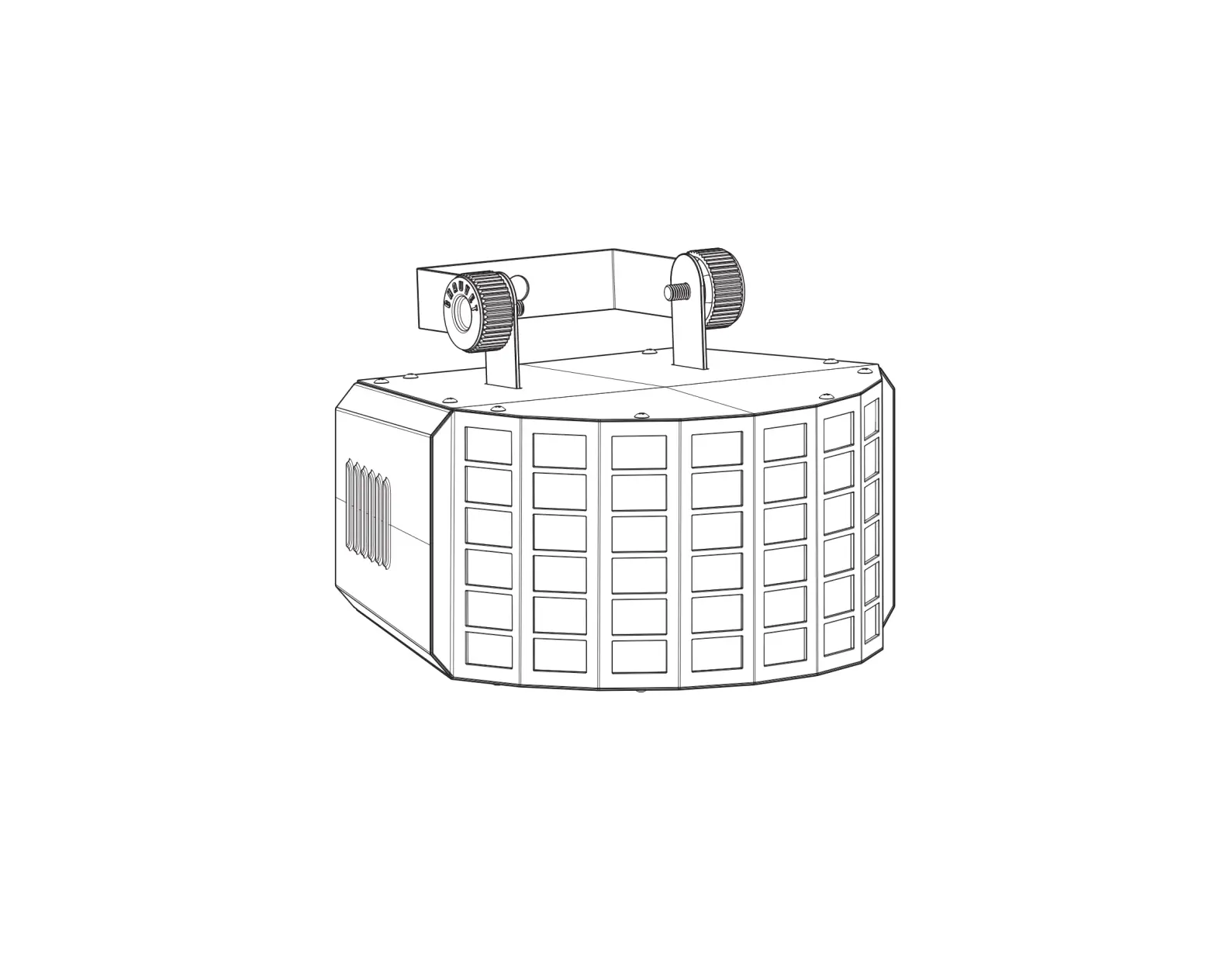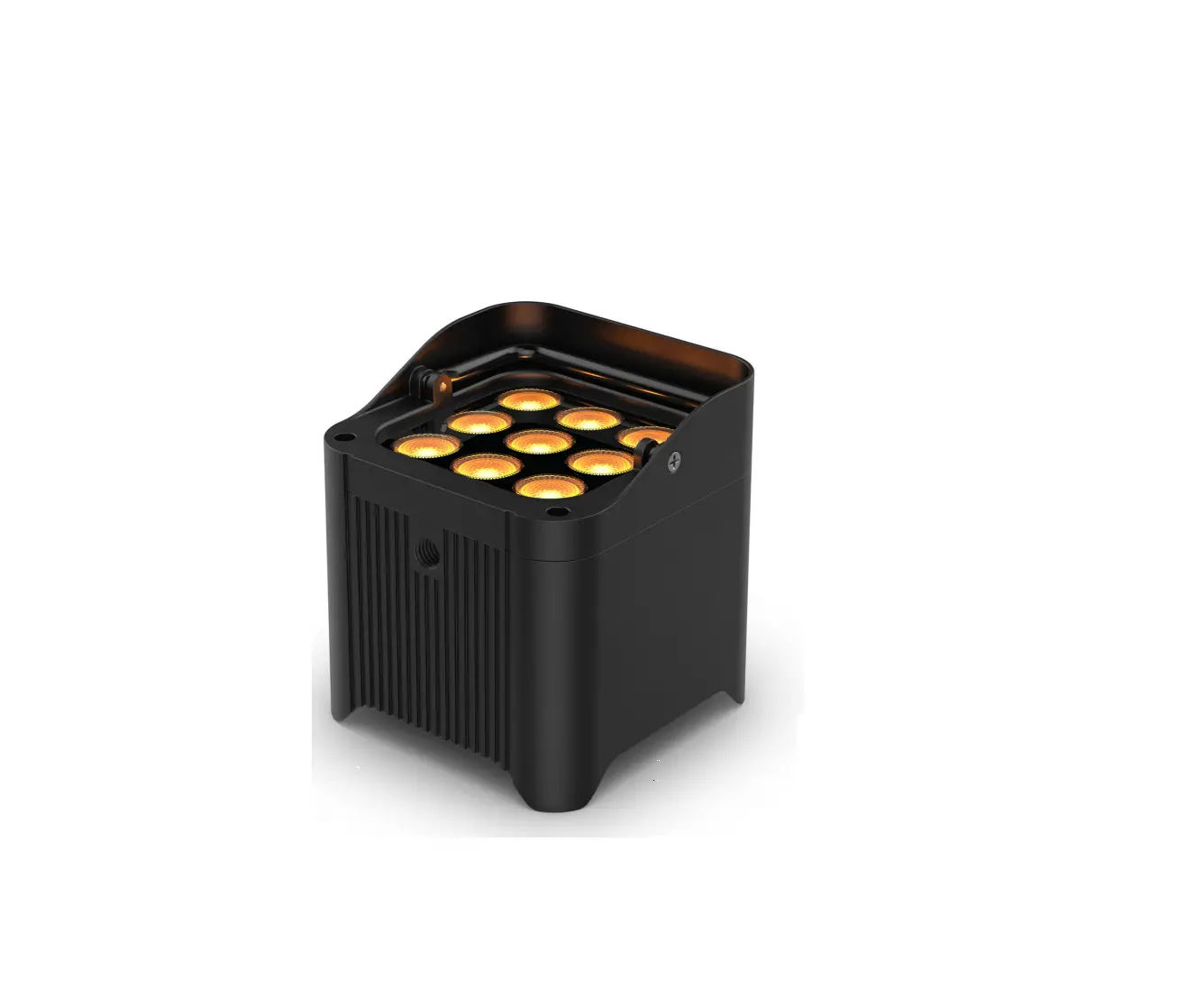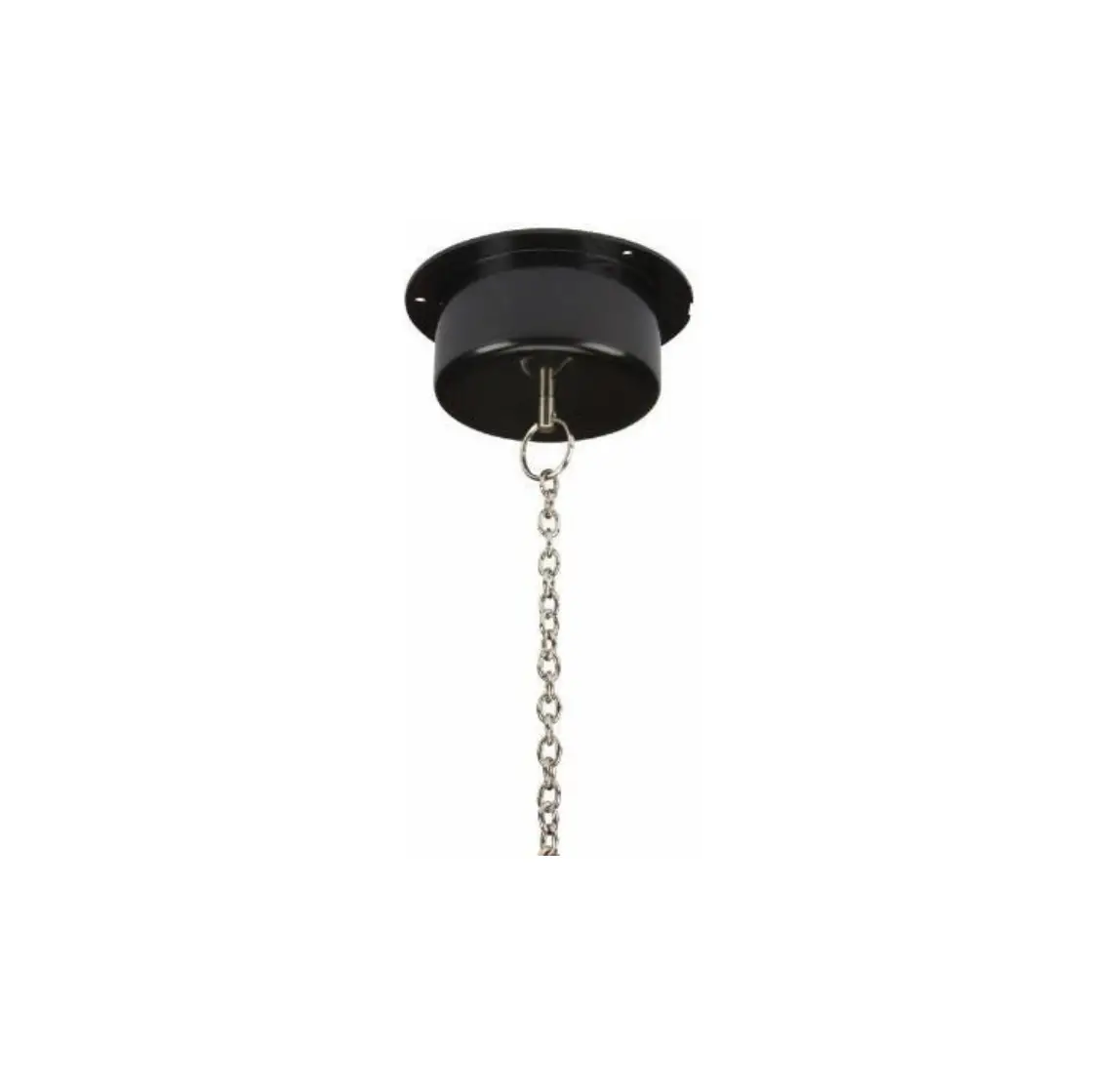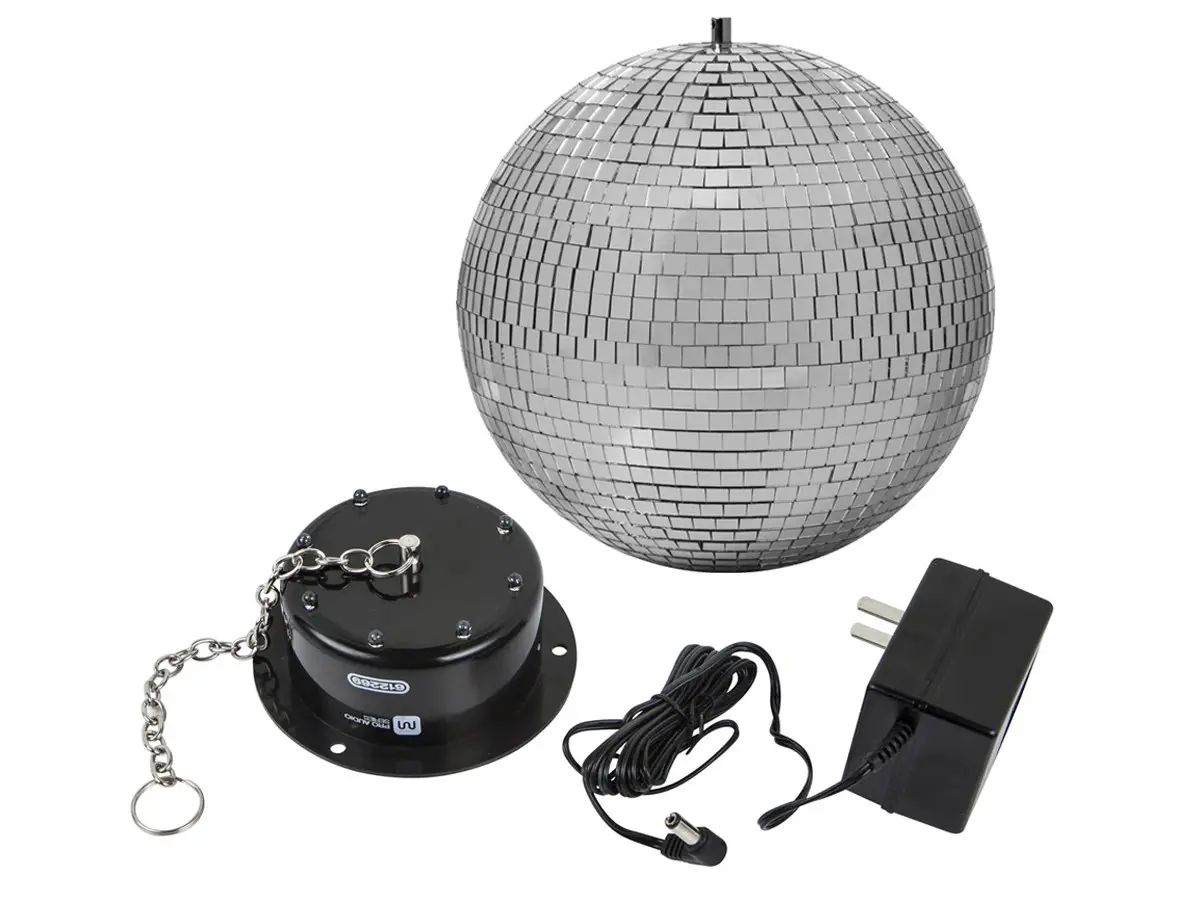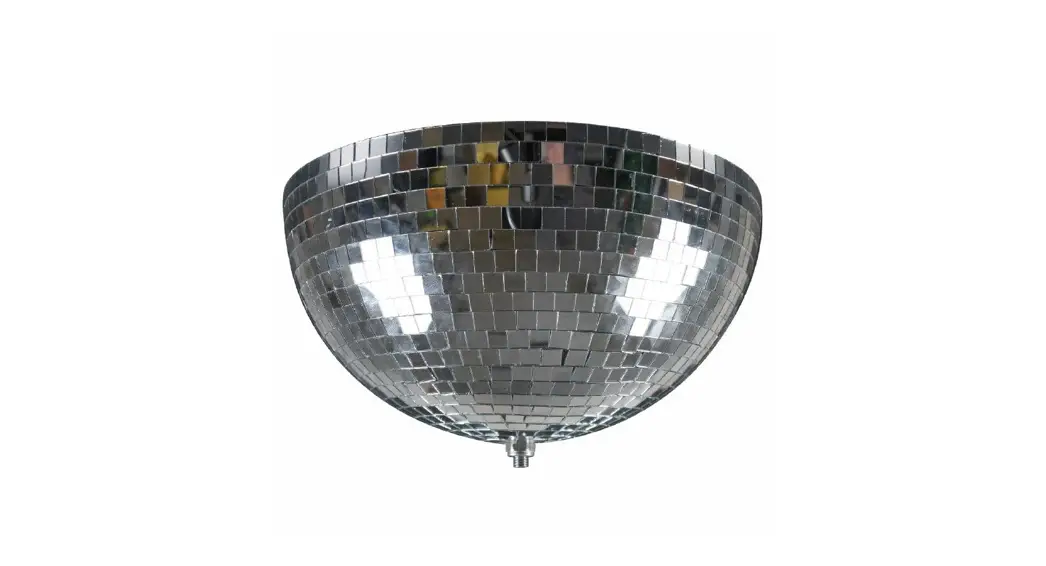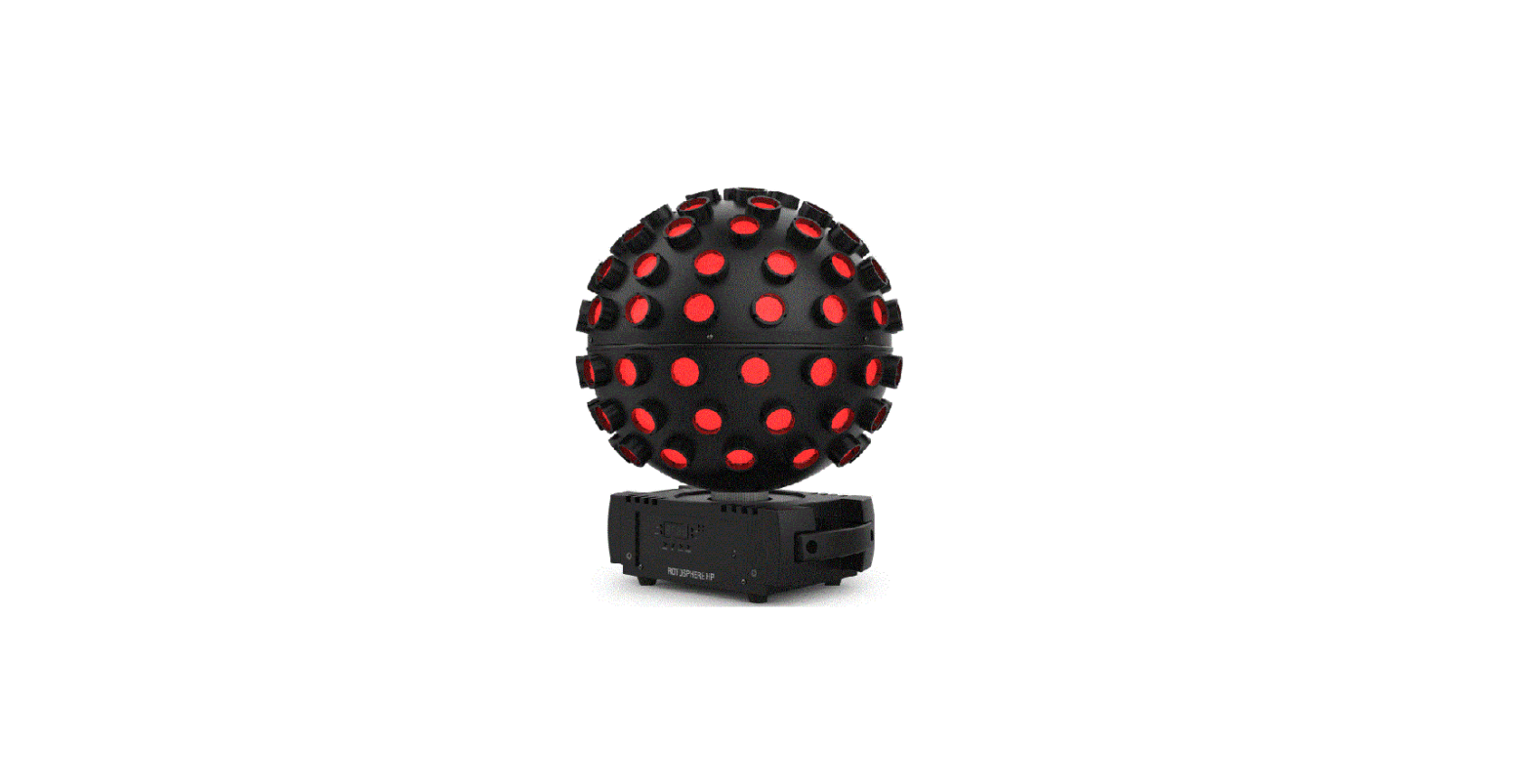

CHAUVET DJ Rotosphere HP High Powered 8 Color Mirror Ball Light

Product Information
This product is a lighting fixture designed for use in various settings such as concerts, events, and theatrical productions. It has various features such as DMX control, standalone operation, automatic programs, and sound-activated mode. The product can be mounted and rigged in different orientations to suit the needs of the user.
Product Usage Instructions
Before You Begin
Before using the product, make sure to:
- Check that all items listed in the “What Is Included” section are present.
- Follow the unpacking instructions provided.
- Review the claims section for any important information regarding warranty or liability.
Setup
Follow these instructions for setting up the product:
- Connect the product to an AC power source using the provided power cable.
- If the fuse needs to be replaced, follow the instructions provided in the manual.
- If linking multiple products together, use the power linking feature according to the instructions provided.
- Mount the product using the appropriate hardware and following the instructions provided.
- The product can be oriented in different directions depending on the user’s needs. Follow the instructions provided for proper orientation.
- If rigging the product, follow the instructions provided for safe and secure rigging.
Product Operation
Follow these instructions for operating the product:
- Use the control panel to operate the product according to the instructions provided in the manual.
- Refer to the menu map for a visual guide to the control panel.
- If using DMX control, follow the instructions provided for configuring the personality, starting address, and channel assignments and values.
- If using standalone operation, follow the instructions provided for selecting automatic programs, adjusting program speed, motor rotation speed, preset static colors, and sound-activated mode.
- If using sound-activated mode, adjust the sound sensitivity according to the instructions provided.
- If using custom color mixing, follow the instructions provided for creating and saving custom color mixes.
Before You Begin
What Is Included
- Rotosphere HP
- Power cable
- Hanging bracket with mounting hardware
- Quick Reference Guide
Unpacking Instructions
Carefully unpack the product immediately and check the container to make sure all the parts are in the package and are in good condition.
Claims
If the box or the contents (the product and included accessories) appear damaged from shipping, or show signs of mishandling, notify the carrier immediately, not Chauvet. Failure to report damage to the carrier immediately may invalidate a claim. In addition, keep the box and contents for inspection. For other issues, such as missing components or parts, damage not related to shipping, or concealed damage, file a claim with Chauvet within 7 days of delivery.
Text Conventions
| Convention | Meaning |
| 1–512 | A range of values |
| 50/60 | A set of values of which only one can be chosen |
| Settings | A menu option not to be modified |
| <ENTER> | A key to be pressed on the product’s control panel |
| ON | A value to be entered or selected |
Symbols
| Symbol | Meaning | ||
 | Electrical warning. Not following these instructions may cause electrical damage to the product, accessories, or the user. | ||
 | Critical installation, configuration, or operation information. Not following these instructions may make the product not work, cause damage to the product, or cause harm to the operator. | ||
 | Important installation or configuration information. The product may not function correctly if this information is not used. | ||
 | Useful information. | ||
Disclaimer
Chauvet believes that the information contained in this manual is accurate in all respects. However, Chauvet assumes no responsibility and specifically disclaims any and all liability to any party for any loss, damage or disruption caused by any errors or omissions in this document, whether such errors or omissions result from negligence, accident or any other cause. Chauvet reserves the right to revise the content of this document without any obligation to notify any person or company of such revision, however, Chauvet has no obligation to make, and does not commit to make, any such revisions. Download the latest version from www.chauvetdj.com.
Intellectual Property
The works of authorship contained in this manual, including, but not limited to, all design, text and images are owned by Chauvet.
© Copyright 2023 Chauvet & Sons, LLC. All rights reserved.
Electronically published by Chauvet in the United States of America.
Chauvet, Chauvet DJ, the Chauvet logo, and Rotosphere HP are registered trademarks or trademarks of Chauvet & Sons LLC (d/b/a Chauvet and Chauvet Lighting) in the United States and other countries. Other company and product names and logos referred to herein may be trademarks of their respective companies.
Safety Notes
- ALWAYS:
- Connect to a grounded circuit.
- Connect to operating voltages as specified on the product’s spec sticker.
- Disconnect from power before replacing the fuse.
- Disconnect from its power source during periods of inactivity.
- Use a safety cable when suspending overhead.
- Heed all restrictions and warnings on the spec sticker.
- Mount in a location with at least 20 in (50 cm) of ventilation.
- Replace the fuse with the same type and rating.
- In the event of a serious operating problem, stop using immediately.
- DO NOT:
- Open this product or attempt any repairs. It contains no user-serviceable parts.
- Look at the light source when the product is on.
- Use if the power cord is crimped or damaged.
- Disconnect by pulling on the power cord.
- Allow flammable materials close to the product when it is operating.
- Touch the housing when it is on.
- Block any ventilation holes/slots in the housing.
- Connect to a dimmer or rheostat.
- Carry the product by its power cord.
- Operate in temperatures higher than 104°F (40°C).
- Expose to environments that exceed the Ingress Protection (IP) rating.
- Expose to rain or moisture.
- Use outdoors.
- Expose to corrosive environmental conditions such as temperature, humidity, salinity, pressure, radiation, or shock.
- Set this product on a flammable surface.
Keep this User Manual for future use. If the product is sold to someone else, be sure that they also receive this document.
Introduction
Product Overview
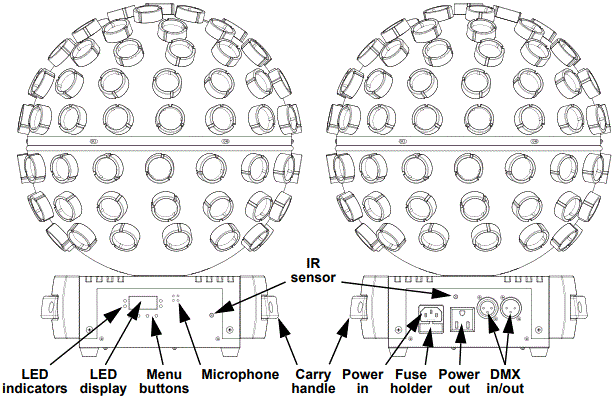
Product Dimensions
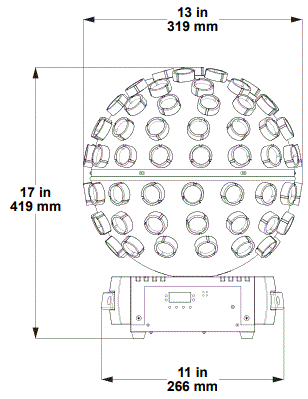
Setup
AC Power
The Rotosphere HP has an auto-ranging power supply and it can work with an input voltage range of 100 to 240 VAC, 50/60 Hz. To determine the product’s power requirements (circuit breaker, power outlet, and wiring), use the current value listed on the label affixed to the product’s back panel, or refer to the product’s specifications chart. The listed current rating indicates the product’s average current draw under normal conditions.
- Always connect the product to a protected circuit (a circuit breaker or fuse). Make sure the product has an appropriate electrical ground to avoid the risk of electrocution or fire.
- To eliminate unnecessary wear and improve its lifespan, during periods of non-use completely disconnect the product from power via breaker or by unplugging it.
- Never connect the product to a rheostat (variable resistor) or dimmer circuit, even if the rheostat or dimmer channel serves only as a 0 to 100% switch.
Fuse Replacement
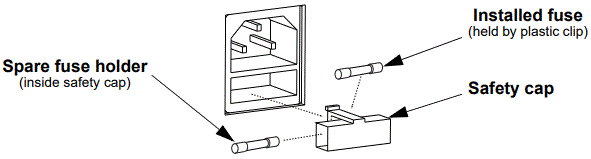
- Disconnect the product from power.
- Wedge the tip of a flat-head screwdriver into the slot of the fuse holder.
- Pry the fuse holder out of the housing.
- Remove the blown fuse from the holder and replace with a fuse of the exact same type and rating.
- Insert the fuse holder back in place and reconnect power.
Warning
- Disconnect the product from the power outlet before replacing the fuse.
- Always replace a blown fuse with one of the same type and rating.
Power Linking
This product provides power linking via the outlet located in the back of the product. See the diagram below for further explanation.
Power Linking Diagram

Warning
- It is possible to link up to 8 Rotosphere HP products on 120 VAC or up to 13 products on 230 VAC.
- The power linking diagram shown above corresponds to the North American version of the product ONLY! If using the product in other markets, consult with the local Chauvet distributor as power linking connectors and requirements may differ by country or region.
Mounting
- Before mounting the product, read and follow the safety recommendations indicated in the Safety Notes.
Orientation
- The Rotosphere HP may be mounted in any position; however, make sure adequate ventilation is provided around the product.
Rigging
- Before deciding on a location for the product, always make sure there is easy access to the product for maintenance and programming.
- Make sure that the structure and attachment points can support the weight before hanging the product (see the Technical Specifications)
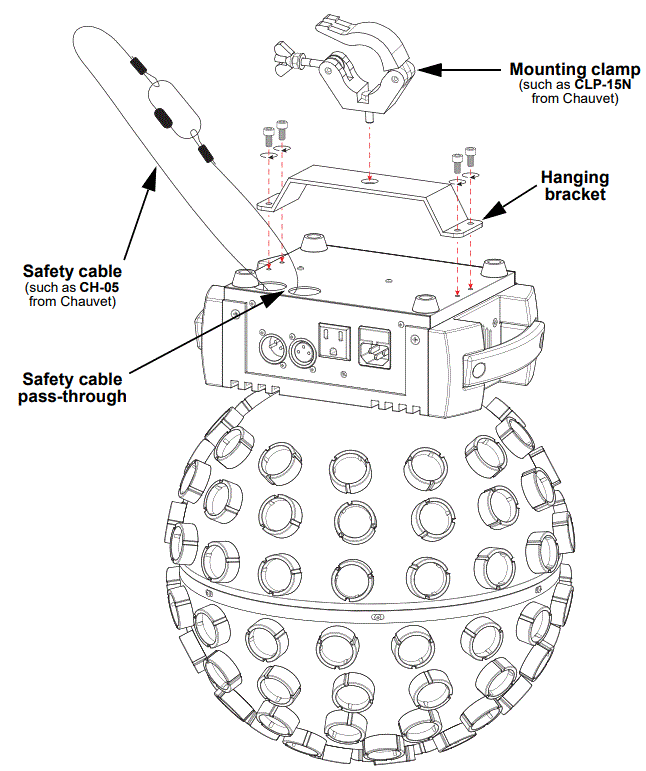
- When mounting the product overhead, always use a safety cable. Mount the product securely to a rigging point, such as an elevated platform or a truss.
- When rigging the product onto a truss, use a mounting clamp of appropriate weight capacity. The bracket has a 13-mm hole, which is appropriate for this purpose.
- The bracket adjustment knobs allow for directional adjustment when aiming the product to the desired angle. Only loosen or tighten the bracket knobs manually. Using tools could damage the knobs.
Mounting Diagram
Operation
Control Panel Operation
- To access the control panel functions, use the four buttons located underneath the display. Please refer to the Product Overview to see the button locations on the control panel.
| Button | Function |
| <MENU> | Press to find an operation mode or to back out of the current menu option |
| <UP> | Press to scroll up the list of options or to find a higher value |
| <DOWN> | Press to scroll down the list of options or to find a lower value |
| <ENTER> | Press to activate a menu option or a selected value |
Menu Map
- Refer to the Rotosphere HP product on www.chauvetdj.com for the latest menu map.
| Mode | Programming Levels | Description | ||
| DMX Mode | 3Ch | A001–512 | 3-channel DMX mode | |
| 12Ch | 12-channel DMX mode | |||
| 28Ch | 28-channel DMX mode | |||
| Programs | P-– | P 1–5 | Automatic programs | |
| Auto Speed | S-– | S001–100 | Program speed for P 1–5 | |
| Motor | Mot | M000–100 | Motor speed for programs and static colors | |
| Static Colors | C-– | C001–015 | Static colors | |
| Sound Mode | Snd | bo | Sound-active program, blackout without sound | |
| SLoU | Sound-active program, slow down without sound | |||
| Sensitivity | SEnS | u001–100 | Sets sound sensitivity | |
|
Custom Color Mixing |
U-– | r000–255 |
Custom static colors Combine red, green, blue, white, cyan, magenta, yellow, and orange | |
| G000–255 | ||||
| b000–255 | ||||
| U000–255 | ||||
| C000–255 | ||||
| M000–255 | ||||
| y000–255 | ||||
| o000–255 | ||||
| S000–100 | Strobe rate | |||
| DI-_ | DI-L | Rotate left | ||
| DI-R | Rotate right | |||
| M000–100 | Motor speed | |||
| Infrared Mode | SEt | on | Turns infrared on or off | |
| oFF | ||||
Configuration (DMX)
The Rotosphere HP works with a DMX controller. Information about DMX is in the CHAUVET DMX Primer, which is available from the Chauvet website chauvetlighting.com/downloads/DMX_Primer_rev05_WO.pdf.
Personality and Starting Address
The Rotosphere HP uses up to 28 DMX channels in the 28Ch DMX mode, which defines the highest recommended address to 485. When selecting a starting DMX address, always consider the number of DMX channels the DMX mode uses. If the starting address is set too high, access to some channels could be restricted. For information about the DMX protocol, download the DMX Primer from www.chauvetdj.com. To select the personality and starting address, do the following:
- Press <MENU> repeatedly until 3Ch, 12Ch, or 28Ch shows on the display.
- Press <ENTER>.
- Use <UP> or <DOWN> to select the starting address, from A001–512.
- Press <ENTER>.
DMX Channel Assignments and Values
| 3Ch | 12Ch | 28Ch | Function | Value | Percent/Setting |
| 1 | 1 | – | Program | 000 | No function |
001 250 250 | Automatic program | ||||
| 251 255 | Sound-active program | ||||
| 2 | 2 | – | Program speed (when Ch. 1 is 001ó 250) | 000 255 | Automatic program speed, slow to fast |
| Sound sensitivity (when Ch. 1 is 251ó 255) | 000 255 | Sound sensitivity, low to high | |||
| – | 3 | 1 | Red 1 | 000 255 | 0–100% |
| – | 4 | 2 | Green 1 | 000 255 | 0–100% |
| – | 5 | 3 | Blue 1 | 000 255 | 0–100% |
| – | 6 | 4 | White 1 | 000 255 | 0–100% |
| – | 7 | 5 | Cyan 1 | 000 255 | 0–100% |
| – | 8 | 6 | Magenta 1 | 000 255 | 0–100% |
| – | 9 | 7 | Yellow 1 | 000 255 | 0–100% |
| – | 10 | 8 | Orange 1 | 000 255 | 0–100% |
| – | – | 9 | Red 2 | 000 255 | 0–100% |
| – | – | 10 | Green 2 | 000 255 | 0–100% |
| – | – | 11 | Blue 2 | 000 255 | 0–100% |
| – | – | 12 | White 2 | 000 255 | 0–100% |
| – | – | 13 | Cyan 2 | 000 255 | 0–100% |
| – | – | 14 | Magenta 2 | 000 255 | 0–100% |
| – | – | 15 | Yellow 2 | 000 255 | 0–100% |
| – | – | 16 | Orange 2 | 000 255 | 0–100% |
| – | – | 17 | Red 3 | 000 255 | 0–100% |
| – | – | 18 | Green 3 | 000 255 | 0–100% |
| – | – | 19 | Blue 3 | 000 255 | 0–100% |
| – | – | 20 | White 3 | 000 255 | 0–100% |
| – | – | 21 | Cyan 3 | 000 255 | 0–100% |
| – | – | 22 | Magenta 3 | 000 255 | 0–100% |
| – | – | 23 | Yellow 3 | 000 255 | 0–100% |
| – | – | 24 | Orange 3 | 000 255 | 0–100% |
| – | 11 | 25 | Strobe | 000 005 | No function |
| 006 255 | Strobe, slow to fast |
| – | – | 26 | Program | 000 | No function |
| 001 250 | Automatic program | ||||
| 251 255 | Sound-active program | ||||
| – | – | 27 | Program speed (when Ch. 26 is 001ó 250) | 000 255 | Automatic program speed, slow to fast |
| Sound sensitivity (when Ch. 26 is 251ó 255) | 000 255 | Sound sensitivity, low to high | |||
| 3 | 12 | 28 | Motor rotation | 000 127 | Motor indexing |
| 128 189 | Motor rotation, fast to slow | ||||
| 190 193 | Stop | ||||
| 194 255 | Reverse motor rotation, slow to fast |
Configuration (Standalone)
Set the product in one of the standalone modes to control without a DMX controller.
Warning: Never connect a product that is operating in any standalone mode to a DMX string connected to a DMX controller. Products in standalone mode may transmit DMX signals that could interfere with the DMX signals from the controller.
Automatic Programs
To run the Rotosphere HP with an automatic program, follow the instructions below.
- Press <MENU> repeatedly until P– shows on the display.
- Press <ENTER>.
- Use <UP> or <DOWN> to select the desired program from P 1–5.
- Press <ENTER>.
Automatic Program Speed
To set the speed of the automatic program, do the following:
- Press <MENU> repeatedly until S– shows on the display.
- Press <ENTER>.
- Use <UP> or <DOWN> to increase or decrease the program speed, from S001–100.
- Press <ENTER>.
Motor Rotation Speed
To set the motor rotation speed for programs and static colors, follow the instructions below:
- Press <MENU> repeatedly until Mot shows on the display.
- Press <ENTER>.
- Use <UP> or <DOWN> to increase or decrease the rotation speed, from M000–100.
- Press <ENTER>.
Preset Static Colors
To run the Rotosphere HP with a preset static color, do the following:
- Press <MENU> repeatedly until C– shows on the display.
- Press <ENTER>.
- Use <UP> or <DOWN> to select the desired color from C001–015.
- Press <ENTER>.
Sound-Active Mode
To run the Rotosphere HP with a sound-active program, follow the instructions below.
- Press <MENU> repeatedly until Snd shows on the display.
- Press <ENTER>.
- Press <ENTER> to select how the product will respond when no sound is detected, from bo (blackout), or SLoU (slow down).
- Press <ENTER>.
Sound Sensitivity
To set the sound sensitivity of the product, do the following:
- Press <MENU> repeatedly until SEnS shows on the display.
- Press <ENTER>.
- Use <UP> or <DOWN> to increase or decrease the sound sensitivity, from u001–100.
- Press <ENTER>.
The product will only respond to low frequencies of music (bass and drums).
Custom Color Mixing
To run the Rotosphere HP with a custom static color, follow the instructions below.
- Press <MENU> repeatedly until U– shows on the display.
- Press <ENTER>.
- Press <ENTER> to cycle through the options, r_ _ _ (red), G_ _ _ (green), b_ _ _ (blue), U_ _ _ (white), C_ _ _ (cyan), M_ _ _ (magenta), y_ _ _ (yellow), o_ _ _ (orange), S_ _ _ (strobe speed), DI-_ (rotation direction), and M_ _ _ (motor speed).
- Use <UP> or <DOWN> to increase or decrease the selected value from _000–255, or to select the rotation direction from DI-L (left) or DI-R (right).
- Repeat steps 3-4 until the product output is set as desired.
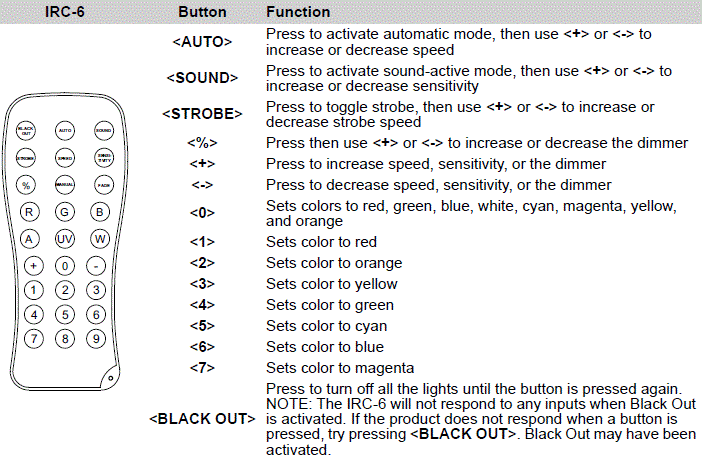
IRC-6 Infrared Remote Control
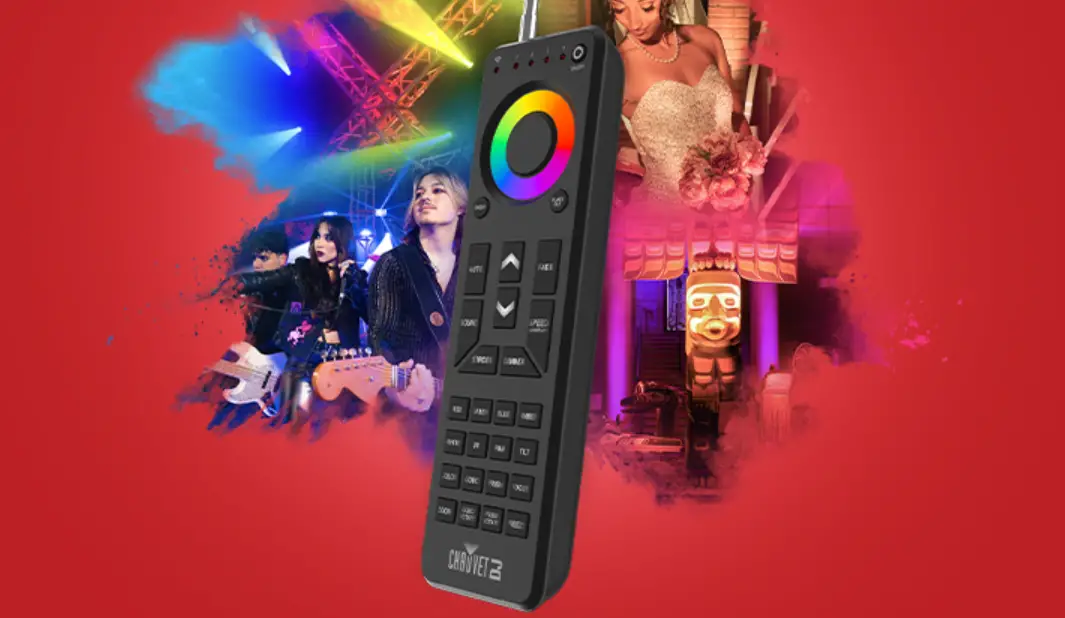
The Rotosphere HP is compatible with the IRC-6 infrared remote control from Chauvet.
To enable or disable IRC-6 functionality, do the following:
- Press <MENU> repeatedly until SEt shows on the display.
- Press <ENTER>.
- Press <ENTER> to select from on (enable), or oFF (disable).
- Press <ENTER>.
Consult the table below to operate the Rotosphere HP with the IRC-6.
Master/Slave Mode
The Master/Slave mode allows a single Rotosphere HP product (the “master”) to control the actions of one or more Rotosphere HP products (the “slaves”) without the need of a DMX controller. The master product will be set to operate in either standalone mode or with the IRC-6, while the slave products will be set to operate in slave mode. Once set and connected, the slave products will operate in unison with the master product.
Configure the products as indicated below.
Slave products
- Press <MENU> repeatedly until 3Ch shows on the display.
- Press <ENTER>.
- Use <UP> or <DOWN> to set the starting address to A001.
- Press <ENTER>.
- Connect the DMX input of the first slave product to the DMX output of the master product.
- Connect the DMX input of the subsequent slave products to the DMX output of the previous slave product.
- Finish setting and connecting all the slave products.
Master product
- Set the master product to operate in standalone mode or with the IRC-6.
- Make the master product the first product in the DMX daisy chain.
Warning
- Configure all the slave products before connecting the master to the daisy chain.
- Never connect a DMX controller to a DMX string configured for Master/Slave operation because the controller may interfere with the signals from the master.
- Do not connect more than 31 slaves to the master.
Maintenance
Product Maintenance
Dust build-up reduces light output performance and can cause overheating. This can lead to reduction of the light source’s life and/or mechanical wear. To maintain optimum performance and minimize wear, clean all lighting products at least twice a month. However, be aware that usage and environmental conditions could be contributing factors to increase the cleaning frequency.
To clean the product, follow the instructions below:
- Unplug the product from power.
- Wait until the product is at room temperature.
- Use a vacuum (or dry compressed air) and a soft brush to remove dust collected on the external surface/vents.
- Clean all transparent surfaces with a mild soap solution, ammonia-free glass cleaner, or isopropyl alcohol.
- Apply the solution directly to a soft, lint free cotton cloth or a lens cleaning tissue.
- Softly drag any dirt or grime to the outside of the transparent surface.
- Gently polish the transparent surfaces until they are free of haze and lint.
Always dry the transparent surfaces carefully after cleaning them.
Technical Specifications
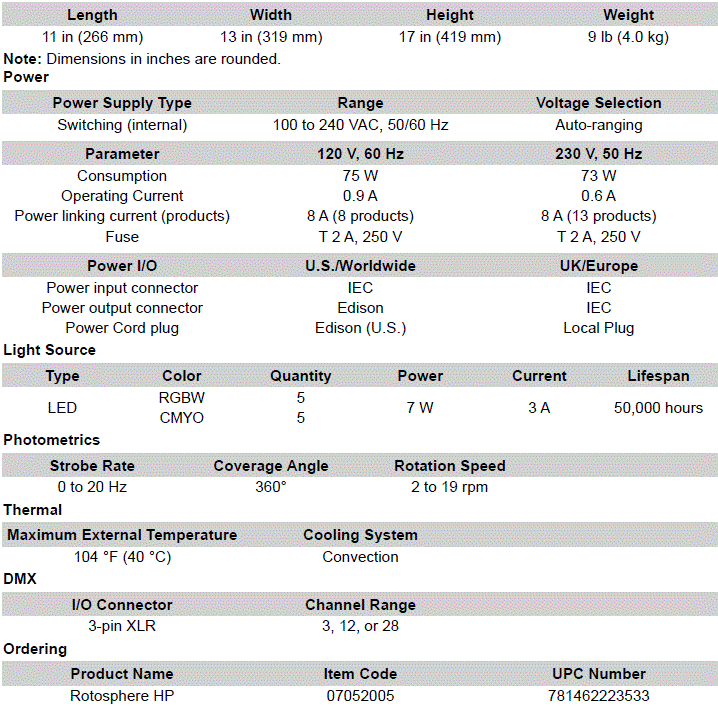
Dimensions and Weight
Contact Us
General Information /Technical Support
Chauvet World Headquarters
- Address: 3360 Davie Rd. Davie, FL 33314
- Voice: (954) 577-4455
- Fax: (954) 929-5560
- Toll Free: (800) 762-1084
- Voice: (844) 393-7575
- Fax: (954) 756-8015
- Email: [email protected]
- Website: www.chauvetdj.com
Chauvet U.K.
- Address: Pod 1 EVO Park Little Oak Drive, Sherwood Park Nottinghamshire, NG15 0EB UK
- Voice: +44 (0) 1773 511115
- Fax: +44 (0) 1773 511110
- Email: [email protected]
- Website: www.chauvetdi.eu
Chauvet Benelux
- Address: Stokstraat 18 9770 Kruishoutem Belgium
- Voice: +32 9 388 93 97
- Email: [email protected]
- Website: www.chauvetdi.eu
Chauvet Germany
- Address: Bruno-Bürgel-Str. 11 28759 Bremen Germany
- Voice: +49 421 62 60 20
- Email: [email protected]
- Website: www.chauvetdi.eu
Chauvet Mexico
- Address: Av. de las Partidas 34 – 3B (Entrance by Calle 2)
- Zona Industrial Lerma Lerma, Edo. de México, CP 52000
- Voice: +52 (728) 690-2010
- Email: [email protected]
- Website: www.chauvetdi.mx
Warranty & Returns
For warranty terms and conditions and return information, please visit our website.
- For customers in the United States and Mexico: www.chauvetlighting.com/warranty-registration.
- For customers in the United Kingdom, Republic of Ireland, Belgium, the Netherlands, Luxembourg, France, and Germany: www.chauvetlighting.eu/warranty-registration.

 DJ Lighting Equipment, DJ Lights Setup | CHAUVET DJ
 DJ Lighting Equipment, DJ Lights Setup | CHAUVET DJ
 DJ Lighting Equipment, DJ Lights Setup | CHAUVET DJ
 Warranty Registration – Chauvet Lighting
 Chauvet Lighting