SHURE WA661 Mute Switch
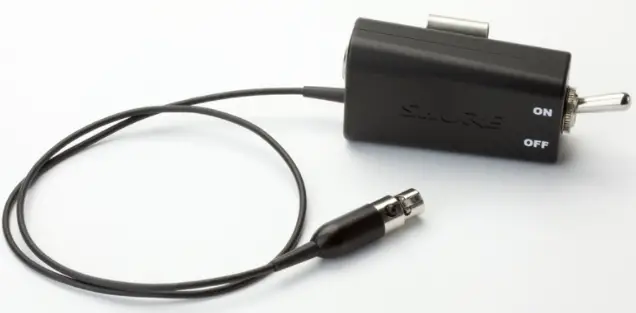
Shure online user guide for WA661 and WA662 in-line bodypack mute switch.
Version: 1.0 (2021-C)
WA661 WA662 Mute Switch
General Description
The WA661 and WA662 provide an easy-access, tactile feedback switch for muting lavalier and headset microphones that connect to wireless bodypack transmitters.
- For microphones with TA4F connectors
- Two-position toggle switch with tactile feedback Robust, reversible metal belt clip
- No electrical switch noise
- 100 dB of attenuation for mute
- Passes bias voltage to power microphones
Model Variations
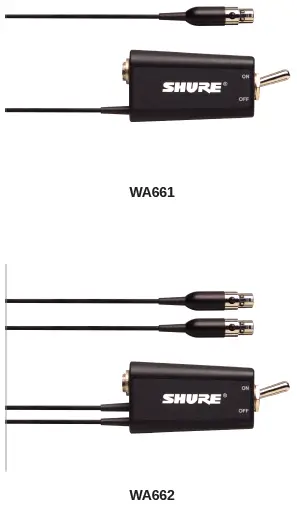
The WA661 has a single output. The WA662 features two output connectors for redundant transmitter and frequency diversity applications.
Instructions for Use
Use the switch with a wireless microphone system. Connect the microphone to the input on the switch and connect the output cable to a bodypack transmitter. For the WA662, connect each of the two output cables to a different bodypack for redundant transmitter and frequency diversity applications.
Specifications
Connector Type
| Input | TA4M |
| Output | TA4F |
Switch
Two-position toggle mute switch
Cable
56cm (22 in.), two-conductor, double-serve stranded shielding
Housing
Machined aluminum
Dimensions
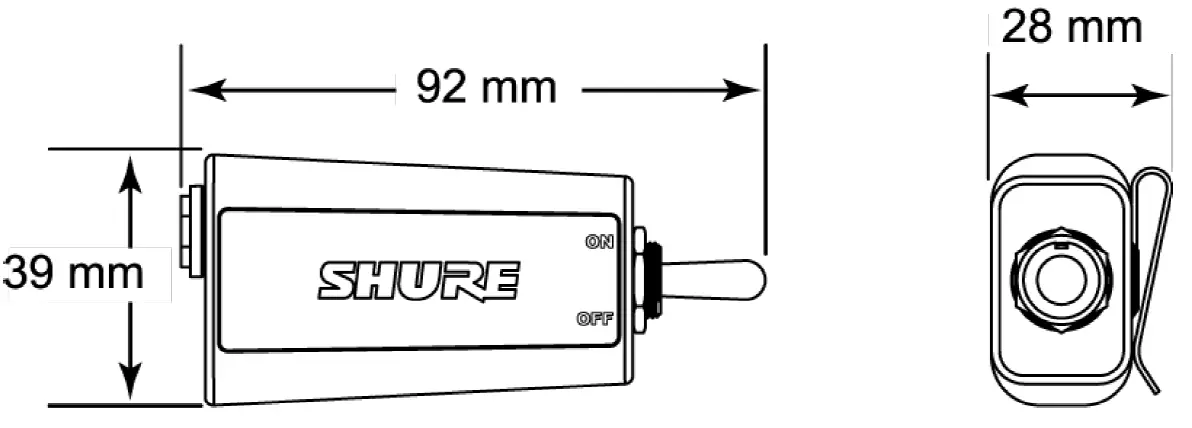
39 x 92 x 28 mm(1.5 x 3.6 x 1.1 in.), H x W x D
Net Weight
| WA661 | 121 g (4.3oz.) |
| WA662 | 136 g (4.8oz.) |
Packaged Weight
| WA661 | 196 g (6.9oz.) |
| WA662 | 211 g (7.4oz.) |