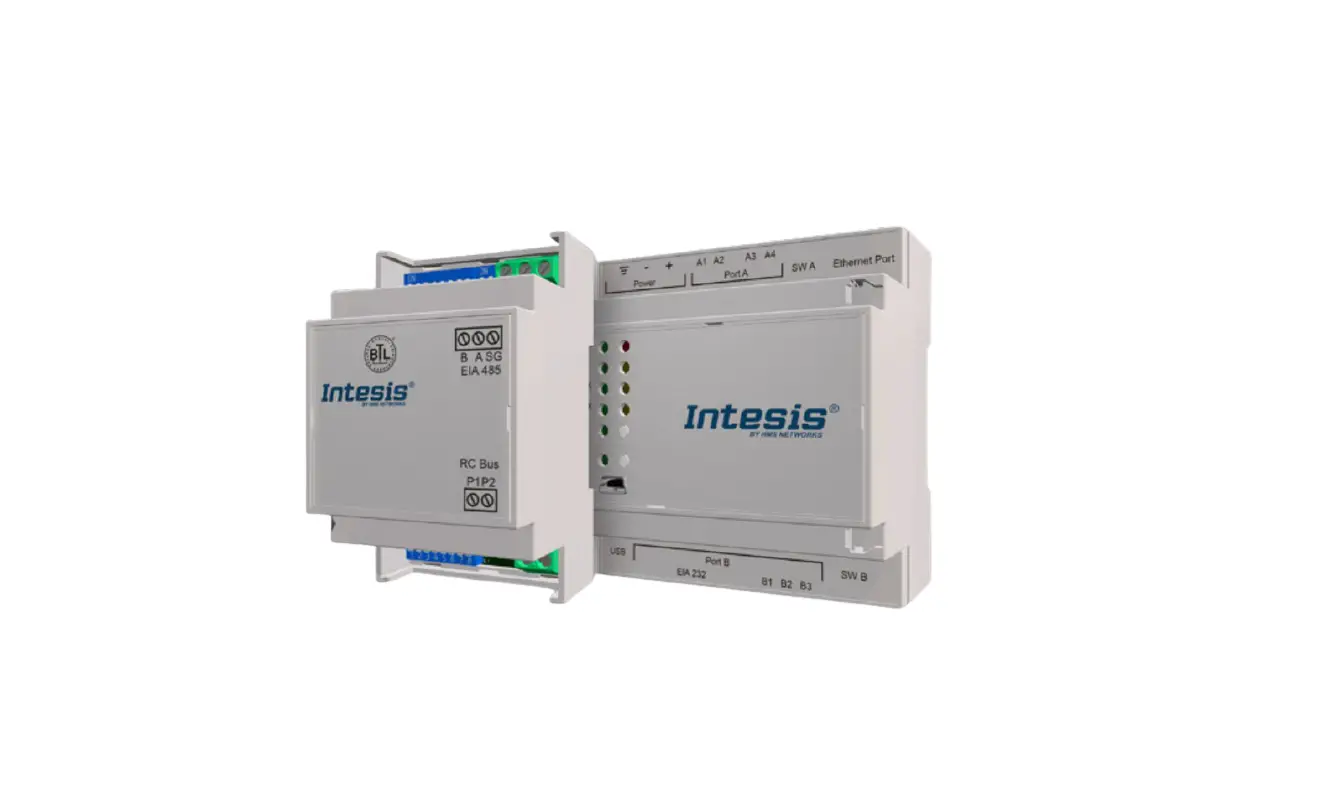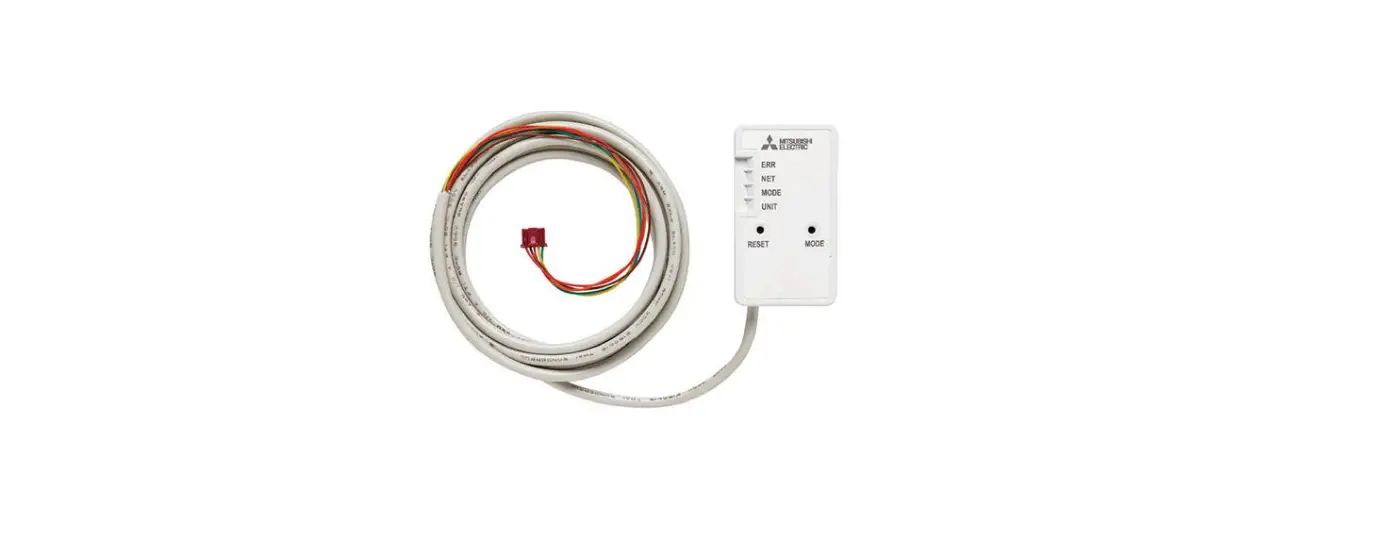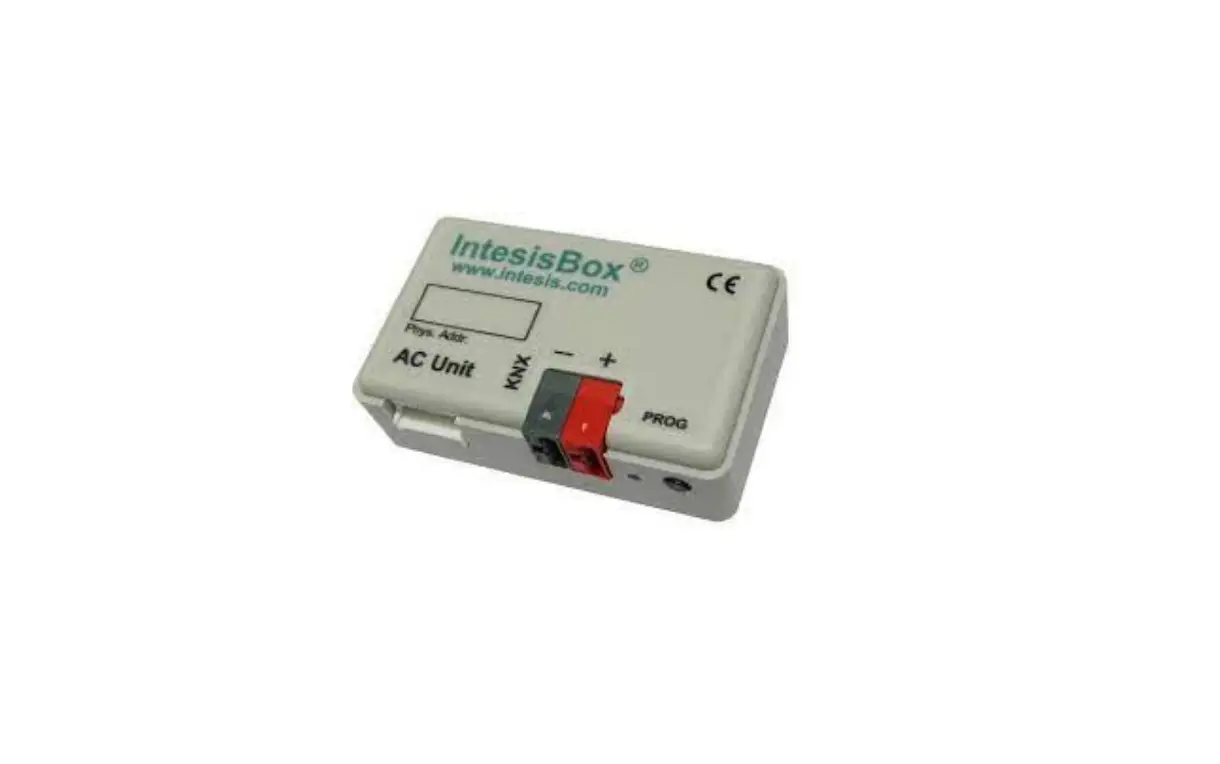

MITSUBISHI ELECTRIC ME-AC-KNX-1 AC to KNX Interface
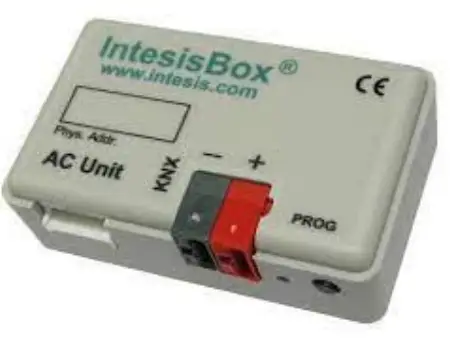
Product Information
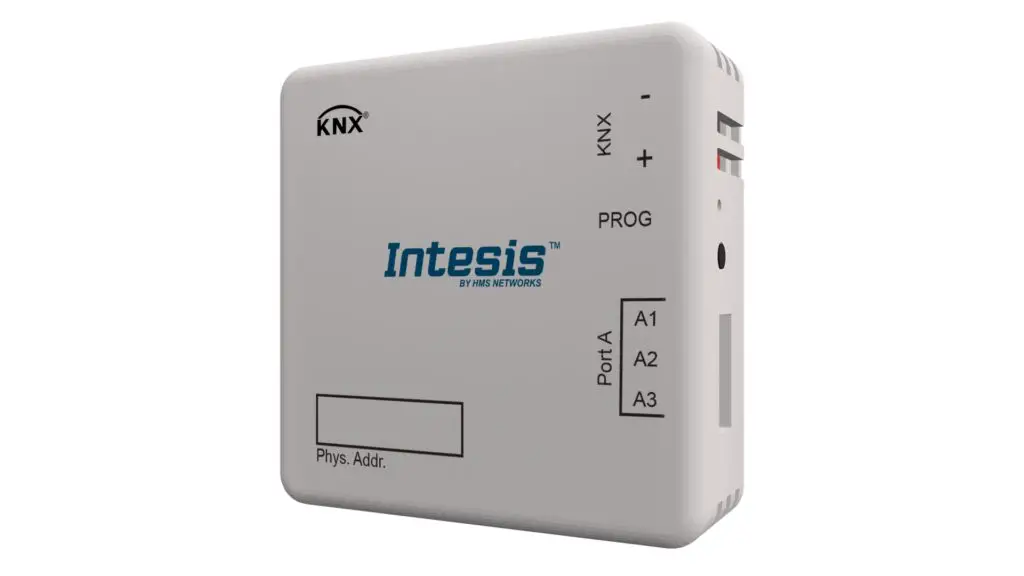
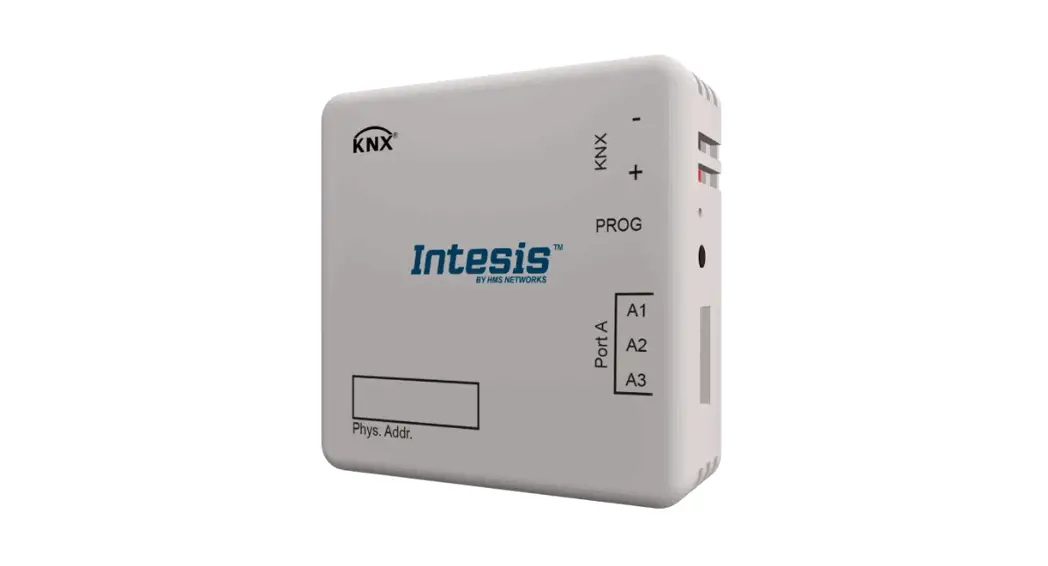
The Intesis ME-AC-KNX-1-V2 interface allows for seamless integration of Mitsubishi Electric air conditioners into KNX TP-1 (EIB) control systems. It is compatible with all models of domestic and Mr. Slim lines of air conditioners commercialized by Mitsubishi Electric. The main features of this interface include
- Fully compatible KNX device
- Comes with a 3-meter cable for direct connection to the internal control board of the AC indoor unit
- Requires standard KNX tool ETS for configuration and setup
- ETS database for this device can be downloaded from the Intesis website
Product Usage Instructions
Before using the ME-AC-KNX-1-V2 interface, please follow the below instructions for proper installation:
- Disconnect mains power from the AC unit.
- Open the front cover of the indoor unit to access the internal control board.
- Locate the socket connector marked as CN105 for the Domestic line or CN92 for Mr. Slim’s line on the control board depending on the AC model number.
- Connect the interface to the socket connector with the supplied cable. Do not modify the length of the cable as it may affect the correct operation of the interface.
- Disconnect the power of the KNX bus.
- Connect the interface to the KNX TP-1 (EIB) bus using the KNX standard connector (red/grey) of the interface, respecting polarity.
- Reconnect power of the KNX bus.
After installation, the device must be configured and set up using the standard KNX tool ETS. Please download the ETS database for this device from the Intesis website and refer to the README.txt file for instructions on how to install the database. It is important to select the correct model of AC indoor unit connectedto the interface in the parameters of the device in ETS.
Interface for integration of Mitsubishi Electric air conditioners into KNX TP-1 (EIB) control systems. Compatible with Domestic and Mr.Slim line air conditioners commercialized by Mitsubishi Electric. Application’s Program Version: 0.8
Order Code: ME-AC-KNX-1-V2
Issue Date: 2012/07/01
Intesis Software S.L. All Rights Reserved
this document is furnished under a license agreement or nondisclosure agreement. The software may be used only in accordance with the terms of those agreements. No part of this publication may be reproduced, stored in a retrieval system or transmitted in any form or any means electronic or mechanical, including photocopying and recording for any purpose other than the purchaser’s personal use without the written permission of Intesis Software S.L. Intesis Software S.L. Milà I Fontanals, 1 bis 08700 Igualada Spain
TRADEMARKS
All trademarks and tradenames used in this document are acknowledged to be the copyright of their respective holders.
Presentation
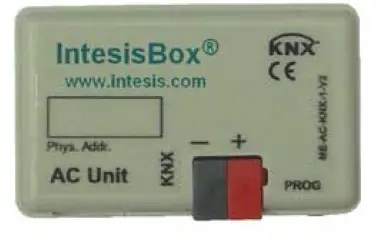
ME-AC-KNX-1-V2 allows a complete and natural integration of Mitsubishi Electric air conditioners with KNX control systems.
Compatible with all models of Domestic and Mr.Slim lines of air conditioners.
Main features
- Reduced dimensions. Installation even inside the A.C. indoor unit.
- Quick and nonvisible installation.
- External power is not required.
- Direct connection to the KNX EIB bus.
- Direct connection to the AC indoor unit.
- Fully KNX interoperable, certified by KNX, configuration from ETS.
- Multiple objects for control (of different types: bit, byte, characters…).
- Control of the AC unit based in the ambient temperature read by the own AC unit, or in the ambient temperature read by any KNX thermostat.
- Total Control and Monitoring of the AC unit from KNX, including monitoring of AC unit’s state of internal variables, running hours counter (for filter maintenance control), and error indication and error code.
- AC unit can be controlled simultaneously by the IR remote control of the AC unit and by KNX.
- Up to 5 scenes can be saved and executed from KNX, fixing the desired combination of Operation Mode, Set Temperature, Fan Speed, and Vane Position in any moment by using a simple switching.

Connection
The interface comes with a cable (3 meters long) for direct connection to the internal control board of the AC indoor unit
Connection of the interface to the AC indoor unit:
Disconnect mains power from the AC unit. Open the front cover of the indoor unit in order to have access to the internal control board. In the control board locate the socket connector marked as:
- CN92 in Mr.Slim models.
- CN105 in the rest of models.
Using the cable that comes with the interface, insert one of its connectors, the one installed in the shortest uncovered part, into the socket of the ME-AC-KNX-1-V2 marked as AC Unit, and the other connector, the one in the largest uncovered part, into the socket CN92 or CN105 of the AC unit’s control board. Fix the ME-AC-KNX-1-V2 inside or outside the AC indoor unit depending on your needs, remember that ME-AC-KNX-1-V2 must be also connected to the KNX bus. Close the AC indoor unit’s front cover again.
IMPORTANT: Do not modify the length of the cable supplied with the interface, it may affect to the correct operation of the interface.
Connection of the interface to the KNX bus:
Disconnect the power of the KNX bus. Connect the interface to the KNX TP-1 (EIB) bus using the KNX standard connector (red/grey) of the interface, respect polarity. Reconnect the power of the KNX bus.
Connections diagram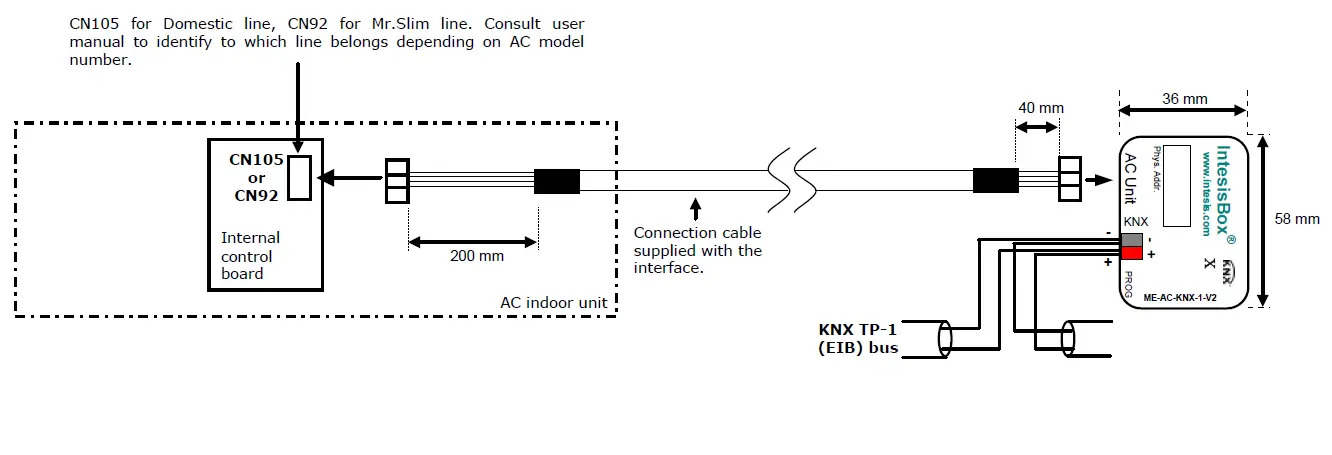
Configuration and setup
This is a fully compatible KNX device that must be configured and set up using the standard KNX tool ETS.
The ETS database for this device can be downloaded from: http://www.intesis.com/down/eib/ME-AC-KNX-1-V2.zip
Please consult the README.txt file, located inside the downloaded zip file, to find instructions on how to install the database.
IMPORTANT: Do not forget to select the correct model of AC indoor unit connected to the interface, this is in the “Parameters” of the device in ETS
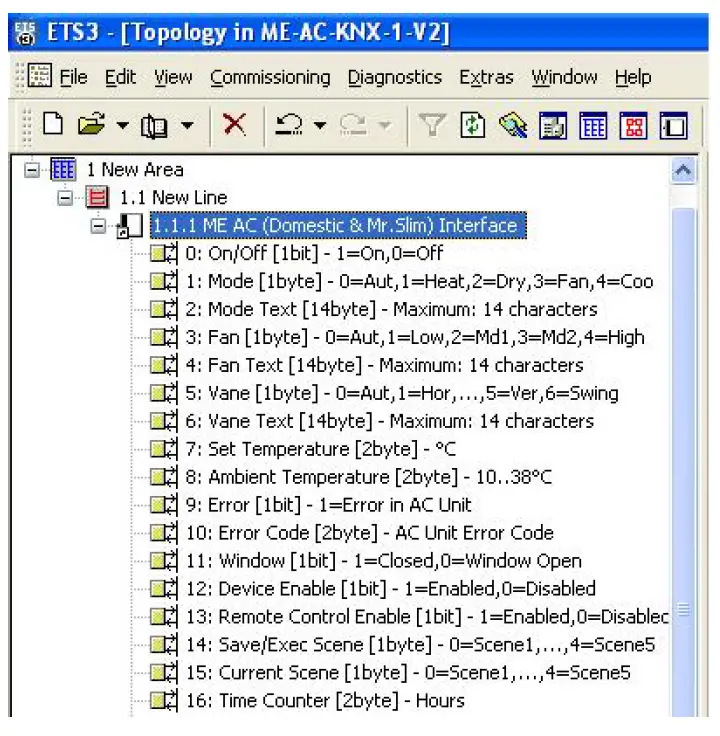
KNX communication objects
Main Objects
| Object # | 0 |
| Name | On/Off [1bit] |
| Function | 1-On, 0-Off |
| Description | This object is used to Start (On) and Stop (Off) the AC unit |
| Access type | Read/Write |
| Data type ID | 1.001 |
| Object # | 1 |
| Name | Mode [1byte] |
| Function | 0=Aut, 1=Heat, 2=Dry, 3=Fan, 4=Cool |
| Description | This object is used to monitor the Operation Mode in the AC unit |
| Access type | Read-only |
| Data type ID | 5 |
| Object # | 49 |
| Name | HVAC Mode [1byte] |
| Function | 0=Aut, 1=Heat, 3=Cool, 9=Fan, 14=Dry |
| Description | This object is used to monitor the Operation Mode in the AC unit |
| Access type | Read/Write |
| Data type ID | 20.105 |
| Object # | 50 |
| Name | Mode Cool/Heat [1bit] |
| Function | 0=Cool, 1=Heat |
| Description | This object is used to monitor the Operation Mode in the AC unit. Writing a 0 sets the Operation Mode to Cool. Writing 1 sets the Operation Mode to Heat. Setting the Operation Mode to Heat (through Mode object or DPTHvacContrMode object) sets this object to 1. Setting the Operation Mode to any other (but Heat) sets this object to 0. |
| Access type | Read/Write |
| Data type ID | 1.100 |
| Object # | 2 |
| Name | Mode Text [14 bytes] |
| Function | 14 characters maximum |
| Description | This object is a text description of the selected Operation Mode |
| Access type | Read-only |
| Data type ID | 16.001 |
| Object # | 3 |
| Name | Fan [1byte] |
| Function | 0=Aut, 1=Low, 2=Md1, 3=Md2, 4=High |
| Description | This object is used to monitor the Fan speed in the AC unit |
| Access type | Read-only |
| Data type ID | 5 |
| Object # | 4 |
| Name | Fan Text [14 bytes] |
| Function | 14 characters maximum |
| Description | This object is a text description of the selected Fan speed |
| Access type | Read-only |
| Data type ID | 16.001 |
| Object # | 5 |
| Name | Vane [1byte] |
| Function | 0=Aut, 1=Hor, 2=Pos2, 3=Pos3, 4=Pos4, 5=Ver, 6=Swing |
| Description | This object is used to monitor the Vane position in the AC unit |
| Access type | Read-only |
| Data type ID | 5 |
| Object # | 6 |
| Name | Vane Text [14 bytes] |
| Function | 14 characters maximum |
| Description | This object is a text description of the selected Vane position |
| Access type | Read-only |
| Data type ID | 16.001 |
| Object # | 7 |
| Name | Set Temperature [2bytes] |
| Function | 31..16ºC or 30..19ºC or 28..17ºC depending on AC unit type, see below |
| Description | This object controls the temperature setpoint of the AC unit. Value is meant to be written only when “Virtual Temperature Control” parameter is inactive (set to “No”). |
| Access type | Read/Write |
| Data type ID | 9.001 |
| Object # | 8 |
| Name | Ambient Temperature [2bytes] |
| Function | 10..38ºC |
| Description | This object indicates the current ambient temperature measured by the AC indoor unit |
| Access type | Read-only |
| Data type ID | 9.001 |
| Object # | 9 |
| Name | Error [1bit] |
| Function | 1=Operation Error |
| Description | This object, when set to 1, indicates either an error in the AC unit or communication failure between AC unit and ME-AC-KNX-1-V2. |
| Access type | Read-only |
| Data type ID | 1.001 |
| Object # | 10 |
| Name | Error Code [2bytes] |
| Function | AC Unit Error Code |
| Description | This object indicates the Error Code of the AC unit. Note that a value of 8000h means no error; 8001h means communication error between ME-AC- KNX-1-V2 and the AC Unit. Consult further error codes in the list below. |
| Access type | Read-only |
| Data type ID | 7 |
| Object # | 14 |
| Name | Save/Execute Scene [1byte] |
| Function | For Save: 128=Scene1, 129=Scene2, 130=Scene3, 131=Scene4, 132=Scene5 For Execute: 0=Scene1, 1=Scene2, 2=Scene3, 3=Scene4, 4=Scene5 |
| Description | This object is used to store/execute a scene (a scene is a given combination of set values for Operation Mode, Setpoint Temperature, Fan speed, and Vane position in the AC unit). The current combination of these values are stored in ME-AC-KNX-1-V2’s eeprom when saving, and retrieved from memory and set in the AC unit when executing. |
| Access type | Write-only |
| Data type ID | 5 |
| Object # | 15 |
| Name | Current Scene [1byte] |
| Function | 0=Scene1, 1=Scene2, 2=Scene3, 3=Scene4, 4=Scene5 |
| Description | This object is used to monitor the active scene (a scene a is given combination of set values for Operation Mode, Setpoint Temperature, Fan speed, and Vane position in the AC unit). |
| Access type | Read-only |
| Data type ID | 5 |
| Object # | 16 |
| Name | Time Counter [2byte] |
| Function | 0.. 65535 hours |
| Description | This object indicates the AC indoor unit’s operation time (in hours). Value is stored in ME-AC-KNX-1-V2’s eeprom. This value can be used for maintenance control of AC indoor unit’s filter, as well as for monitoring AC unit’s operation time. Set to 0 for clearing its value after filter maintenance. |
| Access type | Read/Write |
| Data type ID | 7.001 |
| Object # | 17 |
| Name | Virtual Set Temperature [2bytes] |
| Function | 31..16ºC or 30..19ºC or 28..17ºC depending on AC unit type, see below |
| Description | This object is used to set the temperature setpoint from a external KNX control (thermostat). It is meant to be used only when ambient temperature is read from an external KNX sensor. Value is used by ME-AC-KNX-1-V2 only when “Virtual Temperature Control” parameter is active (set to “Yes”). See “Virtual Ambient Temperature” communication object and “Virtual Temperature Control” parameter. Object’s value is read from bus on startup. |
| Access type | Write-only |
| Data type ID | 9.001 |
| Object # | 18 |
| Name | Virtual Ambient Temperature [2bytes] |
| Function | 10..38ºC |
| Description | This object is used to indicate to the AC unit the present ambient temperature measured by an external KNX sensor. Value is used by ME-AC-KNX-1-V2 only when “Virtual Temperature Control” parameter is active (set to “Yes”). See “Virtual Set Temperature” communication object and “Virtual Temperature Control” parameter. Object’s value is read from bus on startup. |
| Access type | Write-only |
| Data type ID | 9.001 |
Accessory Objects
| Object # | 11 |
| Name | Window [1bit] |
| Function | 0=Open, 1=Close |
| Description | Indicates to the AC unit the status of the room’s window. If opened, after the minutes indicated in the parameter “Minutes Window”, the AC unit will be switched off automatically. The AC unit will remain OFF while the window is open. If “Minutes Window” is 0, the AC unit will be switched off immediately. Object’s value is read from bus on startup. |
| Access type | Write-only |
| Data type ID | 1.009 |
| Object # | 12 |
| Name | Device enable [1bit] |
| Function | 0=Disabled,1= Enabled |
| Description | This object indicates wheter the ME-AC-KNX-1-V2 is enabled or disable. Value is stored in ME-AC-KNX-1-V2’s eeprom. If disabled, the only active object of ME-AC-KNX-1-V2 will be this one, the rest of objects will not be operative. To enable again ME-AC-KNX-1-V2, just set this object to 1. Factory value for this object is “1-Enabled”. |
| Access type | Read/Write |
| Data type ID | 1.003 |
| Object # | 13 |
| Name | Remote control enable [1bit] |
| Function | 0=Disabled, 1=Enabled |
| Description | This object is used to disable/enable the AC indoor unit’s remote control. Value is stored in ME-AC-KNX-1-V2’s eeprom. If enabled, the AC unit can be controlled simultaneously by both, the AC unit’s remote control and KNX. Factory value for this object is “1-Enabled”. |
| Access type | Read/Write |
| Data type ID | 1.003 |
Bit Objects for selection of Operation Mode
Only one from the five objects will be active in any moment. If 1 is written in any of them, the rest will be forced to zero. If the AC unit changes of Operation Mode, the corresponding object will be activated (1) and the rest will be forced to zero.
| Object # | 19 |
| Name | Mode Auto [1bit] |
| Function | 1=Mode Auto Activated |
| Description | Indicates or activates this Operation Mode with a value of 1. |
| Access type | Read/Write |
| Data type ID | 1.001 |
| Object # | 20 |
| Name | Mode Heat [1bit] |
| Function | 1=Mode Heat Activated |
| Description | Indicates or activates this Operation Mode with a value of 1. |
| Access type | Read/Write |
| Data type ID | 1.001 |
| Object # | 21 |
| Name | Mode Dry [1bit] |
| Function | 1=Mode Dry Activated |
| Description | Indicates or activates this Operation Mode with a value of 1. |
| Access type | Read/Write |
| Data type ID | 1.001 |
| Object # | 22 |
| Name | Mode Fan [1bit] |
| Function | 1=Mode Ventilation Activated |
| Description | Indicates or activates this Operation Mode with a value of 1. |
| Access type | Read/Write |
| Data type ID | 1.001 |
| Object # | 23 |
| Name | Mode Cool [1bit] |
| Function | 1=Mode Cold Activated |
| Description | Indicates or activates this Operation Mode with a value of 1. |
| Access type | Read/Write |
| Data type ID | 1.001 |
Bit Object for Increase/Decrease of Fan Speed
| Object # | 24 |
| Name | Fan [+/-][1bit] |
| Function | 1=Decrease, 0=Increase |
| Description | With every write of 1, the fan speed decreases in one step. Writing 0 increases the speed in one step. When the maximum speed is reached, it changes to automatic. |
| Access type | Write-only |
| Data type ID | 1.008 |
Bit Objects for Selection of Fan Speed
Only one from the five objects will be active in any moment. If 1 is written in any of them, the rest will be forced to zero. If the AC unit changes of Fan Speed, the corresponding object will be activated (1) and the rest will be forced to zero.
| Object # | 25 |
| Name | Fan Auto [1bit] |
| Function | 1=Fan in Auto |
| Description | Indicates or activates this Fan speed with a value of 1. |
| Access type | Read/Write |
| Data type ID | 1.001 |
| Object # | 26 |
| Name | Fan Low [1bit] |
| Function | 1=Fan Low |
| Description | Indicates or activates this Fan speed with a value of 1. |
| Access type | Read/Write |
| Data type ID | 1.001 |
| Object # | 27 |
| Name | Fan Mid1 [1bit] |
| Function | 1=Fan Middle1 |
| Description | Indicates or activates this Fan speed with a value of 1. |
| Access type | Read/Write |
| Data type ID | 1.001 |
| Object # | 28 |
| Name | Fan Mid2 [1bit] |
| Function | 1=Fan Middle2 |
| Description | Indicates or activates this Fan speed with a value of 1. |
| Access type | Read/Write |
| Data type ID | 1.001 |
| Object # | 29 |
| Name | Fan High [1bit] |
| Function | 1=Fan High |
| Description | Indicates or activates this Fan speed with a value of 1. |
| Access type | Read/Write |
| Data type ID | 1.001 |
Bit Object for Change of Vane Position in steps
| Object # | 30 |
| Name | Vane [+/-][1bit] |
| Function | 1=To Horizontal, 0=To Vertical |
| Description | With every write of 0, the vane position increases (goes one step to vertical position). Every write of 1 decreases the vane position (goes one step to horizontal position). Logical sequence is: 0-Auto; 1-Horizontal; 2-Pos1; 3-Pos2; 4-Pos3; 5-Vertical; 6-Swing. When going to vertical, after Vertical position, it goes to Swing and then goes round to Auto again. When going to horizontal, after Horizontal position, it goes to Auto and then goes round to Swing again. |
| Access type | Write-only |
| Data type ID | 1.008 |
Bit Objects for Selection of Vane Position
Only one from the seven objects will be active in any moment. If 1 is written in any of them, the rest will be forced to 0. If the AC unit changes of Vane Position, the corresponding object will be activated (1) and the rest will be forced to zero.
| Object # | 31 |
| Name | Vane Horizontal [1bit] |
| Function | 1=Vane Horizontal |
| Description | Indicates or activates this Vane Position with a value of 1. |
| Access type | Read/Write |
| Data type ID | 1.001 |
| Object # | 32 |
| Name | Vane Pos1 [1bit] |
| Function | 1=Vane in Pos1 |
| Description | Indicates or activates this Vane Position with a value of 1. |
| Access type | Read/Write |
| Data type ID | 1.001 |
| Object # | 33 |
| Name | Vane Pos2 [1bit] |
| Function | 1=Vane in Pos2 |
| Description | Indicates or activates this Vane Position with a value of 1. |
| Access type | Read/Write |
| Data type ID | 1.001 |
| Object # | 34 |
| Name | Vane Pos3 [1bit] |
| Function | 1=Vane in Pos3 |
| Description | Indicates or activates this Vane Position with a value of 1. |
| Access type | Read/Write |
| Data type ID | 1.001 |
| Object # | 35 |
| Name | Vane Vertical [1bit] |
| Function | 1=Vane Vertical |
| Description | Indicates or activates this Vane Position with a value of 1. |
| Access type | Read/Write |
| Data type ID | 1.001 |
| Object # | 36 |
| Name | Vane Swing [1bit] |
| Function | 1=Vane in Swing |
| Description | Indicates or activates this Vane Position with a value of 1. |
| Access type | Read/Write |
| Data type ID | 1.001 |
| Object # | 37 |
| Name | Vane Auto [1bit] |
| Function | 1=Vane en Auto |
| Description | Indicates or activates this Vane Position with a value of 1. |
| Access type | Read/Write |
| Data type ID | 1.001 |
Bit Object to Change the Setpoint Temperature
| Object # | 38 |
| Name | Set Temperature [+/-][1bit] |
| Function | 0=Increase, 1= Decrease |
| Description | With every write of 1, the temperature setpoint decreases in one degree. Every write of 0 increases one degree. When the maximum or minimum permitted is reached it stops increasing or decreasing. Value is meant to be written only when “Virtual Temperature Control” parameter is inactive (set to “No”). |
| Access type | Write-only |
| Data type ID | 1.008 |
Bit Object to save scenes
| Object # | 39 |
| Name | Save Scene1 [1bit] |
| Function | 1=Save Scene 1 |
| Description | Setting this object to 1 forces ME-AC-KNX-1-V2 to store in eeprom memory the current set values of Operation Mode, Setpoint Temperature, Fan speed and Vane position for scene 1. |
| Access type | Write-only |
| Data type ID | 1.001 |
| Object # | 40 |
| Name | Save Scene2 [1bit] |
| Function | 1=Save Scene 2 |
| Description | Setting this object to 1 forces ME-AC-KNX-1-V2 to store in eeprom memory the current set values of Operation Mode, Setpoint Temperature, Fan speed and Vane position for scene 2. |
| Access type | Write-only |
| Data type ID | 1.001 |
| Object # | 41 |
| Name | Save Scene3 [1bit] |
| Function | 1=Save Scene 3 |
| Description | Setting this object to 1 forces ME-AC-KNX-1-V2 to store in eeprom memory the current setup values of Operation Mode, Setpoint Temperature, Fan speed and Vane position for scene 3. |
| Access type | Write-only |
| Data type ID | 1.001 |
| Object # | 42 |
| Name | Save Scene4 [1bit] |
| Function | 1=Save Scene 4 |
| Description | Setting this object to 1 forces ME-AC-KNX-1-V2 to store in eeprom memory the current setup values of Operation Mode, Setpoint Temperature, Fan speed and Vane position for scene 4. |
| Access type | Write-only |
| Data type ID | 1.001 |
| Object # | 43 |
| Name | Save Scene5 [1bit] |
| Function | 1=Save Scene 5 |
| Description | Setting this object to 1 forces ME-AC-KNX-1-V2 to store in eeprom memory the current setup values of Operation Mode, Setpoint Temperature, Fan speed and Vane position for scene 5. |
| Access type | Write-only |
| Data type ID | 1.001 |
Bit Object to execute scenes
| Object # | 44 |
| Name | Execute Scene1 [1bit] |
| Function | 1=Execute scene 1 |
| Description | Setting this object to 1 forces ME-AC-KNX-1-V2 to retrieve from eeprom the values for scene 1 and to setup Operation Mode, Setpoint Temperature, Fan speed and Vane position in the AC unit accordingly. These values should have been saved previously using object Save Scene1. |
| Access type | Write-only |
| Data type ID | 1.001 |
| Object # | 45 |
| Name | Execute Scene2 [1bit] |
| Function | 1= Execute scene 2 |
| Description | Setting this object to 1 forces ME-AC-KNX-1-V2 to retrieve from eeprom the values for scene 2 and to setup Operation Mode, Setpoint Temperature, Fan speed and Vane position in the AC unit accordingly. These values should have been saved previously using object Save Scene2. |
| Access type | Write-only |
| Data type ID | 1.001 |
| Object # | 46 |
| Name | Execute Scene3 [1bit] |
| Function | 1= Execute scene 3 |
| Description | Setting this object to 1 forces ME-AC-KNX-1-V2 to retrieve from eeprom the values for scene 3 and to setup Operation Mode, Setpoint Temperature, Fan speed and Vane position in the AC unit accordingly. These values should have been saved previously using object Save Scene3. |
| Access type | Write-only |
| Data type ID | 1.001 |
| Object # | 47 |
| Name | Execute Scene4 [1bit] |
| Function | 1= Execute scene 4 |
| Description | Setting this object to 1 forces ME-AC-KNX-1-V2 to retrieve from eeprom the values for scene 4 and to setup Operation Mode, Setpoint Temperature, Fan speed and Vane position in the AC unit accordingly. These values should have been saved previously using object Save Scene4. |
| Access type | Write-only |
| Data type ID | 1.001 |
| Object # | 48 |
| Name | Execute Scene5 [1bit] |
| Function | 1= Execute scene 5 |
| Description | Setting this object to 1 forces ME-AC-KNX-1-V2 to retrieve from eeprom the values for scene 5 and to setup Operation Mode, Setpoint Temperature, Fan speed and Vane position in the AC unit accordingly. These values should have been saved previously using object Save Scene5. |
| Access type | Write-only |
| Data type ID | 1.001 |
Parameters
| Name | AC Unit type |
| Description | Indicates the type of AC indoor unit. Select the model of your AC indoor unit from the list of models available. Factory value is type MSZ-FA. |
| Data type | Enum (8bits); MSZ-FA… |
| Name | Window minutes |
| Description | Minutes to wait before switching the AC unit OFF after receiving the indication of window open. If 0, the AC unit will be switched off immediately. While in OFF, and with window open, if it receives an order to switch ON, the timer will be initialised and the AC unit will be switched OFF after the configured minutes. (0..30 minutes). Factory value is 0. |
| Data type | Unsigned (8bits); 0..30 |
| Name | Send object values to KNX on startup |
| Description | Indicates if ME-AC-KNX-1-V2 will send to KNX the object values indicating AC Unit status at power-up (when KNX bus is plugged to ME-AC-KNX-1-V2). Objects indicating AC Unit status are: “Mode”, “Fan Speed”, “Vane Position”, and “Set Temperature”. |
| Data type | Enum (8bits); Yes/No |
| Name | When window closes go to last state |
| Description | Defines behaviour of AC unit once window is closed, after AC unit has been switched OFF as a result of an open window timeout: • If this parameter is set to “Yes”, last value that was written from KNX to object “On/Off” will be sent to the AC unit. • If it is set to “No”, the AC unit will be left in OFF state until a new ON request is received from KNX. |
| Data type | Enum (8bits); Yes/No |
| Name | Virtual Temperature Control |
| Description | Meant to be enabled when communication objects “Virtual Set Temperature” and “Virtual Ambient Temperature” are used. When enabled, the following formula applies for calculation of Set Temperature sent to the AC unit: “Set Temperature”= “Ambient Temperature” – (“Virtual Ambient Temperature” – “Virtual Set Temperature”)
When enabled, “Set Temperature” object is meant not to be written, and “Ambient Temperature” object is not present. When disabled, “Virtual Set Temperature” and “Virtual Ambient Temperature” objects are not present. |
| Data type | Enum (8bits); Yes/No |
| Name | Operating Mode Byte Object Type |
| Description | · When “Enumeration” is selected, Mode object is shown and DPTHvacContrMode object is hidden · When “DPT_HvacControlling” is selected, DPTHvacContrMode object is shown and Mode object is hidden · When “Both” is selected, both Mode and DPTHvacContrMode objects are shown |
| Data type | Enum (8bits); Enumeration/DPT_HvacControlling/Both |
| Name | Fanspeed [+/-] Switching Object Type |
| Description | Selects data type for Fan Speed [+/-] object: · When “DPT_ Step” is selected, Fan Speed [+/-] object works in Step logic: 0=Decrease, 1=Increase · When “DPT_UpDown” is selected, Fan Speed [+/-] object works in Up/Down logic: 0=Up, 1=Down |
| Data type | Enum (8bits); DPT_Step/DPT_UpDown |
| Name | Vane [+/-] Switching Object Type |
| Description | Selects data type for Vane [+/-] object: · When “DPT_ Step” is selected, Vane [+/-] object works in Step logic: 0=Decrease, 1=Increase · When “DPT_UpDown” is selected, Vane [+/-] object works in Up/Down logic: 0=Up, 1=Down |
| Data type | Enum (8bits); DPT_Step/DPT_UpDown |
| Name | Set Temperature [+/-] Switching Object Type |
| Description | Selects data type for Set Temperature [+/-] object: · When “DPT_ Step” is selected, Set Temperature [+/-] object works in Step logic: 0=Decrease, 1=Increase · When “DPT_UpDown” is selected, Set Temperature [+/-] object works in Up/Down logic: 0=Up, 1=Down |
| Data type | Enum (8bits); DPT_Step/DPT_UpDown |
| Name | After an AC command is received from KNX report Status through… |
| Description | Selects which objects will send its status: · Only related objects (excluding the receiver) · All related objects (including the receiver) |
| Data type | Enum (8bits); Yes/No |
| Name | Show Scene bits |
| Description | Show/Hide Scene bit objects |
| Data type | Enum (8bits); Yes/No |
| Name | Show Increase/Decrease bits |
| Description | Show/Hide Increase/Decrease bit objects |
| Data type | Enum (8bits); Yes/No |
| Name | Enable Mode/Fan/Vane strings |
| Description | Show/Hide text type objects for Mode, Fan and Vane |
| Data type | Enum (8bits); Yes/No |
| Name | Mode Auto text |
| Description | Text description of Auto Mode, to be shown in “Mode Text” communication object. |
| Data type | String (14bytes) |
| Name | Mode Heat text |
| Description | Text description of Heat Mode, to be shown in “Mode Text” communication object. |
| Data type | String (14bytes) |
| Name | Mode Dry text |
| Description | Text description of Dry Mode, to be shown in “Mode Text” communication object. |
| Data type | String (14bytes) |
| Name | Mode Fan text |
| Description | Text description of Fan Mode, to be shown in “Mode Text” communication object. |
| Data type | String (14bytes) |
| Name | Mode Cool text |
| Description | Text description of Cool Mode, to be shown in “Mode Text” communication object. |
| Data type | String (14bytes) |
| Name | Fan Auto text |
| Description | Text description of Fan Speed Auto, to be shown in “Fan Text” communication object. |
| Data type | String (14bytes) |
| Name | Fan Low text |
| Description | Text description of Fan Speed Low, to be shown in “Fan Text” communication object. |
| Data type | String (14bytes) |
| Name | Fan Mid-1 text |
| Description | Text description of Fan Speed Mid-1, to be shown in “Fan Text” communication object. |
| Data type | String (14bytes) |
| Name | Fan Mid-2 text |
| Description | Text description of Fan Speed Mid-2, to be shown in “Fan Text” communication object. |
| Data type | String (14bytes) |
| Name | Fan High text |
| Description | Text description of Fan Speed High, to be shown in “Fan Text” communication object. |
| Data type | String (14bytes) |
| Name | Vane Horizontal text |
| Description | Text description of Vane Horizontal position, to be shown in “Vane Text” communication object. |
| Data type | String (14bytes) |
| Name | Vane Position-1 text |
| Description | Text description of Vane Position-1, to be shown in “Vane Text” communication object. |
| Data type | String (14bytes) |
| Name | Vane Position-2 text |
| Description | Text description of Vane Position-2, to be shown in “Vane Text” communication object. |
| Data type | String (14bytes) |
| Name | Vane Position-3 text |
| Description | Text description of Vane Position-3, to be shown in “Vane Text” communication object. |
| Data type | String (14bytes) |
| Name | Vane Vertical text |
| Description | Text description of Vane Vertical Position, to be shown in “Vane Text” communication object. |
| Data type | String (14bytes) |
| Name | Vane Swing text |
| Description | Text description of Vane in Swing, to be shown in “Vane Text” communication object. |
| Data type | String (14bytes) |
| Name | Vane Auto text |
| Description | Text description of Vane in Auto, to be shown in “Vane Text” communication object. |
| Data type | String (14bytes) |
Specifications
| Dimensions: | 59 X 36 X 21 mm |
| Weight: | 42 g |
| KNX current consumption: | 5 mA |
| Operating Temperature: | -25 . . . 85ºC |
| Stock Temperature: | -40 . . . 85ºC |
| Isolation voltage: | 4000 V |
AC Unit Types compatibility.
A list of Mitsubishi indoor unit model references compatible with ME-AC-KNX-1-V2 and their available features can be found in:
Error Codes
| Code (In Hexadecimal) | Description |
| 8000 | No active error |
| 8001 | Communication error with the AC unit |
| 1102 | Discharge Temperature high |
| 1108 | Internal thermostat detector working (49C) |
| 1110 | Outdoor unit fail |
| 1300 | Pressure low |
| 1302 | Pressure high (High pressure probe working 63H) |
| 1503 | Protection against freeze or battery high temperature |
| 1504 | Protection against freeze or battery high temperature |
| 1504 | Over heating protection |
| 1509 | High pressure error (ball valve closed) |
| 1520 | Super heating anomaly due to low temp. of discharge. (TH4) |
| 2500 | Erroneous operation of drain pump |
| 2502 | Erroneous operation of drain pump |
| 2503 | Drain sensor anomaly (DS) |
| 4030 | Serial transmission error |
| 4100 | Compressor pause due to excess of current (initial block) |
| 4101 | Compressor pause due to excess of current (overload) |
| 4102 | Phase detection opened |
| 4103 | Anti-phase detection |
| 4108 | Phase opened in phase L2 or connector 51CM opened |
| 4118 | Error in the anti-phase detector (electronic board) |
| 4124 | Connector 49L opened |
| 4210 | Cut due to over-current of compressor |
| 4220 | Voltage anomaly |
| 4230 | Radiator panel temperature anomaly (TH8) |
| 5101 | Ambient temperature probe anomaly (TH1), indoor unit |
| 5102 | Liquid probe anomaly (TH2) |
| 5102 | Cond/Evap probe anomaly (TH5) |
| 5104 | Error detection in discharge temperature |
| 5105 | Outdoor probe error TH3 |
| 5106 | Outdoor probe errorTH7 |
| 5107 | Outdoor probe errorTH6 |
| 5110 | Outdoor probe errorTH8 |
| 5202 | Connector 63L opened |
| 5300 | Current probe error |
| 6600 | MNET duplicated address definition |
| 6602 | MNET Line transmission hardware error |
| 6603 | MNET BUS busy |
| 6606 | MNET Line transmission error |
| 6607 | MNET transmission error |
| 6607 | MNET without ack |
| 6608 | MNET transmission error |
| 6608 | MNET without response |
| 6831 | IR remote control transmission error (reception error) |
| 6832 | IR remote control transmission error (transmission error) |
| 6840 | Transmission error with the indoor/outdoor unit (reception error) |
| 6841 | Transmission error with the indoor/outdoor unit (transmission error) |
| 6844 | Error in inter-connection cable in the indoor/outdoor unit, indoor unit number deactivated (5 min or more) |
| 6845 | Error in inter-connection cable in the indoor/outdoor unit (cabling error, disconnection) |
| 6846 | Initial timer deactivated |
In case you detect an error code not listed, contact your nearest Mitsubishi Electric technical support service.
© Intesis Software S.L. – All rights reserved This information is subject to change without notice IntesisBox® is a registered trademark of Intesis Software SL
http://www.intesis.com
[email protected]
+34 938047134
 Intesis | Gateway solutions for Building Automation