
SATECHI Aluminum Type-C Clamp Hub Pro
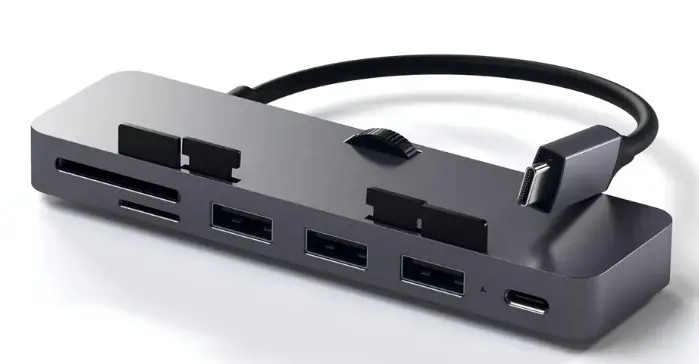
ALUMINUM TYPE-C CLAMP HUB PRO
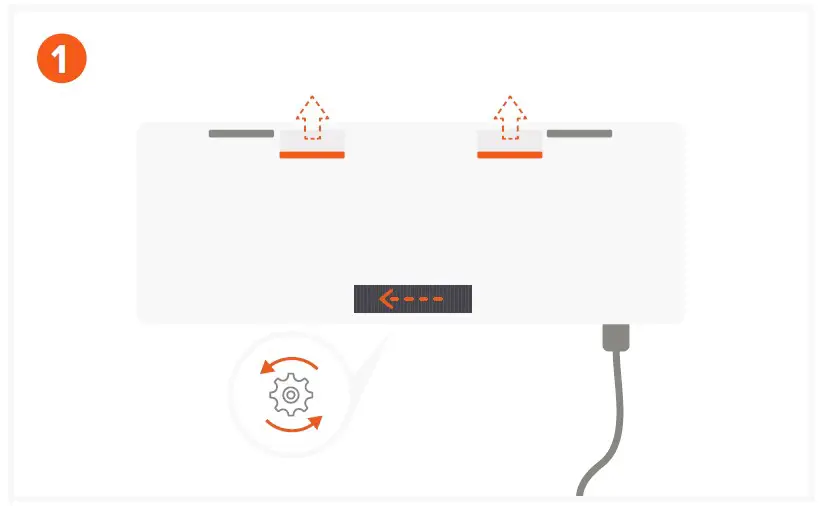
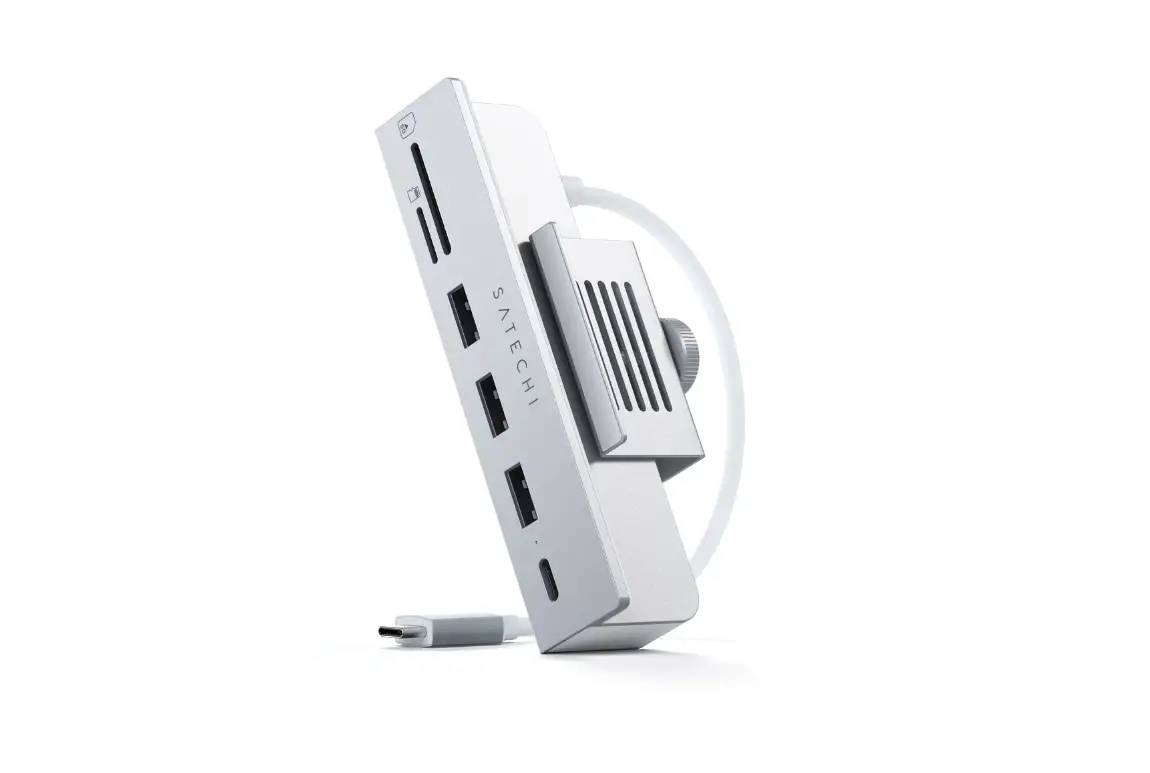
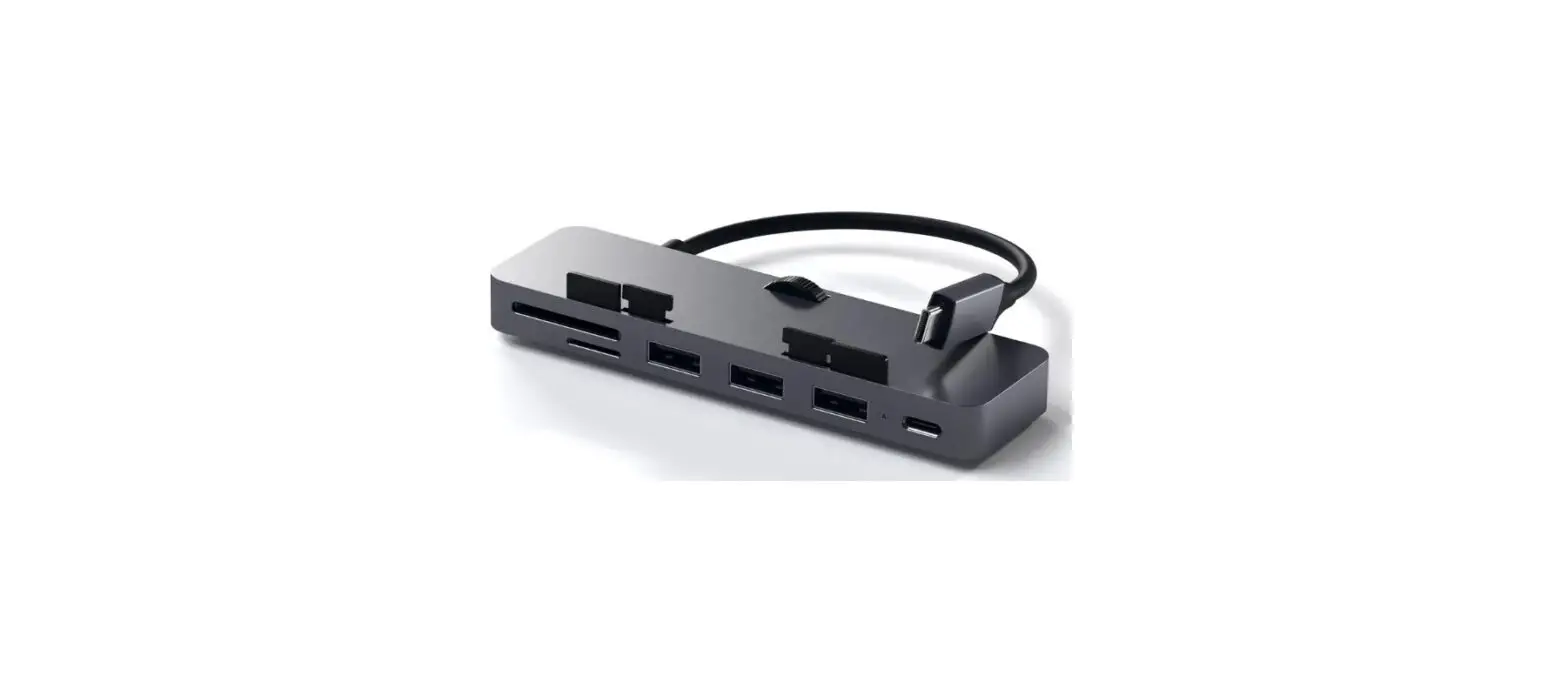
- Rotate the clamp dial to the left until the moving clamp is flush with the stationary part.

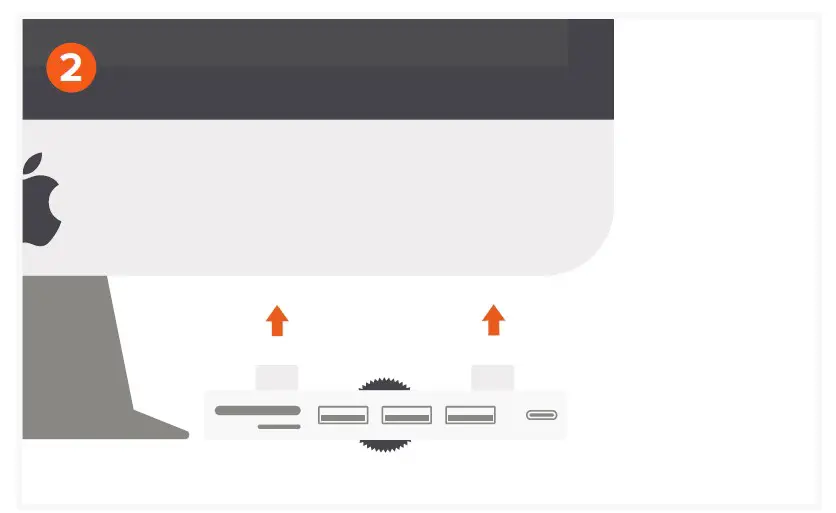
- Insert the Clamp Hub Pro in the air vents on the bottom side of your iMac.

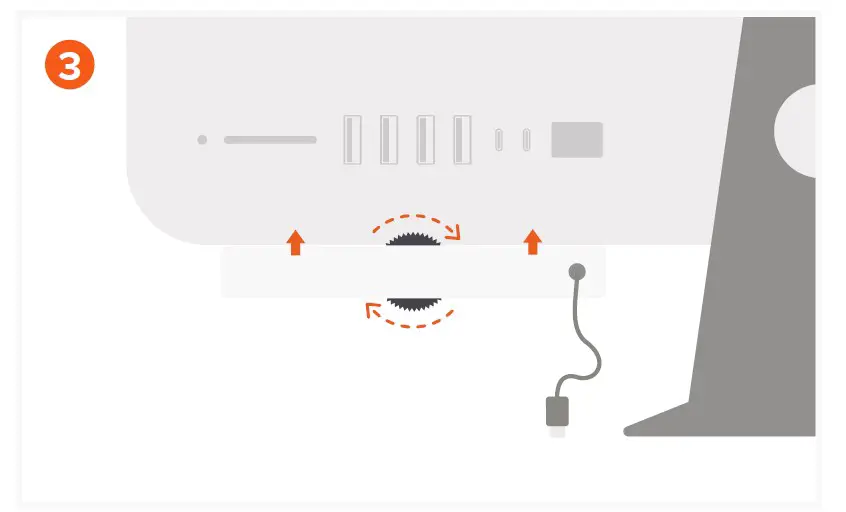
- Turn the dial in opposite direction (to the right) until the Clamp Hub is securely fastened to your iMac.

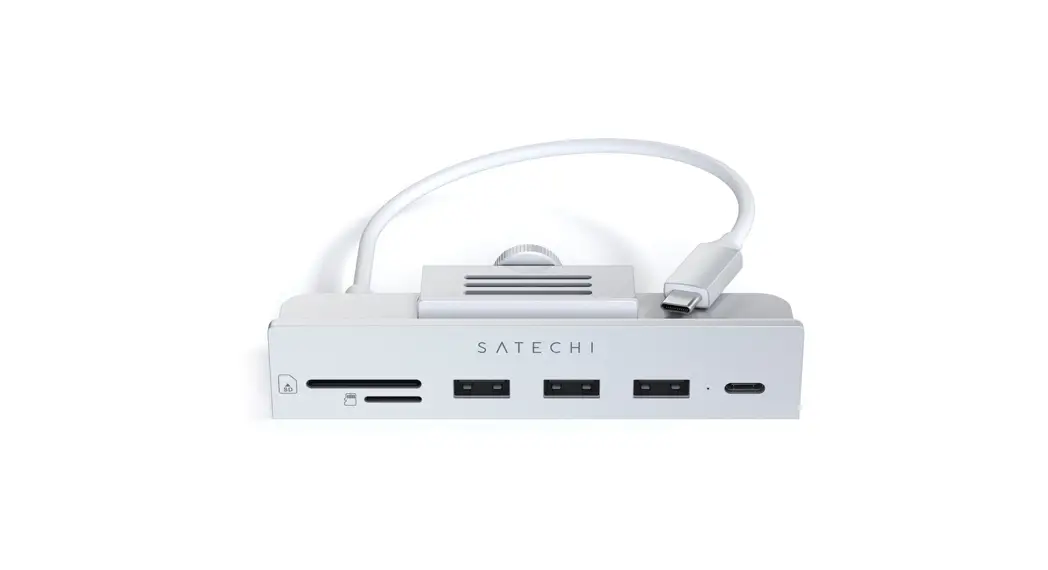
- Plug The Clamp Hub USB-C cable into one of your iMac’s rear USB-C ports.

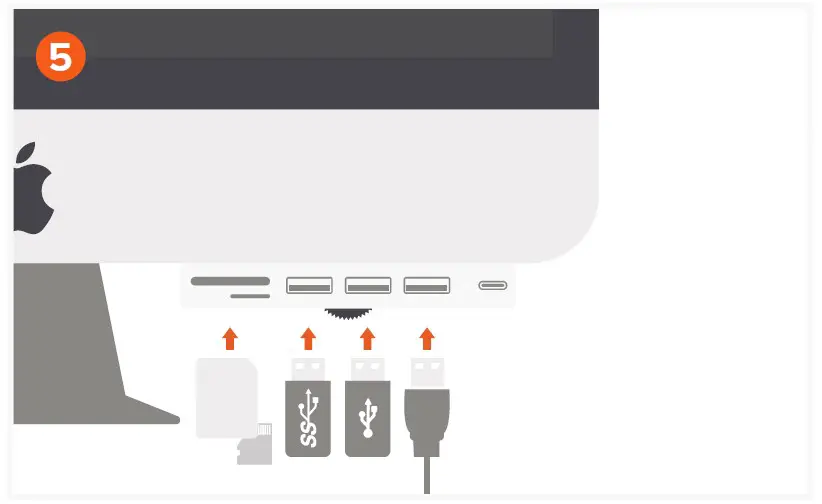
- Connect your devices to USB 3.0 ports and Micro/SD card reader slots.

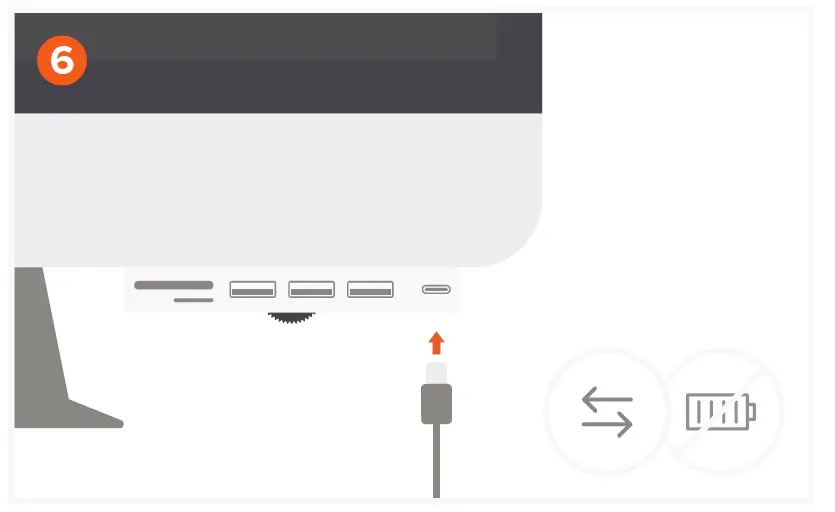
- USB-C port can be used for data transfer only. Charging through a USB-C port is not supported.

COMPATIBILITY
Designed for 2020/2019/2017 iMac & iMac Pro models with Thunderbolt 3 ports. Does not fit the latest 2021 iMac. Not compatible with older iMac models with standard Thunderbolt ports.