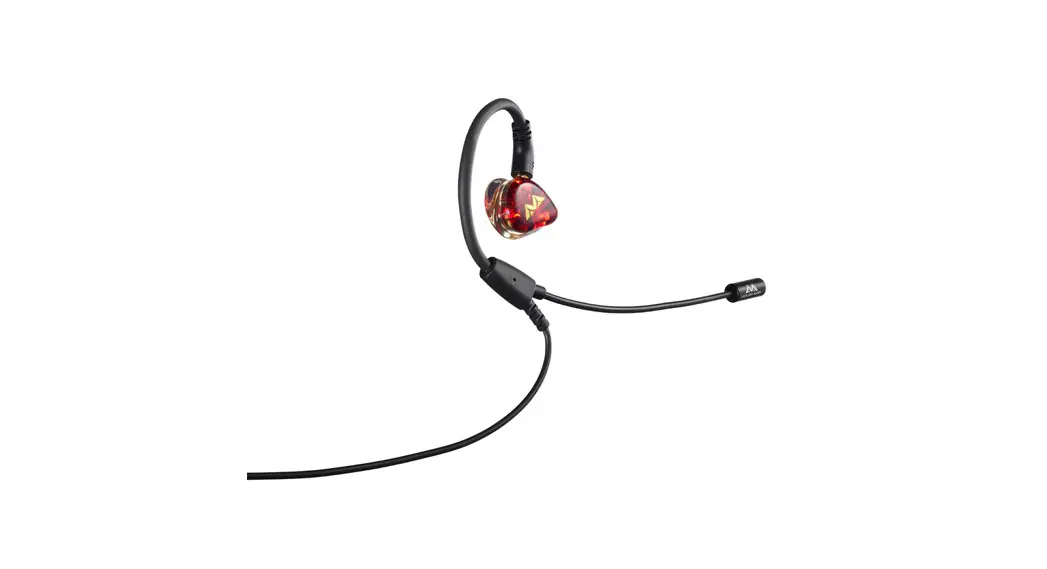
Kimura
In-Ear Headset
CONTENTS
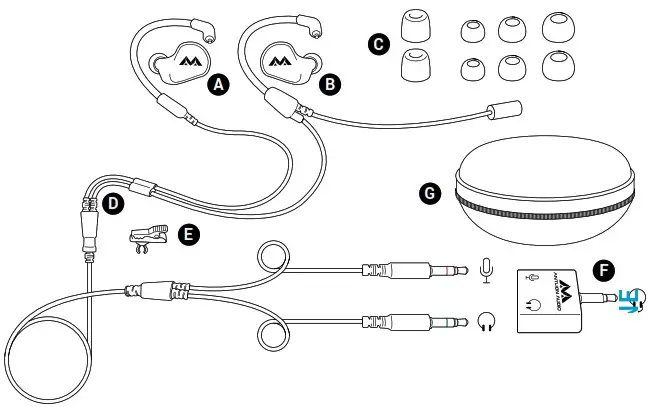
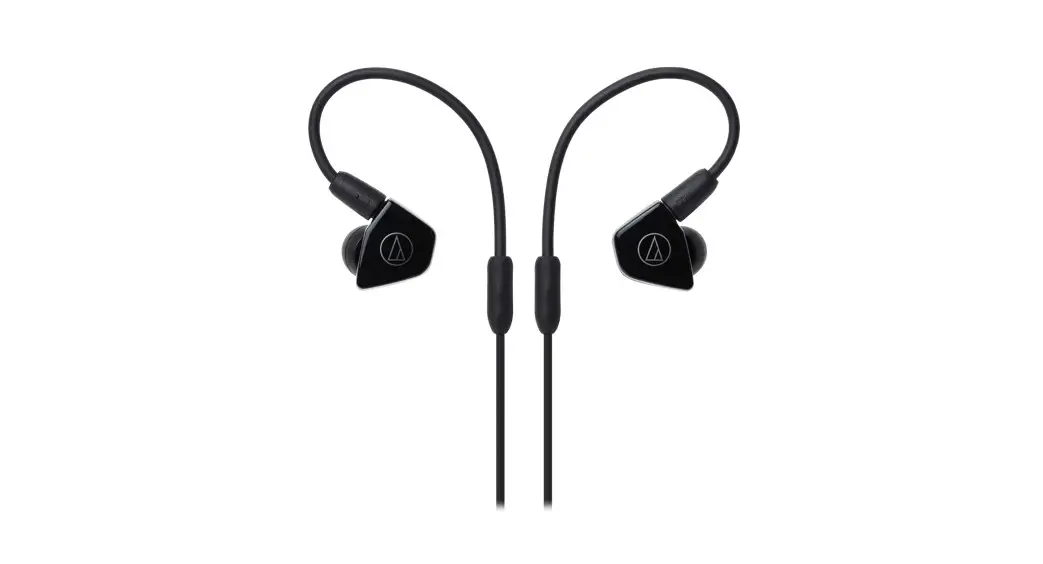
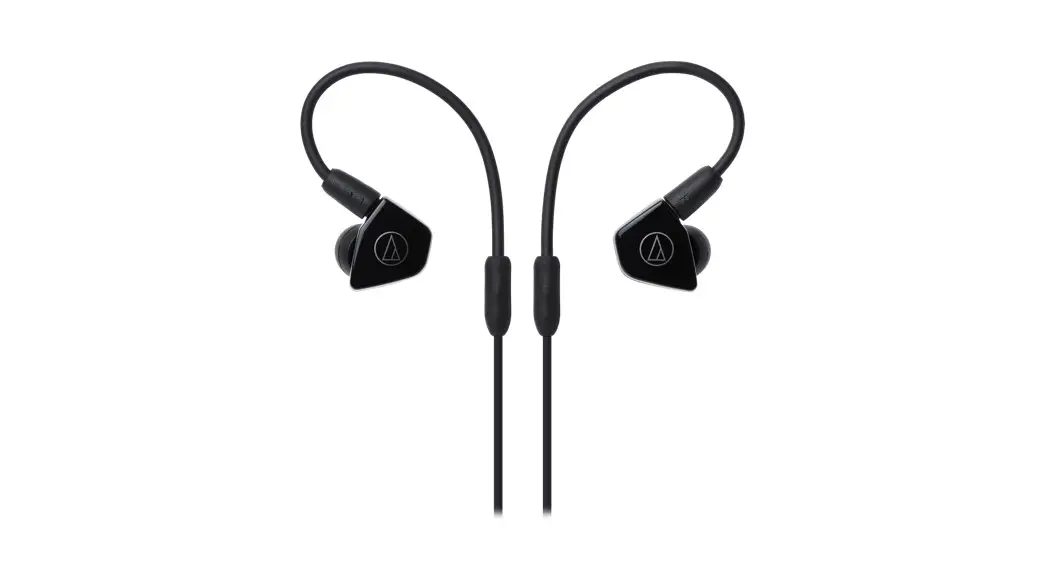
| A. Left earphone B. Right earphone C. 2 x Foam and 6 x Silicone eartips D. Kimura Microphone Cable | E. Shirt clip F. Antlion Y Adapter G. Carrying case |
HOW TO INSERT EARPHONES AND ADJUST HEADSET
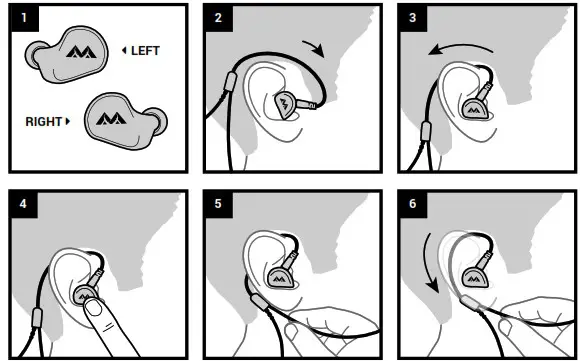
- Identify Right/Left
- Place earloop over/behind ear
- Insert earphones and rotate to seat into ear canal
- Adjust for good seal
- Bend earloop up to secure cable junction underneath earlobe
- Ensure earloop is positioned snugly behind the ear and position mic near corner of mouth
HOW TO INSERT FOAM TIPS
- Roll tip between your fingers to compress
- Insert into ear and hold
- Tip will expand to fit ear canal
PRO TIPS
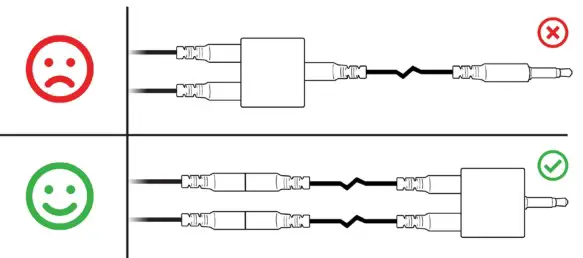
 Use the shirt clip to reduce cable noise and tugs. Keep the mic tip at or behind the corner of your mouth to reduce plosive and high-volume mic overdrive. If you need to extend the cable, extend both mic/audio separately; joining them in a single TRRS extension can cause cross-talk.
TROUBLESHOOTING
 Earphones are uncomfortable: try different eartips for each ear and ensure earphones are on the correct sides. Microphone boom bounces with movement: bend earloop so that it fits snug underneath earlobe, use shirt clip to reduce wire pulling. Sound does not work: make sure the mic and headphone lines are connected to the correct jack. Red: microphone, green: headphones. If your system has only one jack, use the included TRRS adapter. Sound lacks bass: try different ear tips for better seal in ear canal. Others hear themselves/echo in my mic signal: when possible, avoid using single-port headset jacks and always extend the headphone and mic cables separately.
Additional problems?
Contact: [email protected]
Discord: Discord.gg/AntlionAudio
WARRANTY
FROM DATE OF PURCHASE, OUR TWO (2) YEAR LIMITED WARRANTY COVERS MANUFACTURING DEFECTS OF THE KIMURA AND/OR ITS ACCESSORIES.
If you experience a product defect and are within the return period of the reseller from which you purchased, please return the item to the retailer.
If you are outside their return window but within our warranty window of 2 year (or the minimum warranty required by your country from date of purchase), we will repair or replace your Kimura for any manufacturing defects in the Kimura and/or its accessories at our discretion.
Our Warranty does not cover/is voided by the following:
- Damage caused by accident, abuse, neglect, or misuse.
- Malfunction due to wear and tear.
- If you cannot supply a valid dated proof of purchase.
- If the Kimura has been disassembled.
Before returning your Kimura for repair or replacement please contact us first at [email protected] for further assistance!
After Warranty repair or replacement, your Warranty will remain in effect until either two (2) years after your original purchase date, or ninety (90) days after repair or replacement, whichever is longer.
For Australia Only:
Our goods come with guarantees that cannot be excluded under the Australian Consumer Law. You are entitled to a replacement or refund for a major failure and for compensation for any other reasonably foreseeable loss or damage. You are also entitled to have the goods repaired or replaced if the goods fail to be of accessible quality and the failure does not amount to a major failure.
Antlion Audio, P.O. Box 86339, Portland, OR 97286, USA.
Telephone: +01 (971) 319-0326
www.AntlionAudio.com AntlionAudio
  @AntlionAudio
For more information/questions/feedback visit
www.AntlionAudio.com. Designed in Portland, Oregon.
Manufactured in China. ModMic and Antlion logo are registered trademarks of GTDevice LLC. U.S. and International patents.
 Antlion Audio
 Antlion – Antlion Audio