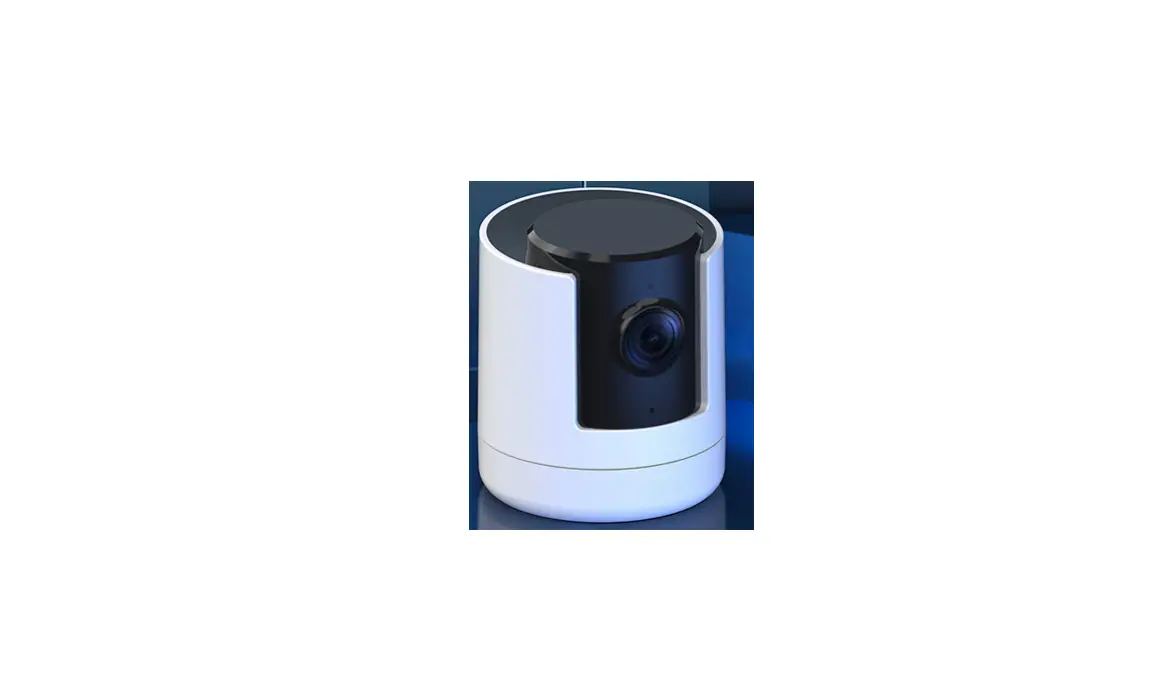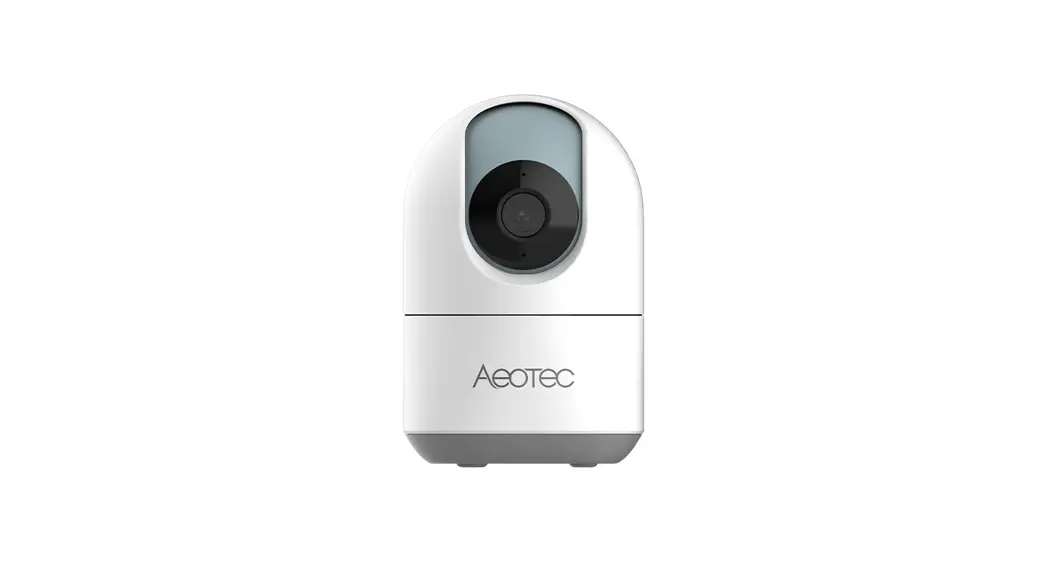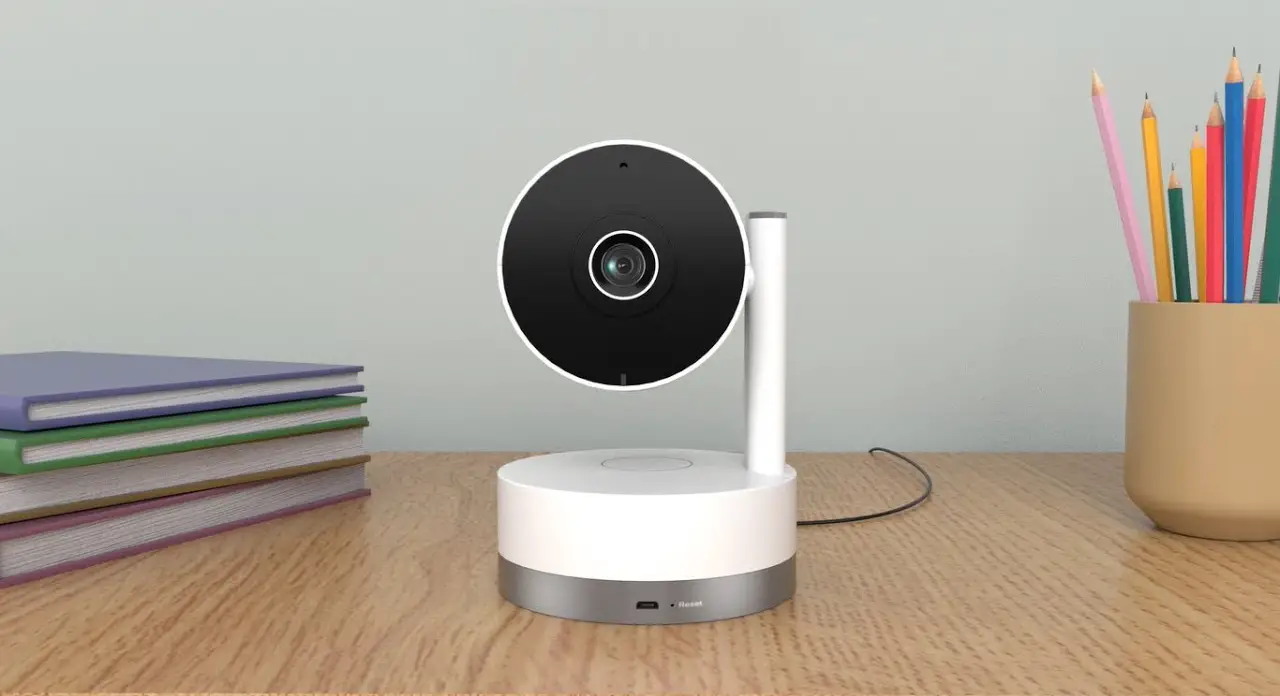
EVENX Next Generations Home Cam
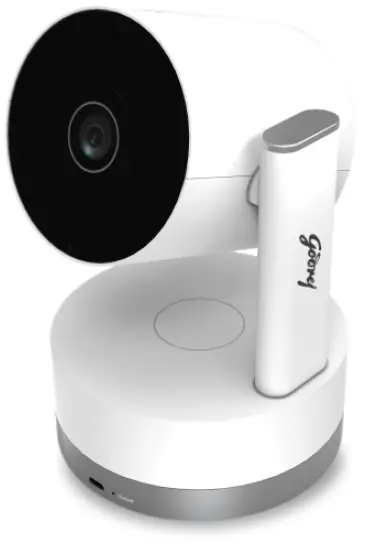
Name And Functions Of Each Part
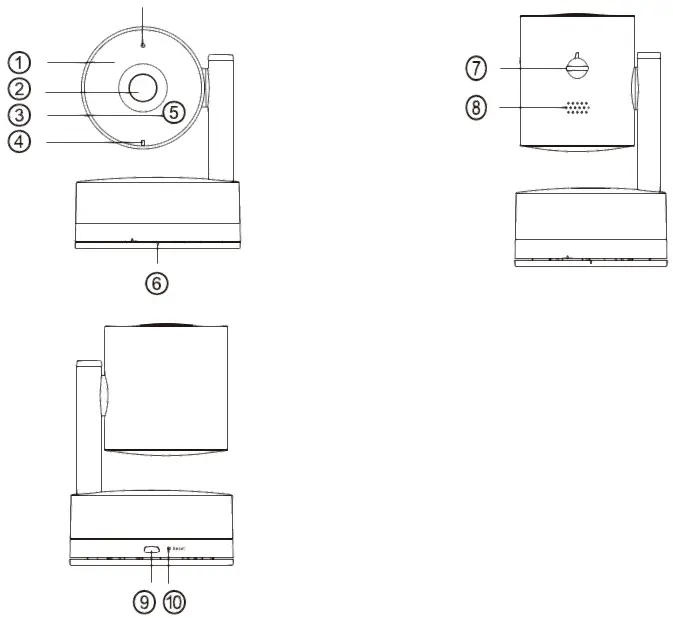
No | Part Name | No | Part Name |
1 | IRLED | 2 | Lens |
3 | Microphone | 4 | Status Indicator LED |
5 | Photo Resistance | 6 | Wall Bracket |
7 | TF Card Slot | 8 | Speaker |
9 | Power Input | 10 | Reset Button |
Packages
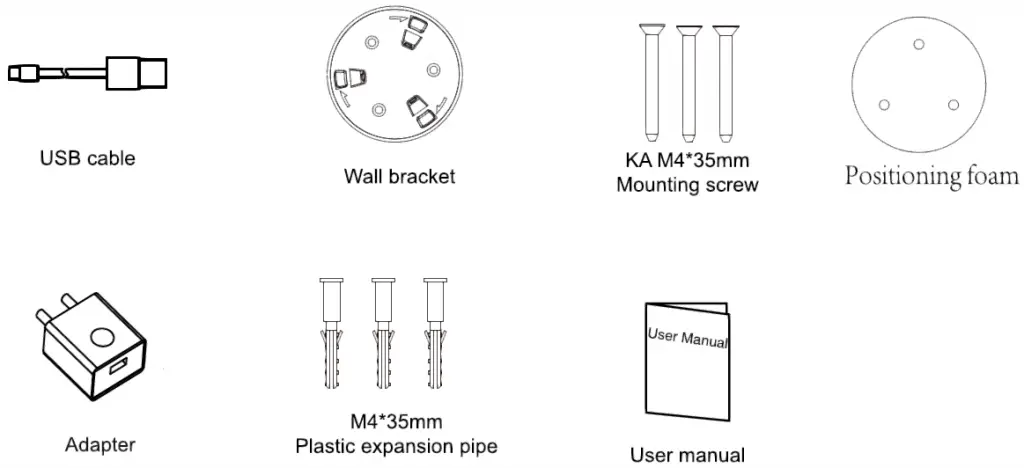
Features and Functions
- 1080P Wi-Fi camera
- One-key installation and setup with smart connecting
- Remotely Pan/Tilt rotation from phone
- Infrared lights embedded for 10m night vision range
- Built-in microphone and speaker for two-way audio communication
- Up to 128GB storage capability for video recording and picture capture
- Free Apps available on Android and I0S
- Automatically recording triggered by motion detection
- Cute design
Installation
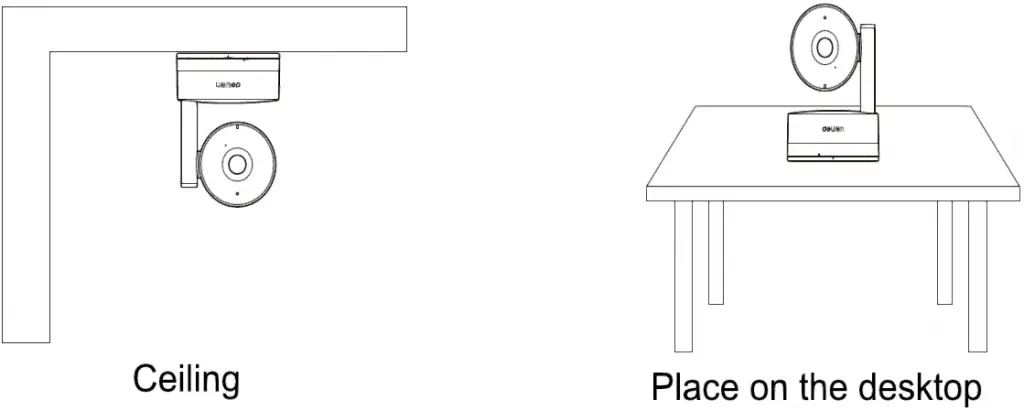
APP Instructions
The device can work online in 3 steps with no configuration. For detailed APP operation, please refer to the APP operation guide.
- Connect Network & Power

- Download APP

- Scan QR Code


Remark: APP download address:10S–app store;Andriod-google play;
Mobile Application Content
For a complete experience of the product please download the EVE NX application from Google Play or App store before using the product.
Open the application and register by phone number or email ID.
Then login to EVE NX account.
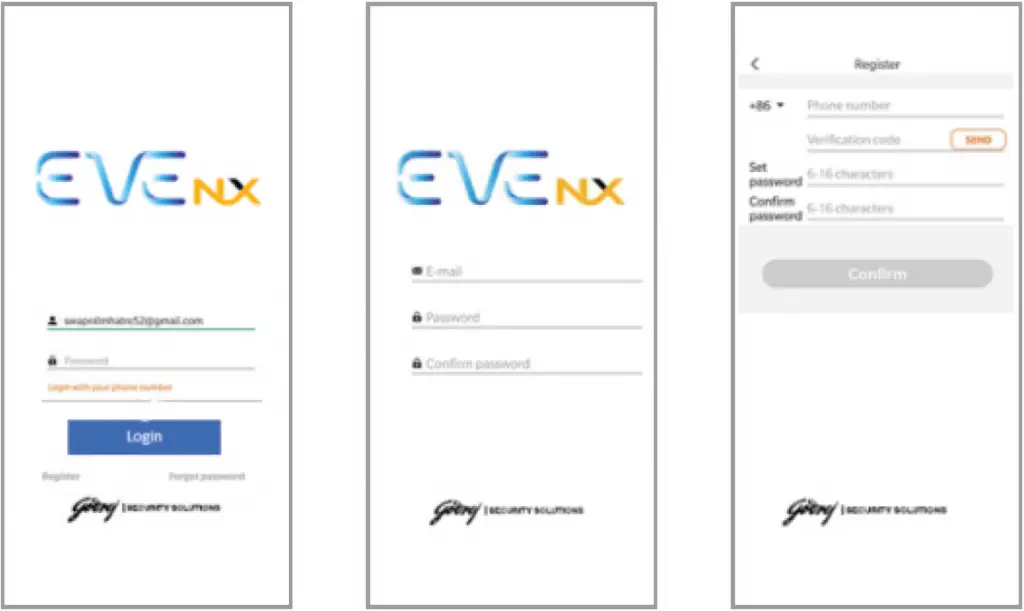
Make sure your mobile is connected to the same WiFi which is to be linked to your camera. After the camera is powered On, you will hear a voice prompt “Please wait for the connection” and Blue LED will blink continuously.
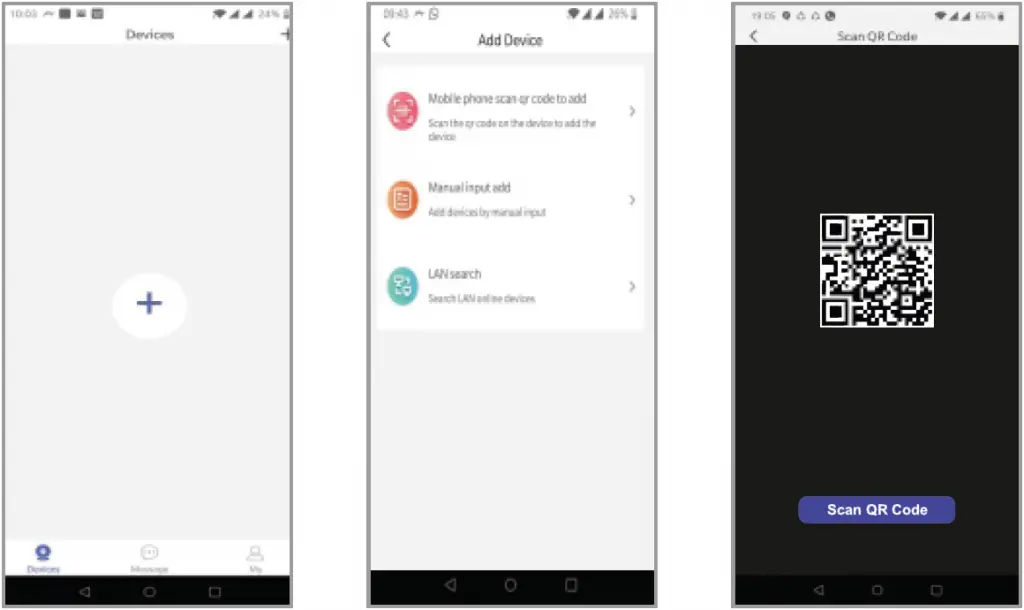
Click the “+” icon in the top right corner, Select “Mobile phone scan QR code to add” option and scan QR code label which is available at bottom / Back of the camera.
Once QR code is Scanned, App will take you to “Device initialization screen”. Click on “Successful RESET” then WiFi Setup screen will be displayed. Enter Your correct WiFi Password and click on “NEXT’ option and follow further instructions displayed on your app screens. (Note: This camera is compatible with 2.4Ghz WiFi Only)
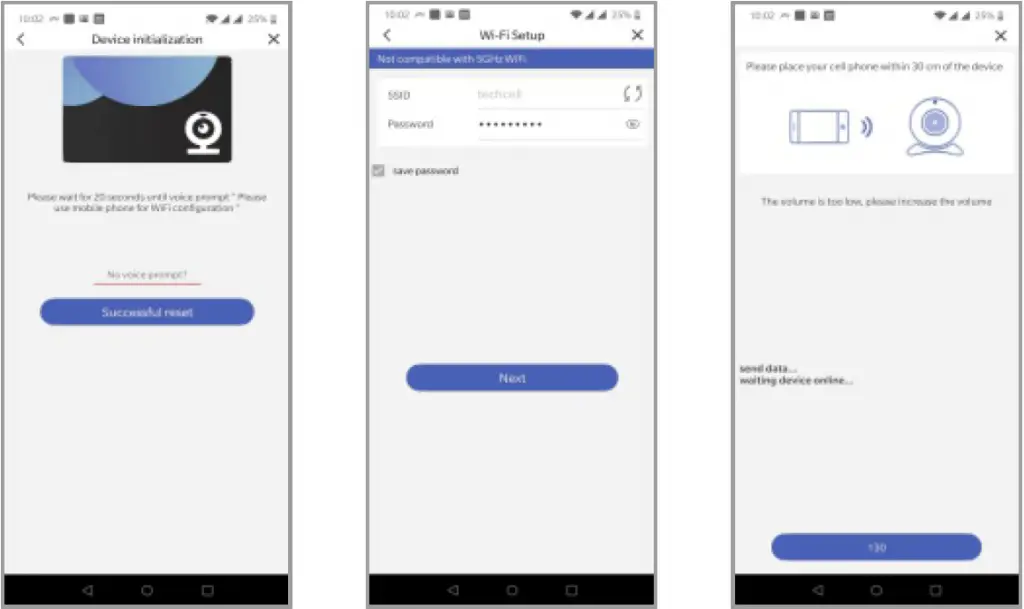
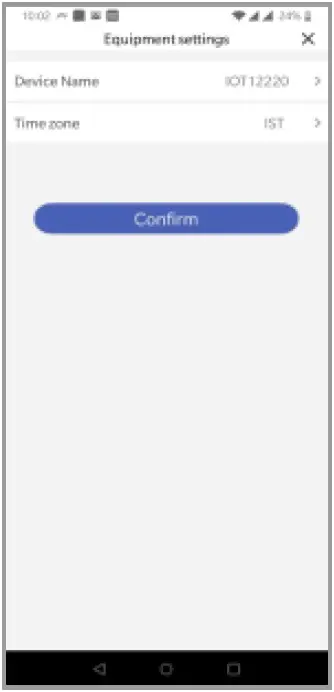
Once the camera is successfully linked with Godrej cloud server, camera will give voice acknowledgement along with “Equipment setting window” on the app. In this window user can customize the camera hardware name and define time zone as per the location. Once all setting are completed click on “Confirm” option and camera thumbnail page will be displayed on app home screen.
Click on camera thumbnail to view a live video. Click the functional icons to enable corresponding functions:
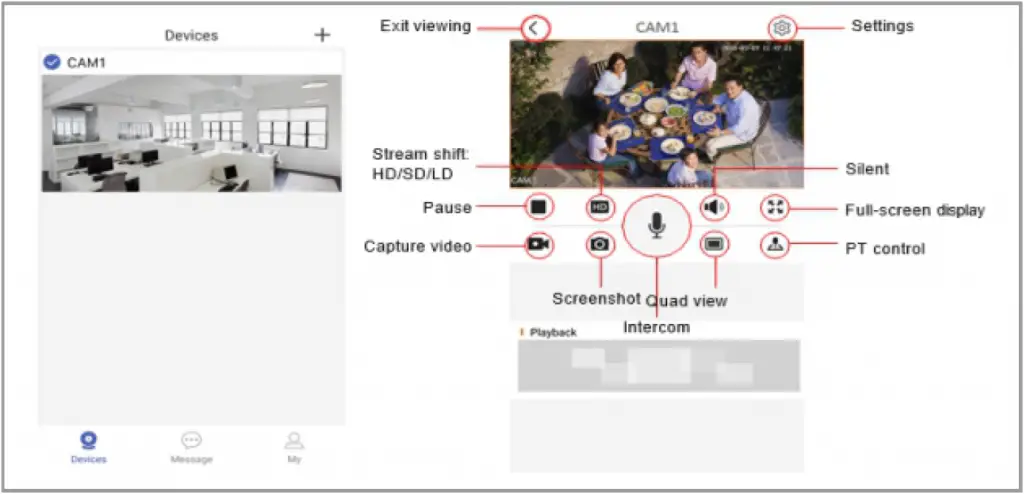
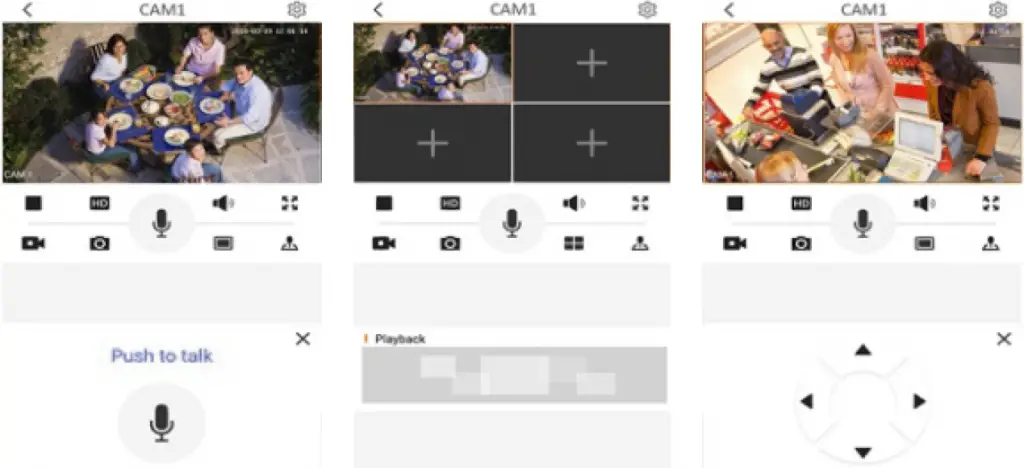
Now user can explore all camera features like two way talk, PTZ control (In case of PT camera only}, play backs and split screen view.
Video File Playback
Click the playback icon to check play back file. Slide the timeline to select time and click the date to select the date of playback files.
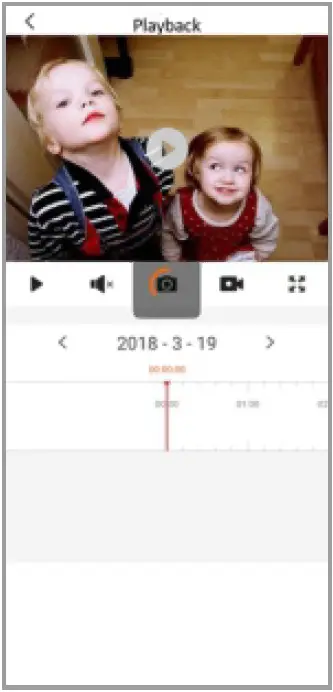
NOTE: For using play back option and to refer motion detection video, please ensure proper1y initialized memory card is installed at Camera. Please use Min4GB- Max128GB Micro SD card.
View Motion Detection Video
Click the “Message” icon available on home screen to enter the message page, you can click the corresponding list directly to review the video. The video list with a red circle means that the video is not viewed. Click the icon in the top right corner and you can select the video you want to delete.
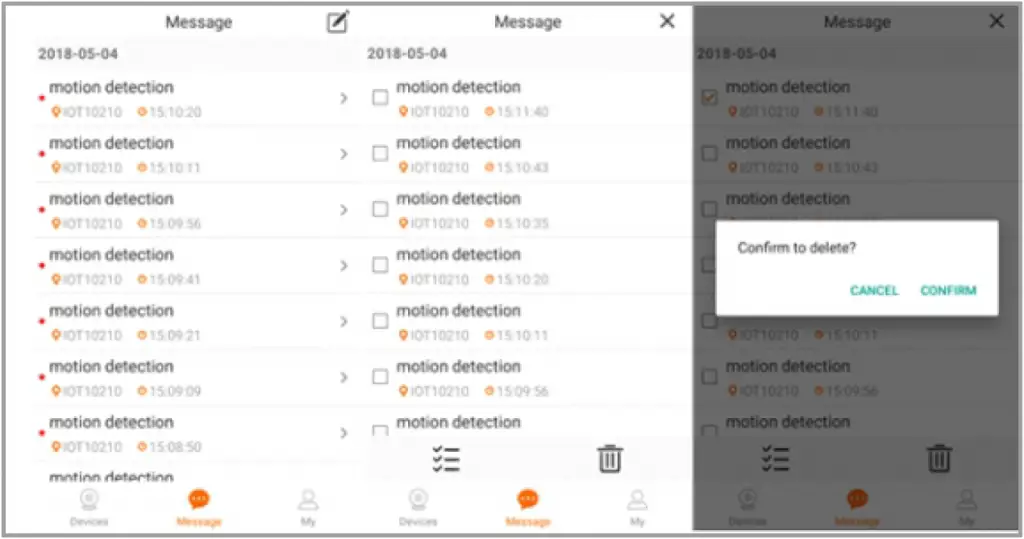
NOTE: For using play back option and to refer motion detection video, please ensure properly initialized memory card is installed at Camera. Please use Min4GB ~ Max128GB Micro SD card.
Restore the Camera to Factory Default Settings
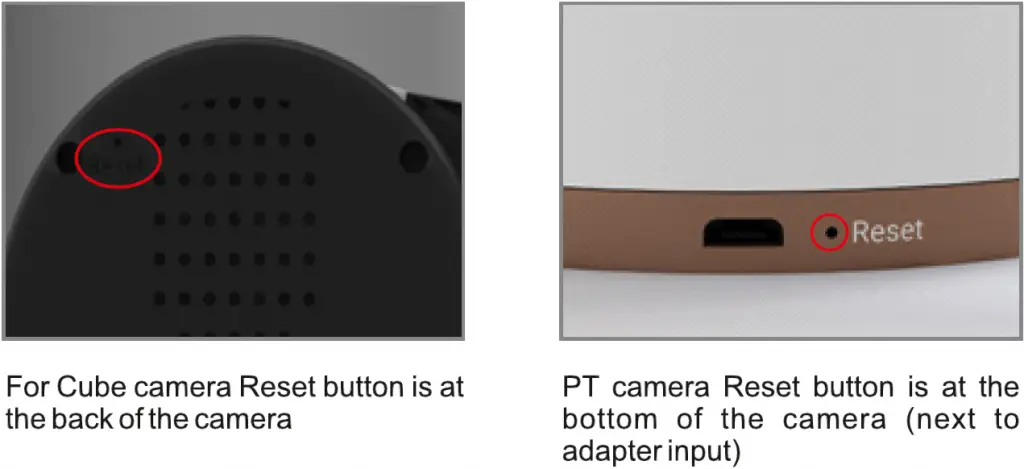
Step1: First delete the camera from your Eve NX account by accessing camera setting page.
Step 2: Hold the reset button for 3s, you will hear the voice prompt “Reset success”. When the device is reset, you need to re-add the device.
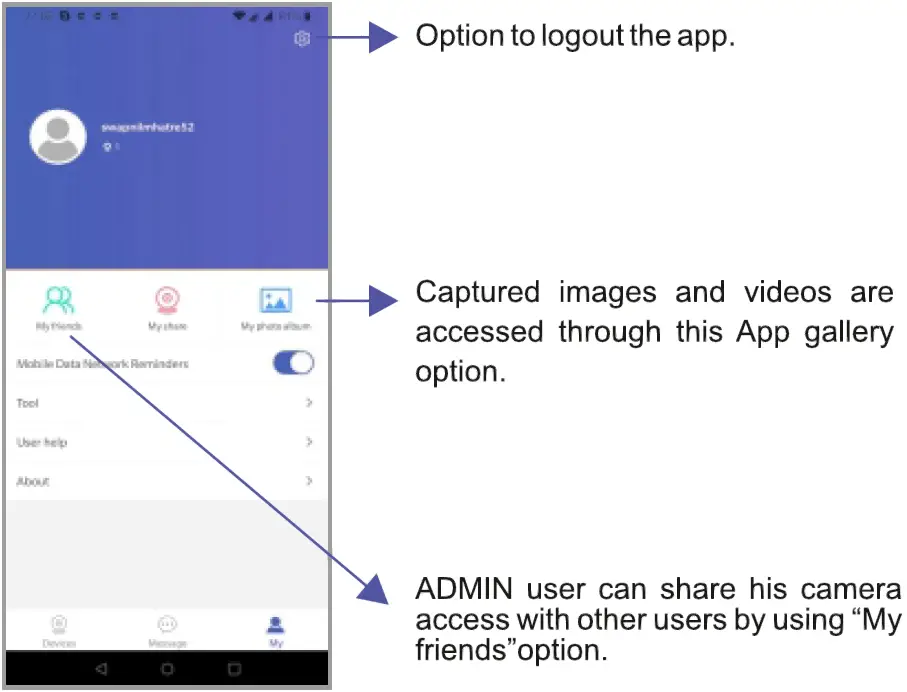
Application Setting Page
Click the “My” icon to enter in the Application settings page.
Requirements
- Compatible with WiFi IEEE 802.11b/g/n standard. This WiFi Camera supports 2.4Ghz routers only.
- In case of dual band router, create one guest network in 2.4Ghz section and then connect camera to your dual band router by using same guest network.
- Please ensure the router you are using has already been connected to the Internet.
- For better notification alert experience ensure EVE NX app running at background.
- For using play back option and to refer motion detection video, please ensure properly initialized memory card is installed at Camera.
Compatible with android and iOS Devices.
Specifications
Category | Specification |
| Image sensor | 1/2.9″CMOS |
| Camera resolution | 1920*1080 |
| Lens | 3.6mm |
| IR distance | 10M |
| Video resolution | 1920*1080 |
| Wireless transmission way | WiFi 2.4G |
| Wireless standard | IEEE 802.11b, IEEE 802.11g, IEEE 802.11n |
| Power supply | Micro USB: 5V 1.5A |
| Remote monitor | Support Android and IOS |
| Dimensions (W x D x H) | cp84.2X112.4 mm |
| Operation temperature | -10 ~ 50°C |
| Storage temperature | -20 ~ 60°C |
| Operation humidity | 15%~85%RH |
| Weight | 400.2g |
Information on E-Waste Handling and Management
Dear Customer,
The Ministry of Environment and Forests have published The E-waste (Management and Handling) Rules 2010 which comes in effect from 1st May 2012.
E-waste is defined as any electrical or electronic component of products in whole or in part, or rejects from their manufacturing or repair process which are intended to be discarded.
These rules apply to every producer; consumer or bulk consumer involved in the manufacture, sale, and purchase and processing of electrical and electronic equipment or components as specified in Schedule 1 (please refer to our website www.godrej.com in the ‘Good & Green’ sec on of CSR module for more details).
Under these rules, specific roles and responsibilities are defined for producers, consumers and recycles handling and managing e-waste.
E-waste is to be managed in an environmentally sound manner which means, taking steps to ensure that health and environment are protected from adverse effects of hazardous substance contained in such wastes.
Rule 6 of the E-waste (Management and Handling) Rules 2010 states that bulk consumers of electrical and electronic equipment shall be responsible for recycling of the e-waste generated by them. Bulk consumer means bulk users of electronic and electrical equipment such as Central Government or State Government Departments, public sector undertakings, banks, educational institutions, multinational organizations, and international agencies, private companies that are registered under the Factories Act, 1948 and Companies Act, 1956. The bulk consumers have to ensure that the e-waste generated by them is channelized to authorized collection centres or is taken back by the producers. They shall maintain records of e-waste generated by them in Form 2 and make such records available for scrutiny by the State Pollution Control or the Pollution Control Committee concerned.
All consumers of electrical and electronic equipment irrespective of their status as bulk consumers or not, shall ensure that e-waste generated by them is channelized to authorized collection centres (s) or registered dismanUer(s), or recycler(s) or is returned to the pick,up/take back services provided by the producers. (Please refer to our website www.godrej.com in the ‘Good & Green’ sec on of CSR module for more details).
All our products intended to be recycled under the category of e-waste (as defined above) carry a label or stamp of the WEEE symbol (A wheelie bin with a cross), which states that ii falls under the hazardous waste category and is not to be disposed of along with normal garbage.
We seek your support in ensuring environmentally sound management of e-waste and aid us in sustaining our earth’s natural resources and maintaining the earth’s green cover intact for the benefit of our future generations.

Godrej & Boyce Mfg. Co. Ltd.
Goorej Security Solutions
Regd. Office: Plant No.17, Pirojshanagar, Vikhroli, Mumbai• 400 079.
Toll-free: 1800 209 9955 (Service)
Email: [email protected] | Visit: www.godrejsecure.com | www.eve.godrejsecure.oom
In view of the Godrej policy of continuous development and improvement, the dimensions and specifications may be changed without prior notice or obligation. The colors of the product in the leaflet may not match the actual colors due to printing limitations.