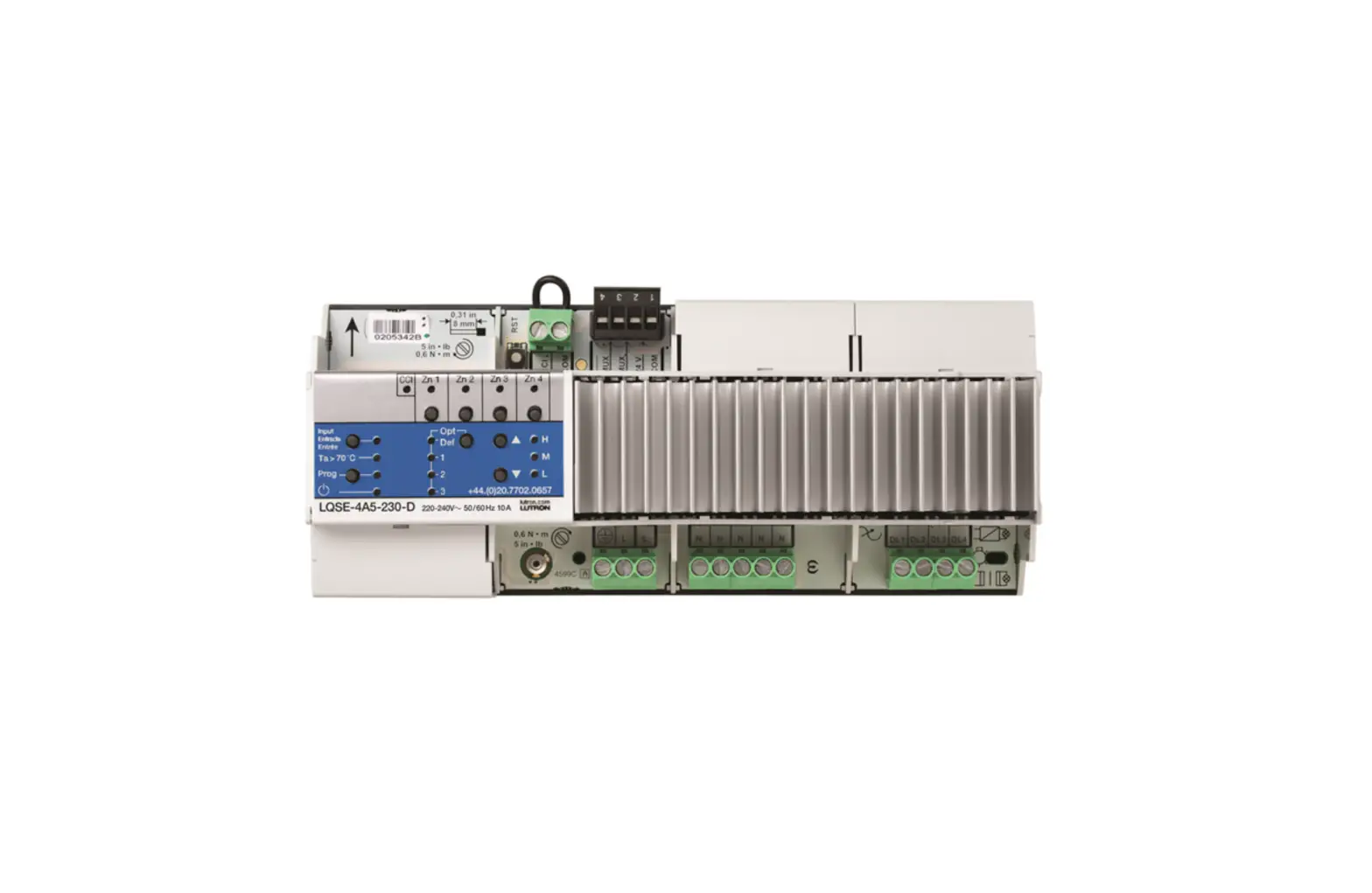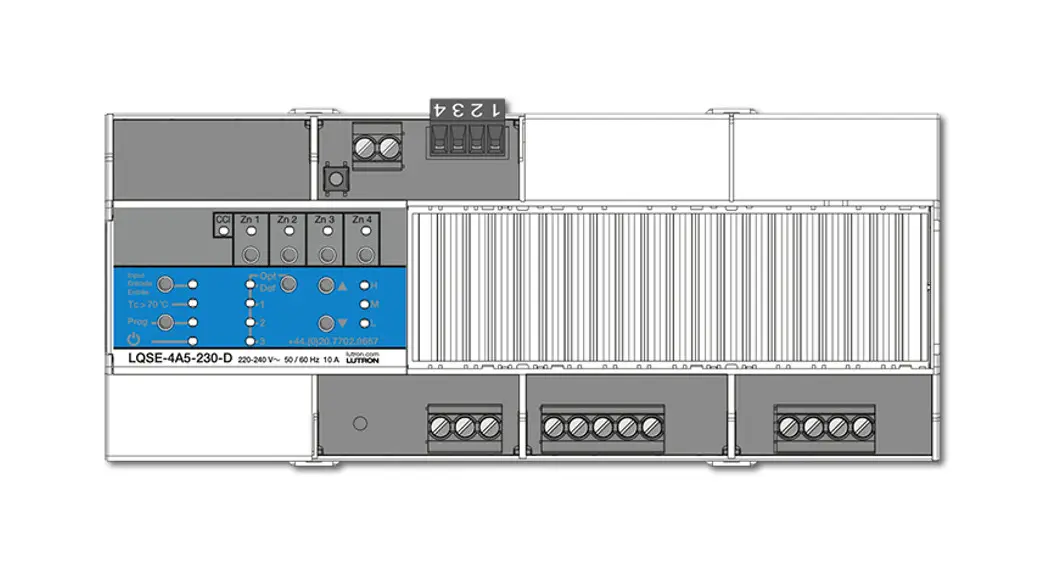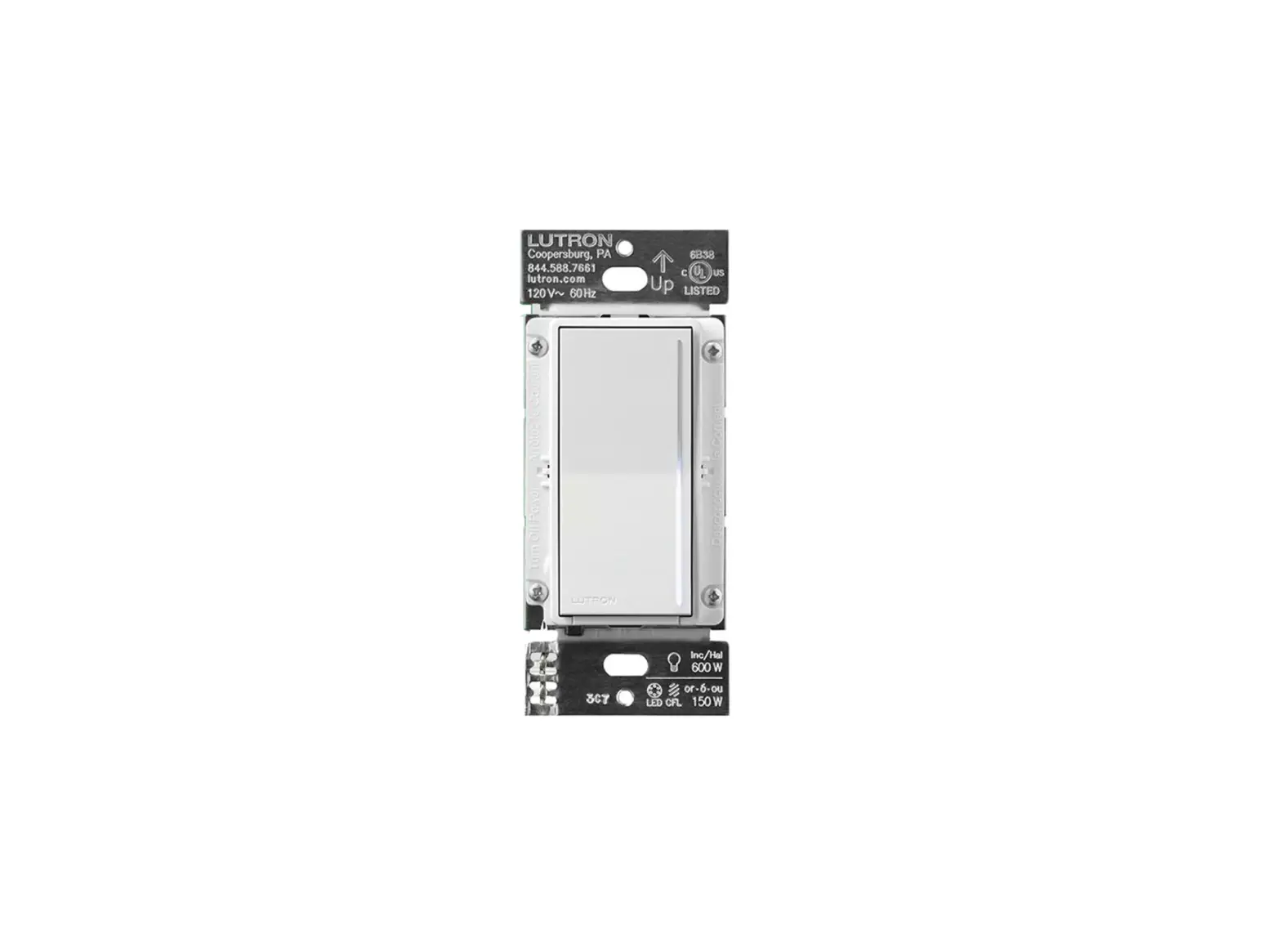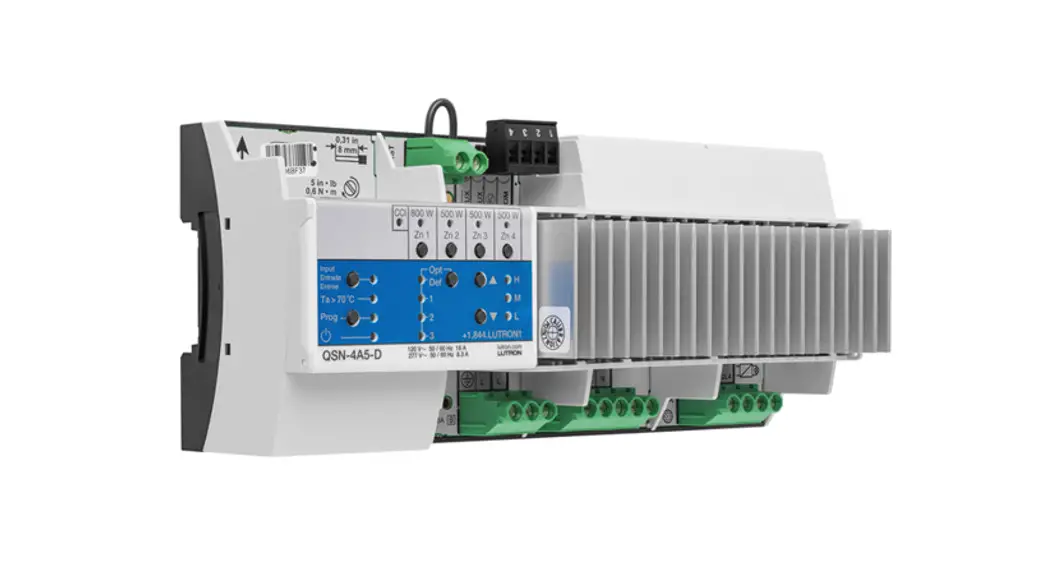

PRO LED+ Phase Adaptive Power Module
Install Guide
Please read before installing.
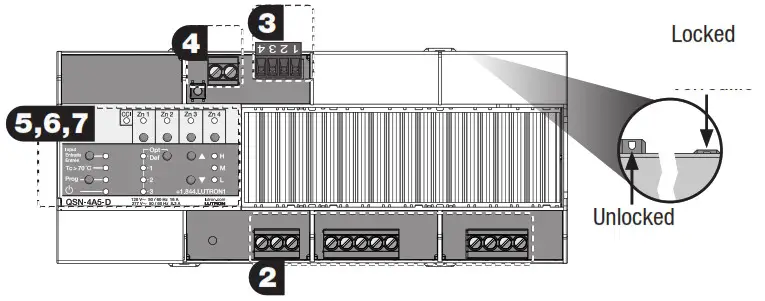
Numbered illustrations correlate to numbered instructions.
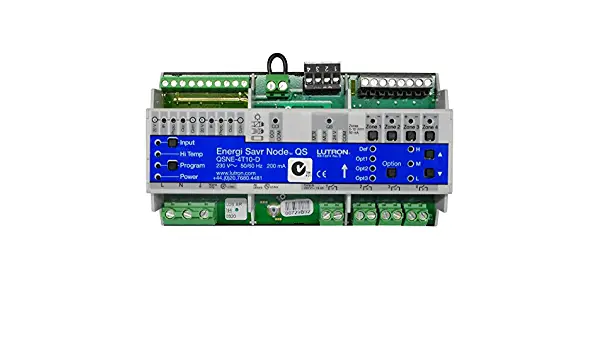
QSN-4A5-D
120 V~ 50 / 60 Hz 16 A
277 V~ 50 / 60 Hz 8.3 A
Please read before installing.
Shock Hazard. May result in serious injury or death.
Turn off power at the circuit breaker before installing the module. WARNING
Buttons and LEDs in the module are used for programming and troubleshooting. If wiring is exposed when accessing buttons and LEDs, the module must be accessed by a certified electrician, following local codes.
Note: For additional information on module operation and ratings, please refer to Lutron P/N 3691173 at www.lutron.com.
Mounting
a. Mount in a Lutron DIN panel (see 3691183) or in an IP20 (minimum) or NEMA Type 1 (minimum) enclosure with an integrated DIN rail (please refer to Lutron P/N 048466 at www.lutron.com).
b. Mount with an arrow pointing up to ensure adequate cooling.
c. Internal relays make audible noise, mount where acceptable.
d. Module is 12 DIN modules [8.5 in (216 mm)] wide.
e. Mount to DIN rail by pressing module onto the rail with clips pressed in. To remove from the rail, pull clips out using a screwdriver.
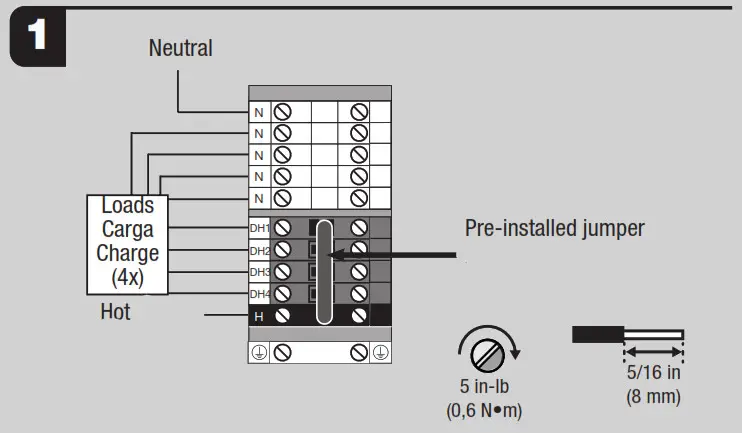
Mains and Load Wiring
a. Turn off the power. DO NOT WIRE LIVE. Wireline voltage to the terminal blocks (provided with Lutron DIN panels only).
b. With the 5 position bypass jumper installed in the terminal blocks, wire loads to DH terminal blocks.
c. Apply power and ensure that the desired loads power on without any faults.
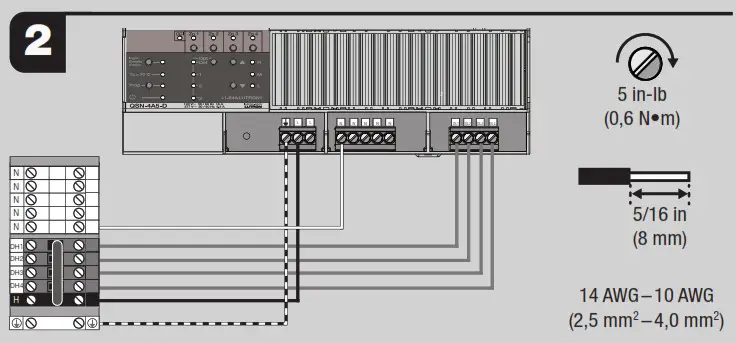
Module Wiring
a. Turn off the power. DO NOT WIRE LIVE. Wireline voltage and loads to the module as shown.
Terminals will accept 14 AWG to 10 AWG (2.5 mm2to 4.0 mm2) wire.
b. Remove bypass jumper and apply power. Verify all loads work as expected.
| 120 V”- Ratings: | ||
| Load Type If | Zone 1 | Zone 2, 3 and 4 (per zone) |
| LED (reverse-phase)1 | 6.6 A | 4.2 A |
| Lutron Hi-fume A-series LTE | 4 A (20 drivers maximum) | 3 A (13 drivers maximum) |
| LED SSL7A-2015 (forward-phase)1 | 400 W | 200 W |
| Incandescent/Halogen, ELV | 800 W | 500 W |
| Neon/Cold Cathode, MLV 2 | 800 VA (600 W) | 500 VA (380 W) |
| 27711^- Ratings: | ||
| Load Type | Zone 1 | Zone 2, 3 and 4 (per zone) |
| LED (reverse-phase)1 | 2.9 A | 1.8 A |
| Incandescent/Halogen, ELV | 800 W | 500 W |
| Neon/Cold Cathode, MLV2 | 800 VA (600 W) | 500 VA (380 W) |
- Refer to www.lutron.com/ledtool for specific LED compatibility information and recommended LED light sources.
- Operation of a low-voltage circuit with lamps inoperative or removed may result in transformer overheating and premature failure. Lutron strongly recommends the following:
a. Do not operate low-voltage circuits without operative lamps in place.
b. Replace burned-out lamps as quickly as possible.
c. Use transformers that incorporate thermal protection or fused transformer primary windings to prevent transformer failure due to overcurrent.
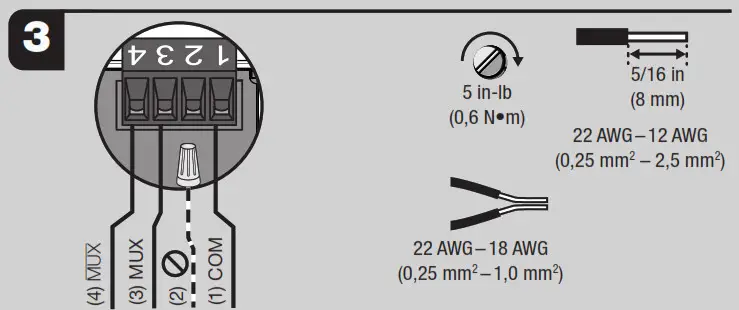
QS Link (NECR Class 2)
a. Turn off power while servicing module. DO NOT WIRE LIVE.
b. Wire QS Link to the module as shown, note terminals 3 and 4 are a twisted, screened pair.
Recommended Lutron cable: GRX-CBL-346S for wiring length less than 500 ft (153 m);
GRX-CBL-46L for wiring length up to 2000 ft (610 m).
– Link may be daisy-chained or t-tapped, length not to exceed 2000 ft (610 m).
– Do not connect to terminal 2.
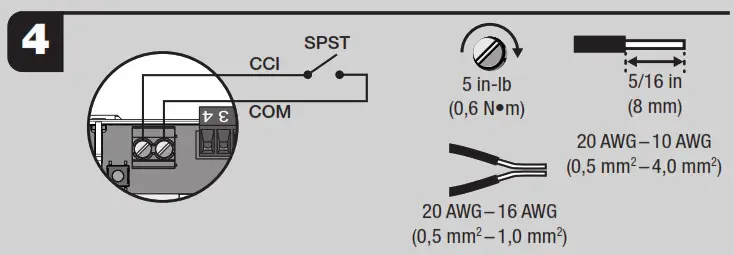
Emergency Contact Closure Input (NECR Class 2)
a. If no external override control is required, leave a pre-installed jumper in CCI terminals.
b. Turn off power while servicing the module. DO NOT WIRE LIVE.
c. Wire CCI as shown using 20 AWG to 10 AWG (0.5 mm² to 4.0 mm²) wire. A single pole switch (provided by others) must be wired in place of the jumper.
d. If opened, the module will go to emergency light levels and not respond to inputs from other devices.
e. When closed or jumpered, the module will return to the settings or levels they were at prior to entering emergency mode.
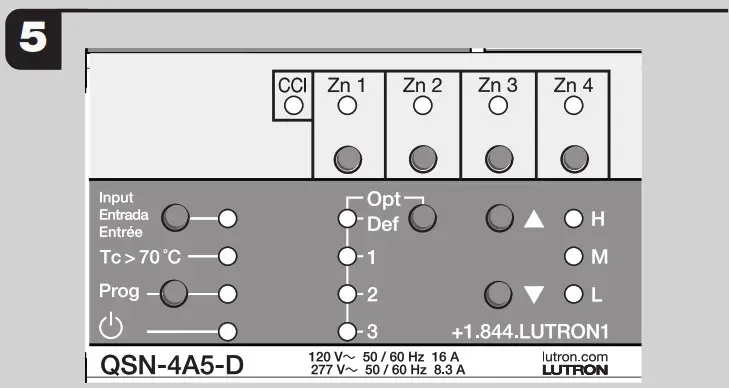
LED Diagnostic Indicators
| LED | Behavior | Description |
Power  | Continuous on | Normal operation |
| Off | No power, verify breaker is on; contact Lutron | |
| Rapid flash: 10 blinks/sec | Module failure: contact Lutron | |
| Hi-Temp Tc> 70 °C | Off | Normal Operation |
| 1 second on, 7 seccods off | The module is too hot, loads scaled to 25% power | |
| Continuous on | The module is too hot, loads turned off | |
| Flashing: 1 blink/sec | The module was overheated and has now cooled to an acceptable temperature. To clear the error, press the “Input”, “Prog”, ”  “, and “ “, and “ ” buttons simultaneously. ” buttons simultaneously. | |
| Prog | Off | The device in Normal Mode |
| Flashing: 1 blink/sec | The device in Program Mode | |
| Zone 1-4 | Off | Normal Operation: zone off |
| Continuous on | Normal Operation: zone on | |
| 1 blink, pause | Zone selected for manual control; will timeout after 10 seconds | |
| Output shorted or overloaded: verify wiring | ||
| 2 blink, pause | Overvoltage: verify load type | |
| 3 blink, pause | Shorted component: verify wiring; contact Lutron | |
| 4 blink, pause | Over-temperature: zone may be overloaded, all loads to 25% | |
| 5 blink pause | Over-temperature: zone may be overloaded, all loads turned off | |
| Rapid flash: 10 blinks/sec | Multiple errors: contact Lutron | |
| CCI | Continuous on | Normal operation |
| Rapid flash: 10 blinks/sec | Emergency mode/Contact open/Jumper missing |
Verify Lights – On / Off
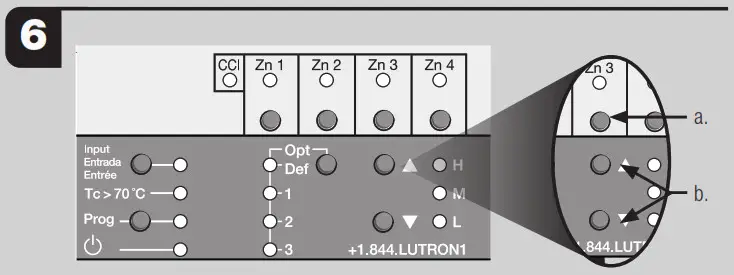
a. “Zn” buttons: Press the “Zn” button to select the zone to control.
b. “ ” and “▼” buttons: Turn loads on and off.
Note: Module will only turn on and off until load type is programmed for dimming.
Verify Lights – Dimming (Optional)
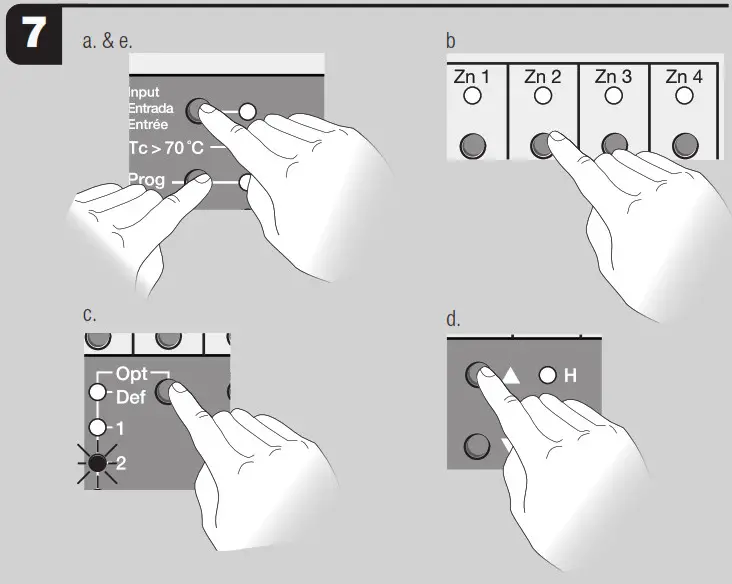
Manual Programming Load Type
a. Press and hold the “Prog” and “Input” button for 3 seconds.
b. Press a “Zn” button to select a zone.
c. Press “Opt” button repeatedly until Opt 2 is selected.
d. Use the “ ” and “▼” buttons to select desired load type.
| Load Types | H: Auto (dim) – Phase-detection |
| M: MLV (dim) – Forward-phase | |
| L: ELV (dim) – Reverse-phase |
Note: All load type settings will be overwritten by Athena programming.
e. Press and hold the “Prog” and “Input” button for 3 seconds to exit setup.
Programming
Note: For programming: Use the Athena programming software suite.
FAQs (Frequently Asked Questions)
- Can I use non-dim loads with this product? No, only dimmable loads may be used. Use PHPM-SW-DV-WH if non-dim control is required.
- Can I use LED loads with this product? Yes, Refer to www.lutron.com/ledtool for compatibility with dimmable LED light sources.
- Can I use multiple load types on one zone? No, only one load type may be used per zone.
- Can I control receptacles with this product? No, use QSN2-4S20-S if receptacle control (20 A maximum) is required.
- How do I know if the module is dimming with forward-phase or reverse-phase dimming? Press the “Opt” button and look at the “Zone” LEDs:
– Solid on = reverse-phase
– 1 blink / second = forward-phase - How do I know if the QS link is working properly? Press the “Opt” button. If the power LED flutters periodically, the QS link is operating normally. If the “
 ” LED is flashing, there is a communication error or there are no other QS devices on the link.
 ” LED is flashing, there is a communication error or there are no other QS devices on the link.
Customer Assistance
www.lutron.com/support
U.S.A. / Canada | E.U.A.
Mexico
Others
Limited Warranty
www.lutron.com/Warranty
Lutron, Hi-lume, Athena, and HomeWorks are trademarks or registered trademarks of Lutron Electronics Co., Inc. in the US and/or other countries.
Lutron Electronics Co., Inc