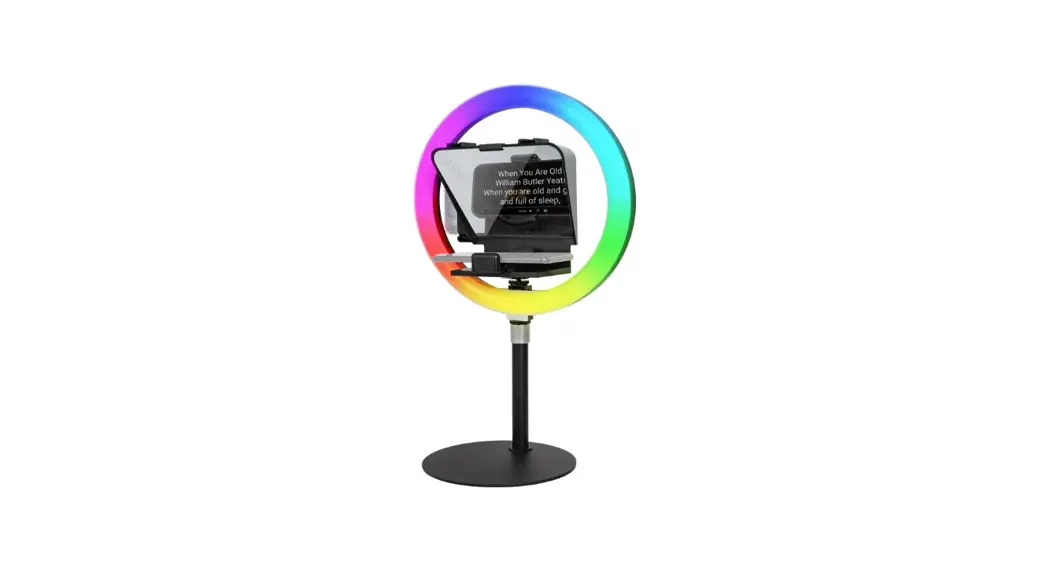
 MTRX Teleprompter Ringlight Kit
User Manual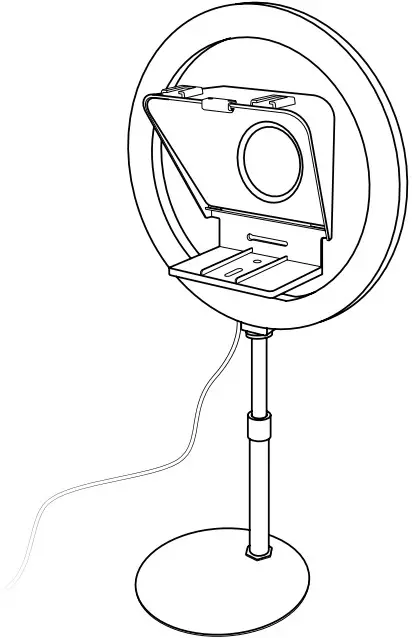
MTRX Teleprompter Ringlight Kit
Thank you for choosing MOMAN product. Please read this manual carefully before use and follow all instructions mentioned herein.
Caring For Your MOMAN Product
- Please keep the product in a dry, clean, dust-free environment.
- Keep corrosive chemicals, liquids and heat source away from the product to prevent mechanics damage.
- Use only a soft and dry cloth for cleaning the product.
- Malfunction may be caused by dropping, impact of external force.
- Do not attempt to disassemble the product. Doing so voids warranty.
- Please have the product checked or repaired by authorized technicians if any malfunctions happened.
- Failure to follow all the instructions may result in mechanics damage.
- Warranty does not apply to human errors.
Product Introduction
• How to Install Teleprompter
- Teleprompter Installation for Phone
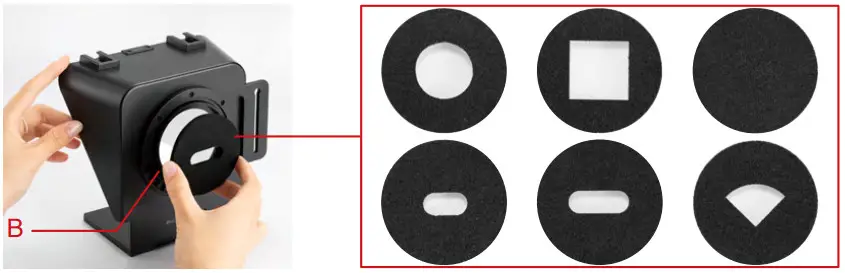
1. Insert the screw to [A], then attach the phone clamp to the screw. Regulate to the proper position then tighten the screw. 2. Attach a foam ring to [B].
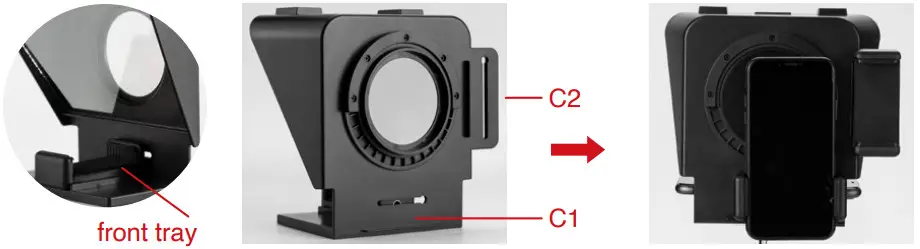
 3. Install the phone clamp to the teleprompter at [C1] or [C2] through the screw and tighten to fix the clamp.
4. Set the phone on the phone clamp.
5. Turn on APP and place the phone on the front tray and adjust to the right position accordingly.
Note: user should increase text size to prevent ghosting and to see clearly. 6. Install the ring light to the tabletop stand through 1/4 screw and spin to fix it.
 7. Hold the arm firmly, in the meantime turn the knob to lock it tightly to stretch/retract the tabletop stand to suitable position.
(Note: Please hold the ring light while adjusting in case of insufficient support.) 8. Attach the double layer cold shoe mount to the 1/4 screw at the bottom of the teleprompter for connection with the ring light.
 9. Optional: Equipping with accessories like microphone, through cold shoes is possible.
- Teleprompter Installation for Camera
1. Install the ring light to the tabletop stand through 1/4 screw and spin to fix it
2. Hold the arm firmly, in the meantime turn the knob to lock it tightly to stretch/retract the tabletop stand to suitable position.
(Note: Please hold the ring light while adjusting in case of insufficient support.) 3. Insert the screw to [A], then attach the phone clamp to the screw. Slide to the proper position then tighten the screw to fix the clamp.
 4. Attach the double layer cold shoe mount to the 1/4 screw at the bottom of the teleprompter for connection with the ring light.
 5. Choose the proper size of lens adapter and attach to the lens of camera.
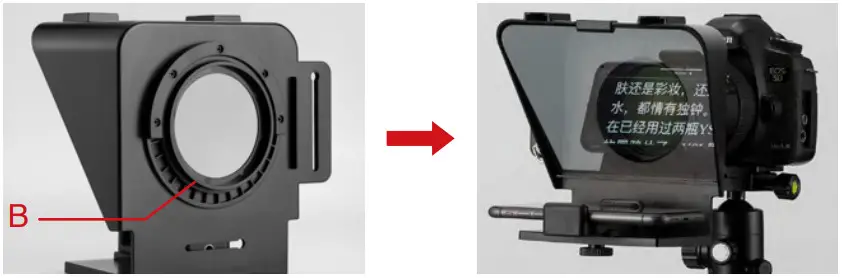
 6. Take off the original adapter ring and mount the camera to [B].
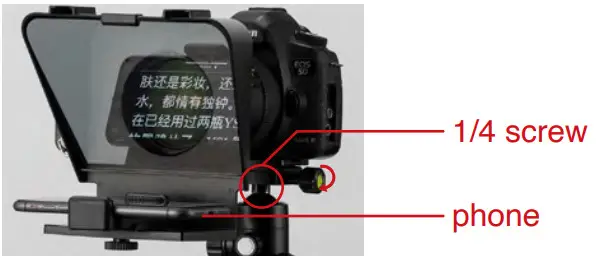
 7. Set the camera to tripod through the 1/4 screw, then spin to lock it.
8. Turn on the APP and place the phone to the front tray.
Note: To avoid capturing the frame of teleprompter, please use longer mid-focus lens for SLR vertical shooting. 9. Optional: Equip the teleprompter with microphone through cold shoes.
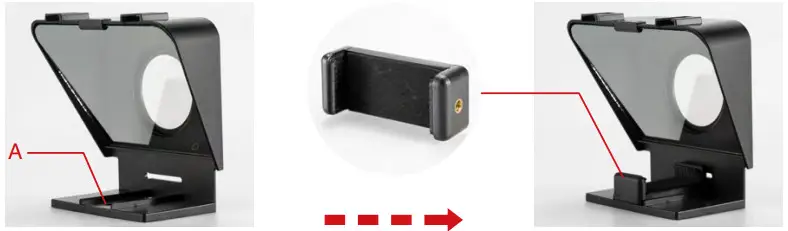 2. Attach a foam ring to [B].
 3. Install the phone clamp to the teleprompter at [C1] or [C2] through the screw and tighten to fix the clamp.
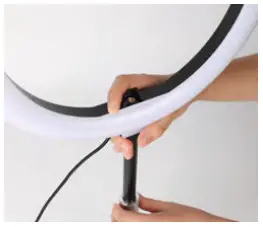
 6. Install the ring light to the tabletop stand through 1/4 screw and spin to fix it.
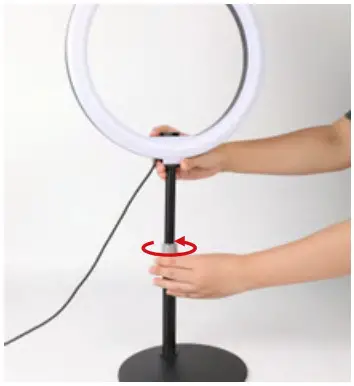
 7. Hold the arm firmly, in the meantime turn the knob to lock it tightly to stretch/retract the tabletop stand to suitable position.
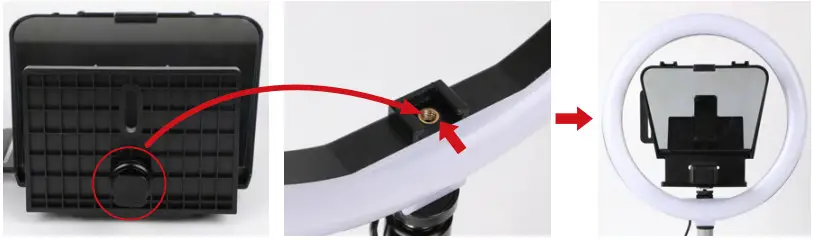
 8. Attach the double layer cold shoe mount to the 1/4 screw at the bottom of the teleprompter for connection with the ring light.
 9. Optional: Equipping with accessories like microphone, through cold shoes is possible.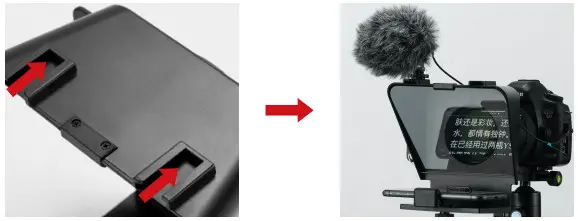
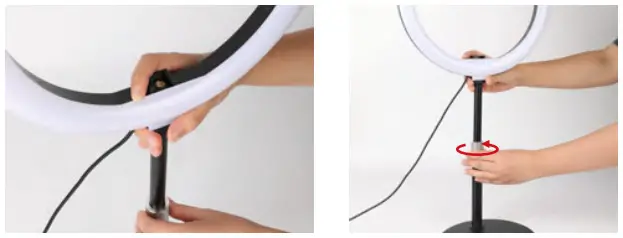 3. Insert the screw to [A], then attach the phone clamp to the screw. Slide to the proper position then tighten the screw to fix the clamp.
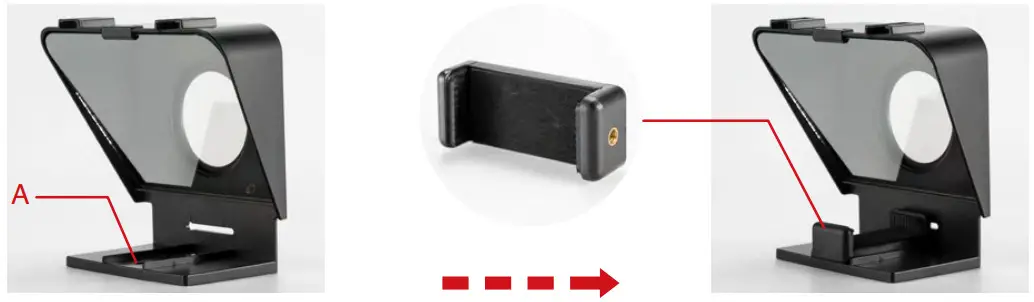 4. Attach the double layer cold shoe mount to the 1/4 screw at the bottom of the teleprompter for connection with the ring light.
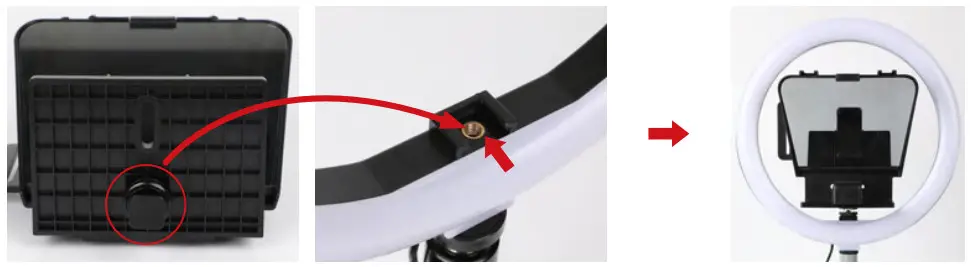 5. Choose the proper size of lens adapter and attach to the lens of camera.
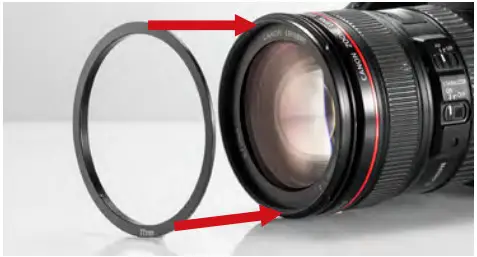 6. Take off the original adapter ring and mount the camera to [B].
 7. Set the camera to tripod through the 1/4 screw, then spin to lock it.
 9. Optional: Equip the teleprompter with microphone through cold shoes.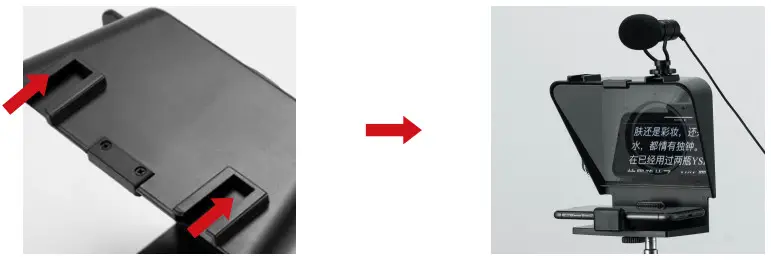
How to Use RGB Ring Light
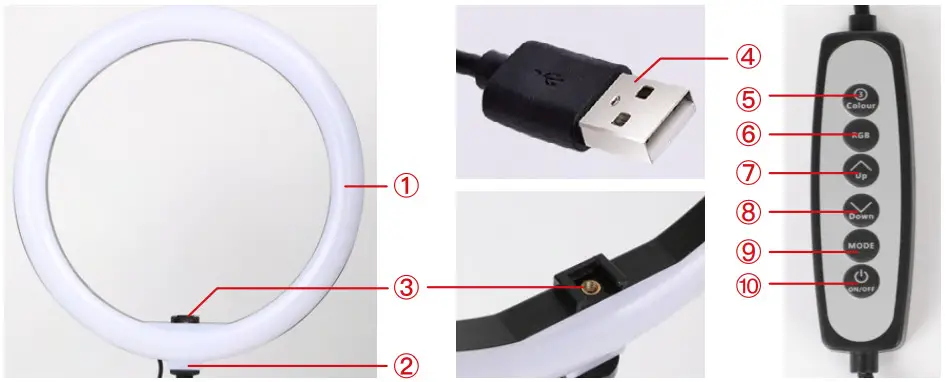
- LED Array
- 1/4 Mounting Socket
For connecting with teleprompter(via double layer cold shoe mount) or phone holder - 1/4 Screw
- USB Connector
- Colour Light Switch
Altogether 3 light modes: white, warm white and warm - RGB Switch
- Brightness Increase
- Brightness Decrease
- Light Effect Switch
Altogether 35 light modes - Power Button
Remote Instructions
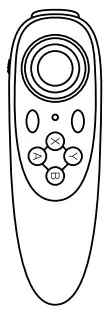
Confirm Button: Press to Play/Pause
Joystick: Control the pace of scripts
Mode Switch: No function
Indicator: See Indicator Instructions below
Power button: Press 2 seconds / 8 seconds to turn ON/OFF
Menu button: Open the menu in app
A: Slow Down the scripts
Y: Speed up the scripts
X: Last line of the scripts
B: Next line of the scripts 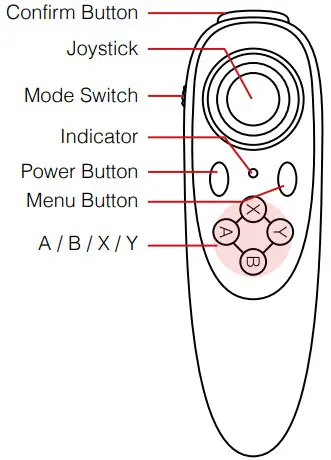 How to Pair the Remote
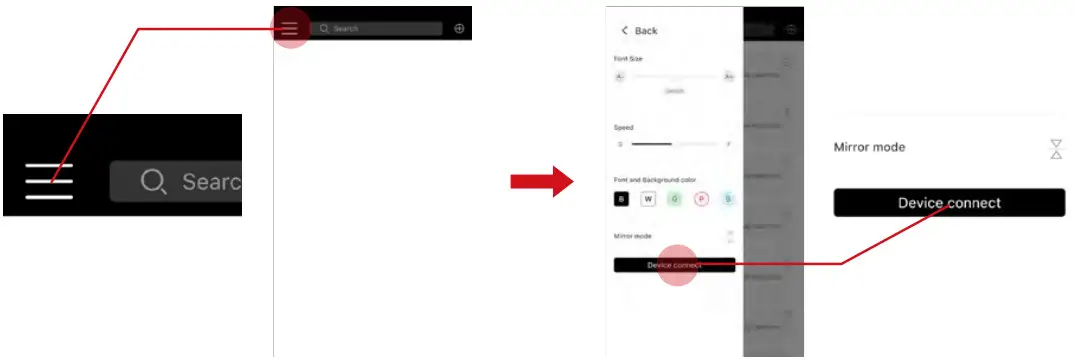
- Turn on the Remote and open the Bluetooth connection of your phone
- Open “Moman Prompter” app
- Choose “Device connect”

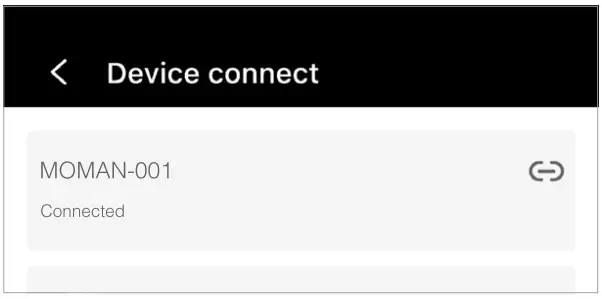
- The Remote will be shown as “MOMAN-XXX”, press the item to connect

- Return to the menu and test the remote, if it doesn’t work, turn off the Bluetooth of your phone and try the same process again
How to Use APP
IOS: Search “MomanPrompter” in AppStore or through the link below
Android: Download from Moman Website through the link below

2. Instructions of using APP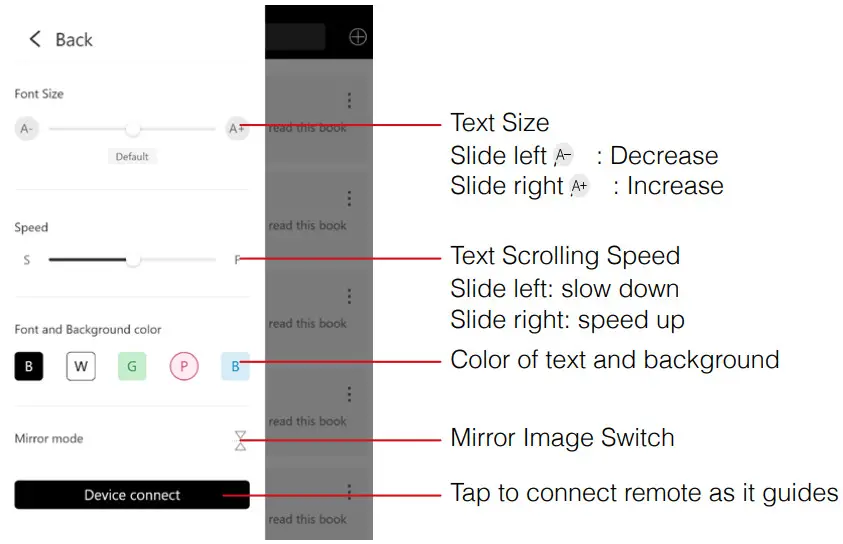
Package List
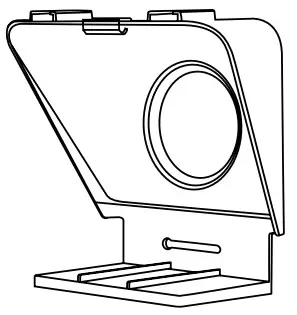 | 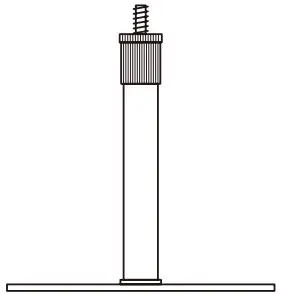 | 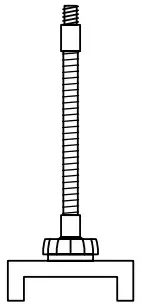 |
| MTR Teleprompter x1 | Tabletop Stand(base and arm stand included) x1 | Phone Holder (phone clamp, arm and locking ring included) x1 |
 | 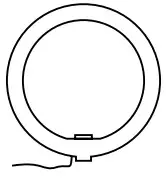 |  |
| Remote x1 | RGB Ring Light x1 | Phone Clamp x3 |
 | 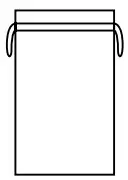 | 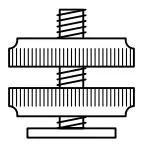 |
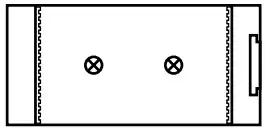
| Dust Cloth x1 | Carrying Bag x1 | Double layer cold shoe mount x1 |
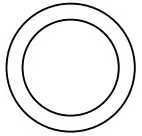 | 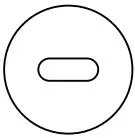 | 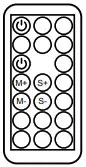 |
| Lens Adapter x8: (49, 52, 55, 58, 62, 67,72, 77mm) | Foam Ring x6 | Ring Light Remote x1 |
Specifications
A. Teleprompter
| Material | ABS and Coated Glass |
| Dimensions | 260*220*160mm |
| Weight | 800g |
B. Remote
| Size | 116*45*13.5mm |
| Wireless Distance | 2-10m |
| OS | Android / iOS / PC |
| CPU | ARM968E-S Core |
| Battery | Alkaline AAA 1.5V *2 |
| Work Current | 0.5-8mA |
| Standby Current | 0.5-1mA |
| Shutdown Current | <20uA |
C. RGB Ring Light
| Number of LEDs | 168 |
| Color Lighting Mode | White, Warm, White Warm |
| Power Capacity | 10W |
| Color Temperature | 3000K-6000K |
| Power Supply | USB Plug-in |
| Dimensions | Diameter: 26cm /10in |
| Voltage | 3.7-5V |
Moman (UK) Limited Unit 25 Basepoint Business Centre, Aviation Park, West Christchurch, United Kingdom BH23 6NX
 www.momanmic.com
www.momanx.com
www.momanx.co.uk @MomanGlobal
 https://moman.co/youtube
 Best Online Site to Sell Photography Equipment | Moman
 Best Online Site to Sell Photography Equipment | Moman
 Best Online Site to Sell Photography Equipment | Moman
 YouTube
 Moman Prompter App | Download & User Guide | Moman