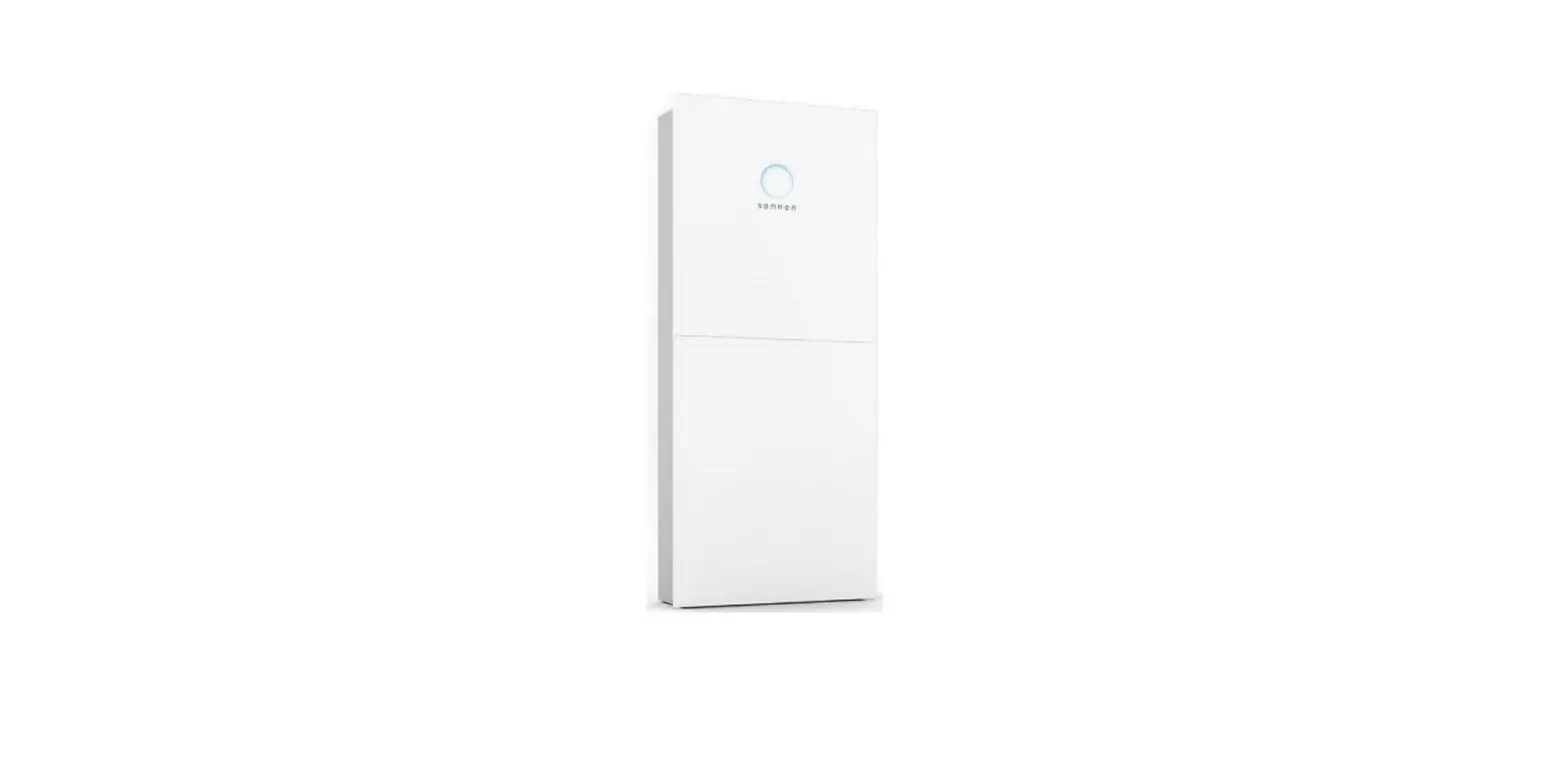
Evo Launches Residential Battery
Product Information
| Publisher | sonnen Australia Pty Ltd |
|---|---|
| Document Number | 5000611 000 AU, NZ |
| Version | 04/08/2022 |
Product Usage Instructions
Step 1: Read the entire operation manual
carefully before operating the sonnenBatterie Evo storage
system.
Step 2: Keep this operation manual in the
vicinity of the storage system for reference purposes.
Step 3: This product is intended for customers
who have purchased the storage system.
Step 4: Follow the designated steps in the
manual in a defined order for safe operation.
Step 5: Observe the safety symbols and their
meanings mentioned in the manual.
Step 6: Ensure the sonnenBatterie Evo storage
system is installed correctly according to the installation
instructions.
Step 7: The installation must be performed by a
licensed electrician who has completed the sonnen installer
accreditation training.
Step 8: Comply with country-specific
regulations regarding electrical installations.
Step 9: Use the storage system only at a
suitable installation location.
Step 10: Follow the recommended transport and
storage conditions.
Operation manual
Operation manual | for operators sonnenBatterie Evo
[email protected] Page 1 of 37
Operation manual
IMPORTANT
Read this document carefully before operation. Retain this document for reference purposes.
Publisher sonnen Australia Pty Ltd Tenancy 6, Lionsgate Business Park 180 Philip Highway | Elizabeth South SA 5112 Service number Email
Document Document number Version Valid for Publication date
+61 137 666 [email protected]
5000611 000 AU, NZ 04/08/2022
Page 2 of 37
Operation manual
Table of Contents
1 Information about this document …………………………………………………………………………5 1.1 Target group of this document…………………………………………………………………………………….. 5 1.2 Designations in this document………………………………………………………………………………….. 5 1.3 Symbols in this document………………………………………………………………………………………….. 6
2 Safety …………………………………………………………………………………………………………………….. 7 2.1 Intended Use……………………………………………………………………………………………………………….. 7 2.2 Operating the storage system ………………………………………………………………………………….. 7 2.3 Important safety instructions ……………………………………………………………………………………. 8 2.4 Voltage inside the storage system……………………………………………………………………………. 8 2.5 Handling the battery modules…………………………………………………………………………………… 9 2.5.1 Information on the sonnenModule 4 battery modules: …………………………………. 9 2.6 Conduct in case of a fire………………………………………………………………………………………….. 10
3 Product Description……………………………………………………………………………………………. 12 3.1 Technical data……………………………………………………………………………………………………………..12 3.2 Type plate ………………………………………………………………………………………………………………….. 14 3.3 Overview of switch panel ………………………………………………………………………………………… 14 3.4 System components…………………………………………………………………………………………………..15 3.5 Symbols on the storage system………………………………………………………………………………..16 3.6 Function of the LED indicator………………………………………………………………………………….. 17
4 Function ………………………………………………………………………………………………………………. 18 4.1 Basic principle …………………………………………………………………………………………………………… 18 4.1.1 Self-consumption mode ………………………………………………………………………………………. 18 4.1.2 Backup mode……………………………………………………………………………………………………….19 4.1.3 Time-of-Use mode ……………………………………………………………………………………………..21
5 Operating the storage system…………………………………………………………………………… 23 5.1 Switching the storage system on …………………………………………………………………………….23 5.2 Switching the storage system off ………………………………………………………………………….. 24
Page 3 of 37
Operation manual 6 Customer portal …………………………………………………………………………………………………. 25
6.1 Logging into the customer portal ……………………………………………………………………………25 6.2 Using the customer portal ……………………………………………………………………………………….26
6.2.1 Dashboard…………………………………………………………………………………………………………..26 6.2.2 Live state……………………………………………………………………………………………………………..26 6.2.3 Performance ……………………………………………………………………………………………………… 27 6.2.4 sonnenBatterie page………………………………………………………………………………………… 30 6.2.5 Help and Support………………………………………………………………………………………………..31 6.2.6 Personalising sonnen account ………………………………………………………………………….32 7 Maintenance……………………………………………………………………………………………………….. 34 8 Decommissioning……………………………………………………………………………………………….. 35 9 Troubleshooting …………………………………………………………………………………………………. 35 10 Uninstallation & Disposal……………………………………………………………………………………. 36 10.1 Uninstallation ……………………………………………………………………………………………………………. 36 10.2 Disposal …………………………………………………………………………………………………………………….. 36
Page 4 of 37
Operation manual
1 Information about this document
This document describes the operation of the sonnenBatterie Evo storage system. Read this document in its entirety. Keep this document in the vicinity of the storage system.
1.1 Target group of this document
This document is intended for customers who have purchased the storage system.
1.2 Designations in this document
The following designations are used in this document:
Complete designation sonnenBatterie Evo
Designation in this document Storage system
Page 5 of 37
Operation manual
1.3 Symbols in this document
Extremely dangerous situation leading to certain death or serious injury if the safety information is not observed.
Dangerous situation leading to potential death or serious injury if the safety information is not observed.
Dangerous situation leading to potential injury if the safety information is not observed.
Indicates actions that may cause material damage.
Important information not associated with any risks to people or property.
Symbol
1.2.3. …
–
Meaning Work step Work steps in a defined order Condition List
Table 1: Additional symbols
Page 6 of 37
Operation manual
2 Safety
2.1 Intended Use
The sonnenBatterie Evo is a battery storage system which can be used to store electrical energy. Improper use of this system poses a risk of death or injury to the user or third parties as well as damage to the product and other items of value. The following points must therefore be observed in order to comply with the intended use of the product:
– The storage system must not be installed in a combination. – The storage system must be fully installed in accordance with the installation
instructions. – The storage system must be installed by a licensed electrician who has completed
the sonnen installer accreditation training. Country-specific regulations concerning electrical installations must be observed at all times. – The storage system must only be used at a suitable installation location. – The transport and storage conditions must be observed.
The following uses are not permissible: – Operation in flammable environments or areas at risk of explosion. – Operation in locations at risk of flooding. – Operation in an outdoor location whereby the supplied IP rating of the enclosure has not remained intact. – Operation of the battery modules outside of its storage system.
Failure to comply with the conditions of the warranty and the information specified in this document invalidates any warranty claims.
2.2 Operating the storage system
Incorrect operation can lead to injury to yourself or others and cause damage to property:
– The storage system must only be operated as described in the product documentation.
Page 7 of 37
Operation manual
– This device can be used by individuals with impaired physical, sensory or mental capabilities or individuals with limited knowledge and/or experience of working with the device, as long as they are supervised or have been trained to safely use the device and understand the resulting risks of doing so.
2.3 Important safety instructions
– Only use the storage system in its original state. – Do not modify the storage system. – Do not use a damaged storage system. – Ensure all safety devices are in perfect working condition. – Safety devices must never be overridden, blocked or tampered with. – The interfaces of the storage system must be wired in accordance with the
product documentation. – An appropriate and readily accessible disconnect device shall be incorporated in
the fixed wiring. – All repairs on the storage system must be performed by authorised service
technicians only. – The replacement of battery modules must be performed by authorised service
technicians only. When replacing batteries, replace with the same type and number of batteries or battery modules.
2.4 Voltage inside the storage system
The storage system contains live electrical parts, which poses a risk of electrical shock. The storage system inverter also contains capacitors which carry voltage even after the storage system is switched off.
Do not open the storage system.
Page 8 of 37
Operation manual
2.5 Handling the battery modules 2.5.1 Information on the sonnenModule 4 battery modules:
Figure 1: sonnenModule4 battery module
– The battery modules have a nominal voltage of 102.4 VDC and but operate in series which raises the operating voltage above 120 VDC resulting in the application of DVC C.
– The battery modules are utilising high-performance Lithium-Iron-Phosphate (LFP) – The battery modules contain no metallic Lithium.
The battery modules installed in the storage system are protected by multiple protective devices and can be operated safely. Despite their careful design, the battery cells inside the battery modules may corrode or experience thermal runaway in the event of mechanical damage, heat or a fault. This can have the following effects: High heat generation on the surface of the battery cells.
– Electrolyte may escape. – The escaping electrolyte may ignite and cause an explosive flame. – The smoke from burning battery modules can irritate the skin, eyes
and throat. Therefore, proceed as follows: Do not open the battery modules. Do not mechanically damage the battery modules (pierce, deform, strip
down, etc.) Do not modify the battery modules.
Page 9 of 37
Operation manual
Do not allow the battery modules to come into contact with water (except when extinguishing a fire in the storage system).
Do not heat the battery modules. Operate them only within the permissible temperature range.
Keep the battery modules well away from sources of ignition. Do not short-circuit the battery modules. Do not allow them to come
into contact with metal. Do not continue to use the battery modules after a short circuit. Do not deep-discharge the battery modules.
In the event that module contents are released: Do not enter the room under any circumstance. Avoid contact with the escaping electrolyte. Contact the fire services.
2.6 Conduct in case of a fire
Fire may occur with electrical equipment despite its careful design. Likewise, a fire in the vicinity of the equipment can cause the storage system to catch fire, releasing the contents of the battery modules.
In the event of a fire in the vicinity of the product or in the storage system itself, proceed as follows:
Only firefighters with appropriate protective equipment (safety gloves, safety clothing, face guard, breathing protection) are permitted to enter the room where the burning storage system is located.
There is a danger of electrocution when extinguishing fire while the storage system is switched on. Therefore, before starting to extinguish the fire:
Switch off the storage system to electrically isolate it. Switch off the main switch in the building.
If the storage system and/or main switch cannot be safely switched off:
Observe the minimum distances specified for the extinguishing agent used. The storage system works with an output voltage of 230 V (AC) and is therefore considered a low-voltage system.
– A storage system fire can be extinguished using conventional extinguishing agents.
Page 10 of 37
Operation manual – Water is recommended as an extinguishing agent in order to cool the battery modules and therefore, prevent thermal runaway in battery modules which are still intact.
Page 11 of 37
Operation manual
3 Product Description
3.1 Technical data
sonnenBatterie Evo
System specifications (AC)
Nominal voltage Nominal frequency Nominal power rating (@ 40 C) Rated current Rated active power Rated apparent power Charge/ discharge power Power factor range Short circuit current Mains connection Mains topology Grid integration Inverter topology Active anti-islanding method
Battery specifications (DC)
Nominal voltage Battery input voltage Operating voltage No. of battery modules Nominal capacity Usable Capacity (@ 90% DoD) Max charge/ discharge current (continuous) Max charge/ discharge power Short circuit current Cell chemistry Over-current Protection
General data
Dimensions in mm (W x H x D) Weight (approximate) Ambient temperature range
Total harmonic distortion Inverter efficiency On-grid pass-through Applications
System cooling Communication Warranty
230 V 50 Hz 5000 W 22 A 5000 W 6900 VA 5000 W 0.5 leading … 0.5 lagging 454A @ 12.13ms Single-phase, L / N / PE TN / TT AC coupled Transformerless Integrated
102.4 VDC 160 – 230 VDC
204.8 VDC 2
11 kWh 10 kWh 40 A 5000 W 2880 A Lithium Iron Phosphate (LiFePO4) Fuse protection
710mm x 1400mm x 427mm 165 kg
-5 C to 45 C (max. power 5 C to 35 C)
<5% 94.4% peak
35 A Time-of-use Self-consumption
Backup Forced-air cooling
Ethernet 10 years or 10,000 cycles
Page 12 of 37
Operation manual
Safety
Protection class Overvoltage category Degree of protection Rated short-withstand current (ICW)
I / PE conductor III
IP 56 1.5 kA
Ambient conditions
Environment Storage temperature range Transport temperature range Max. rel. humidity Permissible installation altitude Pollution degree
Outdoor 0 °C … 40 °C -15 °C … 50 °C 90 %, non-condensing 2,000 m above sea level
3
Backup specification
Nominal backup current (Continuous) Nominal output voltage Nominal power Nominal frequency Max backup power (Max 30mins) Max backup power (Max 60s) Max backup power (Max 300ms) Maximum compatible PV inverter
22 A 230 V 5000 W 50 Hz 5300 VA 7050 VA 7600 VA 6kW
Certifications
Grid connections EMC / EMI protection Safety
AS/NZS 4777.2:2020 EN 61000-6-1, EN 61000-6-3, IEC 62040-2
IEC 62040-1, IEC 62477-1, IEC 62619, IEC 62109-1, IEC 62109-2
Additional ambient conditions:
– The installation location must not be at risk of flooding. – Installation room should be ventilated. – The currently applicable building codes must be observed. – Even floor, suitable for heavy loads. – Observe fire control standards. – Free from corrosive and explosive gases (ammonia content max. 20 ppm). – Free from dust (especially flour dust or sawdust). – Free from vibrations. – Free access to the installation location. – If possible, no direct sunlight.
Page 13 of 37
Operation manual
3.2 Type plate
The type plate for the storage system is located on the outer surface of the system. The type plate can be used to uniquely identify the storage system. The information on the type plate is required for the safe use of the system and for service matters. The following information is specified on the type plate:
– Item designation – Item number – Technical data of the storage system – Initial installer password
3.3 Overview of switch panel
Figure 2: Overview of switch panel
No. Designation 1 Power Button 2 Blackstart Button 3 LED indicator
4 Type plate
Function Switch for switching the storage system on and off.
Switch for switching the storage system on during backup mode.
LED light indicating the status of the storage system when it is switched on. Technical data and other information for identifying the storage system.
Table 2: Function of the switches
Page 14 of 37
Operation manual
3.4 System components
Item Description
1
Power Unit
2 Battery Module
3 Base
4 Legs
5 Power Button
6 LED Indicator
7 Blackstart Button
Figure 3: Overview system components
Function Contains the inverter and the control unit Stores energy Contains the air filter Provide elevation and compensation for uneven grounds System startup and shutdown Indication of the state of operation System startup in offgrid condition
Page 15 of 37
Operation manual
3.5 Symbols on the storage system
Symbol
Description Warning: flammable materials.
Warning: hazards due to batteries.
Warning: electrical voltage.
Warning: electrical voltage. Wait five minutes after switching off (capacitors de-energising time).
Warning: Equipment with multiple sources of supply (PV generator, AC mains and battery).
Warning: product is heavy.
CE mark. The product meets the requirements of the applicable EU directives. RCM Mark for Australia and New Zealand.
WEEE mark. The product must not be disposed of in household waste; dispose of it through environmentally friendly collection centres.
Observe the documentation. The documentation contains safety information.
Page 16 of 37
Operation manual
3.6 Function of the LED indicator
The LED indicator on the left side of the enclosure provides general information about the status of the system.
LED Colour White pulsating Green Orange Red
Description Normal operation; System is charging/discharging No grid available; Backup supply active No internet connection Critical Error. Contact sonnen service team.
Table 3: Function of the LED indicator
Page 17 of 37
Operation manual
4 Function
4.1 Basic operating principle
Figure 4: sonnenBatterie Evo Connection Concept
The sonnenBatterie Evo is an intelligent storage system that monitors and controls energy production, consumption, and storage in the house. The storage system is connected to the grid via the main distribution board. The sonnenBatterie Evo can work with existing or newly installed PV systems. The PV array does not connect to the storage system directly. The storage system uses a power meter and current transforms to monitor PV power generation and energy consumption in the building. The sonnenBatterie Evo offers three modes of operation: Self-consumption, Backup, and Time of Use. 4.1.1 Self-consumption mode Self-consumption is the part of the generated PV power that has been either consumed at home or stored in the battery. This is the default mode of operation.
Page 18 of 37
Operation manual
Generation > Consumption
If the generation of PV power is higher than the consumption such as at midday, there is a surplus of electrical energy. In this case the surplus energy is used to charge the battery of the storage system.
If the entire portion of the surplus cannot be charged into the battery, the remaining surplus is fed into the public electricity grid.
Consumption > Generation
If the consumption is higher than the generation of PV power such as in the evening, there is a deficit of electrical energy. In this case the battery of the storage system is discharged to even out as much of the deficit as possible. If the entire deficit cannot be compensated by discharging the battery, the remaining deficit is covered by the public electricity grid.
The storage system also acts as a backup power supply, meaning that if the utility grid goes out, your appliances will be powered by the batteries of the storage system conditioned upon installer connection of back up function.
4.1.2 Backup mode
Figure 5: sonnenBatterie Evo Connection Concept
Page 19 of 37
Operation manual
sonnenBatterie Evo storage system automatically switches from grid to backup operation and vice versa. In the event of a grid failure, the storage system automatically detects the grid outage and will disconnect itself from the public electrical mains and will create a micro-grid using the power from the batteries. Appliances connected to essential loads circuit in the house will be supplied with electrical power. Appliances connected to normal loads circuit in the house will not be supplied with electrical power.
During the backup operation, the micro-grid produces grid-quality voltage and frequency so that any grid-connected PV inverter in the micro-grid will continue to operate. Therefore, during backup operation, the essential loads circuit will be powered by the energy stored in the battery modules and the PV energy generated from the PV array. The generated PV power will also charge the battery modules, depending on generation and consumption levels.
The PV array will first power the loads on the essential load circuit, with any excess energy charging the batteries in the storage system. If there is insufficient PV to cover the loads, the storage system will discharge its batteries to meet the demand. The storage system can also turn the PV inverter off if the battery modules become fully charged.
To prevent battery overcharging while in backup mode, the storage system will perform a frequency shift by raising the frequency to a value outside the PV inverter’s operating range. This shift in frequency will disconnect the PV inverter from the micro-grid while the storage system will maintain the power supply to the loads. The storage system will reduce the frequency to 50 Hz once the state of charge falls below a certain threshold to allow for a charge event. The PV inverter will then automatically detect the frequency adjustment and re-connect to the micro-grid.
Microgrid Re-Enabling
If the battery SOC drops to a minimum threshold during backup operation:
1. The micro-grid will be deactivated, and the system will go to `standby mode’. The essential loads and the external PV inverter on the micro-grid will disconnect consequently.
2. The system will remain in `standby mode’ until the system time reaches the “Reenabling time one”, as previously set in the commissioning process. Then, it will
Page 20 of 37
Operation manual
re-enable the micro-grid. The essential loads and the AC-coupled PV inverter will re-connect consequently. 3. If there is sufficient excess PV energy to charge the battery, the micro-grid will be maintained. 4. Otherwise, the micro-grid will be deactivated, and the system will go to `standby mode’ again. The essential loads and the AC-coupled PV inverter will disconnect consequently. 5. The system will repeat steps 2 to 4 according to the “Reenabling time two” and “Reenabling time three”, as previously set in the commissioning process. The system will shutdown after the third attempt to prevent further battery discharge. Blackstart Functionality In case of a grid-outage the storage system will automatically enable and switch-over to microgrid operation depending on the state-of-charge of the batteries. Alternatively, the system operator has the ability to manually switch on the storage system without the grid being present by using the blackstart button. In the process, the storage system will also activate the microgrid.
For correct operation, please follow the steps below: 1. Ensure the storage system is turned on prior to using the blackstart button. Green power button in ON position. 2. Switch on the storage system using the green power button. 3. Press and hold the blackstart button for about 60 seconds.
If there is sufficient excess PV energy to charge the battery, the micro-grid will be maintained. Otherwise, the micro-grid will be disconnected, and the system will go to `standby mode’ again. The essential loads and the AC-coupled PV inverter will disconnect consequently.
4.1.3 Time-of-Use mode This mode is similar in function to self-consumption except that the storage system will charge the batteries from the grid during the specific time windows selected by the customer. By setting the storage system to time of use mode, customers can store
Page 21 of 37
Operation manual electricity in the battery when electricity prices are low, and then use this stored electricity to supply the household appliances at times of peak rate. The batteries are prevented from discharging during the selected windows of time of use. If your electricity provider company offers you time of use electricity tariffs, in which there is a price difference between the peak and off-peak rates, you may consider setting the storage system to time of use mode. Please contact your sonnen support team to set up the ToU mode.
Page 22 of 37
Operation manual
5 Operating the storage system
Opening of the storage system by unauthorised persons. Danger to life due to electrocution.
The storage system must only be opened by authorised electricians. Electrical work on the storage system and the associated electrical distributor
must only be carried out by authorised electricians.
The storage system can only be switched on if the AC grid has been switched on first.
5.1 Switching the storage system on
Figure 6: Startup procedure
To turn the system on, please follow the sequence below: 1. Switch on the BESS Main Switch located in the switchboard 2. Switch on the Main Switch for backup supply located in the switchboard or dedicated subboard 3. Switch on the BESS AC isolator adjacent to the system (if available) 4. Switch on the BESS Backup isolator adjacent to the system (if available) 5. Switch on the BESS using the green power button located on the left side of the enclosure Notice: ON position is extended OUT!
Page 23 of 37
Operation manual
5.2 Switching the storage system off
Deep-discharge of the battery modules. Destruction of the battery modules! Do not disconnect the storage system from the public
electricity grid for long periods of time. Never continue to operate battery modules which have
been deep-discharged.
Figure 7: Shutdown procedure
To turn the system off, please follow the sequence below: 1. Switch off the BESS using the green power button located on the left side of the enclosure Notice: OFF position is pushed IN! 2. Switch off the BESS AC isolator adjacent to the system (if available) 3. Switch off the BESS Backup isolator adjacent to the system (if available) 4. Switch off the BESS Main Switch located in the switchboard 5. Switch off the Main Switch for backup supply located in the switchboard or dedicated subboard.
Page 24 of 37
Operation manual
6 Customer portal
The sonnen customer portal is used to monitor real-time and historical data of the storage system and other sonnen products and configure settings. You can access the customer portal at any time. In addition to an overview of your products and contracts, you will also find interesting information on the sonnenCommunity and sonnen’s energy services.
6.1 Logging into the customer portal
You can access the customer portal using the `my sonnen’ App on your smart device or using the portal on a web browser. To use the customer portal, you need a sonnen account. If you already have a sonnen account, you can log into the customer portal directly. If not, you can create a personal sonnen account as follows: Start “my sonnen” app on your smart device or enter the following address into a web browser: my.sonnen.de. Click on the corresponding button to register and create a sonnen account. After creating the sonnen account you can use this in future to log in and access all sonnen digital products.
Figure 8: Customer portal register and login page
Page 25 of 37
Operation manual
Table 4: my sonnen App
6.2 Using the customer portal 6.2.1 Dashboard
A fundamental part of the customer portal is the graphic display of the data from your storage system and of processes within your building. The interactive dashboard page shows a summary of all the information from available products and services.
Figure 9: Overview of customer portal Dashboard
6.2.2 Live state The Live State offers a quick overview of the current distribution of electricity within your household. The different displays are always up-to-date and continuously supplied with live data.
Page 26 of 37
Operation manual
Figure 10: Overview of live state
6.2.3 Performance You can easily track the activities of your household throughout the day via the two sections Performance and Statistics. The Performance page displays all relevant energy flows of PV generation, home consumption and state of charge of the batteries in a graph. The power graph presents the different energy flows in relation to time. You can hover your mouse cursor over the graph to see the exact values for the energy flows at each point of time. You can click on the date above the graph to view the system performance on that day. Clicking on the desired energy flow (e.g., consumption) shows or hides this flow in the graph.
Page 27 of 37
Operation manual
Figure 11: Overview of system performance
Statistics The statistics section is located below the power graph on the performance page. This section provides simplified daily, monthly, or yearly statistics.
Figure 12: Overview of system statistics
Page 28 of 37
Operation manual
Two pie charts are also shown in this section. The pie charts always refer to the time frame shown in the graph and give an overview of Independence and Grid Purchase and Self-consumption and Grid Feed-in.
Production pie chart
Figure 13: Production pie chart
This pie chart represents the PV power gained during the selected time frame and gives you an insight of Self-consumption and Grid feed-in. Self-consumption is the part of the generated PV power that has not been fed into the grid, but instead has been consumed at home or temporarily stored in the battery. Grid feed-in is the amount of the excess PV power that is fed into the grid.
Page 29 of 37
Operation manual Consumption pie chart
Figure 14: Consumption pie chart
This pie chart represents the household consumption during the selected time frame and gives you an insight of Independence and Grid purchase. Independence is the part of the consumed power that was not taken from the grid. Grid purchase is the amount of power that is taken from the grid.
6.2.4 sonnenBatterie page
You can find an overview of the current status of your sonnenBatterie and information on your existing sonnen accessories on this page.
Overview
Overview section provides information about the storage system. Under “My sonnenBatterie”, you can find the model and serial number, the installed battery capacity, operating mode (self-consumption, backup or time of use).
Under “Status”, you can view battery state of charge, the number of charge cycles and the backup buffer. You can set or change the backup buffer via the Edit button.
Figure 15: my sonnenBatterie overview
Page 30 of 37
Operation manual Details In the Details section, you can access more detailed information and technical data of the storage system such as software version, installation date and address, battery module technical details including maximum power of the battery, number of battery modules, number of charge cycles and battery technology. The Downloads section provides access to the operation manuals of the storage system.
Figure 16: my sonnenBatterie details
6.2.5 Help and Support This section displays the contact details for the local service team. In addition, it gives you the ability to send out a service request to the service team directly from the customer portal.
Page 31 of 37
Operation manual
Figure 17: Help and support
6.2.6 Personalising sonnen account To access your account settings, click on the white arrow next to your name and then click on “My Account”.
Figure 18: Access sonnen account
About me Your personal details can be viewed at “About me” section. To change or update your personal details, please contact the service team at sonnen Australia. Password You can change your sonnen account password by clicking on the Password section under `My Account’ menu.
Page 32 of 37
Operation manual
Figure 19: Change password
Settings Privacy permissions can be accessed in the Settings section. The `Service function” under Privacy permission is activated by default. With this function activated, you give permission that your installer and/or retailer is able to monitor your storage system online. This allows your service partner to respond in case of technical issues of your storage system.
Figure 20: Privacy permission
Page 33 of 37
Operation manual
7 Maintenance
For fault-free, safe, reliable, and long-lasting operation of the storage system, it is essential to carry out regular function checks and cleaning.
The battery modules installed in the storage system do not require maintenance.
Interval Every 2 weeks
Every 6 months
Actions Check for any functional errors of the system in the
portal. Carefully observe the system for any visible damage Carefully listen to any abnormal noise during operation
of the system Ensure the ground and the enclosure are clean and tidy Ensure the air vents at the back have a clear path for the
air flow Clean the filter mat located in the base using warm water Check for any loose or damaged connections, wires, and
conduit Carefully clean the outside of the storage system with a
clean, moist cloth. For tougher dirt, use a small amount of household dishwashing detergent on a moist cloth.
Page 34 of 37
Operation manual
8 Decommissioning
Deep-discharge of the battery modules. Destruction of the battery modules! Do not disconnect the storage system from the public
electricity grid for long periods of time. Never continue to operate battery modules which have
been deep-discharged.
Follow the shutdown instruction in section 5.2.
9 Troubleshooting
Disturbance No connection to the web interface of the storage system (https://find my.sonnenbatterie.com) or to the internet portal (my.sonnen.de).
The storage system stopped charging or discharging.
The status LED pulses orange.
Possible reason No connection between the storage system and the server.
Software or hardware related issue.
The internet connection to the storage system has been interrupted.
Correction Ensure the ethernet line
between the storage system and the router of the home network is correctly connected. Ensure that the router of the home network allows connections on the following ports: – TCP ports: 443 (https);
18883 (MQTT- TLS) – UDP ports: 123 (NTP); 1196
(VPN) Restart the storage system by
following the shutdown and start-up procedure in section 5. If the issue persists, contact the sonnen service Check whether the home network router is able to establish an internet connection.
Page 35 of 37
Operation manual
The status LED illuminates red.
The status LED pulses continuously green or pulses green and turns off after about 5 minutes.
The storage system has detected a problem that is preventing normal operation or may cause damage to the storage system. The storage system is not connected to the public electricity grid.
The storage system is not connected to the public electricity grid and is in backup operation.
If so: Ensure that the network line
for the storage system is connected to the home network router. Contact your installer or sonnen service team to resolve the issue.
Check that the circuit breaker in the supply line of the storage system is switched on.
If so: The public electricity grid does not provide any electrical energy (grid outage). The storage system will
reconnect and resume normal operation once the grid becomes available. No troubleshooting necessary.
10 Uninstallation & Disposal
10.1 Uninstallation
Improper uninstallation of the storage system Danger to life due to electrocution! The storage system must be only uninstalled by an
authorised electrician.
10.2 Disposal
Page 36 of 37
Operation manual
Improper transport of battery modules Fire outbreak at battery modules or emission of toxic substances! Transport the battery modules in their original packaging
only. If you no longer have the original packaging, new packaging can be requested from sonnen Australia. Never transport damaged battery modules.
Improper disposal of battery modules Explosion or fire outbreak at battery modules or emission of toxic substances! Do not dispose of batteries in fire.
The storage system and the batteries it contains must not be disposed of as domestic waste!
Dispose of the storage system and the batteries it contains in an environmentally friendly way through suitable collection systems.
sonnen Australia Pty Ltd Tenancy 6, Lionsgate Business Park 180 Philip Highway Elizabeth South SA 5112 Australia
Part Number: 5000611 Rev: 000 Page 37 of 37
 Batteries
 sonnen Customer Portal