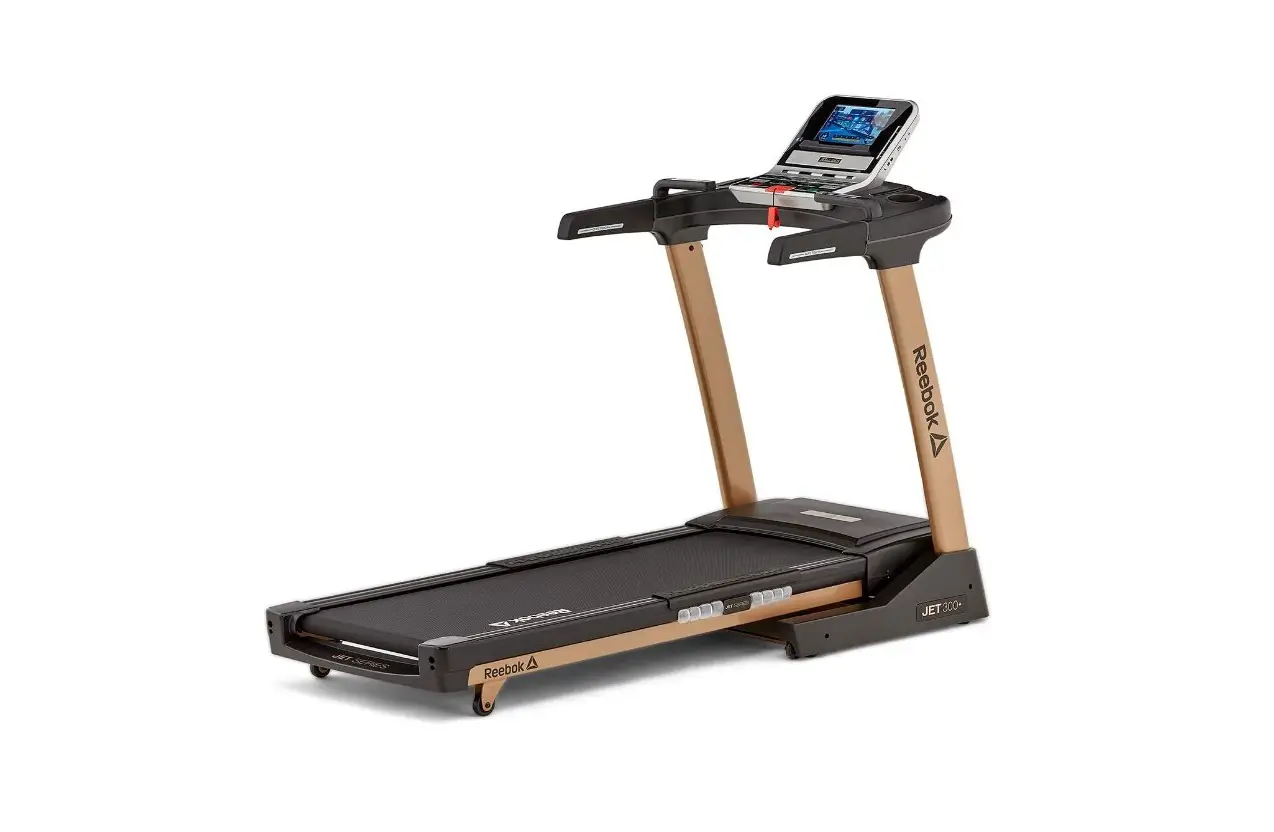
 Reebok GT30 One Series Treadmill
 Reebok GT30 One Series Treadmill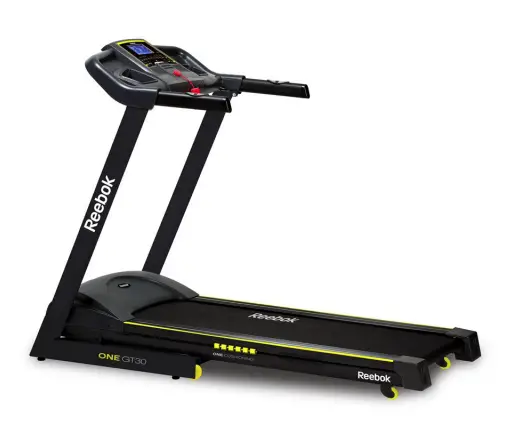
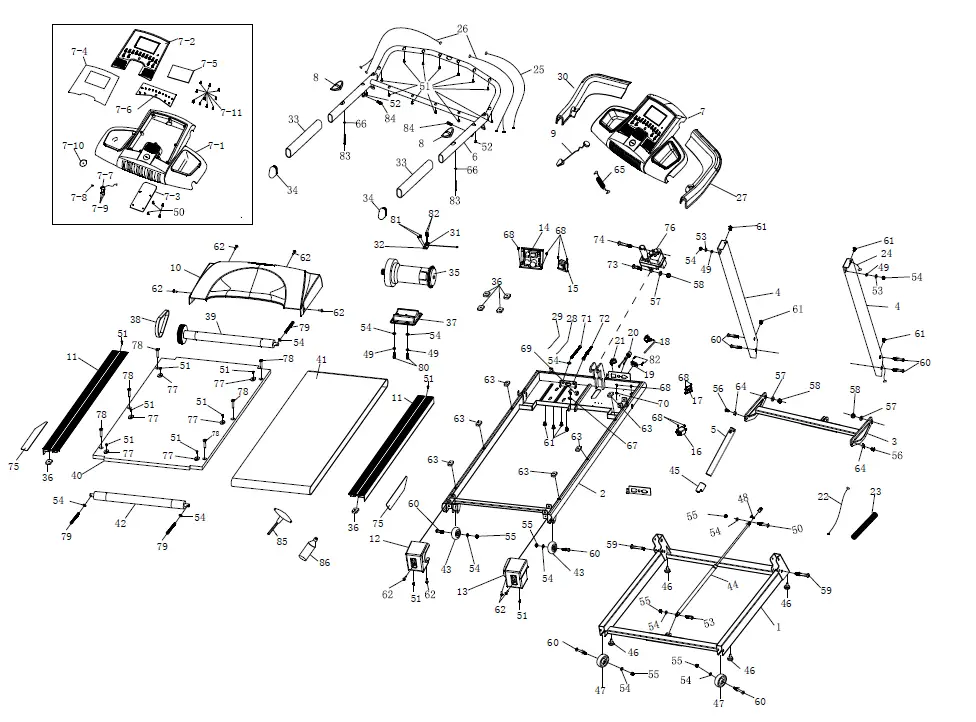
| Base frame | ||
| 2 | Platform frame | |
| 3 | Incline frame | |
| 4 | Upright frame | 2 |
| 5 | Check pipe | |
| 6 | Computer frame | |
| 7 | Computer set | |
| 8 | Handle pulse | 2 |
| 9 | Safety key | |
| 10 | Motor cover | |
| 11 | Side rail | 2 |
| 12 | Rear cover (left) | |
| 13 | Rear cover (right) | |
| 14 | Controller | |
| 15 | Transformer | |
| 16 | Filter (if with CE) | |
| 17 | Inducement (if with CE) | |
| 18 | Power cord | |
| 19 | Cable guider | |
| 20 | Fuse | |
| 21 | Switch | |
| 22 | Wire L-800 | |
| 23 | Wire protector | |
| 24 | Wire L-1100 | |
| 25 | Wire L-850 | |
| 26 | Handle pulse wire | 2 |
| 27 | handle bar cover (right) | |
| 28 | Power wire L-350 (red) | |
| 29 | Power wire L-350 (black) | |
| 30 | handle bar cover (left) | |
| 31 | Speed sensor | |
| 32 | Speed sensor bracket | |
| 33 | Foam grip | 2 |
| 34 | Tube end cap | 2 |
| 35 | Motor | |
| 36 | Square cushion | 6 |
| 37 | Motor Mounting Plate | |
| 38 | Motor belt | |
| 39 | Front roller | |
| 40 | Running deck |
| 41 | Running belt | |
| 42 | Rear roller | |
| 43 | Wheelcp46 | 2 |
| 44 | Cylinder | |
| 45 | End cap ())33x())23×48 | |
| 46 | Taper feet pad <p28xcp23xt11xM8x20 | 4 |
| 47 | Wheel<p62 | 2 |
| 48 | Spring | |
| 49 | Spring washer <p8 | 4 |
| 50 | Allen C.K.S.half thread screw M8x50x20 | |
| 51 | Screw ST4x16 | 26 |
| 52 | Philips self-tapping screw ST4x35 | 2 |
| 53 | Allen C.K.S.half thread screw M8x30x20 | |
| 54 | Flat washer <ll8 | 14 |
| 55 | Hex self-locking nut M8 | 8 |
| 56 | Allen C.K.S. full thread screw M10x25 | 2 |
| 57 | Flat washer ())10 | 3 |
| 58 | Hex self-locking nut M10 | 3 |
| 59 | Allen C.K.S.half thread screw M10x70x20(level 8.8) | 2 |
| 60 | Allen C.K.S.half thread screw M8x40x20 | 8 |
| 61 | Allen C.K.S. full thread screw M8x15 | 8 |
| 62 | Philips C.K.S. full thread screw M5x10 | 8 |
| 63 | Square cushion | 6 |
| 64 | Metal plug <ll17x<!l10x7 | 2 |
| 65 | MP3 wire | |
| 66 | Flat washer CD4.5x())12xt1.0 | |
| 67 | Cable guider | |
| 68 | Philips C.K.S. full thread screwM4x10 | 11 |
| 69 | CHOKE <p29xcp17xt7.5 | |
| 70 | Washer CD5 | |
| 71 | Hex full thread screw M8x75 | |
| 72 | Motor resist screw M8x65 | |
| 73 | Allen C.K.S.half thread screw M10x35x20 | |
| 74 | Allen C.K.S.half thread screw M10x55x25 | |
| 75 | Double-face glue | |
| 76 | Incline motor | |
| 77 | Side rail guide<ll25x<ll5x4.5r | 6 |
| 78 | Philips full thread screw M6x40 | 6 |
| 79 | Allen socket full thread screw M8x75(Ievel 8.8) | 3 |
| 80 | Allen socket full thread screw M8x20 | 2 |
| 81 | Philips C.K.S. full thread screw M4x6 | 2 |
| 82 | Philips self-tapping screw ST3x10 | 4 |
| 83 | Philips self-tapping screw ST4x50 | 2 |
| 84 | Allen socket full thread screw M8x25 | 2 |
| 85 | T shape wretch | |
| 86 | Silicon bottler(30ml) | |
| 87 | Locking mechanism | |
| 7 | Computer set | |
| 7-1 | Computer housing | |
| 7-2 | LCD overlay(w/PCB of monitor) | |
| 7-3 | Back cover of console | |
| 7-4 | overlay for console | |
| 7-5 | Touchscreen LCD | |
| 7-6 | PCB board | |
| 7-7 | safety key | |
| 7-8 | Button for safety key | |
| 7-9 | Philips C.K.S. Self-tapping screw PWA2.6X6X6 | 3 |
| 7-10 | Yellow sticker | |
| 7-11 | Philips C.K.S. Self-tapping screw ST4*10 | 10
|
COMPUTER FUNCTION
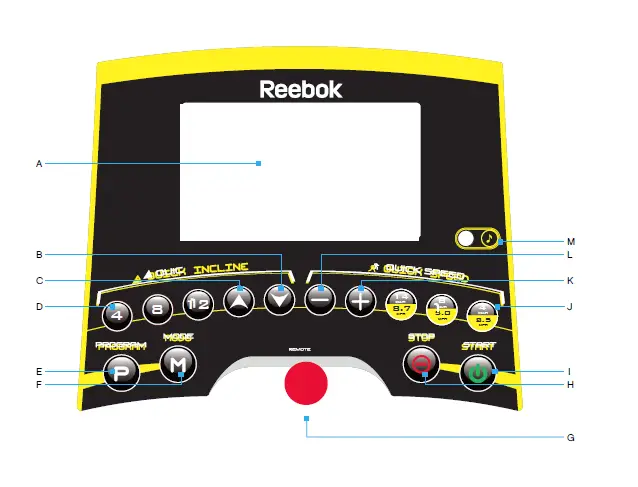
- LCD Display
- Incline Up
- Incline Down
- Instant Incline
- Program Button
- Mode Button
- Safety Key
- Stop Button
- Start Button
- Quick Speed
- Speed +
- Speed –
BUTTON OPERATION
Start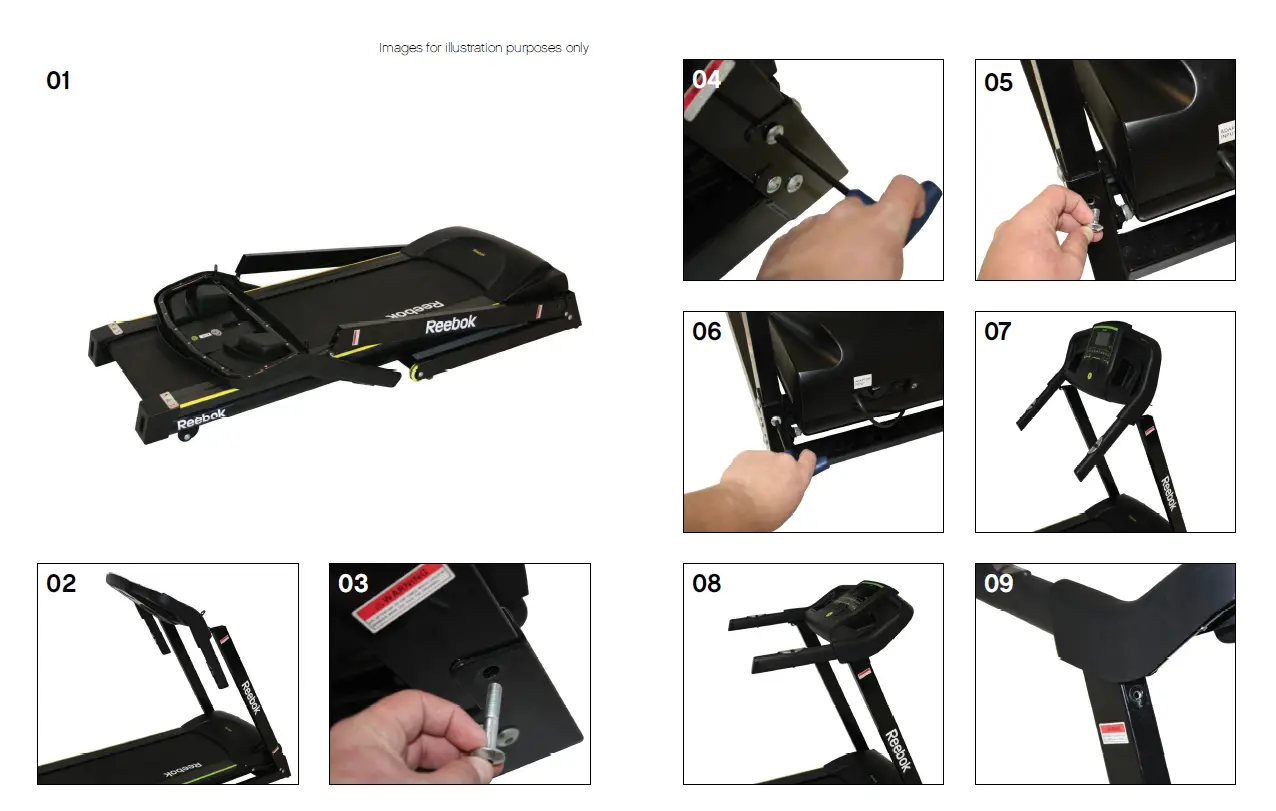
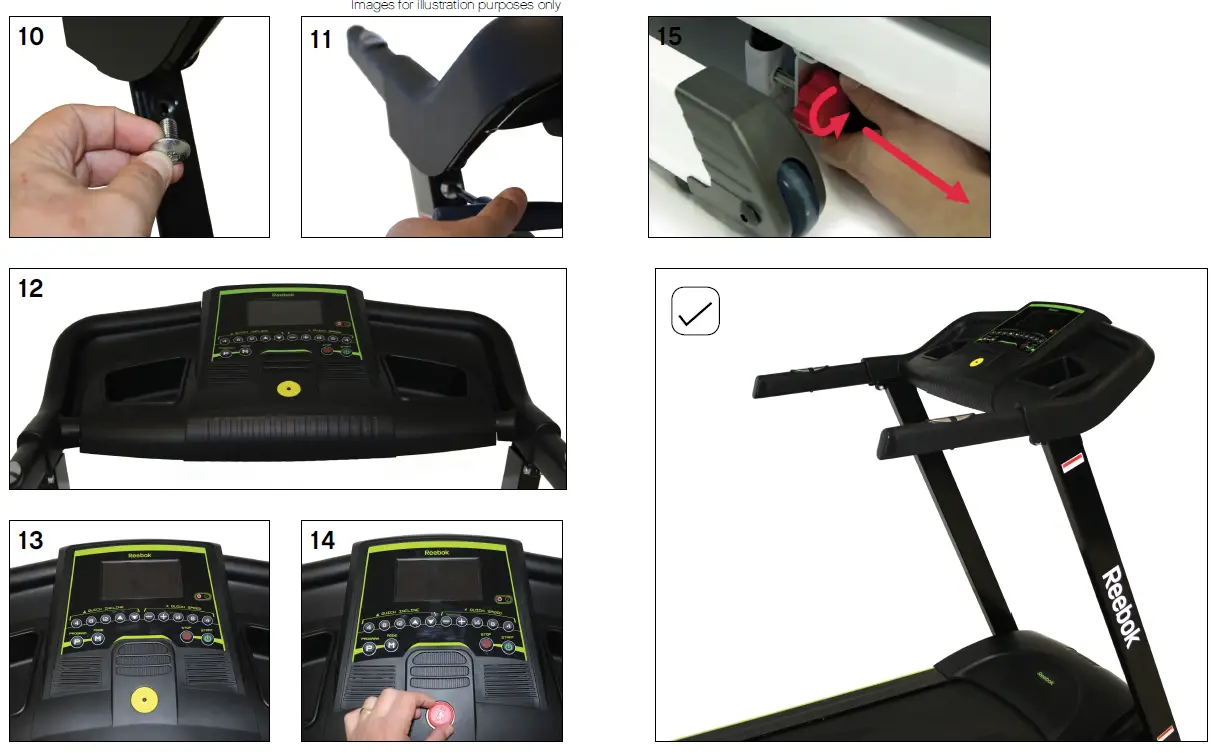
Will commence a program.
Press to pause when machine is running, the machine will slow and stop, all data will remain on the screen. Press again the machine will count down from 5 and start again.
- Stop
To stop the machine at any time during workout the running belt will slow down and stop completely. - Speed “-”
Decrease Speed during workout.
Decreases parameters when in Body Fat mode.
Decrease time setting when in programs. - Speed “+”
Increases speed during workout.
Increases parameters when in Body Fat mode.
Increase time setting when in programs. - Incline q
Lowers the running belt incline level during workout. - Incline p
Raises the running belt incline level during workout. - Instant Speed
Use to select an exact speed when running. - Instant Incline
Use to select an exact incline level when running. - Program (P)
Press to select the desired program (Manual, P1-P12, HRC, FAT %). - Mode (M)
Select the time, distance or calories setting in manual mode.
Confirm data in HRC, FAT % programs. - MP3 Input
Allows connection to personal MP3 player via supplied cable. Music will be played through the built in speakers and the volume is controlled by the MP3 player. - Safety Key
Included with the machine is a red Safety Key, without which the treadmill won’t operate. Its purpose is to immediately stop the machine in the event of an emergency. The computer will shut down when the key is removed. The clip on the other end of the Safety Key must be attached to the user at all times during workout to ensure the machine stops immediately in the event of an emergency. - Pulse Sensors
There are pulse sensors located on both handlebars of the machine. To monitor the user pulse these are held during workout. Please note both sensors must be held in order for a reading to be given.
Note: The pulse monitor is a guide for reference only and not to be used for medical or monitoring purposes.
COMPUTER PROGRAMS
HRC (Heart rate control)
FAT %
Manual
When machine is powered on manual mode will be displayed by default.
Press START to begin exercise immediately, time, distance and calories will count up from 0. The speed and incline can be adjusted manually at any time using up/down on instant selection buttons.
To set a workout time, distance or calorie value press MODE (M) before selecting start until the desired field is displayed. Use SPEED +/- to change the value and press START to begin.
If time, distance or calories is inputted the field will count down, all none inputted information
will count up from 0.
If time, distance or calories are inputted the machine will slow down and stop when the first value reaches 0.
If no data is inputted the machine can be stopped at any time by pressing the STOP button.
P1-P12
These are preset programs in which the machines speed or incline will be changed automatically during a workout.
Note: If the speed or incline is adjusted manually by the user it will return to its preset setting at the next segment of the program.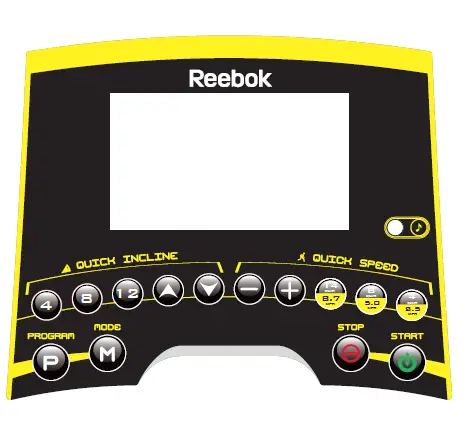
- From standby screen press PROGRAM (P) button to select the desired program.
- Press START to begin using the preset time of 30.00 minutes.
- To change the default time press SPEED +/- before START is selected.
- During the program the speed/incline adjustments are split into 10 segments. The time of each
P1-P12 Program Guide
|
1 |
2 |
3 |
4 |
5 |
6 |
7 |
8 |
9 |
10 | ||
| P1 | Speed | 1 | 2 | 3 | 4 | 5 | 5 | 4 | 3 | 2 | 1 |
| Incline | 0 | 1 | 1 | 2 | 2 | 2 | 2 | 1 | 1 | 0 | |
| P2 | Speed | 1 | 3 | 6 | 3 | 6 | 6 | 3 | 6 | 3 | 1 |
| Incline | 0 | 1 | 1 | 2 | 2 | 3 | 3 | 2 | 1 | 0 | |
| P3 | Speed | 1 | 4 | 6 | 8 | 6 | 5 | 4 | 3 | 2 | 1 |
| Incline | 0 | 2 | 2 | 3 | 3 | 2 | 2 | 3 | 3 | 0 | |
| P4 | Speed | 1 | 3 | 6 | 3 | 2 | 3 | 6 | 3 | 2 | 1 |
| Incline | 0 | 1 | 2 | 3 | 4 | 5 | 4 | 3 | 2 | 0 | |
| P5 | Speed | 1 | 3 | 6 | 8 | 8 | 8 | 8 | 6 | 3 | 1 |
| Incline | 0 | 2 | 4 | 6 | 8 | 9 | 8 | 6 | 4 | 0 | |
| P6 | Speed | 4 | 6 | 3 | 6 | 5 | 9 | 9 | 7 | 6 | 2 |
| Incline | 0 | 4 | 6 | 8 | 4 | 6 | 8 | 6 | 4 | 0 | |
| P7 | Speed | 2 | 4 | 6 | 8 | 9 | 9 | 8 | 6 | 4 | 2 |
| Incline | 0 | 6 | 7 | 8 | 6 | 5 | 4 | 3 | 2 | 0 | |
| P8 | Speed | 2 | 5 | 8 | 8 | 8 | 8 | 8 | 8 | 5 | 2 |
| Incline | 0 | 6 | 3 | 4 | 5 | 5 | 4 | 1 | 6 | 0 | |
| P9 | Speed | 2 | 5 | 6 | 5 | 7 | 9 | 9 | 7 | 5 | 3 |
| Incline | 6 | 5 | 4 | 3 | 2 | 2 | 1 | 0 | 0 | 0 | |
| P10 | Speed | 3 | 7 | 9 | 5 | 9 | 9 | 9 | 7 | 5 | 3 |
| Incline | 6 | 5 | 2 | 7 | 3 | 8 | 2 | 5 | 2 | 0 | |
| P11 | Speed | 2 | 6 | 9 | 4 | 9 | 4 | 9 | 9 | 6 | 2 |
| Incline | 0 | 3 | 6 | 9 | 10 | 9 | 8 | 6 | 4 | 0 | |
| P12 | Speed | 3 | 6 | 9 | 9 | 9 | 9 | 3 | 9 | 6 | 3 |
| Incline | 8 | 9 | 10 | 11 | 12 | 8 | 6 | 6 | 4 | 0 | |
|
1 |
2 |
3 |
4 |
5 |
6 |
7 |
8 |
9 |
10 | ||
| P1 | Speed | 1 | 2 | 3 | 4 | 5 | 5 | 4 | 3 | 2 | 1 |
| Incline | 0 | 1 | 1 | 2 | 2 | 2 | 2 | 1 | 1 | 0 | |
| P2 | Speed | 1 | 3 | 6 | 3 | 6 | 6 | 3 | 6 | 3 | 1 |
| Incline | 0 | 1 | 1 | 2 | 2 | 3 | 3 | 2 | 1 | 0 | |
| P3 | Speed | 1 | 4 | 6 | 8 | 6 | 5 | 4 | 3 | 2 | 1 |
| Incline | 0 | 2 | 2 | 3 | 3 | 2 | 2 | 3 | 3 | 0 | |
| P4 | Speed | 1 | 3 | 6 | 3 | 2 | 3 | 6 | 3 | 2 | 1 |
| Incline | 0 | 1 | 2 | 3 | 4 | 5 | 4 | 3 | 2 | 0 | |
| P5 | Speed | 1 | 3 | 6 | 8 | 8 | 8 | 8 | 6 | 3 | 1 |
| Incline | 0 | 2 | 4 | 6 | 8 | 9 | 8 | 6 | 4 | 0 | |
| P6 | Speed | 4 | 6 | 3 | 6 | 5 | 9 | 9 | 7 | 6 | 2 |
| Incline | 0 | 4 | 6 | 8 | 4 | 6 | 8 | 6 | 4 | 0 | |
| P7 | Speed | 2 | 4 | 6 | 8 | 9 | 9 | 8 | 6 | 4 | 2 |
| Incline | 0 | 6 | 7 | 8 | 6 | 5 | 4 | 3 | 2 | 0 | |
| P8 | Speed | 2 | 5 | 8 | 8 | 8 | 8 | 8 | 8 | 5 | 2 |
| Incline | 0 | 6 | 3 | 4 | 5 | 5 | 4 | 1 | 6 | 0 | |
| P9 | Speed | 2 | 5 | 6 | 5 | 7 | 9 | 9 | 7 | 5 | 3 |
| Incline | 6 | 5 | 4 | 3 | 2 | 2 | 1 | 0 | 0 | 0 | |
| P10 | Speed | 3 | 7 | 9 | 5 | 9 | 9 | 9 | 7 | 5 | 3 |
| Incline | 6 | 5 | 2 | 7 | 3 | 8 | 2 | 5 | 2 | 0 | |
| P11 | Speed | 2 | 6 | 9 | 4 | 9 | 4 | 9 | 9 | 6 | 2 |
| Incline | 0 | 3 | 6 | 9 | 10 | 9 | 8 | 6 | 4 | 0 | |
| P12 | Speed | 3 | 6 | 9 | 9 | 9 | 9 | 3 | 9 | 6 | 3 |
| Incline | 8 | 9 | 10 | 11 | 12 | 8 | 6 | 6 | 4 | 0 | |
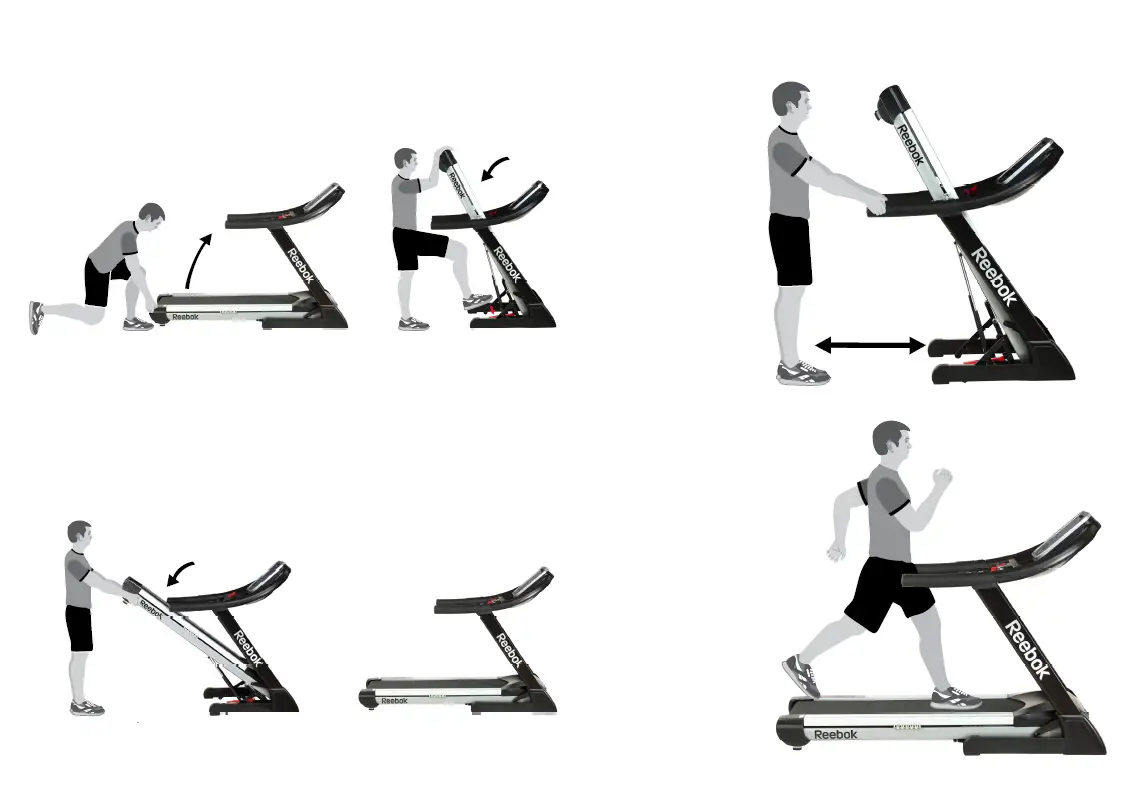
MPH – KPH Conversion
The machine default display in KPH. To change this to MPH
- Remove the safety key.
- Press and hold (P) and (M) buttons together.
- The speed window will display 10 – this means the machine is now set in MPH, 10 being the maximum speed.
- If the display shows 16 it will be set in KPH.
- Follow these instructions to change again if required.
Power Save
The machine will enter standby mode if the computer doesn’t sense any activity for approximately 4 minutes and 30 seconds. To wake the machine up remove and replace the safety key, it will then restart.