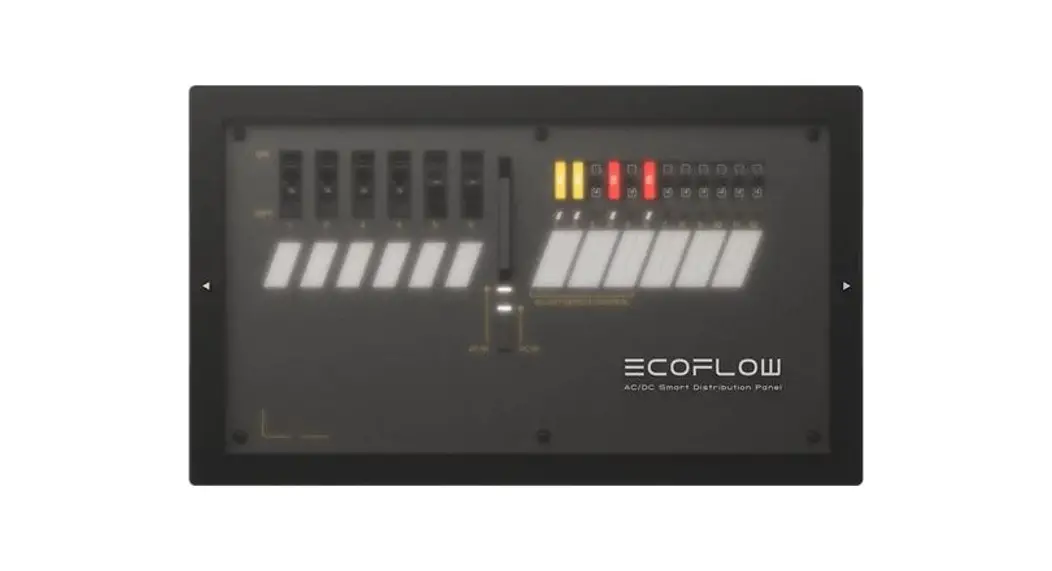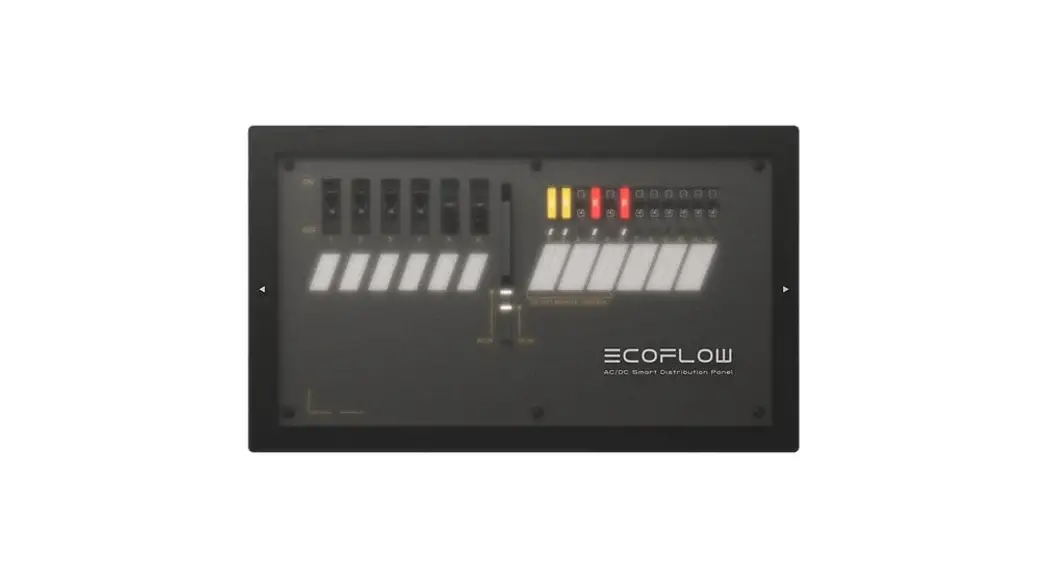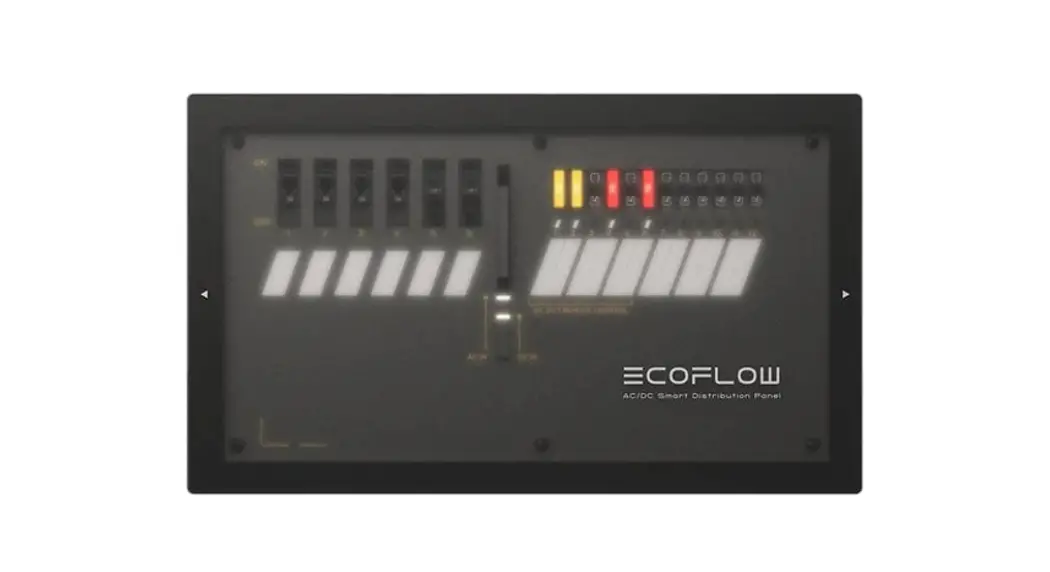

EFM100-LD-HV AC-DC Smart Distribution Panel
User Manual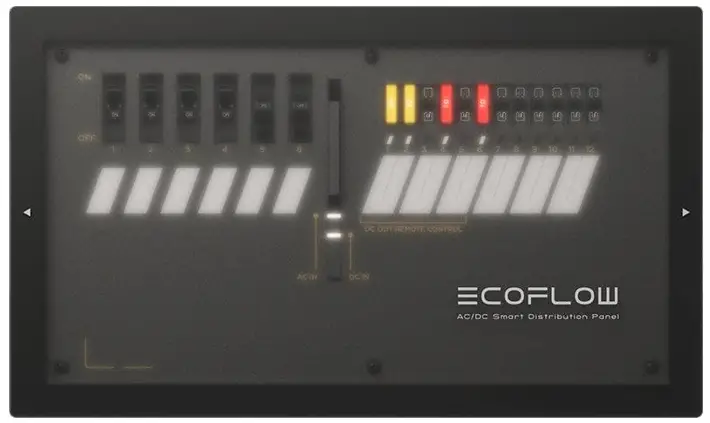
EFM100-LD-HV
EFM100-LD-HV AC-DC Smart Distribution Panel
Disclaimer
Read this user manual carefully before using the product to ensure that you completely understand the product and can correctly use it. After reading this user manual, keep it properly for future reference. Improper use of this product may cause serious injury to yourself or others, or cause product damage and property loss. Once you use this product, it is deemed that you understand, approve, and accept all the terms and content in this document. EcoFlow is not liable for any loss caused by the user’s failure to use the product in compliance with this user manual.
In compliance with laws and regulations, EcoFlow reserves the right to the final interpretation of this document and all documents related to the product. This document is subject to changes (updates, revisions, or termination) without prior notice. Please visit EcoFlow’s official website to obtain the latest product information.
Technical Specifications
Basic InformationBasic Information Net Weight 2.6 kg (5.8 lbs) Dimensions (L x W xH) 35.4 cm x 21cm x 9.8 cm (14″ x 8.3″ x 3.9″) Output Spec AC Output Six circuits, maximum current 10 A each circuit 220-240 V, 50 Hz DC Output Six controllable circuits + Six regular circuits,
maximum current 20 A each circuit 10–30 VDCInput Spec AC Input 220-240 V, 50 Hz Maximum current 30 A DC Input 10–30 VDC Maximum current 70 A Operating Environment Operating Temperature –25°C to 60°C ( -13°F to 140°F ) Storage Temperature –25°C to 60°C ( -13°F to 140°F )
 Safety Instructions
- CAUTION – Risk of Electric Shock. Disconnect the power unit before installing and servicing
- Keep this product away from heat sources, such as fires or heating furnaces.
- To prevent fire, short circuits, and electric shocks, do not install this product in environments with high humidity, high temperature, or conductive contaminants.
- Before installing this product, disconnect the main power supply. Do not work with live power.
- Keep this product away from any liquid. Do not immerse this product in water or get it wet. Do not use this product in rainy or humid environments.
- Do not use this product in environments with strong static electricity or magnetic fields.
- Do not disassemble this product in any way or pierce it with sharp objects.
- Do not use wires or other metal objects that may result in a short circuit.
- Do not use unofficial components or accessories. If components or accessories need to be replaced, purchase them from the EcoFlow official sales channels.
- Strictly comply with the ambient temperature for use in this user manual when using this product.
- Do not stack other heavy objects on this product.
- Please avoid impact, falls, or severe vibrations when using the product. In case of a severe external impact, turn off the power supply immediately and stop using the roduct. Ensure the product is well fastened during transportation to avoid vibrations and impacts.
- If there is dirt on the ports of the product, clean it with a dry cloth.
- Place this product carefully to prevent damage caused by the product falling over. If the product falls over and is seriously damaged, power it off immediately.
- Keep this product out of reach of children and pets.
Getting Started
System Overview
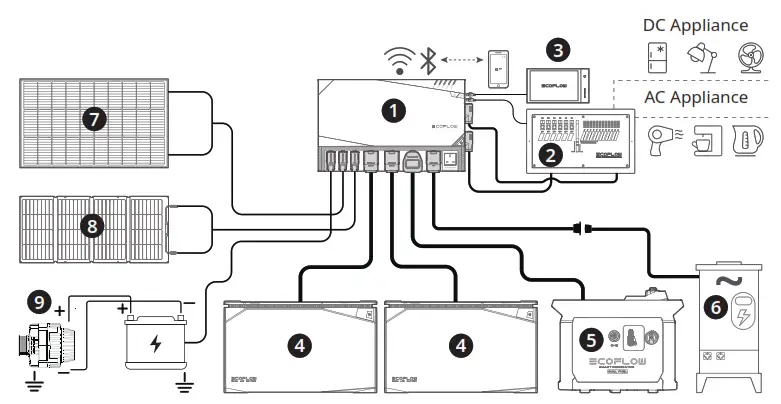
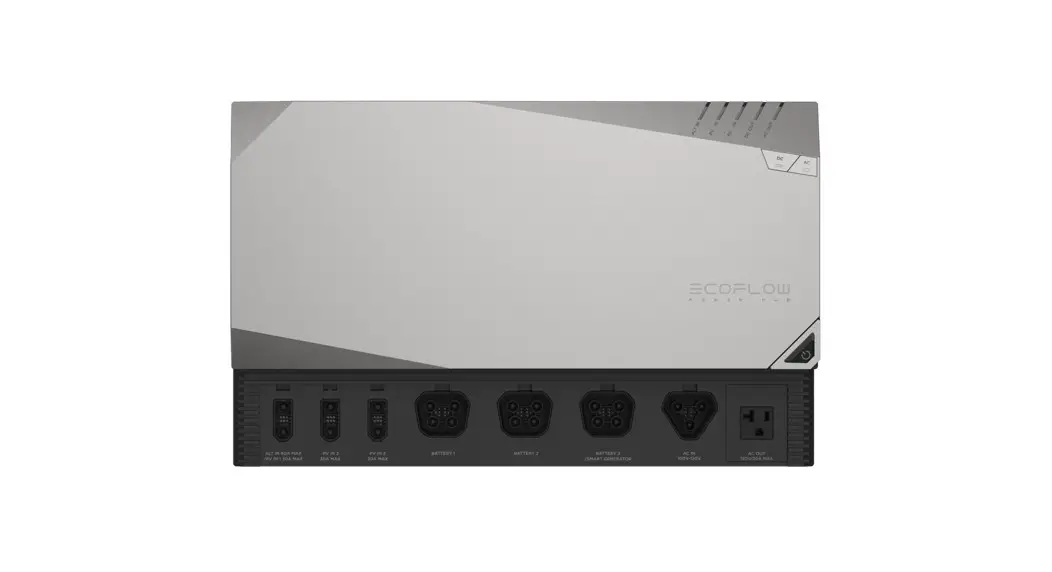
| 1. EcoFlow Power Hub | 6. Shore Power/Grid Power |
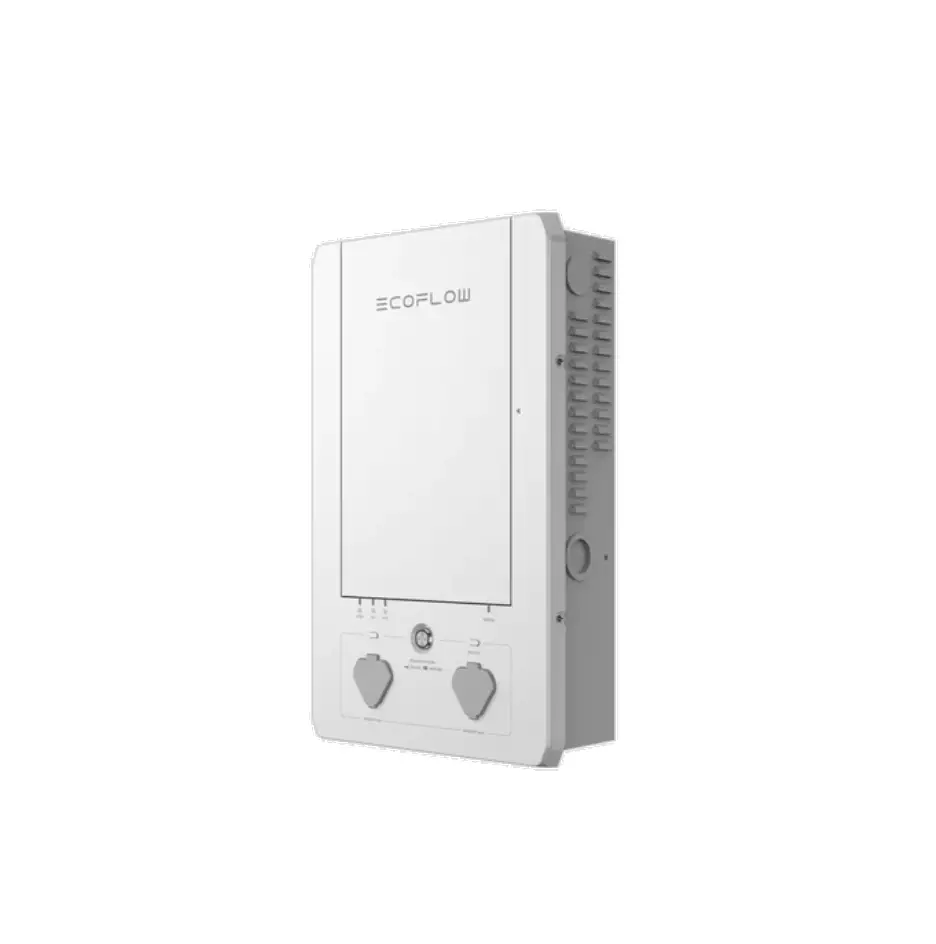
| 2. AC/DC Smart Distribution Panel | 7. Rigid/Flexible Solar Panel |
| 3. Power Kit Console | 8. Foldable / Portable Solar Panel |
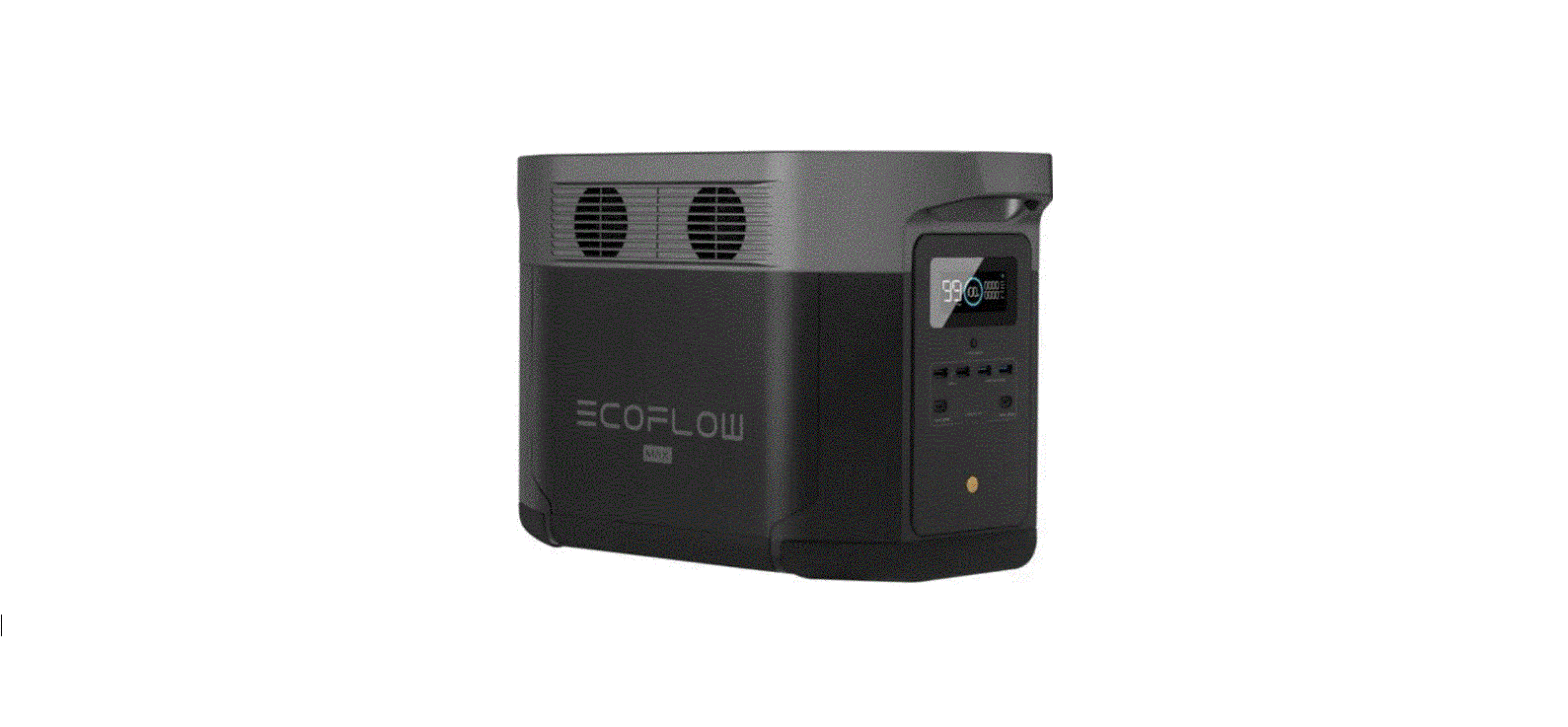
| 4. EcoFlow 2kWh/5kWh LFP Battery | 9. Vehicle Alternator |
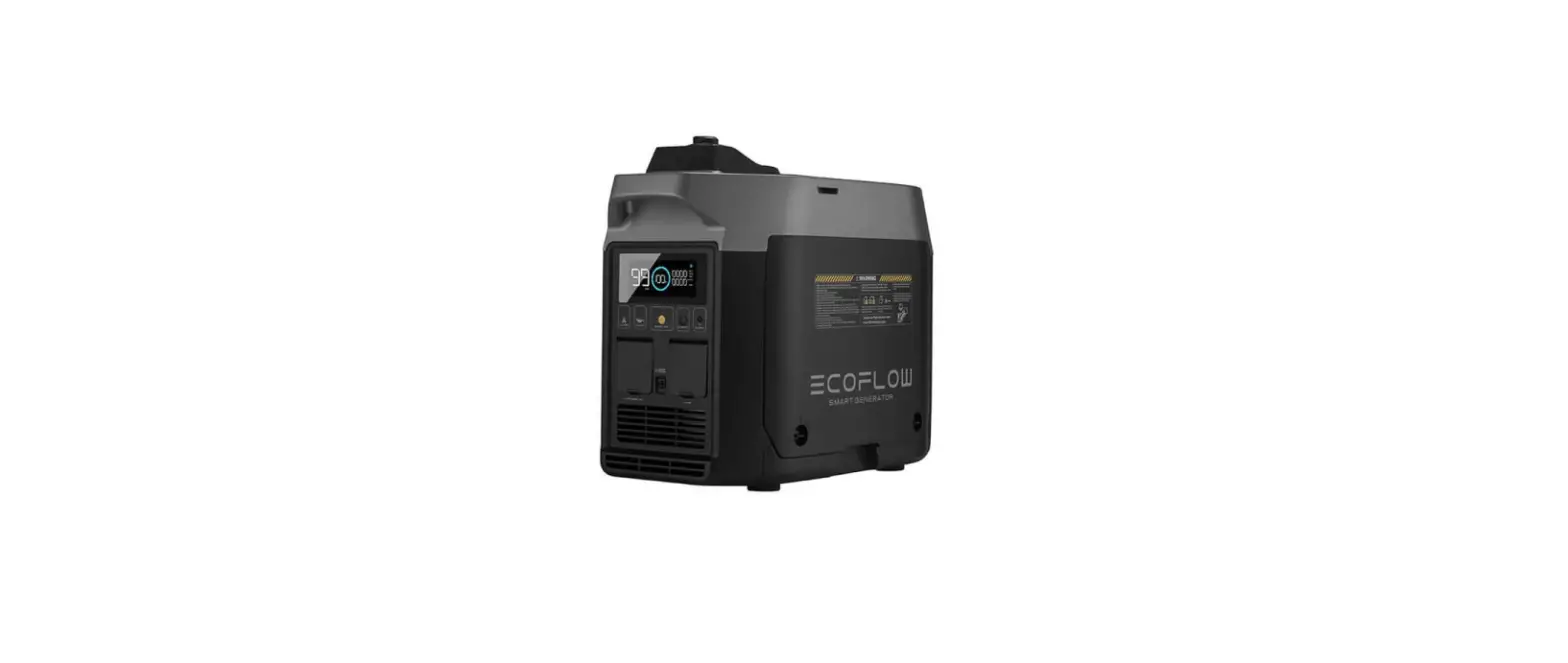
| 5. EcoFlow Smart Generator |
Product Overview
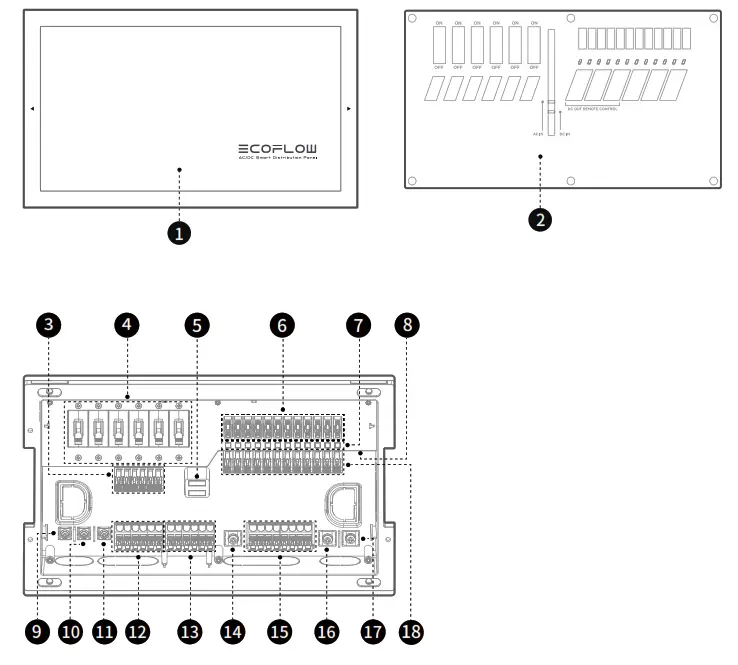
| 1. Surface Cover 2. Wire Cover 3. AC Output L Terminal 4. AC Output Breaker 5. AC Input Indicator DC Input Indicator (10-20V, white light stays on; 20-30V Blue the light stays on) | 6. DC Output Fuse 7. DC Output Indicator 8.RJ45 CAN Bus Port 9. AC Input L Terminal 10. AC Input N Terminal 11. AC Input PE Terminal 13. AC Output PE Terminal 12. AC Output N Terminal | 14. DC Output Negative Terminal (>20A) 16. DC Input Negative Terminal 17. DC Input Positive Terminal 15. DC Output Negative Terminal (<20A) 18. DC Output Positive Terminal |
Product Usage
Wiring ChartGauge (AWG) UL1015 Wire Current (A) THHN Wire Current (A) 16 25 14 35 20 12 45 25 10 60 35 8 80 50 6 120 65
Product Installation
Flush Installation Guide
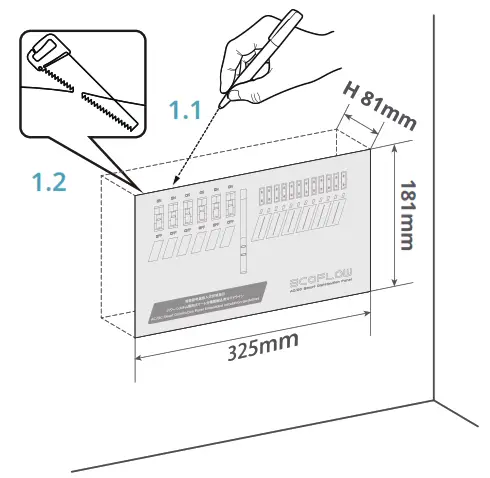
- Select the installation position, position the framing template, and find the level with a leveling instrument. Draw cutting lines along the template, and use sawing tools to cut a 325 mm x 181 mm rectangular opening for flush installation.

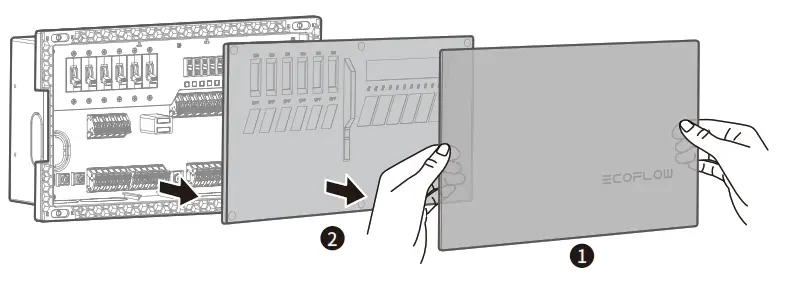
- Remove the surface cover and the wiring cover plate to expose the inner panel.

- Remove the retainers near the input inlets and the load outlets.

- Connect AC wires from the left side and DC wires from the right side. It is recommended to route wires through corresponding inlets and outlets (e.g. AC input wires shall always go through the AC Input Inlet while AC output wires shall go through the AC Output Outlet). This will prevent potential wiring and electrical safety issues.

1. AC Output Outlet
2. AC Input Inlet
3. DC Output Outlet
4. DC Input Inlet All wires must go through the inner panel for a safe and protected connection to the Smart Distribution Panel.
 - Insert the RJ45 CAN Bus cable into the CAN Bus Port. Ensure connection of the RJ45 CAN
Bus cable to activate the six controllable DC circuits and essential load information.
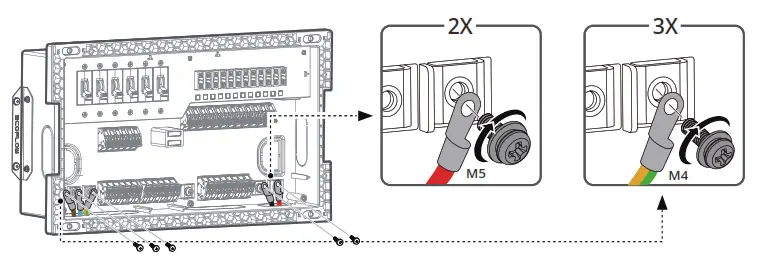
- Use a Phillips screwdriver to fasten the AC and DC input wires to corresponding input terminals with screws (AC: M4*10 screws; DC: M5*10 screws).

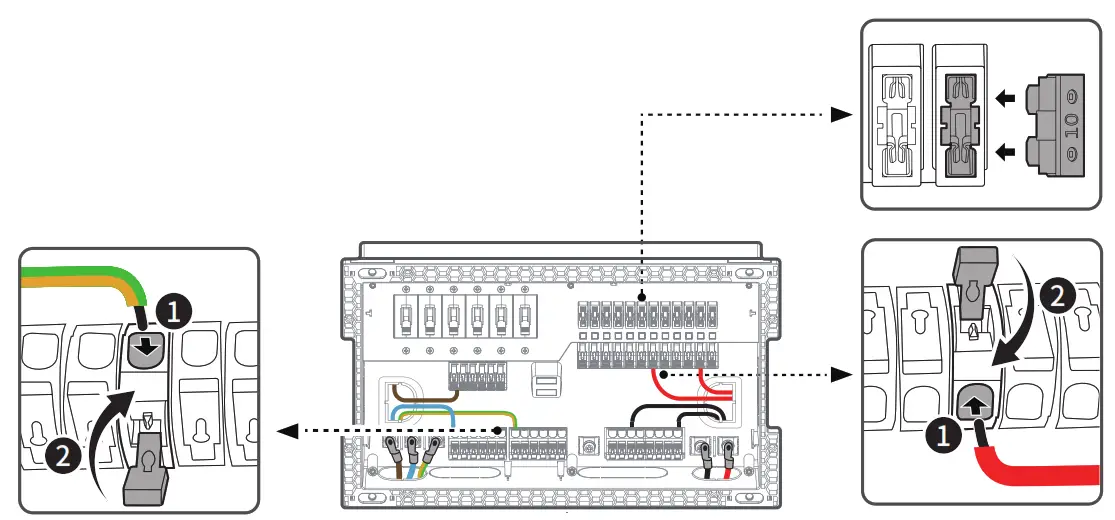
- For each circuit, open the wire snaps and insert the load wires correspondingly. Ensure each wire is snapped firmly. For DC circuits, ensure the appropriate choice of fuse according to load current, and insert the fuse to the corresponding fuse slot.
 1 . AC and DC circuits are sorted from left to right, such sequence is also shown on EcoFlow App and Power Kit Console.
2 . From left to right, the first six DC circuits are controllable circuits, which can be switched on and off from EcoFlow App and Power Kit Console.
3 . It is recommended to select fuses with rated currents greater than 1.35 times of corresponding load current. Then install the surface cover firmly. - Then install the surface cover firmly.

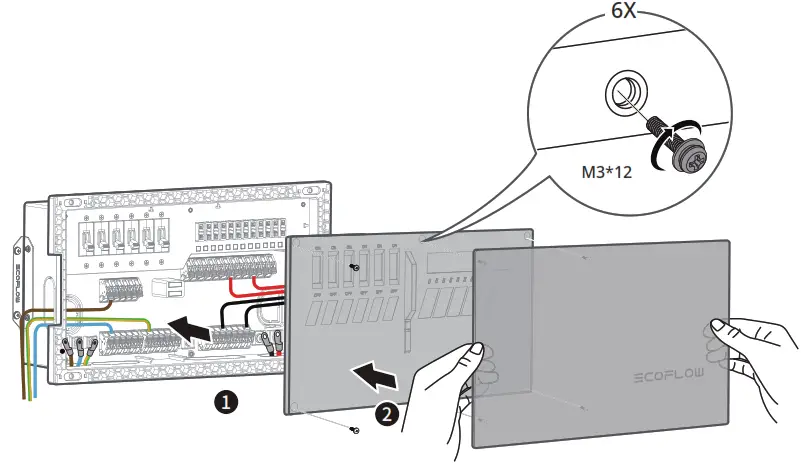
- Install the wire cover and use M3*12 screws for fixing; Then install the surface cover firmly.

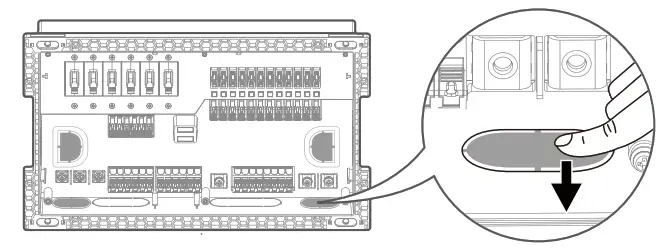
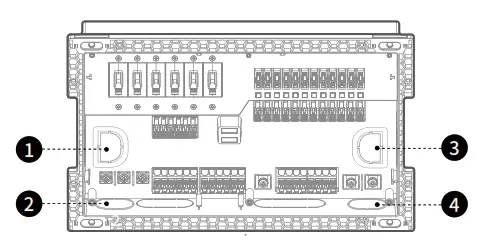
 All wires must go through the inner panel for a safe and protected connection to the Smart Distribution Panel.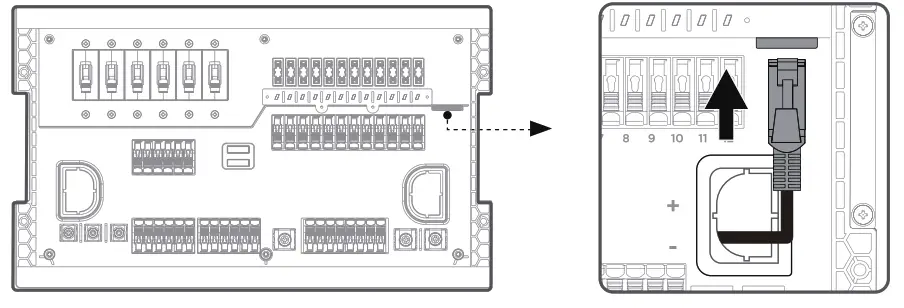
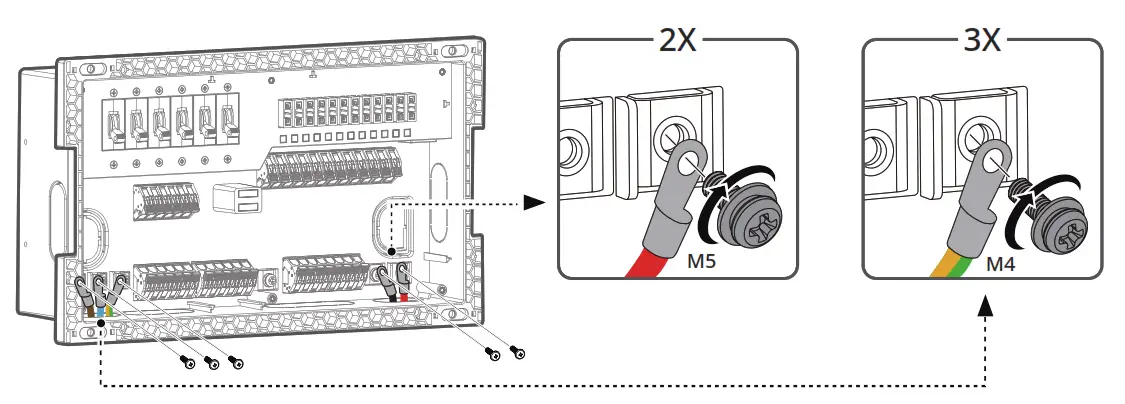
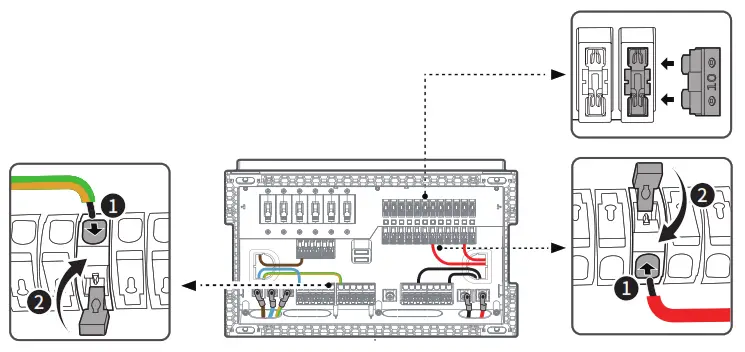 1 . AC and DC circuits are sorted from left to right, such sequence is also shown on EcoFlow App and Power Kit Console.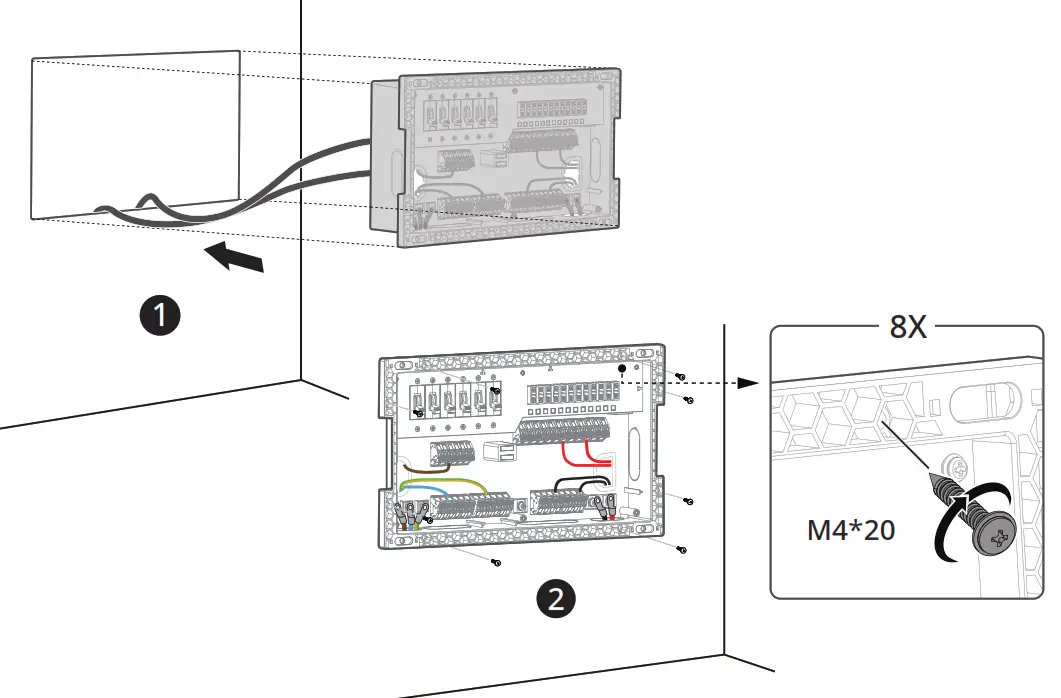
Wall-Mount Installation Guide
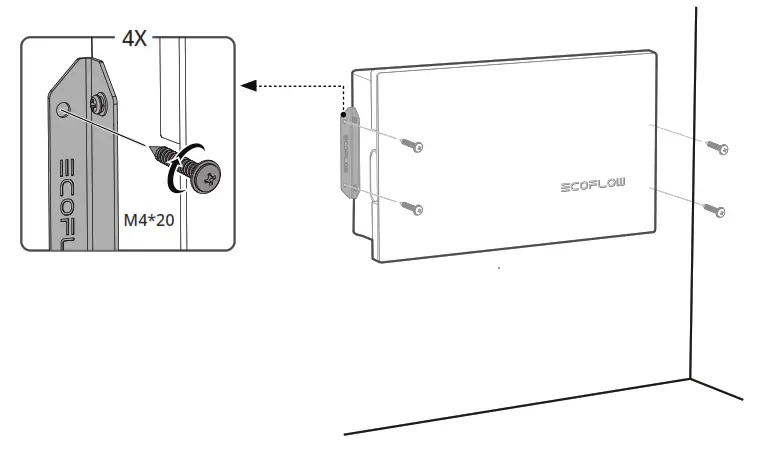
- Use M3*12 screws to fix the wall-mount lugs on both sides of the Smart Distribution Panel

- Use M4*20 self-tapping screws to fix the Smart Distribution Panel on the wall.

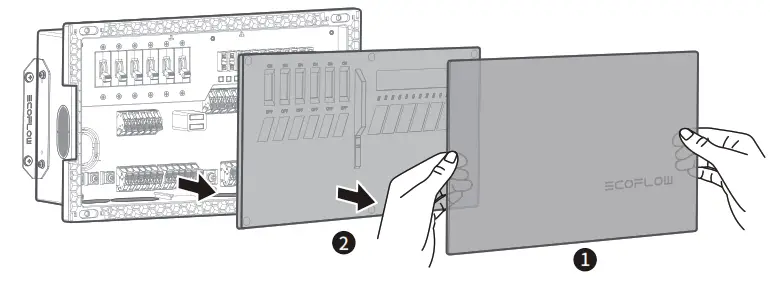
- Remove the surface cover and the wiring cover plate to expose the inner panel.

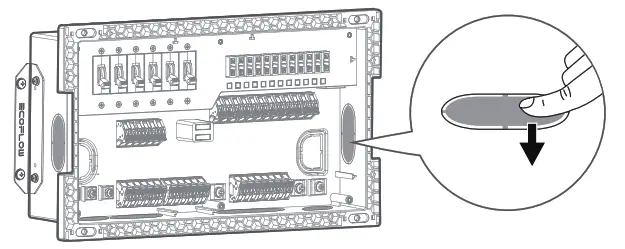
- Remove the retainers near the input inlets and the load outlets.

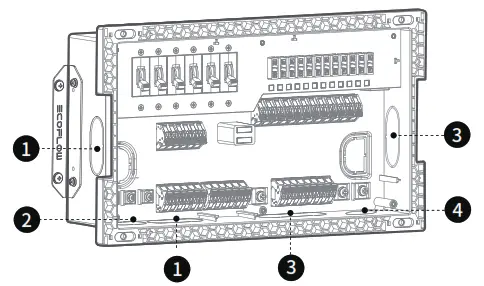
- Connect AC wires from the left side and DC wires from the right side. It is recommended to route wires through corresponding inlets and outlets (e.g. AC input wires shall always go through the AC Input Inlet while AC output wires shall go through the AC Output Outlet). This will prevent potential wiring and electrical safety issues.
 1. AC Output Outlet
2. AC Input Inlet
3. DC Output Outlet
4. DC Input InletAll wires must go through the inner panel for a safe and protected connection to the Smart Distribution Panel. - Insert the RJ45 CAN Bus cable into the CAN Bus Port. Ensure connection of the RJ45 CAN
Bus cable to activate the six controllable DC circuits and essential load information.
- Use a Phillips screwdriver to fasten the AC and DC input wires to corresponding input terminals with screws (AC: M4*10 screws; DC: M5*10 screws).

- For each circuit, open the wire snaps and insert the load wires correspondingly. Ensure each wire is snapped firmly. For DC circuits, ensure the appropriate choice of fuse according to load current, and insert the fuse into the corresponding fuse slot.
 1 . AC and DC circuits are sorted from left to right, such sequence is also shown on EcoFlow App and Power Kit Console.
2 . From left to right, the first six DC circuits are controllable circuits, which can be switched on and off from EcoFlow App and Power Kit Console.
3 . It is recommended to select fuses with rated currents greater than 1.35 times of corresponding load current. - Then install the surface cover firmly.

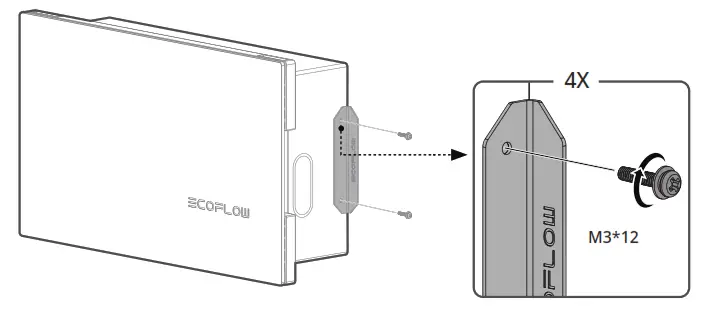
 1. AC Output Outlet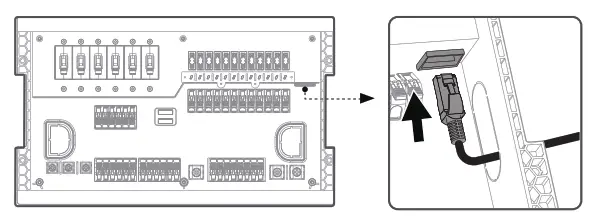
 1 . AC and DC circuits are sorted from left to right, such sequence is also shown on EcoFlow App and Power Kit Console.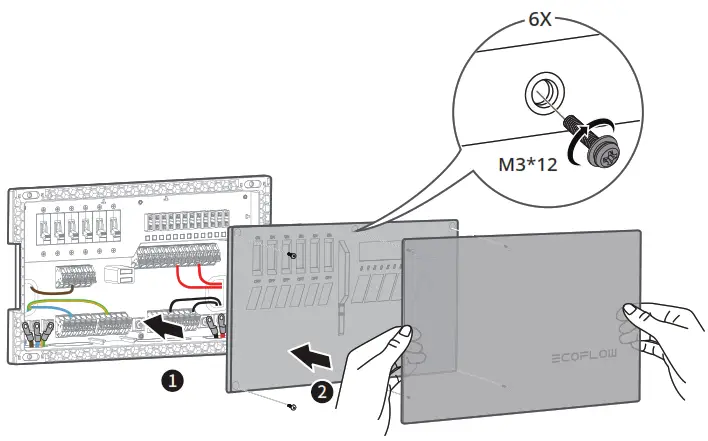
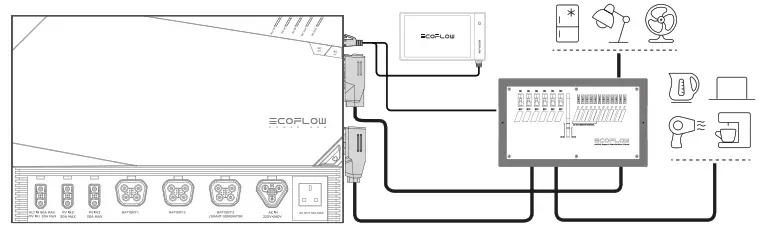
Connect to Power Hub
Connect the Smart Distribution Panel and Power Hub with the AC OUT Cable, DC OUT Cable, and RJ45 CAN Bus Cable.
FAQs
– This product supports two installation methods: inline installation and wall-mount installation.
– Tools required during installation include a Phillips screwdriver, crimping tools, sawing tools, and insulation tape.
– Application scenarios include but are not limited to Homes, RVs, and Off-grid Builds.
– Yes. Both low-voltage and high-voltage versions of this product are available, which cover the electricity use standards of all countries.
– Charging methods include: AC Charging, Vehicle Alternator Charging, Smart Generator Charging, and Solar Charging.
– The discharging method is AC/DC output.
– The rated power of the AC output port of this product is 3600W, and the surge power is 7200W.
– It can supply power to most home appliances.
– However, it is recommended to confirm the power of the appliances before use, and ensure that the total power of all AC loads is less than the rated power.
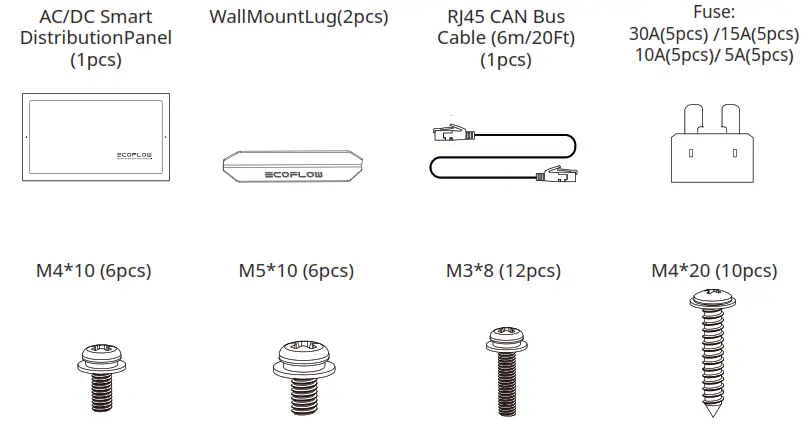
What’s in the Box
Care and Maintenance
- Use or store this product in an environment with a temperature ranging from –25°C (-13°F)to 60°C (140°F) and keep it away from water sources, heat sources, and metal
objects. - For safety reasons, do not store this product in an environment where the temperature is higher than 60°C (140°F) or lower than 0°C (32°F) for a long time.
AC/DC SMART DISTRIBUTION PANEL
Benutzerhandbuch V1.0
Ecoflow App
https://download.ecoflow.com/app