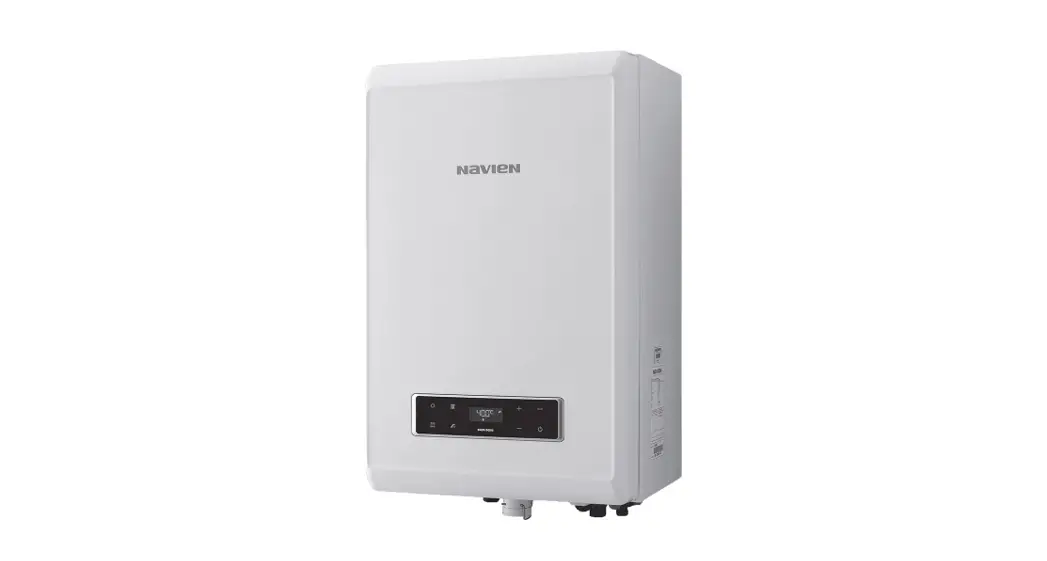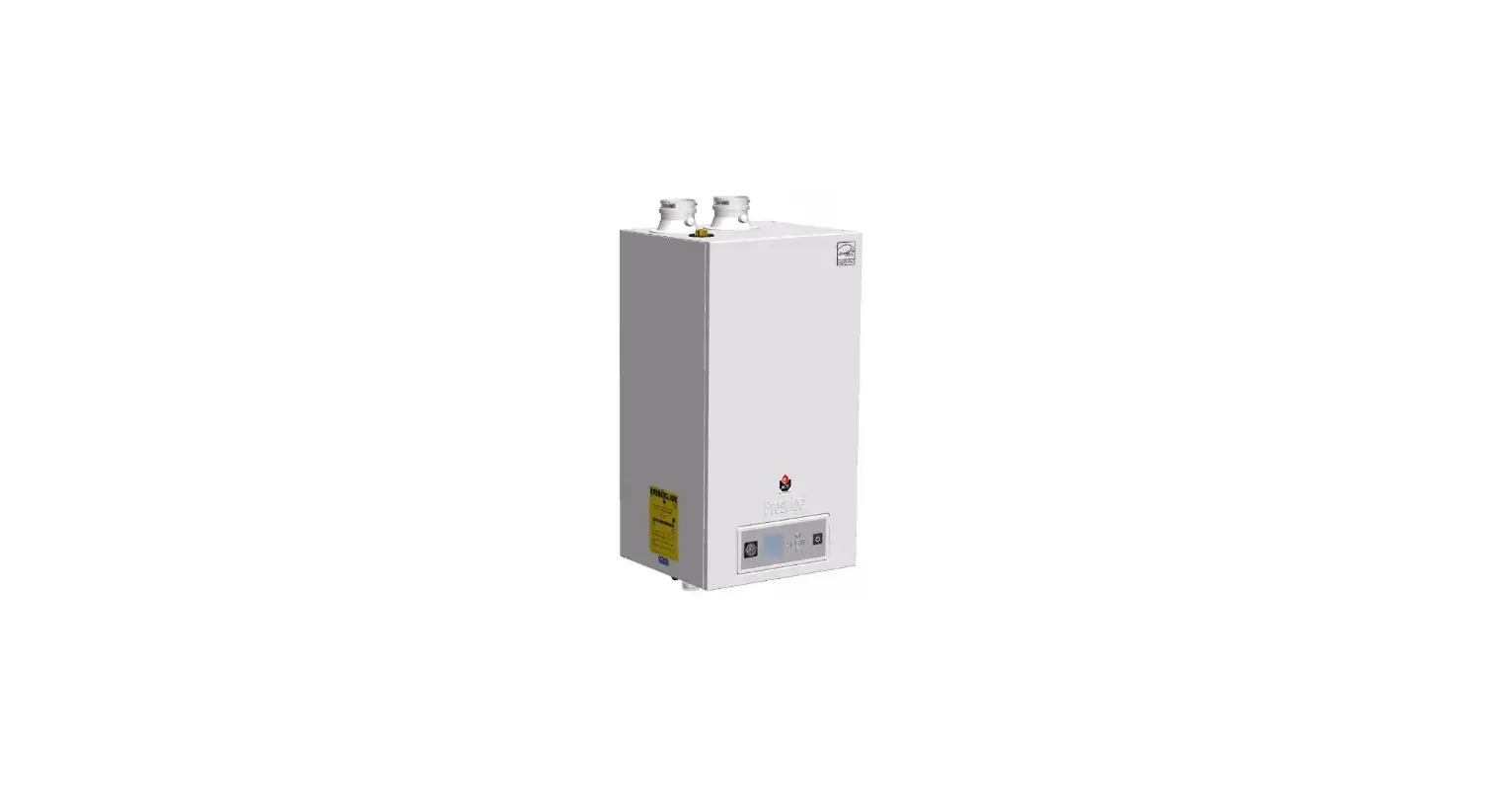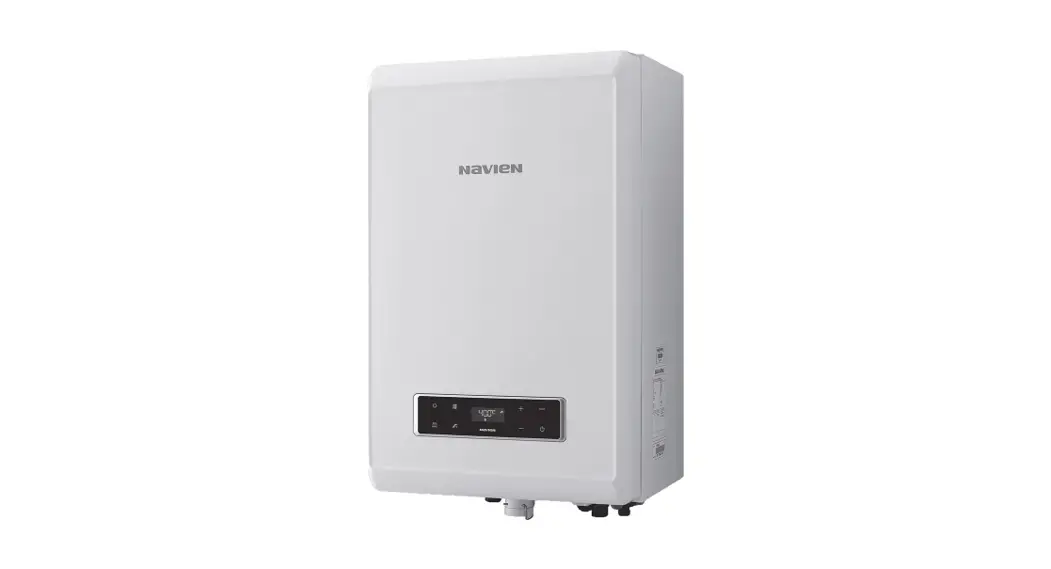

NCB-20LHWE Condensing System Boiler
User Manual
 These appliances are for use with natural gas or LPG. (An LPG conversion kit is included with the boiler.)
Type: B23-B33-B53-C13-C33-C43-C53-C63-C83
| Gas | Model | GC Number |
| Natural Gas | NCB-20LHWE NCB-23LHWE NCB-28LHWE NCB-33LHWE | 41-709-01 41-709-02 41-709-03 41-709-04 |
| LPG | NCB-20LHWE NCB-23LHWE NCB-28LHWE NCB-33LHWE | 41-709-05 41-709-06 41-709-07 41-709-08 |
 WARNING
If the information in these instructions is not followed exactly, a fire or explosion may result, in causing property damage or personal injury.
Do not store or use petrol or other flammable vapors and liquids in the vicinity of this or any other appliance.
WHAT TO DO IF YOU SMELL GAS
- Do not try to light any appliances.
- Do not touch any electrical switch; do not use any phone in your building.
- Immediately call the National Gas Emergency Helpline on (Freephone) 0800 111999 or your gas supplier from a neighbor’s phone. Follow the instructions received.
- Installation and service must be performed by a Gas Safe registered installer, service agency or gas supplier.

Safety Information
The following safety symbols are used in this manual. Read and follow all safety instructions in this manual precisely to avoid unsafe operating conditions, fire, explosion, property damage, or personal injury. Keep this manual for future reference. DANGER
Indicates an imminently hazardous situation that, if not avoided, could result in severe injury or death. WARNING
Indicates a potentially hazardous situation that, if not avoided, may result in injury or death. CAUTION
Indicates a potentially hazardous situation that, if not avoided, could result in property damage. WARNING
If you do not follow these instructions exactly, a fire or explosion may result causing property damage or personal injury.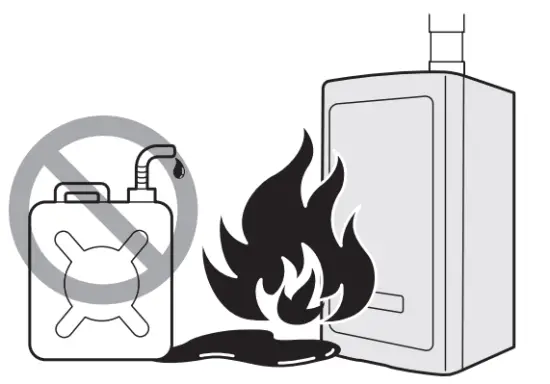
A. This appliance does not have a pilot. It is equipped with an ignition device that automatically lights the burner. Do not try to light the burner by hand.
B. BEFORE OPERATING smell all around the appliance area for gas. Be sure to smell next to the floor because some gases are heavier than air and will settle on the floor.
WHAT TO DO IF YOU SMELL GAS
Do not try to light any appliances. Do not touch any electric switch; do not use any phone in your building. Immediately call the National Gas Emergency Helpline on (Freephone) 0800 111999 or your gas supplier from a neighbor’s phone. Follow the instructions received. Do not return to your home until advised to do so.
C. Do not use this appliance if any part has been underwater. Immediately call a qualified service technician to inspect the appliance and to replace any part of the control system and any gas control which has been underwater. WARNING
This appliance can be used by children aged 8 years and above and persons with reduced physical, sensory or mental capabilities or lack of experience and knowledge if they have been given supervision or instruction concerning the use of the appliance in a safe way and understand the hazards involved. Children shall not play with the appliance. Cleaning and user maintenance shall not be made by children without supervision. DANGER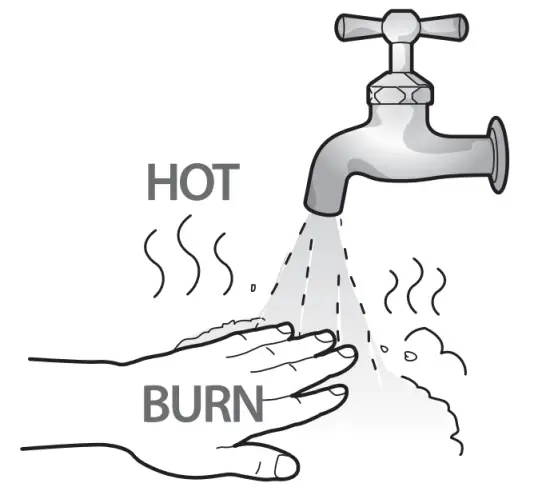
To prevent burns:
Use the lowest operating temperature setting necessary to provide comfortably hot water.
If your household has children or elderly or disabled residents, consider using a lower temperature setting. Read all the instructions in this manual carefully before changing the
temperature setting. Feel the water before using it on children, the elderly, or the disabled. DANGER
This boiler’s water temperature is set to 49°C at the factory for your safety and comfort. Increasing the temperature increases the risk of accidental scalding. Water temperatures at or above 52°C can cause instant scalding or severe burns. Before you decide to change the temperature setting, read the following charts carefully.
| Water Temperature | Time in which a young child can suffer a full-thickness (3rd degree) burn |
| 70°C | Less than 1 second |
| 60°C | 1 second |
| 55°C | 10 seconds |
| 49°C | 10 minutes |
| 37°C | Very low scald risk |
WARNING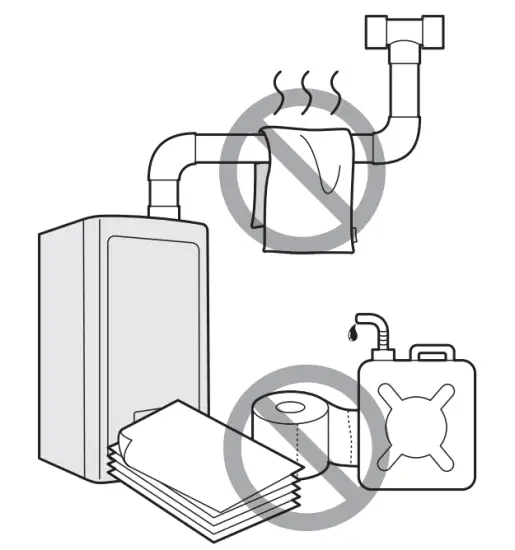
- Shut off the gas supply if the boiler is damaged.
Have your installer or plumber show you the location of the gas shut-off valve and demonstrate how to close the valve. If the boiler is damaged as a result of overheating, fire, flood, or any other reason, close the manual shut-off valve and do not operate the boiler again until it has been inspected by a qualified technician. - Do not store or use petrol or other flammable liquids near this boiler. Doing so may result in fire or explosion.
- Do not place combustibles, such as newspapers or laundry, near the boiler or flue system. Doing so may result in a fire.
- Do not place or use hair sprays, spray paints, or any other compressed gases near the boiler or flue system, including the flue termination. Doing so may result in fire or explosion.
- Do not operate the boiler with the front cover opened. Doing so may result in fire or carbon monoxide (CO) poisoning, which may result in property damage or personal injury.
- Do not operate this boiler without a proper flue system. Doing so may result in fire or carbon monoxide (CO) poisoning, which may result in property damage or personal injury. Inspect the flue termination and air intake supply annually to ensure proper operation of the boiler. Turn off and discontinue use of the boiler if any of the flue pipes, flue elbows, or intake pipes are damaged in any way, separated at a joint, or show evidence of corrosion, rusting, or melting.
- Do not touch the power cord or internal components of the boiler with wet hands. Doing so may result in electric shock.
- Do not make any electrical connections before turning off the electrical power supply at the service entrance panel. Doing so may result in severe personal injury.
CAUTION
- Do not attempt to repair or replace any part of the boiler, unless it is specifically recommended in this manual.
For all other services, contact an authorized technician or licensed professional. Improper adjustments, alterations, service, or maintenance may lead to property damage or personal injury and will void your warranty. - Do not operate the boiler if you feel something is wrong with it.
Doing so may result in product damage or personal injury. - Do not allow children to operate or access the boiler.
Doing so may result in product damage or personal injury. - Do not attempt to change the DHW water temperature while the boiler is being used.
Doing so may result in personal injury. - Do not turn on the boiler unless the water and gas supplies are fully opened.
Doing so may damage the boiler. - Do not turn on the water if the cold water supply shut-off valve is closed.
Doing so may damage the boiler. - Do not use this boiler for anything other than its intended purpose, as described in this manual.
- Do not remove the front cover unless the power to the boiler is turned off or disconnected.
Failure to do so may result in electric shock. - When servicing the controls, label all wires prior to disconnecting them.
Failure to do so may result in wiring errors, which can lead to improper or dangerous operations. - Do not use unapproved replacement or accessory parts.
Doing so may result in improper or dangerous operations and will void the manufacturer’s warranty. - Do not place anything in or around the flue terminals, such as a clothesline, that could obstruct the airflow in or out of the boiler.
- This boiler has been approved for use in the UK and Ireland only.
Using the boiler in any other country will void the manufacturer’s warranty. - Should overheating occur or the gas supply fail to shut off, turn off the manual gas valve to the appliance.
EC Conformity Declaration 0063
0063
Navien, hereby declares that the boiler models:
NCB-20LHWE, NCB-23LHWE, NCB-28LHWE, NCB-33LHWE
to which this declaration refers, conform to and comply with the essential requirements of the following applicable European Standards and Directives.
Gas appliances: Regulation (EU) 2016/426
Standards EN15502-1, EN15502-2-1 and EN437
Boiler Efficiency: Directive 92/42/EEC
Regulation (EU) No.813/2013
Standards EN155502-1, EN15502-2-1
Low voltage: Directives 73/23/EEC and
93/68/EEC Standards EN 60335-1, EN 60335-2-30,
EN 60335-2-51, EN 50165
Electromagnetic Compatibility: Directive 2004/108/EC
Standards EN 55014
Pressure Vessels: Directive 97/23/EEC
Navien manufactures its products using a Quality Assurance System in compliance with Standard EN-ISO 9001:2000.
About the Boiler
2.1 Description of the Boiler
The Navien NCB LHWE boiler is available in 4 models:
NCB-20LHWE, NCB-23LHWE, NCB-28LHWE and NCB-33LHWE.
The main features are as follows:
- Power Interruption: When the power is restored after a power failure, the boiler will automatically start and return to normal operation. A manual reset is not required.
- Freeze Protection: A sensor inside the boiler automatically detects the temperature and, if necessary, initiates a safety heating cycle to prevent internal equipment damage due to freezing temperatures.
- Short-Circuit Protection: Any short-circuit occurring in the boiler’s electrical circuit immediately blows the internal glass fuses and automatically cuts off the gas supply.
- Lightning Protection: Each boiler is specially grounded, both internally and externally, to protect against lightning strikes.
- Carbon Monoxide Protection: The boiler is designed to maintain a safe air-to-gas ratio and combustion rate. This function is continuously monitored by the boiler’s air ratio control module.
- Thermostat Control Failure: Should the thermostat fail to function properly, the boiler’s gas supply will be shut off automatically as a safeguard.
- Auto Fan Detection: The rotation of the fan is automatically detected and controlled. Fan failure will stop the operation of the boiler.
- Boiling Prevention: Excessive temperatures will automatically stop the boiler.
2.2 Parts of the Boiler
Front View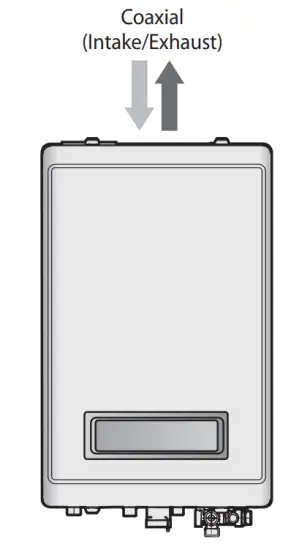
Bottom View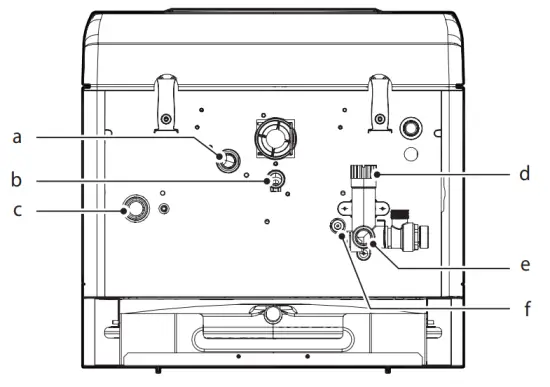
| # | Description |
| a | Gas connection |
| b | Condensate water outlet |
| c | Space heating supply connection |
| d | Return adapter filter |
| e | Space heating return connection |
| f | Pump drain plug |
2.3 The Front Panel
The front panel allows you to adjust the temperature and view the operating status or error codes. Remove the protective sheet from the front panel before using it.
2.3.1 Icons and Digital Display
The icons and digital display on the front panel provide important information required for the boiler’s operation. Refer to the following table for detailed information.
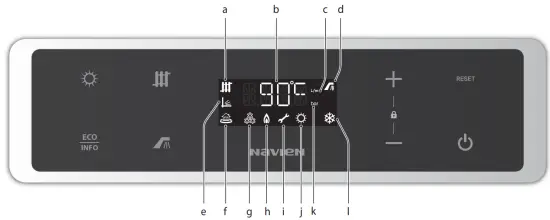
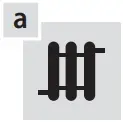 | Space heating mode | Indicates space heating mode operation. |
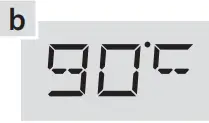 | Digital display | |
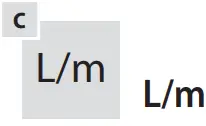 | L/m | Indicates water flow in litres per minute. |
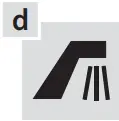 | DHW mode | Indicates DHW mode operation (using the external DHW tank). |
 | Outdoor reset | Indicates outdoor reset operation. |
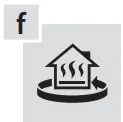 | Return water control | Indicates return water control status. |
 | Freeze protection | Indicates freeze protection operation. |
 | Combusting | Indicates burner operation. |
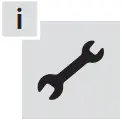 | Error | A code will appear on the display. |
 | Summer mode | This indicates only DHW is operating. |
 | Bar | Indicates water pressure in bar. |
 | Winter mode | Indicates DHW and heating operation. |
2.3.2 Buttons
Using the buttons on the front panel, you can turn on or off the boiler, monitor the current operation status, and set the values required for the boiler’s operation, such as space heating and DHW supply temperatures. Refer to the following table for detailed information.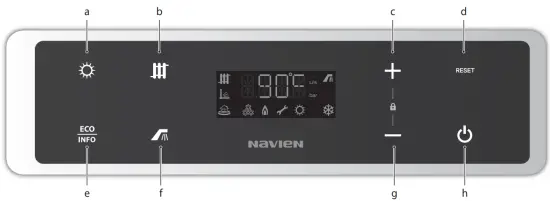
 | Summer/Winter button | Changes the mode between summer and winter. |
 | Space heating button | Space heating temperature setting is available. |
 | Up button | Increases the temperature. |
 | Reset button | Resets the boiler (If an error occurs). |
 | Information button | Changes the mode to Information mode. |
 | DHW button | External DHW tank temperature setting is available (using the cylinder temp. sensor). |
 | Down button | Decreases the temperature. |
 | Power button | Turns the boiler on or off. |
Operating the Boiler
3.1 Turning the Boiler On or Off
To turn the boiler on or off, press the Power button.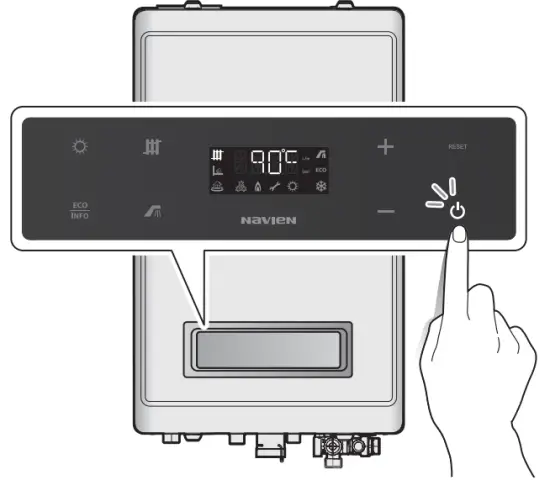
When the power is on, the water temperature of the space heating supply will appear on the front panel display.
Note When displaying the water temperature of the space heating supply, the space heating icon turns on.
3.2 Adjusting the Temperature
3.2.1 Adjusting the Space Heating Temperature
To adjust the space heating temperature:
1. Press the Space heating button. The space heating temperature will flash.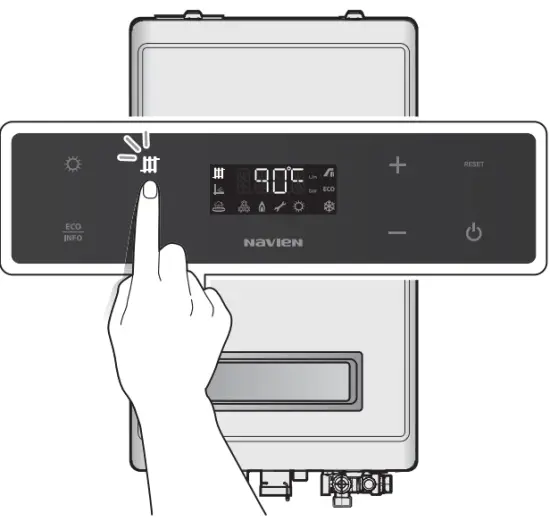
2. Press the + (Up) or – (Down) buttons until the desired temperature appears on the display.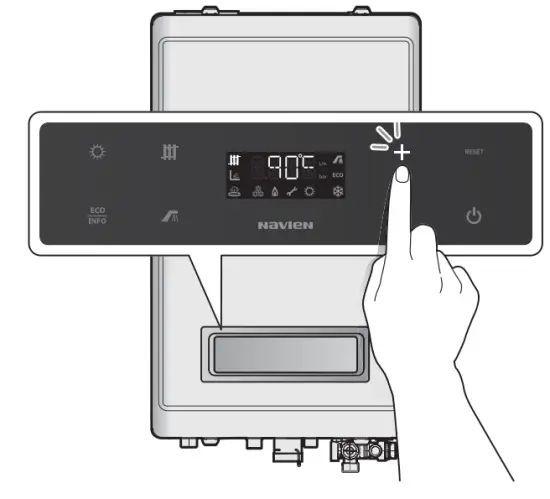
You can adjust the temperature while the display is flashing.
If no buttons are pressed for 5 seconds or if the INFO button is pressed, the current temperature setting will be stored automatically.
Note
- Take note of the original heating temperature in case you want to restore it to the default.
- The default DHW temperature range is 40°C to 90°C.
- The boiler will retain your settings during a power outage.
3.2.2 Adjusting the DHW Temperature
WARNING
Before adjusting the water temperature, carefully read “To prevent burns:” on page 4. Water above 52°C can cause instant scalding or severe burns.
Note This function is available when using the external DHW tank and cylinder temperature sensor.
To adjust the water temperature:
- Make sure that all hot water taps are closed, and ensure that the internal circulator and any external circulating pumps are off.
- Press the DHW button. The DHW temperature will flash.

- Press the + (Up) or – (Down) buttons until the desired temperature appears on the display.

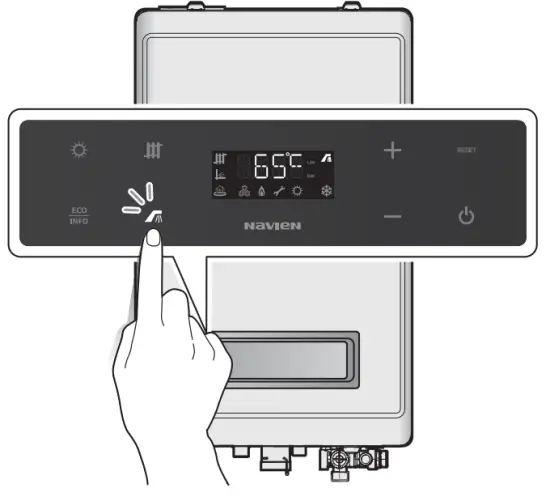
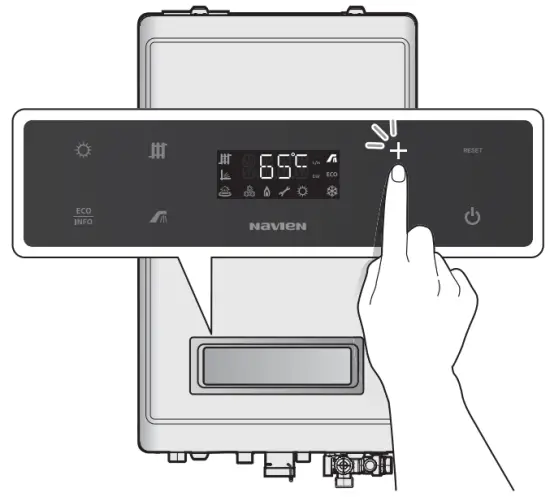
You can adjust the temperature while the display is flashing.
If no buttons are pressed for 5 seconds or if the INFO button is pressed, the current temperature setting will be stored automatically.
Note
- Take note of the original water temperature in case you want to restore it to the default.
- The default DHW temperature range is 30°C to 65°C.
- The boiler will retain your settings during a power outage.
3.3 Viewing Basic Information
To view information about the boiler, press the INFO button for 2 seconds.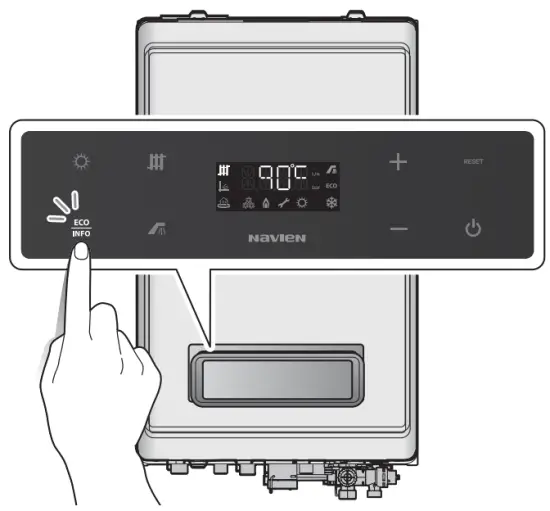 Press the + or – buttons to switch between the information types.
| Display | Description |
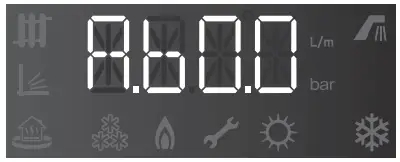 | Space heating supply water temperature (°C) |
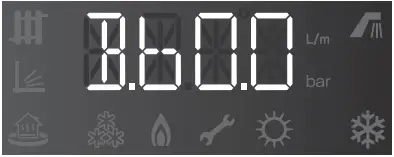 | Space heating return water temperature (°C) |
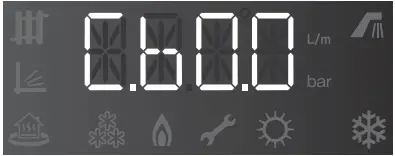 | External DHW tank temperature (°C) (with cylinder temp. sensor) |
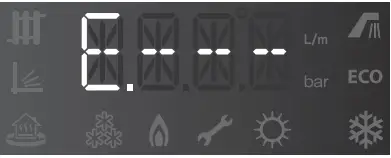 | External DHW tank temperature not in use (with cylinder stat) |
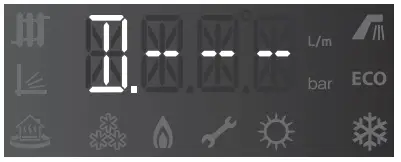 | Coldwater inlet temperature not in use |
| Not in use (with cylinder temp. sensor) |
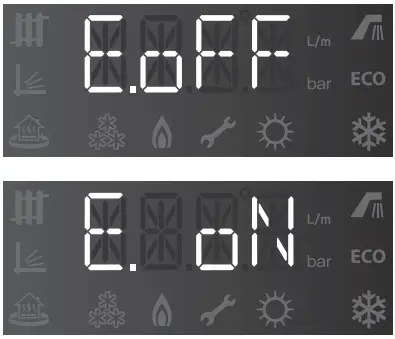 | DHW operation mode (with cylinder stat) |
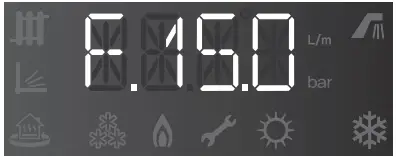 | Outdoor air temperature (°C) (with optional Outdoor Temperature Sensor only) |
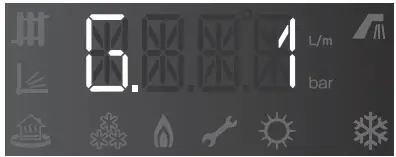 | Outdoor reset curve -: Not in use. 1: Finned tube baseboard 2: FAN coil 3: Cast iron baseboard 4: Low mass radiant 5: High mass radiant 6: Radiator 7: Custom (set by installer) |
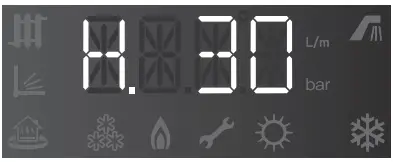 | Boost interval time (set by installer) |
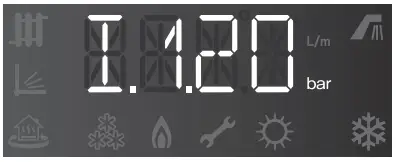 | Space heating water pressure in bar |
To exit the Information mode, press the Reset button
3.4 Setting Summer and Winter Mode
In warm weather, space heating is unnecessary. By using Summer mode you can turn off the space heating and use DHW only. If you want to use space heating and DHW, change the mode to Winter mode. To change the mode between the Summer and Winter mode, press the Summer/Winter button.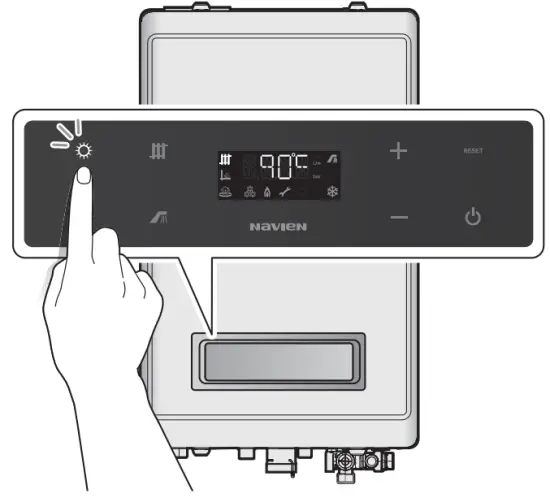
3.5 Resetting the Boiler
If an error message appears, you can try resetting the boiler to resolve the problem. To reset the boiler, press the Reset button.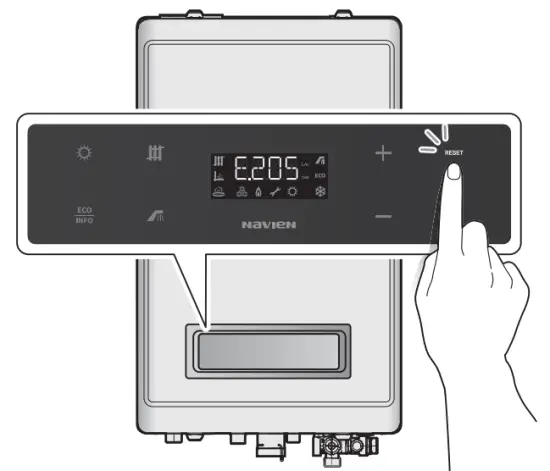
If resetting the boiler does not solve the problem, refer to the Troubleshooting section of this manual or contact a Technical Assistance Service.
3.6 Setting the Front Panel Lock Mode
The front panel lock mode is used to disable all control panel buttons to prevent unauthorized boiler operation.
Locking the Front Panel
Press and hold the + (Up) and – (Down) buttons at the same time for 5 seconds.
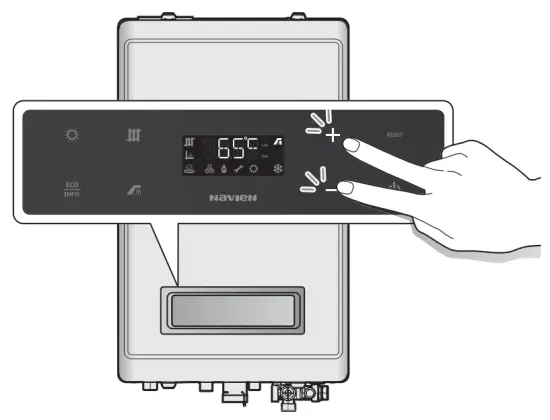
“Lock” is displayed for 2 seconds.
| Display | Display |
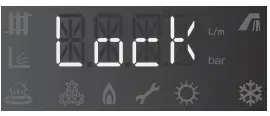 | Disables all control panel buttons. |
Unlocking the Front Panel
Press and hold the + (Up) and – (Down) buttons at the same time for 5 seconds.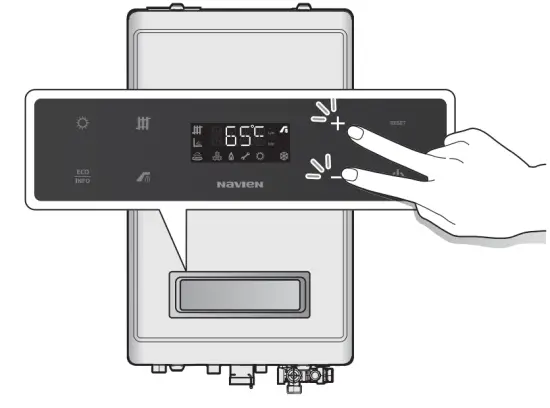
“UNLO” is displayed for 2 seconds
| Display | Display |
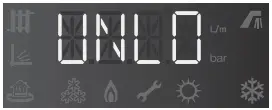 | Enables all control panel buttons. |
Note
If the boiler’s electrical power supply is disconnected, the front panel lock mode will be cleared.
Troubleshooting
4.1 Solving Basic Problems
If you experience a problem with the boiler, refer to the following chart for possible remedies. Error codes that appear on the front panel display are explained in the following section. For minor problems, resetting the boiler may resolve the issue. To reset the boiler, press the Reset button on the front panel.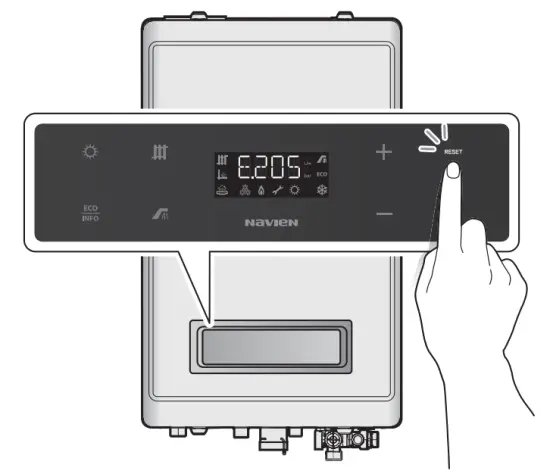
If resetting the boiler and attempting the remedies suggested below do not resolve the problem, contact Navien Technical Assistance Service (TAS) or a Gas Safe Registered Engineer.
| Problem | Possible Cause(s) | What to do |
| The water from the hot water tap is cold or turns cold and stays cold. | •Is the return adapter filter clean? •Is the boiler running? •Is an error code displayed on the front panel? | •Clean the filters. •If an error code is displayed, refer to “4.2 Understanding Error Codes”on page 15. |
| The water from the hot water tap is not hot enough. | Is the set temperature too low? | Check the boiler’s temperature setting when using the external DHW tank and cylinder temperature sensor. Refer to’ 3.2 Adjusting the Temperature”on page 10. |
| The water from the hot water tap is too hot. | Is the set temperature set too high? | Check the boiler’s temperature setting. See “3.2 Adjusting the Temperature” on page 10. |
| Space heating side malfunction | Is the setting temperature too low? | Check the boiler’s temperature setting. See”3.2 Adjusting the Temperature” on page 10. |
| Is there power to the system, or is the system in standby? | Make sure the power is on, and plugged into the outlet with the correct voltage. Press the Power button and raise the setting temperature. Make sure the boiler is turned on. | |
| Is the system running for domestic hot water (DHW)? | When the unit is heating for DHW, the heating side does not work. | |
| Is the filter on the heating side restricted? | Clean out filters that belong to the heating side. |
4.2 Understanding Error Codes
When an error code appears on the front panel, refer to the following chart for a definition and possible remedy for the situation.
| Error Code | Reason | Reset |
| 003 | Ignition failure | Manual reset |
| 004 | False flame detection | Auto-reset |
| 012 | Flame loss | Manual reset |
| 016 | Heat exchanger overheat | Manual reset |
| 030 | Abnormal exhaust temperature | Manual reset |
| 046 | Abnormal operation: Heat exchanger overheating sensor | Auto-reset |
| 047 | Abnormal operation: Exhaust thermostat | Manual reset Auto reset |
| 060 | Abnormal operation: Dual venturi limit switch | Auto-reset |
| 109 | Abnormal operation: Fan | Manual reset |
| 110 | Exhaust blockage (Condensate blockage) | Manual reset |
| 127 | Abnormal operation: APS | Manual reset |
| 205 | Heating supply thermistor open or short circuit | Auto-reset |
| 218 | Heating return thermistor open or short circuit | Alarm |
| 302 | Low water pressure | Auto-reset |
| 352 | High water pressure | Auto-reset |
| 353 | Abnormal operation: Water pressure sensor | Auto-reset |
| 480 | Abnormal operation: External DHW tank outlet thermistor | Alarm |
| 515 | Abnormal operation: Relay feedback (PCB) | Manual reset |
| 517 | Abnormal operation: DIP switch setting (PCB) | Manual reset |
| 594 | Abnormal operation: EEPROM (PCB) | Alarm |
| 615 | Abnormal operation: Input and memory (MCU) | Manual reset |
| 740 | Abnormal operation: Outdoor temperature sensor | Auto-reset |
| 782 | Abnormal operation: Main panel communication | Auto-reset |
If the error code is not cleared by resetting the boiler functioning (see “3.5 Resetting the Boiler”) or if it occurs repeatedly, call the nearest official Technical Assistance Service (TAS), indicating the number of the error code appearing on the front panel.
Warranty
Annual service
For Navien warranty to be valid an annual service must be carried out by a suitably qualified and Gas safe registered installer every year after installation. The cost of this annual
service is not included in the guarantee.
Your Warranty Conditions
Navien undertakes to rectify any manufacturing defect that occurs within 7 years of the installation date. Please go to our website to see any additional years on the warranty.
For Navien warranty to be valid an annual service must be carried out by a suitably qualified and Gas Safe registered installer every year after installation.
- Navien Warranty registration is simple. Just register the boiler on the Navien Installers Warranty App within 30 days of installation. The details of installation will then be
automatically registered within the Navien Service management system. Alternatively, please email a photo of your completed benchmark form to [email protected]. - The completed Benchmark Checklist will be required in the event of any warranty work and may be required by the local Building Control Inspector.
- The cost of this annual service is not included in the Warranty.
- The start-up and annual service are to be carried out by a suitably qualified and Gas Safe registered installer.
- Navien Warranty will be null and void in the following cases:
If the annual service by a suitably qualified and Gas Safe the registered installer has not been carried out.
If the boiler has not been installed in accordance with the applicable laws and regulations for this type of appliance.
If the boiler has not been started up immediately after its installation, by a suitably qualified and Gas Safe registered installer. - Navien Smart Plus wireless thermostat comes with a 2-year warranty.
Navien Smart Plus wireless thermostat has a standard 2-year manufacturer’s warranty if a suitably qualified engineer has installed the system in accordance with Navien instructions. Failures due to misuses or incorrect installation, use of nonsuitable power or fuel, supply with water with physical or chemical properties causing incrustation or corrosion, incorrect handling of the appliance, and, in general, for any reason beyond Navien’s control, are excluded from this guarantee. This warranty does not affect the consumer’s rights as stipulated by law. - If your Navien boiler develops a fault your first action should be to contact your installer, as his professional assessment is needed under the terms of Navien Warranty. If you are unable to contact your installer, please phone Navien service: 0844 332 2323 or visit Navien website: www.navien.co.uk.
Suitable Use
The NCB LHWE boiler is designed with all the necessary safety systems. Unsuitable use of the appliance for a purpose it was not designed for entails risk of damage to the boiler or property, and even of injury to the user and other persons.
The NCB LHWE boiler is designed to generate heat for domestic hot water and to be connected to central heating systems. Any use other than the above will be considered unsuitable use of the boiler. In such cases, the manufacturer/supplier shall not be liable for any damage caused, and the user will be liable for the damage. Correct use of the boiler includes reading the user and installation instructions and all applicable documents and complying with the maintenance and inspection conditions.
Everyday Care
Clean the outside of the boiler with a damp cloth with a little detergent. Do not use abrasive products to clean the boiler.
Waste Recycling and Disposal
Observe the applicable national regulations and standards concerning waste disposal.
The boiler
Neither the wall-mounted boiler or its accessories are to be disposed of with the domestic waste. Ensure the appliance and its accessories, where applicable, are suitably disposed of.
Packaging
The transport packaging will be disposed of by the specialist technician who made the installation.
ERP information
Product Fiche (EU regulation No 811/2013)
| KD Navien | Unit | NCB-20LHWE | NCB-23LHWE | NCB-28LHWE | NCB-33LHWE |
| Space heating: temperature application | Medium | Medium | Medium | Medium | |
| Seasonal space heating energy efficiency class | A | A | A | A | |
| Rated heat output | kW | 20 | 23 | 28 | 33 |
| Space heating: annual energy consumption | 0 | 37 | 43 | 52 | 57 |
| Seasonal space heating energy efficiency | 96 | 92 | 93 | 93 | 93 |
| Sound power level | dB | 50 | 52 | 54 | 52 |
| Specific precautions | Read the user’s information and installation manual before the application is assembled, installed or maintained. | ||||
Getting Service
If your boiler requires service, you have several options for getting service:
Contact an official Technical Assistance Service (TAS) at 0844 332 2323 or go to the website (www.navien.co.uk).
For warranty service, always contact an official Technical Assistance Service (TAS) first.
Contact the technician or professional who installed your boiler.
Contact a Gas Safe Registered engineer.
When contacting an official Technical Assistance Service (TAS), please have the following information available:
Model number…………………..
Serial number…………………………
Date purchased………………………………
Installation location and type………………………………
Error code, if any appears on the front panel display……………….
Navien LTD
Building 2, Guildford Business Park, Guildford, GU2 8XH
TEL 0844 332 2323
www.navien.co.uk
Version: 1.00 (July, 2020)