 Nova
Nova
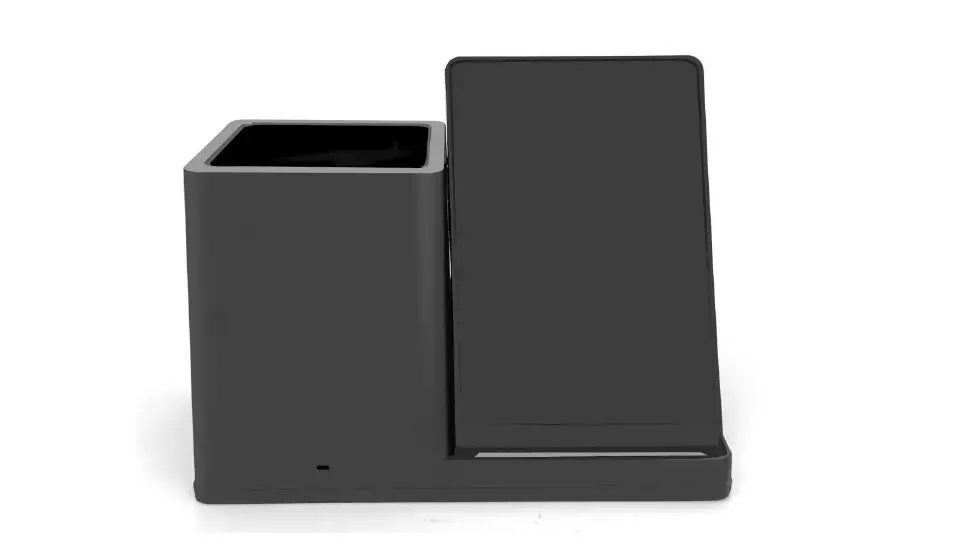
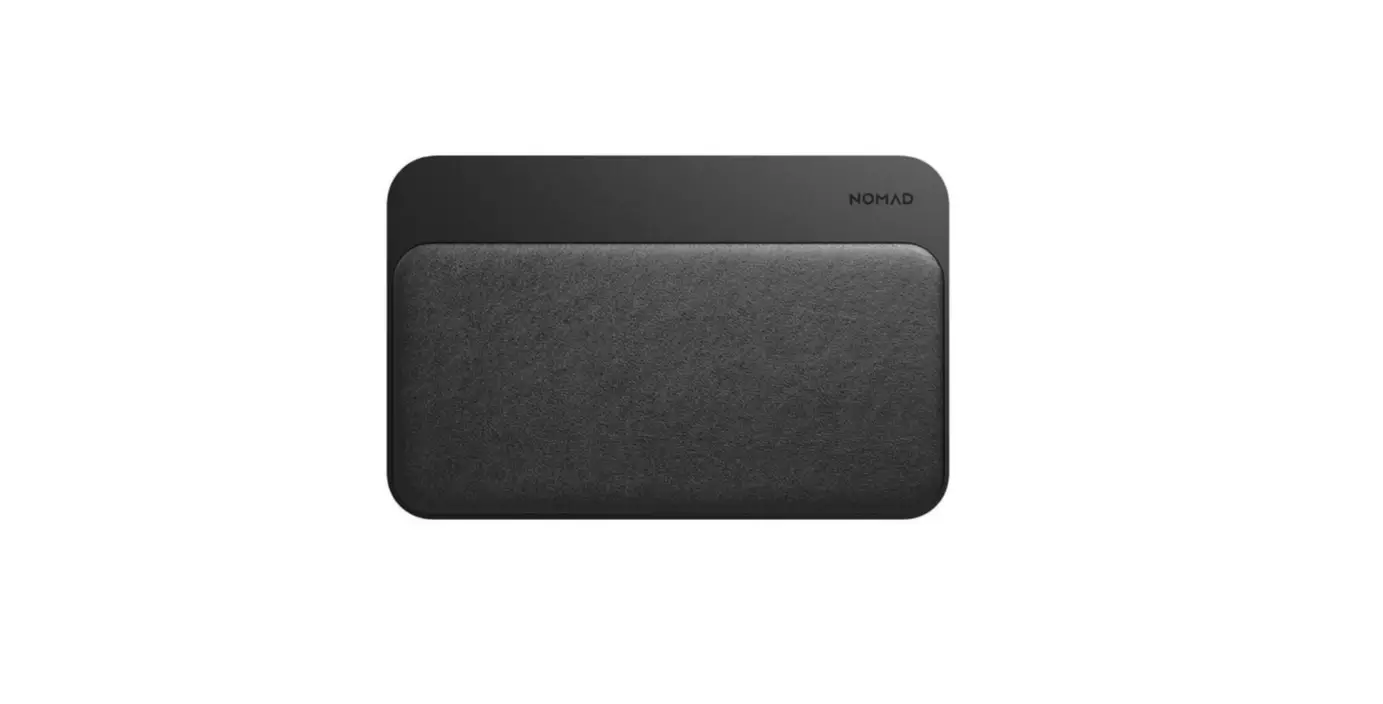
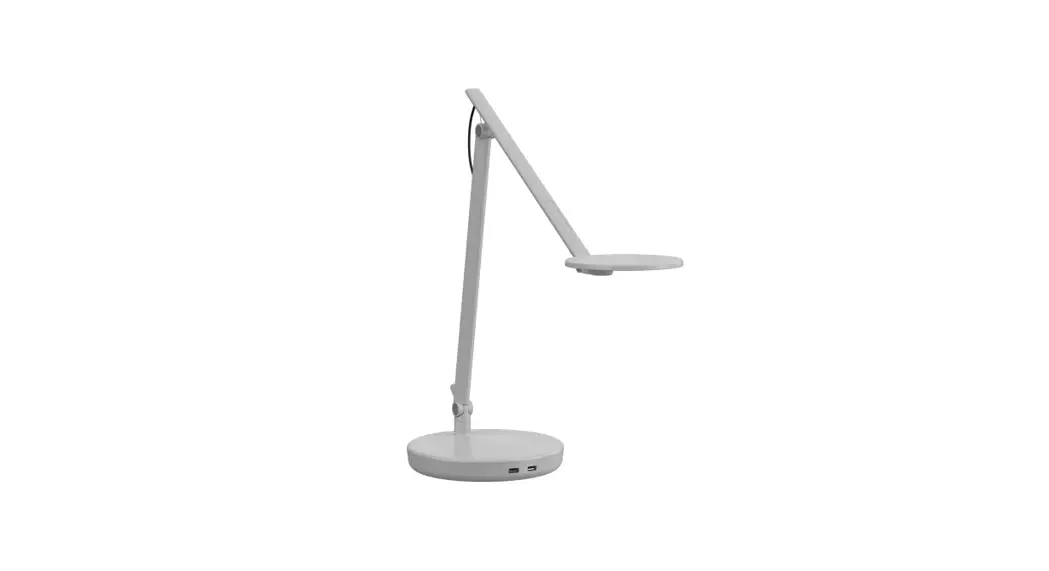
Wireless Charging Desktop Base
INSTALLATION MANUAL
North America: +1 800 400 0625
Europe: +353 OH 858 0910 Asia
Pacific: +8522581 0570 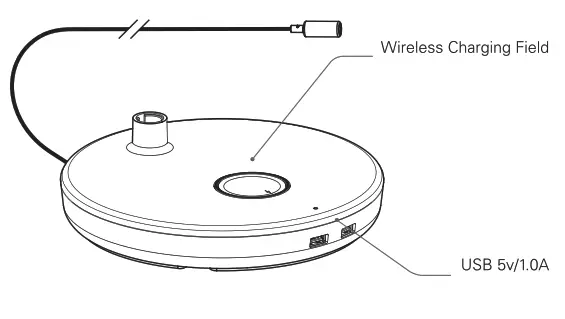 Humanscale
1114 6th Ave, 15th Floor
NewYork, NY 10036
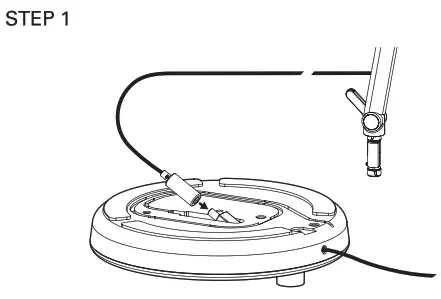 | 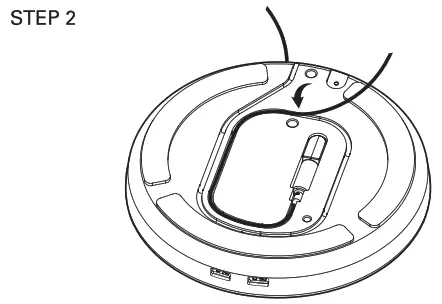 | 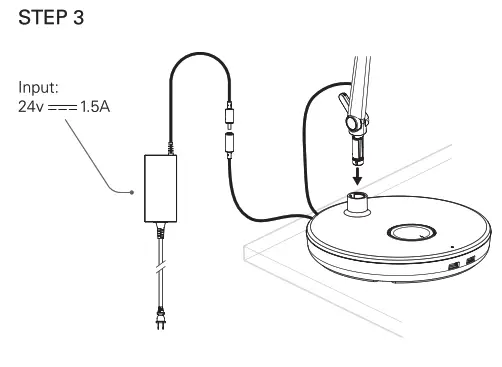 |
CLEANING GUIDELINES
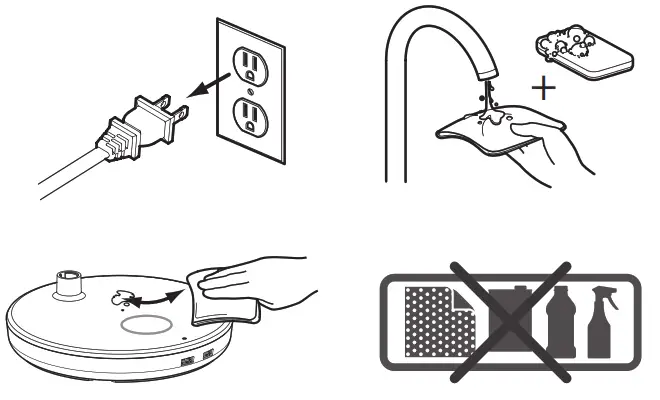
WIRELESS CHARGING
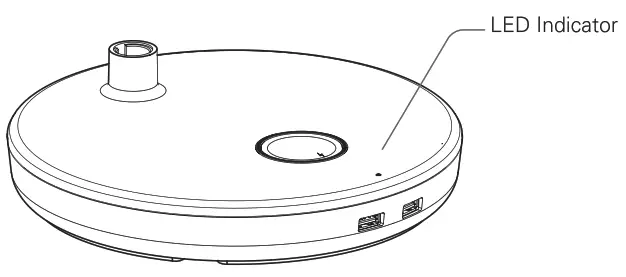
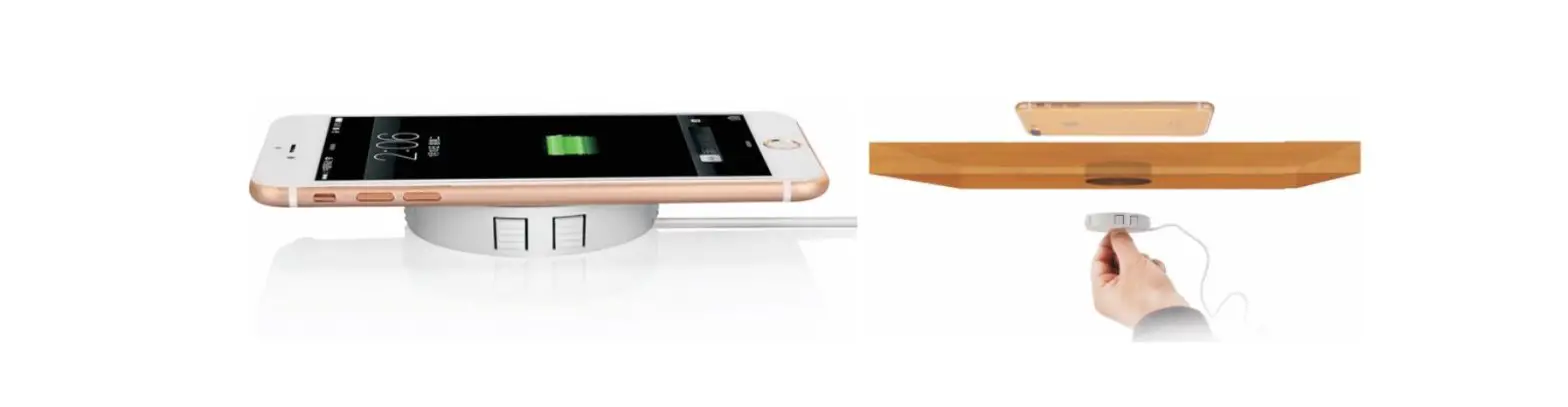
When the chargeable device is placed on the charging field, a white LED will turn on while charging, and turn off* when fully charged. When the chargeable is removed, LED will turn off. *Depending on your phone manufacturer’s settings, this may not apply.
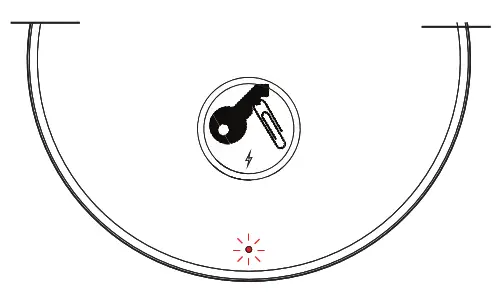 LED Indicator will flash RED if foreign objects are placed on the charging field.
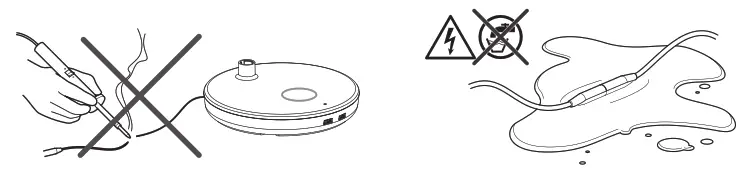
ATTENTION
FCC/CAN ICES Notice
Wireless Charging Desktop Base for Nova Series Model N
FCC ID: 2AMDTWCDB
This device complies with part 15 of the FCC Rules. Operation is subject to the following two conditions: (1) This device may not cause harmful interference. and (21 this device must accept any interference received, including interference that may cause undesired operation.
To ensure compliance with FCC and ISED RF exposure requirements this device must be installed to provide a minimum of 20cm between the device and people.
The FCC requires the user be cautioned that any changes or modifications made to this device that are expressly approved by Hurnanscale may void the user’s authority to operate the equipment.
Note: This equipment has been tested and found to comply with the limits for a Class 13 digital device, pursuant to part 15 of the FCC Rules. These limits are designed to provide reasonable protection against harmful interference in a residential installation. This equipment generates, uses, and can radiate radio frequency energy and, if not installed and used in accordance with the instructions, may cause harmful interference to radio communications. However, there is no guarantee that interference will not occur in a particular installation. If this equipment does cause harmful interference to radio or television reception, which can be determined by turning the equipment off and on. the user is encouraged to try to correct the interference by one or more of the following measures:
- Reorient or relocate the receiving antenna.
- Increase the separation between the equipment and receiver.
- Connect the equipment into an outlet on a circuit different from that to which the receiver is connected.
- Consult the dealer or an experienced radio/TV technician for help.
IC: 23760-WCDB
This device contains license-exempt transmitter(s)/receiver(s) that comply with Innovation, Science and Economic Development Canada’s license-ex-empty RSS). Operation is subject to the following two conditions
- this device may not cause interference.
- This device must accept any interference, including interference that may cause undesired operation of the device.
To ensure compliance with FCC and ISED RF exposure requirements this device must be installed to provide a minimum of 20cm between the device and people.
For our terms and conditions, please
visit Humanscale.com
GT-NPD-IM-3841-001-R00
 Humanscale | Ergonomic Office Furniture Solutions