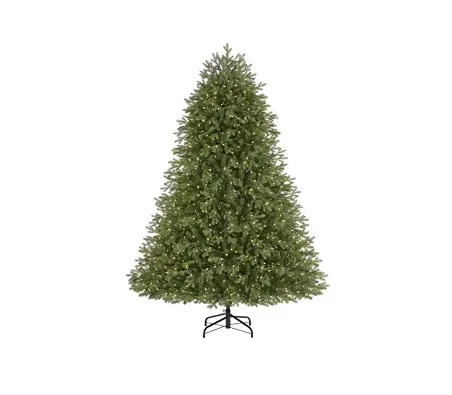
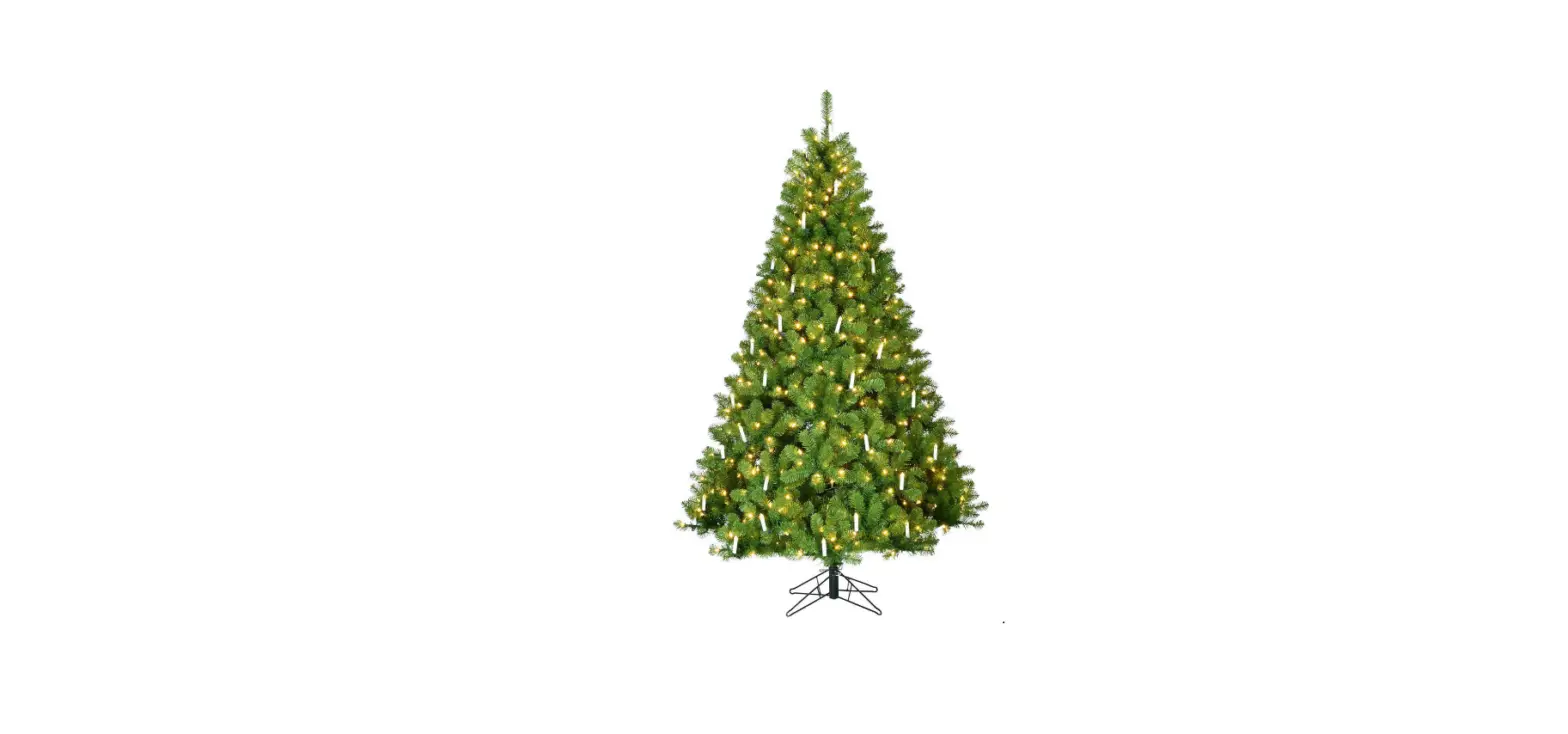
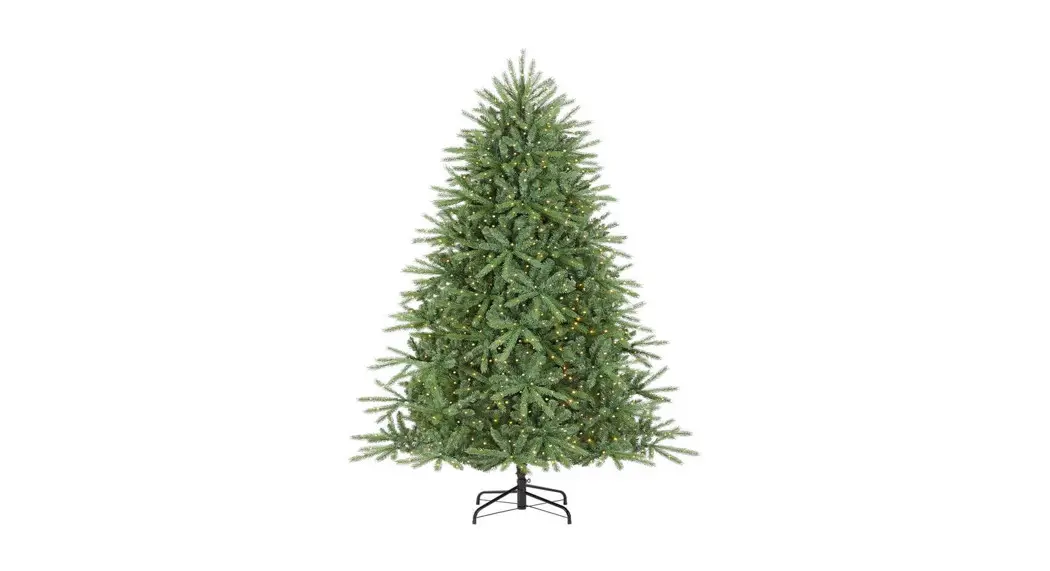
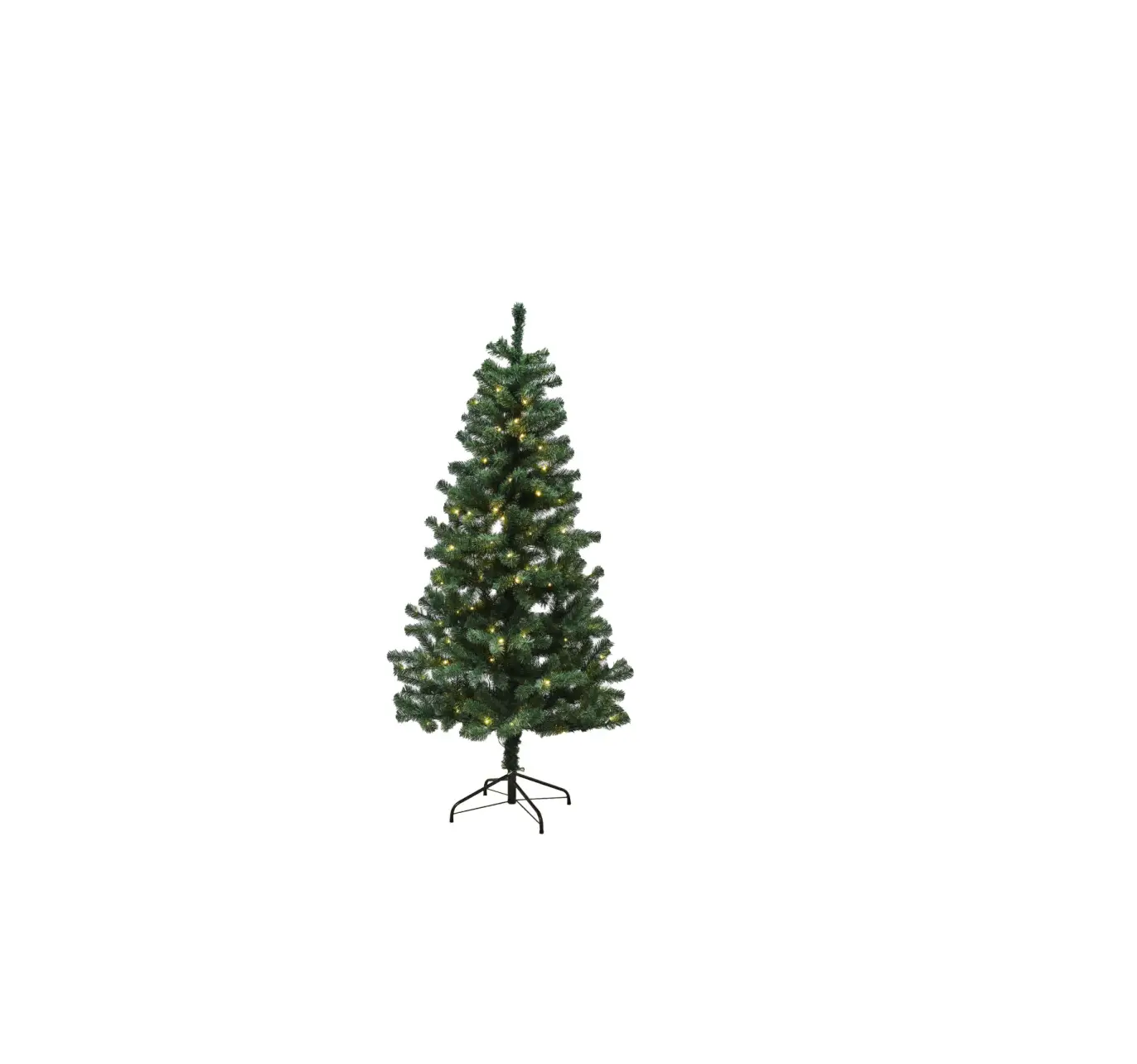
22LE31014 Ashton Balsam Fir Christmas Tree
Product Information:
The 7.5ft Ashton Balsam Fir Tree (Model# 22LE31014 / Sku#
1007495646) is a pre-lit artificial Christmas tree with Power Pole
technology. It features LED lights and comes with a 15-function
remote control for convenient lighting control. The tree is
designed to automatically light up each section when securely
inserted, and it has a foot pedal for manual on/off operation.
Product Usage Instructions:
- Assembly of the Tree Stand:
- Remove the tree stand from the plastic bag and open it to form
an X. - Align the hole for the insertion of the eyebolt.
- Insert the eyebolt and thread it clockwise for a couple of
rotations, leaving enough room for the tree’s pole to be
inserted. - Place the tree stand in the desired location, as it may become
difficult to move once the tree is fully assembled.
- Remove the tree stand from the plastic bag and open it to form
- Assembly of the Tree:
- Locate the bottom section of the tree marked A.
- Remove the protective plastic cap from the end of the pole and
insert that end into the tree stand, ensuring the pointed end
extends to the bottom of the stand. - Tighten the eyebolt on the tree stand, being careful not to
over-tighten. - Untie and remove the fabric strapping bounding the branches
upright. - Gently guide the branches downward into place.
- Beneath section A’s canopy, you’ll find an on/off push button
foot pedal with a cord and plug. Remove the twist-tie binding the
cord together and insert the plug into a working electrical outlet
to light up section A. If section A fails to light, press the
On/Off push button foot pedal. - Locate the next section of the tree marked B and remove the
protective plastic cap from the end of its pole. - Insert section B’s pole onto the top of section A’s pole.
- Once section B is fully inserted downward into section A, both
sections A and B will be lit. - Untie and remove the fabric strapping bounding the branches
upright. - Gently guide the branches of section B downward into
place. - Locate the top section of the tree marked C.
- Insert section C onto the top of section B.
- Once section C is fully inserted downward into section B, the
entire tree will be lit. - Gently guide the branches of section C downward into
place.
- Assembly is now completed. Proceed to spread and fluff the
branch tips to enhance the tree’s appearance if needed.
2022 Home Depot US Ashton Balsam Fir Tree Instruction Sheet – 15 Function Remote (English) Date: 2/ 28/ 2022
LED22
On/Off push button foot pedal operation: The On/Off push button foot pedal is intended to provide basic manual on/off operation only; and therefore cannot provide the remote control’s or App’s 15 function lighting capability.
POWER POLE TECHNOLOGY
NOTE: Your tree has been designed with Power Pole technology; allowing for each of the tree’s remaining sections to light up automatically, upon a firm insertion of each lettered section (Fig 5).
Model No. 22LE31014 SKU No. 1007495646
ASSEMBLY INSTRUCTIONS
(We recommend wearing proper clothing in order to prevent scratches that may occur during the assembly process.) Carefully unpack the contents from the tree’s carton (Fig 1). Your tree will include the following components: · A folding metal tree stand with (1) eyebolt. · An on/off push button foot pedal with cord and plug (Fig 6); which is pre-attached to your tree (Fig 5). · (3) tree sections – labeled “A”, “B” and “C”, as shown in Fig 5. · Contained in the poly-bag adhered to the interior flap of the carton is the remote control (2 x AAA batteries) which operates your tree’s 15 function lighting capability.
7. Locate the next section of the tree which is identified by a label on the outer branches marked “B” (Fig 5).
8. Remove the protective plastic cap from the end of the pole on section “B”; insert that end onto the top of the pole of section “A” (Fig 4).
Fig 4
Fig 1
ASSEMBLY OF THE TREE STAND
1. Remove the tree stand from the plastic bag, loosen the eye bolt and open the tree stand to form an “X”.
2. Align the hole for the insertion of the eyebolt. 3. Insert the eyebolt and begin threading in a clockwise direction
for a couple of rotations only; leaving enough room for the tree’s pole from section “A” to be inserted into the assembled stand (Fig 2). 4. Place the tree stand in its desired location; as once the tree is fully assembled, it may become too difficult to move and relocate.
Fig 2
9. Once section “B” is fully inserted downward into section “A”; both section “A” and section “B” will now be lit.
10. Again, untie and remove the fabric strapping bounding the branches upright (Fig 9). Caution: Do not cut.
11. Gently guide the branches of section “B” downward into place. 12. Locate the top section of the tree which is identified by a label on
the outer branches marked “C” (Fig 5). 13. Insert the top section “C” onto the top of section “B” (Fig 5). 14. Once section “C” is fully inserted downward into section “B”; your
entire tree will now be lit. 15. Gently guide the branches of section “C” downward into place.
Assembly is now completed. Proceed to spread & fluff the branch tips, to further enhance the tree’s appearance, if needed.
Fig 5
C
ASSEMBLY OF THE TREE
1. Locate the bottom section of the tree which is identified by a label on the outer branches marked “A” (Fig 5).
2. Remove the protective plastic cap from the end of the pole, (that is pinched to a point), and place that end into the tree stand. Be sure that the pointed end of the pole extends to the bottom of the stand.
3. Now tighten the eyebolt on the tree stand; being careful not to over-tighten (Fig 3).
Fig 3
B
A
Foot Pedal
4. Untie and remove the fabric strapping bounding the branches upright (Fig 9). Caution: Do not cut.
5. Gently guide the branches downward into place. 6. Beneath the canopy of section “A”, contain’s an on/off push button
foot pedal with cord and plug (Fig 6). Remove the twist-tie binding the cord together and insert the plug into a working electrical outlet. Section “A” will now be lit. If section “A” fails to light – press the On/Off push button foot pedal (Fig 5) – as it may be in the “Off” position.
Fig 6
7.5ft Ashton Balsam Fir (Model# 22LE31014 / Sku# 1007495646)
22.5″
Light
Steady Steady
Show
WW
MLT
Slow Fade WW
Slow Fade MLT
WW Phase
Fast Glisten
Slow Glisten
Slow Color Variable
Fast Flip
Slow Flip
Fast Fade
· HOME USE ·
Remote Control Operation:
· Press the
and
at the same time.
buttons
– The tree will flash MULTI color twice to activate.
Slow Fade
WW Flash
MLT Flash
Fig 8
COLOR
CHANGING
Fig 7
REMOTE CONTROL OPERATION
Your Pre-Shaped & Pre-lit LED Christmas Tree’s 15 Function capability is controlled by the use of the remote control provided, (Fig 7) or by phone or tablet – by down loading the App!
IMPORTANT: “HOME MODE” Activation of your Remote Control.
· Press the
and
at the same time.
· The Tree will flash MULTI color twice to activate.
· This double flashing of the MULTI color allows you to now operate the remote control manually (Fig 8).
NOTE: Once set on “Home Mode”; If the tree is powered off by the use
of the push button foot pedal, remote control
, by unplugging it
from the electrical outlet or by App; when powered back on, the tree
will automatically default to the last color & function selected.
· Please Note: If you again press these two buttons simultaneously; (whereas the tree would flash MULTI just once), the tree would now be in “Store Mode” Causing the tree to automatically default to the “Light Show” function (after remaining in idle for just 3 minutes) Cycling through ALL of the trees 15 lighting function combinations.
SELECTING COLOR & FUNCTION
Simply press a desired lighting function button – Per the 15 individual lighting functions available.
· Light Show · Steady Warm White · Steady Multi · Slow Fade Warm White · Slow Fade Multi · Warm White Phase · Fast Glisten · Slow Glisten
· Slow Color Variable · Fast Flip · Slow Flip · Fast Fade · Slow Fade · Warm White Flash · Multi Flash
TIMER FEATURE: · Press the “Timer” button; the trees lights will flash WARM WHITE 3 times
Indicating that the 6 hour “On” / 18 hour “Off” timer has now been activated. · Note: The tree’s lights will automatically resume back to the “On” position 24 hours from when it was initially activated. · Press the “Timer” button again, the trees lights will flash MULTI 3 times Indicating that the timer feature has now been deactivated. · Note: The trees On/Off operation is now controlled by either the manual operation of the remote control, foot-pedal control or by the App!
Fig 9
TROUBLESHOOTING
1. If the tree does not illuminate press the on/off button
on your
remote control. If failure to light persists, the battery may need to be
replaced. Insert 2 x AAA batteries.
NOTE: The tree’s 15 function lighting capability is controlled by the use of the remote control provided, by phone or tablet – by down loading the App.
NOTE: By reducing the distance from your tree; you may achieve better remote control and App reception.
If the tree fails to light due to a damaged or defective remote control; please resort to App operation until a new remote control can be provided. NOTE: Replacement parts can be acquired through our customer service center at 1-800-986-3460.
2. If failure to light persists, press the on/off push button foot pedal; as it may be in the “Off” mode.
3. If the top of the tree or another individual lettered section does not illuminate, remove each section and then reinsert as instructed, to ensure the electrical connection is made.
4. Upon making a color or function selection – by the use of the remote control – If the tree defaults to a “Light Show” / demonstration operation whereas the tree does not remain on the color or function that was selected – Please see Fig 8 – to set the remote control for “Home Use” (Manual) operation.
5. If a light set, section or area fails to light. Simply check the coaxial connections – connecting the light sets to your Quick Set® Power Pole.
6. Always ensure that the electric outlet to be used; is functioning & working as it is intended.
NOTE: A SPECIALTY NON-REPLACEABLE LED HAS BEEN APPLIED TO YOUR PRE-LIT TREE; IN THE CASE THAT A INDIVIDUAL LED BULB BURNS OUT, THE REMAINING LED BULBS WILL CONTINUE TO SHINE.
DOWNLOAD THE “LEDUP” APP!
1st: Scan the QR code to download the “Ledup” app onto your smartphone or tablet. 2nd: Now that the App is installed; scan the QR code again or input the
Product ID: nctr015f to link the App to your tree – It is that easy! NOTE: You need to enable *Bluetooth on your smartphone or tablet to use the Ledup App. You can now control your tree’s 15 functions either by the remote, smartphone or tablet. NOTE: When you are operating the tree’s colors & functions by the APP; the tree will automatically convert to “HOME MODE” operation.
Google Play
Apple Store
Scan the QR code to download the remote App!
A PRE-LIT TREE SECTION IS OUT?
THE TREE IS JUST NOT FULL ENOUGH?
ACTIVATE YOUR REMOTE CONTROL!
Firmly insert each section downward.
A LIGHT SET OR AREA IS OUT?
Simply spread the branch tips upward and outward.
MISPLACED YOUR REMOTE CONTROL?
Light
Steady Steady
Show
WW
MLT
Slow Fade WW
Slow Fade MLT
WW Phase
Fast Glisten
Slow Glisten
Slow Color Variable
Fast Flip
Slow Flip
Fast Fade
Slow Fade
WW Flash
MLT Flash
COLOR
CHANGING
Press the and buttons at the
same time. The tree will flash MULTI color twice to activate the “HOME USE” operation.
You are now all set!
Concerns/ Questions?
Simply check the connections on your Quick Set® pole.
DOWNLOAD THE APP!
Product ID: nctr015f
Operate the color & function by phone or tablet!
Please Call 1-800-986-3460
DISASSEMBLY & STORAGE
1. Gently remove the plug from its electrical outlet, and carefully bind the cord which contains the on/off push button foot pedal and plug.
2. Beginning with the tree’s top section; lift each section straight up from the section below, and continue working downward. NOTE: You may have to slightly wiggle each section as you lift each section upward.
3. To remove the bottom and final section; loosen the eyebolt by turning in a counter-clockwise direction and lift section “A” from the support collar of the tree stand.
4. Gently fold the branches of each section upward, towards the center, utilizing the fabric strapping provided and position in the storage container. NOTE: With the exception of the tree’s “top” section; by holding each section upside down; the branches will collapse downward, due to the hinging, aiding in the packing of each section into the storage container.
5. Unthread the eyebolt from the tree’s stand and fold together; placing in the storage container.
6. Replace the plastic protective caps on the pole’s ends before placing in carton.
7. It is recommended to always store the tree in a cool, dry location protected from excessive exposure to heat or sunlight. NOTE: Store your remote control in a SAFE & DRY location and remove the batteries from remote control before storage. NOTE: ALTHOUGH THE LED LIGHT STRINGS ON THE TREE ARE RATED FOR INDOOR OR OUTDOOR USE; THE COMBINATION OF THE TREE WITH THE LED LIGHTS IS FOR INDOOR USE ONLY.
Phone screen * Bluetooth protocol is not being used to communicate with the tree. A 2.4 GHz frequency transmitter/receiver is being used to communicate with the tree.
15″
This product was pre-tested before shipment and date coded. In keeping with the National Electric Code, this product is intended for seasonal (90 days max.) installation and use. For problems or questions on this product call our customer service toll-free at 1-800-986-3460.
Made in China Printed in China This is not a toy, for decorative use only.
DISTRIBUTED BY HOME DEPOT U.S.A., INC. 2455
PACES FERRY RD., N.W. Atlanta, GA 30339 All rights reserved.
2022 Home Depot US Ashton Balsam Fir Tree Instruction Sheet – 15 Function Remote (Spanish) Date: 3/ 9/ 2022
Modelo Nº 22LE31014 SKU Nº 1007495646
INSTRUCCIONES PARA EL ENSAMBLAJE
(Recomendamos llevar ropa apropiada para evitar rasguños que pueden ocurrir durante el proceso de ensamblaje.) Desembale cuidadosamente todos los componentes de la caja del árbol (Fig 1). Su árbol incluirá los componentes siguientes: · Un soporte métalico plegable para árbol con 1 perno de anilla. · Un interruptor de pie de botón on/off con cable y enchufe (Fig 6); el cual está sujetado a su árbol (Fig 5). · (3) secciones de árbol – etiquetado “A”, “B” y “C”, como se muestra en Fig 5. · Contenido en la bolsa de polietileno que está sujetada a la solapa interior de la caja del árbol es el control remoto (Pilas 2 x AAA) que opera la capacidad de 15 funciones de iluminación de su árbol.
Fig 1
ENSAMBLAJE DEL SOPORTE PARA EL ÁRBOL
1. Retire la base del árbol de la bolsa de plástico, afloje un perno de anilla y abra la base del árbol para formar una “X”.
2. Alinee el agujero para insertar la perno de anilla. 3. Inserte la perno de anilla y enhébrelos solamente con algunas
vueltas en el sentido del reloj, dejando un espacio suficiente para insertar el palo del árbol de la sección “A” dentro de la base ensamblada (Fig 2). 4. Coloque la base del árbol en el lugar deseado, ya que después del ensamblaje completo del árbol, puede ser demasiado difícil desplazarlo a un lugar diferente.
Fig 2
LED22
Funcionamiento del interruptor de pie de botón on/off: El pedal pulsador de encendido/apagado (On/Off) está diseñado para proporcionar solo la operación básica de encendido/apagado y, por lo tanto, no puede brindar la capacidad de iluminación de las 15 funciones del control remoto o de la aplicación.
TECNOLOGÍA DEL CONECTOR DE ALIMENTACIÓN POSTE DE POWER
NOTA: Su árbol ha sido diseñado con la tecnología del conector de alimentación Poste de Power, permitiendo que cada sección del árbol restante se ilumine automáticamente, cuando se inserte firmemente cada sección marcada con letra (Fig 5). 7. Localice la sección siguiente del árbol, identificada con una etiqueta que se encuentra sobre las ramas exteriores marcada con la “B” (Fig 5). 8. Retire el capuchón protector de plástico del extremo del palo de la sección “B”; inserte este extremo sobre la parte superior del palo de la sección “A” (Fig 4).
Fig 4
9. Una vez que la sección “B” está insertada completamente hacia abajo, dentro de la sección “A”, ambas secciones “A” y “B” estarán ahora iluminadas.
10. Otra vez, desate y quite la tela que amarra las ramas erguidas (Fig 9). Precaución: no lo corte.
11. Dirija suavemente las ramas de la sección “B” hacia abajo en su lugar. 12. Localice la sección superior del árbol, identificada con una etiqueta
que se encuentra sobre las ramas exteriores marcada con la “C” (Fig 5). 13. Inserte la sección superior “C” sobre la parte superior de la sección “B”
(Fig 5). 14. Una vez que la sección “C” está insertada completamente hacia abajo,
dentro de la sección “B”, el árbol entero será iluminado. 15. Dirija suavemente las ramas de la sección “C” hacia abajo en su lugar.
El armado ya está terminado. Extienda y esponje las puntas de las ramas para mejorar más el aspecto del árbol, si es necesario.
Fig 5
C
ENSAMBLAJE DEL ÁRBOL
1. Identifique la sección inferior del árbol, la cual tiene una etiqueta sobre las ramas exteriores marcada con una “A” (Fig 5).
2. Quite el capuchón protector de plástico del extremo del palo (en forma de punta) y coloque este extremo dentro de la base del árbol. Asegúrese de que el extremo puntiagudo del palo alcance la parte inferior de la base.
3. Ahora apríete la perno de anilla en la base del árbol, cuidando de no apretarlos de forma excesiva (Fig 3).
Fig 3
4. Desate y quite la tela que amarra las ramas erguidas (Fig 9). Precaución: no lo corte.
5. Dirija suavemente cada una de las ramas hacia abajo en su lugar. 6. Debajo de la fronda de la sección “A” se ubica un interruptor de pie
de botón on/off con cable y enchufe (Fig 6). Retire el fijador que ata el cable e introduzca el enchufe en un tomacorriente operativo. Ahora la sección “A” se ilumina. Si la sección “A” no se ilumina, empuje el interruptor de pie de botón on/off (Fig 5), ya que puede estar en la posición “Off”.
Fig 6
B A
Interruptor de pie
7.5ft Ashton Balsam Fir (Model# 22LE31014 / Sku# 1007495646)
22.5″
Light
Steady Steady
Show
WW
MLT
Slow Fade WW
Slow Fade MLT
WW Phase
Fast Glisten
Slow Glisten
Slow Color Variable
Fast Flip
Slow Flip
Fast Fade
· HOME USE ·
Funcionamiento del Control Remoto:
· Oprima los botones
y
al
mismo tiempo.
– El árbol destellará color MULTI dos veces para activar.
Slow Fade
WW Flash
MLT Flash
Fig 8
COLOR
CHANGING
Fig 7
FUNCIONAMIENTO DEL CONTROL REMOTO
La capacidad de 15 funciones de su árbol de navidad LED preformado y preiluminado se controla mediante el control remoto que se proporciona, (Fig 7), o teléfono o tableta, ¡bajando la aplicación!
IMPORTANTE: ACTIVACIÓN “HOME MODE” DEL CONTROL REMOTO:
·
Oprima los botones
Light Show
y
al mismo tiempo.
· El árbol destellará color MULTI dos veces para activar.
· Este parpadeo doble del color MULTI le permite ahora a operar el control
remoto a mano (Fig 8).
NOTA: Una vez configurado en el modo “Home” (Inicio), si apaga el
árbol mediante el pedal pulsador, con el control remoto
,
desenchufándolo de la toma de corriente o desde la aplicación,
cuando lo vuelva a encender, el árbol se iluminará
automáticamente con el último color y función seleccionada.
· Nota Por Favor: Si oprima otra vez estos dos botones simultáneamente (y el árbol destellará MULTI una vez solamente), el árbol estaría en el “modo almacenar” — haciendo que el árbol automáticamente vuelva a la función “Demo” (después de permanecer sin uso por 3 minutos) — funcionando en ciclos TODAS las combinaciones de las 15 funciones de iluminación del árbol.
SELECCIONAR COLOR Y FUNCIÓN
Oprima un botón de la función de iluminación deseada, entre las 15 funciones de iluminación individuales disponibles.
· Presentación de luces
· Variable de color más lento
· Blanco Cálido Continuo
· Transformación Rápido
· Multi Continuo
· Transformación Lenta
· Desvanecimiento Lento Blanco Cálido · Desvanecimiento Rápido
· Desvanecimiento Lento Multi
· Desvanecimiento Lenta
· Fase de blanco cálido
· Parpadeo Blanco Cálido
· Brillo Rápido
· Parpadeo Multi
· Brillo Lenta
FUNCIÓN DE TEMPORIZADOR : · Oprima el botón “Timer” (Temporizador); las luces del árbol destellarán
BLANCO CÁLIDO 3 veces — indicando que el temporizador de 6 horas “On”/18 horas “Off” ya está activado. · Nota: Las luces del árbol reanudan la posición “On” automáticamente — 24 horas después de la activación inicial. · Oprima el botón “Timer” (Temporizador) otra vez; las luces del árbol destellarán MULTI 3 veces — indicando que la función temporizadora ya está desactivada. · Nota importante: La función de encendido/apagado (On/Off) del árbol ahora se controla mediante la operación manual del control remoto, el control del pedal o la aplicación.
Fig 9
PROBLEMAS/SOLUCIONES
1. Si el árbol no se enciende, oprima el botón on/off
en el control
remoto. Si la luz todavía no se enciende, es posible que se necesita
reemplazar la pila. Introduce pilas 2 x AAA.
NOTA: La capacidad de iluminación de las 15 funciones del árbol se controla mediante el control remoto que se proporciona, un teléfono o tableta, bajando la aplicación.
NOTA: Reduciendo la distancia de su árbol, puede lograr mejor recepción con el control remoto,
Si el árbol no se ilumina debido a que el control remoto está dañado o defectuoso, recurra a la operación de la aplicación hasta que nuestro centro de atención al cliente puede suministrarle un nuevo control remoto. NOTA: Las piezas de repuesto se pueden adquirir en nuestro centro de servicio al cliente al 1-800-986-3460.
2. Si la luz todavía no se enciende, oprima el interruptor de pie de botón on/off, porque puede ser que esté en modo “Off”.
3. Si la parte superior del árbol u otra sección individual marcada con letra no se enciende, retire cada sección y vuelva a colocarla como se indica, para asegurarse de que la conexión eléctrica se establezca.
4. Al seleccionar el color o la función, con el uso del control remoto, si el árbol tiene predeterminada la operación de demostración o “Luces de demostración”, siempre que el árbol no se quede en el color o función que fue seleccionado: consulte la Fig. 8 para configurar el control remoto en la operación “Uso hogareño” (manual).
5. Si un juego, sección o área de luces no enciende, solo verifique las conexiones coaxiales y conecte el juego de luces en la varilla eléctrica Quick Set®.
6. Siempre asegúrese de que el tomacorriente que se va a usar funcione según lo previsto.
NOTA: UNA BOMBILLA LED ESPECIALIZADA NO REEMPLAZABLE SE APLICA A SU ÁRBOL PRE-ILUMINADO; EN EL CASO DE QUE UNA BOMBILLA LED INDIVIDUAL SE APAGUE, LAS BOMBILLAS LED RESTANTES CONTINUARÁN ESTAR ILUMINADAS.
¡DESCARGUE LA APLICACIÓN “LEDUP”!
Paso 1: Escanee el código QR para descargar la aplicación “Ledup” en su teléfono inteligente o tableta.
Paso 2: Cuando la aplicación esté instalada, escanee el código QR o ingrese la ID del producto: nctr015f para conectar la aplicación a su árbol: ¡es fácil! NOTA: Debe activar la función *Bluetooth en su teléfono o tableta para usar la aplicación Ledup. Ahora puede controlar las 15 funciones del árbol ya sea mediante el control remoto, su teléfono o tableta. NOTA: Cuando está operando los colores y funciones del árbol por la aplicación; el árbol se convertirá automáticamente a la operación “HOME MODE” (MODO INICIO).
Google Play
Apple Store
¡Escanee el código QR para descargar la aplicación remota!
¿ALGUNA SECCIÓN CON LUCES PREINSTALADAS DEL
ÁRBOL NO FUNCIONA?
¿EL ÁRBOL NO ES SUFICIENTEMENTE
FRONDOSO?
Inserte cada sección hacia abajo con firmeza.
Simplemente extienda las puntas de las ramas hacia
arriba y hacia afuera.
¡ACTIVE SU CONTROL REMOTO!
Light
Steady Steady
Show
WW
MLT
Slow Fade WW
Slow Fade MLT
WW Phase
Fast Glisten
Slow Glisten
Slow Color Variable
Fast Flip
Slow Flip
Fast Fade
Slow Fade
WW Flash
MLT Flash
COLOR
CHANGING
Presione los botones y al mismo
tiempo. El árbol hará parpadear luces MULTI color dos veces para activar la operación “HOME USE” (USO EN CASA).
¡Ya está todo listo!
¿UN CONJUNTO DE LUZ O UN ÁREA ESTÁ APAGADO?
¿MALO COLOCÓ SU CONTROL REMOTO?
¿Preguntas/ Inquietudes?
Simplemente controla las conexiones en el poste Quick Set®.
¡DESCARGUE LA APLICACIÓN!
ID del producto: nctr015f
¡Opere el color y la función por teléfono o tableta!
Comuníquese 1-800-986-3460
DESMONTAJE Y ALMACENAMIENTO
1. Retire suavemente el enchufe del tomacorriente y ate con cuidado el cordón que contiene el interruptor de pie de botón on/off y el enchufe.
2. Comenzando con la sección superior del árbol, levante cada una de la secciones directamente hacia arriba, quitándola de la sección de abajo, y continue trabajando hacia abajo. NOTA: Es posible que necesite contonear ligeramente cada sección mientras levantándola hacia arriba.
3. Para quitar la sección inferior y última, afloje los pernos de anilla girándolos contrario a las agujas del reloj, y levante la sección “A” hacia arriba del collar de soporte de la base del árbol.
4. Pliegue suavemente las ramas de cada una de las secciones hacia arriba y hacia el centro, utilizando la correa de tela provista, y colóquelas en la caja de almacenamiento. NOTA: Con la excepción de la sección “superior” del árbol, si sostiene cada sección boca abajo las ramas se plegarán hacia abajo debido a las bisagras. Esta característica le ayudará a colocar cada sección en la caja de almacenamiento.
5. Desenrosque completamente los pernos de anilla en la base del árbol y pliéguela, colocándola en la caja de almacenamiento.
6. Reemplace las tapas plásticas protectoras en los extremos de la varilla antes de colocarlo en la caja.
7. Siempre recomendamos guardar el árbol en un lugar fresco y seco, protegido contra una exposición excesiva al calor o a la luz del sol. NOTA: Guarde su control remoto en un lugar SEGURO Y SECO y retire la pila del control remoto antes de guardarlo. NOTA: AUNQUE LOS JUEGOS DE LUCES LED DEL ÁRBOL ESTÁN CALIFICADOS PARA SER UTILIZADOS EN INTERIORES O EXTERIORES, LA COMBINACIÓN DEL ÁRBOL Y LUCES LED ES SOLAMENTE PARA EL USO INTERIOR.
Pantalla del teléfono * No se está utilizando el protocolo Bluetooth para comunicarse con el árbol. Se está utilizando un transmisor/receptor de 2,4 Ghz de frecuencia para comunicarse con el árbol.
15″
Este producto ha sido previamente probado antes del envío y también se ha dado una codificación de fecha. De acuerdo con el Código Eléctrico Nacional de Estados Unidos (NEC), este producto está diseñado para una instalación y uso estacional (máx. 90 días). Si tiene problemas o cuestiones con este producto, llame sin costo a nuestro centro de servicio al cliente al 1-800-986-3460.
Hecho en China Impreso en China No es un juguete; solamente para uso decorativo.
DISTRIBUIDO POR HOME DEPOT U.S.A., INC. 2455
PACES FERRY RD., N.W. Atlanta, GA 30339 Todos los derechos reservados.