 App User Guide
SNMP
Version: 1.0.2
Date: December 25, 2021
Revision History
Updates between document versions are cumulative. Therefore, the latest document version contains all updates made to previous versions.
| Release Date | App Version | Doc Version | Details |
| June 06, 2016 | 2.0.0 | v.1.0.0 | First Release |
| June 29. 2018 | 2.0.0 | v.1.0.1 | Revised the company name |
| December 25, 2021 | 2.0.0 | v.1.0.2 | Revised the company name Deleted the document status: confidential |
Chapter 1 Overview
SNMP (Simple Network Management Protocol) is a widely used protocol for monitoring the health and welfare of network equipment (e.g. routers). SNMP monitor devices can be computer, router, printer, ups or any other SNMP device.
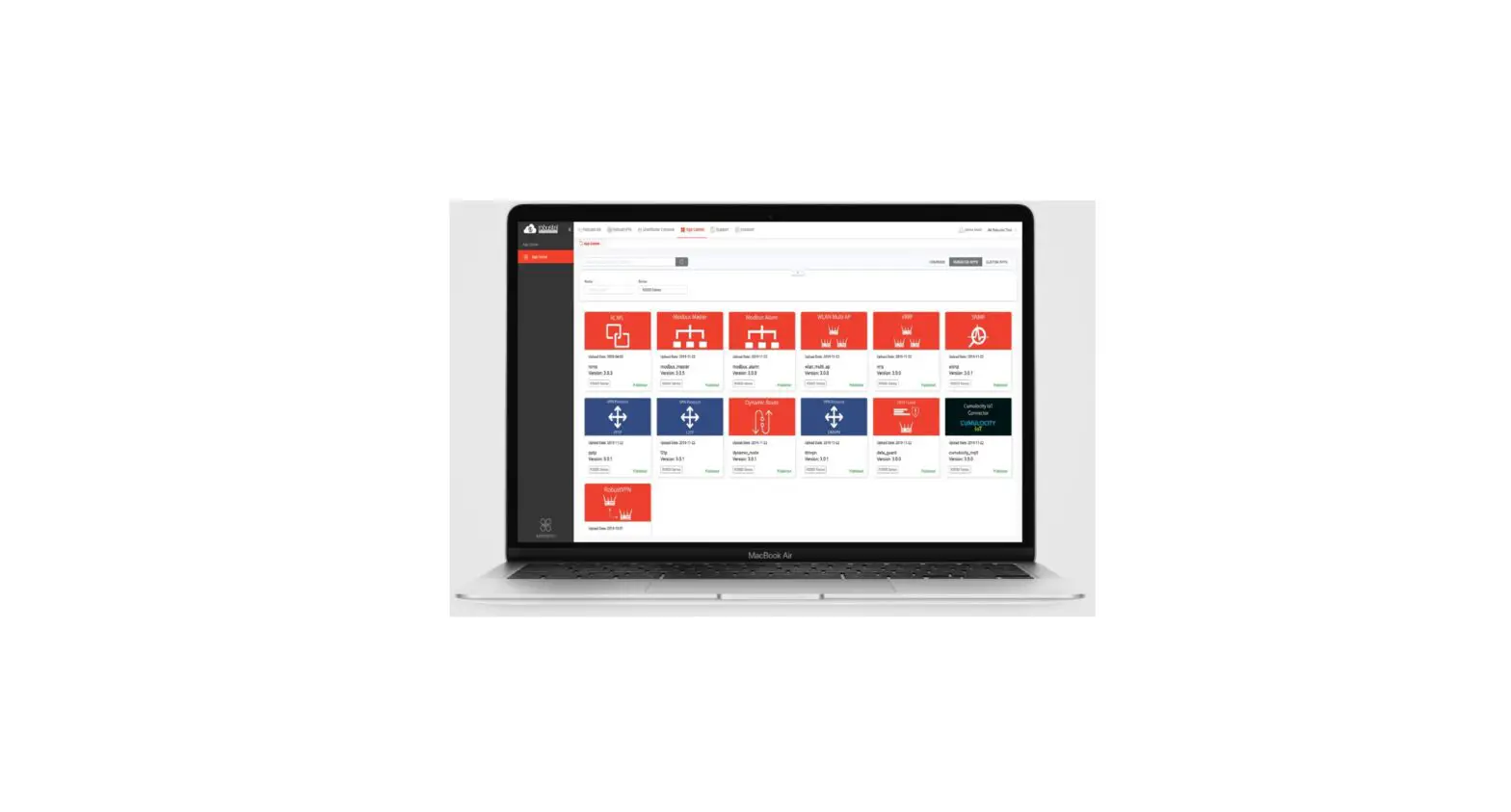
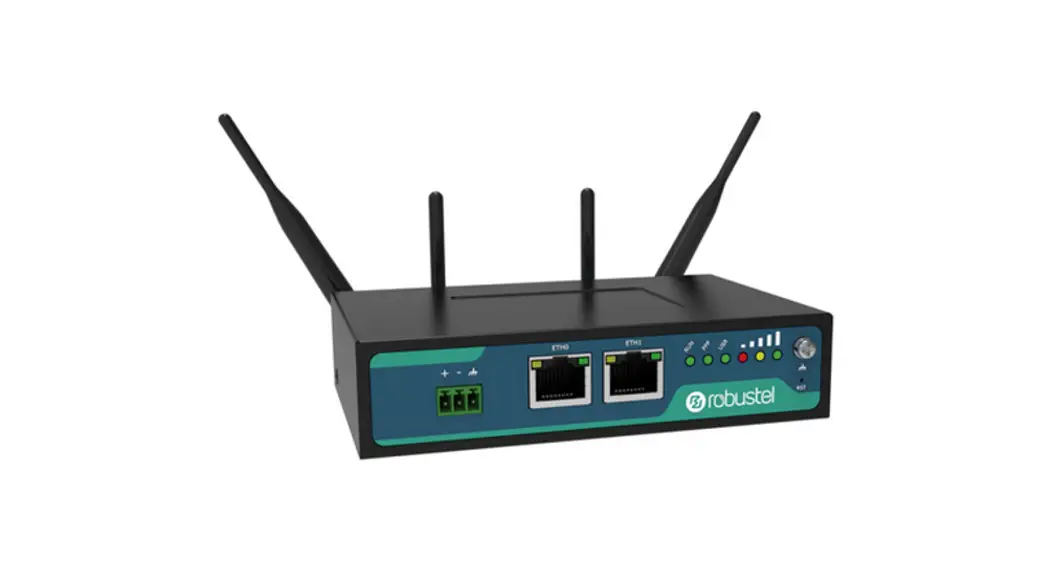
SNMP in router implement SNMP v1, SNMP v2c and SNMP v3. We can download the MIB file directly from web interface. MIBs are Management Information Base’s that describe the data structures that can be requested from SNMP device. We also can manage router router via SNMP tool with the MIB file. SNMP function is an App which needs to install into router in System->App Center unit.
Chapter 2 App Installation
2.1 Installation
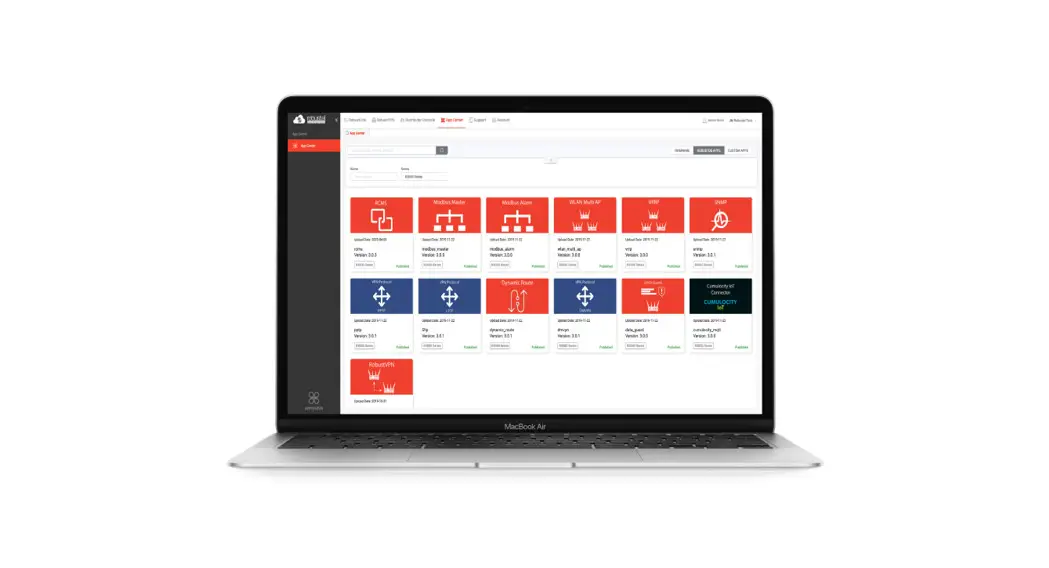
Path:System->App Center
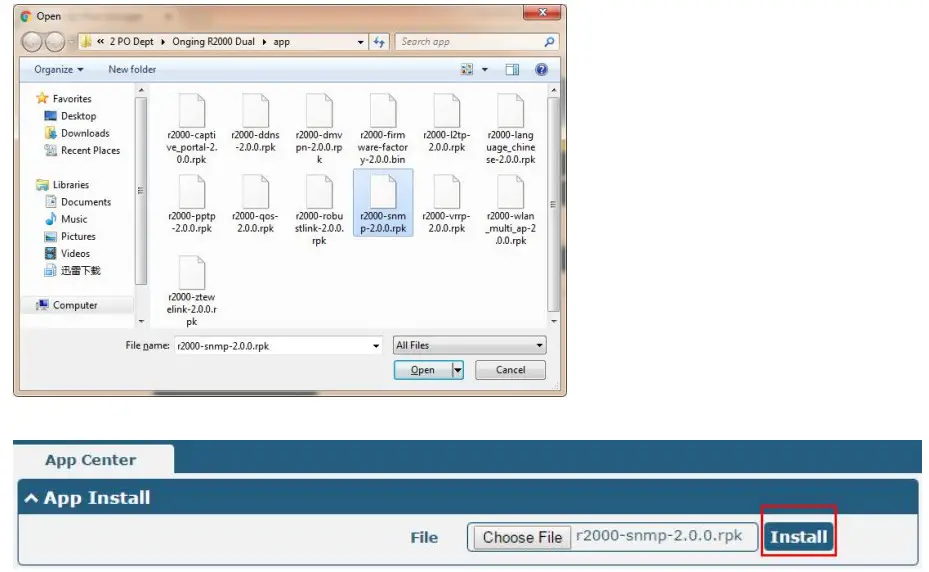
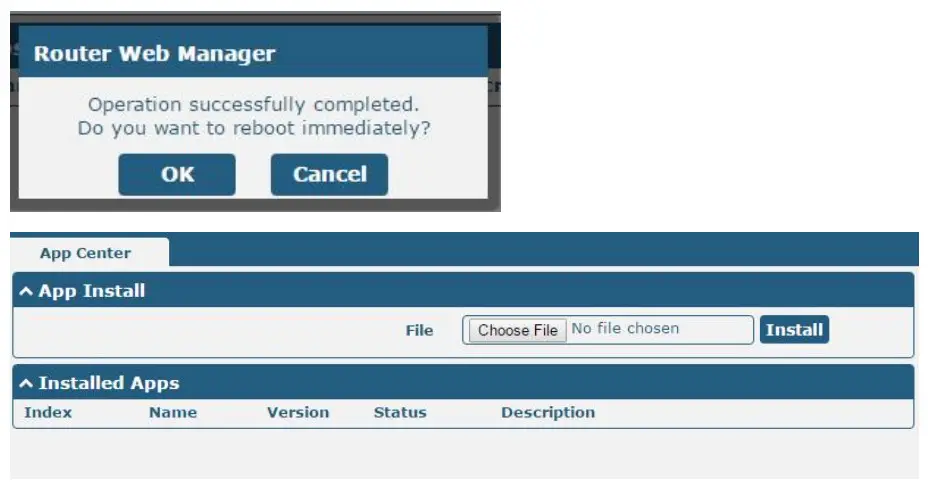
- Please place SNMP App .rpk file (e.g. r2000-smnp-2.0.0.rpk) into a free disk of PC. And then log in router configuration page; go to System->App as the following screenshot show. m

- Click “Choose File” button, select SNMP App .rpk file from the PC, then click “Install” button of router configuration page.

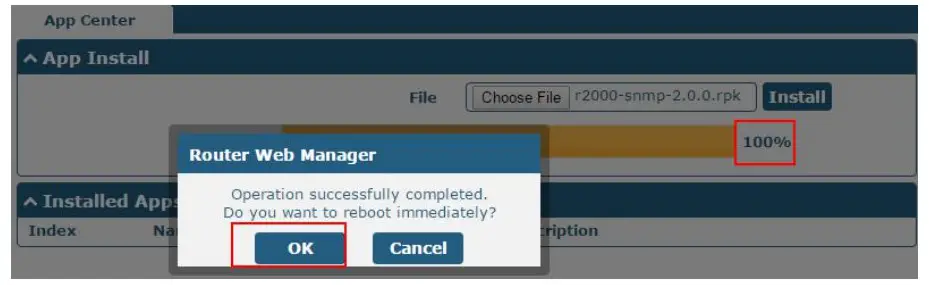
- When the rate of installation progress reach 100%, the system will pop up a reboot router reminder window. Please click “OK” to make router reboot.

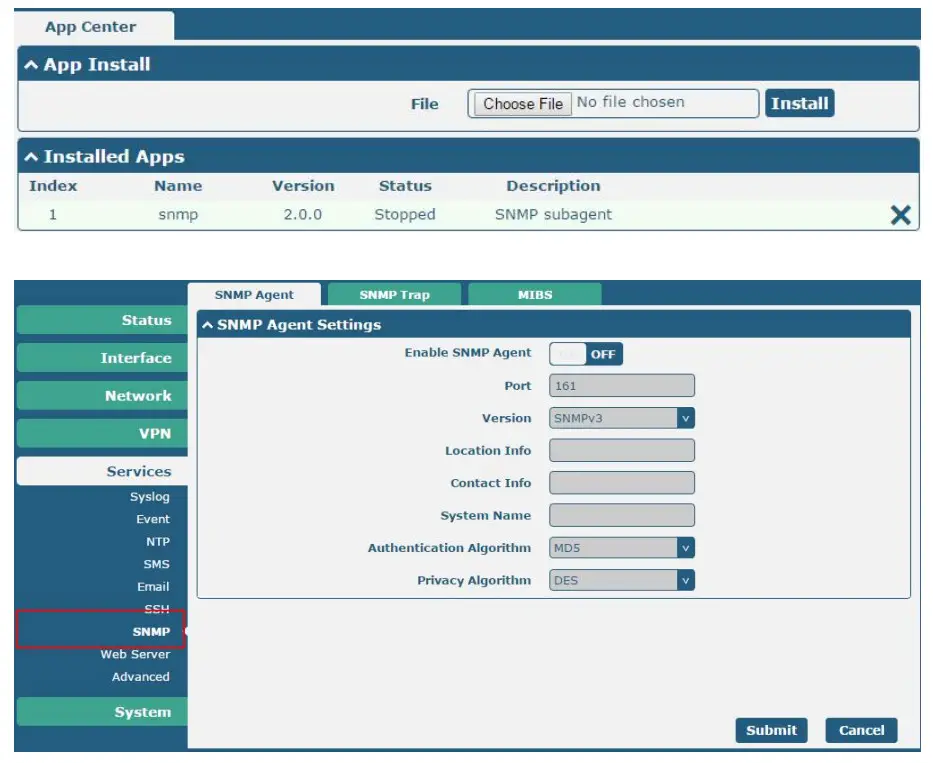
- After router power on again, log in configuration page, SNMP will be include in App Center’s “Installed Apps” list, and the function configuration will display in Services part.


2.2 Uninstallation
Path:System->App Center
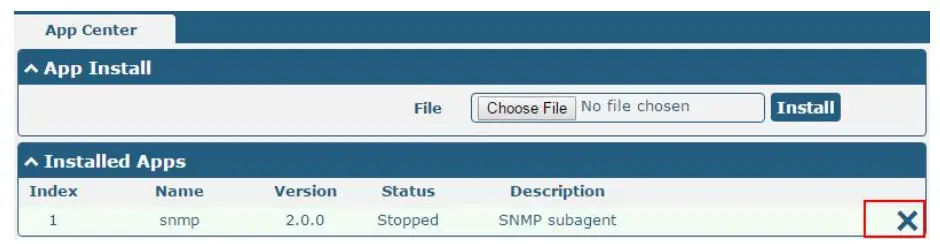
- Go to “Installed Apps”, find SNMP App and then click “
 ”.
”.
- Click “OK” in the router reboot reminder popup window. When router finish restart, SNMP had been uninstalled.

 ”.
”.
Chapter 3 Parameters Description
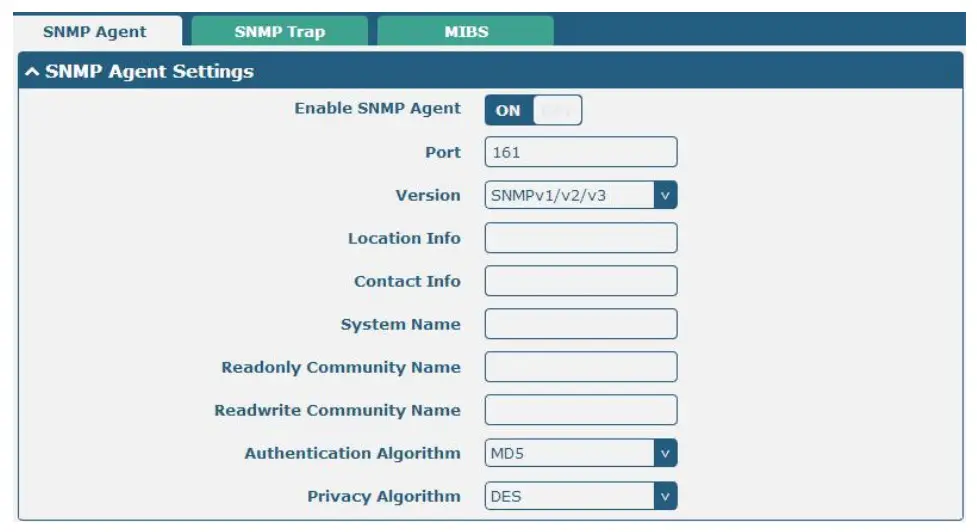
SNMP Agent @ SNMP | ||
Item | Description | Default |
| Enable SNMP Agent | Switch “ON” to enable SNMP Agent. | OFF |
| Port | UDP port for sending and receiving SNMP requests. | 161 |
| Version | Select from “SNMPv1”, “SNMPv2” and “SNMPv3”. | SNMPv3 |
| Location Info | Enter the router’s location info which will send to NMS (Network Management System). | null |
| Contact Info | Enter the router’s contact info which will send to NMS | null |
| System name | Enter the router’s system name which will send to NMS. | null |
| Readonly Community Name | Enter the community name which was allowed only to get the status of router. | null |
| Readwrite Community Name | Enter the community name which was allowed to get the status and set the configuration of router. | null |
| Authentication Algorithm | Select from “MD5” or “SHA”. The authentication password default to be the login password of router. The Factory Default login password of router is “admin”. We can change the password in System-> User Management section. The authentication password must be the same as privacy password on NMS. | MD5 |
| Privacy Algorithm | Select from “DES” or “AES”. The privacy password default to be the login password of router. The Factory Default login password of router is “admin”. We can change the password in System-> User Management section. The privacy password must be the same as authentication password on NMS. | DES |
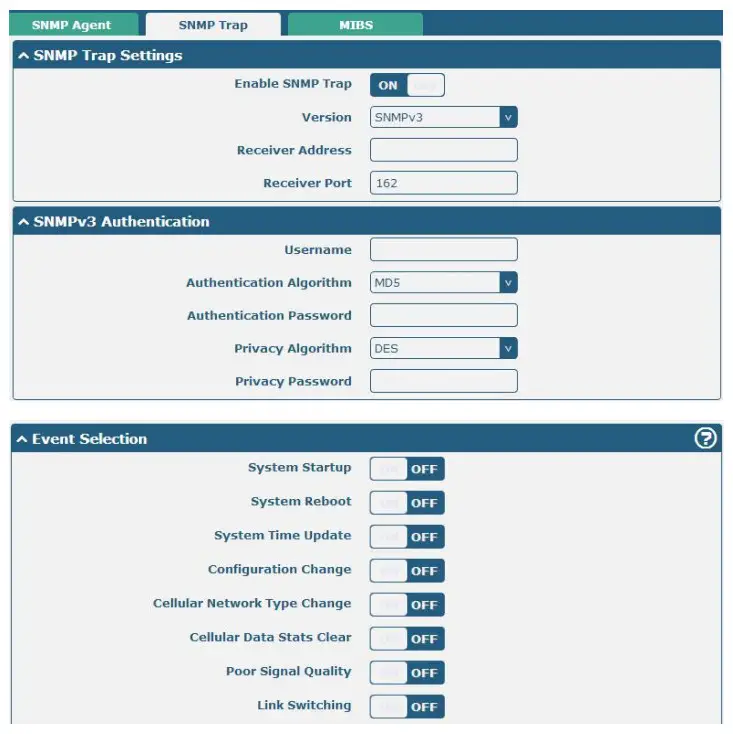
SNMP Trap | ||
Item | Description | Default |
| Enable SNMP Trap | Switch “ON” to enable SNMP Trap feature. | Disable |
| Version | Select from “SNMPv1”, “SNMPv2” and “SNMPv3”. | SNMPv2 |
| Receiver Address | Enter NMS (Network Management System) IP address. | Null |
| Receiver Port | Enter NMS port number | 0 |
SNMPv3 Authentication | ||
| Username | Set the username for NMS to receive the SNMP trap. | null |
| Authentication Algorithm | Select from “MD5” or “SHA”. | MD5 |
| Authentication Password | Set the authentication password for NMS to receive the SNMP trap. | null |
| Privacy Algorithm | Select from “DES” or “AES”. | DES |
| Privacy password | Set the privacy password for NMS to receive the SNMP trap. | null |
Event Selection | ||
| Switch “ON” to enable the event. When the enabled event occurs, router will sent the related SNMP trap to NMS. | ||

MIBS | |
| Item | Description |
| Generate | Click to generate the SNMP MIB file. |
| Download | Click to download the SNMP MIB file which is used to manage the router router via SNMP tool. |
Guangzhou Robustel Co., Ltd.
Add: 501, Building 2, No. 63, Yong’an Avenue, Huangpu District, Guangzhou, China 510660
Tel: 86-20-82321505
Email: [email protected]
Web: www.robustel.com
 4G/LTE/5G/Cellular Routers, Gateways and Modems for Industrial IoT - Robustel