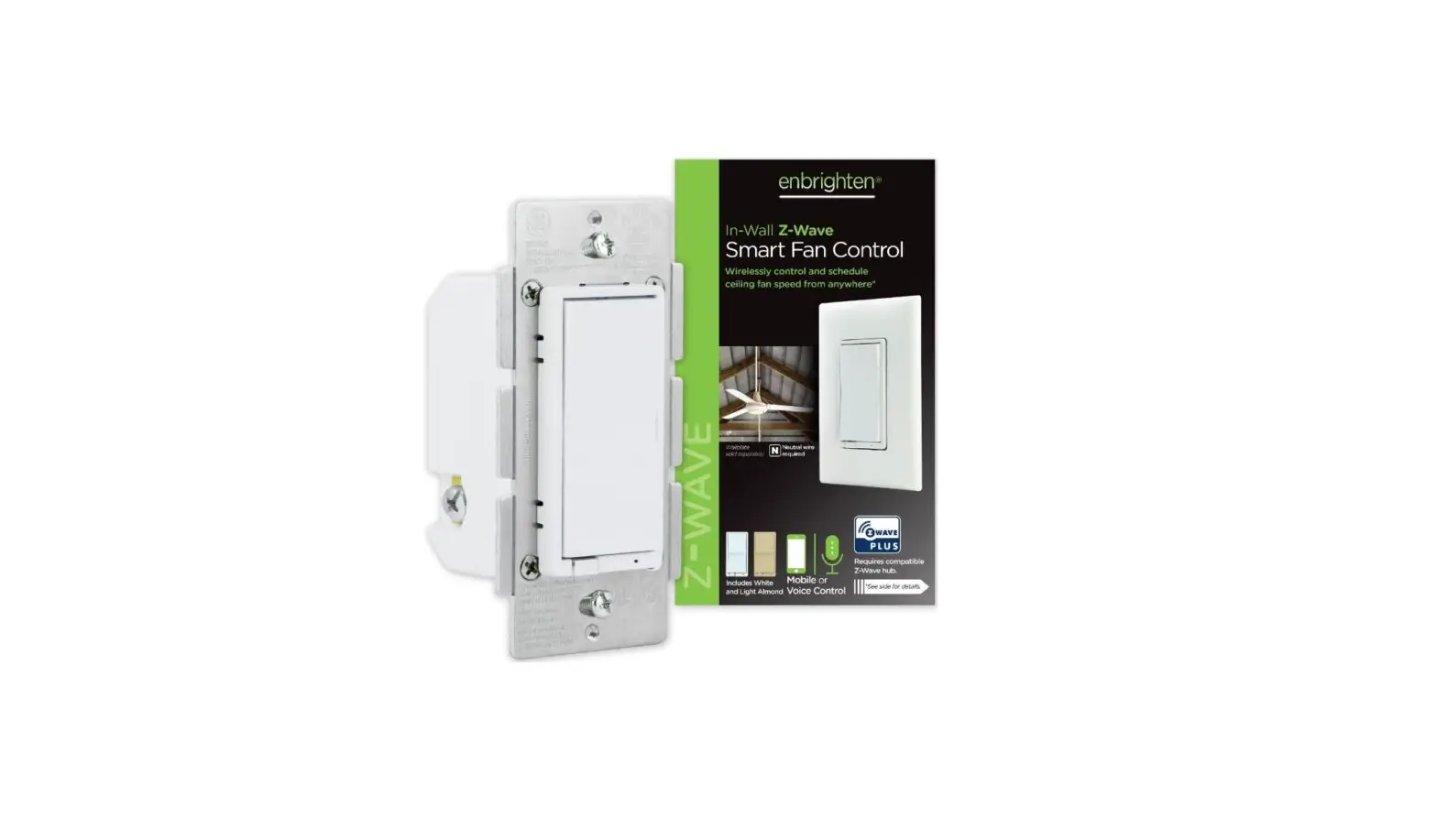
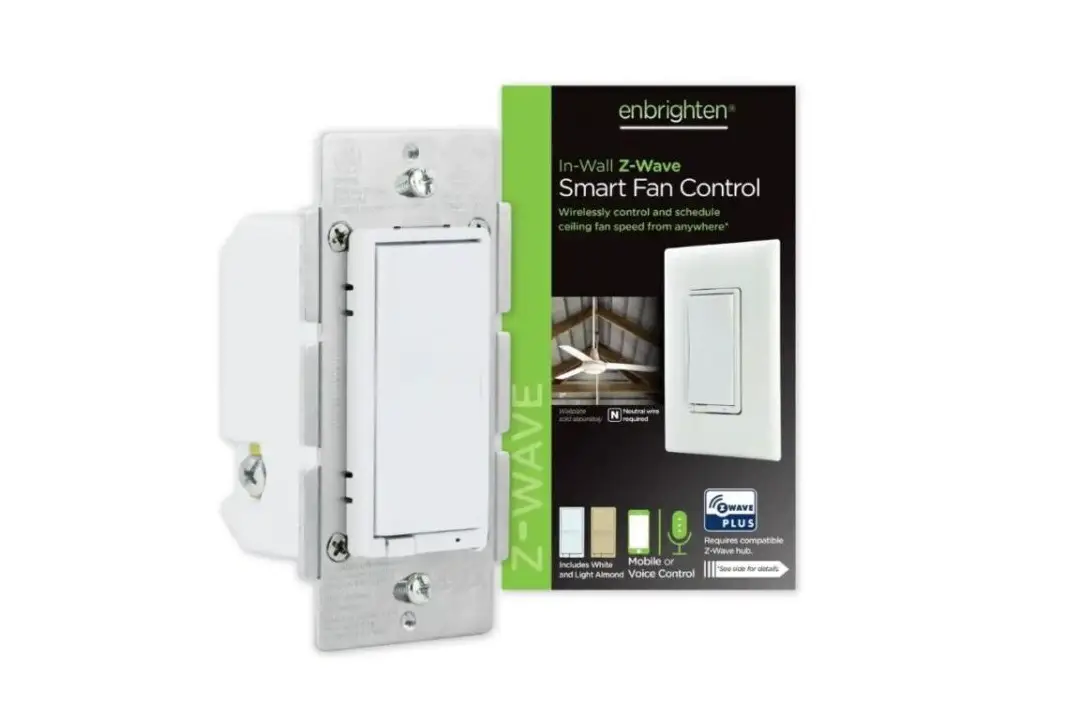
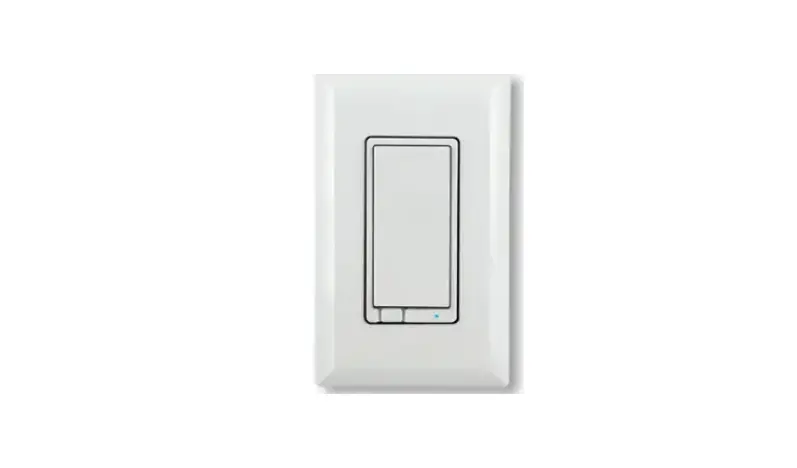
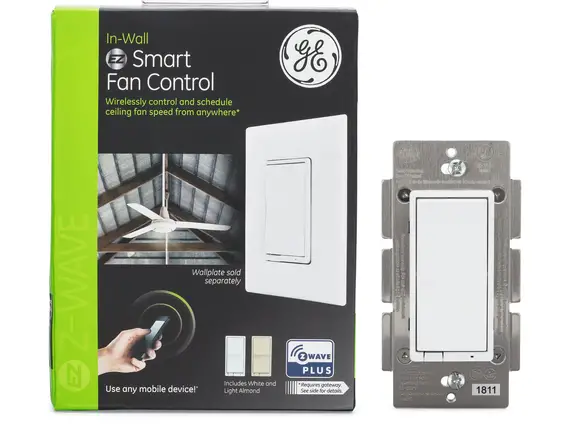
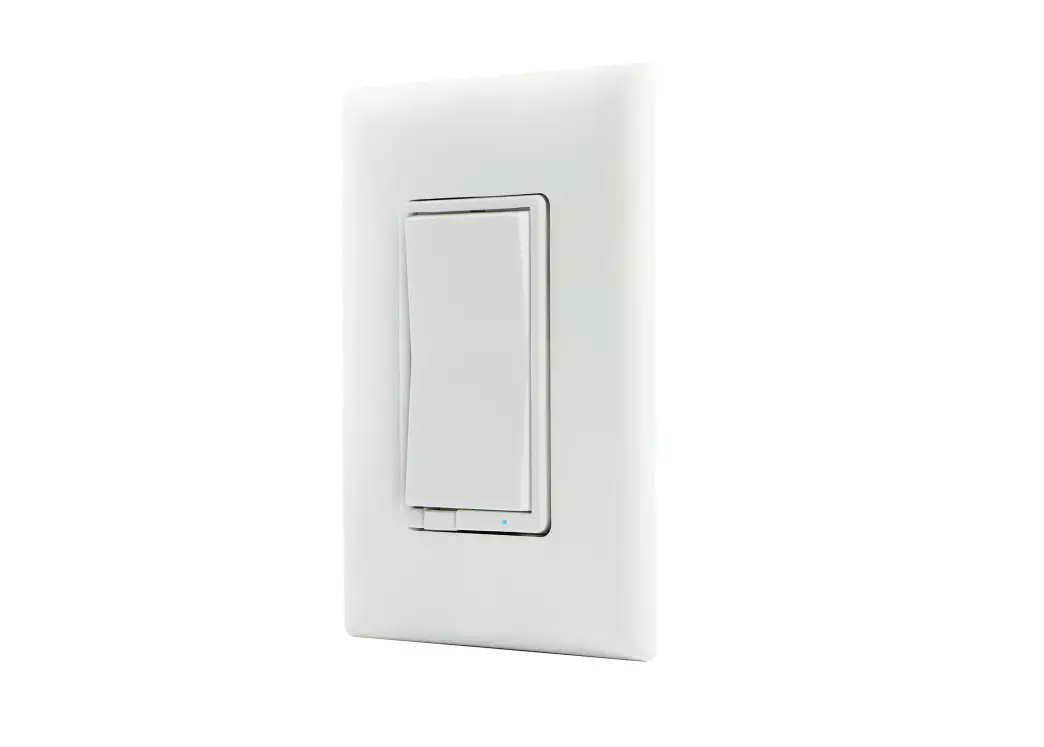
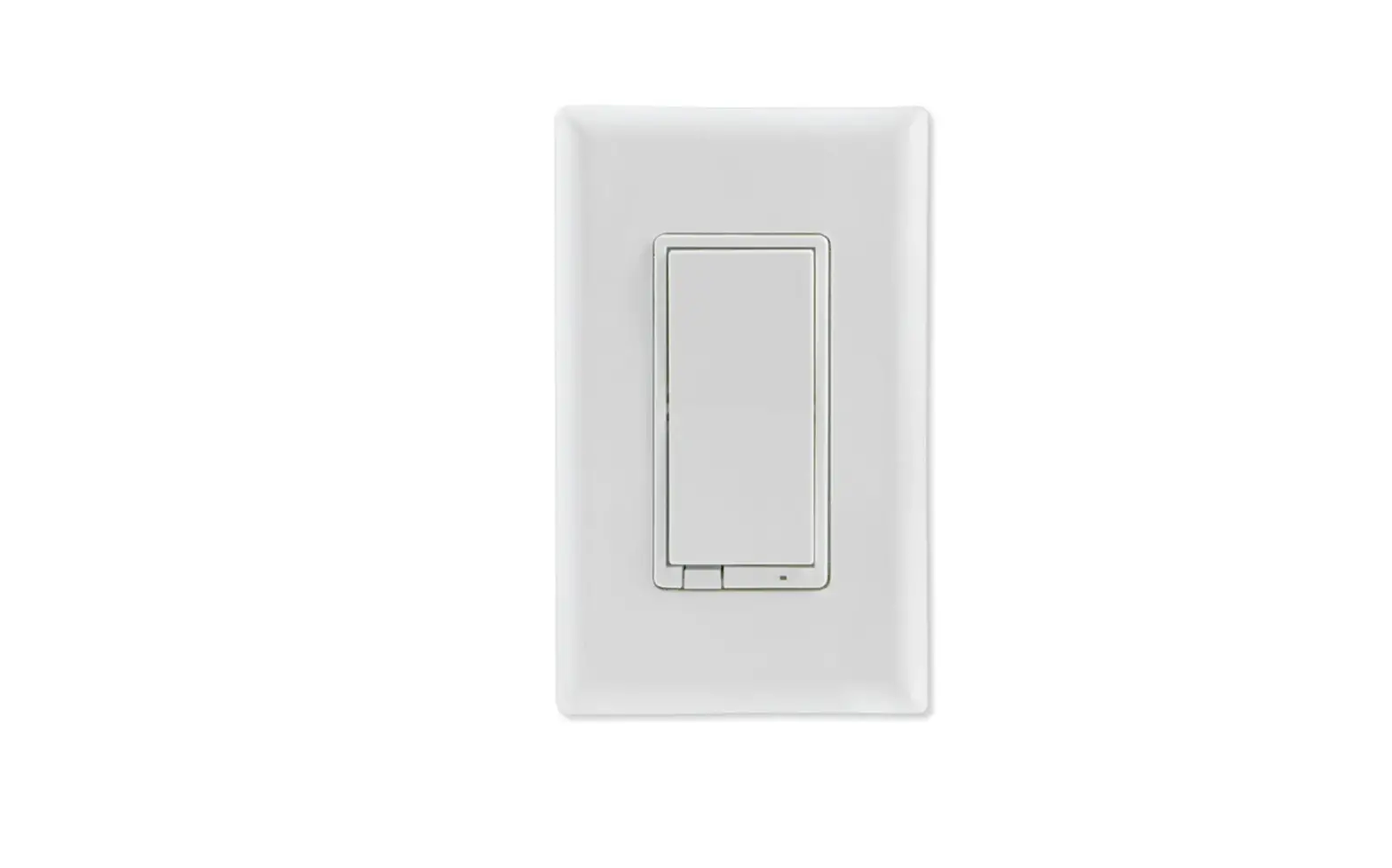
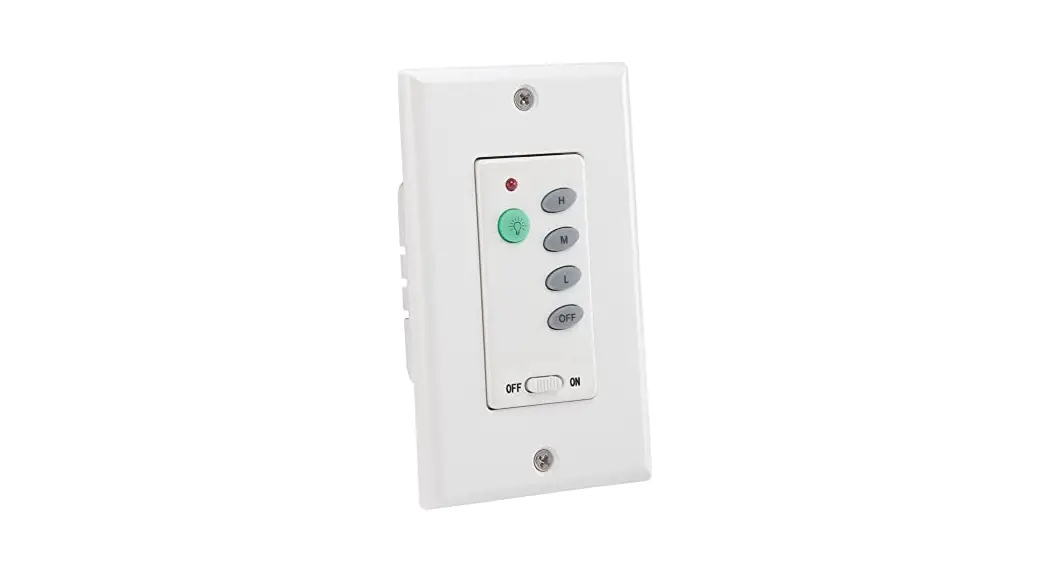
60226 In-Wall Smart Fan Control
Product Information
Product Name: In-Wall Smart Fan Control
Model Number: 60226 ZWA4014
Product Usage Instructions
- WARNING — SHOCK HAZARD
Before starting any installation, turn OFF the power to the branch
circuit for the device fixture at the service panel. This is
crucial to avoid personal injury and damage to the device. All
wiring connections must be made with the power OFF. - This device is intended for installation in accordance with the
National Electric Code and local regulations in the United States
or the Canadian Electrical Code and local regulations in Canada. If
you are unsure or uncomfortable about performing this installation,
it is recommended to consult a qualified electrician. - Start by removing the single-pole switch. Make sure to turn OFF
the circuit at the circuit breaker or fuse box before
proceeding. - Remove the wallplate and switch mounting screws. Carefully
remove the switch from the wall, but do not disconnect the
wires. - Identify the following wires in the switch box:
- A. LINE – Black wire/black screw (input)
- B. LOAD – Black wire/black screw (output)
- C. GROUND – Green or bare wire/green screw
- D. JUMPER – White wire/silver screw
Note: The traveler terminal is only used for multi-switch wiring
and is not used in a two-way system (one switch and one load). - Install the wallplate and insert the wires into the
corresponding holes. Do not wrap the wires around screws or remove
screws. - To change the LED indicator color, follow these steps:
- Press the menu button for five seconds.
- The LED indicator will flash blue.
- Push the toggle up or down to cycle through the color
options.
- For additional Enbrighten products, visit our website www.Jasco.com.
- If you encounter any problems or need assistance, please call
our customer support at 1-800-654-8483 between 7AM-8PM, M-F,
Central Time. - To add your device to a Z-Wave network, follow the instructions
provided by your Z-Wave certified controller. - To remove and reset the device, follow the instructions
provided by your Z-Wave certified controller. - To return your switch to factory defaults, slide the air gap
switch right and while pressing the OFF (bottom) button, push the
air gap left. The LED will flash through the eight colors once.
Note: This should only be used if your network’s primary controller
is missing or otherwise inoperable. - SmartStart enabled products can be added into a Z-Wave network
by scanning the QR code on the product with a controller providing
SmartStart inclusion. No further action is required, and the
SmartStart product will be added automatically within 10 minutes of
being switched on in the network vicinity.
WARNING — SHOCK HAZARD
Turn OFF the power to the branch circuit for the device fixture at the service panel. All wiring connections must be made with the power OFF to avoid personal injury and damage to the device. This device is intended for installation in accordance with the National Electric Code and local regulations in the United States or the Canadian Electrical Code and local regulations in Canada. If you are unsure or uncomfortable about performing this installation, consult a qualified electrician.
In-Wall Smart Fan Control
60226 ZWA4014
Thank you for your purchase!
Instructions made easy
Read instructions or watch easy-tofollow video.
Register your product
Receive exclusive deals and register your product.
Scan code or visit yjasco.com/60226i. Scan code or visit byjasco.com/deals.
REMOVE SINGLE-POLE SWITCH
1. the circuit at the circuit breaker or fuse box.
Out to light (load)
IMPORTANT! Verify power to switch box is OFF before continuing.
C LOAD
D NEUTRAL
2. Remove
wallplate.
3. Remove the switch mounting
B LINE
screws. 4. Carefully remove
A GROUND
the switch from
the switch box
DO NOT
disconnect
Old switch
From breaker box
the wires.
5. Identify the following wires in the switch box:
A. Ground Green/bare
B. Line (hot) Black (connected to power)
C. Load Black (connected to lighting)
D. Neutral White
6. Disconnect the wires from the existing switch label wires according to the
previous terminal connections.
SINGLE-SWITCH WIRING
WIRING REQUIREMENTS Attach using the enclosure’s holes, strip insulation 5/8in. (16mm). UL specifies the tightening torque for the screws is 12lbf-in (14Kgf-cm).
C
GROUND
B
A
LOAD/LINE
LOAD/LINE
NEUTRAL
TRAVELER
A LINE
B LOAD
D
D JUMPER
C GROUND
NEUTRAL
A. LINE – Black wire/black screw (input) B. LOAD – Black wire/black screw (output) C. GROUND – Green or bare wire/green screw D. JUMPER – White wire/silver screw
1. Connect green/bare wire to the GROUND terminal. 2. Connect the black wire from the light to either LINE/LOAD terminal. 3. Connect the black wire from the power source (hot) to the other LINE/LOAD terminal. 4. Connect the white wire to the NEUTRAL terminal use jumper if necessary.
NOTE: The traveler terminal is only used for multi-switch wiring and is not used in a two-way system (one switch and one load).
5. Secure the device into the switch box with the provided mounting screws ensure wires are not pinched or crushed.
6. Install the wallplate.
CYCLE LED The LED behind the fan control acts as a guide light or status indicator. How to cycle through options: 1. Press menu button for five seconds 2. Press up three times and down one time quickly
indicator flashes blue 3. Push the toggle up:
A. Once for LED ON when the load is OFF illuminates orange to confirm
B. Twice for LED ON when the load is ON illuminates yellow to confirm
C. Three times for always OFF illuminates pink to confirm
D. Four times for always ON illuminates purple to confirm
4. Press menu button once to save indicator flashes green twice
CHANGE LED INDICATOR COLOR
The LED indicator color can be changed from the device.
1. Press menu button for five seconds
2. Press toggle up once and down once once LED
illuminates in selected color
3. Press top or bottom paddle to cycle through
color options:
· Red
· Blue (default)
· Orange · Pink
· Yellow · Purple
· Green · White
4. Press menu button once to save indicator
flashes green twice
Insert wires into holes, DO NOT wrap wires around screws DO NOT remove screws
For additional Enbrighten products, visit our website www.Jasco .com.
Like our product? Leave a review on your favorite retailer website or amazon.com.
Having problems? Let us know how we can help. Call 1-800-654-8483 between 7AM-8PM, M-F, Central Time.
ADDING YOUR DEVICE TO A Z-WAVE NETWORK
1. Follow the instructions for your Z-Wave certified controller to add a device to the Z-Wave network.
2. Once the controller is ready to add your device, push the toggle up or down. You have complete control to turn your fixture ON/OFF according to groups, scenes, schedules and interactive automations programmed by your controller. If your Z-Wave certified controller features remote access, you can control your fixture from your mobile devices. If prompted by the controller to enter the S2 security code, refer to the QR code/security number on the side of the box or the QR code label on the product (see Figure 1). Enter the 5-digit code.
Figure 1:
D SK : XXXX X -25651-2267 1 -26939-4759 9 -19612-2587 2 -47752
Z-W AVE DSK PIN: XXXXX
TO REMOVE AND RESET THE DEVICE 1. Follow the instructions for your Z-Wave certified controller to remove a device
from the Z-Wave network. 2. Once the controller is ready to remove your device, push the toggle up or down. TO RETURN YOUR SWITCH TO FACTORY DEFAULTS 1. Slide the air gap switch right. 2. While pressing the OFF (bottom) button, push the air gap left and continue
pressing the OFF button. The LED flashes through the eight colors once. NOTE: This should only be used if your network’s primary controller is missing or otherwise inoperable. NOTE: SmartStart enabled products can be added into a Z-Wave network by scanning the QR code on the product with a controller providing SmartStart inclusion. No further action is required and the SmartStart product will be added automatically within 10 minutes of being switched on in the network vicinity.
STANDARD 3-WAY SWITCH WIRING
IMPORTANT! The Z-Wave device operates with add-on switches by default. To install it with a standard 3-way switch, follow the steps under 3-way configuration. The instructions below are for wiring a standard 3-way switch. See the add-on switch manual to install add-on switches.
Typical wiring schematic for 3-way installation
Line side (hot)
TRAVELER 2
LINE
Load side
Load
TRAVELER 2
H
H
GROUND
C
TRAVELER 1
H
H
C
TRAVELER 1
LINE
LINE
Z-Wave device on line side with standard 3-way switch
Load
TRAVELER 2
D
GROUND
B
LOAD/LINE
TRAVELER
C A LINE
B TRAVELER 1
NEUTRAL
LINE
D GROUND
C
H
H
LOAD/LINE
NEUTRAL
A
E
E JUMPER
D GROUND
C TRAVELER 2
A. LINE – Black wire/black screw B. TRAVELER 1 – Black wire/black screw (output) C. TRAVELER 2 – Red wire/brass screw (traveler) D. GROUND – Green or bare wire/green screw E. JUMPER – White wire/silver screw
TRAVELER 1 B
C
B
C
A LINE
Scan QR code below if there isn’t a line bundle in the switch box
LINE SIDE (Z-WAVE DEVICE)
1. 2. Remove line side wallplate 3. Remove switch from line side switch box DO NOT disconnect wires 4. Label wire from the power source LINE 5. Label one remaining wire traveler 1 note the color of this wire for installation
of the 3-way switch 6. Label the other remaining wire traveler 2 7. Disconnect all wires from the switch 8. Connect green/bare wire to the GROUND terminal 9. Connect the line wire to either LINE/LOAD terminal 10. Connect the traveler 1 wire to the other LINE/LOAD terminal 11. Connect the traveler 2 wire to the TRAVELER terminal 12. Connect one end of a jumper to the bundle of neutral wires using a wire nut
13. Connect the other end of the jumper to the NEUTRAL terminal 14. Secure the device into the switch box with the provided mounting screws
ensure wires are not pinched or crushed 15. Install the wallplate
LOAD SIDE (3-WAY SWITCH)
1. Remove load side wallplate 2. Remove switch from load side switch box DO NOT disconnect wires 3. Label wire from the light LOAD 4. Label traveler 1 wire recall the wire color from the Z-Wave device installation 5. Label traveler 2 wire 6. Disconnect all wires from the switch
7. Connect green/bare wire to the GROUND terminal
8. Connect the load wire to the traveler 1 wire using a wire nut
9. Connect traveler 2 to the LINE (hot) terminal
10. Connect one end of a jumper to the bundle of neutral wires using a wire nut
11. Connect the other end of the jumper to the COMMON terminal
12. Secure the 3-way switch into the switch
box ensure wires are not pinched or crushed
13. Install the wallplate
14. Apply power to the fuse box or circuit breaker
Scan code for alternate 3-way wiring process
SPECIFICATIONS — IMPORTANT!
ZWA4014 Voltage: 120Vac, 60Hz
1/10hp(75W), motor Signal (frequency): 908.4/916MHz
Construction of control: Independently Mounted for Flush Mounting Type of Action: Type 1.B Action (for air gap) Pollution Degree: 2 Rated Impulse Voltage: 2500 V
Maximum loads: 1/10hp(75W), motor no more than two identical fans to the switch. Not to exceed 1/10hp(75W), motor resistive load.
CONTROLS FAN MOTOR ONLY. For use only with split-capacitor or shaded-pole ceiling fan motors.
Operating temperature range: 0-40° C
For indoor use only
Specifications subject to change without notice due to continuing product improvement
FEATURES
IMPORTANT! The fixture controlled by the Z-Wave in-wall smart fan control must not exceed ratings. The fan control is designed only for use with permanently installed fixtures. Get to you know your Z-Wave smart fan control · Turn ON/OFF and adjust fan speed levels manually or remotely via the Z-Wave controller · Can be included in multiple groups and scenes · May be used in single-pole installation or with up to two Enbrighten, UltraPro orJascoPro
Series add-on switches in 3-way or 4-way wiring configurations · Uses a standard, toggle-style wallplate for single-gang installations (wallplate
not included) · Blue LED indicates switch location in a dark room · Screw terminal installation requires wiring connections for line (hot), load, neutral and
ground. Traveler wire required for 3-way installation · This Z-Wave device has advanced features that allow you to customize your experience.
These features can only be adjusted by a Z-Wave enabled controller that supports the Z-Wave configuration command class. For a complete list of adjustable configurations, visit www.ezzwave.com/config NOTE: This smart device only controls the fan motor and does not control any lighting connected to the fan. If your fan has an integrated light, a second switch must be installed to control the lighting directly. No more than two identical fans should be connected to the fan control. The total load of the fan(s) should not exceed 1/10hp(75W), motor.
A. Ground (Green/bare)
B. Line or load (Black)
A
C. Line or load (Black) D. Traveler (Red/other)
B
DF
E. Neutral (White) F. Up — press &
release to turn fan
on, press & hold to
increase fan speed
G
H
G. Down — press & release to turn fan
C
E
I
decrease fan speed
H. Menu button
I. Air gap switch — slide the
air gap switch right to
disconnect the power.
Push it left for normal
operation.
CARACTÉRISTIQUES TECHNIQUES — IMPORTANT!
ZWA4014 120Vac, 60Hz
1/10hp(75W), motor
Construction of control: Independently Mounted for Flush Mounting Type of Action: Type 1.B Action (for air gap) Pollution Degree: 2
Signal (fréquence) : 908.4/916MHz
Rated Impulse Voltage: 2500 V
Charges maximales : 1/10hp(75W),motornomorethantwoidenticalfanstotheswitch.Nottoexceed1/10hp(75W),motorresistiveload.
CONTROLS FAN MOTOR ONLY. For use only with split-capacitor or shaded-pole ceiling fan motors.
Plage de températures de fonctionnement : 0-40° C
Utilisation intérieure uniquement
Les caractéristiques techniques peuvent être modifiées sans préavis en raison de l’amélioration continue des
produits
CARACTÉRISTIQUES
IMPORTANT! L’appareil contrôle intelligent du ventilateur montage mural Z-Wave ne doit pas dépasser les caractéristiques nominales. L’contrôle du ventilateur est conçu pour être utilisé uniquement avec des appareils d’éclairage installés de façon permanente.
Familiarisez-vous avec l’utilisation de votre contrôle intelligent du ventilateur Z-Wave · Turn ON/OFF and adjust fan speed levels manually or remotely via the Z-Wave controller · Can be included in multiple groups and scenes · May be used in single-pole installation or with up to two Enbrighten, UltraPro orJascoPro
Series add-on switches in 3-way or 4-way wiring configurations · Se fixe sur une plaque murale de type bascule standard pour des installations à
compartiment unique (plaque murale non incluse). · Blue LED indicates switch location in a dark room · Screw terminal installation requires wiring connections for line (hot), load, neutral and
ground. Traveler wire required for 3-way installation · This Z-Wave device has advanced features that allow you to customize your experience.
These features can only be adjusted by a Z-Wave enabled controller that supports the Z-Wave configuration command class. For a complete list of adjustable configurations, visit www.ezzwave.com/config NOTE: This smart device only controls the fan motor and does not control any lighting connected to the fan. If your fan has an integrated light, a second switch must be installed to control the lighting directly. No more than two identical fans should be connected to the fan control. The total load of the fan(s) should not exceed 1/10hp(75W), motor.
A
B
DF
A. Terre (fil vert/fil nu) B. Secteur ou charge (noir) C. Secteur ou charge (noir) D. Pcoeunldeeunr)tif (fil rouge/autre E. Neutre (blanc) F. Up — press & release to turn
fan on, press & hold to increase fan speed G. Down — press & release to turn
C
G
E
I
H
fan speed H. Bouton de menu I. lI’ninteterrrruuppteteuurrààeennttrerefeferr–vegrlsislsaez
fdgl’oaranloiumcictteehionepntopanuoteiroumcnreo.unuPntponeuorssrmeza-lle. vers la
3-WAY CONFIGURATION
The smart device is set to work with add-on switches by default. To use with a standard 3-way switch, follow the steps below. 1. Pull out the air gap switch 2. While pressing the top paddle, push in the air gap switch 3. Continue pressing the top paddle until the LED flashes yellow three times to
indicate standard 3-way switch configuration 4. Repeat these steps to return to the add-on switch setting LED flashes blue
three times ADD-ON SWITCH COMPATIBLE Enbrighten, UltraPro and JascoPro Series add-on switches support the same features as the Z-Wave device, such as single-, double- and triple-tap functions, from all locations. It also allows operation from up to five locations and provides a uniform appearance. Visit Jasco.com to purchase add-on switches.
ADJUST FAN SPEED
The LED indicator confirms fan speed settings by flashing patterns LOW LED will blink every two seconds for 10 seconds MEDIUM LED will blink every second for 10 seconds HIGH LED will blink every half second for 10 seconds 1. To decrease fan speed, press and hold lower rocker. 2. To increase fan speed, press and hold upper rocker. NOTE: This switch only controls the fan motor and does not control any lighting that may be part of the fan control. If your fan has an integrated light, a second light switch will need to be installed separately to control the lighting load directly. No more than two identical fans should be controlled by one switch. The total load of the fan(s) should not exceed 1/10hp(75W), motor maximum.
Z-WAVE INTEROPERABILITY This product can be included and operated in any Z-Wave network with other Z-Wave certified devices from other manufacturers and/or other applications. All non-battery operated nodes within the network will act as repeaters regardless of vendor to increase reliability of the network.
This device supports association command class (3 Groups) · Association Group 1 supports Lifeline, Binary Switch Report · Association Group 2 supports Basic Set and is controlled by pressing the ON or OFF button with the local load · Association Group 3 supports Basic Set and is controlled by double pressing the ON or OFF button · Each Association Group supports 5 total nodes
All brand names shown are trademarks of their respective owners
MADE IN CHINA Distributed by Jasco Products Company LLC, 10 E. Memorial Rd., Oklahoma City, OK 73114. This Jasco product comes with a 5-year limited warranty. Visit byjasco.com for warranty details. Questions? Contact our U.S.-based Consumer Care at 1-800-654-8483 7AM-8PM, M-F, Central Time. ©Jasco 2022 | ZWA4014 | 60226 | 06/02/22 v1
CONFIGURATION À TROIS VOIES
Par défaut, l’appareil intelligent est configuré pour fonctionner avec des interrupteurs supplémentaires. Pour l’utiliser avec un interrupteur à trois voies standard, suivez les étapes présentées ci-après. 1. Tirez sur l’interrupteur à entrefer. 2. Pendant que vous appuyez sur la palette supérieure, tirez sur l’interrupteur à entrefer. 3. Continuez d’appuyer sur la palette supérieure jusqu’à ce que le voyant à DEL jaune
clignote trois fois, ce qui indique la configuration à trois voies standard. 4. Répétez ces étapes pour revenir aux paramètres de l’interrupteur supplémentaire le
voyant à DEL bleu clignote trois fois. COMPATIBLE AVEC LES INTERRUPTEURS COMPLÉMENTAIRES Les interrupteurs supplémentaires Enbrighten, UltraPro et JascoPro Series prennent en charge les mêmes caractéristiques que l’appareil Z-Wave, comme les fonctions à simple, double et triple touche, à tous les emplacements. Ils sont également opérationnels dans un
Visitez Jasco.com pour acheter des interrupteurs supplémentaires.
RÉGLAGE DE LA VITESSE DU VENTILATEUR
Le voyant à DEL confirme les réglages du ventilateur en respectant une série de clignotements. Vitesse faible (LOW) La DEL clignote toutes les deux secondes pendant 10 secondes Vitesse moyenne (MEDIUM) La DEL clignotant toutes les secondes pendant 10 secondes Vitesse élevée (HIGH) La DEL clignote toutes les demi-secondes pendant 10 secondes 1. Pour diminuer la vitesse du ventilateur : Appuyez sur la partie inférieure de l’interrupteur
basculant, et maintenez-la enfoncée. 2. Pour augmenter la vitesse du ventilateur : Appuyez sur la partie supérieure de l’interrupteur
basculant, et maintenez-la enfoncée. REMARQUE: Cet interrupteur commande le moteur du ventilateur uniquement; il ne commande pas le module d’éclairage qui pourrait faire partie de la commande de l’appareil. Dans le cas des ventilateurs avec module d’éclairage intégré, un second interrupteur doit être installé séparément pour assurer la commande directe de la charge d’éclairage. Pas plus de deux ventilateurs identiques pour un interrupteur. Assurez-vous que la charge totale du ou des ventilateurs branchés n’excède pas 2.5 ampère.
INTEROPÉRABILITÉ ENTRE LES DISPOSITIFS Z-WAVE Ce produit peut être utilisé dans un réseau Z-Wave avec d’autres appareils certifiés Z-Wave produits par d’autres fabricants et d’autres applications. Tous les noeuds fonctionnant sans pile au sein du réseau joueront le rôle de répétiteurs, quel que soit le fournisseur, afin de rehausser la fiabilité du réseau. Cet appareil prend en charge la classe de commandes Association (trois groupes) · Le groupe d’association 1 prend en charge la ligne de sécurité et le rapport Binary Switch · Le groupe d’association 2 prend en charge le réglage de base et est commandé par une pression du bouton
de marche et d’arrêt par la charge locale · Le groupe d’association 3 prend en charge le réglage de base et est commandé par une double pression du
bouton de marche et d’arrêt · Chaque groupe d’association prend en charge un total de cinq (5) noeuds Tous les noms de marque sont des marques de commerce de leurs propriétaires respectifs FABRIQUÉ EN CHINE Distribué par Jasco Products Company LLC, 10 East Memorial Rd, Oklahoma City, OK 73114. Ce produit Jasco a une garantie limitée de cinq ans. Visitez le site byjasco.com pour obtenir des détails sur la garantie. Des questions? Veuillez communiquer avec notre service à la clientèle aux États-Unis au 1-800-654-8483, de © Jasco 2022 | ZWA4014 | 60226 | 06/02/22 v1
ESPECIFICACIONES ¡IMPORTANTE!
ZWA4014
Voltaje: 120Vac, 60Hz 1/10hp(75W), motor
Construction of control: Independently Mounted for Flush Mounting Type of Action: Type 1.B Action (for air gap) Pollution Degree: 2
Señal (frecuencia): 908.4/916MHz
Rated Impulse Voltage: 2500 V
Cargas máximas: 1/10hp(75W), motor no more than two identical fans to the switch. Not to exceed 1/10hp(75W), motor resistive load.
CONTROLS FAN MOTOR ONLY. For use only with split-capacitor or shaded-pole ceiling fan motors.
Rango de temperatura de funcionamiento: 0-40° C
Para uso en espacios interiores solamente
Las especificaciones están sujetas a cambio sin aviso debido a la mejora continua de productos
CARACTERÍSTICAS
¡IMPORTANTE! El aparato controlado por el control inteligente de ventiladores Z-Wave no debe superar las clasificaciones. El control de ventiladores está diseñado exclusivamente para uso con aparatos de instalación permanente.
Familiarizarse con su control inteligente de ventiladores Z-Wave · Turn ON/OFF and adjust fan speed levels manually or remotely via the Z-Wave controller · Can be included in multiple groups and scenes · May be used in single-pole installation or with up to two Enbrighten, UltraPro orJascoPro
Series add-on switches in 3-way or 4-way wiring configurations · Utiliza una placa de pared de tipo palanca para instalaciones de cajas de un solo módulo
(placa de pared no incluida) · Blue LED indicates switch location in a dark room · Screw terminal installation requires wiring connections for line (hot), load, neutral and
ground. Traveler wire required for 3-way installation · This Z-Wave device has advanced features that allow you to customize your experience.
These features can only be adjusted by a Z-Wave enabled controller that supports the Z-Wave configuration command class. For a complete list of adjustable configurations, visit www.ezzwave.com/config NOTE: This smart device only controls the fan motor and does not control any lighting connected to the fan. If your fan has an integrated light, a second switch must be installed to control the lighting directly. No more than two identical fans should be connected to the fan control. The total load of the fan(s) should not exceed 1/10hp(75W), motor.
A
B
DF
A. Tierra (verde/pelado) B. Línea o carga (negro) C. Línea o carga (negro) D. Viajero (rojo/otro) E. Neutro (blanco) F. rUoinenpcle,r–paesareepssertseofs&astnuh&rsonpldefaetnod G. rDeolewanse–toprteusrns &fan
C
G
E
I
H
decrease fan speed H. Botón de menú
I.
adldIanieertdeslece:errodrsuepnepcaeshtlccioacitoreapdrdeaelelraaienafsutirpeeearnrhctueiaopcdtidoaeer
afhulainmcciaeionlnataaiczmqióiuenni.etProdreansopióramnraealluo. n
WARNING/ADVERTENCIA/AVERTISSEMENT
RISK OF FIRE RISK OF ELECTRICAL SHOCK RISK OF BURNS CONTROLLING APPLIANCES CAUTION: TO REDUCE THE RISK OF OVERHEATING AND POSSIBLE DAMAGE TO OTHER EQUIPMENT, DO NOT INSTALL TO CONTROL A RECEPTACLE, MOTOR-OPERATED APPLIANCE, FLUORESCENT LIGHTING FIXTURE OR A TRANSFORMER-SUPPLIED APPLIANCE. · DO NOT EXCEED RATINGS · DO NOT USE TO CONTROL ANY DEVICE WHERE UNINTENDED OPERATION COULD CAUSE
UNSAFE CONDITIONS (HEAT LAMP, SUN LAMP, ETC.) · NOT FOR USE WITH MEDICAL OR LIFE-SUPPORT EQUIPMENT · FOR INDOOR USE ONLY
RIESGO DE INCENDIO RIESGO DE DESCARGA ELÉCTRICA RIESGO DE QUEMADURAS CONTROL DE EQUIPOS ELECTRODOMÉSTICOS PRECAUCIÓN: A FIN DE DISMINUIR EL RIESGO DE RECALENTAMIENTO Y DE POSIBLES DAÑOS EN LOS DEMÁS EQUIPOS, NO INSTALAR PARA CONTROLAR APARATOS QUE FUNCIONAN A MOTOR, ARTEFACTOS DE ILUMINACIÓN DE LUZ FLUORESCENTE O APARATOS ALIMENTADOS CON TRANSFORMADORES. · NO SUPERE LOS VALORES NOMINALES ELÉCTRICOS · NO USAR PARA CONTROLAR DISPOSITIVOS · SE PROHÍBE SU EMPLEO EN EQUIPO MÉDICO O EQUIPO PARA EL MANTENIMIENTO DE LAS
FUNCIONES VITALES · USE SOLAMENTE EN INTERIORES
RISQUE D’INCENDIE RISQUE DE CHOC ÉLECTRIQUE RISQUE DE BRÛLURES COMMANDE DES APPAREILS ATTENTION : POUR RÉDUIRE LE RISQUE DE SURCHAUFFE ET DE DOMMAGES POSSIBLES À D’AUTRES APPAREILS, NE PAS INSTALLER POUR COMMANDER UN APPAREIL ACTIONNÉ PAR MOTEUR, UN APPAREIL D’ÉCLAIRAGE FLUORESCENT OU UN APPAREIL ALIMENTÉ PAR UN TRANSFORMATEUR. · NE PAS DÉPASSER LES CARACTÉRISTIQUES NOMINALES · NE PAS UTILISER POUR COMMANDER DES APPAREILS POUR LESQUELS UN FONCTIONNEMENT IMPRÉVU
POURRAIT ENTRAÎNER DES CONDITIONS DANGEREUSES (LAMPE À RAYONS INFRAROUGES, LAMPE SOLAIRE, ETC.) · NE PAS UTILISER AVEC UN ÉQUIPEMENT MÉDICAL OU DE SURVIE · POUR UTILISATION INTÉRIEURE UNIQUEMENT
WARRANTY/GARANTÍA/GARANTIE
Jasco Products Company warrants this product to be free from manufacturing defects for five years from the original date of consumer purchase. This warranty is limited to the repair or replacement of this product only and does not extend to consequential or incidental damage to other products that may be used with this product. This warranty is in lieu of all other warranties, expressed or implied. Some states do not allow limitations on how long an implied warranty lasts or permit the exclusion or limitation of incidental or consequential damage, so the above limitations may not apply to you. This warranty gives you specific rights and you may also have other rights which vary from state to state. Please contact our U.S.-based Consumer Care at 1-800-654-8483 (option 1) between 7AM8PM, M-F, Central Time or byjasco.com if the unit should prove defective within the warranty period. Jasco Products Company garantiza que este producto estará libre de defectos de fabricación durante cinco años a partir de la fecha de compra original del consumidor. Esta garantía se limita a la reparación o el reemplazo solo de este producto y no se extiende a daños consecuentes o incidentales a otros productos que puedan usarse con este producto. Esta garantía se otorga en lugar de todas las demás garantías expresas o implícitas. Algunos estados no permiten limitaciones a la duración de una garantía implícita ni permiten la exclusión de daños incidentales o consecuentes, por lo que las limitaciones anteriores pueden no aplicarse a usted. Esta garantía le otorga derechos específicos y posiblemente tiene otros derechos que pueden variar de un estado a otro. Comuníquese con nuestro Servicio al Consumidor con sede resulta defectuosa dentro del período de garantía. Jasco Products Company garantit que ce produit est exempt de tout défaut de fabrication pour cinq ans à compter de la date de l’achat original par l’acheteur. Cette garantie se limite exclusivement à la réparation ou au remplacement de ce produit et n’est pas applicable aux dommages indirects ou accessoires survenus sur d’autres produits utilisés avec ce produit. Cette garantie se substitue à toute autre garantie expresse ou implicite. Certains États ne permettent pas de restrictions quant à la durée d’une garantie implicite ou permettent l’exclusion ou la limitation des dommages indirects et accessoires; il se peut, par conséquent, que cette garantie ne s’applique pas dans votre cas. Cette garantie vous confère des droits juridiques précis; vous pouvez jouir d’autres droits qui peuvent varier d’un État à l’autre. Veuillez communiquer ou sur byjasco.com si l’appareil devient défectueux pendant la période de garantie.
CONFIGURACIÓN DE 3 VÍAS
El dispositivo inteligente está configurado para funcionar con interruptores auxiliares de manera predeterminada. Para usarlo con un interruptor de 3 vías estándar, siga los pasos a continuación. 1. Desconecte el interruptor de espacio de aire 2. Mientras presiona la paleta superior, empuje el interruptor de espacio de aire 3. Siga presionando la paleta superior hasta que la luz LED parpadee de color
amarillo tres veces para indicar la configuración de interruptor de 3 vías estándar 4. Repita estos pasos para volver a la configuración de interruptor auxiliar. La luz LED parpadea de color azul tres veces COMPATIBLE CON INTERRUPTOR AUXILIAR Los interruptores auxiliares Enbrighten, UltraPro y JascoPro Series son compatibles con las mismas características que el dispositivo Z-Wave, como funciones de una pulsación, dos pulsaciones o tres pulsaciones, desde todas las ubicaciones. También permite la operación desde hasta cinco ubicaciones y ofrece una apariencia uniforme. Visite Jasco.com para comprar interruptores auxiliares.
AJUSTE DE LA VELOCIDAD DEL VENTILADOR
El indicador LED confirma cuál es la velocidad del ventilador según el tipo de parpadeo. BAJA: la luz LED parpadeará cada 2 segundos durante 10 segundos MEDIA: la luz LED parpadeará cada segundo durante 10 segundos ALTA: la luz LED parpadeará cada medio segundo durante 10 segundos 1. Para disminuir la velocidad del ventilador: presione sin soltar el interruptor basculante
inferior. 2. Para aumentar la velocidad del ventilador: presione sin soltar el interruptor basculante
superior.
NOTA: El interruptor solo controla el motor del ventilador, no los dispositivos de iluminación que puedan ser parte de dicho control. Si el ventilador cuenta con una lámpara integrada, será necesario instalar un segundo interruptor por separado para controlar la carga de la luz directamente. Un interruptor solo podrá controlar un máximo de dos ventiladores idénticos. La carga total del ventilador o ventiladores no deberá ser superior a 1/10hp(75W), motor.
INTEROPERABILIDAD DE Z-WAVE Este producto se puede incluir y operar en cualquier red Z-Wave con otros dispositivos Z-Wave certificados de otros fabricantes u otras aplicaciones. Todos los nodos que no son alimentados por pilas dentro de la red servirán como repetidores sin importar cual sea el proveedor para aumentar la confiabilidad de la red.
Este dispositivo admite la clase de comando de asociación (3 grupos)
· · · ·
eGCaGGpnarrruuucadepppganoooagdddddriodueeeopcaaaooosssnooodaccclepaiiiaaaaaccccgsaiiioóóóargcdnnniaoa123claoaaiódcddnmammlaitiidtteeeminllaaiftoeccroo5mnnnfiefiosggduudorreaasccceiioóónnnntmobbtuááatsslaiiccdaaoyrybssieenaccrooionnttdrrooellaalapprrreeedssiivooinntaaalnn(ddLooifeedllionbseo)vteócnedseelebnocteónndiddeo o
Todos los nombres de marcas son marcas comerciales de sus respectivos propietarios
HECHO EN CHINA Distribuido por Jasco Products Company LLC, 10 E. Memorial Rd., Oklahoma City, OK 73114. Este producto de Jasco tiene una garantía limitada de 5 años. Visite byjasco.com para conocer los detalles de la garantía.
©Jasco 2022 | ZWA4014 | 60226 | 06/02/22 v1
FCC/IC
IC Radiation Exposure Statement: This equipment complies with IC radiation exposure limits set forth for an uncontrolled environment. This equipment should be installed and operated with minimum distance 20cm between the radiator & your body. Déclaration d’exposition aux radiations: Cet équipement est conforme aux limites d’exposition aux rayonnements IC établies pour un environnement non contrôlé. Cet équipement doit être installé et utilisé avec un minimum de 20 cm de distance entre la source de rayonnement et votre corps.
Suppliers Declaration of Conformity | Model #: 60226 | Jasco Products Co., 10 E. Memorial Rd., Oklahoma City, OK 73114, byjasco.com This device complies with Part 15 of the FCC and Industry Canada license-exempt RSS standards. Operation is subject to the following two conditions: (1) this device may not cause harmful interference, and (2) this device must accept any interference received, including interference that may cause undesired operation. FCC NOTE: The manufacturer is not responsible for any radio or TV interference caused by unauthorized modifications to this equipment. Such modifications could void the user’s authority to operate the equipment NOTE: This equipment has been tested and found to comply with the limits for a Class B digital device, pursuant to Part 15 of the FCC Rules. These limits are designed to provide reasonable protection against harmful interference in a residential installation. This equipment generates, uses and can radiate radio frequency energy, and if not installed and used in accordance with the instructions, may cause harmful interference to radio communications. However, there is no guarantee interference will not occur in a particular installation. If this equipment does cause harmful interference to radio or television reception, which can be determined by turning
following measures: — Reorient or relocate the receiving antenna. — Increase the separation between the equipment and receiver. — — Consult the dealer or an experienced radio/TV technician for help. See product label for FCC/IC certification numbers. CAN ICES-3(B)/NMB-3(B) Declaración de conformidad de proveedores | Modelo n.º: 60226 | Jasco Products Co., 10 E. Memorial Rd., Oklahoma City, OK 73114, byjasco.com
El funcionamiento depende de las dos condiciones siguientes: (1) este dispositivo no puede causar interferencias perjudiciales, y (2) este dispositivo debe aceptar toda interferencia recibida, incluyendo las que puedan causar un funcionamiento no deseado.
NOTA DE LA FCC: El fabricante no asume ninguna responsabilidad por las interferencias de radio o televisión causadas por modificaciones no autorizadas en este equipo. Este tipo de modificaciones podría anular la autoridad del usuario para operar el equipo
NOTA: Este equipo se sometió a pruebas y se considera que cumple con los límites de un dispositivo digital de clase B, de conformidad con la parte 15 de las normas de la FCC. Estos límites están diseñados para proporcionar una protección razonable contra la interferencia perjudicial en una instalación residencial. Este equipo genera, usa y puede irradiar energía de radiofrecuencia. Si no se instala y usa de acuerdo con estas instrucciones, podrá causar interferencia perjudicial a las radiocomunicaciones. Por otro lado, tampoco es posible garantizar que no ocurrirán interferencias en una instalación en particular. En caso de que este equipo cause interferencias perjudiciales en la recepción de radio o televisión, algo que puede determinarse apagando y encendiendo el equipo, se recomienda al usuario que intente corregir las interferencias aplicando una o varias de las siguientes medidas: — Cambiar la orientación o ubicación de la antena receptora. — Aumentar la distancia entre el equipo y el receptor. — Conectar el equipo a la salida de un circuito diferente al cual está conectado el receptor. — Consultar al distribuidor o a un técnico de radio/TV experimentado para obtener ayuda.
Vea la etiqueta del producto para conocer los números de certificación FCC/IC. CAN ICES-3(B)/NMB-3(B)
OK 73114, byjasco.com
60226 | Jasco Products Co., 10 E. Memorial Rd., Oklahoma City,
brouillage préjudiciable; et 2) cet appareil doit accepter toutes les interférences reçues, notamment les interférences qui peuvent provoquer un fonctionnement non désiré.
Le fabricant n’est pas responsable des interférences sur les fréquences radioélectriques ou télévisuelles pouvant être causées par des modifications non autorisées de cet appareil. De telles modifications peuvent annuler le droit de l’utilisateur à utiliser cet appareil. REMARQUE :
contre le brouillage préjudiciable en milieu résidentiel. Cet appareil produit, utilise et peut émettre des ondes de fréquence radio et, s’il n’est pas installé et utilisé conformément aux instructions, il peut provoquer un brouillage préjudiciable aux communications radio. Il n’existe toutefois aucune garantie que des interférences ne se produiront pas dans une installation donnée. Si cet appareil provoque un brouillage préjudiciable à la réception radiophonique ou télévisuelle (ce qui peut être vérifié en l’allumant et en l’éteignant), nous encourageons l’utilisateur à essayer de corriger
— Réorienter ou déplacer l’antenne de réception. — Augmenter la distance entre l’appareil et le récepteur. — — Consultez le détaillant ou un technicien qualifié en radio/télévision pour obtenir de l’aide. Voir l’étiquette du produit pour les numéros de certification FCC/IC. CAN ICES-3(B)/NMB-3(B)
Interruptor de pared inteligente para el control de ventiladores
60226 ZWA4014
¡Gracias por su compra!
Instrucciones fáciles
Lea las instrucciones o mire el video con el paso a paso.
Registre su producto
Reciba ofertas exclusivas y registre su producto.
Escanee el código o visite yjasco.com/60226i.
Escanee el código o visite byjasco.com/deals.
ADVERTENCIA: PELIGRO DE DESCARGA ELÉCTRICA
DESCONECTE la electricidad al circuito derivado para el dispositivo en el tablero de servicio. Todas las conexiones de los cables deben hacerse con la electricidad DESCONECTADA para evitar lesiones personales o daños al dispositivo. Este dispositivo está diseñado para instalarse de acuerdo con el National Electric Code y las reglamentaciones locales de Estados Unidos o el Canadian Electrical Code y las reglamentaciones locales de Canadá. Si no está seguro o no se siente capacitado para realizar esta instalación, consulte a un electricista calificado.
RETIRE EL INTERRUPTOR UNIPOLAR
1. Desconecte la energía al circuito en el disyuntor o la caja de fusibles.
Hacia la luz (carga)
¡IMPORTANTE! Verifique que la alimentación a la caja del interruptor esté en OFF (APAGADO) antes de continuar.
C CARGA
D NEUTRO
2. Retire la placa de
pared.
B LÍNEA
3. Retire los tornillos de montaje del
A TIERRA
interruptor.
4. Retire con
cuidado el interruptor de la caja del
Interruptor antiguo
Desde la caja del disyuntor
interruptor. NO
desconecte los cables.
5. Identifique los siguientes cables en la caja del interruptor:
A. Tierra: verde/pelado
B. Línea (energizado): negro (conectado a la alimentación)
C. Carga: negro (conectado a la iluminación)
D. Neutro: blanco
6. Desconecte los cables del interruptor existente. Etiquete los cables de acuerdo
con las conexiones de los terminales anteriores.
CABLEADO DE INTERRUPTOR INDIVIDUAL
REQUISITOS DE CABLEADO Fije usando los orificios de la caja, pele 5/8 pulg. (16mm) del aislamiento. UL especifica que el par de apriete para los tornillos es de 12lbf-pulg. (14Kgf-cm).
C
GROUND
B
A
LOAD/LINE
LOAD/LINE
NEUTRAL
TRAVELER
A LÍNEA
B CARGA
D
D PUENTE
C TIERRA
NEUTRO
A. LÍNEA: cable negro/tornillo negro (entrada) B. CARGA: cable negro/tornillo negro (salida) C. TIERRA: cable verde o pelado/tornillo verde D. PUENTE: cable blanco/tornillo plateado
CICLO DE LUZ LED
The LED behind the fan control acts as a guide light or status indicator.
Cómo recorrer el ciclo de opciones: 1. Presione el botón del menú durante cinco segundos 2. Presione arriba tres veces y abajo una vez,
rápidamente. La luz indicadora parpadeará de color azul 3. Push the toggle up: A. Una vez para encender la luz LED cuando la
carga está desactivada. Se ilumina de color naranja para confirmar B. Dos veces para encender la luz LED cuando la carga está activada. Se ilumina de color amarillo para confirmar C. Tres veces para que esté siempre apagada. Se ilumina de color rosa para confirmar D. Cuatro veces para que esté siempre encendida. Se ilumina de color morado para confirmar 4. Presione el botón del menú una vez para guardar. La luz indicadora parpadea dos veces de color verde
CAMBIAR EL COLOR DE LA LUZ INDICADORA
Se puede cambiar el color de la luz LED indicadora desde el dispositivo.
1. Presione el botón del menú durante cinco segundos 2. Press toggle up once and down once once LED
illuminates in selected color
3. Presione la paleta superior o inferior para recorrer las
opciones de color:
· Rojo
· Azul (predeterminado)
· Naranja · Rosa
· Amarillo · Morado
· Verde
· Blanco
4. Presione el botón del menú una vez para guardar. La
luz indicadora parpadea dos veces de color verde
1. Conecte el cable verde o pelado al terminal TIERRA. 2. Conecte el cable negro de la luz al terminal de LÍNEA o al de CARGA. 3. Conecte el cable negro de la fuente de energía (energizado) al otro terminal de LÍNEA o
de CARGA. 4. Conecte el cable blanco al terminal NEUTRO, de ser necesario, use un cable de puente. NOTA: El terminal de viajero solo se usa para cableado de múltiples interruptores y no se utiliza en un sistema de dos vías (un interruptor y una carga). 5. Fije el dispositivo a la caja del interruptor con los tornillos de montaje provistos;
asegúrese de que los cables no estén pellizcados ni aplastados. 6. Instale la placa de pared.
Inserte los cables en los orificios y NO enrosque los cables en los tornillos NO retire los tornillos
Para ver más productos Enbrighten, visite nuestro sitio web: byjasco.com.
¿Le gusta nuestro producto? Deje una reseña en el sitio web de su comercio favorito o en amazon.com.
¿Tiene algún problema? Díganos cómo podemos ayudar.
Llame al 1-800-654-8483, de lunes
central.
AGREGAR SU DISPOSITIVO A UNA RED Z-WAVE
1. Siga las instrucciones correspondientes a su controlador Z-Wave certificado para agregar un dispositivo a la red Z-Wave.
2. Una vez que el controlador esté listo para agregar su dispositivo, presione la parte superior o inferior del interruptor basculante.
Tiene control total para encender o apagar su aparato de iluminación de acuerdo con grupos, escenas, horarios y automatizaciones interactivas programadas por su controlador. Si su controlador Z-Wave certificado cuenta con acceso remoto, puede controlar el aparato desde sus dispositivos móviles. Si el controlador le pide ingresar el código de seguridad S2, consulte el código QR/número de seguridad en el costado de la caja o la etiqueta del Código QR en el producto (ver Figura 1). Ingrese el código de 5 dígitos.
Figura 1:
D SK : XXXX X -25651-2267 1 -26939-4759 9 -19612-2587 2 -47752
Z-W AVE DSK PIN: XXXXX
PARA RETIRAR Y RESTABLECER EL DISPOSITIVO 1. Siga las instrucciones correspondientes a su controlador Z-Wave certificado
para retirar un dispositivo de la red Z-Wave. 2. Una vez que el controlador esté listo para extraer su dispositivo, presione la
palanca hacia arriba o hacia abajo. PARA VOLVER A CONFIGURAR SU INTERRUPTOR SEGÚN LOS AJUSTES DE FÁBRICA 1. Deslice el interruptor del espacio de aire hacia la derecha. 2. Mientras presiona el botón de apagado (inferior), empuje el espacio de aire
hacia la izquierda y continúe presionando el botón de apagado. La luz LED parpadea mientras se recorren una vez los ocho colores. NOTA: Este procedimiento solo se debe utilizar en ausencia del controlador principal de su red o si el controlador no funciona. NOTA: Los productos habilitados para SmartStart se pueden agregar a una red Z-Wave escaneando el código QR que se encuentra en el producto con un controlador que ofrezca inclusión de SmartStart. No se requieren acciones adicionales y el producto SmartStart se agregará automáticamente dentro de 10 minutos de encenderlo en la proximidad de la red.
CABLEADO DEL INTERRUPTOR DE TRES VÍAS
¡IMPORTANTE! El dispositivo Z-Wave opera con interruptores auxiliares de manera predeterminada. Para instalarlo con un interruptor de 3 vías estándar, siga los pasos en configuración de 3 vías. Las siguientes instrucciones son para el cableado de un interruptor de 3 vías estándar. Consulte el manual del interruptor auxiliar para ver cómo instalar interruptores auxiliares.
Esquema de cableado típico para una instalación de 3 vías
Lado de la Línea (energizado)
VIAJERO 2
LÍNEA
Lado de la carga
Carga
VIAJERO 2
H
H
TIERRA
C
VIAJERO 1
H
H
C
VIAJERO 1
LÍNEA
LÍNEA
Dispositivo Z-Wave en el lado de la línea con interruptor de 3 vías estándar
Carga
VIAJERO 2
D
GROUND
B
A
LOAD/LINE
LOAD/LINE
NEUTRAL
TRAVELER
C A LÍNEA
B VIAJERO 1
E
E PUENTE
D TIERRA
C VIAJERO 2
A. LÍNEA: cable negro/tornillo negro B. VIAJERO 1: cable negro/tornillo negro (salida) C. VIAJERO 2: cable rojo/tornillo de bronce (viajero) D. TIERRA: cable verde o pelado/tornillo verde E. PUENTE: cable blanco/tornillo plateado
NEUTRO
LINE
D TIERRA H
C H
VIAJERO 1 B
C
B
C
A LÍNEA
Escanee el código QR abajo si no hay un haz de cables de línea en
la caja del interruptor
LADO DE LA LÍNEA (DISPOSITIVO Z-WAVE) 1. Desconecte la energía al circuito en el disyuntor o la caja de fusibles 2. Retire la placa de pared del lado de la línea 3. Retire el interruptor de la caja del interruptor de lado de la línea. NO
desconecte los cables 4. Etiquete el cable de la LÍNEA de fuente de energía 5. Etiquete el cable viajero restante 1: apunte el color de este cable para la
instalación del interruptor de 3 vías 6. Etiquete el otro cable viajero 2 restante 7. Desconecte todos los cables del interruptor 8. Conecte el cable verde o pelado al terminal A TIERRA 9. Conecte el cable de línea al terminal de LÍNEA o al de CARGA 10. Conecte el cable viajero 1 al otro terminal de LÍNEA o de CARGA 11. Conecte el cable viajero 2 al terminal de VIAJERO 12. Conecte un extremo de un cable de puente al haz de cables neutros usando
un conector de cables
13. Conecte el otro extremo del cable de puente al terminal NEUTRO 14. Fije el dispositivo a la caja del interruptor con los tornillos de montaje
provistos. Asegúrese de que los cables no estén pellizcados ni aplastados 15. Instale la placa de pared
LADO DE LA CARGA (INTERRUPTOR DE 3 VÍAS)
1. Retire la placa de pared del lado de la carga 2. Retire el interruptor de la caja del interruptor del lado de la carga. NO
desconecte los cables 3. Etiquete el cable de la CARGA de la luz 4. Etiquete el cable viajero 1: recuerde el color del cable de la instalación del
dispositivo Z-Wave 5. Etiquete el cable viajero 2
6. Desconecte todos los cables del interruptor
7. Conecte el cable verde o pelado al terminal A TIERRA
8. Conecte el cable de carga al cable viajero 1 usando un conector de cables
9. Conecte el cable viajero 2 al terminal de la LÍNEA (energizado)
10. Conecte un extremo de un cable de puente al haz de cables neutros usando un
conector de cables
11. Conecte el otro extremo del cable de puente al terminal COMÚN
12. Fije el interruptor de 3 vías a la caja del interruptor. Asegúrese de que los
cables no estén pellizcados ni aplastados
13. Instale la placa de pared
Escanee el código
14. Aplique la energía en el disyuntor o la caja
para conocer un
de fusibles
proceso alternativo de cableado de
3 vías
COUPEZ l’alimentation dans le circuit de dérivation relatif à l’appareil sur le panneau de branchement. Tous d’endommager l’appareil. Ce dispositif est prévu pour une installation conforme au Code national de l’électricité et aux règlements locaux des États-Unis ou au Code canadien de l’électricité et aux règlements sentez pas à l’aise de l’accomplir, veuillez consulter un électricien qualifié.
Montage mural intelligent commande de ventilateur
60226 ZWA4014
Merci de votre achat!
Instructions simplifiées
Lisez les instructions ou regardez la vidéo facile à comprendre.
Balayez le code ou visitez yjasco.com/60226i.
Enregistrer votre produit
R exclusives et enregistrez votre produit.
Balayez le code ou visitez byjasco.com/deals.
RETIRER L’INTERRUPTEUR UNIPOLAIRE
1. Éteignez l’alimentation du circuit au disjoncteur ou à la boîte à fusibles.
Sortie à l’appareil d’éclairage (charge)
IMPORTANT! Avant de poursuivre, assurez- vous que l’alimentation est COUPÉE à la boîte de jonction.
C CHARGE
D NEUTRE
2. Retirez la plaque
B SECTEUR
murale. 3. Retirez les vis de
montage de
A MISE À LA
TERRE
l’interrupteur. 4. Retirez
doucement
Ancien interrupteur
De la boîte des disjoncteurs
l’interrupteur de
la boîte de jonction NE PAS débrancher les fils.
5.
A.
B. Secteur (sous tension) Fil noir (relié à l’alimentation)
C. Charge Fil noir (relié au luminaire)
D. Neutre Blanc
6. Débranchez les fils de l’interrupteur existant étiquetez les fils conformément
aux précédents raccords terminaux.
CÂBLAGE AVEC UN SEUL INTERRUPTEUR
EXIGENCES CONCERNANT LE CÂBLAGE UL précise que le couple de serrage des vis est de 14Kgf/cm (12lbf/po).
C
GROUND
B
A
LOAD/LINE
LOAD/LINE
NEUTRAL
TRAVELER
A SECTEUR
B CHARGE
D
D CAVALIER
C MISE À LA
TERRE
NEUTRE
A. SECTEUR Fil noir/vis noire (entrée) B. CHARGE Fil noir/vis noire (sortie) C. MISE À LA TERRE Fil vert ou nu/vis verte D. CAVALIER Fil blanc/vis argentée
DEL DE CYCLE
The LED behind the fan control acts as a guide light or status indicator.
Passer d’une option à l’autre : 1. Appuyez sur le bouton du menu pendant cinq secondes 2. Appuyez trois fois sur la partie supérieure et rapidement
sur la partie inférieure une fois le voyant bleu clignote 3. Push the toggle up:
A. Une fois pour que la DEL soit allumée lorsque la charge est désactivée le voyant orange s’allume pour confirmer la sélection
B. Deux fois pour que la DEL soit allumée lorsque la charge est activée le voyant jaune s’allume pour confirmer la sélection
C. Trois fois pour que le voyant soit toujours éteint le voyant rose s’allume pour confirmer la sélection
D. Quatre fois pour que le voyant soit toujours allumé le voyant violet s’allume pour confirmer la sélection
4. Appuyez une fois sur le bouton du menu pour enregistrer la sélection le voyant vert clignote deux fois
CHANGER LA COULEUR DU VOYANT À DEL
On peut changer la couleur du voyant à DEL à partir de l’appareil.
1. Appuyez sur le bouton du menu pendant cinq secondes 2. Press toggle up once and down once once LED
illuminates in selected color
3. Appuyez sur la palette supérieure ou inférieure pour
passer d’une option de couleur à l’autre :
· Rouge · Bleu (par défaut)
· Orange · Rose
· Jaune
· Violet
· Vert
· Blanc
4. Appuyez une fois sur le bouton du menu pour
enregistrer la sélection le voyant vert clignote deux fois
1. Reliez le fil vert/nu à la borne de MISE À LA TERRE. 2. Raccordez le fil noir de l’appareil d’éclairage à la borne SECTEUR/CHARGE. 3. Raccordez le fil noir de la source d’alimentation (sous tension) à l’autre borne
SECTEUR/CHARGE. 4. Raccordez le fil blanc à la borne NEUTRE utilisez un cavalier au besoin.
La borne pendentif est seulement utilisée pour le câblage à plusieurs interrupteurs et non dans un système à deux voies (un interrupteur et une charge).
5. Fixez l’appareil dans la boîte de jonction avec les vis de montage fournies en veillant à ce que les fils ne soient pas pincés ni écrasés.
6. Installez la plaque murale.
Insérez les fils dans les trous; NE PAS enrouler les fils autour des vis NE PAS retirer les vis
Pour voir d’autres produits Enbrighten, visitez notre site Web www.Jasco .com.
Notre produit vous plaît? Laissez-nous un avis sur le site de votre détaillant préféré ou sur amazon.com.
Vous éprouvez des problèmes? Dites-nous ce que nous pouvons faire pour vous aider.
Appelez au 1-800-654-8483
AJOUTER VOTRE APPAREIL À UN RÉSEAU Z-WAVE
1. Suivez les instructions relatives à votre contrôleur certifié Z-Wave pour ajouter un appareil au réseau Z-Wave.
2. Une fois que le contrôleur est prêt à ajouter votre appareil, poussez sur la partie supérieure ou inférieure de l’interrupteur basculant.
Vous avez le contrôle absolu sur la mise en marche et l’arrêt de votre appareil en fonction des groupes, des scènes, des horaires et des automatisations interactives programmés par votre contrôleur. Si votre contrôleur certifié Z-Wave a une fonction d’accès à distance, vous pouvez contrôler votre appareil à l’aide de vos appareils mobiles. Si le contrôleur vous invite à entrer le code de sécurité S2, reportez-vous au code QR/numéro de sécurité situé sur le côté de la boîte ou à l’étiquette de code QR
Figure 1:
D SK : XXXX X -25651-2267 1 -26939-4759 9 -19612-2587 2 -47752
Z-W AVE DSK PIN: XXXXX
RETIRER OU RÉINITIALISER L’APPAREIL 1. Pour retirer un appareil du réseau Z-Wave, suivez les instructions relatives à
votre contrôleur certifié Z-Wave. 2. Une fois que le contrôleur est prêt à retirer votre appareil, faites basculer
l’interrupteur vers le haut ou vers le bas. RÉTABLIR LES CONFIGURATIONS D’USINE DE VOTRE INTERRUPTEUR 1. Glissez l’interrupteur à entrefer vers la droite. 2. Pendant que vous appuyez sur le bouton « OFF » (bouton inférieur), tirez sur
l’interrupteur à entrefer vers la gauche et continuez d’appuyer sur le bouton « OFF ». Le voyant à DEL clignote et passe par les huit couleurs. REMARQUE : Cette mesure ne doit être prise que si le contrôleur principal du réseau est manquant ou autrement inutilisable. REMARQUE : Les produits dotés de la fonction SmartStart peuvent être ajoutés à
produit au moyen d’un contrôleur permettant de l’ajouter à l’aide de la fonction SmartStart. Aucune mesure ne doit être prise. Le produit SmartStart sera automatiquement ajouté dans les 10 minutes qui suivent sa mise sous tension à proximité du réseau.
CÂBLAGE D’INTERRUPTEUR À TROIS VOIES
IMPORTANT! L’appareil Z-Wave fonctionne avec des interrupteurs supplémentaires par défaut. Pour l’installer avec un interrupteur à trois voies standard, suivez les étapes présentées sous la configuration à trois voies. Les instructions ci-après sont pour le câblage d’un interrupteur à trois voies standard. Consultez le manuel de l’interrupteur supplémentaire pour installer les interrupteurs supplémentaires.
Schéma de câblage classique pour une installation à trois voies
Appareil Z-Wave côté secteur avec interrupteur à trois voies
Côté secteur (sous tension)
SECTEUR
MISE À LA
H
H
TERRE
C
SECTEUR
Côté charge
Charge
H
PENDENTIF 1 SECTEUR
Charge
PENDENTIF 2
D
GROUND
B
LOAD/LINE
TRAVELER
C A SECTEUR
NEUTRE
SECTEUR
D MISE À LA TERRE
C
H
H
B PENDENTIF 1 H
LOAD/LINE
NEUTRAL
A
E
E CAVALIER
PENDENTIF 1 B
C
D
MISE À LA TERRE
C
C PENDENTIF 2
A. SECTEUR Fil noir/vis noire B. C. D. MISE À LA TERRE Fil vert ou nu/vis verte E. CAVALIER Fil blanc/vis argentée
B
C
A SECTEUR
Balayez le code QR ci-dessous s’il n’y a pas de faisceau secteur dans
la boîte de jonction
CÔTÉ SECTEUR (APPAREIL Z-WAVE) 1. Coupez l’alimentation au disjoncteur ou à la boîte à fusibles. 2. Retirez la plaque murale côté secteur. 3. Retirez l’interrupteur du côté secteur de la boîte de jonction NE débranchez
PAS les fils. 4. Étiquetez le fil du côté de la source d’alimentation SECTEUR. 5. Étiquetez le fil restant pendentif 1 notez la couleur de ce fil pour l’installation
de l’interrupteur à trois voies. 6. Étiquetez l’autre fil restant pendentif 2. 7. Débranchez tous les fils de l’interrupteur. 8. Reliez le fil vert/nu à la borne de MISE À LA TERRE. 9. Raccordez le fil secteur soit à la borne SECTEUR ou CHARGE. 10. Raccordez le fil pendentif 1 à l’autre borne SECTEUR ou CHARGE. 11. Raccordez le fil pendentif 2 à la borne PENDENTIF. 12. Reliez une extrémité d’un cavalier au faisceau de fils neutre à l’aide d’un
capuchon de connexion.
13. Reliez l’autre extrémité du cavalier à la borne NEUTRE. 14. Fixez l’appareil à la boîte de jonction avec les vis de montage fournies
veillez à ce que les fils ne soient pas pincés ni écrasés. 15. Installez la plaque murale.
CÔTÉ CHARGE (INTERRUPTEUR À TROIS VOIES)
1. Retirez la plaque murale côté charge. 2. Retirez l’interrupteur du côté charge de la boîte de jonction NE débranchez
PAS les fils. 3. Étiquetez le fil du côté de l’appareil d’éclairage CHARGE. 4. Étiquetez le fil pendentif 1 voyez la couleur du fil de l’installation de l’appareil
Z-Wave 5. Étiquetez le fil pendentif 2.
6. Débranchez tous les fils de l’interrupteur.
7. Reliez le fil vert/nu à la borne de MISE À LA TERRE.
8. Reliez le fil de charge au fil pendentif 1 à l’aide d’un capuchon de connexion.
9. Reliez le fil pendentif 2 à la borne SECTEUR (sous tension).
10. Reliez une extrémité d’un cavalier au faisceau de fils neutre à l’aide d’un
capuchon de connexion.
11. Reliez l’autre extrémité du cavalier à la borne COMMUNE.
12. Fixez l’interrupteur à trois voies dans la boîte de jonction en veillant à ce que
les fils ne soient pas pincés ni écrasés.
13. Installez la plaque murale.
Balayez le code
14. Allumez l’alimentation de la boîte à fusibles ou du coupe-circuit.
pour voir un autre processus
de câblage
à trois voies
 Amazon.com. Spend less. Smile more.
 Jasco
Jasco JASCO Applied Sciences
 yjasco.com