
TONOR K20 Wireless Karaoke Machine
Specifications
- DIMENSIONS: 12 x 12 x 20 inches
- WEIGHT:1 pounds
SPEAKER - MODEL NO.: K20
- PEAK POWER: 250W
- SENSITIVITY: 550±30mV
- S/N RATIO: 70dB
- FREQUENCY RESPONSE: 30Hz-20kHz
- INPUT VOLTAGE: DC 15V
- ADAPTER: 15V /2.4A
WIRELESS MICROPHONE
- FREQUENCY RESPONSE: 50Hz-15kHz
- OPERATING DISTANCE: 100ft
- RF CARRIER STABILITY: ±0.003%
- S/N RATIO: 96dB
- H.D.: 0.5%@1kHz
- MICROPHONE INPUT SENSITIVITY: -52dB RF
- SENSITIVITY: -95dBm
- WORKING TEMPERATURE: 0°Cto +55°C
Introduction
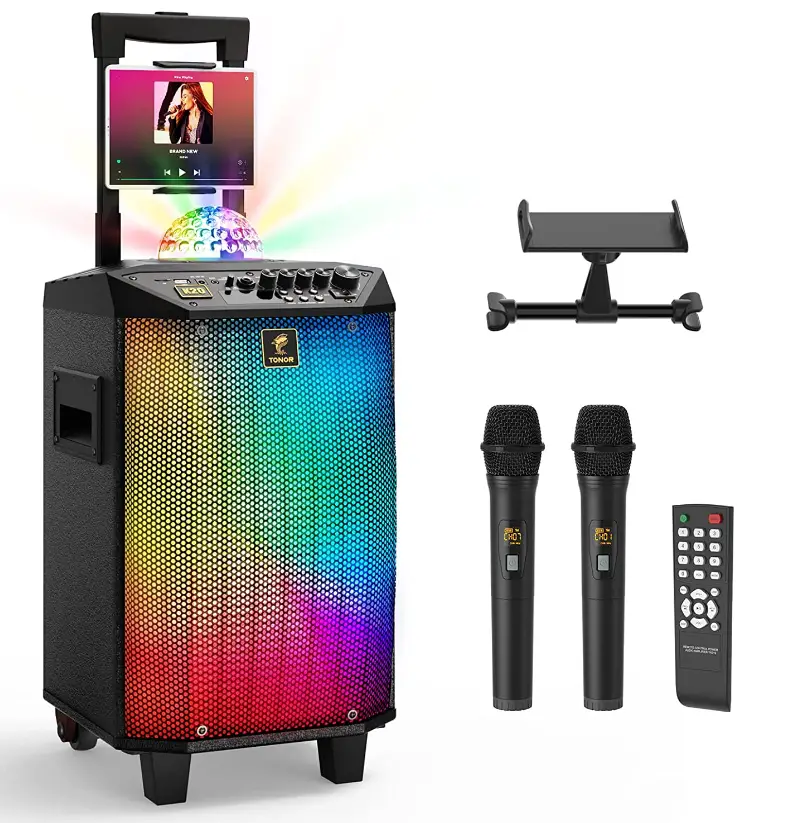
The wireless karaoke machine from Tonor comes with a number of exceptional features. These include clear sound, ease of use and budget friendly.
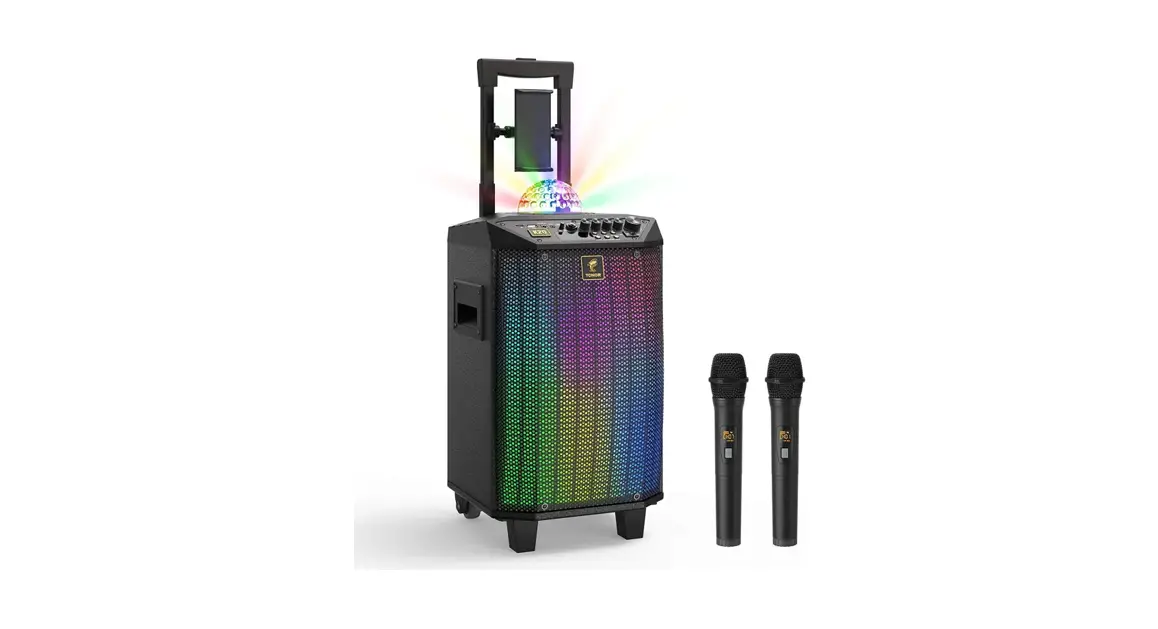
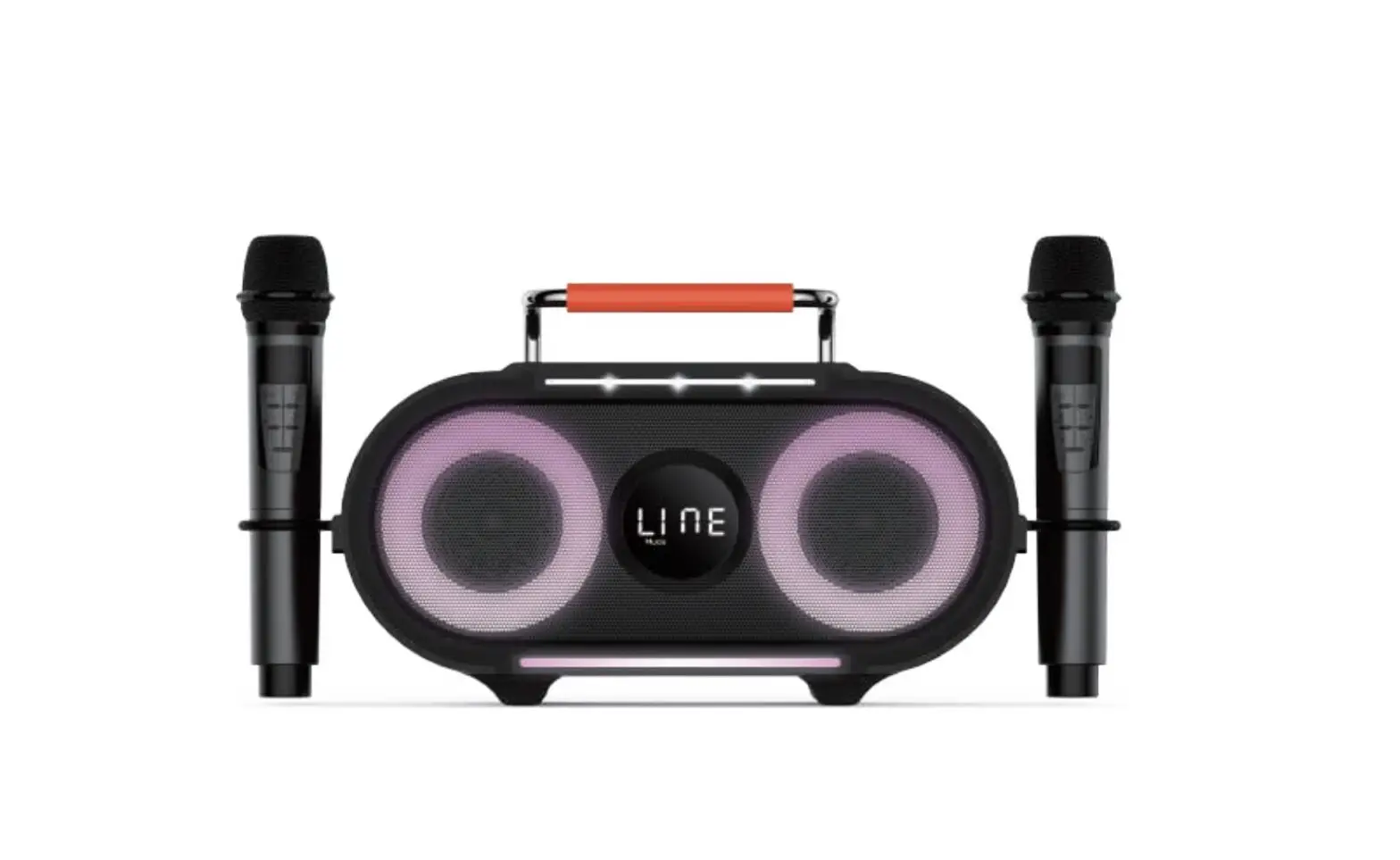
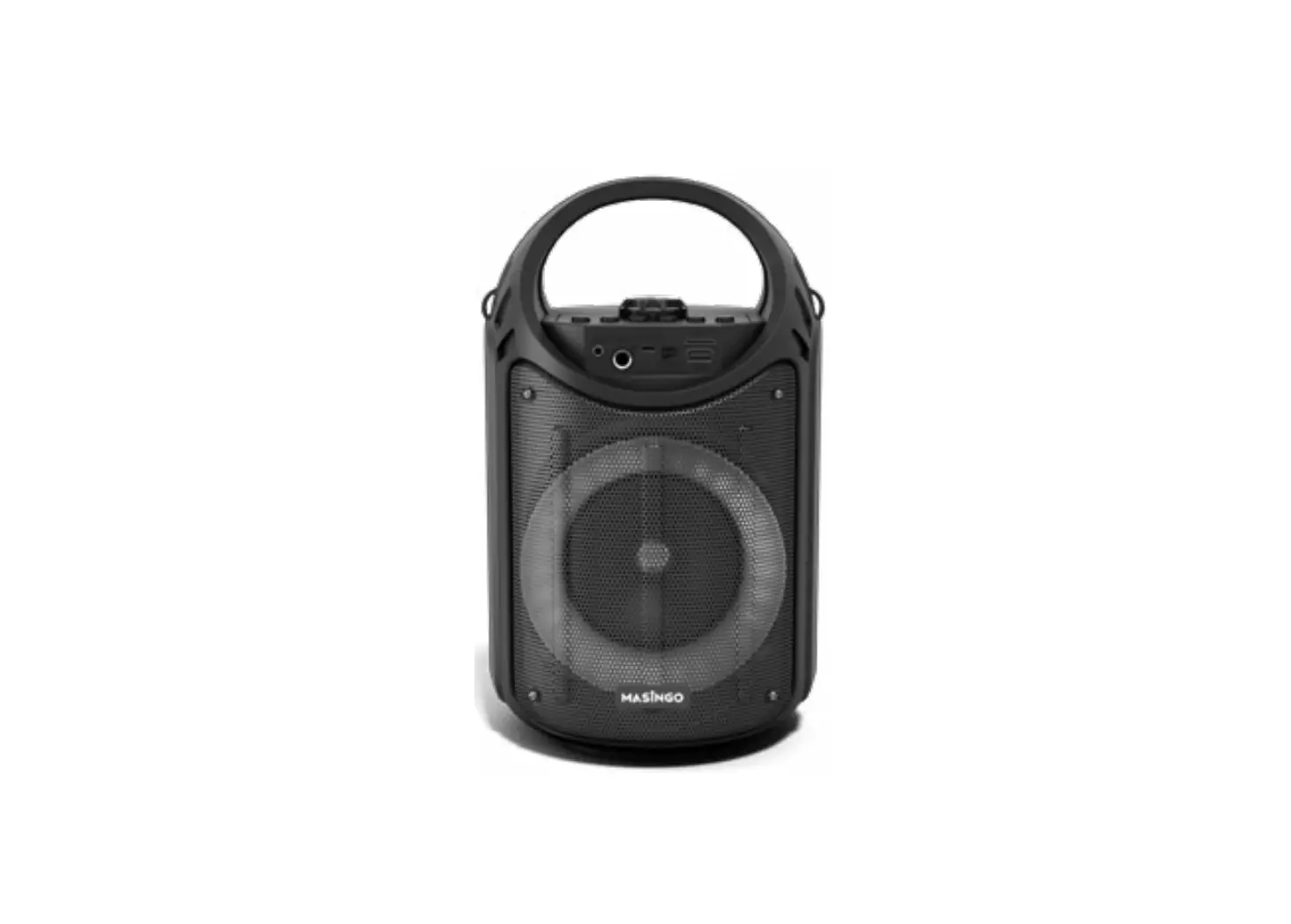
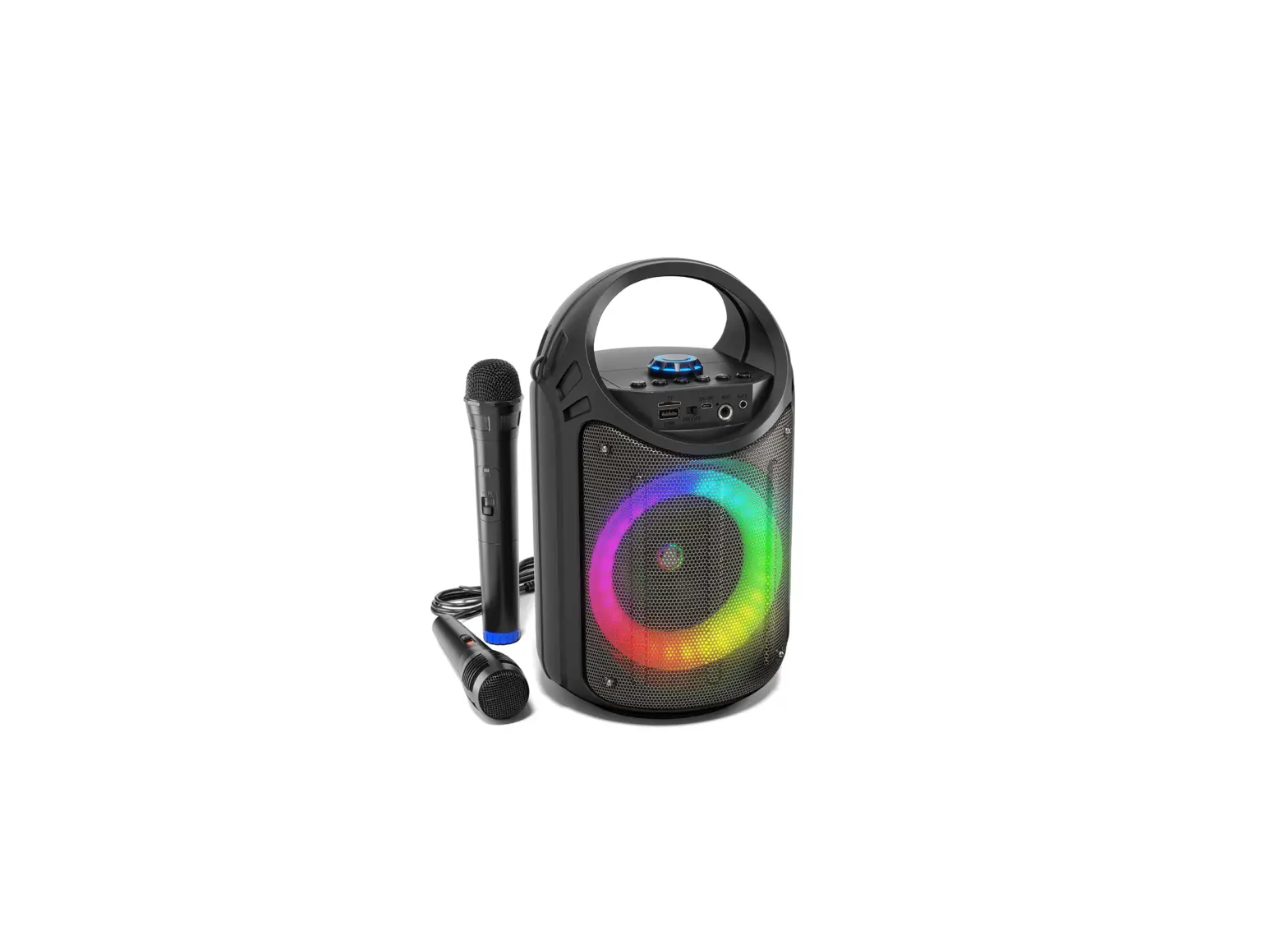
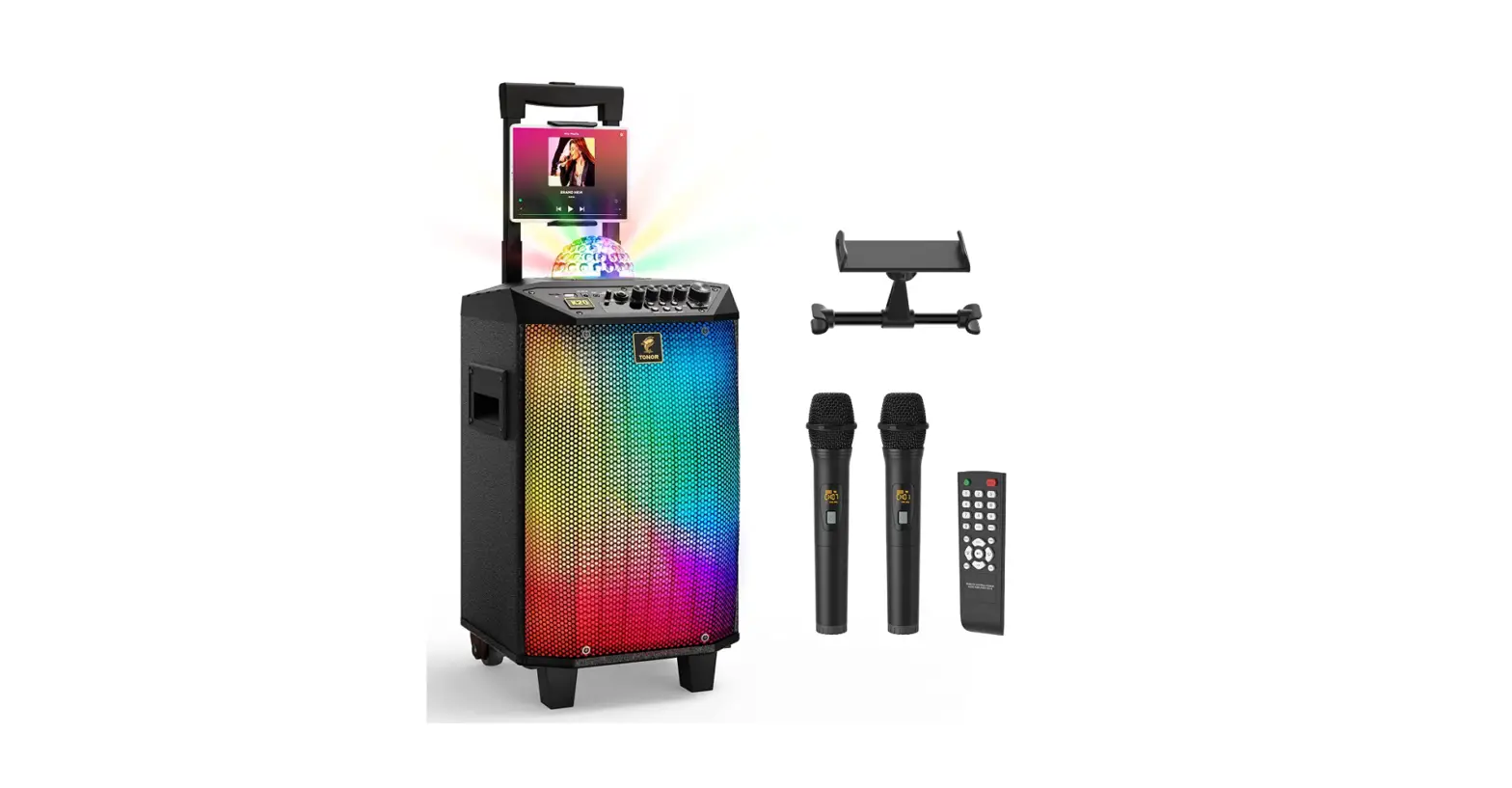
It is a high power speaker with one 8 inch subwoofer, two 3 inches tweeters, and peak power of up to 250W. The karaoke machine is bright that resemble a blinking disco ball. It also features long battery life of up to 8 to 12 hours with a charge time of about 6 to 8.
ABOUT THIS MANUAL
Thank you for purchasing TONOR K20 karaoke machine. This manual is intended to help you understand all about this karaoke kit and how to use it. TONOR always strives for the ultimate user experience. All our knowledge and passion for audio technology are incorporated into building microphones and speakers with high performance for you. The TONOR K20 uses enhanced bass diaphragm speakers and cool LED lights to achieve the best user experience.
ACCESSORIES
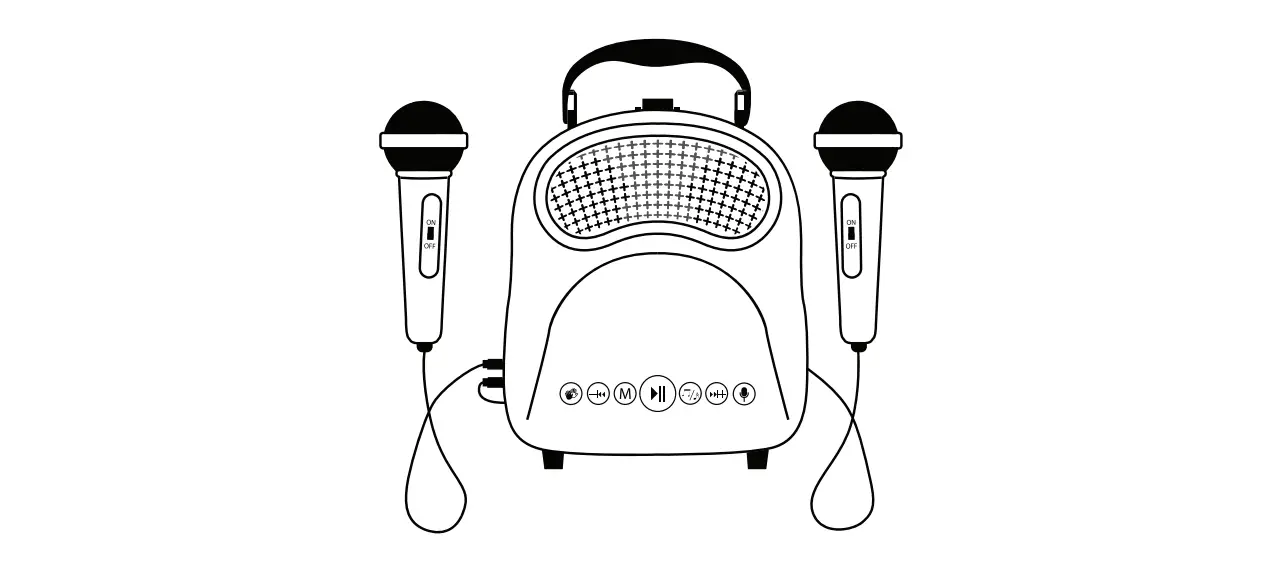
- 1 x Karaoke Machine
- 2 x Wireless Microphone
- 1 x Remote Control
- 1 x 3.5mm to RCA Cable
- 1 x 3.5mm Audio Cable
- 4 x Foam Cover
- 1 x Tablet Holder
- 1 x Power Adapter
- 1 x Storage Bag
- 1 x Manual
- 1 x After-sales Card
CHARGING INSTRUCTION
For the first use, please use this product until there is only one grid of power left, then use the included power adapter for charging. When charging, the battery icon on the display will flash. After charging about 6 to 8 hours, the power indicator icon will indicate full. Please unplug the power adapter.
After the battery is fully charged, it can be used for 8 to 12 hours. When the battery voltage is low (power off), the machine will automatically shut down. Please charge it within 48 hours.
If the device doesn’t work for a long time, the battery should maintain a certain amount of power. Long-term lack of power will damage the battery! Correct operation can extend battery life.
SAFETY WARNING
If you do not use the machine for a long time, please unplug the power plug to prevent the machine from being burned by lightning flash.
The applicable voltage of this machine’s power adapter requires 100-240V.
The power cord cannot be squeezed, pulled, bent, knotted, hung heavy objects, or trampled to prevent the insulation layer of the power cord from being damaged and causing electric shock.
To reduce the risk of fire or electric shock, do not expose the machine to rain or moisture. Do not place objects filled with liquids, such as vases, on the machine.
The device is equipped with batteries, so do not expose it to scorching sun for a long time. Do not install near any heat sources such as radiators, heat registers, stoves, or other apparatus (including amplifiers) that produce heat.
Do not block the heat radiation holes, otherwise, it will cause poor heat dissipation of the machine and affect the service life of the machine.
FUNCTION DESCRIPTION
Built-in MP3 function.
- USB port: Plug and play.
- SD/TF port: Plug and play.
Support MP3, WAV, WMA, FLAC, and other audio formats.
Built-in recording function:
Connect an external storage device (USB flash disk/TF card) and short press the REC button to start recording. When the external storage is used on this machine for the first time, a folder named RECORD will be created automatically, and the recording files MIC0001.MP3, MIC0002.MP3 …… will keep in this folder. Press the REC button to start recording, then press the RE.PLAY button to exit the recording and play the recording. Press the RE.PLAY or MODE button again to exit the recording playback mode.
- The default input signal source is AUX mode when power on.
- In “BLUE” mode, you need to make sure that the Bluetooth device (mobile phone, tablet, etc.) is turned on, then scan, search and match this machine’s Bluetooth (the prompt sound “Bluetooth connection” will appear when the connection is successful), (the Bluetooth name of this machine: TONOR K20).
Note: if they can’t match, please restart the machine or Bluetooth device to try again. - After the Bluetooth connection between the mobile phone and this machine is successful, you can start playing music.
- The Bluetooth range of this machine is 35ft (line of sight).
Cautions: During use, please keep away from high temperature, strong magnetic field and high frequency interference. If you encounter a crash/froze, please turn o ffthe power and restart or unplug the USB flash disk/TF card and plug it in again to resume normal operation. Format the USB flash disk/TF card in the computer to FAT32 format. When the system reads data, it will first read the file with the earlier creation time. When downloading (copying) files in formats such as MP3, WAV, WMA, and FLAC to the root directory of the USB flash disk/TF card, it is recommended to delete unnecessary files and file directories to make playing songs faster and reduce reading errors.
PANEL FUNCTION INSTRUCTION
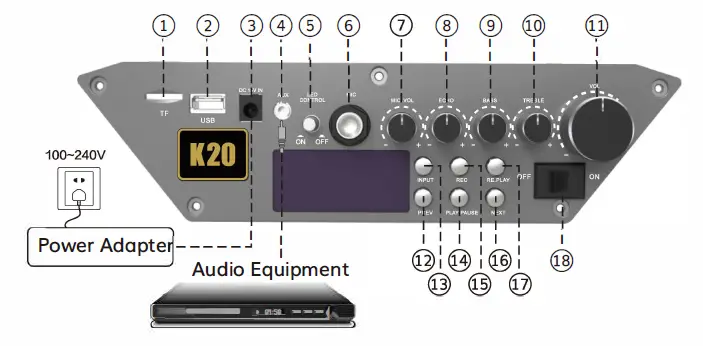
- TF
- USB
- DC 15V IN
- AUX
- LED CONTROL
- MIC
- VOL
- ECHO
- BASS
- TREBLE
- VOL
- PREV
- INPUT
- PLAY /PAUSE
- REC
- NEXT
- PLAY
- ON/OFF
REMOTE CONTROL INSTRUCTION
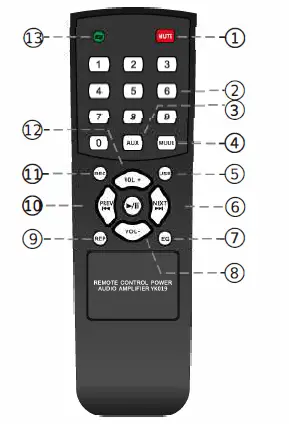
- Mute
- Numeric Keys 0-9
- AUX
- IN PUT
- USB
- NEXT
- EQ
- VOL-
- PLAY
- PREV
- REC
- VOL+
- Loop Playback
WIRELESS MICROPHONE INSTRUCTION
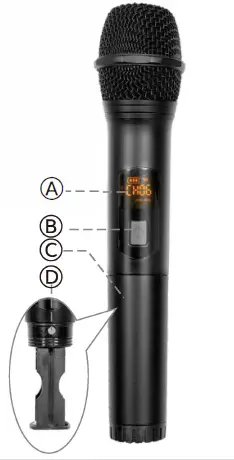
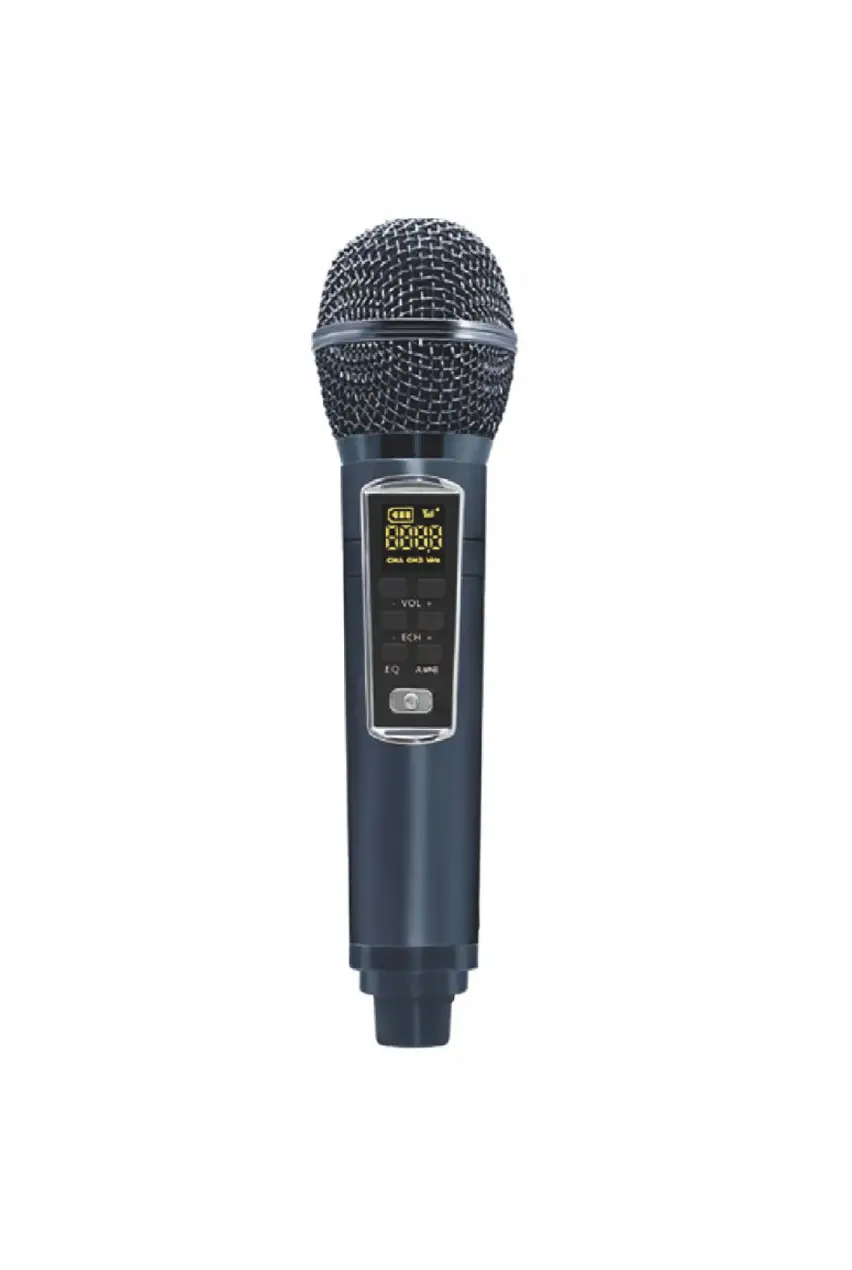
- Display Screen
- On/Off Switch
- Battery Compartment
- Channel Adjustment Button
Wireless microphone battery installation and on/off:
- Take down the tail tube(C) of mic.
- Put two AA batteries into the battery compartment of the microphone according to the positive and negative poles.
- Press the power button (B) to turn on the microphone.
Operating instructions for wireless microphone binding:
- The 5 frequencies of Mic A: CH01-CH05
- The 5 frequencies of Mic B: CH06-CH10
- Press the “D” button to switch channel in sequence.
Cautions: The operating distance of the wireless microphone is within 100ft. In order not to affect performance, please do not exceed this range. When the battery power is low or the environmental interference source is too strong, the operating distance will be shortened. Do not use wireless microphones of the same channel simultaneously in a short distance, as this will cause silence or interference. If you have purchased two or more sets of this product and plan to use them together within a short distance, please switch the wireless microphone to different channel. During use, please do not place the machine near devices with high interference frequencies (such as VCD/ CD/DVD), so as to avoid interference between the machine and the VCD /CD/DVD of the same frequency.
WARRANTY
TONOR provides 2 years of after-sales service, free replacement to products that are NOT damaged resulting from accident, alteration, misuse, negligence, or abuse. If exceeding 30 days of Amazon return policy, you can still contact us through our Shopify TONORMIC. We will serve you with full sincerity!
Shopify link: https://www.tonormic.com
Email: [email protected]
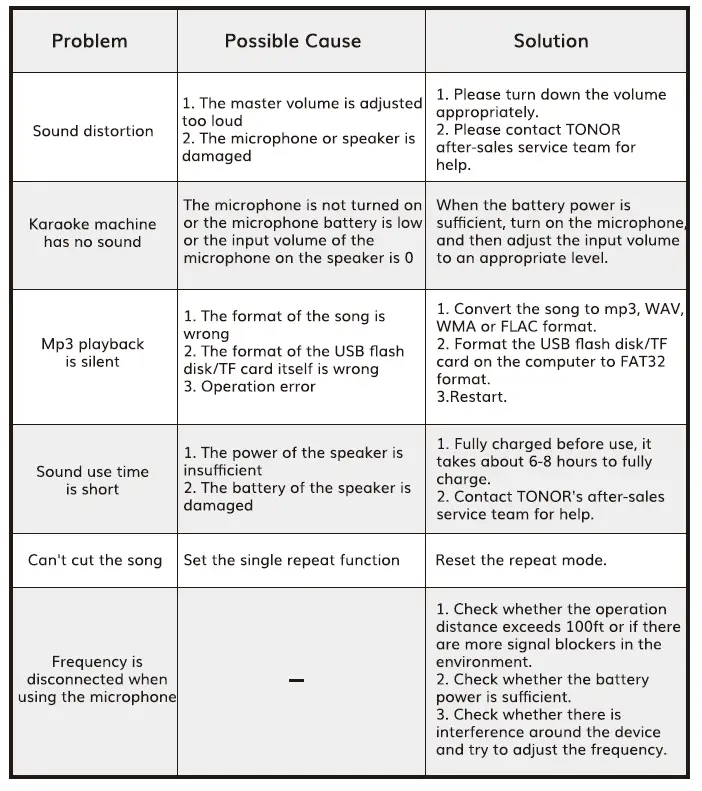
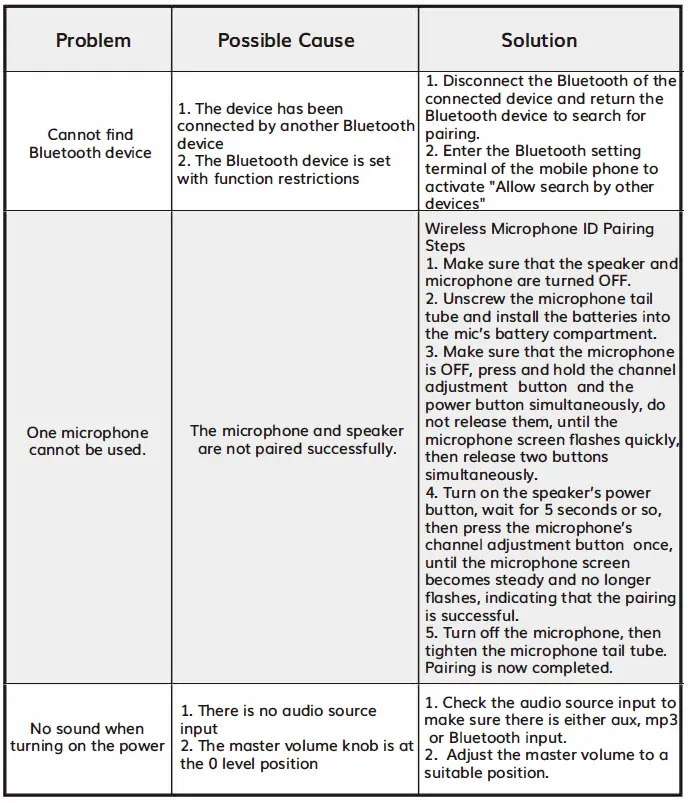
TROUBLESHOOTING
During use of this machine, if the following problems are found, please check one by one according to the following troubleshooting guide. If the problem still cannot be solved, you can contact our company for consultation via email or website.
The detailed troubleshooting is as follows:
FREQUENTLY ASKED QUESTIONS
No, it can’t as Bluetooth and Aux in are two separate modes which can’t be used together.
Yes, it can be used as a PA.
The power requirements of the Tonor Wireless Karaoke machine are 15V/2.4A.
The receiver of this wireless mic can be plugged into the mic port of the karaoke machine. If the frequency isn’t same, make sure to adjust it.
Yes, it can be used in 220 – 240 volts.
No, the karaoke machine itself doesn’t have FM radio but it can be used to play songs from online FM stations.
No, the lights of this wireless karaoke machine aren’t adjustable.
Yes, you can add a third microphone. The Tonor wireless karaoke machine features a 6.35mm MIC input port on its functional panel. It can support an external microphone as well.
Yes, the unit comes with an AC adapter which can be used to charge it.
Yes, a 3.5mm to 3.5mm cable can be used to connect it with the computer via the aux port or one can use Bluetooth to connect to the computer.
Yes, the speed of the light effect depends on the tempo of the song meaning that if the music is going fast the lights will change faster similarly if the song music is playing at normal place, the light effect will change slowly.
Yes, the microphone needs 2 AA batteries.
Can the lights be turned off if wanted?
Yes, the Tonor wireless karaoke machine comes with a light switch which can be used to turn on and off the lights.
The K20 Tonor wireless karaoke machine doesn’t feature auto tune.
The proper method of cleaning the microphones is by using a dry cloth on the surface of the microphone.