
Lenovo T4-IS 02 T4 series-Indoor Station logo
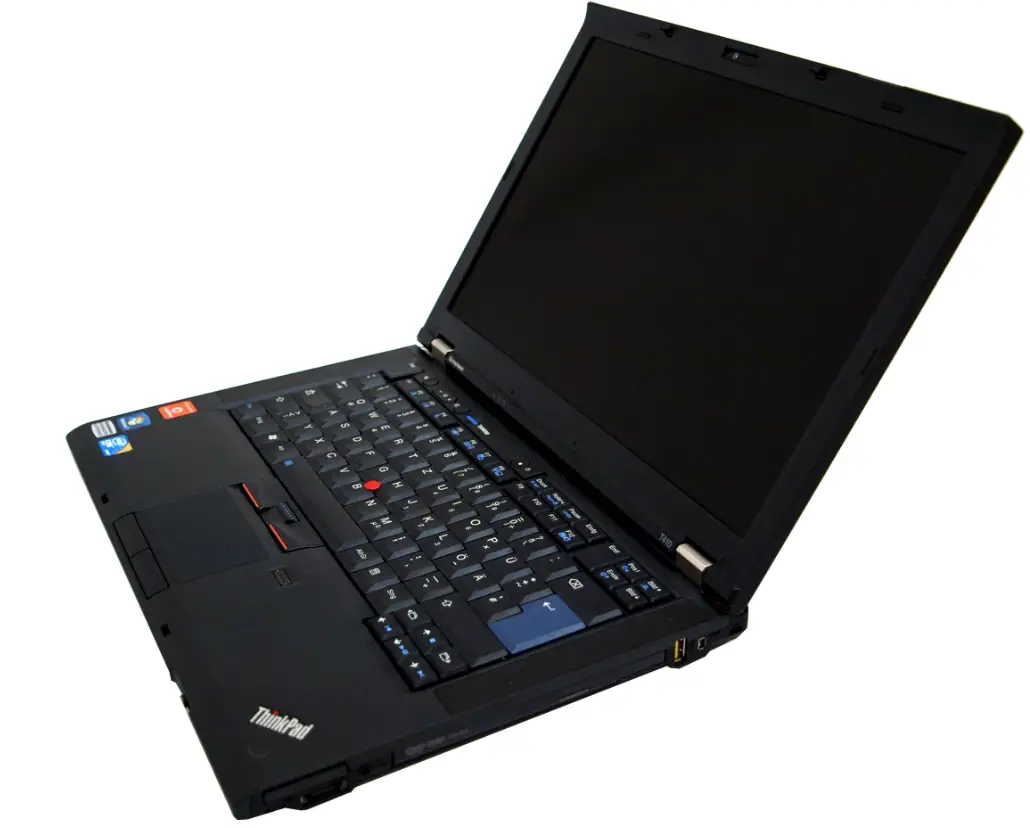
Functions Overview
The indoor station is based on the protocol of TCP/IP, it is one of the main devices in digital video door phone system.
- Designed with 4.3 inch panel
- Support 24V non-standard POE power supply
- Support real time monitoring outdoor station
- Receive and send message from/to guard unit
- Support more than one indoor monitors in one house
- Support the video intercom between visitors and residents, residents and guard units
Product introduction
Product appearance
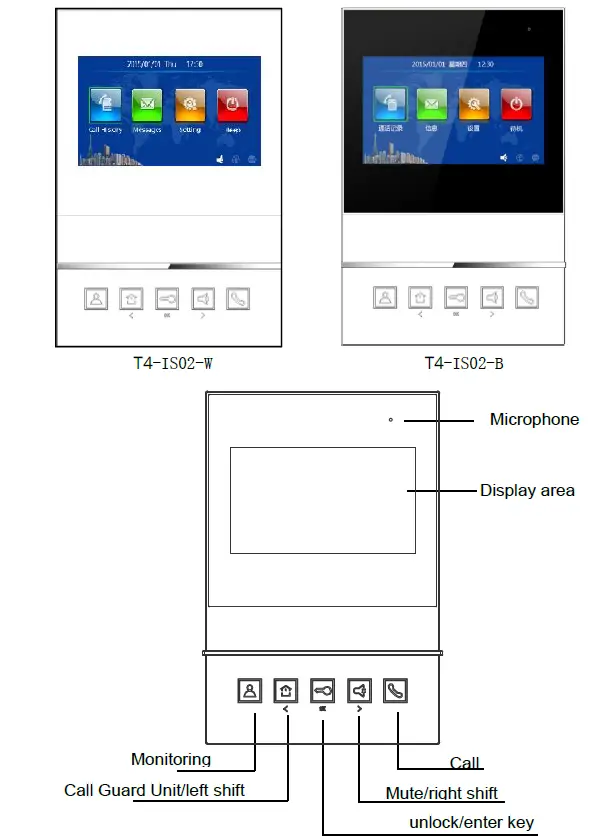
Interface description
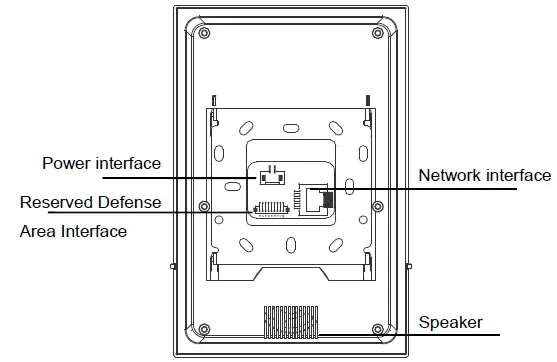
Network interface : Support non-standard POE power supply
Power input interface : DC 24 V
Parameters
- Working voltage: DC 24V
- Static current: ≤ 80 mA
- Working current: ≤ 120 mA
- LCD panel size: 4.3 inch
- Resolution: 480 * 272
- Dimension(L * W * D): 180 * 123 * 20.5 mm
- Environmental temperature: -10℃~ + 55℃
- Max Ring Duration: 30 seconds
- Max Calling Duration: 120 seconds
- Max Monitoring Duration: 30 seconds
Configuration password: This password is used when setting room number and factory reset. The initial password is 801801.
Basic Functions
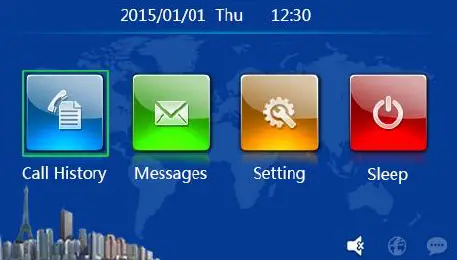
- Call Record
Click , call history and to check the record of the talking between the visitors or the guard unit and the indoor station. Residents can check, read and delete the talking records. - Information
Click , message and to check the information released by the community. - Configuration
Click setting ,and to enter the configuration interface, residents can configure the language, time, check device information and to configuration setting. - Standby
Click power and the indoor monitor will enter to the Standby status.
Call In
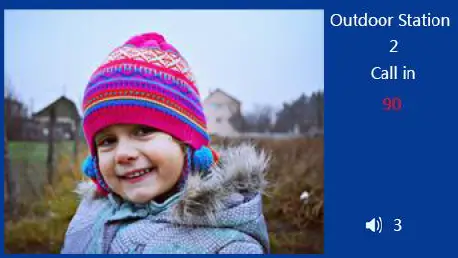 Steps: Doorbell rings to Talk to Open the door to Talk Completed
When the calling comes:
- Visitor calls the indoor monitor from outdoor station, the indoor station starts ringing.
- Resident can press button to talk with the visitor.
- During the conversation, resident can press button to open the door for the visitor. 5 seconds later after opening the door, the system returns to the standby status.
- Resident can press button to end up the talking.
Capture:
- During the calling from the visitor, click the icon and capture manually.
- The captured pictures will be saved and can be found in the call records(only the last three captured pictures are saved if there’re more than three times of capture)
Volume adjustment:
- When visitors are calling, press to adjust the volume.
- Volume level from 1 to 5.
Monitoring
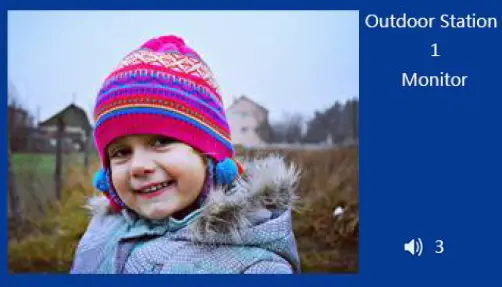 Open the door when monitoring
Steps: Choose the device to monitor to Monitoring to Unlock and End
- Click the icon to monitor outdoor station. When there’re more than one outdoor stations, can press to switch over;
- During monitoring, the resident can press button to unlock for visitor;
- Click call to talk, press call again to end talking.
Capture when monitoring
During monitoring, click the icon on the screen to capture pictures manually.
Tips: The captured pictures are saved in the talking record (only the last three captured pictures are saved if there’re more than three times of capture)
Talk
Basic steps: Monitor to Talk and End
During monitoring(secondary outdoor station, outdoor station, perimeter gate station),the resident can press call button to talk.
Call Guard Center
When the device is at the standby status, press button to call guard unit.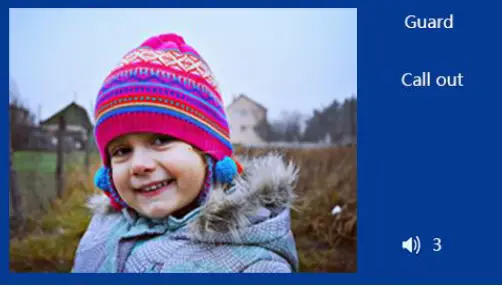 Capture:
- During the calling from the visitor, click the icon and capture manually.
- The captured pictures will be saved and can be found in the call records (only the last three captured pictures are saved if there’re more than three times of capture).
Volume adjustment:
- When visitors are calling, press volume up and down button to adjust the volume.
- Volume level from 1 to 5.
Call records
Press call history button to enter the call records interface. Here you can check the call records information. 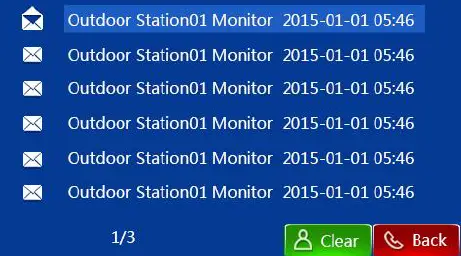 Empty call records
Press clear button to empty call records.
Check call records
You can press menu or volume to choose, press to read the details of the information, and clear to delete, back to return.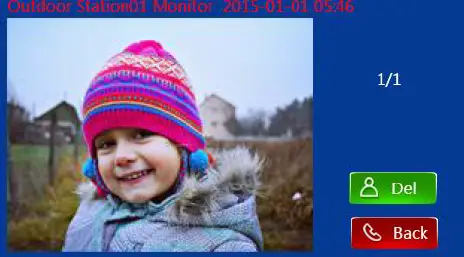
Information
Press mail button to enter the text message interface. Here you can check the community information sent from the guard center.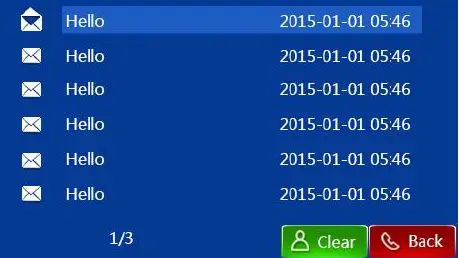 Empty information
Press button to empty information.
Check information
You can press or to choose, press to read the details of the information, and to delete, to return.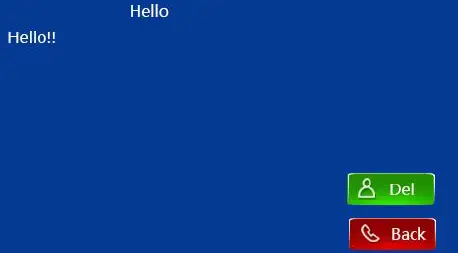
System setting
Language setting
Click setting then choose language setting to enter the language setting.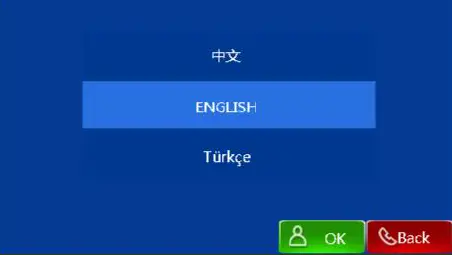 For the first time of power on the station, language must be selected.
4.2 Time setting
Click setting to set the time. ( Inputting “1” in Auto-Sync blanket means “Yes”, inputting “0” means”No”; inputting “1” in 12h blanket means to choose 12 hours system, inputting “0” means to choose 24 hours system).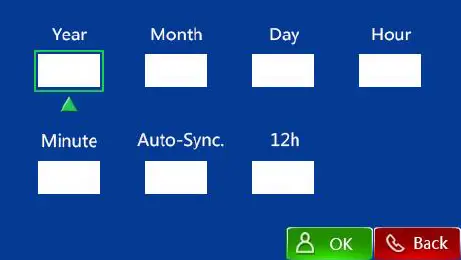 Remarks:
Choose menu and volume for the type frame, and then click unlock to enter the input frame. After choosing the input frame, choose menu and volume to edit number. Press menu one time, means to decrease 1 in circle. Press one time( from 1-9 in circle), it means to increase 1 in circle.
Configuration settings
Click setting button to choose configuration setting, input password to enter configuration setting interface.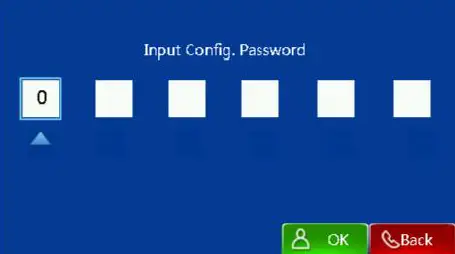 Remarks:
Choose menu and volume for the type frame, and then click unlock to enter the input frame. After choosing the input frame, choose menu and volume to edit number. Press menu one time, means to decrease 1 in circle. Press one time( from 1-9 in circle), it means to increase 1 in circle. 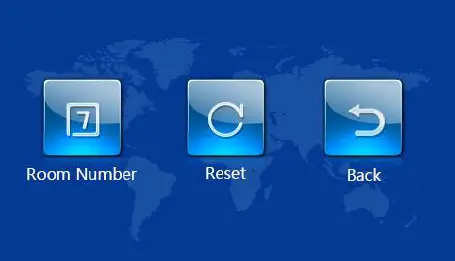
- Room number setting
Click room number to enter the room number setting interface.
- Factory reset
Choose reset to factory reset within 30s after powering. Note: After factory reset, all record will be deleted.
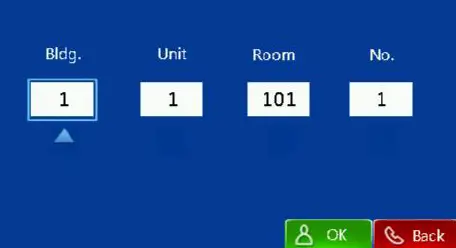
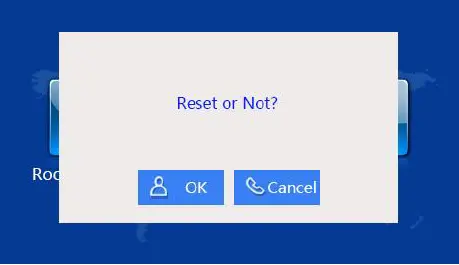 Note: After factory reset, all record will be deleted.
Device Information
Click setting about to the the interface. About interface shows the software version and device setting information.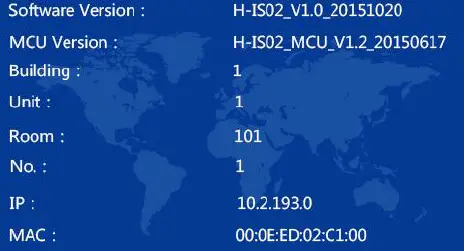
Installation
Suggested height
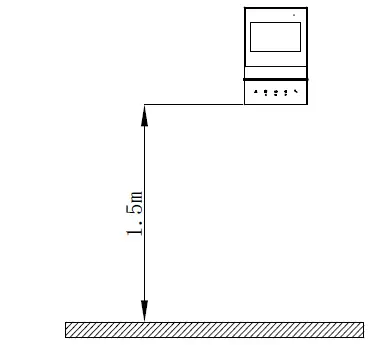
Installation instruction
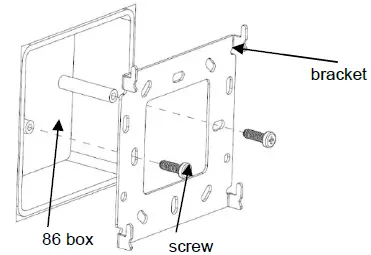
- Drive the screws on the bracket with the holes on the 86 box.
Fasten the screws to fix the bracket.
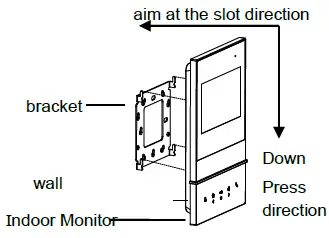
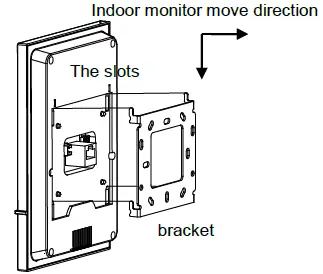
- After finishing the wiring of the indoor station, aim the slot behind the indoor station to the hook of the bracket.
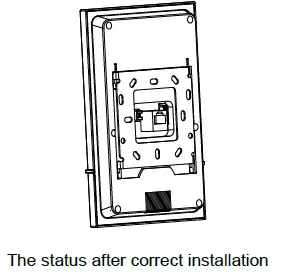
After aiming correctly, move downward a little to make the indoor station well fastened on bracket.